ContactOut vs SalesQL (2026): Which Finder Actually Wins?
Both scrape LinkedIn. Both promise verified emails. But ContactOut and SalesQL fail in very different ways once you push past 500 contacts a month. Here's the honest breakdown.
TL;DR
- ContactOut is the stronger LinkedIn-native tool: deeper personal-email coverage, a polished Chrome extension, and recruiter-grade profile data — but pricing climbs fast and per-seat licensing punishes teams.
- SalesQL is the budget pick: cheaper entry plans, a genuinely usable free tier, and clean CSV exports — but coverage thins out on non-US domains and API access is an afterthought.
- Neither is a great fit if your workflow is domain-first (find everyone at a company) rather than profile-first (find this one person on LinkedIn).
- Accuracy claims from both vendors are marketing numbers. In independent tests, verified-email hit rates for B2B work cluster in the 60–80% range regardless of the logo on the extension.
- If you need an API, bulk enrichment, and a verifier in one place, a dedicated email finder like Tomba usually costs less per usable contact than either.
What are ContactOut and SalesQL, actually?#
Both are LinkedIn contact-extraction tools. You install a Chrome extension, open a LinkedIn profile or a Sales Navigator search, and the extension reveals email addresses and phone numbers attached to that person.
That shared origin matters more than the feature lists suggest. It means both tools live and die by two things: (1) how big their historical contact database is, and (2) how well they handle LinkedIn's rate limits and anti-scraping defenses.
ContactOut launched as a recruiter tool. Its database skews heavily toward personal Gmail/Outlook addresses — the kind of thing you use when you're trying to reach a passive candidate who ignores their work inbox. Over the years it added sales features (search, lists, CRM push), but the DNA is still talent acquisition.
SalesQL came at it from the sales side. It's leaner, cheaper, and built for a single motion: scrape a LinkedIn search, get work emails, drop them into a sequencer. There's less product surface, and that's partly the point.
Here's the practical split:
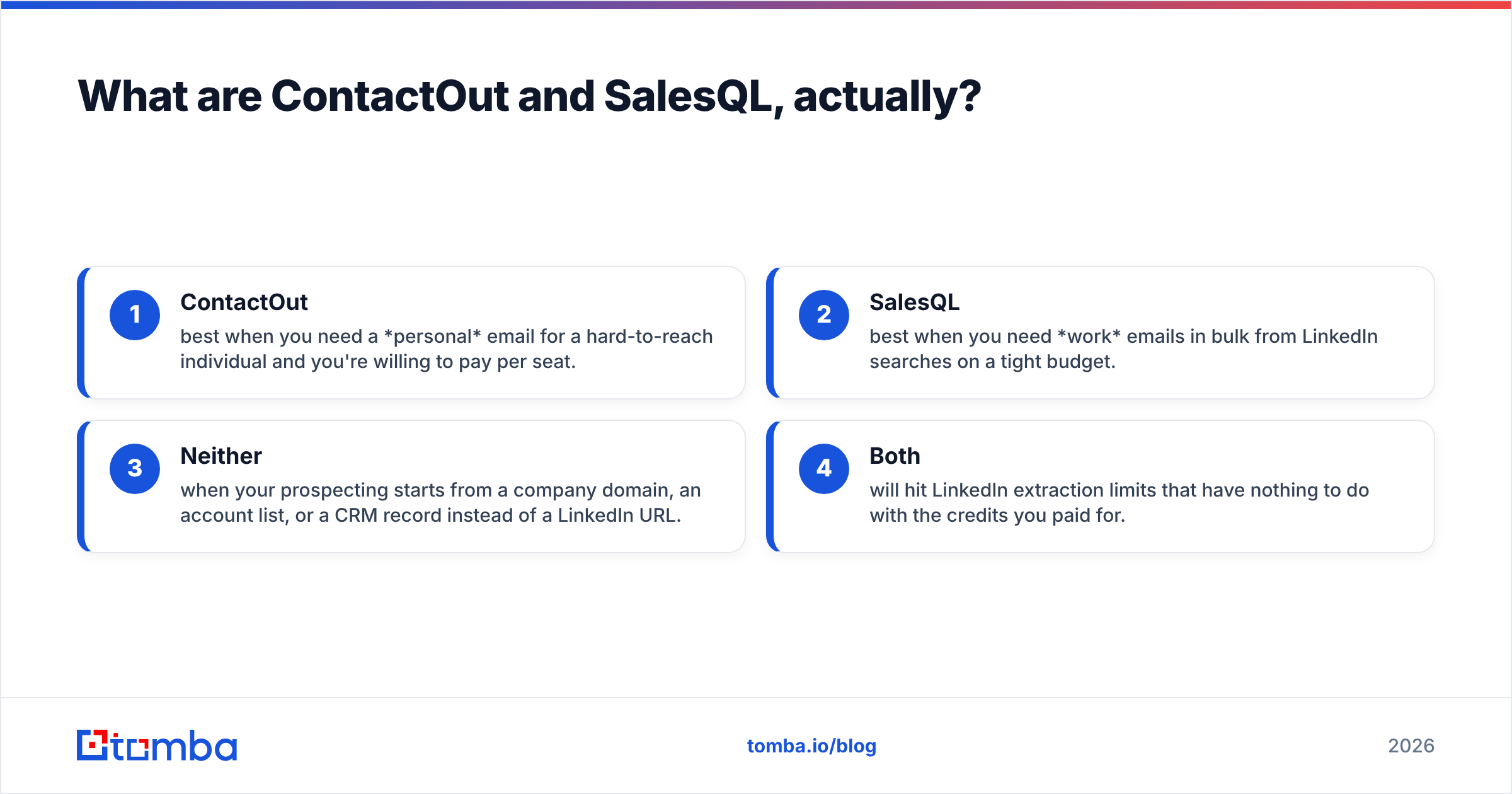
- ContactOut — best when you need a personal email for a hard-to-reach individual and you're willing to pay per seat.
- SalesQL — best when you need work emails in bulk from LinkedIn searches on a tight budget.
- Neither — when your prospecting starts from a company domain, an account list, or a CRM record instead of a LinkedIn URL.
- Both — will hit LinkedIn extraction limits that have nothing to do with the credits you paid for.

How do ContactOut and SalesQL compare on price and limits?#
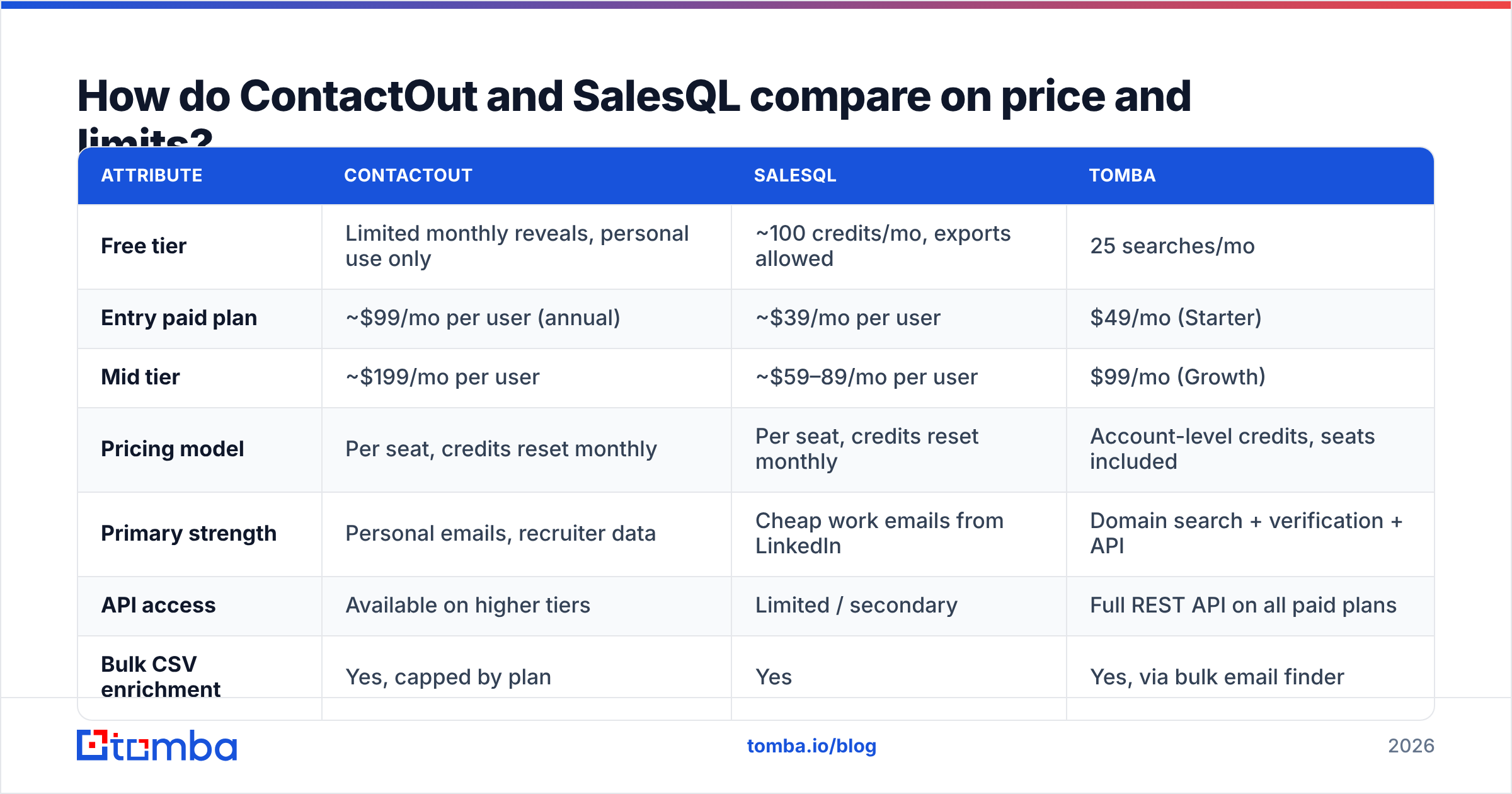
Pricing on both platforms moves, and both hide their real numbers behind "contact sales" for anything above a small team. The table below reflects publicly listed self-serve pricing as of early 2026 — verify on the vendor pages before you buy, because both have re-priced twice in the last 18 months.
| Attribute | ContactOut | SalesQL | Tomba |
|---|---|---|---|
| Free tier | Limited monthly reveals, personal use only | ~100 credits/mo, exports allowed | 25 searches/mo |
| Entry paid plan | ~$99/mo per user (annual) | ~$39/mo per user | $49/mo (Starter) |
| Mid tier | ~$199/mo per user | ~$59–89/mo per user | $99/mo (Growth) |
| Pricing model | Per seat, credits reset monthly | Per seat, credits reset monthly | Account-level credits, seats included |
| Primary strength | Personal emails, recruiter data | Cheap work emails from LinkedIn | Domain search + verification + API |
| API access | Available on higher tiers | Limited / secondary | Full REST API on all paid plans |
| Bulk CSV enrichment | Yes, capped by plan | Yes | Yes, via bulk email finder |
| Built-in verifier | Basic validity flag | Basic validity flag | Dedicated email verifier + catch-all handling |
| Works without LinkedIn | Partially (search database) | Barely | Yes — domain-first by design |
The line that matters most in that table is pricing model. Per-seat licensing is fine when one SDR does all the prospecting. It becomes absurd the moment you have five reps who each need occasional lookups, or an ops person who wants to enrich a 3,000-row list once a quarter. You end up buying five seats to use one seat's worth of credits.
Account-level credits solve that. So does an API key that any internal script can call.
Which one has better data accuracy?#
Short answer: ContactOut wins on personal emails, SalesQL is competitive on work emails, and both overstate their hit rates.
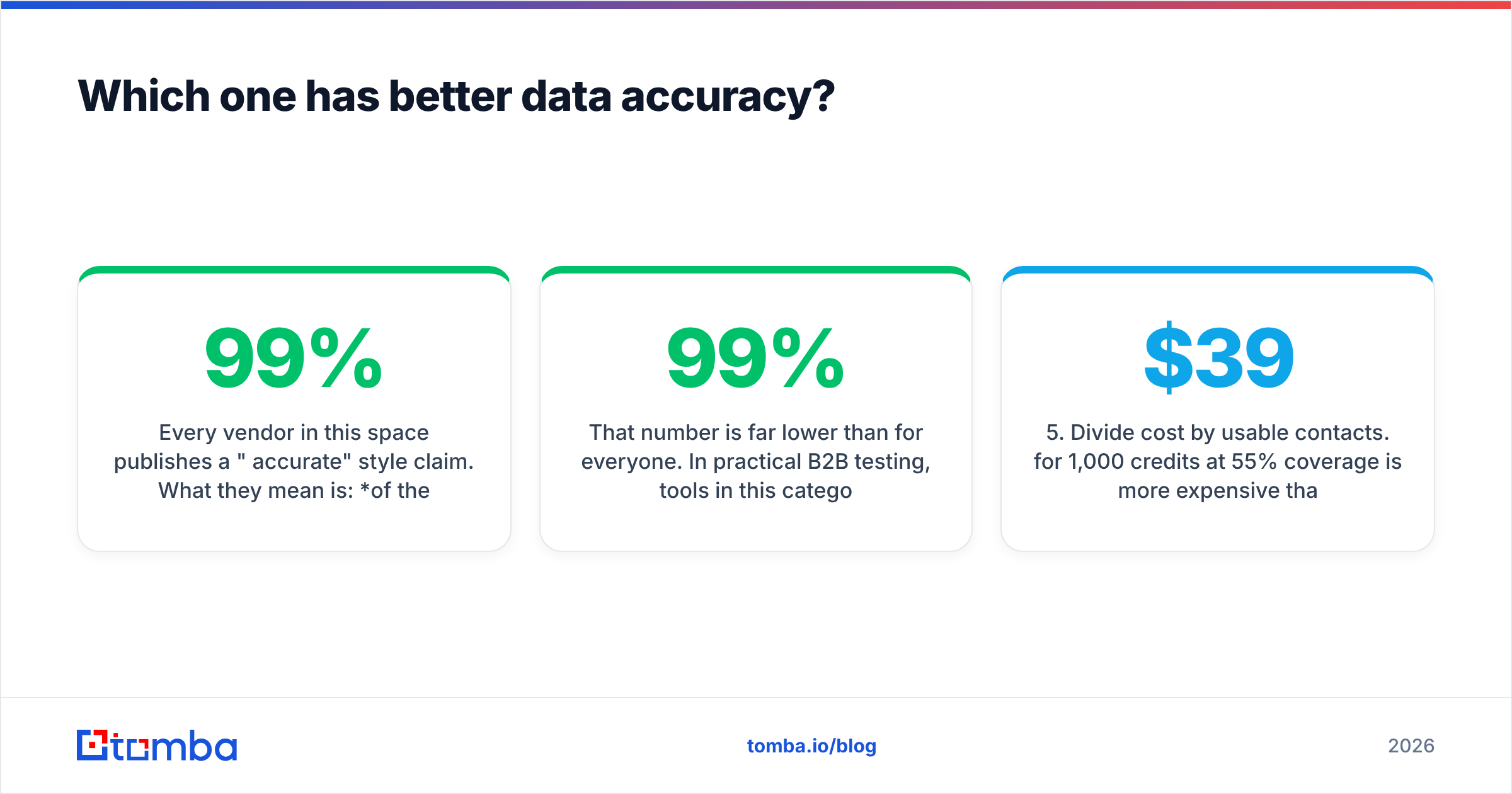
Every vendor in this space publishes a "99% accurate" style claim. What they mean is: of the emails we return and mark as valid, ~99% pass an SMTP check at the moment we return them. That's not the number you care about. The number you care about is coverage — of 1,000 real prospects you look up, how many produce a usable, deliverable address?
That number is far lower than 99% for everyone. In practical B2B testing, tools in this category land somewhere between 60% and 80% usable coverage on standard US/EU tech-company lists, and it drops hard on:
- Small companies with no public email footprint
- Non-Latin-alphabet names
- Catch-all domains (where SMTP verification can't confirm anything)
- Companies using aliasing or heavy spam-filtering at the MX layer

The catch-all problem deserves a callout, because it's where LinkedIn-extension tools quietly break. A catch-all domain accepts every address at the SMTP layer, so anything@company.com returns "valid." ContactOut and SalesQL will both happily hand you a green checkmark on a guessed address at a catch-all domain. Send to it, and you bounce.
If your target market skews enterprise (where catch-all is common), you need a tool that flags catch-all explicitly and runs a separate confidence model on it — that's what a catch-all verifier is for. Neither ContactOut nor SalesQL treats this as a first-class problem.
How to test coverage yourself, honestly:
- Build a 100-row control list. Pull real prospects from your ICP — not a curated demo list.
- Run the same 100 rows through each tool's free tier. Both offer one.
- Count found, not claimed. Ignore the "valid" badge. Count how many rows came back with any email.
- Send a real warm-up-safe test. A 100-address send tells you the true bounce rate. Nothing else does.
- Divide cost by usable contacts. $39/mo for 1,000 credits at 55% coverage is more expensive than $49/mo for 1,000 credits at 80% coverage.
That last step is the whole game. Headline credit prices are meaningless without a coverage denominator.
Is ContactOut better than SalesQL for sales teams?#
For most outbound sales teams, SalesQL is the better value and ContactOut is the better tool — and which of those matters depends on your motion.
ContactOut's advantage is depth on the individual. If you're an executive-search firm, a founder doing highly targeted ABM into 50 accounts, or a recruiter chasing engineers who never check LinkedIn messages, personal email coverage is worth real money. ContactOut's Chrome extension also surfaces more profile context — work history, skills, sometimes phone numbers — without leaving the page.
SalesQL's advantage is throughput per dollar. If your motion is "pull 500 people from a Sales Navigator search, get work emails, load into Instantly or Smartlead," SalesQL does exactly that for roughly half the price. The UI is plainer. That's fine — you're going to look at it for four minutes a week.
Where both fall down for a sales team:
- They are LinkedIn-shaped. If a prospect isn't on LinkedIn, or their profile is locked down, you get nothing. A meaningful chunk of B2B decision-makers in manufacturing, logistics, healthcare, and local services fall in this bucket.
- They don't do domain-first prospecting. "Give me every marketing contact at these 200 companies" is a normal ask. Neither tool handles it well. A domain search does it in one call.
- They don't verify seriously. A validity flag is not a verification pipeline.
- Per-seat costs compound. Five reps, five subscriptions, five sets of unused credits.

What does the full comparison look like across the market?#
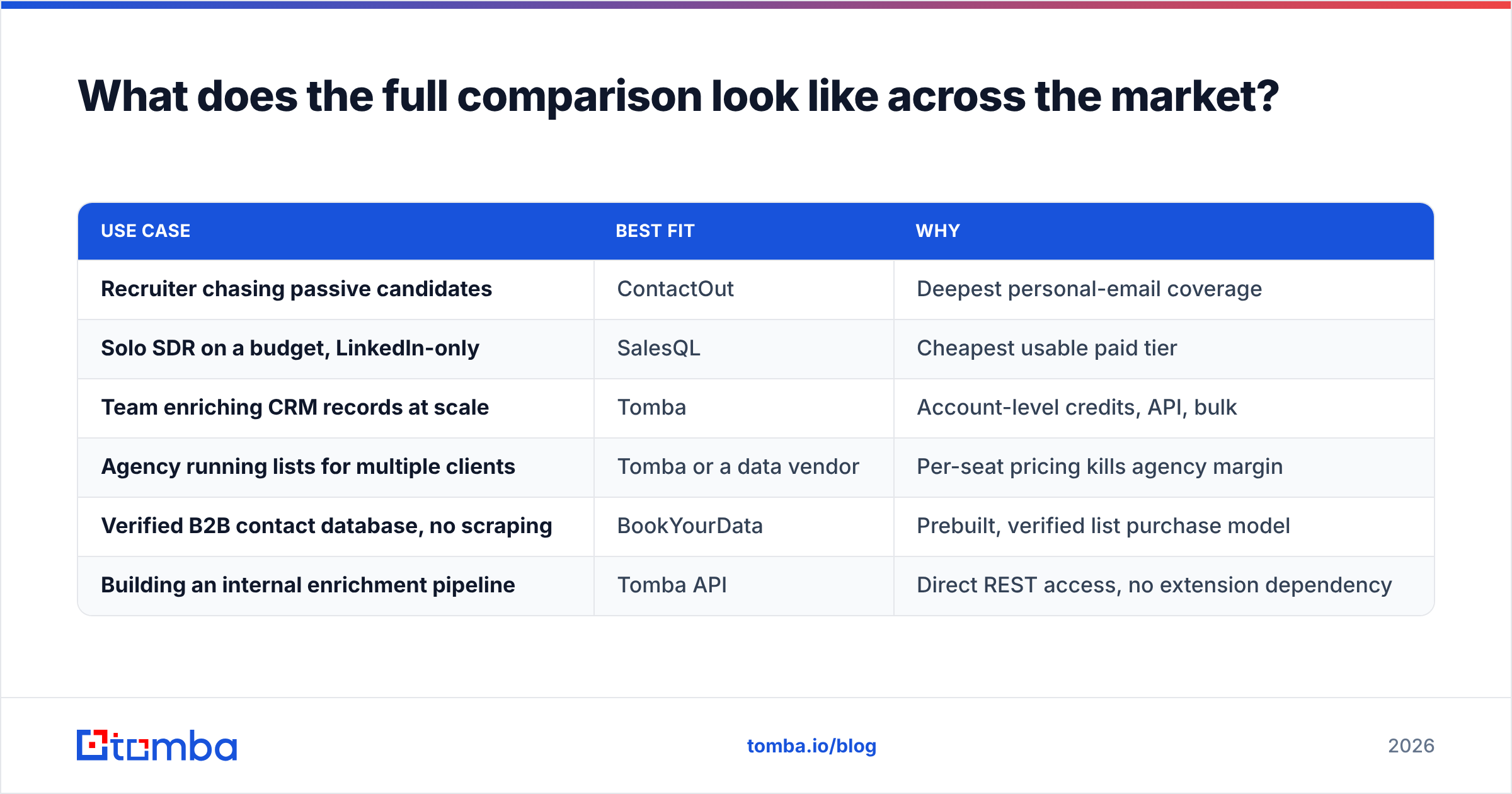
Once you widen the frame past these two, the tradeoff becomes clearer. ContactOut and SalesQL are both extension-first products. The broader email-finding market is split between extension-first tools and API-first tools, and the second category almost always wins on cost-per-usable-contact once your volume passes a few hundred lookups a month.

| Use case | Best fit | Why |
|---|---|---|
| Recruiter chasing passive candidates | ContactOut | Deepest personal-email coverage |
| Solo SDR on a budget, LinkedIn-only | SalesQL | Cheapest usable paid tier |
| Team enriching CRM records at scale | Tomba | Account-level credits, API, bulk |
| Agency running lists for multiple clients | Tomba or a data vendor | Per-seat pricing kills agency margin |
| Verified B2B contact database, no scraping | BookYourData | Prebuilt, verified list purchase model |
| Building an internal enrichment pipeline | Tomba API | Direct REST access, no extension dependency |
Worth naming honestly: if your problem is "I don't want to scrape anything, I want to buy a clean list," neither of these tools is the answer and neither is a finder API. That's a database purchase. BookYourData does that job well, with verified contacts sold outright rather than metered by extension reveal. Different tool, different problem — but it's the right recommendation for a real slice of buyers, and pretending otherwise wastes your time.
For everyone else — teams who need lookups on demand, inside their own systems — the question isn't ContactOut vs SalesQL. It's extension vs infrastructure.
How do you pick between ContactOut and SalesQL?#
Run this decision path:
- Do you need personal (non-work) emails? If yes → ContactOut. Nothing else in this comparison competes on that axis.
- Is LinkedIn genuinely your only source? If yes and budget is tight → SalesQL.
- Do you prospect from company domains or account lists? If yes → neither. You want domain search + verification.
- Do more than two people need lookups? If yes → per-seat pricing is going to hurt. Price out account-level credits before you commit.
- Do you want lookups inside your own stack — CRM, script, spreadsheet? If yes → you need an API, not a browser extension.
Most teams answer "yes" to at least two of items 3, 4, and 5 — and then buy an extension anyway because the demo was slick. Six months later they're paying five seats for one seat's usage and hand-copying emails out of a Chrome sidebar into HubSpot.
What should you actually check before you buy?#
Before you put a card down on either:
- Read the export terms. ContactOut restricts what you can do with revealed data on lower tiers. Check whether "export to CSV" is even permitted on the plan you're buying.
- Check credit rollover. Most plans in this category are use-it-or-lose-it monthly. If your prospecting is bursty, you'll waste a third of what you pay for.
- Test the catch-all handling. Pick five known catch-all domains in your ICP. See what each tool returns. If it returns confident green checkmarks on all of them, it's lying to you.
- Look at reviews with volume in mind. G2 is useful here, but filter for reviewers at your company size — a 5-person startup's experience with a per-seat tool tells you nothing about a 40-rep org's.
- Confirm cancellation terms. Annual-only discounting is common, and "annual" often means non-refundable.
The bottom line#
ContactOut is the better product. SalesQL is the better deal. Both are the wrong shape for a team that prospects from account lists, enriches CRM records, or wants contact data flowing through its own systems instead of a browser tab.
If your workflow starts with a company rather than a LinkedIn profile, start with the domain. Tomba's Email Finder resolves names and domains to verified work emails, runs catch-all detection instead of pretending catch-all doesn't exist, and exposes the whole thing through a REST API on every paid plan — no per-seat tax, no export cap that quietly caps your pipeline. The free tier gives you 25 searches to run against your own control list, and pricing starts at $49/mo for Starter with account-level credits your whole team can draw from.
Run your 100-row control list through all three. Count found, not claimed. The numbers will make the decision for you.
Related guides#
Ready to find emails that actually work?
Join 150,000+ professionals who stopped guessing and started sending. Free credits on signup — no credit card required.
Get the Tomba newsletter
Practical outbound tactics and product updates — once every two weeks.
About the author