ContactOut vs Salutary Data: Which B2B Data Wins in 2026?
ContactOut sells a browser extension on top of LinkedIn. Salutary Data sells a licensed US contact file. They solve different problems — and only one of them fits how your team actually prospects.
TL;DR
- ContactOut is an extension-first contact finder built around LinkedIn. You browse a profile, click, and get an email and phone. It is priced per seat and aimed at recruiters and individual sellers.
- Salutary Data is a licensed B2B contact file. You buy or subscribe to records — usually US-focused, usually through a sales conversation — and load them into your CRM or sequencer. It is priced per record or per contract, not per click.
- They are not really the same product. The honest comparison is workflow (ContactOut) versus data supply (Salutary Data).
- ContactOut's weakness is that it inherits LinkedIn's boundaries: no profile, no lookup. Salutary Data's weakness is that a static file decays — roughly 2-2.5% of B2B contacts change per month.
- If you want per-lookup, verified, API-accessible email and phone data without an annual data contract or a LinkedIn dependency, a self-serve finder like Tomba Email Finder covers the same job at a lower floor ($49/mo Starter, free tier to test).
What are ContactOut and Salutary Data, exactly?#
They get compared because both put a decision-maker's email in your hands. That's where the similarity stops.
ContactOut started life as a Chrome extension for recruiters. It sits on top of LinkedIn (and Recruiter, and GitHub, and company sites), reads the profile you're viewing, and surfaces work emails, personal emails, and phone numbers. Over time it added a searchable database, a bulk list builder, and an API. But the center of gravity is still the extension: a human, in a browser, looking at one person at a time. Pricing is per seat, with a limited free tier and paid plans that scale by credits and features.
Salutary Data is a data company, not a browser workflow. It compiles, verifies, and licenses a US-centric B2B contact file — contacts, direct dials, mobiles, firmographics, intent overlays — and sells access to it. You typically talk to a person, define the slice of the universe you want (industries, titles, company sizes, geos), and get records delivered as a file, a feed, or a CRM push. Buying is a procurement motion, not a signup.
Put simply: ContactOut is a tool your reps hold. Salutary Data is a dataset your ops team owns. Both cost money and both promise accuracy, but they fail in completely different ways.

How do ContactOut and Salutary Data compare head-to-head?#
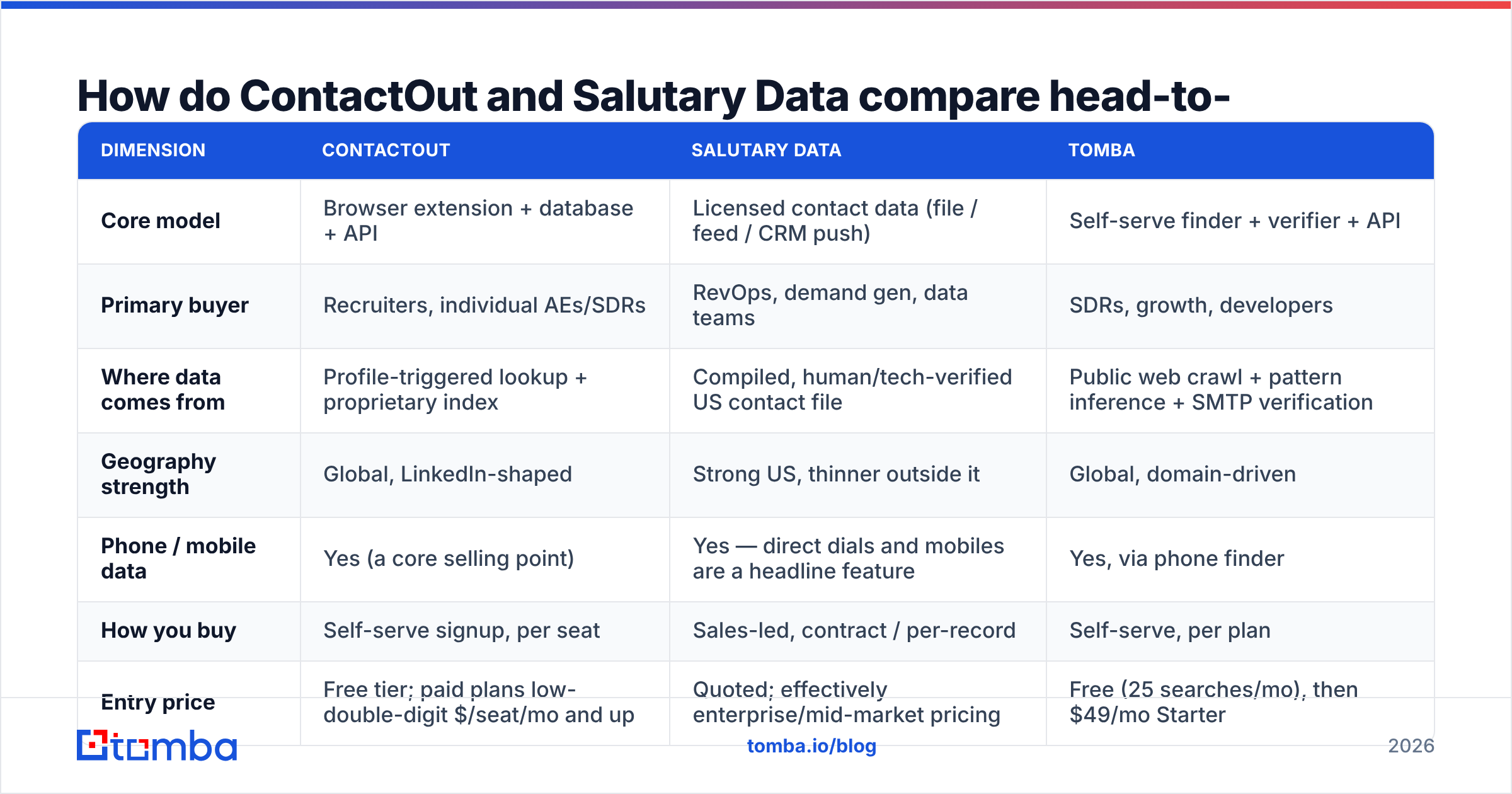
Here's the practical comparison, based on each vendor's public positioning and how buyers actually describe them on review sites like G2. Pricing and coverage numbers move — confirm both with the vendor before you sign anything.
| Dimension | ContactOut | Salutary Data | Tomba |
|---|---|---|---|
| Core model | Browser extension + database + API | Licensed contact data (file / feed / CRM push) | Self-serve finder + verifier + API |
| Primary buyer | Recruiters, individual AEs/SDRs | RevOps, demand gen, data teams | SDRs, growth, developers |
| Where data comes from | Profile-triggered lookup + proprietary index | Compiled, human/tech-verified US contact file | Public web crawl + pattern inference + SMTP verification |
| Geography strength | Global, LinkedIn-shaped | Strong US, thinner outside it | Global, domain-driven |
| Phone / mobile data | Yes (a core selling point) | Yes — direct dials and mobiles are a headline feature | Yes, via phone finder |
| How you buy | Self-serve signup, per seat | Sales-led, contract / per-record | Self-serve, per plan |
| Entry price | Free tier; paid plans low-double-digit $/seat/mo and up | Quoted; effectively enterprise/mid-market pricing | Free (25 searches/mo), then $49/mo Starter |
| Works without LinkedIn? | Partially — the extension leans on profiles | Yes, entirely | Yes — works from a domain or a name |
| Best for | One-at-a-time sourcing while browsing | Building a large, structured TAM list | Per-lookup and bulk enrichment, in-app or via API |
The table hides one thing worth saying out loud: ContactOut's ceiling is your browsing speed. If a rep has to open a profile to get a contact, the workflow does not scale past a few hundred lookups a day per person. Salutary Data has no such ceiling — but it also has no "just find me this one person right now" mode.
Which one has better data accuracy?#
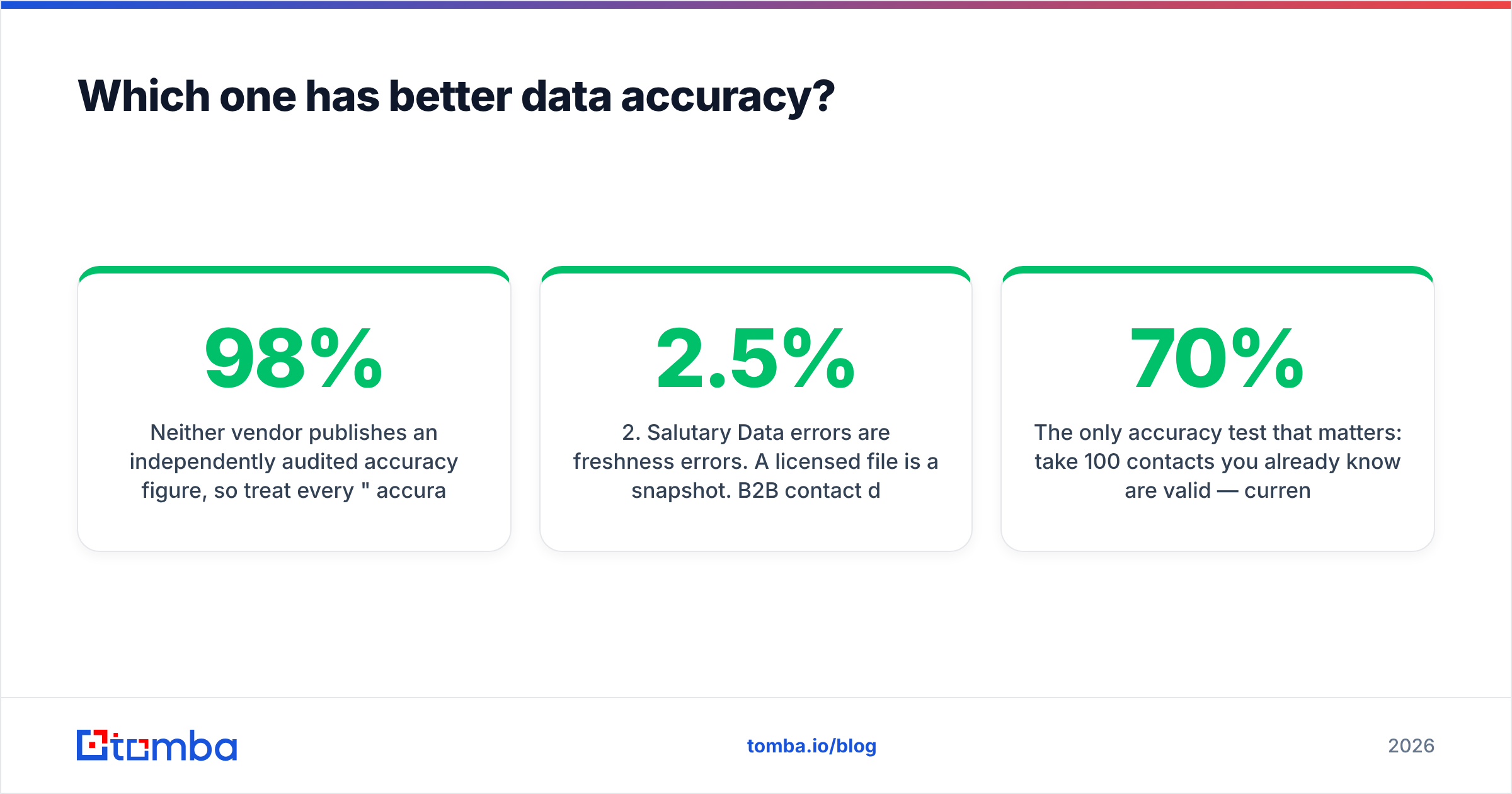
Neither vendor publishes an independently audited accuracy figure, so treat every "98% accurate" claim — theirs, ours, anyone's — as marketing until you test it on your ICP.
What you can reason about is the shape of the error each model produces:
- ContactOut errors are coverage errors. When it has the person, the email is usually good, because the lookup is anchored to a real, human-maintained profile. When the person isn't on LinkedIn, hasn't updated their profile, or works at a company the index hasn't crawled deeply, you get nothing. Empty is honest — but empty is still a miss.
- Salutary Data errors are freshness errors. A licensed file is a snapshot. B2B contact data decays at roughly 2-2.5% per month (about 25-30% annually) as people change roles, and a record that was verified in Q1 can be a bounce by Q3. Good vendors re-verify on a cycle; the question to ask in the demo is how often, and whether re-verification is included or billed.
- Catch-all domains break both. If the target company runs a catch-all mail server, SMTP verification returns "accept" for everything, so a "verified" flag means nothing. This is the single most common reason a clean-looking list still bounces. Run suspect domains through a dedicated catch-all verifier before you sequence them.
- Personal emails inflate the numbers. ContactOut leans into personal/Gmail addresses, which is great for recruiting and terrible for B2B compliance and reply rates. If a vendor's accuracy stat includes personal emails, it is not comparable to a work-email-only stat.

The only accuracy test that matters: take 100 contacts you already know are valid — current customers, closed-won contacts, people who replied last quarter — strip the emails, and ask each vendor to re-find them. Count the hits, the misses, and the wrong answers separately. A tool that returns nothing on 30 records is very different from one that returns 30 wrong records, even though both score "70%."
Is ContactOut worth it in 2026?#
Yes — if a human is doing the sourcing and LinkedIn is where they live.
ContactOut is genuinely good at its job. For a recruiter working a shortlist, or an AE researching a named-account list one profile at a time, the extension removes real friction: you're on the profile, the contact appears, you move on. The personal-email and mobile coverage is a legitimate differentiator in recruiting, where a work email to someone's current employer is exactly the wrong channel.
Where it gets expensive is scale. Per-seat pricing plus credit limits means a 10-rep team pays ten times over for a workflow that still bottlenecks on human clicks. And the LinkedIn dependency is a structural risk you don't control: platform anti-scraping enforcement has tightened year over year, and any tool whose core motion is "read the profile page" is exposed to that. Reviews across G2 and Capterra consistently praise the ease-of-use and consistently flag credit limits and inconsistent international coverage. Both things are true.
Skip it if: you need to enrich 5,000 rows from a CSV, you're building enrichment into an app, or your ICP is heavily non-US/EU where LinkedIn penetration is thinner.
Is Salutary Data worth it in 2026?#
Yes — if you're building a list, not chasing a person.
Salutary Data's pitch is coverage and compliance on the US mid-market: a real contact file with direct dials, sold by people who will tell you exactly what's in it and where it came from. For a demand-gen team standing up an ABM program, or a RevOps team that needs a defensible TAM in the warehouse, that is worth more than any browser extension. You get volume, structure, and a vendor you can hold to an SLA.
The costs are the ones every data-license buyer knows:
- Procurement time. Demo, scoping, sample file, legal, security review. Weeks, not minutes.
- Contract floor. There is no $49 door. Practically, this is a mid-market/enterprise line item, and it is hard to justify for a two-person outbound team.
- Decay. A file you bought in January is a different asset in July. Budget for re-verification, or plan to run purchased records through an email verifier before every send.
- Geography. The strength is US. If your motion is European, LATAM, or APAC-heavy, ask hard questions about fill rate in your specific regions before you commit.
Skip it if: you need contacts today, your volume is under a few thousand records a year, or you'd rather pay per lookup than per contract.

What's the middle path between an extension and a data license?#
There's a third model both of these skip: self-serve, per-lookup, API-first email finding. You don't buy a file and you don't rent a browser plugin. You call a service with a domain or a name-plus-domain and get back a verified address, at whatever volume you need, priced on a plan you can start and stop yourself.
That's the gap Tomba sits in, and it's an honest fit for a specific buyer:
- You already have the names. From a CRM export, a webinar list, a conference roster, or a scraped company list. You don't need a TAM file — you need emails attached to rows you already own. Bulk email finder does that in one upload.
- You're building, not clicking. The email finder API drops enrichment into your own product, workflow, or agent stack — no extension, no seat licenses, no human in the loop.
- You start from companies, not people. Domain search returns the contacts and email pattern for a domain, which is the inverse of ContactOut's profile-first flow and much faster for territory building.
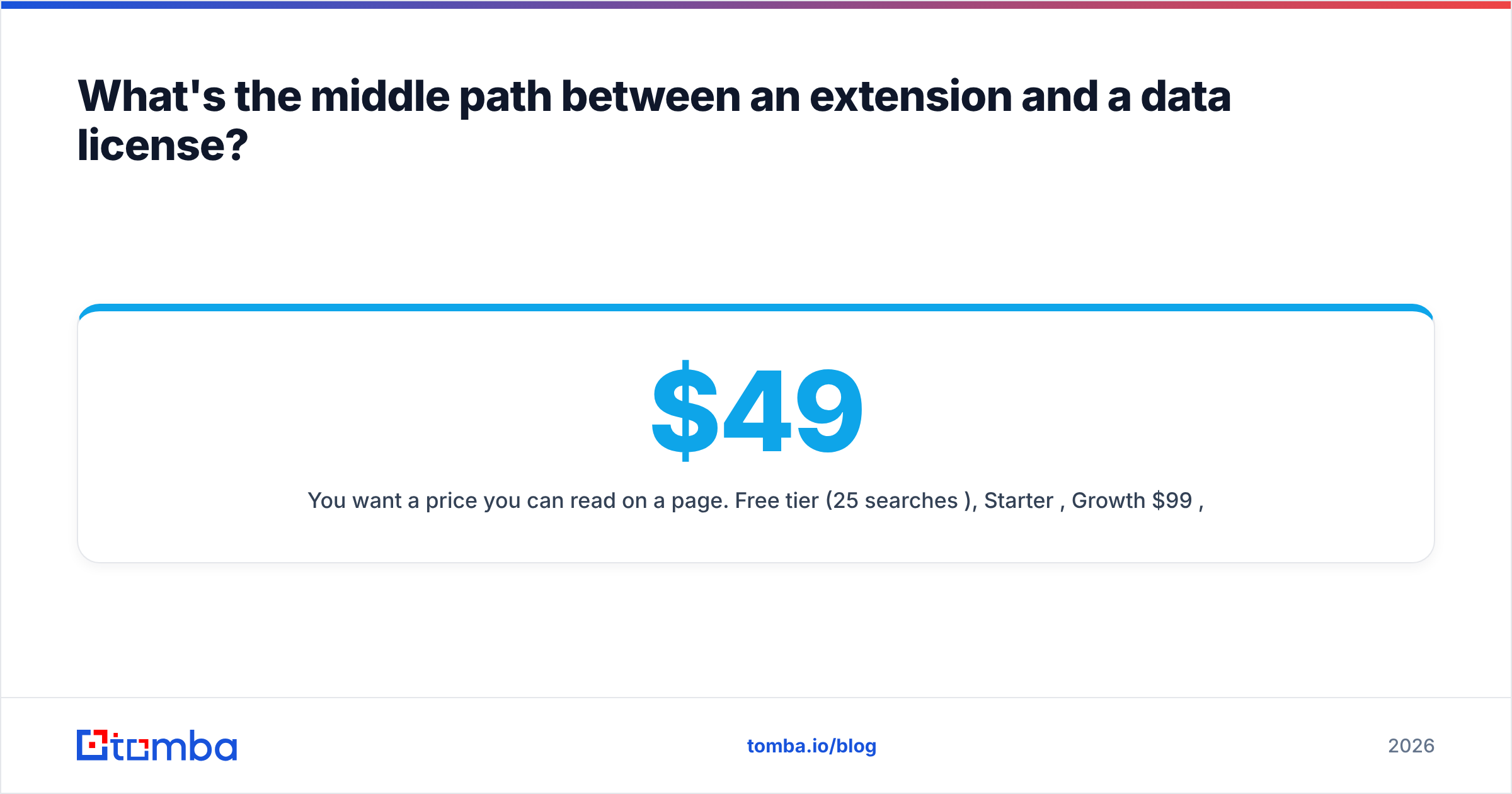
- You want a price you can read on a page. Free tier (25 searches/mo), Starter $49/mo, Growth $99/mo, Pro $249/mo — see Tomba pricing. No quote, no annual minimum.

Worth naming honestly: Tomba is not a replacement for a licensed US contact file if what you genuinely need is a 400,000-record TAM with intent overlays. That is Salutary Data's job and they do it. Nor does Tomba give a recruiter the personal-mobile hit rate ContactOut is optimized for. Other credible options in this space — including BookYourData, which sells pay-as-you-go verified B2B contacts without a subscription — solve adjacent slices of the same problem, and a serious evaluation should include the one that actually matches your motion.
How should you actually choose?#
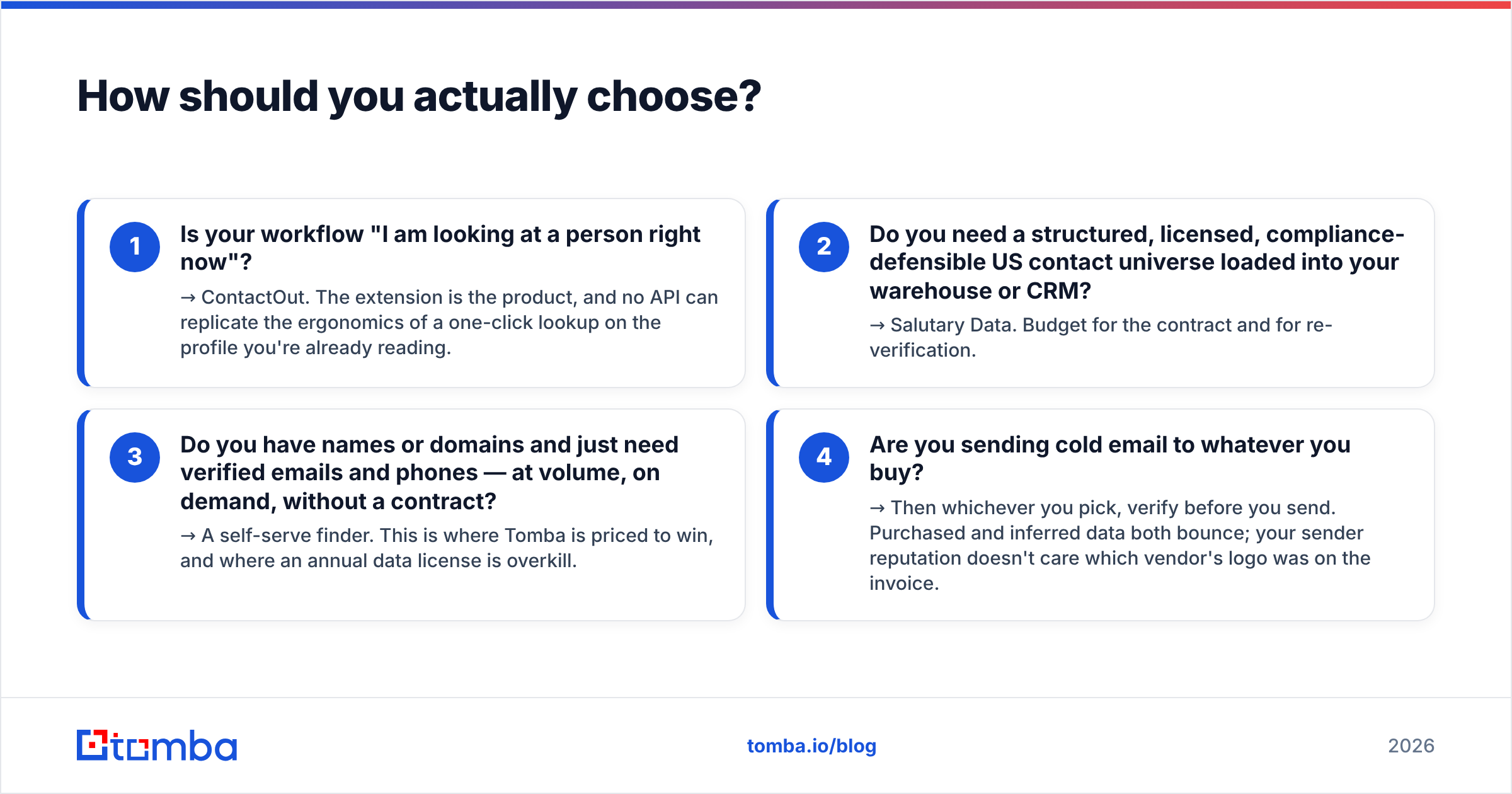
Answer these four questions in order. The first "yes" is your answer.
- Is your workflow "I am looking at a person right now"? → ContactOut. The extension is the product, and no API can replicate the ergonomics of a one-click lookup on the profile you're already reading.
- Do you need a structured, licensed, compliance-defensible US contact universe loaded into your warehouse or CRM? → Salutary Data. Budget for the contract and for re-verification.
- Do you have names or domains and just need verified emails and phones — at volume, on demand, without a contract? → A self-serve finder. This is where Tomba is priced to win, and where an annual data license is overkill.
- Are you sending cold email to whatever you buy? → Then whichever you pick, verify before you send. Purchased and inferred data both bounce; your sender reputation doesn't care which vendor's logo was on the invoice.
The mistake teams make is treating this as a single-vendor decision. Plenty of good outbound stacks run a licensed file for the TAM, an extension for the reps' ad-hoc sourcing, and an API for programmatic enrichment — because those are three different jobs. The waste comes from paying enterprise-file prices for a job a $49 lookup tool does, or from asking a browser extension to enrich 20,000 rows it was never built to touch.
Where to start#
If you're on the fence, start with the cheapest test that produces real evidence. Take 100 contacts you can already validate, run them through each candidate, and compare hit rate, wrong-answer rate, and cost per usable contact — not per credit.
For the "I have names and domains, I need verified emails, and I don't want a contract" case, Tomba Email Finder is the fastest way to get a number you can trust: the free tier gives you 25 searches a month with no card, which is enough to run the 100-contact test on a sample and see the hit rate for your ICP before you spend anything. If it wins, Starter is $49/mo; if it doesn't, you've lost an afternoon instead of a fiscal year.
Related guides#
Ready to find emails that actually work?
Join 150,000+ professionals who stopped guessing and started sending. Free credits on signup — no credit card required.
Get the Tomba newsletter
Practical outbound tactics and product updates — once every two weeks.
About the author