ContactOut vs SignalHire (2026): Which Contact Finder Wins?
ContactOut and SignalHire both promise personal emails and phone numbers from LinkedIn. They fail in different places. Here is the honest breakdown on accuracy, credits, pricing, and API depth.
TL;DR
- ContactOut is built around a Chrome extension that scrapes personal emails and mobile numbers off LinkedIn profiles. It is strongest for recruiters who live inside LinkedIn Recruiter all day.
- SignalHire covers a wider surface — LinkedIn, GitHub, Facebook, Xing — with a simpler credit model and an ATS-flavoured feature set. Its bulk workflows are cheaper, its single-lookup accuracy is more variable.
- Neither is a great fit if your motion is domain-first prospecting (find every decision-maker at 500 target accounts) rather than profile-first sourcing (I am staring at a person, get me their number).
- Credits are where both tools quietly get expensive. A "credit" in ContactOut is not the same unit as a "credit" in SignalHire, and neither refunds you cleanly for a bad hit.
- If you need a work-email-first API with predictable per-lookup pricing, a domain search tool like Tomba is the cheaper third door — starting at $49/mo with a free tier to test against your own list.
What are ContactOut and SignalHire, actually?#
Both tools solve the same last mile: you know who you want to reach, you do not know how. Think of them as two locksmiths standing outside the same building. One specialises in the front door (LinkedIn). The other carries a bigger keyring but takes longer to find the right key.
ContactOut launched as a recruiter tool and still smells like one. Its core is a browser extension that overlays LinkedIn profiles and surfaces personal emails, work emails, and mobile numbers. It layers on a search portal, a saved-lists system, and an AI email writer. The pitch: highest coverage of personal (Gmail/Yahoo/Outlook.com) addresses, which matters when you are recruiting engineers who ignore their work inbox.
SignalHire is closer to a general-purpose contact database with a browser extension bolted on. It reveals contacts from LinkedIn plus GitHub, Facebook, Xing and others, offers an ATS-lite pipeline, bulk CSV enrichment, and a REST API. Its positioning is broader: recruiters, sales, and researchers.
The word that separates them is profile-first. Both assume you are already looking at a human being. Neither is designed for the outbound motion where you start with a company domain and need every VP of Engineering at 400 accounts, verified, in a CSV, tonight.
How do ContactOut and SignalHire compare head-to-head?#
Pricing on both tools moves and is heavily annual-discount-dependent. Treat these as directional and confirm on the vendor pages before you buy — the shape of the model matters more than the exact number.
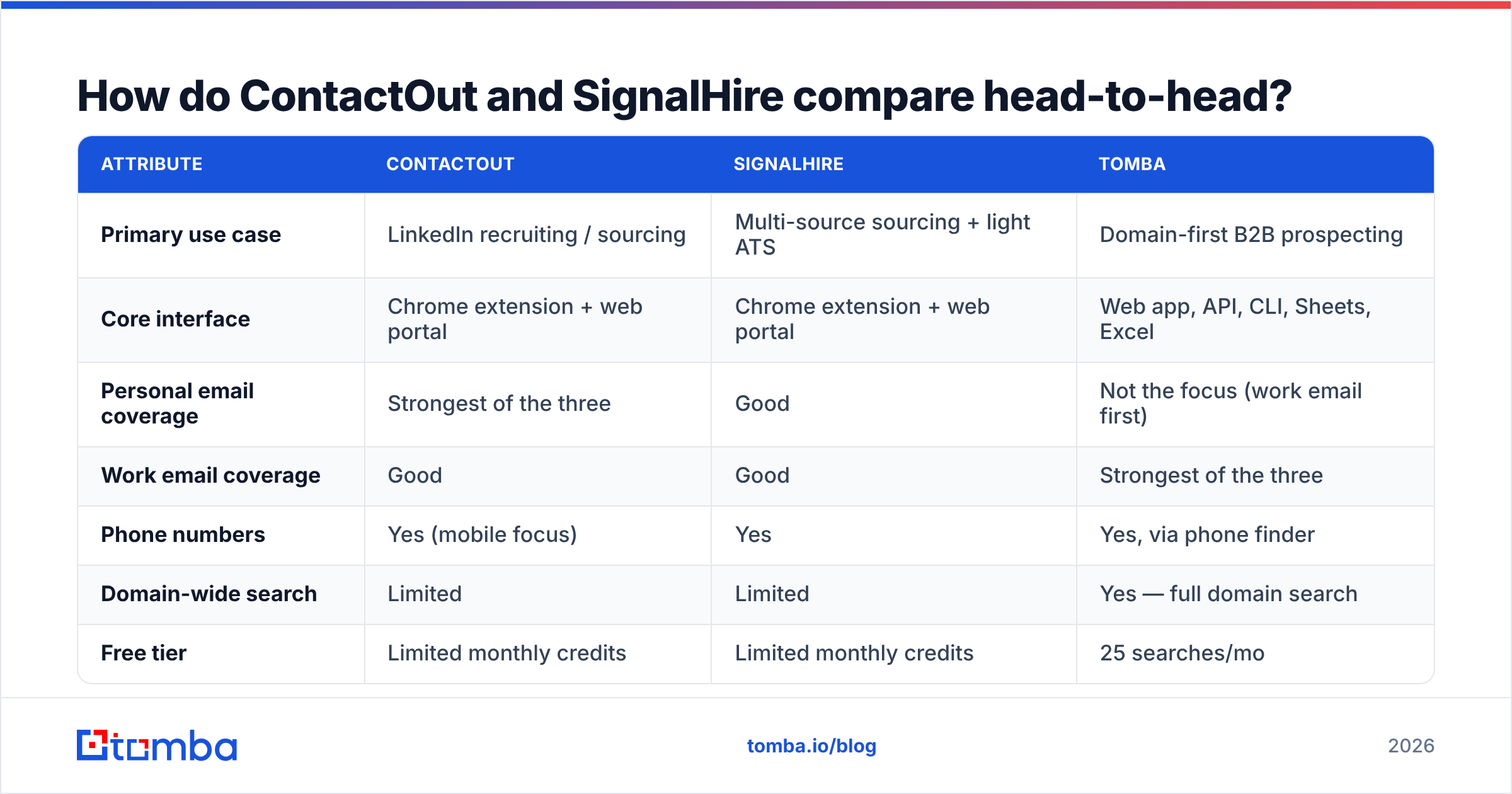
| Attribute | ContactOut | SignalHire | Tomba |
|---|---|---|---|
| Primary use case | LinkedIn recruiting / sourcing | Multi-source sourcing + light ATS | Domain-first B2B prospecting |
| Core interface | Chrome extension + web portal | Chrome extension + web portal | Web app, API, CLI, Sheets, Excel |
| Personal email coverage | Strongest of the three | Good | Not the focus (work email first) |
| Work email coverage | Good | Good | Strongest of the three |
| Phone numbers | Yes (mobile focus) | Yes | Yes, via phone finder |
| Domain-wide search | Limited | Limited | Yes — full domain search |
| Free tier | Limited monthly credits | Limited monthly credits | 25 searches/mo |
| Entry paid tier | ~$99/mo billed annually | ~$49/mo (credit packs vary) | $49/mo Starter |
| Mid tier | ~$199/mo | ~$79–99/mo | $99/mo Growth |
| API access | Higher tiers only | Yes, paid | Yes, all paid tiers |
| Credit rollover | Restricted | Restricted | Plan-dependent |
| Best for | Recruiters in LinkedIn all day | Mixed sourcing, budget teams | SDR teams, RevOps, developers |
The headline: ContactOut charges a premium for personal-email depth. SignalHire undercuts it and trades some precision for breadth. Neither is optimised for building a 2,000-row outbound list from a domain list.

Which one is more accurate?#
Accuracy is the only metric that matters, and it is the one every vendor reports in the most flattering way possible. Three things get conflated:
- Coverage (hit rate) — of 100 profiles you look up, how many return any contact detail. Vendors love this number because it is the easiest to inflate. A guessed pattern counts as a hit.
- Precision (validity) — of the emails returned, how many actually deliver. This is the one your bounce rate cares about.
- Freshness — how recently the record was seen or re-verified. A 2023-sourced work email at a company that has had two rounds of layoffs is a bounce with a timestamp.
In practice, the pattern reported consistently across G2 reviews for both tools looks like this:
- ContactOut posts higher coverage on personal emails, especially for engineering and design profiles. Work-email precision is solid but not exceptional. Its mobile numbers are the reason recruiters pay the premium.
- SignalHire posts respectable coverage and noticeably more variance. When it is right, it is right. When it misses, it tends to miss silently — you get a plausible-looking address that bounces.
Neither tool ships a first-class catch-all strategy, and that is where most B2B lists quietly rot. Roughly a fifth of corporate domains accept every address at the SMTP layer, so an "accept" signal proves nothing. If you are sending to enterprise domains, you need an explicit catch-all verifier step or you are flying blind on a meaningful slice of your list.
The fix is boring and it works: never trust a single source. Pull the contact from whichever finder wins on your ICP, then run the whole list through an independent email verifier before it touches a sequence. A two-step pipeline costs pennies per lead and protects the asset that actually matters — your sending domain.

How do the credit models really work?#
This is where teams get burned, and it is worth understanding before you sign anything.
A credit is not a lead. In both tools, one reveal on one profile consumes at least one credit. If the profile has an email and a phone number, you may be charged for both — sometimes as separate credit types, sometimes from a shared pool. Read the fine print.
Here is the practical breakdown:
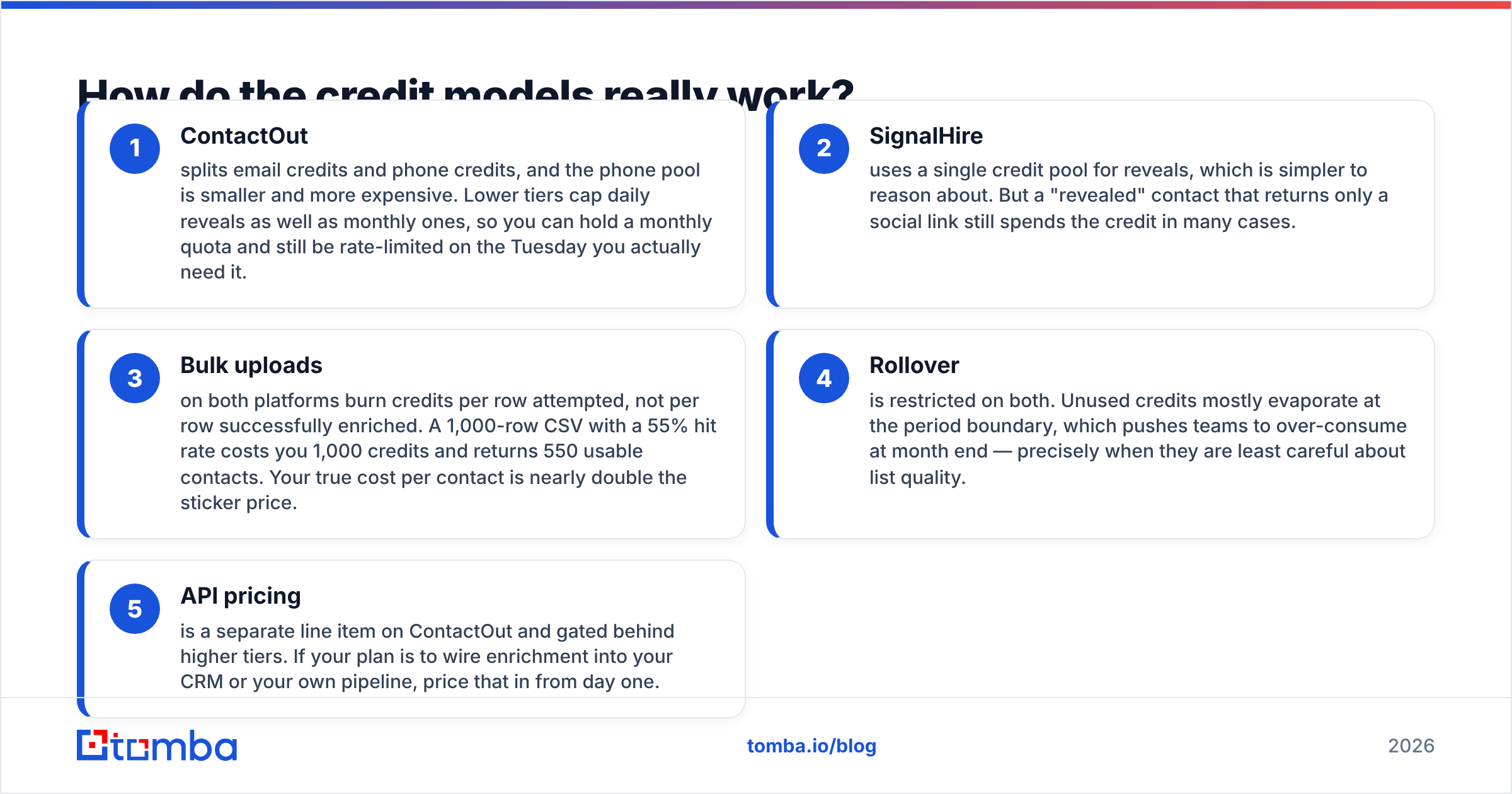
- ContactOut splits email credits and phone credits, and the phone pool is smaller and more expensive. Lower tiers cap daily reveals as well as monthly ones, so you can hold a monthly quota and still be rate-limited on the Tuesday you actually need it.
- SignalHire uses a single credit pool for reveals, which is simpler to reason about. But a "revealed" contact that returns only a social link still spends the credit in many cases.
- Bulk uploads on both platforms burn credits per row attempted, not per row successfully enriched. A 1,000-row CSV with a 55% hit rate costs you 1,000 credits and returns 550 usable contacts. Your true cost per contact is nearly double the sticker price.
- Rollover is restricted on both. Unused credits mostly evaporate at the period boundary, which pushes teams to over-consume at month end — precisely when they are least careful about list quality.
- API pricing is a separate line item on ContactOut and gated behind higher tiers. If your plan is to wire enrichment into your CRM or your own pipeline, price that in from day one.
Run the arithmetic on cost per verified, deliverable contact, not cost per credit. That is the number that shows up in your CAC. A tool at half the price with a 40% miss rate is not half the price.
When should you pick ContactOut?#
Pick ContactOut when all of these are true:
- You are recruiting, not selling. Personal emails and mobiles beat work emails for candidate response, and ContactOut's edge there is real.
- Your team lives inside LinkedIn Recruiter. The extension is genuinely good, and the workflow friction of a separate tab is a tax you avoid.
- Volume is moderate. You are working dozens of profiles a day, not thousands of rows a week.
- Budget is not the binding constraint. It is the pricier of the two, and the value only materialises if the personal-contact edge matters to your motion.
Where it disappoints: domain-wide discovery, developer ergonomics on lower tiers, and any workflow that starts from a company list rather than a person list. If your sourcing starts with "find me the head of ops at these 300 mid-market logistics firms," the extension model is the wrong shape entirely. That is a job for bulk email finder workflows.
When should you pick SignalHire?#
Pick SignalHire when:
- Your budget is tighter and the entry tier's per-credit economics beat ContactOut for the same monthly volume.
- You source outside LinkedIn — GitHub for engineers, Xing for DACH, Facebook for local/SMB. The multi-source reveal is a genuine differentiator.
- You want a lightweight ATS without buying a second product. It will not replace Greenhouse, but for a two-person agency it removes a spreadsheet.
- You need an API on a mid tier, not an enterprise contract.
Where it disappoints: precision variance. You will get more bounces than you expect, and the platform's own verification is not strong enough to be the last line of defence. Budget a separate verification step. Also, the UI has more rough edges — expect to spend an afternoon learning where things live.
Is there a better option for outbound sales teams?#
If your job is recruiting individual humans, stay in this comparison. If your job is building outbound lists at company scale, both tools are the wrong tool, and the credit math will keep telling you so.
The outbound motion is domain-first: you have an ICP, you have an account list, and you need every relevant title at each account with a deliverable work email attached. That is a different problem from "reveal this one profile." It needs:
- Domain search — give it
stripe.com, get back the people and the company's email pattern, not one profile at a time. - Pattern intelligence — knowing that a company uses
first.last@versusflast@is worth more than any single guessed address, because it generalises across every future hire. - Verification in the same pipeline — not a separate vendor, a separate invoice, and a separate CSV round-trip.
- A real API on the entry plan, so RevOps can wire enrichment into the CRM without an enterprise call.
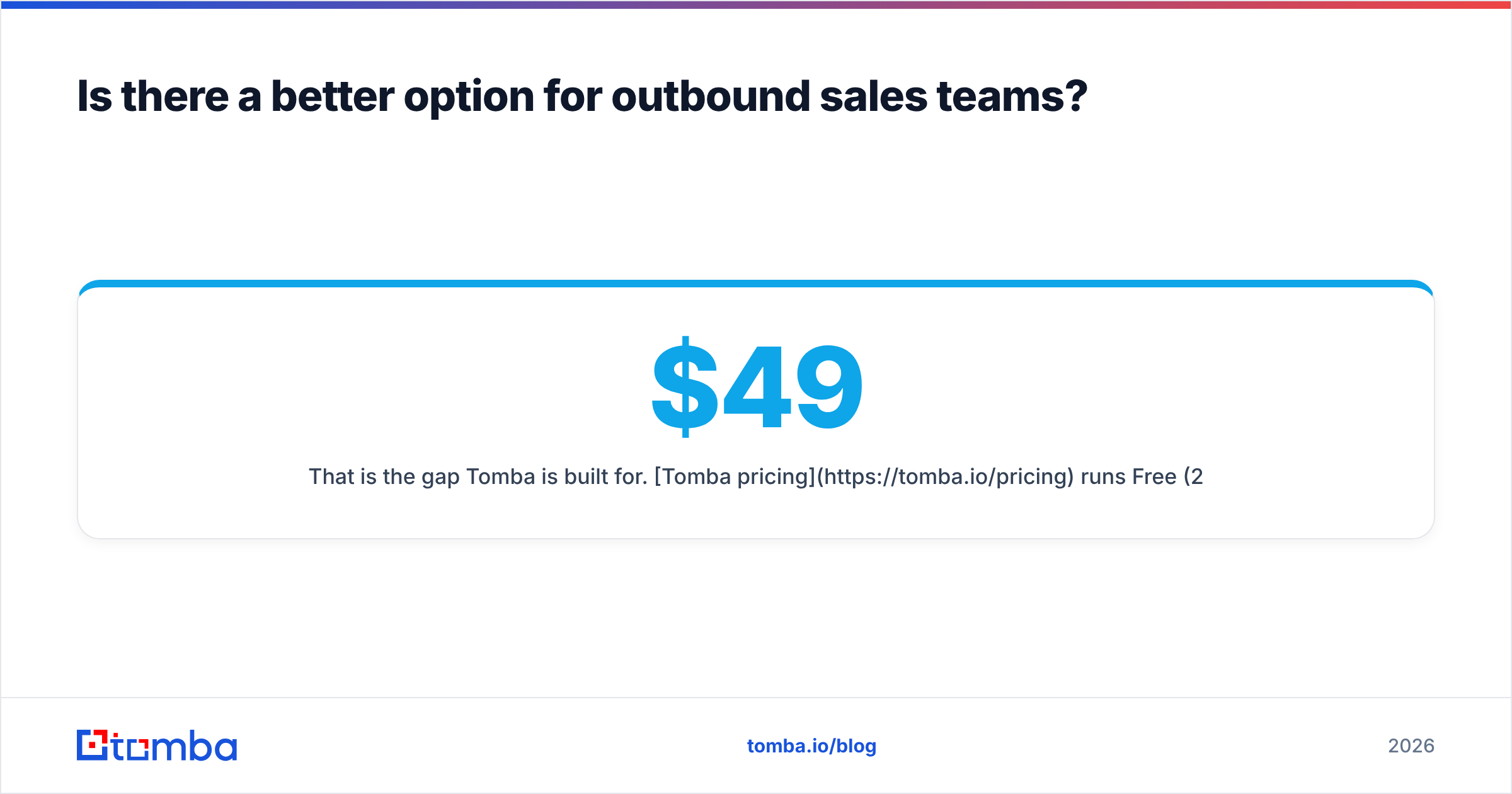
That is the gap Tomba is built for. Tomba pricing runs Free (25 searches/mo), Starter at $49/mo, Growth at $99/mo, and Pro at $249/mo — with API access on paid tiers rather than gated behind a sales conversation. It is not trying to out-recruit ContactOut on personal mobiles. It is trying to make work-email discovery at domain scale cheap, verifiable, and scriptable.
Worth noting for completeness: if you want a static, pre-verified list rather than a live lookup tool, a database vendor like BookYourData solves a different slice of the same problem well — you buy the rows outright instead of spending credits discovering them. Different economics, legitimate choice, especially for one-off campaigns into a well-defined segment.

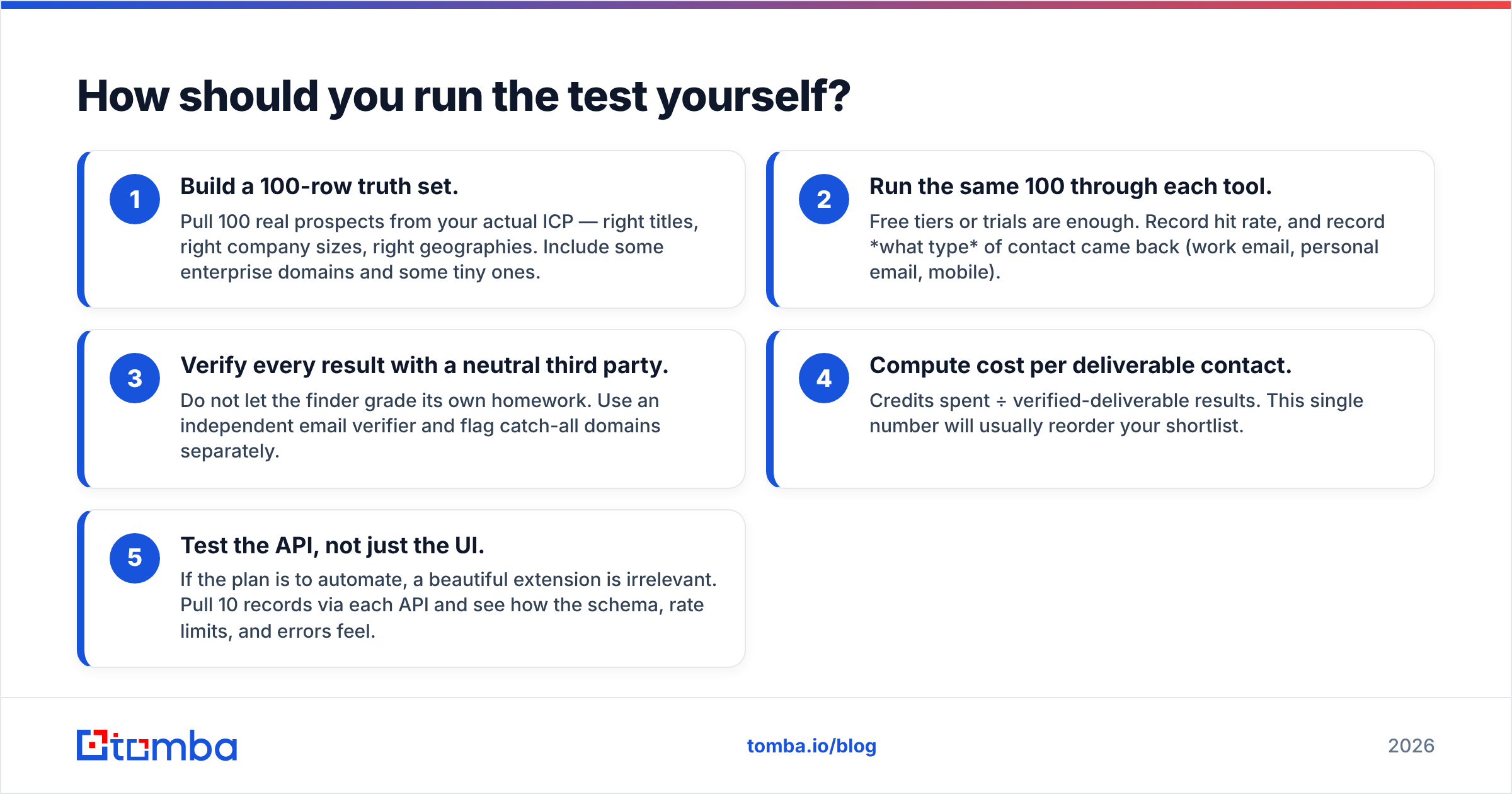
How should you run the test yourself?#
Do not take anyone's word for hit rates, including this post. Vendors benchmark against samples that flatter them. Your ICP is the only benchmark that counts.
Run this in an afternoon:
- Build a 100-row truth set. Pull 100 real prospects from your actual ICP — right titles, right company sizes, right geographies. Include some enterprise domains and some tiny ones.
- Run the same 100 through each tool. Free tiers or trials are enough. Record hit rate, and record what type of contact came back (work email, personal email, mobile).
- Verify every result with a neutral third party. Do not let the finder grade its own homework. Use an independent email verifier and flag catch-all domains separately.
- Compute cost per deliverable contact. Credits spent ÷ verified-deliverable results. This single number will usually reorder your shortlist.
- Test the API, not just the UI. If the plan is to automate, a beautiful extension is irrelevant. Pull 10 records via each API and see how the schema, rate limits, and errors feel.
Teams that skip step 3 consistently over-rate whichever tool has the highest raw hit rate — and then wonder why their email deliverability collapsed six weeks into the quarter. Bounces are not a reporting problem. They are a reputation problem, and reputation is the one asset in cold outreach you cannot buy back.
The verdict#
ContactOut wins if you are a recruiter who needs personal emails and mobile numbers, and you are willing to pay for that depth. SignalHire wins if you need multi-source coverage on a tighter budget and you are disciplined enough to bolt on verification. Both are profile-first tools solving a profile-first problem, and both charge on a credit model that gets expensive the moment you scale past manual sourcing.
If you are building outbound lists from a company list — not clicking through profiles one at a time — the entire comparison is the wrong axis. You want domain-level discovery, pattern intelligence, and verification in one pipeline, exposed through an API you can script against.
That is exactly what the Tomba Email Finder does. Start on the free tier with 25 searches, run it against the same 100-row truth set you used for the other two, and compare cost per deliverable contact rather than cost per credit. If the numbers do not favour it for your ICP, you will have learned that in an afternoon for nothing — and you will have a benchmark you can trust for every tool you evaluate after this one.
Related guides#
Ready to find emails that actually work?
Join 150,000+ professionals who stopped guessing and started sending. Free credits on signup — no credit card required.
Get the Tomba newsletter
Practical outbound tactics and product updates — once every two weeks.
About the author