ContactOut vs Supersend (2026): Which One Do You Actually Need?
ContactOut finds contacts. Supersend sends to them. Comparing them head-to-head only makes sense once you know which half of the outbound stack you're missing — here's the honest breakdown, with pricing, data quality, and the stack that actually books meetings.
TL;DR#
- They are not really competitors. ContactOut is a contact-data tool (find emails and phone numbers, mostly from LinkedIn). Supersend is a multichannel sending engine (email + LinkedIn + Twitter sequences, inboxes, warmup). Buying one does not remove the need for the other.
- Pick ContactOut if your bottleneck is "I have a list of people but no way to reach them."
- Pick Supersend if your bottleneck is "I have 3,000 verified contacts sitting in a spreadsheet and nothing sending to them."
- The real question most buyers should be asking: is a LinkedIn-extension-first data source the cheapest, most accurate way to get contacts at your volume? Often it isn't — API-first finders like Tomba cost less per verified contact and plug straight into whatever sequencer you already run.
- Best-value 2026 stack for most SMB outbound teams: a data layer (finder + verifier) → a sequencer (Supersend or equivalent) → a CRM. Roughly $150–$250/month all-in for a two-rep team.
What is ContactOut, actually?#
ContactOut is best known as a Chrome extension that sits on top of LinkedIn. You open a profile, click the icon, and it surfaces the person's work email, personal email, and often a phone number. It also ships a web search portal, a bulk list-building interface, and an API on higher tiers.
Its center of gravity is the recruiter workflow: source a candidate on LinkedIn, grab their personal Gmail, reach out. That heritage shows up in the data mix — ContactOut is unusually strong on personal email addresses, which is a genuine differentiator for recruiting and a mixed blessing for B2B sales (a personal Gmail is a great backchannel and a terrible primary channel for a cold pitch).
What ContactOut does not do: it will not send your sequence, warm your inbox, rotate your sending domains, or handle replies. It hands you contact data and stops.
What is Supersend, actually?#
Supersend is a cold outreach automation platform. You connect mailboxes (Google Workspace, Microsoft 365, SMTP), optionally connect LinkedIn and X/Twitter accounts, then build multichannel sequences with conditional steps: send email → wait → if no reply, send LinkedIn connection request → wait → follow up.
The pitch is unlimited-ish sending accounts, built-in warmup, inbox rotation, and a unified reply inbox — the operational plumbing that keeps a cold email program alive. Its peer group is Instantly, Smartlead, Lemlist, and Saleshandy, not ContactOut.
What Supersend does not do: it does not find email addresses for you. You feed it a CSV or an API push of contacts you sourced somewhere else. Garbage in, bounced out.
Is ContactOut better than Supersend?#
That question is malformed, and it's worth being blunt about it, because a lot of "ContactOut vs Supersend" content on page one pretends the two tools do the same job so it can crown a winner.
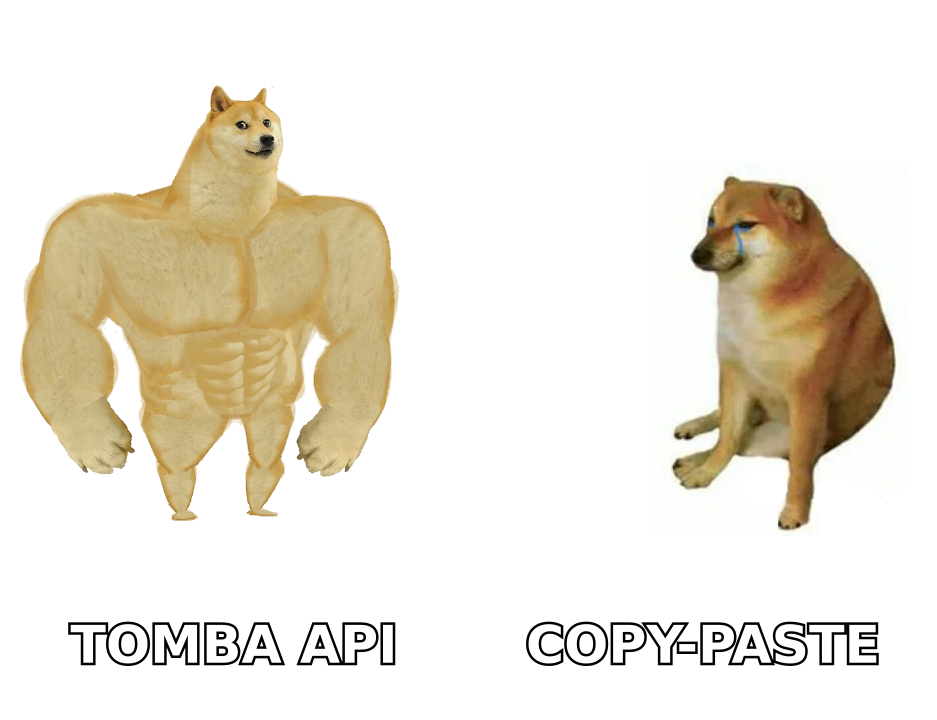
They occupy different layers:
- Data layer — who to contact, and how to reach them. ContactOut lives here. So do Tomba, Apollo's database, RocketReach, and Clearbit-style enrichment.
- Verification layer — is this address actually deliverable? ContactOut does light validation. Dedicated email verification does it properly, including catch-all domains.
- Sending layer — sequences, mailboxes, warmup, deliverability, reply routing. Supersend lives here. So do Instantly, Smartlead, and Lemlist.
- CRM layer — pipeline, deal stages, reporting.
If you only buy from layer 1, you have contacts and nowhere to send them. If you only buy from layer 3, you have a beautiful sequence builder pointed at an empty list. The teams that fail at outbound almost always failed because they under-invested in layer 2 — verification — and burned their domain reputation inside the first month.
ContactOut vs Supersend vs Tomba: how do they compare?#
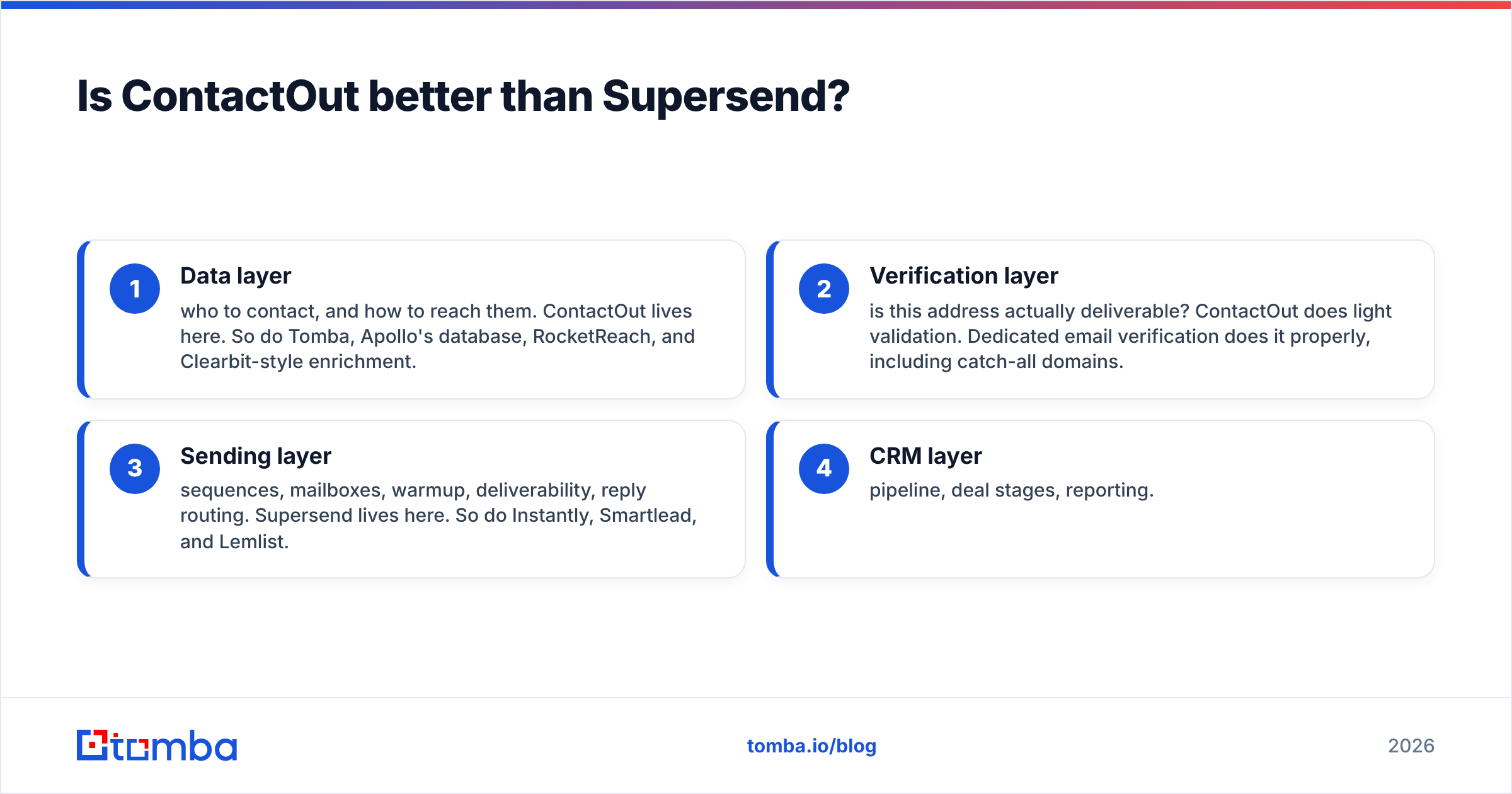
| Dimension | ContactOut | Supersend | Tomba |
|---|---|---|---|
| Primary job | Find emails + phones (LinkedIn-first) | Send multichannel sequences | Find + verify emails at scale (API-first) |
| Layer in the stack | Data | Sending | Data + verification |
| Main interface | Chrome extension + web app | Web app (sequences, inbox) | Web app, API, CLI, Chrome extension, Sheets/Excel |
| Sends email? | No | Yes | No |
| Finds email? | Yes | No | Yes |
| Catch-all handling | Limited | N/A | Dedicated catch-all verifier |
| Free tier | Yes, limited credits | Trial-based | Yes — 25 searches/mo |
| Entry paid tier | ~$49/mo (personal plans; check vendor page) | ~$49–$99/mo depending on mailbox volume | $49/mo Starter |
| Mid tier | ~$99+/mo per seat, team plans higher | Scales with sending accounts + contacts | $99/mo Growth |
| Best for | Recruiters, personal-email outreach | Agencies, high-volume multichannel senders | Sales/RevOps teams who need clean data in a pipeline |
Prices move. Treat the numbers above as directional and confirm on each vendor's own pricing page before you buy — Tomba's are exact and public on the Tomba pricing page (Free 25 searches/mo, Starter $49, Growth $99, Pro $249, Enterprise custom).
Which one should you buy first?#
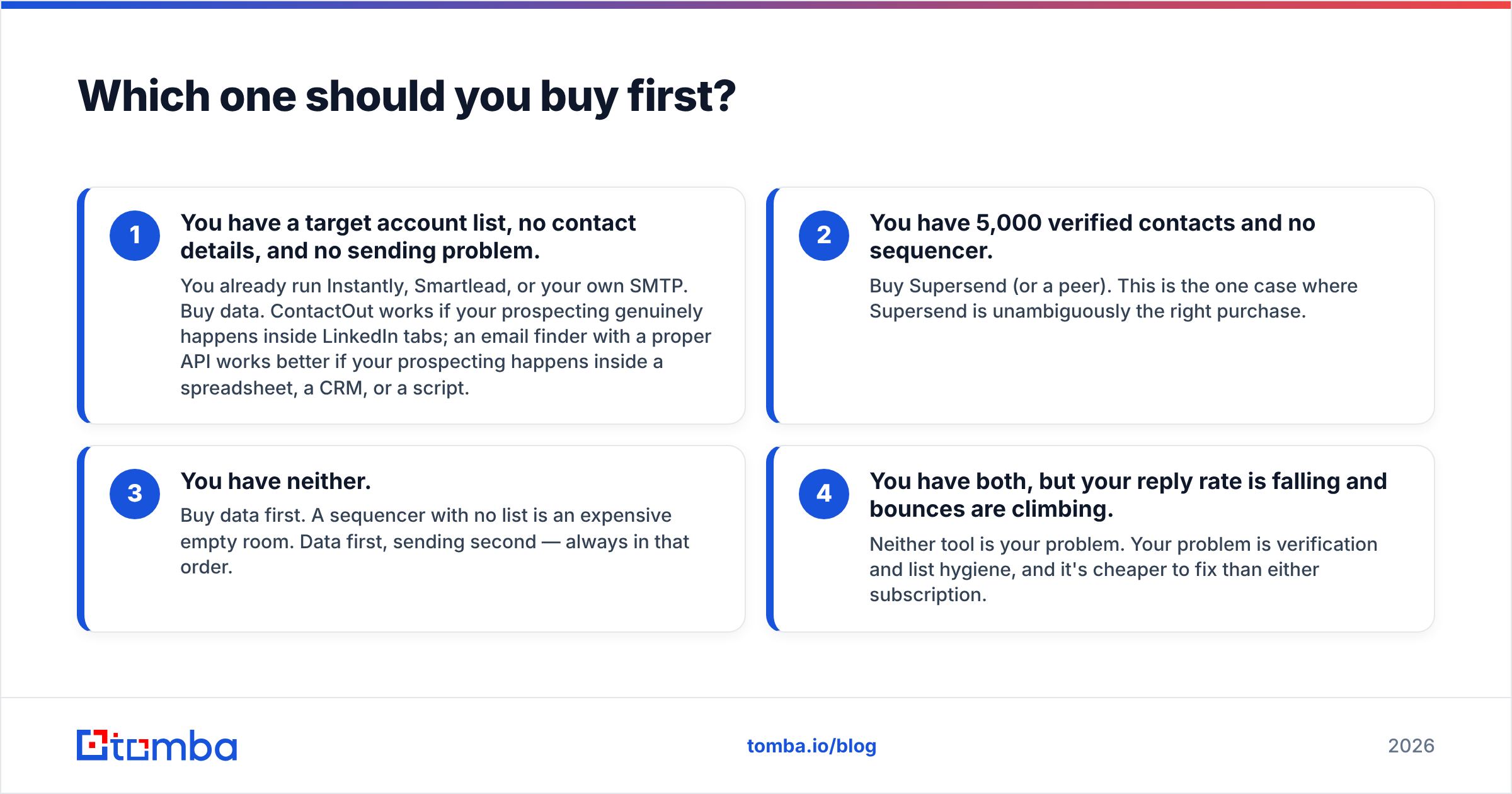
Work backwards from the bottleneck. Four common situations:
- You have a target account list, no contact details, and no sending problem. You already run Instantly, Smartlead, or your own SMTP. Buy data. ContactOut works if your prospecting genuinely happens inside LinkedIn tabs; an email finder with a proper API works better if your prospecting happens inside a spreadsheet, a CRM, or a script.
- You have 5,000 verified contacts and no sequencer. Buy Supersend (or a peer). This is the one case where Supersend is unambiguously the right purchase.
- You have neither. Buy data first. A sequencer with no list is an expensive empty room. Data first, sending second — always in that order.
- You have both, but your reply rate is falling and bounces are climbing. Neither tool is your problem. Your problem is verification and list hygiene, and it's cheaper to fix than either subscription.
Is ContactOut's data accurate enough for cold email?#
Here's where honest analysis has to get uncomfortable.
ContactOut's headline strength — personal emails scraped and inferred around LinkedIn profiles — is a recruiting asset and a deliverability liability for B2B sales. Cold-pitching a Gmail address is worse for reply rate, worse for compliance posture in the EU and UK, and worse for your sender reputation than hitting a verified work inbox. If you feed a list heavy on personal addresses into Supersend, you will get exactly what the maths predicts: elevated spam complaints, and a warmup engine fighting a fire you started.
There's a second issue that catches teams out: catch-all domains. Roughly a fifth of B2B domains accept every address at the SMTP layer, so a naive verifier marks them "valid" and moves on. Then you send, and the mail server silently drops half of them, or worse, routes them to a spam trap. Any finder can hand you a catch-all address that looks perfect. Only a tool that actually probes the domain's behaviour can tell you whether it's safe.
That's the practical argument for putting a real verification step between your data source and your sender, whatever those two tools are. Tomba splits this out explicitly — the catch-all finder and the standalone verifier exist because "we found an address" and "you can safely send to this address" are different claims.

What does a working 2026 outbound stack look like?#
Concrete, with real numbers, for a two-rep SMB team doing ~4,000 contacts a month:
- Sourcing — LinkedIn Sales Navigator or an ICP list from your CRM. You already pay for this.
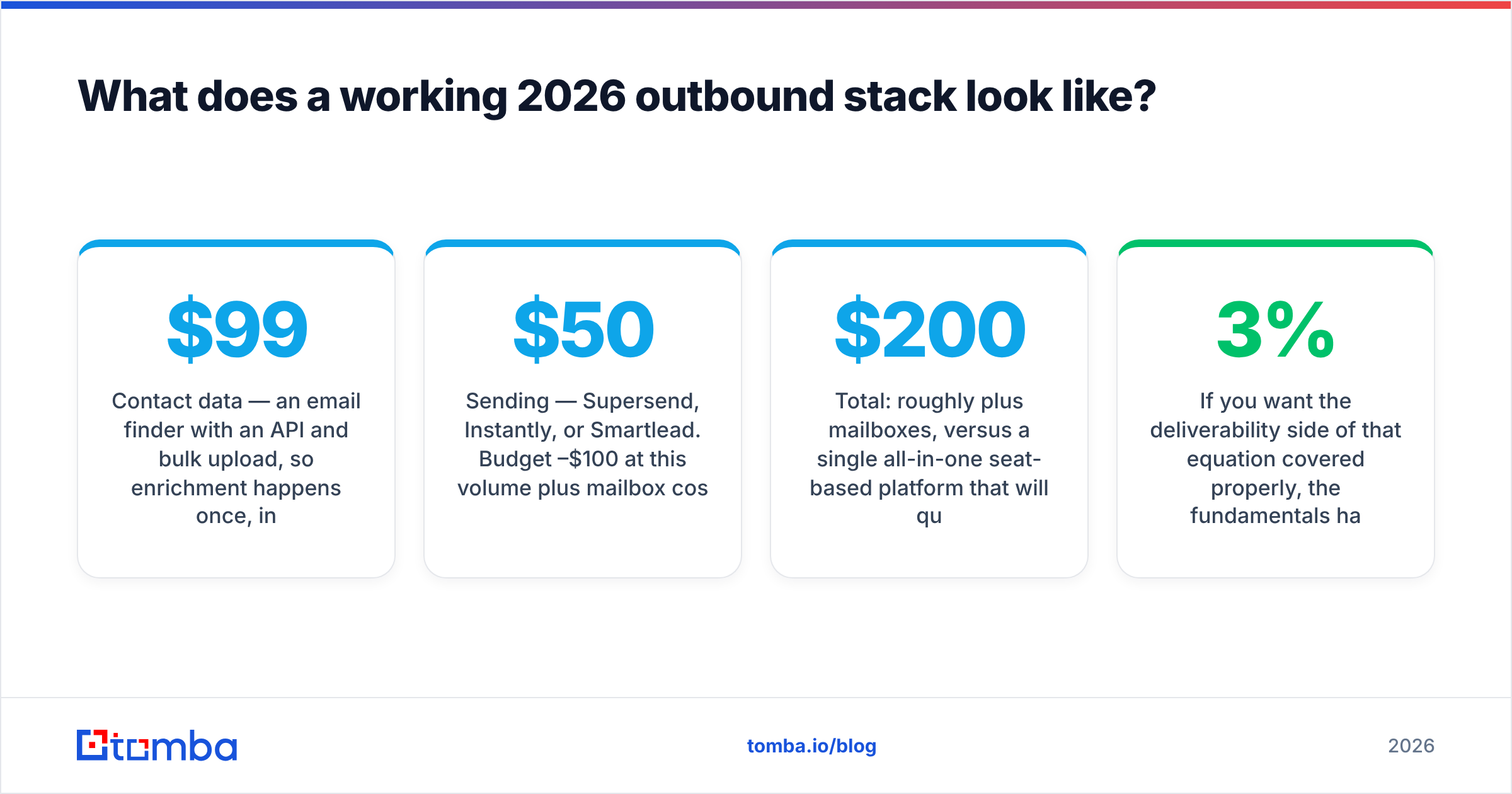
- Contact data — an email finder with an API and bulk upload, so enrichment happens once, in a job, not 4,000 times by hand in a browser tab. Tomba Growth at $99/mo covers this range; the bulk email finder handles the CSV path and the Tomba API handles the automated one.
- Verification — run every address, every time, including catch-all checks. Bake it into the same job.
- Sending — Supersend, Instantly, or Smartlead. Budget $50–$100/mo at this volume plus mailbox costs.
- CRM — HubSpot, Pipedrive, Salesforce. Push replies in automatically, not by hand.
Total: roughly $200/month plus mailboxes, versus a single all-in-one seat-based platform that will quote you triple and lock your data behind an export limit. The unbundled stack also lets you swap any single layer without rebuilding the other three — which matters, because the sending layer is the fastest-churning category in sales tech. Deliverability rules change; your contact data doesn't.
If you want the deliverability side of that equation covered properly, the fundamentals haven't changed: authenticate your domain, keep bounce rates under 3%, and never send to an unverified list. The email deliverability primer covers the mechanics, and G2's category listings are a reasonable sanity check on how each sender is actually rated by users rather than by its own landing page.
What are the honest downsides of each?#
ContactOut's weak spots:
- Extension-shaped workflow. Great for one-at-a-time sourcing, awkward for programmatic enrichment. If your motion is "enrich 2,000 rows tonight," a browser extension is the wrong shape of tool.
- Personal-email bias. Excellent for recruiting, risky for cold B2B outreach.
- Credit economics. Per-seat pricing punishes teams. Two reps means two seats, and credits rarely pool the way you'd hope.
- LinkedIn dependency. Any tool whose primary surface is someone else's website carries platform risk. LinkedIn has been increasingly aggressive about scraping-adjacent extensions.
Supersend's weak spots:
- No data. You must solve sourcing elsewhere. Budget for it.
- Deliverability is still your job. Warmup and rotation help; they do not rescue a dirty list or a badly authenticated domain.
- Multichannel complexity. LinkedIn and X automation carries account-risk that email doesn't. Read the platform terms before you scale it.
- Newer, smaller ecosystem. Fewer native integrations than the Instantly/Smartlead tier, so expect to lean on Zapier or Make for glue.
Which combination wins?#
For recruiting: ContactOut for sourcing + any lightweight sender. ContactOut's personal-email coverage is genuinely differentiated here and worth the seat price.
For B2B sales: an API-first finder plus rigorous verification, feeding Supersend or a comparable sequencer. You get better work-email coverage, better unit economics at volume, and — critically — a verification step that stops you from paying a sending platform to destroy your domain reputation.
For agencies running many client domains: Supersend's mailbox-rotation model is a real fit. Pair it with a data source whose pricing scales on credits rather than seats, because agency headcount and contact volume move independently.
For solo founders: start free. Tomba's free tier gives you 25 searches a month, which is enough to validate that your ICP replies at all before you spend a cent on sending infrastructure. Most failed outbound programs would have been killed early by that one cheap test. HubSpot's own sales research is a decent, vendor-neutral place to sanity-check reply-rate benchmarks before you conclude your list is the problem.
Ready to fix the data layer?#
Whichever sequencer you land on, the contact list you feed it decides your outcome. A verified work-email list into a mediocre sender beats a scraped personal-email list into the best sender on the market — every time, and it isn't close.
Start with Tomba's Email Finder: free for your first 25 searches, $49/mo at Starter, with domain search, catch-all verification, bulk enrichment, and an API that drops straight into whatever you're already running. Find the addresses, verify them properly, then let Supersend — or anything else — do the sending.
Related guides#
Ready to find emails that actually work?
Join 150,000+ professionals who stopped guessing and started sending. Free credits on signup — no credit card required.
Get the Tomba newsletter
Practical outbound tactics and product updates — once every two weeks.
About the author