ContactOut vs TrueList (2026): Which One Should You Buy?
ContactOut finds emails from LinkedIn. TrueList verifies the emails you already have. They solve different halves of the same problem — here's how the pricing, accuracy, and workflow actually compare in 2026.
TL;DR#
- They are not the same category. ContactOut is a contact finder built around LinkedIn. TrueList is an email verifier built around list hygiene. Comparing them head-to-head only makes sense once you know which half of the problem you actually have.
- Pick ContactOut if your prospecting starts in LinkedIn Sales Navigator and you want a browser extension that reveals personal and work emails as you browse profiles.
- Pick TrueList if you already have a list — from a CRM export, a webinar, a partner, a scraper — and your bounce rate is scary.
- You will probably end up buying both, which is the real cost most reviews skip. Two vendors, two credit systems, two invoices.
- A single finder-plus-verifier platform (Tomba, Hunter, Apollo) collapses that into one tool with one credit pool. Tomba starts free at 25 searches/mo and $49/mo on Starter with verification included.
What are ContactOut and TrueList, actually?#
Start with the honest framing, because most "X vs Y" pages blur it.
ContactOut is a contact-data platform whose center of gravity is the LinkedIn browser extension. You open a profile, the sidebar shows a work email, sometimes a personal email, sometimes a phone number. It also ships a search portal, a Chrome extension for company sites, and an API on higher tiers. Its pitch — and it's a fair one — is coverage on people you can see on LinkedIn, including personal Gmail addresses that most B2B databases never carry. Recruiters love it for exactly this reason. You can read their own positioning at contactout.com.
TrueList is an email verification service. You upload a list (or hit the API), and it tells you which addresses are deliverable, undeliverable, risky, or unknown. It does syntax checks, MX record checks, SMTP handshakes, disposable-domain detection, and role-account flagging. It does not find you a single new contact. Its own site, truelist.io, is refreshingly clear about this: it's a bounce-rate tool, not a prospecting tool.
So the real question behind "ContactOut vs TrueList" is usually: do I need more contacts, or do I need cleaner ones?

Is ContactOut better than TrueList?#
Only in the sense that a hammer is better than a screwdriver — it depends what's in front of you.
Here's the split by job to be done:
- "I have zero contacts and a target account list." ContactOut (or any email finder) is the tool. TrueList has nothing to verify yet.
- "I have 40,000 emails from a 2023 event and I'm scared to send." TrueList is the tool. ContactOut can't clean a list you already own.
- "I have names and companies in a spreadsheet, no emails." You need a bulk finder that takes name + domain, which is a different motion than ContactOut's profile-by-profile extension. A bulk email finder or domain search fits better.
- "I need both, continuously." This is the honest answer for most outbound teams — and it's where a combined platform usually wins on price and on workflow friction.
That fourth case is the one that quietly drives the buying decision, so let's price it out.
How do ContactOut, TrueList, and Tomba compare on price and features?#
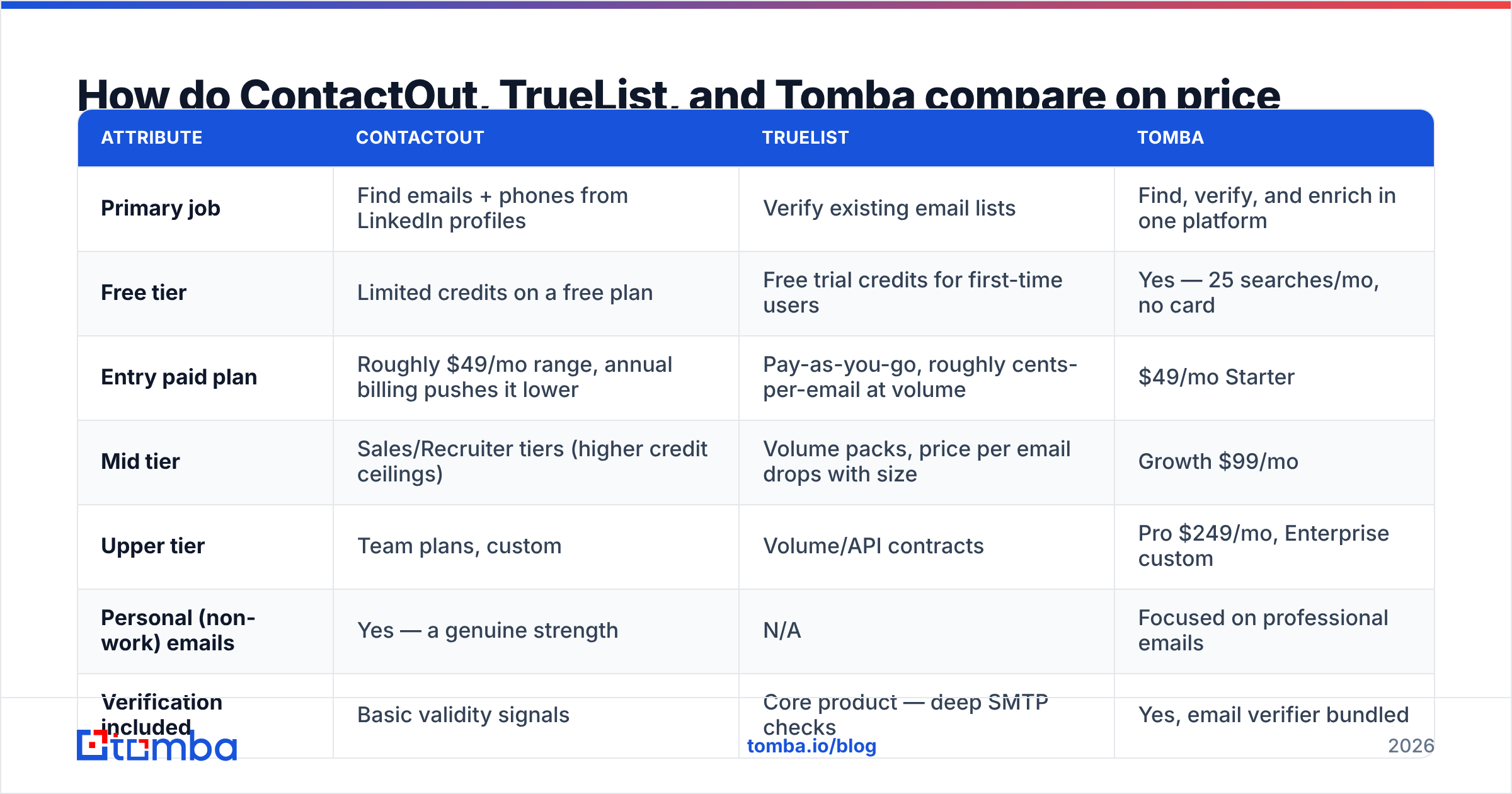
Pricing on all three vendors moves — credits get repackaged, annual discounts appear and vanish. Treat the table below as a directional 2026 snapshot and confirm on each vendor's page before you sign anything. What matters more than the exact dollar figure is the shape of what you're buying.
| Attribute | ContactOut | TrueList | Tomba |
|---|---|---|---|
| Primary job | Find emails + phones from LinkedIn profiles | Verify existing email lists | Find, verify, and enrich in one platform |
| Free tier | Limited credits on a free plan | Free trial credits for first-time users | Yes — 25 searches/mo, no card |
| Entry paid plan | Roughly $49/mo range, annual billing pushes it lower | Pay-as-you-go, roughly cents-per-email at volume | $49/mo Starter |
| Mid tier | Sales/Recruiter tiers (higher credit ceilings) | Volume packs, price per email drops with size | Growth $99/mo |
| Upper tier | Team plans, custom | Volume/API contracts | Pro $249/mo, Enterprise custom |
| Personal (non-work) emails | Yes — a genuine strength | N/A | Focused on professional emails |
| Verification included | Basic validity signals | Core product — deep SMTP checks | Yes, email verifier bundled |
| Catch-all handling | Limited transparency | Flags as "risky" / unknown | Dedicated catch-all verifier |
| Bulk CSV workflow | Extension-first, bulk on higher tiers | Yes — the whole product | Yes, CSV + API + Sheets/Excel |
| API access | Higher tiers only | Yes | Yes on all paid plans |
| Best for | Recruiters, LinkedIn-native sellers | Deliverability/ops owners cleaning lists | SDR teams who need find + verify together |
Two things jump out.
First: ContactOut and TrueList don't overlap enough to substitute for each other. If you buy one, you will feel the absence of the other within about a month of real sending.
Second: the combined bill. A ContactOut seat plus a TrueList volume pack lands most small teams in the $70–$120/mo range for the pair, with two dashboards, two credit balances, and a manual CSV shuttle between them. That's the number to compare against a single platform's mid tier — not ContactOut's entry price alone.

What does "accuracy" mean for a finder vs a verifier?#
This is where the two products stop being comparable and people get confused, so let's define terms.
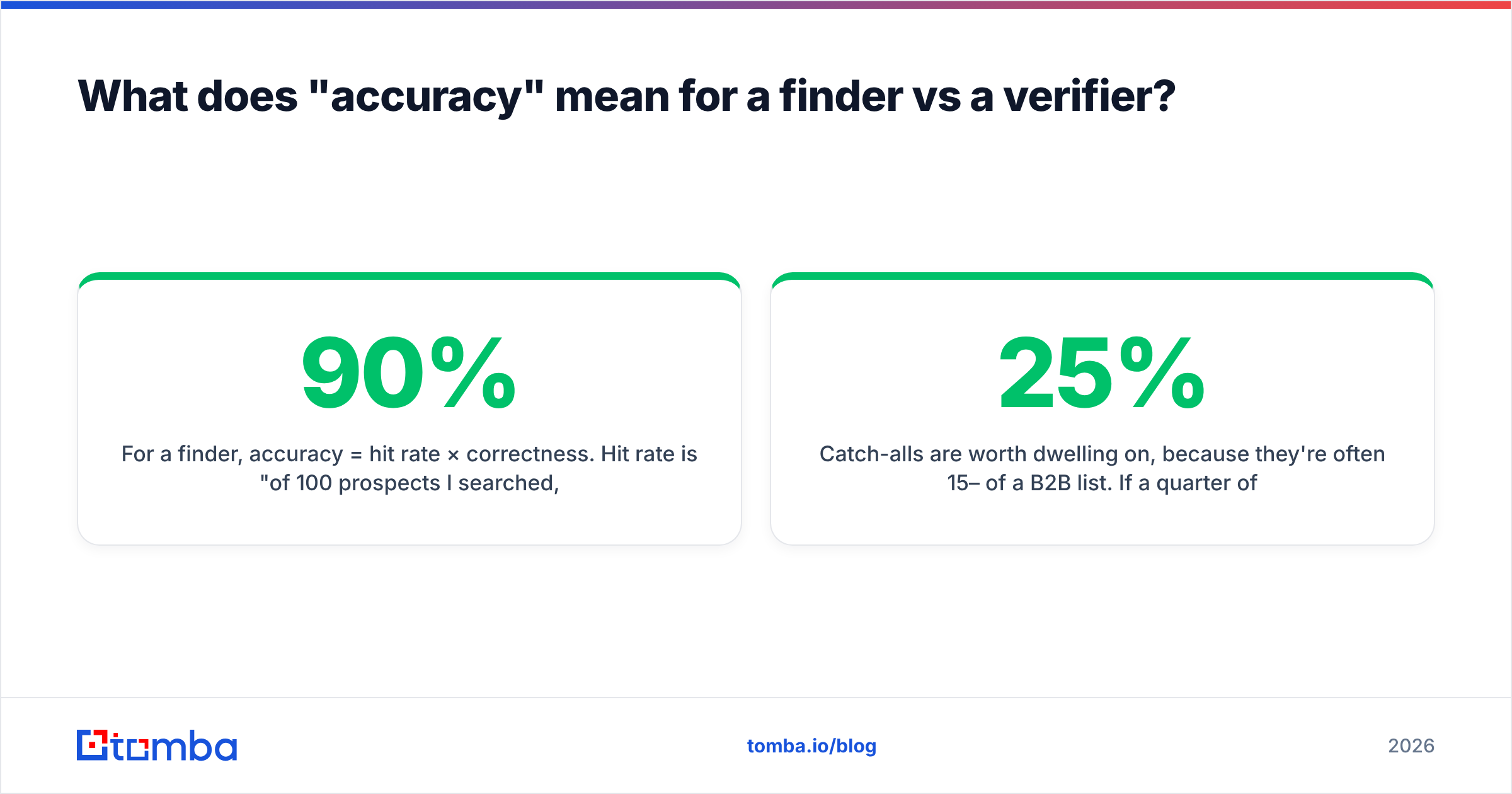
For a finder, accuracy = hit rate × correctness. Hit rate is "of 100 prospects I searched, how many returned an email at all?" Correctness is "of those returned, how many are real, deliverable, and belong to the right person?" A tool with a 90% hit rate and 60% correctness is worse than one with a 60% hit rate and 97% correctness — the first one hands you confident-looking garbage that torches your domain.
For a verifier, accuracy = catch rate × false-positive rate. Catch rate is "of the dead addresses in my list, how many did it flag?" False positives are "how many good addresses did it wrongly kill?" Over-aggressive verifiers are a hidden tax: every valid contact wrongly binned is a deal you never had.
ContactOut publishes strong internal accuracy claims, and third-party reviews on G2 generally back up that its LinkedIn coverage — especially for personal emails — is among the best in the recruiter niche. Where users push back is on B2B work email correctness for smaller companies and non-US domains, and on credit burn when the extension returns a guess rather than a verified address.
TrueList's SMTP-level checks are solid for standard mail servers. The universal weak point for every verifier — TrueList included — is the catch-all domain, where the server accepts everything and tells you nothing. Most verifiers punt and label it "risky" or "unknown," which pushes the decision back onto you.

Catch-alls are worth dwelling on, because they're often 15–25% of a B2B list. If a quarter of your verified list comes back "unknown," you have three options: skip them (lose pipeline), send anyway (risk bounces), or use a tool with a dedicated catch-all finder that runs pattern-confidence and secondary signals to make an actual call. The third option is the only one that doesn't cost you something.
Why do most teams end up buying both — and what does that cost?#
Here's the workflow that emerges naturally when you pick ContactOut alone:
- SDR browses Sales Navigator, reveals 200 contacts with the extension.
- Exports to CSV.
- Notices the first campaign bounced at 9%.
- Buys a verifier to clean the exports.
- Now runs a manual loop: reveal → export → upload to verifier → download → upload to sequencer.
That loop is three CSV round-trips per campaign. At 4 campaigns a month, that's a couple of hours of an SDR's week spent as a human API — and every hand-off is a place where a stale list or a duplicated row sneaks through.
The reverse path (start with TrueList) hits the wall faster: you clean the list you have, run out of it, and have nothing to clean next month.

The cost isn't only the second invoice. It's:
- Two credit systems that expire on different cycles, so you over-buy on both.
- No shared enrichment. The finder knows the company; the verifier doesn't. Neither writes back to your CRM without a third tool.
- No single source of truth on what "verified" means. ContactOut's confidence score and TrueList's status column don't speak the same language.
If your volume is genuinely low — a founder doing 50 touches a month — buying one tool and eating the friction is fine. Past roughly 500 contacts/month, the two-tool tax gets real.
When does a single find-and-verify platform make more sense?#
Consolidation wins when the find and verify steps happen in the same motion rather than in separate weekly batches. Concretely, look for:
- One credit pool. A search that returns a verified address should cost one credit, not one finder credit plus one verifier credit.
- Verification on discovery. The address should be SMTP-checked before it lands in your export, not after.
- Bulk and API parity. Whatever the extension does, the API should do at 10,000 rows.
- Native CRM write-back. HubSpot, Salesforce, Pipedrive — the enriched, verified contact should land in the CRM without a CSV.
- Honest catch-all handling. "Unknown" is a non-answer at scale.
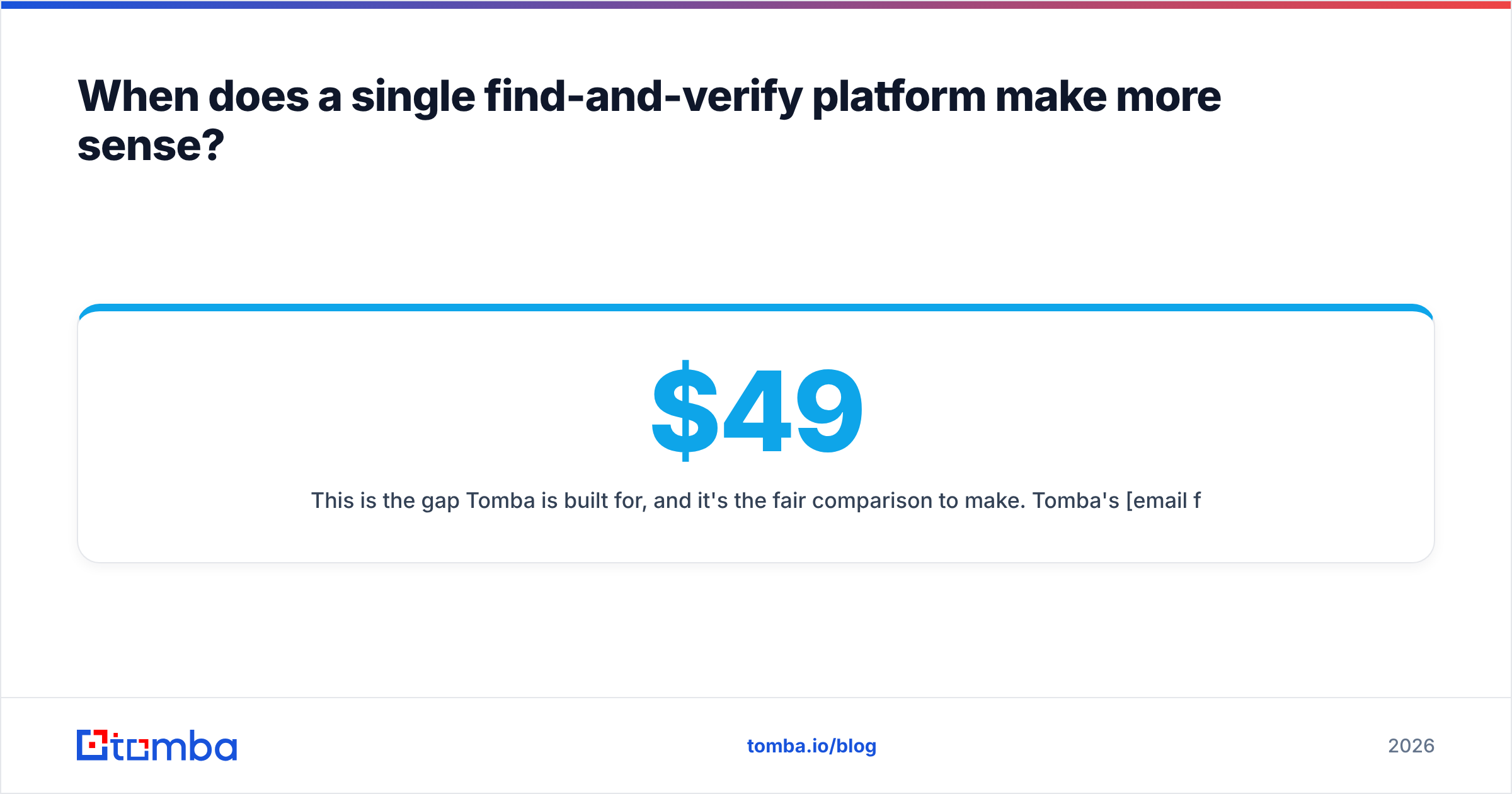
This is the gap Tomba is built for, and it's the fair comparison to make. Tomba's email finder returns a deliverability status with every result, so the verify step isn't a separate purchase. The free tier gives you 25 searches/mo to test hit rate on your own ICP — which is the only benchmark that matters, since every tool's accuracy is domain-dependent. Paid plans run $49/mo (Starter), $99/mo (Growth), and $249/mo (Pro); full breakdown on the Tomba pricing page.
Where Tomba doesn't win: personal email coverage. If you're a recruiter who needs someone's Gmail because they'll never open a work address about a new job, ContactOut's consumer-side data is genuinely stronger, and no amount of B2B pattern-matching replaces it. Be honest about which motion you run.
Which one should you buy in 2026?#
Decision rules, in order:
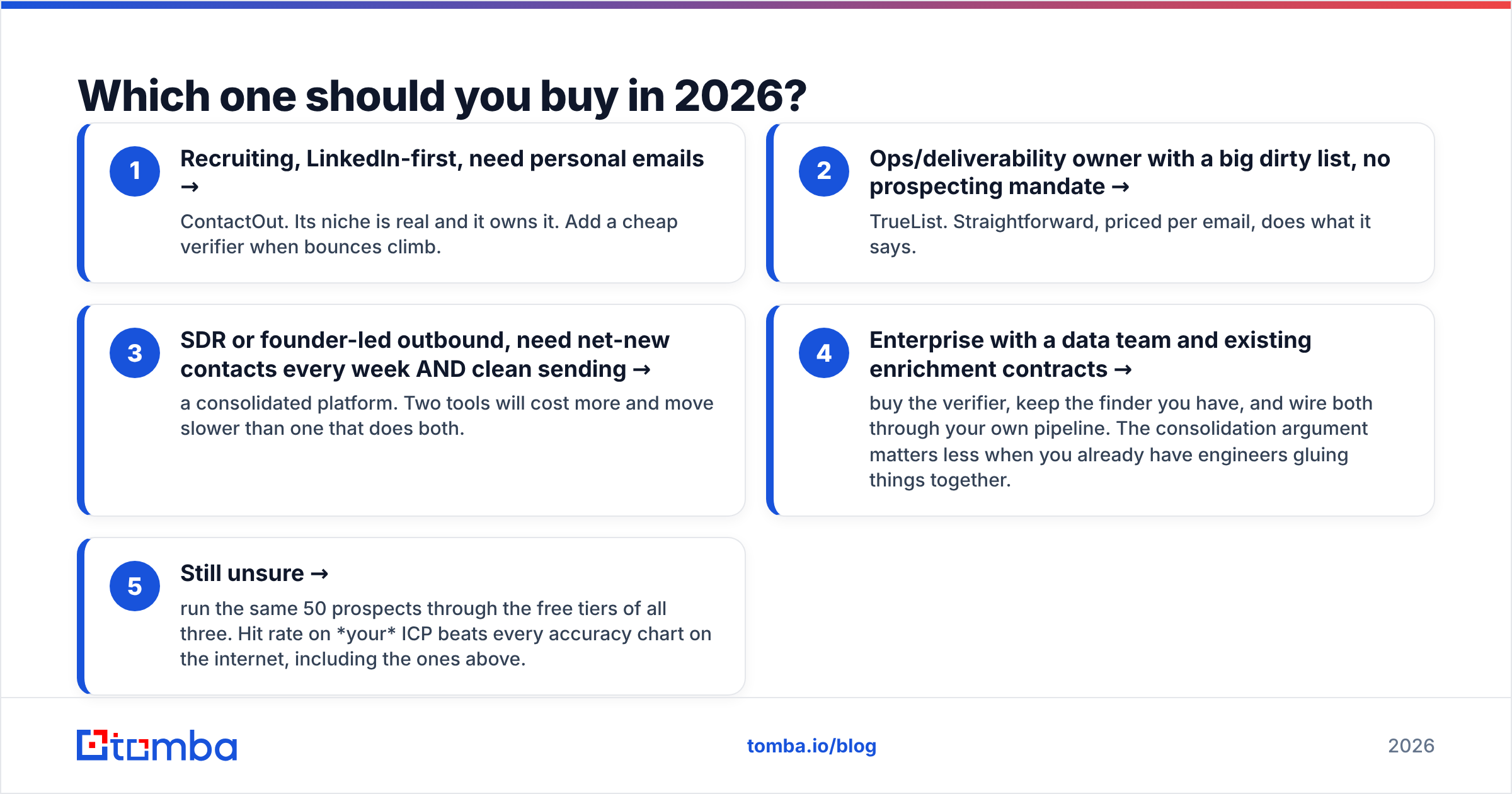
- Recruiting, LinkedIn-first, need personal emails → ContactOut. Its niche is real and it owns it. Add a cheap verifier when bounces climb.
- Ops/deliverability owner with a big dirty list, no prospecting mandate → TrueList. Straightforward, priced per email, does what it says.
- SDR or founder-led outbound, need net-new contacts every week AND clean sending → a consolidated platform. Two tools will cost more and move slower than one that does both.
- Enterprise with a data team and existing enrichment contracts → buy the verifier, keep the finder you have, and wire both through your own pipeline. The consolidation argument matters less when you already have engineers gluing things together.
- Still unsure → run the same 50 prospects through the free tiers of all three. Hit rate on your ICP beats every accuracy chart on the internet, including the ones above.
One more thing worth saying plainly: no tool fixes a bad domain. If your email deliverability is already damaged — no SPF alignment, no warmup, a spammy sending pattern — the cleanest list in the world will still land in spam. Verification protects a healthy reputation; it doesn't restore a broken one.
The bottom line#
ContactOut and TrueList aren't rivals — they're two halves of a workflow that most teams end up assembling by accident, one invoice at a time. ContactOut is the better buy if your prospecting lives inside LinkedIn and you need personal emails. TrueList is the better buy if you're holding a list you don't trust and just need the bounce rate down.
If you're doing both jobs every week, buying both is the expensive default. Try the Tomba Email Finder instead — search by name, company, or domain, get a verification status back on every result, and keep one credit balance instead of two. The free plan gives you 25 searches a month with no card, which is enough to test the hit rate on your own account list before you commit to anything.
Related guides#
Ready to find emails that actually work?
Join 150,000+ professionals who stopped guessing and started sending. Free credits on signup — no credit card required.
Get the Tomba newsletter
Practical outbound tactics and product updates — once every two weeks.
About the author