ContactOut vs UpLead 2026: Which B2B Data Tool Wins?
ContactOut lives inside LinkedIn. UpLead lives inside a searchable database. They solve different problems, and picking the wrong one wastes a whole quarter of credits. Here's the honest breakdown.
TL;DR — ContactOut vs UpLead in 30 seconds#
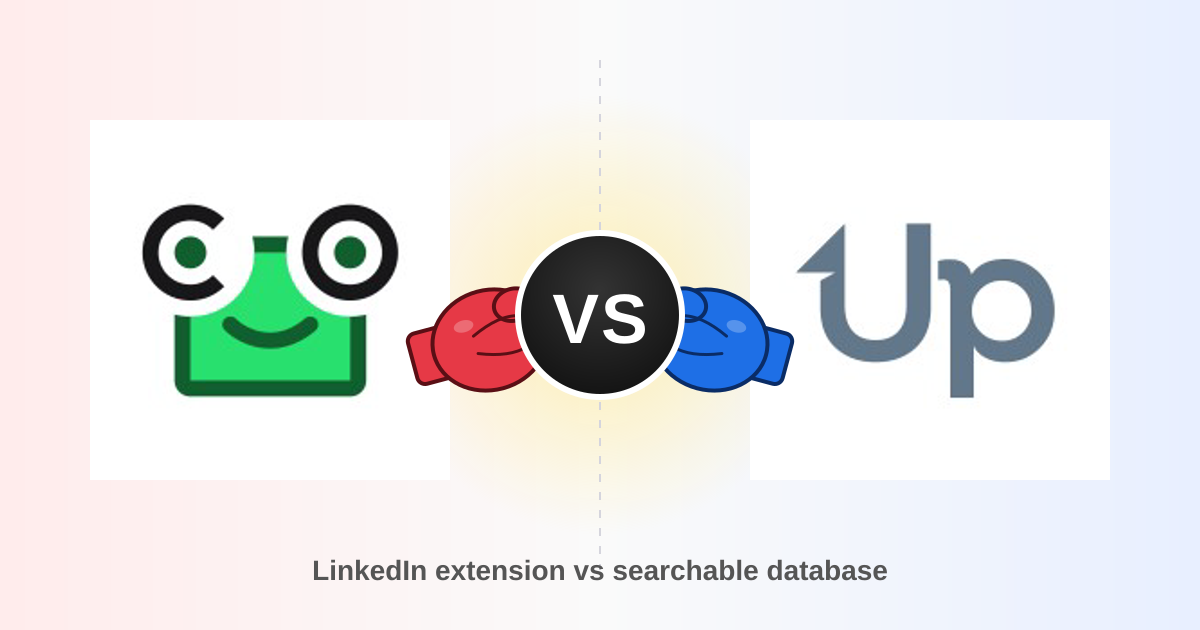
- ContactOut is a browser-first LinkedIn tool. You prospect on LinkedIn, click the extension, and it reveals work plus personal emails. It shines for recruiters and anyone whose list-building already happens on a LinkedIn profile or Recruiter search.
- UpLead is a searchable database. You filter by industry, headcount, tech stack, and intent, then export contacts in bulk. It shines when you want to build a 500-row ICP list without touching LinkedIn.
- Pricing is the real divider. UpLead's entry paid tier sits around $99/mo for a low triple-digit credit allowance; ContactOut's paid plans start in a similar range but are billed annually to hit the advertised price. Neither is cheap per verified contact.
- Accuracy claims from both vendors are marketing numbers. Vendor-published "98%" and "95%+" figures are measured on their own samples. Always run your own 100-row test before you commit.
- If you mostly need work emails at scale via API, spreadsheet, or bulk upload, a dedicated finder like Tomba at $49/mo undercuts both — but it won't give you personal emails or intent data.
What is ContactOut and who actually uses it?#
ContactOut is a Chrome extension plus a web app that sits on top of LinkedIn. Open a profile, click the icon, and it surfaces work email, personal email, and often a phone number. It also ships a Recruiter integration, a search portal, and bulk export from saved lists.
The design assumption is that your prospecting already happens inside LinkedIn. That assumption is why recruiters love it. When you're sourcing a senior backend engineer, you filter in LinkedIn Recruiter, scan profiles individually, and want the personal Gmail — because engineers ignore work inboxes from strangers. ContactOut is built for exactly that motion.
For B2B sales, the picture is murkier. Sales teams usually work from an ICP definition ("Series B fintechs, 50–200 employees, US, using Stripe"), not from a profile-by-profile scan. Reproducing that in LinkedIn Sales Navigator and then extension-clicking your way through 300 profiles is slow, and it's exactly the workflow LinkedIn's anti-scraping rules are designed to throttle.
What ContactOut is genuinely good at:
- Personal email coverage — the strongest single reason to pick it. Very few B2B databases invest here.
- In-context enrichment — no tab switching, no CSV round trip.
- Recruiter-specific workflows — ATS pushes, candidate pipelines, saved searches.
- Phone numbers on senior profiles — hit rate varies wildly by seniority and geography.
- A free tier that's actually usable for a test — a handful of credits per month, enough to sanity-check accuracy on your own market.
Check the current plans on contactout.com before budgeting — the tiers have been reshuffled more than once, and the headline price is annual-billing math.
What is UpLead and how is it different?#
UpLead is a database-first platform. You never touch LinkedIn. You open UpLead, apply filters (industry, revenue, headcount, location, technology used, job title, intent signals), preview the matching contacts, and spend credits to reveal them.
The killer feature UpLead markets hardest is real-time verification at the moment of reveal. Instead of handing you a stale record from a scrape three months ago, it runs an SMTP check before the credit is deducted. If the email bounces the check, you're not charged. That is a meaningfully better deal than the "you bought it, you own it, bounces are your problem" model most databases run.
Where UpLead falls down is volume economics. The entry plan's credit allowance is small relative to what a real outbound program burns — a single SDR working 40 accounts a week with 5 contacts per account chews through it fast. And credits generally don't roll over indefinitely, so a slow month is money burned.

ContactOut vs UpLead: how do they compare head-to-head?#
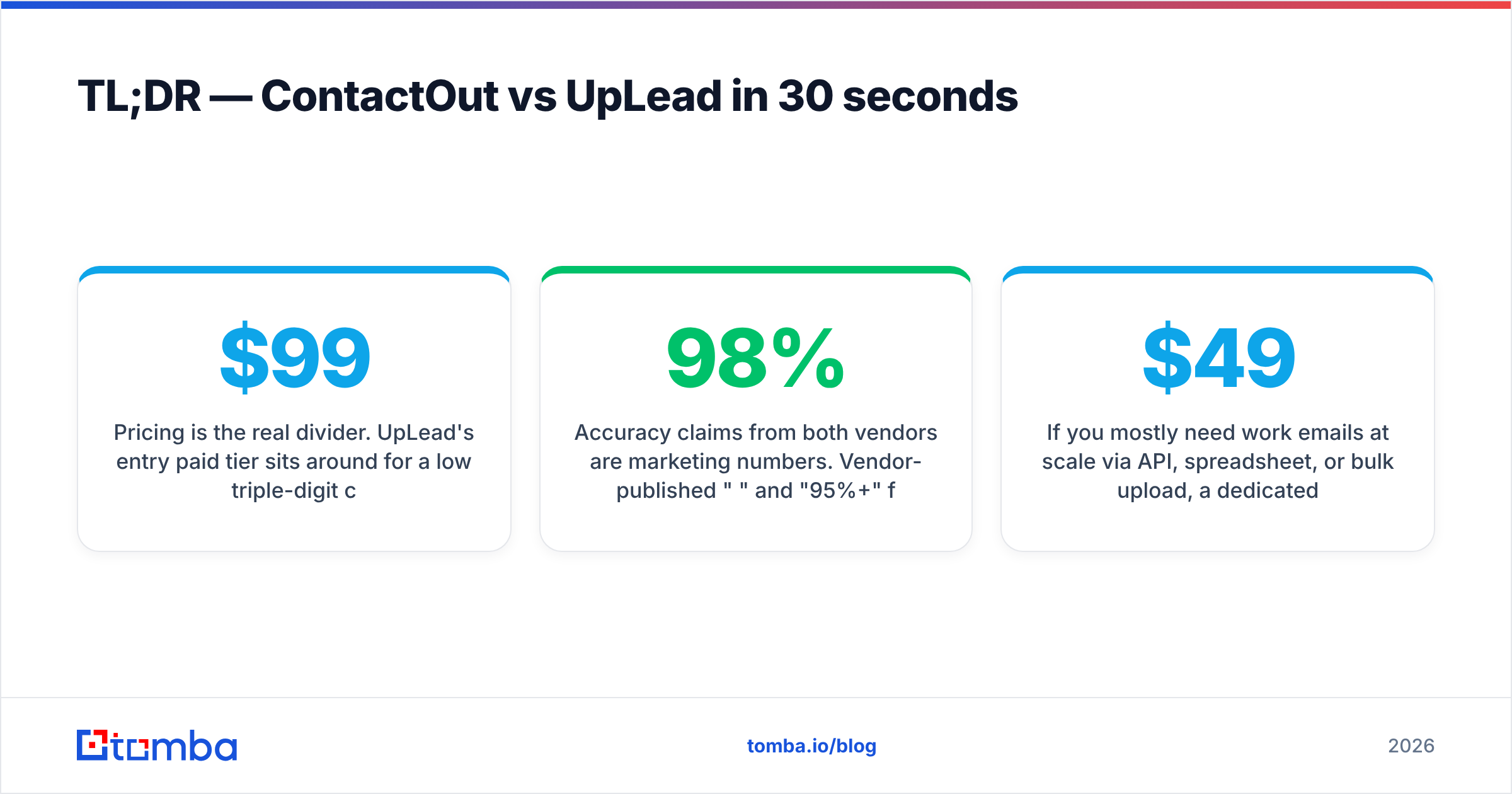
| Attribute | ContactOut | UpLead |
|---|---|---|
| Core model | LinkedIn browser extension + search portal | Searchable B2B database, no LinkedIn required |
| Primary buyer | Recruiters, talent sourcers, LinkedIn-native SDRs | SDRs, demand gen, list builders |
| Personal emails | Yes — its headline differentiator | Rarely; work emails are the focus |
| Work emails | Yes | Yes, verified at reveal |
| Phone numbers | Yes, coverage varies by seniority | Yes, direct dials on higher tiers |
| Intent / technographic filters | Limited | Yes — tech stack and intent are core filters |
| Verification | Post-hoc, vendor-claimed accuracy | Real-time SMTP check before credit spend |
| Entry paid price | Roughly $99/mo (annual billing to hit advertised rate) | Roughly $99/mo, low-triple-digit credits |
| Free option | Small monthly credit allowance | Short trial with a handful of credits |
| Bulk / API | Available on higher tiers | Available, credit-metered |
| Fails when… | You need 500 contacts matching an ICP filter, fast | You need a personal Gmail for a passive candidate |
The honest read: these tools barely compete. They overlap on the word "contact data" and diverge on almost everything else. If a vendor rep tells you it's a straight swap, they haven't used both.
Which one is more accurate?#
Both publish accuracy claims in the mid-to-high 90s. Both measured those claims themselves, on samples they chose. Treat the numbers as directional, not as a contract.

What actually moves accuracy in the real world:
- Company size. Everyone's accuracy is high on Fortune 500 domains and mediocre on 12-person startups with a custom domain and no public email pattern.
- Geography. US and Western Europe are well covered. LATAM, MENA, and Southeast Asia degrade fast, on every provider.
- Catch-all domains. Roughly a fifth of B2B domains accept every address at the MX layer, which makes SMTP verification useless. Providers handle this differently — some return "risky," some return "valid," some just guess. If your ICP is enterprise-heavy, run every list through a proper catch-all verifier before you send.
- Data recency. A contact who changed jobs in March is a bounce in July, regardless of which vendor sold it to you.
The only test that matters: pull 100 contacts from your actual ICP — not a demo list, not a Fortune 500 sample — from each tool, run them through an independent email verifier, and compare bounce rates. Do this before you sign an annual contract. It takes an afternoon and routinely changes the decision.
Cross-check the marketing with third-party reviews on G2 too, but read the 3-star reviews, not the 5-star ones. The 3-stars are where you find the real coverage gaps.
Is ContactOut or UpLead better for cold outbound?#
For a pure cold-email motion, UpLead is the better structural fit — but only if the credit math works for you.
Cold outbound is a volume game with an ICP filter on the front. You need to define a segment, pull everyone in it, verify, and sequence. UpLead's filter-and-export loop maps cleanly onto that. ContactOut's click-a-profile loop does not; you'd be hand-assembling a list that UpLead builds in one query.
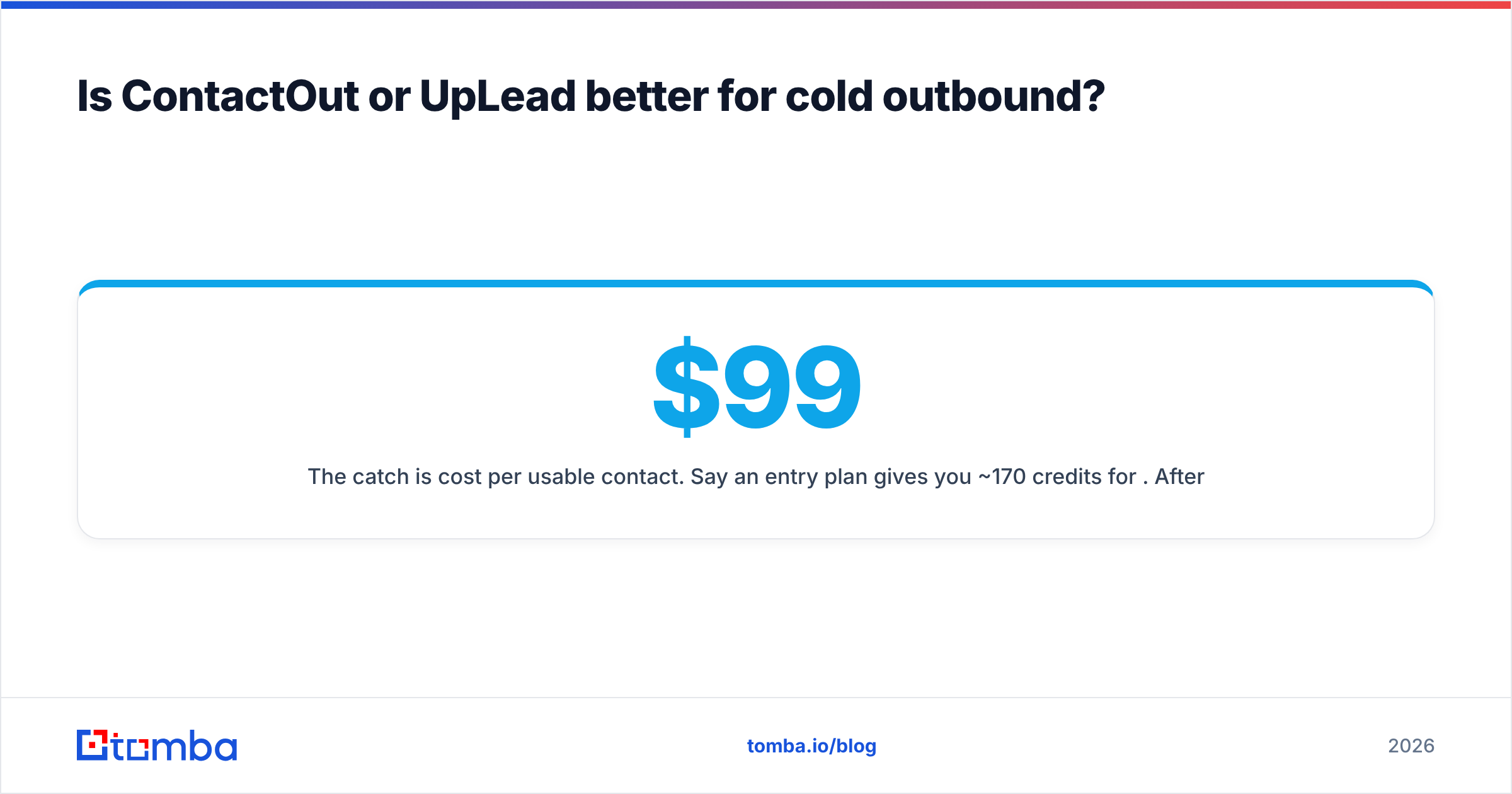
The catch is cost per usable contact. Say an entry plan gives you ~170 credits for $99. After you drop the contacts that don't fit on closer inspection, the ones that bounce despite verification, and the ones who've left the company, you're realistically paying well north of $0.70–$1.00 per contact that actually receives an email. Run that number against your reply rate and your ACV before you decide it's fine.
For recruiting outreach, the answer flips. Personal emails get read; work emails from a stranger get archived. ContactOut wins that use case outright, and it isn't close.
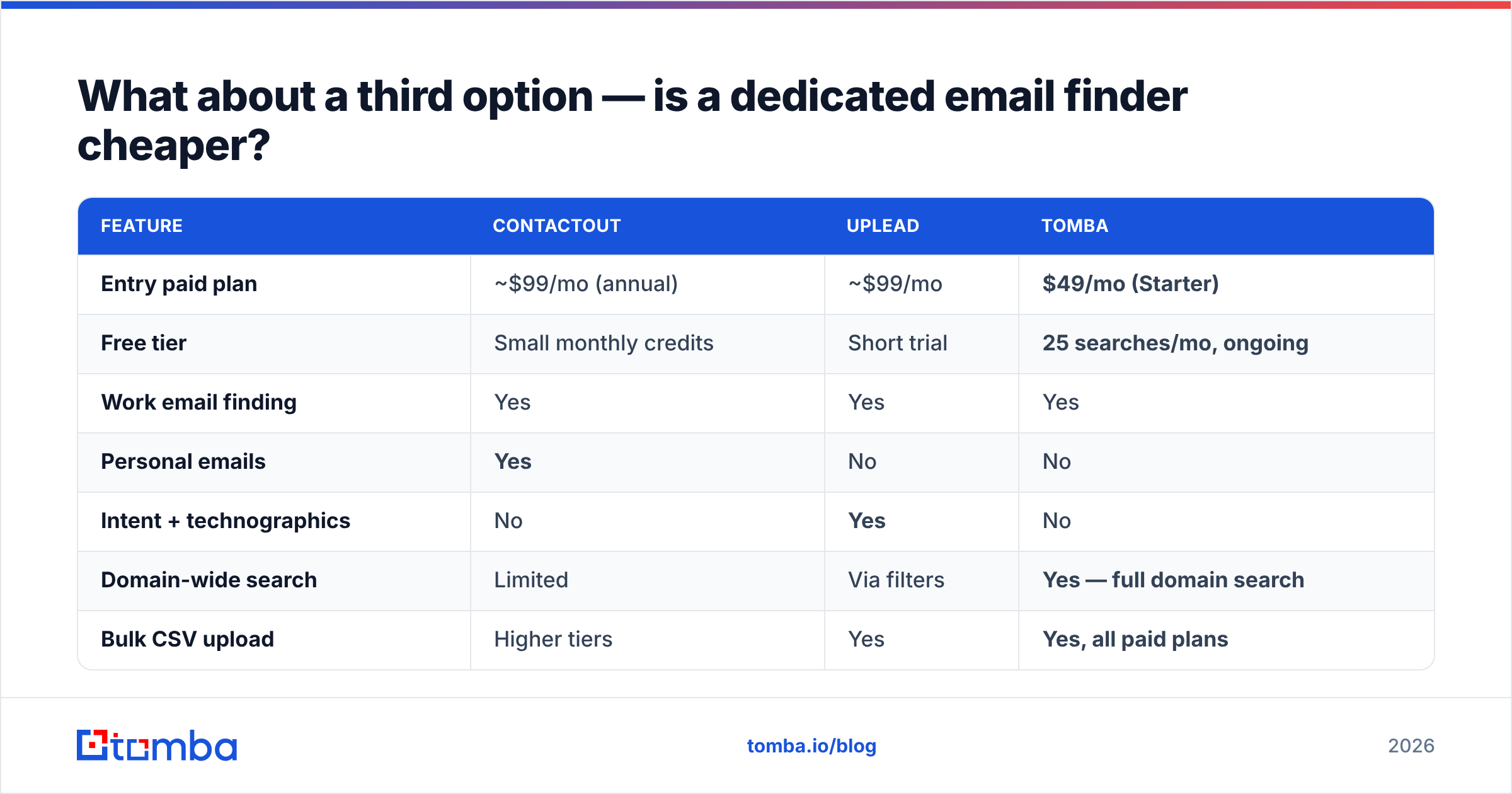
What about a third option — is a dedicated email finder cheaper?#
If you strip the problem down, most B2B teams need one thing: a verified work email for a named person at a named company, at volume, without paying for intent data they never open.
That's a narrower job than either ContactOut or UpLead is built for, and narrower jobs are cheaper.

| Feature | ContactOut | UpLead | Tomba |
|---|---|---|---|
| Entry paid plan | ~$99/mo (annual) | ~$99/mo | $49/mo (Starter) |
| Free tier | Small monthly credits | Short trial | 25 searches/mo, ongoing |
| Work email finding | Yes | Yes | Yes |
| Personal emails | Yes | No | No |
| Intent + technographics | No | Yes | No |
| Domain-wide search | Limited | Via filters | Yes — full domain search |
| Bulk CSV upload | Higher tiers | Yes | Yes, all paid plans |
| Public API | Higher tiers | Yes | Yes, on every paid plan |
| Spreadsheet add-ons | No | Limited | Excel + Google Sheets |
| Best for | Recruiters | ICP list building | High-volume email finding + verification |
The trade is explicit and worth stating plainly: Tomba does not sell personal emails and does not sell intent data. If either is core to your motion, you need ContactOut or UpLead respectively, and no amount of price difference changes that.
But if your workflow is "I have a company list, get me the right person's work email, verified" — that's the whole job. A domain search returns every discoverable address at a company plus the pattern it uses. A bulk email finder runs your CSV of 2,000 names. The Tomba API plugs it into your own enrichment pipeline instead of a vendor's UI. Starter is $49/mo, Growth is $99/mo, Pro is $249/mo — see Tomba pricing for current credit allowances.
Worth naming other credible options too: BookYourData is a solid choice if you want pay-as-you-go list purchasing with no subscription — a genuinely different commercial model that suits teams running one big campaign a quarter rather than a continuous outbound machine.

How should you actually decide between them?#
Work through these in order. The first "yes" is your answer.
- Do you need personal emails? → ContactOut. Nothing else in this comparison does it well.
- Do you need intent signals or technographic filters to build the list at all? → UpLead. That's its moat.
- Do you already have your target company list, and just need the right contacts? → A dedicated email finder is the cheapest path. You're not paying for a database you already have.
- Is your team's workflow permanently inside LinkedIn? → ContactOut, or a LinkedIn finder if you only need work emails from those profiles.
- Do you need to enrich records programmatically inside a CRM or product? → API-first tooling. Check whether API access is gated behind the top tier before you commit — it often is.
- Is bounce rate your biggest current pain? → No finder alone fixes this. Layer a verification step on top of whatever you buy. Deliverability collapses at around a 3% bounce rate regardless of who sold you the list; see how email deliverability actually gets scored.
The mistake teams make is treating this as a single-vendor decision. Plenty of good outbound stacks run a database for list building, a finder for gap-filling, and a verifier as the final gate. That's three line items — but each one is doing a job it's actually good at, and the total is often cheaper than forcing one over-broad platform to do all three badly.
What do people get wrong about credits?#
Three things, consistently:
- Advertised price ≠ monthly price. Both vendors quote annual-billing rates. Month-to-month is meaningfully higher. Budget for the real number.
- Credits are not contacts. A phone reveal, an email reveal, and an enrichment can each cost different amounts. Read the credit table, not the plan card.
- Rollover is usually capped or absent. If your outbound is seasonal, you are buying capacity you will not use. A cheaper base plan plus overage often beats a bigger plan with waste.
And the biggest one: credits spent on unverified data are credits spent on bounces. Whichever tool you land on, put a verification gate between the export and the sequencer. It's the cheapest insurance in the entire stack.
The verdict#
ContactOut if you recruit. UpLead if you need intent-filtered ICP lists and can absorb the credit cost. Neither, if your real job is just getting verified work emails at volume.
That last case is the majority of B2B outbound teams, and it's the one where both platforms overcharge you for capability you won't use.
If that's you: start with the free tier of the Tomba Email Finder — 25 searches a month, no card, enough to run the 100-row accuracy test described above against your own ICP. If the hit rate holds up on your market, Starter at $49/mo covers most one- and two-rep teams, with the API and bulk uploads included rather than locked behind an enterprise call. Test it against whatever ContactOut or UpLead quotes you, on the same list, and let the bounce rate decide.
Related guides#
Ready to find emails that actually work?
Join 150,000+ professionals who stopped guessing and started sending. Free credits on signup — no credit card required.
Get the Tomba newsletter
Practical outbound tactics and product updates — once every two weeks.
About the author