ContactOut vs Warpleads: Which B2B Data Tool Wins in 2026?
ContactOut sells LinkedIn depth. Warpleads sells export volume. We break down accuracy, pricing, verification and workflow fit — plus when neither is the right answer for your outbound motion.
TL;DR
- ContactOut is a LinkedIn-first contact finder. Its strength is personal emails and phone numbers pulled while you browse profiles. Its weakness is seat-based pricing and a workflow that assumes a human is clicking.
- Warpleads is an export-first lead platform. Its strength is pulling large filtered lists out of a database (and on-demand scraping) with verification baked in. Its weakness is that volume is not the same thing as relevance.
- If your ICP lives on LinkedIn and you prospect one profile at a time, ContactOut wins. If you build 5,000-row lists and feed sequencers, Warpleads wins.
- Neither is built API-first. If you need programmatic enrichment inside your own product or CRM, an email-finder API like Tomba is the cheaper and more predictable layer.
- Whatever you pick: verify before you send. Both tools ship some percentage of stale addresses, and your domain pays for it.
What are ContactOut and Warpleads, exactly?#
They're often lumped into the same "B2B data tool" bucket, but they solve different problems and were built for different buyers.
ContactOut started as a Chrome extension that reveals contact details on LinkedIn profiles. That heritage still defines it. You install the extension, browse LinkedIn (or LinkedIn Recruiter, or Sales Navigator), and ContactOut surfaces work emails, personal emails, and phone numbers in a sidebar. It also has a searchable database and a dashboard for saved lists. Its historical positioning is around personal-email coverage — the gmail/outlook addresses recruiters need when a work email is dead or the candidate is passive.
Warpleads is a newer entrant built for the opposite motion: volume export. The pitch is filtered access to a large B2B database plus on-demand list building, with bulk email verification included so you're not stitching three vendors together. It's aimed at agencies and outbound teams who burn through thousands of contacts a month and care more about cost-per-thousand than about any single lookup.
That's the real axis of this comparison. It's not "which database is bigger." It's depth per contact vs. throughput per list.

How do ContactOut and Warpleads compare head-to-head?#
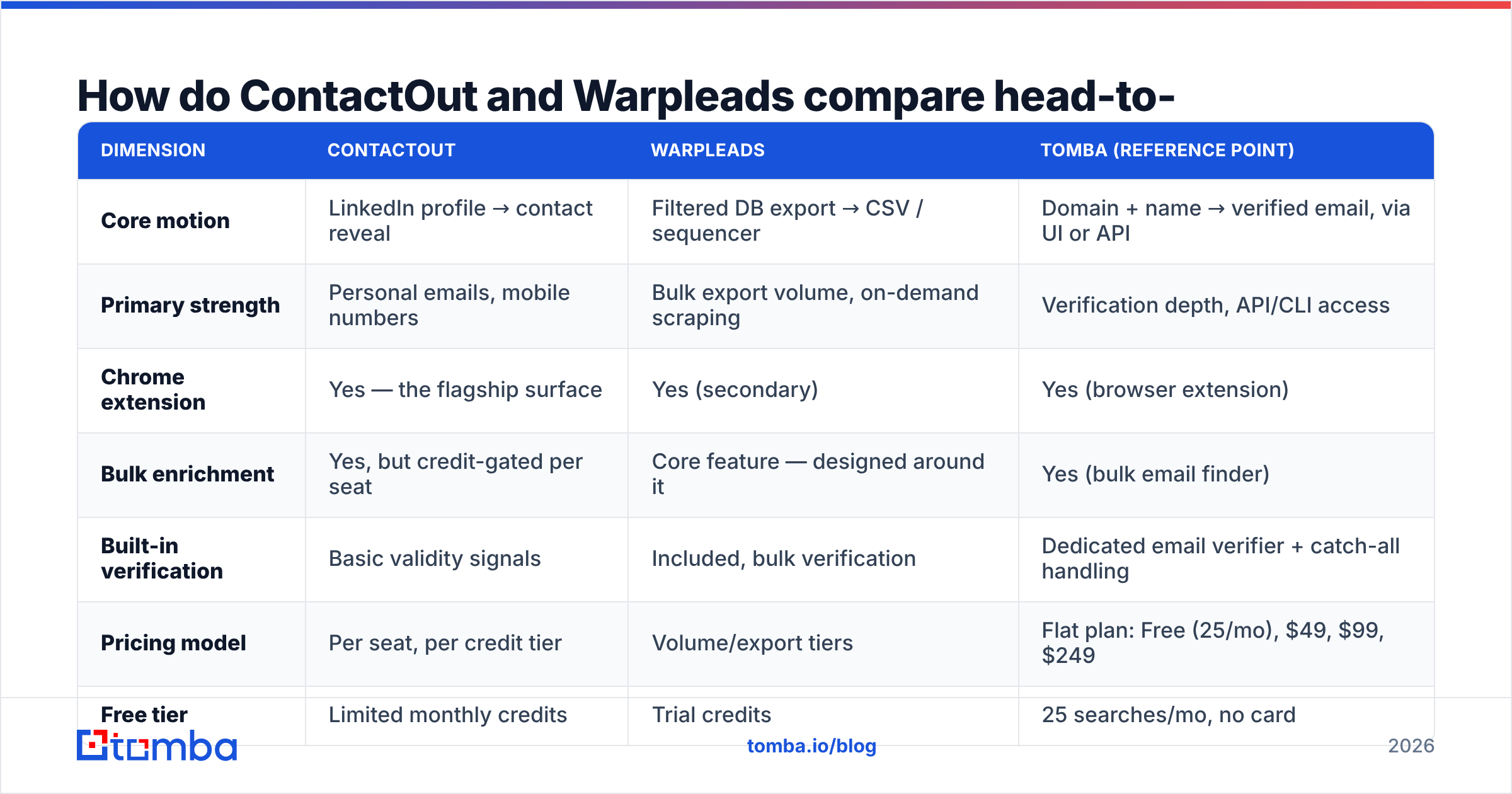
Here's the honest side-by-side. Pricing moves — treat the numbers as directional and confirm on each vendor's page before you buy.
| Dimension | ContactOut | Warpleads | Tomba (reference point) |
|---|---|---|---|
| Core motion | LinkedIn profile → contact reveal | Filtered DB export → CSV / sequencer | Domain + name → verified email, via UI or API |
| Primary strength | Personal emails, mobile numbers | Bulk export volume, on-demand scraping | Verification depth, API/CLI access |
| Chrome extension | Yes — the flagship surface | Yes (secondary) | Yes (browser extension) |
| Bulk enrichment | Yes, but credit-gated per seat | Core feature — designed around it | Yes (bulk email finder) |
| Built-in verification | Basic validity signals | Included, bulk verification | Dedicated email verifier + catch-all handling |
| Pricing model | Per seat, per credit tier | Volume/export tiers | Flat plan: Free (25/mo), $49, $99, $249 |
| Free tier | Limited monthly credits | Trial credits | 25 searches/mo, no card |
| API access | Available on higher tiers | Available | Full Tomba API, all paid plans |
| Best for | Recruiters, single-thread AEs | Agencies, high-volume SDR teams | Devs, RevOps, anyone enriching at scale |
| Weakest at | Cost at team scale | Precision on niche ICPs | Passive-candidate personal emails |

Read the table for the shape of the decision, not the score. Nobody wins every row, and a tool that wins nine rows you don't care about still loses.
Which one actually finds more valid emails?#
Wrong question. The right question is: valid emails for whom?
Coverage in this category is segment-dependent, and every vendor's headline accuracy number is measured on the segment where they look best.
- ContactOut wins on personal emails. If your target is a senior engineer who hasn't updated their work email in three years, or a candidate you're recruiting away from a company, a gmail address is worth more than a perfectly-formatted corporate one. ContactOut has invested heavily here.
- Warpleads wins on breadth per query. When you need 3,000 contacts matching "Head of Growth, SaaS, 50–200 employees, US," it will return a big list fast, verified in bulk. Whether all 3,000 match your actual ICP is a different conversation.
- Both degrade on the same things: catch-all domains, sub-500-employee companies outside the US/UK/EU, and roles that churn fast (SDRs, junior marketers). Every provider's data ages, and no vendor's marketing page leads with its decay rate.

The practical implication: do not treat "found" as "valid." A found address is a hypothesis. A verified address is a fact — and only for as long as that person keeps the job.
If you're running any meaningful volume, put a verification step between the data source and the sequencer. That's true whether the source is ContactOut, Warpleads, a scraper, or a purchased list. Catch-all domains are where most teams silently bleed deliverability, because a naive verifier marks them "accepted" and the mailbox bounces anyway. A dedicated catch-all verifier is the difference between a 2% bounce rate and a 9% one — and 9% is where inbox providers start throttling you.
How does the pricing actually work — and where does it bite?#
This is where the two tools diverge most sharply, and where buyers get surprised.
ContactOut is seat-shaped. You pay per user, and credits are attached to that user. That's fine for one recruiter. It gets expensive fast when you have five SDRs, because the credits don't pool the way you'd want and unused credits on a quiet rep don't help the rep who's crushing it. Teams frequently discover the real cost only in month three, when they add seats.
Warpleads is volume-shaped. You pay for export capacity. That's a better fit for agencies running campaigns for multiple clients, because the cost scales with the work, not with headcount. The trap is different: volume pricing quietly encourages you to export more than you need, and a bloated list is a deliverability liability, not an asset.
Neither is optimized for programmatic enrichment. If what you actually want is "when a lead hits our CRM, resolve their work email and verify it, automatically," you're buying a prospecting UI to get an API. That's the case where a flat, API-first plan is simply cheaper. Tomba's pricing starts free (25 searches/month), then $49/mo Starter, $99/mo Growth, $249/mo Pro — with the API available on every paid tier rather than gated behind an enterprise conversation.

Real-cost checklist before you sign anything:
- Seats vs. usage. Will you add users this year? Seat pricing punishes team growth; usage pricing punishes list bloat. Pick the failure mode you can control.
- Credit rollover. Do unused credits expire monthly? Most do. Budget for the waste.
- Verification cost. Is it bundled, or a second invoice from ZeroBounce/Bouncer? Bundle it if you can.
- Export limits. Some plans cap what you can actually get out of the UI, even when your credit balance says otherwise.
- API access tier. If you need the API, check whether it's on the plan you're pricing — or three tiers up.
Which fits your workflow: LinkedIn-first or export-first?#
Match the tool to how your team actually works, not to how you wish it worked.
Pick ContactOut if:
- Your prospecting starts on a LinkedIn profile, not in a filter panel.
- You need mobile numbers and personal emails, not just work addresses.
- You're recruiting, or selling into roles where the corporate email is a dead end.
- You have a small team and the seat math still works.
Pick Warpleads if:
- You build lists, not relationships-one-at-a-time.
- You run outbound for multiple clients or brands.
- You want verification inside the same invoice.
- Your bottleneck is "not enough contacts," not "not enough context."
Pick neither — go API-first — if:
- The enrichment needs to happen inside a system (CRM, product signup flow, internal tool), not inside a browser tab.
- You want the same contact resolution in a script, in a spreadsheet, and in your app.
- You're paying for a UI you never open.
That third case is more common than vendors admit. A lot of teams buy a prospecting tool, use it for two weeks, and then quietly rebuild the same thing on top of an email finder API because the UI didn't fit their process. If that sounds like your last two data purchases, skip a step.
Where do both tools fall short?#
Being honest about the weaknesses is the only useful part of a comparison post.
ContactOut's gaps:
- Seat economics at scale. The cost curve is steep once you're past three or four users.
- LinkedIn dependency. If your ICP doesn't maintain a LinkedIn presence (plenty of manufacturing, logistics, and local-services buyers don't), the core workflow has nothing to work with.
- Workflow lock-in. The extension is great, but it assumes a human clicking. Automating around it is awkward by design.
Warpleads' gaps:
- Precision on narrow ICPs. Big filtered exports are excellent for broad ICPs and mediocre for "VP of Clinical Ops at Series B medtech in DACH." The narrower your segment, the more manual QA you'll do.
- Newness. Fewer independent reviews on G2 and Capterra than the incumbents, which means less third-party evidence to check vendor claims against. That's not a knock on the product — it's just less signal available to you as a buyer.
- Volume temptation. The pricing model rewards exporting more. Your sender reputation does not.
Shared gap: neither is a substitute for a verification discipline. Bounce rates above 3% are a domain-health problem, and inbox providers do not care which vendor sold you the list.
What about the rest of the market?#
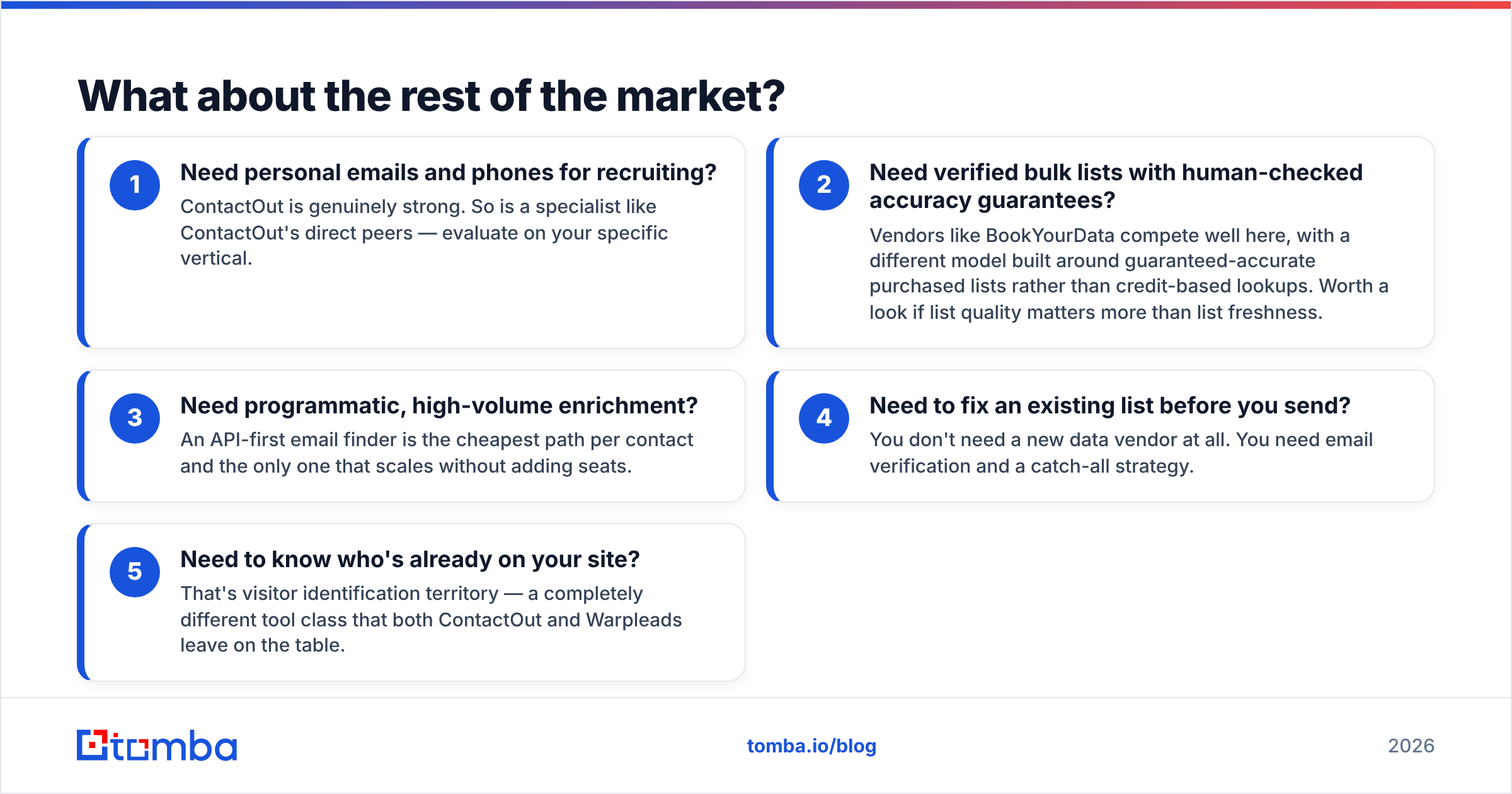
The ContactOut/Warpleads decision is often a false binary. Depending on the job, the honest recommendation might be something else entirely:
- Need personal emails and phones for recruiting? ContactOut is genuinely strong. So is a specialist like ContactOut's direct peers — evaluate on your specific vertical.
- Need verified bulk lists with human-checked accuracy guarantees? Vendors like BookYourData compete well here, with a different model built around guaranteed-accurate purchased lists rather than credit-based lookups. Worth a look if list quality matters more than list freshness.
- Need programmatic, high-volume enrichment? An API-first email finder is the cheapest path per contact and the only one that scales without adding seats.
- Need to fix an existing list before you send? You don't need a new data vendor at all. You need email verification and a catch-all strategy.
- Need to know who's already on your site? That's visitor identification territory — a completely different tool class that both ContactOut and Warpleads leave on the table.
Comparing tools inside one category is easy. Realizing you're in the wrong category is where the money is.
Which should you pick in 2026?#
Verdict: ContactOut if you prospect profile-by-profile and need personal emails. Warpleads if you build lists at volume and want verification bundled. They are not really competitors — they're answers to two different questions, and the marketing on both sides obscures that.
But before you commit budget to either, run a 30-minute test that costs nothing:
- Take 50 real prospects from your actual ICP — not a demo list the vendor picks.
- Run them through each tool's free tier.
- Verify every returned address with an independent verifier.
- Compare verified-and-correct hits, not "found" hits. That's your real coverage rate.
- Divide the plan price by that number. That's your real cost per usable contact.
Most teams find their actual usable-contact rate is 20–40% below the number on the pricing page. Better to learn that in a free trial than in a bounce report.
Ready to test coverage on your own list?#
If your bottleneck is finding and verifying work emails at scale — not scraping LinkedIn profiles one at a time — start with the Tomba Email Finder. Free tier gives you 25 searches a month with no card, paid plans start at $49/mo, and the API is available on every paid tier so you can wire enrichment directly into your CRM, your product, or a cron job instead of a browser tab. Run your 50-prospect test against it alongside ContactOut and Warpleads, verify all three outputs, and let the numbers pick the winner. That's the only comparison that matters — and it's the one no vendor's landing page will run for you.
Related guides#
Ready to find emails that actually work?
Join 150,000+ professionals who stopped guessing and started sending. Free credits on signup — no credit card required.
Get the Tomba newsletter
Practical outbound tactics and product updates — once every two weeks.
About the author