ContactOut vs Woodpecker 2026: Data vs Sending Compared
ContactOut finds contacts. Woodpecker sends the emails. Comparing them head-to-head only makes sense once you know which half of the outbound stack you're actually missing — here's the honest breakdown.
TL;DR
- ContactOut and Woodpecker are not competitors. ContactOut is a contact-data tool (LinkedIn-first email and phone lookup). Woodpecker is a cold email sending platform (sequences, mailbox rotation, deliverability). Buying one does not replace the other.
- If you searched "ContactOut vs Woodpecker," you are almost certainly trying to decide which half of the outbound stack to fund first — not which product is better.
- Fund the data layer first. A perfect sequence sent to 30% invalid addresses will torch your domain before it books a meeting.
- ContactOut's weakness is that it is LinkedIn-shaped: great when a human is browsing profiles, awkward when you need bulk, API, or CRM-native enrichment.
- Woodpecker's weakness is that it assumes you already have clean, verified contacts. It will happily send to garbage.
- A cheaper, cleaner split for most teams: a dedicated data provider (Tomba starts at $49/mo) plus a dedicated sender (Woodpecker), rather than paying a premium seat price for a browser extension.
Why are people even comparing ContactOut vs Woodpecker?#
Because both tools show up in the same Google searches, the same G2 categories, and the same "top 10 cold outreach tools" listicles — and those listicles rarely tell you the two products do completely different jobs.
Here is the actual division of labor:
- ContactOut answers "what is this person's email address and phone number?" It's a Chrome extension and web app that sits on top of LinkedIn profiles and search results, revealing contact details and letting you push them to a list or your ATS/CRM. Its heaviest usage is in recruiting.
- Woodpecker answers "how do I send 400 personalized cold emails this week without landing in spam?" It's a sending and sequencing platform: multi-step campaigns, conditional follow-ups, inbox rotation, warm-up, bounce shielding, agency multi-client panels.
Put another way: ContactOut fills the spreadsheet. Woodpecker mails the spreadsheet. If you compare them as substitutes, you'll buy the wrong one and wonder why outbound still doesn't work.
The genuinely useful question is: given a fixed budget, which layer should you buy first, and is ContactOut the right choice for the data layer at all?

What does ContactOut actually do well (and badly)?#
ContactOut's strength is in-workflow discovery. A recruiter or SDR is already living inside LinkedIn Recruiter or Sales Navigator. The extension overlays a button on the profile, and you get a personal email, a work email, and often a mobile number without switching tabs. For a human doing 30–60 targeted lookups a day, that's a good experience, and the official ContactOut site leans hard into recruiting use cases for exactly that reason.
The trade-offs show up the moment you scale past one browsing human:
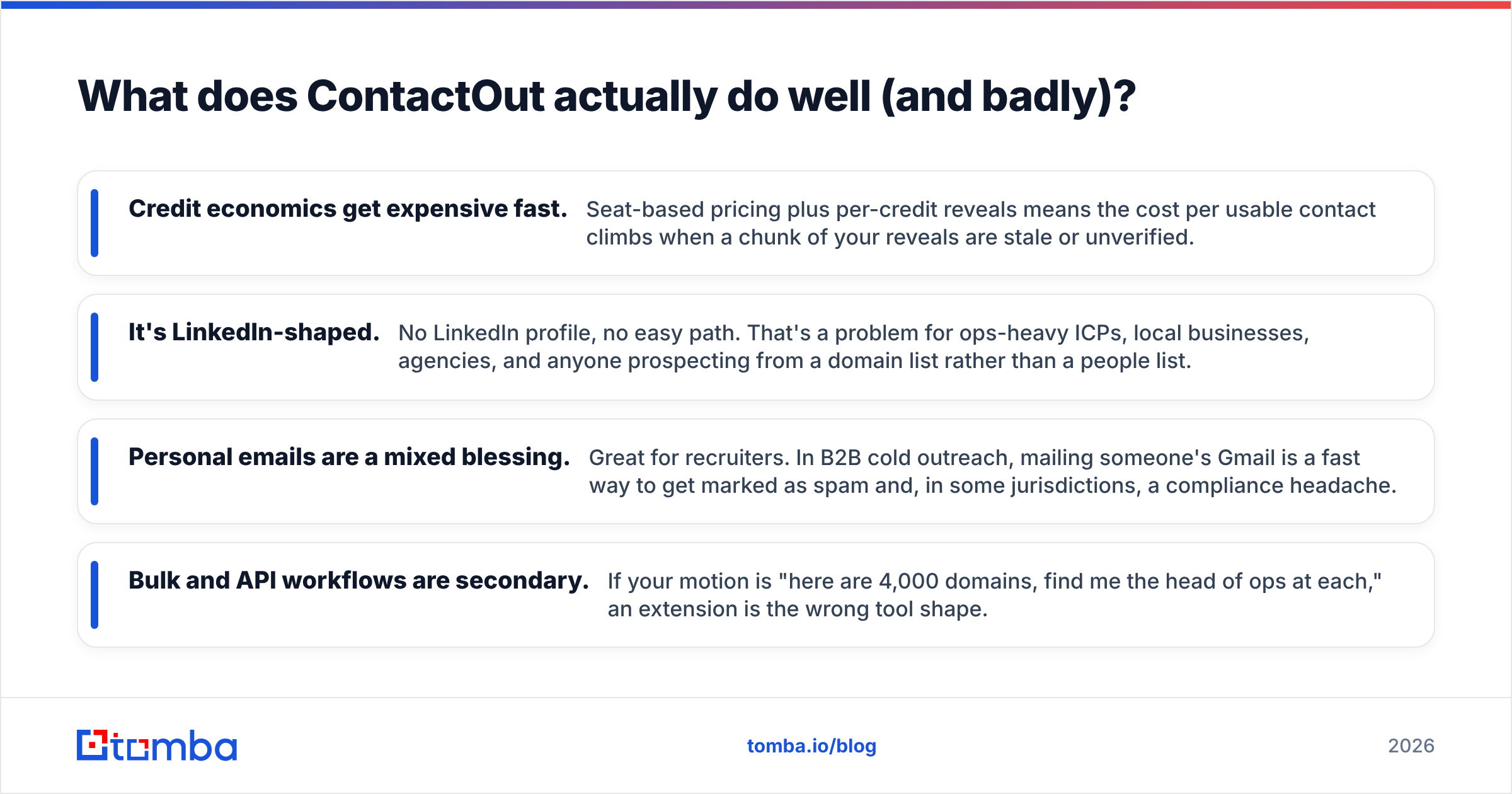
- Credit economics get expensive fast. Seat-based pricing plus per-credit reveals means the cost per usable contact climbs when a chunk of your reveals are stale or unverified.
- It's LinkedIn-shaped. No LinkedIn profile, no easy path. That's a problem for ops-heavy ICPs, local businesses, agencies, and anyone prospecting from a domain list rather than a people list.
- Personal emails are a mixed blessing. Great for recruiters. In B2B cold outreach, mailing someone's Gmail is a fast way to get marked as spam and, in some jurisdictions, a compliance headache.
- Bulk and API workflows are secondary. If your motion is "here are 4,000 domains, find me the head of ops at each," an extension is the wrong tool shape.
If your prospecting starts from a company list rather than a person list, a domain search workflow will out-produce a profile-by-profile extension by an order of magnitude — you feed it a domain, it returns the people and the email pattern behind that domain.
What does Woodpecker actually do well (and badly)?#
Woodpecker has been in the cold email space since 2015 and has aged into the "deliverability-first sender" niche. The things it does well:
- Adaptive sending and inbox rotation — spreading volume across multiple mailboxes so no single sender burns.
- Built-in warm-up so new domains ramp instead of face-planting.
- Bounce shielding — it throttles or halts campaigns when bounce rates spike, which is the single most underrated feature in cold email.
- Agency panel — genuinely good if you run campaigns for multiple clients from one login.
- Reply detection that pulls a prospect out of the sequence the moment they respond.
Its limits:
- It is not a data source. Woodpecker's own docs and the Woodpecker site are clear that you bring your own list. Its verification features protect its deliverability reputation as much as yours; they are not a substitute for a real verification pass.
- Pricing scales with contacts contacted, which means an inflated, unverified list costs you twice: once in subscription fees, once in domain reputation.
- Personalization depth depends on your data. If your CSV has nothing but first name and email, your "personalized" sequence is a merge tag with extra steps.
The blunt version: Woodpecker is a very good engine bolted to whatever fuel you pour in. Pour in sludge, and the engine's protective features simply stop the car.
ContactOut vs Woodpecker: side-by-side comparison#
Pricing below reflects each vendor's published plans at the time of writing — both change tiers and credit bundles regularly, so verify on the vendor's page before you buy. The point of the table is the shape of each product, not the exact dollar figure this month.
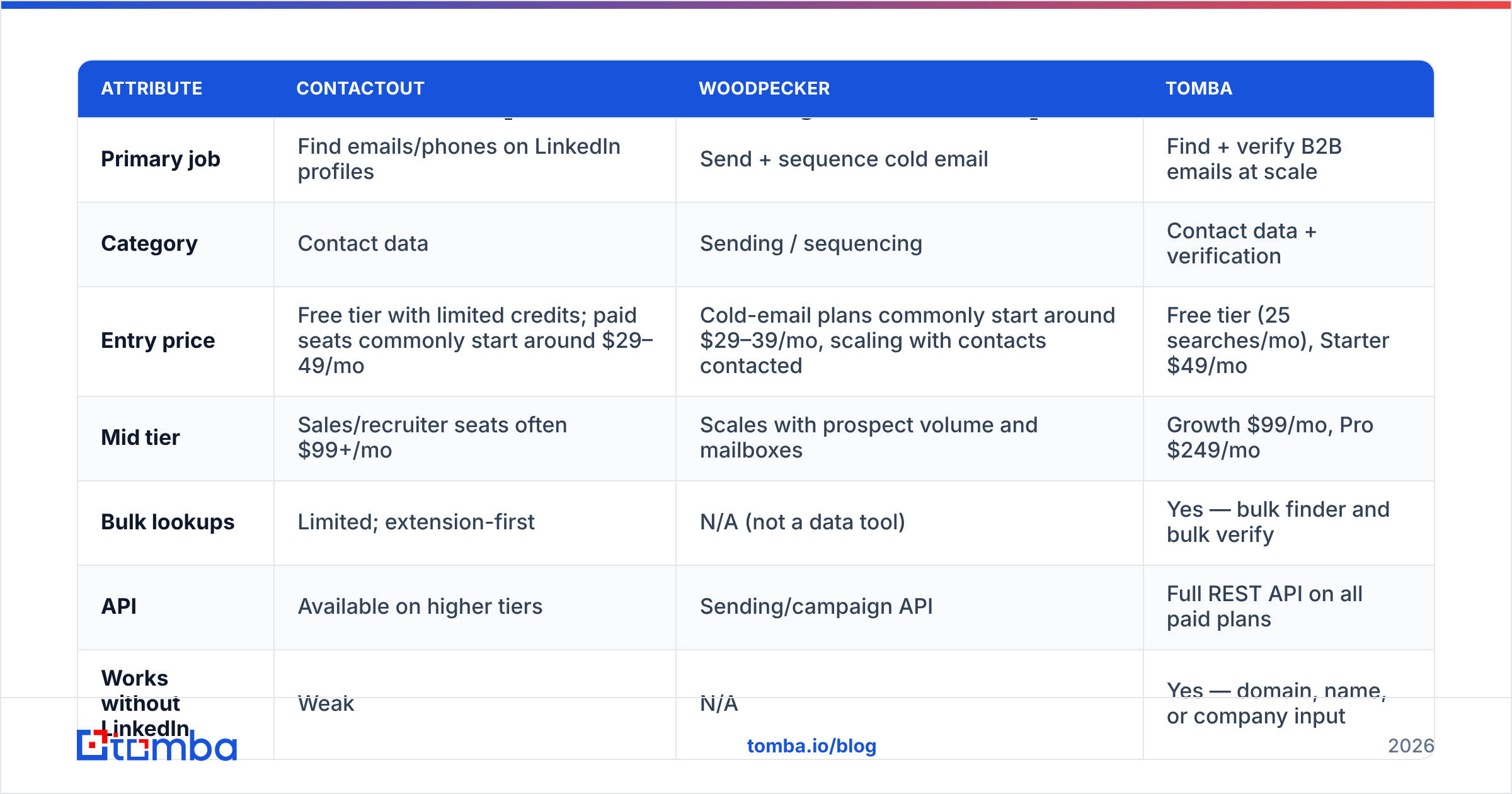
| Attribute | ContactOut | Woodpecker | Tomba |
|---|---|---|---|
| Primary job | Find emails/phones on LinkedIn profiles | Send + sequence cold email | Find + verify B2B emails at scale |
| Category | Contact data | Sending / sequencing | Contact data + verification |
| Entry price | Free tier with limited credits; paid seats commonly start around $29–49/mo | Cold-email plans commonly start around $29–39/mo, scaling with contacts contacted | Free tier (25 searches/mo), Starter $49/mo |
| Mid tier | Sales/recruiter seats often $99+/mo | Scales with prospect volume and mailboxes | Growth $99/mo, Pro $249/mo |
| Bulk lookups | Limited; extension-first | N/A (not a data tool) | Yes — bulk finder and bulk verify |
| API | Available on higher tiers | Sending/campaign API | Full REST API on all paid plans |
| Works without LinkedIn | Weak | N/A | Yes — domain, name, or company input |
| Email verification | Basic validation on reveal | Basic list check pre-send | Dedicated verifier + catch-all handling |
| Personal emails | Yes (recruiting-oriented) | N/A | Business emails only (B2B-compliant) |
| Sends email | No | Yes | No |
| Best for | Recruiters browsing LinkedIn | Teams with a clean list to mail | Teams building the list itself |
Read the last three rows again. Neither ContactOut nor Woodpecker overlaps the other in a single row. That is your answer to "which is better": wrong question.
Which one should you buy first?#
Buy the data layer first. Here's the arithmetic that decides it.
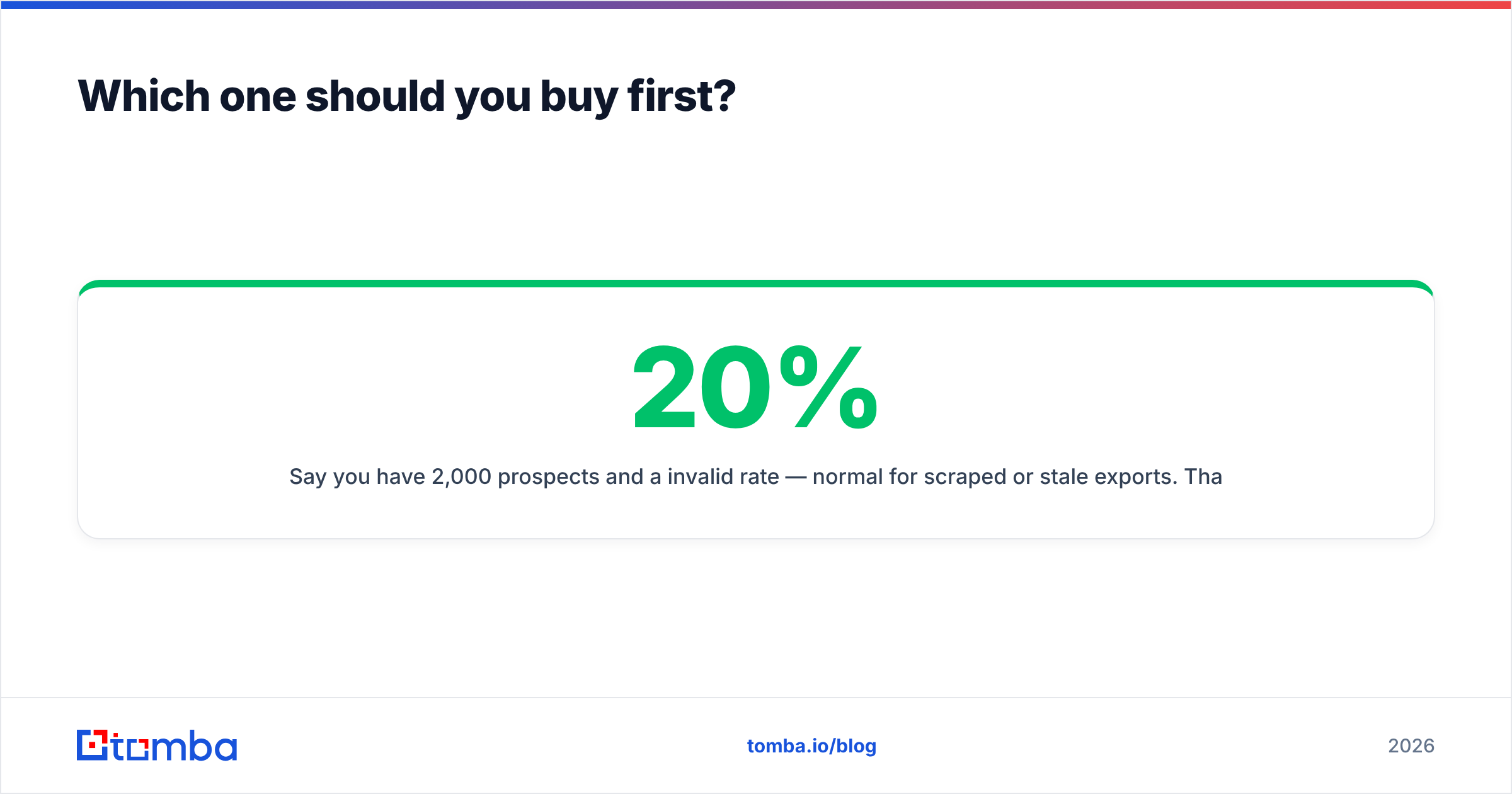
Say you have 2,000 prospects and a 20% invalid rate — normal for scraped or stale exports. That's 400 hard bounces. Google and Microsoft treat sustained bounce rates above roughly 2–3% as a spam signal; Google's own Postmaster Tools guidance is explicit that sender reputation is built on complaint and delivery signals over time. A 20% bounce rate doesn't just waste 400 sends. It drags the other 1,600 into the spam folder and can put your sending domain in a hole that takes weeks of warm-up to climb out of.
Now flip it. With a clean, verified list and no sender at all, you can still run outbound manually from a mailbox and book meetings — slowly, but it works. The list is the asset. The sender is the multiplier. A multiplier applied to a broken asset produces a bigger broken asset.
So the buying order is:
- Data + verification (ContactOut, Tomba, or similar) — non-negotiable, buy first.
- Sending + sequencing (Woodpecker, or your existing mailbox) — buy once you have >200 verified contacts a month to mail.
- Everything else (intent, dialers, AI SDRs) — buy last, if ever.
Before any list touches a sequencer, push it through an email verifier. It's the cheapest insurance in outbound: a few dollars to protect a domain that took a year to season.
Is ContactOut the right data layer for cold email?#
Honestly? For recruiting, yes — it's purpose-built and the personal-email coverage is a real differentiator. For B2B cold email at volume, it's a mismatch in three ways:
1. Workflow shape. Cold email lists are built from ICP criteria, not from browsing. You want to say "SaaS companies, 50–200 employees, US, find me the VP of Sales" and get a CSV — not click 200 profiles. That's a bulk email finder job, not an extension job.
2. Cost per verified contact. Seat pricing plus credits means you pay for reveals whether or not they survive verification. A data provider with verification baked in gives you a cost per usable contact, which is the only number that matters.
3. Automation. Modern outbound is a pipeline: trigger fires, contact gets enriched, record lands in the CRM, sequence starts. That requires an API and native integrations, not a human clicking a browser button. A data enrichment endpoint plugged into your CRM does at 3am what a seat-holder does at 3pm.
If ContactOut's shape doesn't fit your motion, the honest move is to compare it against dedicated data providers rather than against a sending tool — that's the ContactOut alternative conversation, and it's a very different one from "ContactOut vs Woodpecker."

What does the ideal stack look like in 2026?#
Three layers, each doing one job well:
- Source — build the target list from ICP filters, a domain list, or LinkedIn. Output: names, companies, roles.
- Enrich + verify — turn names into deliverable business emails, then verify them (including catch-all domains, which are where most "verified" lists quietly lie). Output: a list you'd bet your domain on.
- Send — sequence, rotate mailboxes, warm up, throttle on bounce. Output: replies.
Catch-all domains deserve a callout. A large share of B2B domains accept everything at the SMTP layer, so a naive verifier marks them "valid" and your bounce rate finds out the truth later. A dedicated catch-all verifier is what separates a 1% bounce rate from a 9% one — and 9% is domain-reputation damage, not a rounding error.
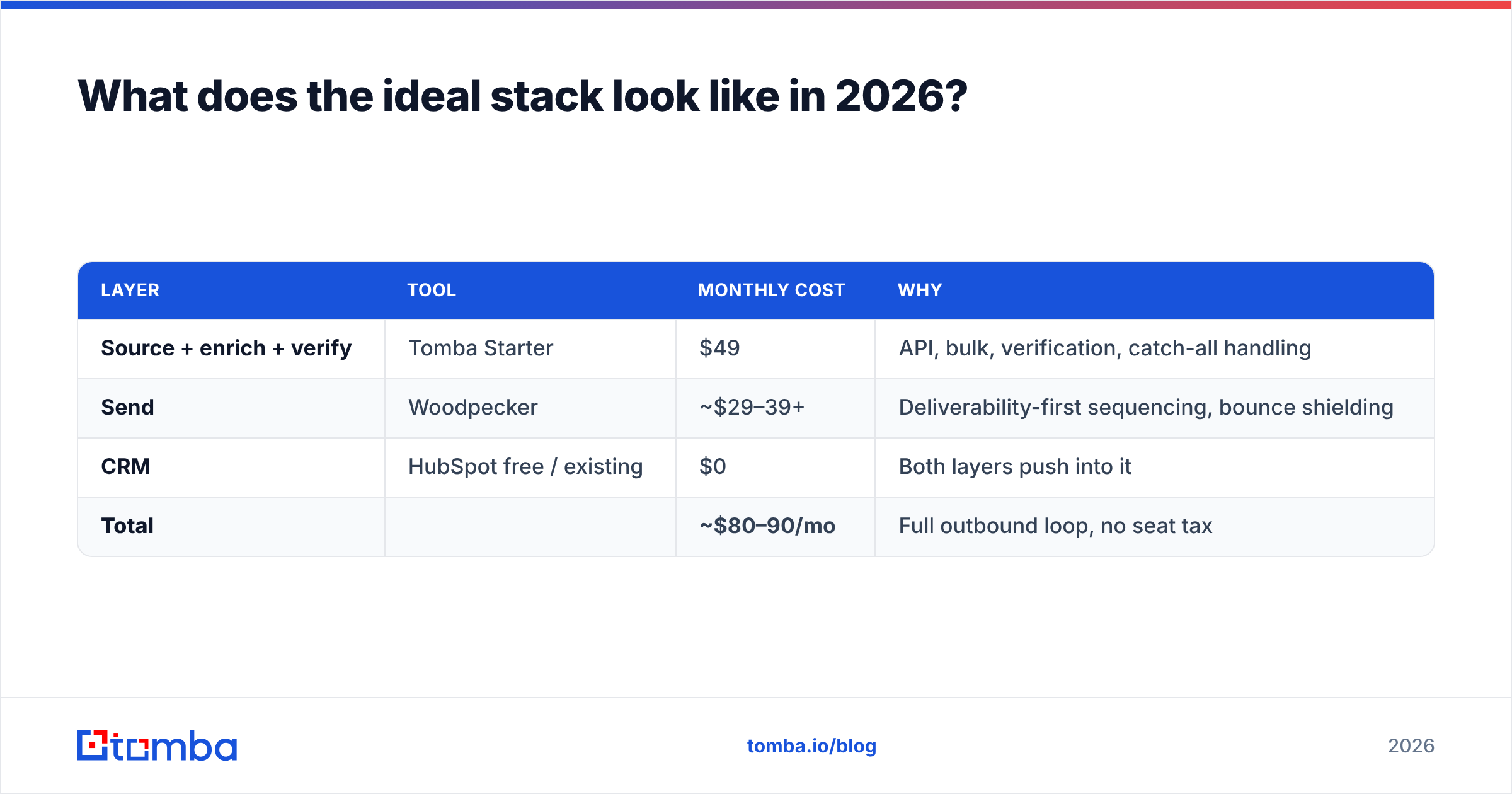
A realistic 2026 stack for a small team:
| Layer | Tool | Monthly cost | Why |
|---|---|---|---|
| Source + enrich + verify | Tomba Starter | $49 | API, bulk, verification, catch-all handling |
| Send | Woodpecker | ~$29–39+ | Deliverability-first sequencing, bounce shielding |
| CRM | HubSpot free / existing | $0 | Both layers push into it |
| Total | ~$80–90/mo | Full outbound loop, no seat tax |
Compare that to stacking a premium recruiting-priced data seat on top of a sender, and the math starts to look silly for a B2B sales motion. If you want to sanity-check the numbers yourself, the review volumes on G2's sales intelligence category are a decent (if noisy) read on where teams actually land.
Frequently asked questions#
Can Woodpecker find email addresses for me? No. Woodpecker sends and sequences. It has list hygiene checks, but it does not source or discover contacts. You need a data provider upstream.
Can ContactOut send cold email campaigns? Not in any meaningful sequencing sense. It's a data tool with export and CRM push. Multi-step campaigns, mailbox rotation, and warm-up are Woodpecker's territory.
Do I need both? You need a data tool and a sending tool. Whether those are ContactOut and Woodpecker specifically depends on your motion: recruiting leans ContactOut, B2B sales leans toward a domain/API-first provider.
What's the cheapest way to test outbound before committing? Free tiers. Tomba's free tier gives you 25 searches a month — enough to validate that your ICP has findable, verifiable emails before you pay anyone anything. Then check Tomba pricing once volume justifies it.
How many emails can I send per mailbox per day? Stay under ~50 cold sends per mailbox per day on a seasoned domain, and ramp slowly on a new one. Woodpecker's rotation exists precisely so you can scale volume across mailboxes instead of pushing one past its limit.
The verdict#
ContactOut vs Woodpecker is a false comparison — but the underlying decision is real. You're deciding whether to spend your first outbound dollar on data or on sending, and the answer is data, every time. A sequencer amplifies whatever you feed it, including your mistakes.
If your motion is recruiting and you live inside LinkedIn, ContactOut earns its seat. If your motion is B2B sales — domain lists, ICP filters, CRM automation, bulk enrichment — an extension is the wrong tool shape, and you'll get more usable contacts per dollar from a data-first provider.
Start with the list. Verify it. Then let Woodpecker do what Woodpecker is good at.
Ready to build the half of the stack that actually decides whether outbound works? Start with the Tomba Email Finder — feed it a domain, a name, or a company, get back verified business emails, and pipe them straight into your sequencer via the Tomba API. The free tier gives you 25 searches a month to prove it on your own ICP before you spend a cent.
Related guides#
Ready to find emails that actually work?
Join 150,000+ professionals who stopped guessing and started sending. Free credits on signup — no credit card required.
Get the Tomba newsletter
Practical outbound tactics and product updates — once every two weeks.
About the author