Conversation Intelligence Software: The 2026 Buyer's Guide
Conversation intelligence software records, transcribes, and scores every sales call — but the category has split into three very different product types. Here's what each actually does, what it costs, and which one fits your team.
TL;DR
- Conversation intelligence software records, transcribes, and analyzes sales calls, then turns them into coaching signals, deal risk scores, and CRM updates. The recording is the cheap part; the analysis is what you actually pay for.
- The category has split into three tiers: note-taker tools ($10–$30/user/mo), coaching platforms ($60–$120/user/mo), and revenue intelligence suites ($1,200–$1,900/user/year, usually with a platform fee on top).
- Most teams overbuy. If you have fewer than 10 reps and no dedicated enablement person, a full revenue intelligence suite will sit unused after month three.
- The ROI case lives in three places only: faster ramp for new reps, fewer deals lost to unspoken objections, and CRM hygiene that actually happens.
- Conversation intelligence improves the calls you already have. It does nothing about whether you're calling the right people — that's a data problem, not a transcription problem.
What is conversation intelligence software?#
Conversation intelligence software captures sales conversations — Zoom calls, dials, sometimes emails — transcribes them, and runs analysis on the transcript to surface patterns a human manager would never have time to find.
Think of it like the game tape a football coach reviews on Monday. The team already played the game. The tape doesn't change the score. What it changes is what happens next Sunday: the coach spots that the left tackle drops his hands on every third-down pass rush, and fixes it in practice. Conversation intelligence is the same idea applied to a sales floor — except the "tape" is 400 calls a week, and the AI does the first pass of the review.
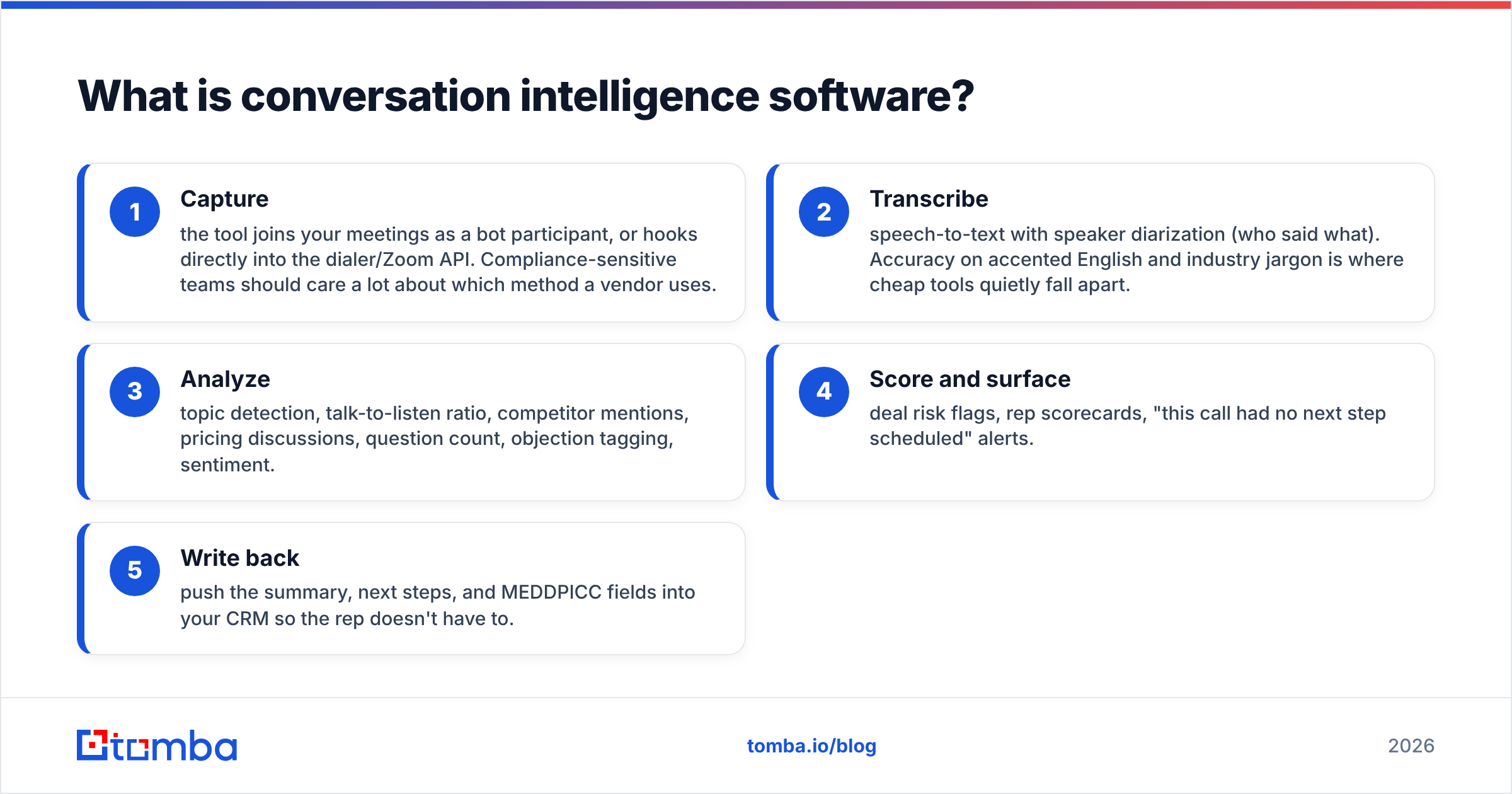
Technically, the pipeline looks like this:
- Capture — the tool joins your meetings as a bot participant, or hooks directly into the dialer/Zoom API. Compliance-sensitive teams should care a lot about which method a vendor uses.
- Transcribe — speech-to-text with speaker diarization (who said what). Accuracy on accented English and industry jargon is where cheap tools quietly fall apart.
- Analyze — topic detection, talk-to-listen ratio, competitor mentions, pricing discussions, question count, objection tagging, sentiment.
- Score and surface — deal risk flags, rep scorecards, "this call had no next step scheduled" alerts.
- Write back — push the summary, next steps, and MEDDPICC fields into your CRM so the rep doesn't have to.
Step 5 is the one that decides whether people keep using the tool. A conversation intelligence platform that doesn't reduce admin work becomes a manager's toy that reps resent.
How did the category change between 2019 and 2026?#
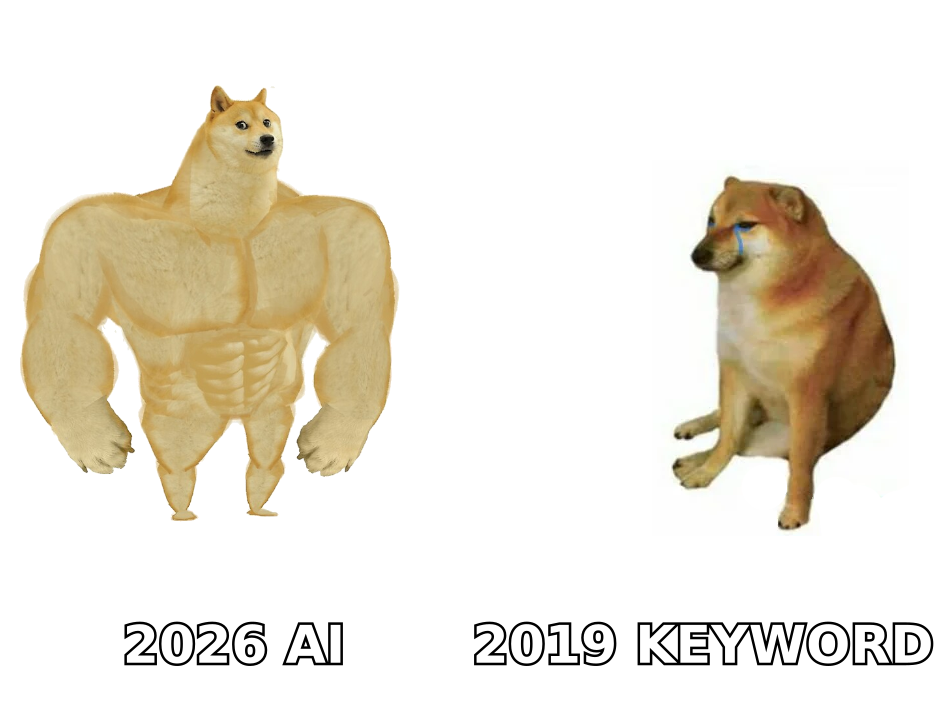
The first wave of these tools was keyword spotting. You gave the system a list of terms — "competitor," "budget," "legal" — and it highlighted where they appeared in the transcript. Useful, but it was Ctrl+F with a subscription fee.
What changed is that LLMs made the transcript readable by machines in a semantic way. The 2026 generation does things the 2019 generation couldn't:
- Extract structured deal data from unstructured talk — budget authority, timeline, decision process — and map it to a qualification framework without a keyword list.
- Compare a call against your winning-call baseline and tell the rep specifically what a top performer would have done at minute 14.
- Run agentic follow-through — draft the recap email, update the CRM stage, create the task, all from one call.
- Answer questions across your whole call corpus. "What are the three objections we lost the most deals to in Q2?" used to be a manual research project. Now it's a query.
The flip side: pricing crept up along with the capability, and the gap between a $20/mo note-taker and a $1,800/user/year suite is now less about what gets recorded and more about how much analysis and workflow sits on top.
Which conversation intelligence tools are worth comparing in 2026?#
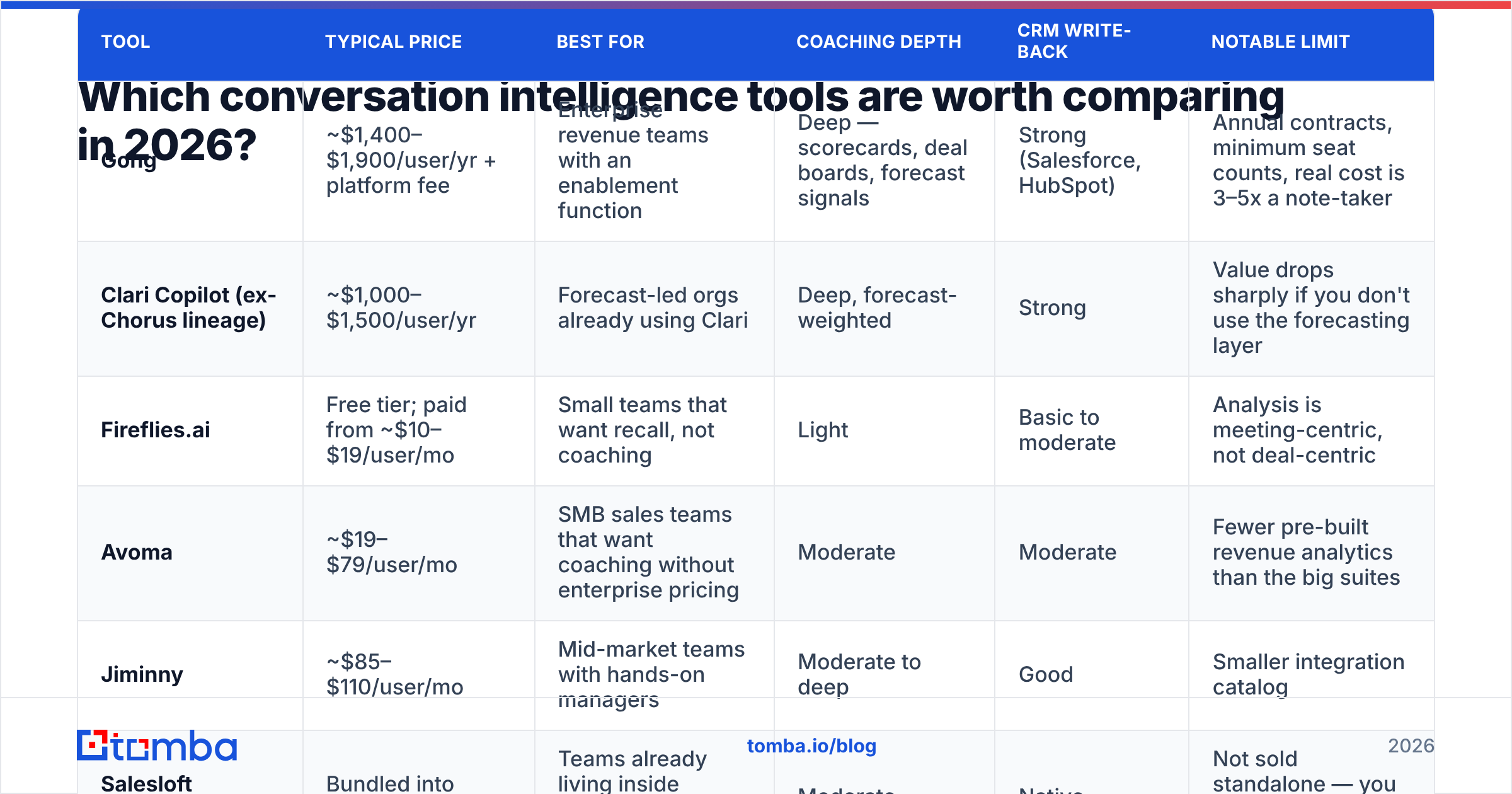
Here's an honest snapshot of the main options. Pricing is list pricing where vendors publish it; enterprise revenue intelligence platforms almost never do, so those figures are typical market ranges rather than official numbers. Always get a real quote.
| Tool | Typical price | Best for | Coaching depth | CRM write-back | Notable limit |
|---|---|---|---|---|---|
| Gong | ~$1,400–$1,900/user/yr + platform fee | Enterprise revenue teams with an enablement function | Deep — scorecards, deal boards, forecast signals | Strong (Salesforce, HubSpot) | Annual contracts, minimum seat counts, real cost is 3–5x a note-taker |
| Clari Copilot (ex-Chorus lineage) | ~$1,000–$1,500/user/yr | Forecast-led orgs already using Clari | Deep, forecast-weighted | Strong | Value drops sharply if you don't use the forecasting layer |
| Fireflies.ai | Free tier; paid from ~$10–$19/user/mo | Small teams that want recall, not coaching | Light | Basic to moderate | Analysis is meeting-centric, not deal-centric |
| Avoma | ~$19–$79/user/mo | SMB sales teams that want coaching without enterprise pricing | Moderate | Moderate | Fewer pre-built revenue analytics than the big suites |
| Jiminny | ~$85–$110/user/mo | Mid-market teams with hands-on managers | Moderate to deep | Good | Smaller integration catalog |
| Salesloft Conversations | Bundled into Salesloft seats | Teams already living inside Salesloft cadences | Moderate | Native | Not sold standalone — you buy the whole platform |
A few things that table hides and you should ask about on every demo:
- Platform fees. Several enterprise vendors quote a per-seat price and an annual platform fee. The seat price is the number in the deck; the platform fee is the one that shows up in procurement.
- Recording consent handling. Two-party consent states and EU deployments need automatic disclosure, region-specific data residency, and the ability to exclude calls. Ask for the specifics, not the compliance page.
- Non-recorded reps. Some vendors charge for every seat that touches the platform, including managers who only view. Others charge only for recorded reps. That single contract line can swing your bill by 40%.
- Transcript accuracy on your accents. Send the vendor three of your worst-audio calls during evaluation. Not their sample calls — yours.
You can cross-check any vendor's real-world reputation on G2, where the reviews are at least tied to verified users, though remember that review sites skew toward vendors with active review-farming campaigns.
Is conversation intelligence software actually worth the money?#
It depends entirely on whether you have someone whose job is to act on the insights.
The uncomfortable truth about this category: the software produces coaching signals, but software cannot coach. If no human sits down weekly with a rep and works through call clips, you have bought an expensive archive. Teams that get ROI almost always have one of these in place first:
- A sales manager with fewer than eight direct reports and time blocked for call review
- A dedicated enablement person
- A structured onboarding program that the call library plugs into
Where the return is real and measurable:
Ramp time. New reps who listen to 20 curated winning calls in week one ramp meaningfully faster than reps who shadow live calls at random. This is the single most defensible ROI line for the category, and it's the one buyers under-weight in the business case.
Deal risk. "No next step scheduled," "single-threaded — only one contact on every call," and "champion hasn't spoken in 21 days" are exactly the flags that surface in a QBR post-mortem when it's too late. Catching them mid-cycle is worth more than any transcript.
CRM hygiene. Reps hate CRM data entry, so they do it badly and late. Auto-populated call summaries and next steps mean your CRM reflects reality without a compliance crusade.
Where the return is mostly theater:
Sentiment scores. Vendors love the sentiment chart. In practice, "positive sentiment" on a call correlates weakly with closing. Buyers are polite. Polite is not buying.
Talk-to-listen ratio as a KPI. It's a useful diagnostic and a terrible target. The moment you put it on a leaderboard, reps optimize for silence instead of listening.
"AI forecasting." Most conversation-derived forecasts are directionally interesting and dangerous to trust alone. Use them as a second opinion against your pipeline review, never as a replacement.
How do you pick the right tier for your team?#
Use headcount and process maturity, not feature lists.
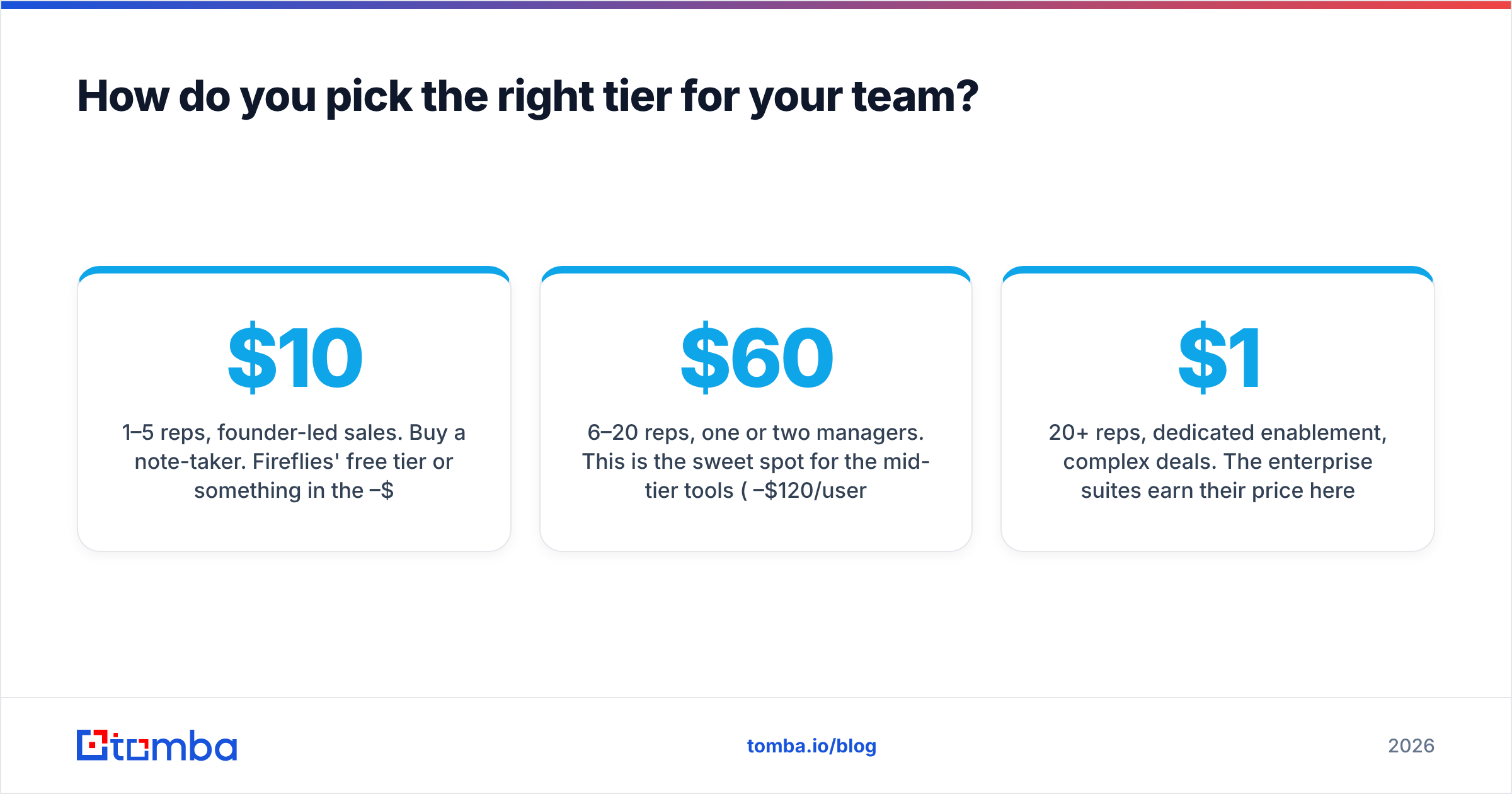
1–5 reps, founder-led sales. Buy a note-taker. Fireflies' free tier or something in the $10–$20 range. You need recall and searchable transcripts. You do not need scorecards — you're the coach, and you were on the call.
6–20 reps, one or two managers. This is the sweet spot for the mid-tier tools ($60–$120/user/mo). You need coaching workflows and a call library, and you can't yet justify enterprise pricing. Avoma and Jiminny sit here for a reason.
20+ reps, dedicated enablement, complex deals. The enterprise suites earn their price here — but only if you commit to the deal-board and forecast-inspection workflows, not just the recordings. If you buy Gong and use it as a recorder, you have spent $1,600 a seat on a $20 feature.
Already deep in a sales engagement platform. Check what's bundled before you buy anything. If you're paying for a full seat in an engagement platform, the conversation layer may already be included, and a separate purchase is duplicated spend.
What conversation intelligence software will not fix#
This is where a lot of GTM budgets go quietly wrong.
Conversation intelligence improves the quality of conversations you're already having. It is entirely silent on the question of whether those conversations are with the right people at the right companies. A perfectly coached call with a non-buyer is still a lost hour.
If your pipeline problem is that reps aren't reaching decision-makers, or that half the contacts in your sequences bounce, or that you're paying an SDR to hand-hunt emails at 30 leads a day, a call-analysis tool will diagnose the symptom and none of the disease. The fix upstream is data:
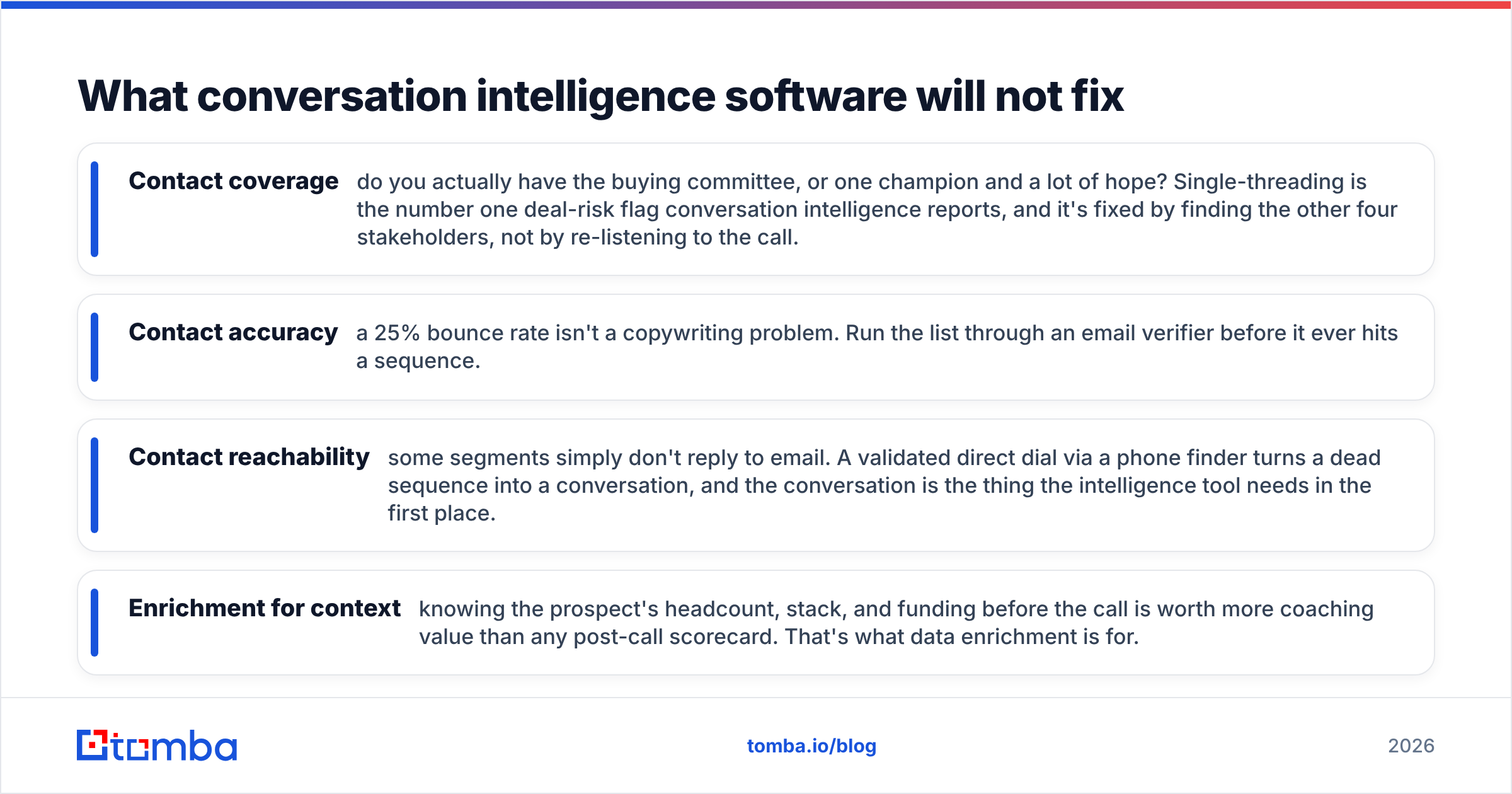
- Contact coverage — do you actually have the buying committee, or one champion and a lot of hope? Single-threading is the number one deal-risk flag conversation intelligence reports, and it's fixed by finding the other four stakeholders, not by re-listening to the call.
- Contact accuracy — a 25% bounce rate isn't a copywriting problem. Run the list through an email verifier before it ever hits a sequence.
- Contact reachability — some segments simply don't reply to email. A validated direct dial via a phone finder turns a dead sequence into a conversation, and the conversation is the thing the intelligence tool needs in the first place.
- Enrichment for context — knowing the prospect's headcount, stack, and funding before the call is worth more coaching value than any post-call scorecard. That's what data enrichment is for.
The sequencing matters: fix the data, then fix the calls. Teams that do it in the reverse order end up with beautifully coached reps talking to nobody.
For a broader view of how these layers fit together in a modern stack, HubSpot's sales enablement research and the analyst coverage from Gartner are both reasonable starting points — read them as directional, not prescriptive.
What should you ask on the demo call?#
Bring these seven questions. The answers separate the tools that will get used from the ones that will get cancelled at renewal.
- What exactly does a seat cost, all-in, for 12 months at our headcount — including any platform fee?
- Do you charge for view-only seats (managers, execs, marketing)?
- How do you handle recording consent in the regions we sell into, and can we exclude a call after it's recorded?
- Show me a scorecard built for a deal like ours, not your demo deal.
- What writes back to our CRM automatically, and what still needs a rep to click something?
- What's your transcription word error rate on non-native-English speakers? Can we test with our own audio?
- What happens to our recordings and transcripts if we churn?
If a vendor deflects on question 1 or 7, that tells you more than the rest of the demo.
Where should you start?#
If you have never recorded a call: start with a cheap note-taker for 90 days and see whether anyone actually reviews the calls. If nobody does, no amount of AI will change that, and you just saved yourself $20,000. If people do review them — and start asking for scorecards, call libraries, and deal boards — you now have a real business case for the next tier up, backed by evidence instead of a demo high.
And before you spend anything on analyzing conversations, make sure you're having enough of them with the right people. If reps are burning hours hunting contact details or watching sequences bounce, that's the cheaper problem to fix first — and it compounds into everything the conversation intelligence layer measures.
Start there with the Tomba Email Finder: find verified professional email addresses by name, company, or domain, so your reps spend their week in conversations instead of in a browser tab. The free tier gives you 25 searches a month to test the accuracy against your own list, and paid plans start at $49/mo — check the Tomba pricing page for the full breakdown. Get the right people on the call. Then worry about the tape.
Related guides#
Ready to find emails that actually work?
Join 150,000+ professionals who stopped guessing and started sending. Free credits on signup — no credit card required.
Get the Tomba newsletter
Practical outbound tactics and product updates — once every two weeks.
About the author