Conversion Blitz vs GetProspect: Which Email Finder Wins in 2026?
One is a 10-tool lead-gen suite, the other is a LinkedIn-first email finder with a real B2B database. We compare accuracy, credits, pricing, and API depth to show which one your outbound team should actually pay for.
Conversion Blitz vs GetProspect is a choice between breadth and depth. One sells ten tools. The other sells one good email finder. Here is the short answer, then the math.
TL;DR
- Conversion Blitz is a bundle. You get 10+ small lead-gen tools under one subscription: email finder, email extractor, chatbot, review manager, daily leads feed. Breadth is the pitch. Depth is the trade-off.
- GetProspect is a focused email finder. It ships a LinkedIn Chrome extension, a searchable B2B database (~200M+ contacts claimed), and list management that acts like a light CRM.
Two more things to weigh before you pick a side:
- If your workflow starts on LinkedIn Sales Navigator, GetProspect fits better. If you want a cheap grab-bag of marketing utilities, Conversion Blitz is the cheaper shelf.
- Neither one wins on verification quality and API throughput. That is where a dedicated finder like Tomba (free tier, then $49/mo) tends to win on cost per valid email.
The only metric that matters is cost per email that lands in an inbox. Not cost per credit. Do the math in the table below before you swipe the card.
What is Conversion Blitz, and who is it for?#
Conversion Blitz is a lead-generation and sales-automation suite. It does not do one thing deeply. It packages many things shallowly: an email finder, a website email extractor, a domain and company search, an email marketing module with unlimited sending, a chatbot widget, a review manager, a daily feed of newly registered domains, and a handful of Chrome extensions.
The appeal is clear for a solo founder or a small agency. One subscription replaces five browser tabs and five invoices. The daily feed of new domains and newly funded companies is genuinely useful if you sell to brand-new businesses — web design shops, hosting resellers, agencies chasing early-stage startups.
The trade-off is just as clear. A suite that ships ten tools cannot maintain ten best-in-class datasets. The email finder inside Conversion Blitz is a feature, not the product. That shows up in two places. First, hit rate on hard domains: small companies, non-US TLDs, catch-all servers. Second, verification depth — the gap between "this address matches a known pattern" and "this address exists and accepts mail."
What is GetProspect, and who is it for?#
GetProspect is the opposite bet. It does one job: find and verify B2B email addresses. And it builds the whole experience around LinkedIn.
The core loop is simple. Install the Chrome extension. Run a search in LinkedIn or Sales Navigator. Click the extension. GetProspect pulls the profiles into a list with emails attached. From there you get a searchable contact database — filter by job title, industry, company size, location, tech stack — plus CSV export and a light CRM layer with custom columns, tags, and list segments.
That LinkedIn-first design is the whole personality of the tool. If your ICP lives in Sales Navigator filters, GetProspect turns a saved search into a working list in about ninety seconds. But say you prospect from a domain list, a conference exhibitor page, or an inbound signup queue. Then that superpower does nothing for you. You are back to comparing raw finder quality, and the field gets crowded fast.
Conversion Blitz vs GetProspect: the head-to-head table#
Here is the honest side-by-side. Pricing moves, so confirm on each vendor's own page before you commit. But the shape of each offer has held steady through 2026.
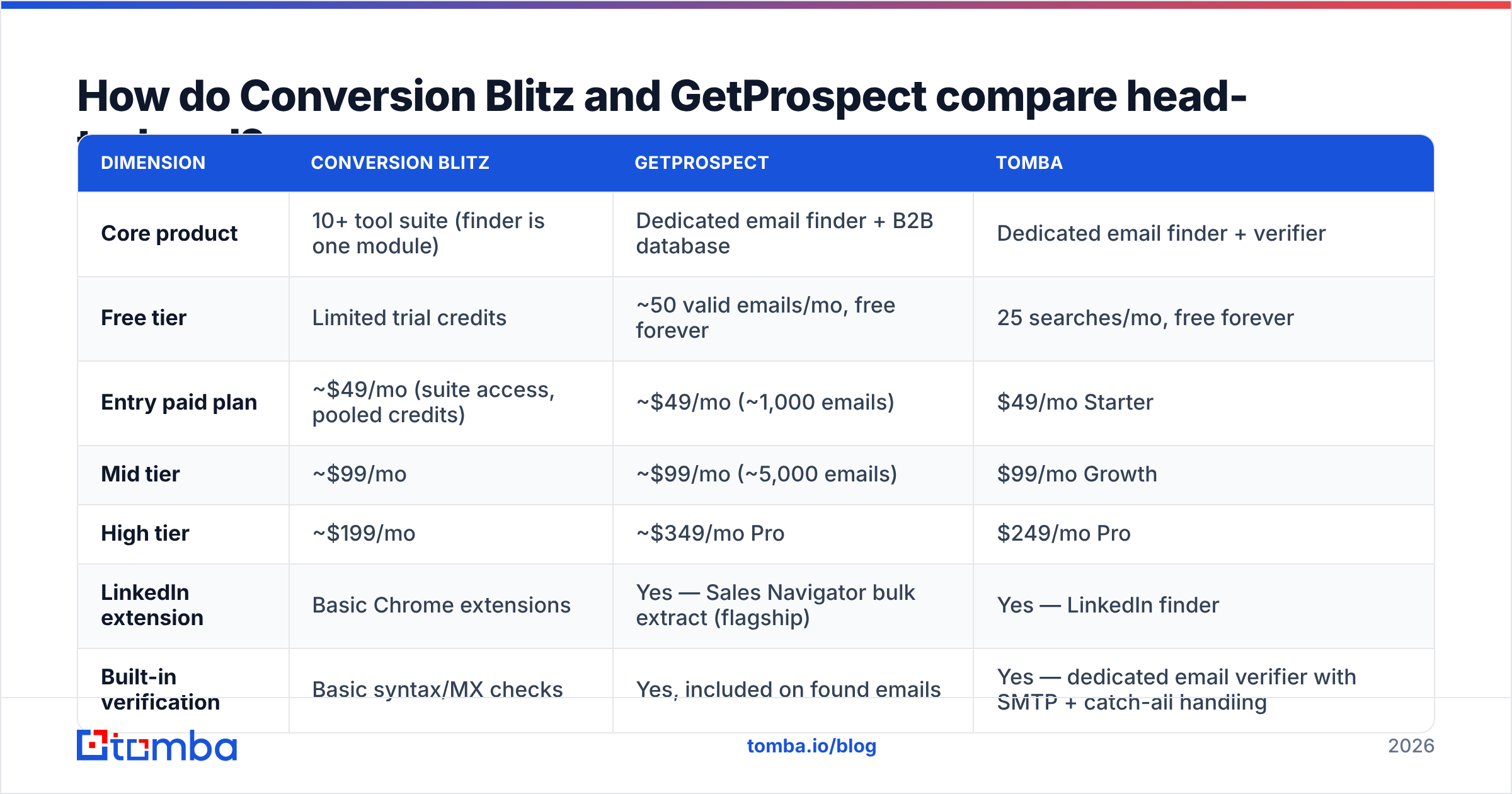
| Dimension | Conversion Blitz | GetProspect | Tomba |
|---|---|---|---|
| Core product | 10+ tool suite (finder is one module) | Dedicated email finder + B2B database | Dedicated email finder + verifier |
| Free tier | Limited trial credits | ~50 valid emails/mo, free forever | 25 searches/mo, free forever |
| Entry paid plan | ~$49/mo (suite access, pooled credits) | ~$49/mo (~1,000 emails) | $49/mo Starter |
| Mid tier | ~$99/mo | ~$99/mo (~5,000 emails) | $99/mo Growth |
| High tier | ~$199/mo | ~$349/mo Pro | $249/mo Pro |
| LinkedIn extension | Basic Chrome extensions | Yes — Sales Navigator bulk extract (flagship) | Yes — LinkedIn finder |
| Built-in verification | Basic syntax/MX checks | Yes, included on found emails | Yes — dedicated email verifier with SMTP + catch-all handling |
| Catch-all handling | Not a focus | Flags catch-all, limited resolution | Catch-all verifier as a first-class feature |
| Bulk processing | CSV upload per tool | Bulk enrich from lists | Bulk email finder + CSV/Sheets |
| Public API | Limited | Yes | Yes — full REST API, CLI, MCP server |
| Best for | Solo founders wanting many cheap utilities | LinkedIn-native SDR teams | Teams optimizing cost-per-valid-email at scale |
The row that decides most purchases is verification. Everything else is packaging.
Which one finds more valid emails?#
No marketing page will hand you the number that matters. So here is how to get it yourself in about twenty minutes.
Take 100 contacts whose emails you already know are real — past customers, closed-won deals, people who have replied to you. Strip the emails. Keep first name, last name, and company domain. Feed that list to each tool. Then measure three things:
- Match rate — of 100 rows, how many returned any address?
- Accuracy — of those matches, how many equal the address you already know is real?
- Bounce-adjusted yield — run every returned address through a neutral third-party verifier. Count how many come back deliverable.
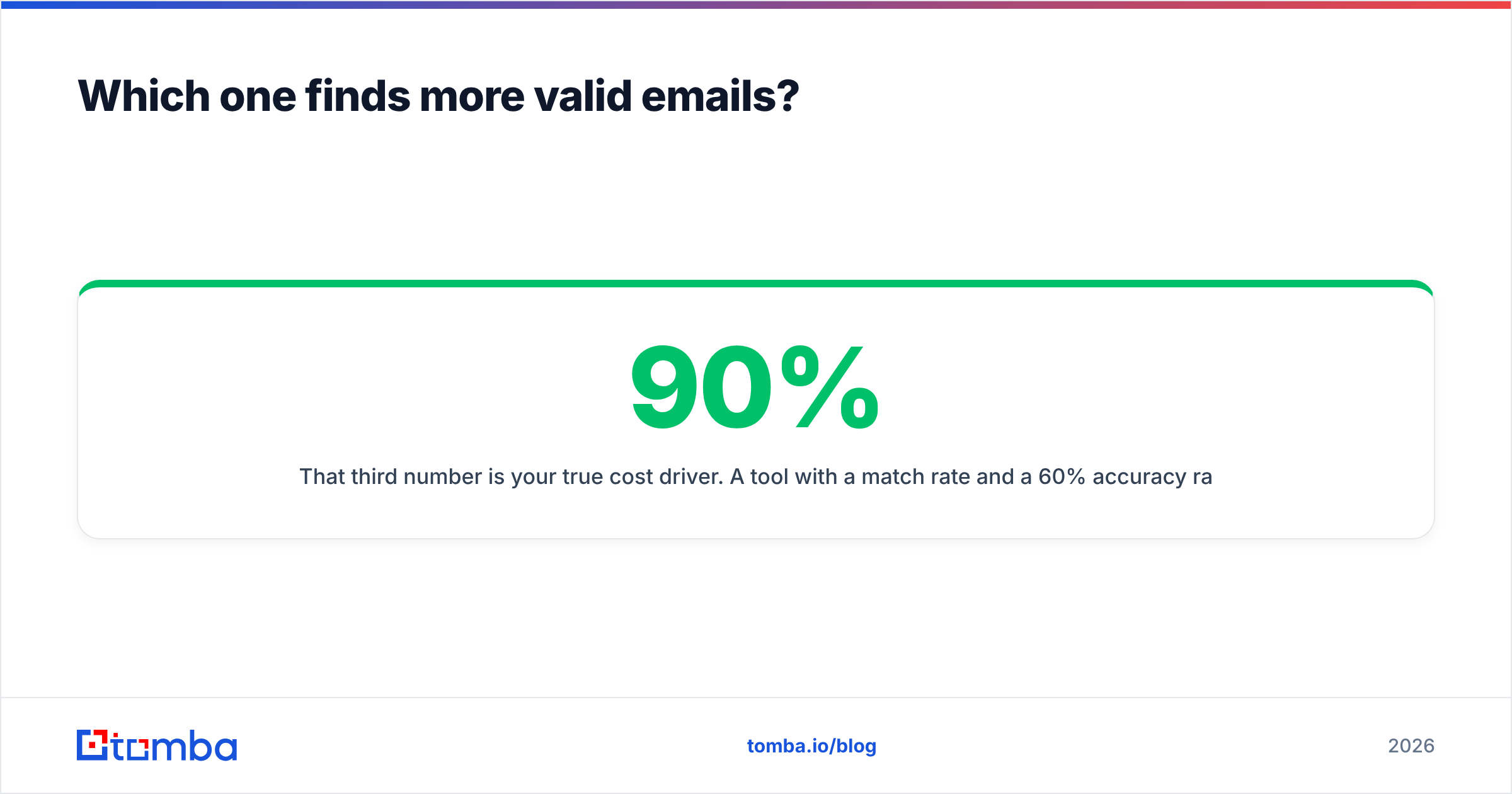
That third number is your true cost driver. A tool with a 90% match rate and 60% accuracy is worse than one with a 70% match rate and 95% accuracy. The first one charges you credits for guesses. Then it charges your sender reputation when those guesses bounce.

The pattern across the category is steady. Specialist finders beat suite modules on accuracy. Tools that own their verification stack beat tools that bolt on a syntax check. GetProspect is a specialist, so it usually outperforms the Conversion Blitz finder module on hard domains. Both still leave real headroom against tools built around SMTP-level verification and catch-all resolution. That is exactly why the data sources question is worth asking any vendor before you pay.
Watch for two failure modes in any trial:
- Pattern-guessing dressed up as a find. Say a tool returns
firstname.lastname@domain.comfor every contact at a company. It is not finding. It is permutating. You can do that for free with an email permutator. You should not pay a credit for it. - Catch-all domains marked "valid." A catch-all server accepts every address, so a naive SMTP ping always says yes. Tools that cannot tell catch-all from confirmed-valid will quietly inflate their "verified" count. They inflate your bounce rate too.
How does the pricing actually work out per valid email?#
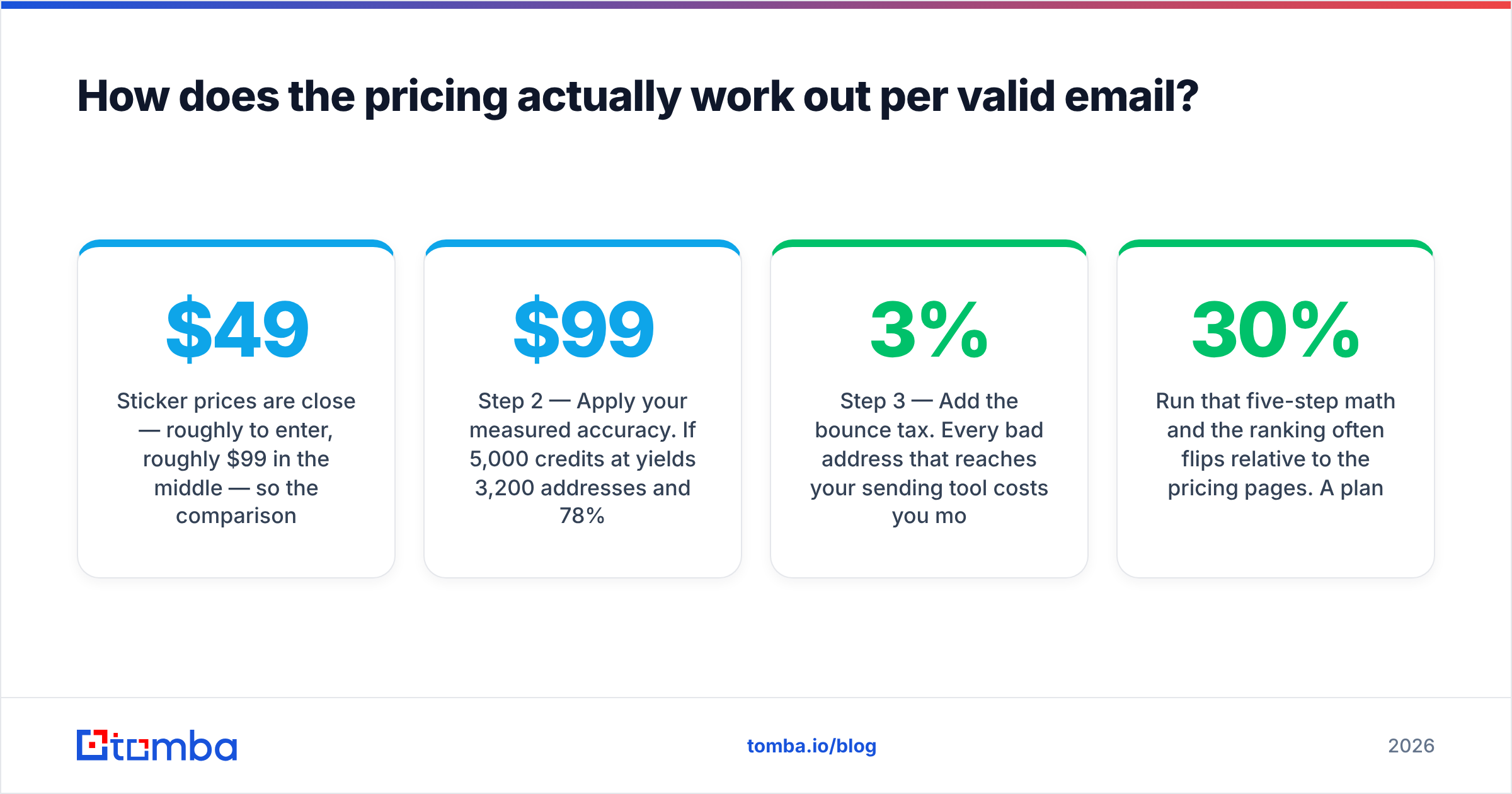
Sticker prices are close. Roughly $49 to enter, roughly $99 in the middle. So the real comparison has to be cost per valid email.
Start with the credits themselves:
- Step 1 — Credits, not emails. Note what one credit buys. Some tools charge a credit for a search attempt, not a successful find. Others charge only on a hit. That one detail can double your real cost.
- Step 2 — Apply your measured accuracy. Say 5,000 credits at $99/mo return 3,200 addresses, and 78% of them are deliverable. You got 2,496 usable emails. That is about $0.040 each — not the $0.020 the pricing page implied.
Then price the parts the pricing page leaves out:
- Step 3 — Add the bounce tax. Every bad address costs you more than a credit. A bounce rate above ~3% starts eating sender reputation, and that damage takes weeks to undo. Price it in.
- Step 4 — Count what you don't use. With Conversion Blitz, you pay for ten tools. If you use two, the finder costs you the whole subscription, not a tenth of it. Bundles only save money when you would have bought the parts anyway.
- Step 5 — Check the overage cliff. Find out what happens when you burn through the plan mid-month. Some vendors sell top-up credits at a punishing rate. Some just cut you off until renewal. Ask before you are mid-campaign.
Run that five-step math and the ranking often flips. A plan that looks 30% cheaper per credit can cost 40% more per usable email. Compare against Tomba pricing with the same method — $49/mo Starter, $99/mo Growth, $249/mo Pro, free tier at 25 searches. Then pick the winner on deliverable addresses, not on marketing arithmetic.

Is Conversion Blitz better than GetProspect for cold outreach?#
It depends on where your list comes from. Two clean rules:
Choose GetProspect if: your prospecting starts in LinkedIn. Sales Navigator saved searches → bulk extract → enriched list → export. The extension is the product, and it is good at its job. The bundled verification is decent. The database filters are usable. And the light CRM layer means you are not exporting to a spreadsheet on day one.
Choose Conversion Blitz if: you are a solo operator or a small agency who genuinely wants the other nine tools. The new-domains feed, the review manager, and the chatbot have real value to the right buyer. If you would otherwise pay separately for a chatbot widget and a review tool, the bundle math works. If you only need emails, you are subsidizing eight tools you will open once.
Choose neither if: your bottleneck is deliverability, not discovery. Plenty of teams "solve" prospecting, then watch a 12% bounce rate torch their domain in week three. If that is you, the money belongs in verification first — a real email verifier, catch-all resolution, and list hygiene. Check your setup with a free SPF checker. Read up on email deliverability basics before you scale sending volume at all.
What about API access and automation?#
This is the split that catches growth-stage teams late.
Conversion Blitz is built for humans clicking buttons in a browser. That is fine at 200 leads a month. At 20,000 leads a month it breaks down. Enrichment fires on every inbound signup and every new CRM record, so you need programmatic access. A suite of point-and-click tools becomes a bottleneck you cannot automate around.
GetProspect does offer an API, and it is serviceable for enrichment jobs. But say automation sits at the center of your GTM motion: enrich on form submit, enrich on CRM create, enrich inside a workflow engine. Then judge the API on its own merits — rate limits, response latency, webhook support, SDK coverage, and whether the docs really cover the edge cases.
Tomba's answer here is deliberately developer-shaped. You get a documented REST API, a CLI, an MCP server for AI agents, plus native connectors for HubSpot, Salesforce, Zapier, Make, Google Sheets, and Airtable. Whichever vendor you pick, pressure-test the automation path during the trial. A tool that only works with a human in the loop will fail you at the exact moment things start working.
What do real users say?#
Don't take any vendor's word — including ours. Read the primary sources:
- G2 — filter reviews to your company size. A tool that delights 5-person startups often frustrates 200-person sales orgs, and the reverse is true too.
- Capterra — better coverage of SMB and agency buyers, which is squarely the Conversion Blitz crowd.
- Each vendor's own changelog. A finder with no data-quality update in twelve months is a finder whose database is decaying.
The themes in public reviews of suite products are predictable. Users love the price and the breadth. The complaints cluster around data accuracy and support response times. For focused finders like GetProspect, praise lands on the LinkedIn extension. Criticism lands on credit burn and coverage gaps outside North America and Western Europe. Weigh both against your actual ICP geography.
Conversion Blitz vs GetProspect: which should you pick?#
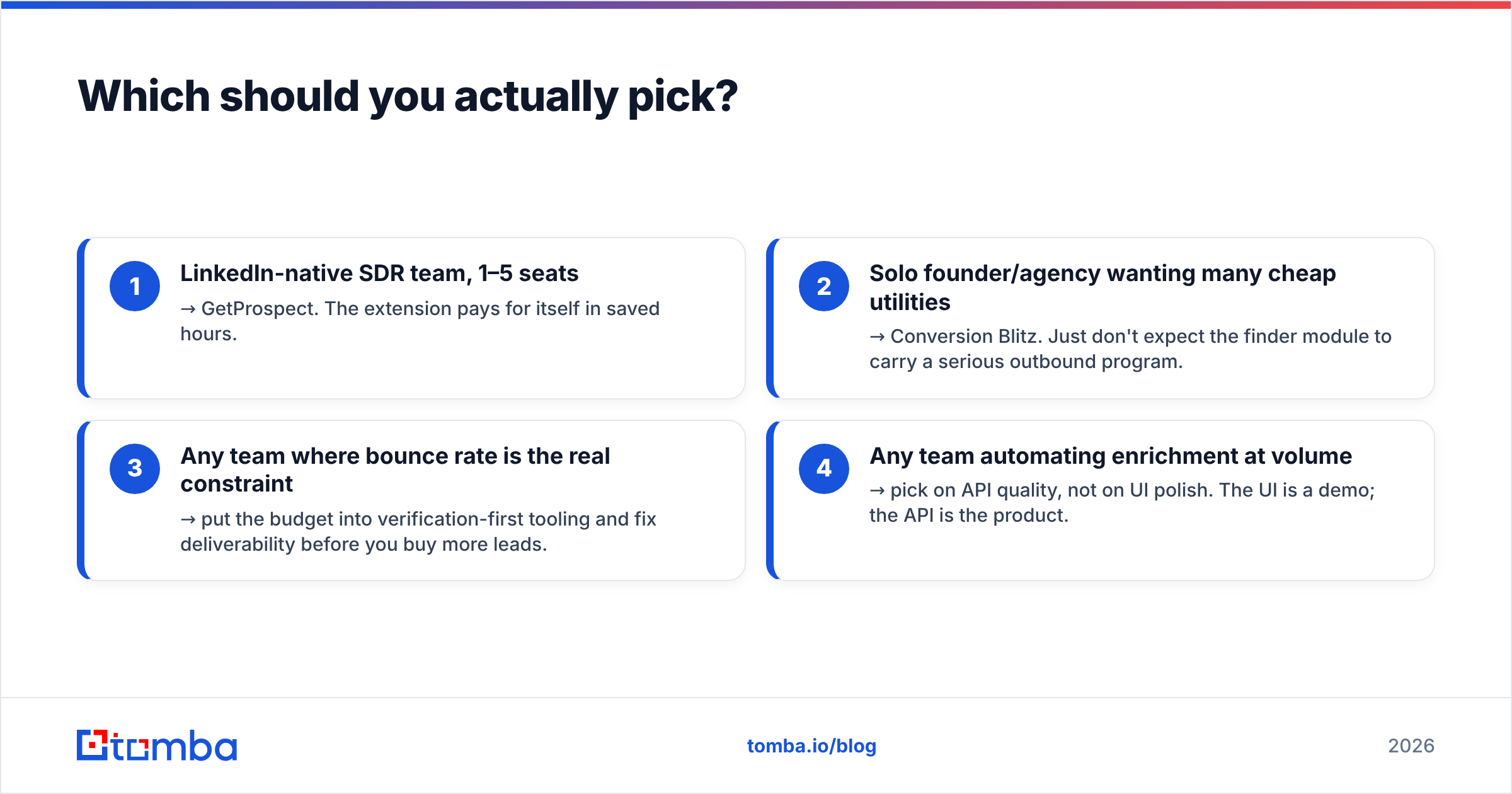
Here is the decision in four lines:
- LinkedIn-native SDR team, 1–5 seats → GetProspect. The extension pays for itself in saved hours.
- Solo founder or agency wanting many cheap utilities → Conversion Blitz. Just don't ask the finder module to carry a serious outbound program.
- Any team where bounce rate is the real constraint → spend on verification-first tooling. Fix deliverability before you buy more leads.
- Any team automating enrichment at volume → pick on API quality, not on UI polish. The UI is a demo. The API is the product.
And run the 100-contact accuracy test. Every vendor in this category will happily sell you credits. Only your own test data will tell you what those credits are worth.
Ready to compare on the metric that matters? Run your own list through the Tomba Email Finder — 25 free searches per month, no card. SMTP-level verification and catch-all detection are included, so you can measure deliverable addresses instead of hopeful guesses. Put it side by side with whatever you use now, count the bounces, and let the numbers pick the winner.
Related guides#
Ready to find emails that actually work?
Join 150,000+ professionals who stopped guessing and started sending. Free credits on signup — no credit card required.
Get the Tomba newsletter
Practical outbound tactics and product updates — once every two weeks.
About the author