Corporate Sales in 2026: How Enterprise Deals Actually Close
Corporate sales is not SMB selling with a bigger price tag. It has a different buying committee, a different cycle, and a different failure mode. Here's the process, the org design, and the data stack that actually moves enterprise deals over the line.
TL;DR
- Corporate sales means selling into organizations where the buying decision is made by a committee, not a person. Gartner puts the typical B2B buying group at 6 to 10 people; in large accounts it routinely exceeds 11.
- The cycle is long (3-12 months), the deal is multi-threaded, and the most common loss reason is not "we lost to a competitor" — it's "no decision."
- Corporate sales orgs split roles (SDR → AE → SE → CS) because no single rep can research, prospect, demo, negotiate, and onboard a 200-seat contract.
- Your pipeline quality is capped by your contact data. Bad emails don't just bounce — they silently remove entire stakeholders from your account map.
- Build the account map first, verify the contacts second, sequence third. Reverse that order and you get activity metrics with no revenue attached.
What is corporate sales, exactly?#
Corporate sales is the practice of selling products or services to organizations — companies, government bodies, institutions — rather than to individual consumers. It sits under the B2B umbrella, but the term usually implies a specific weight class: larger accounts, higher contract values, and a purchase that has to survive procurement, legal, security review, and a finance committee before anyone signs anything.
Think of it as the difference between selling someone a coffee and selling an office an espresso machine. In the first case, one person is thirsty, decides, and pays. In the second, an office manager wants it, a facilities lead has an opinion about plumbing, finance asks about the maintenance contract, and someone in legal wants to read the warranty. Nobody is thirsty. Everyone has a veto.
That structural difference — the veto-rich committee — is what makes corporate sales its own discipline rather than "regular sales, but bigger." According to Gartner's B2B buying research, the average buying group for a complex B2B solution involves 6 to 10 decision makers, each armed with four or five pieces of independently gathered information they have to reconcile with each other. Your job is not to convince one person. Your job is to help a group of skeptical strangers reach internal consensus about a purchase most of them didn't ask for.
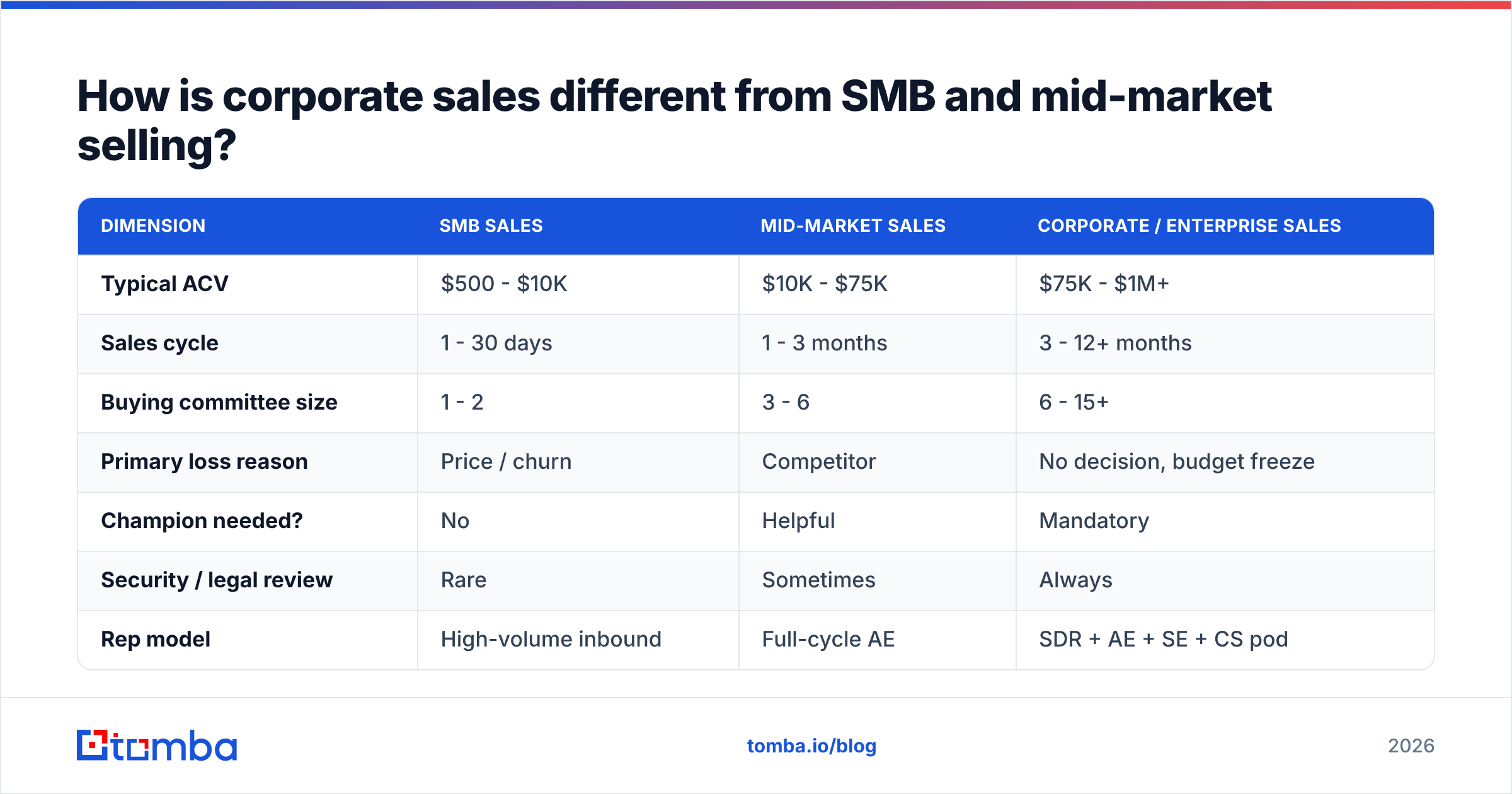
How is corporate sales different from SMB and mid-market selling?#
The clearest way to see it is side by side. The same product sold to a 12-person startup and a 12,000-person enterprise is effectively two different businesses.
| Dimension | SMB sales | Mid-market sales | Corporate / enterprise sales |
|---|---|---|---|
| Typical ACV | $500 - $10K | $10K - $75K | $75K - $1M+ |
| Sales cycle | 1 - 30 days | 1 - 3 months | 3 - 12+ months |
| Buying committee size | 1 - 2 | 3 - 6 | 6 - 15+ |
| Primary loss reason | Price / churn | Competitor | No decision, budget freeze |
| Champion needed? | No | Helpful | Mandatory |
| Security / legal review | Rare | Sometimes | Always |
| Rep model | High-volume inbound | Full-cycle AE | SDR + AE + SE + CS pod |
| Contacts needed per account | 1 - 2 | 3 - 5 | 8 - 20 |
| Cost of bad contact data | Wasted send | Wasted week | Missed stakeholder, lost deal |
Read the last two rows again, because that's where most teams quietly fail. In SMB, a wrong email address costs you one prospect. In corporate sales, a wrong email address for the VP of Security means the security review never starts, the deal slips a quarter, and the budget evaporates. Data quality compounds with committee size.
What does the corporate sales process actually look like?#
Ignore the eight-stage funnel diagram your CRM shipped with. The real process in a corporate deal has five phases, and the first two decide the other three.
- Account selection. You pick 50-200 named accounts that fit your ICP by firmographics, tech stack, headcount growth, and trigger events. This is where most of the leverage is. A brilliant sales process aimed at accounts that can't buy produces nothing.
- Account mapping. You identify every human who will touch the decision: the economic buyer, the champion, the technical evaluator, the end users, the blocker, and the procurement gatekeeper. You need names, titles, reporting lines, and — critically — reachable contact details for each.
- Multi-threading. You open conversations with three or more of those people in parallel. Single-threaded deals die when your one contact gets reorged, promoted, or fired. Assume they will.
- Consensus building. You arm your champion with the internal business case: ROI model, security documentation, reference customers, migration plan. You are not selling to the committee. You are helping your champion sell to the committee while you're out of the room.
- Procurement and close. Legal redlines, security questionnaires, MSA negotiation, and the invoice terms nobody warned you about. Budget three to eight weeks. Start the paperwork before verbal commitment, not after.
Phase 2 is the one teams skip because it's tedious. It's also the one that determines whether phases 3 through 5 are possible. You cannot multi-thread into people whose email addresses you don't have.
Why do corporate deals die at "no decision" instead of at "no"?#
Because inertia is free and change is expensive. When six people have to agree, "let's revisit next quarter" is the path of least resistance for all of them simultaneously. It requires no one to defend a position, no one to own a risk, and no one to explain a budget line.
The tactical implications are specific:
- Quantify the cost of inaction. Not "here's our ROI" — "here's what standing still costs you every month you wait." Loss aversion moves committees; upside doesn't.
- Give your champion a deadline that isn't yours. A contract-end date, a compliance deadline, a fiscal-year boundary, a competitor's launch. An artificial discount deadline reads as pressure and burns trust.
- Find the blocker early and talk to them. The person who will object in the final meeting always exists. You either meet them in week two or you meet their objection in month six, secondhand, with no chance to answer it.
- Reduce perceived risk, not just perceived price. Pilot programs, phased rollouts, security attestations, and clear exit clauses close more enterprise deals than discounts do. Salesforce's State of Sales research consistently shows trust and risk reduction outranking price in complex-deal win factors.
How should a corporate sales team be structured?#
Specialization exists because the skills don't overlap. The person who is good at cold outreach at 9am is rarely the person you want redlining an MSA at 5pm.
A standard enterprise pod looks like this:
- SDR / BDR — Researches accounts, builds the contact map, runs first-touch outreach across email, phone, and LinkedIn. Owns meetings booked.
- Account Executive (AE) — Owns the deal from discovery to close. Runs the qualification, multi-threads, builds the business case, negotiates. Owns closed-won revenue.
- Sales Engineer (SE) / Solutions Consultant — Owns technical credibility: demos, integration questions, security questionnaires, POC design. In technical sales, the SE often outranks the AE in champion trust.
- Customer Success (CS) — Owns onboarding, adoption, and renewal. In a subscription business, this is where most of the lifetime value is actually earned.
- RevOps — Owns the data, the CRM hygiene, the forecast, and the definitions. If nobody owns revenue operations, your pipeline numbers are fiction.
The failure mode is under-resourcing the SDR layer and then blaming AEs for empty pipeline. An AE spending 40% of their week hunting for a CTO's email address is a $150K-OTE research assistant.
What does the corporate sales tech stack look like in 2026?#
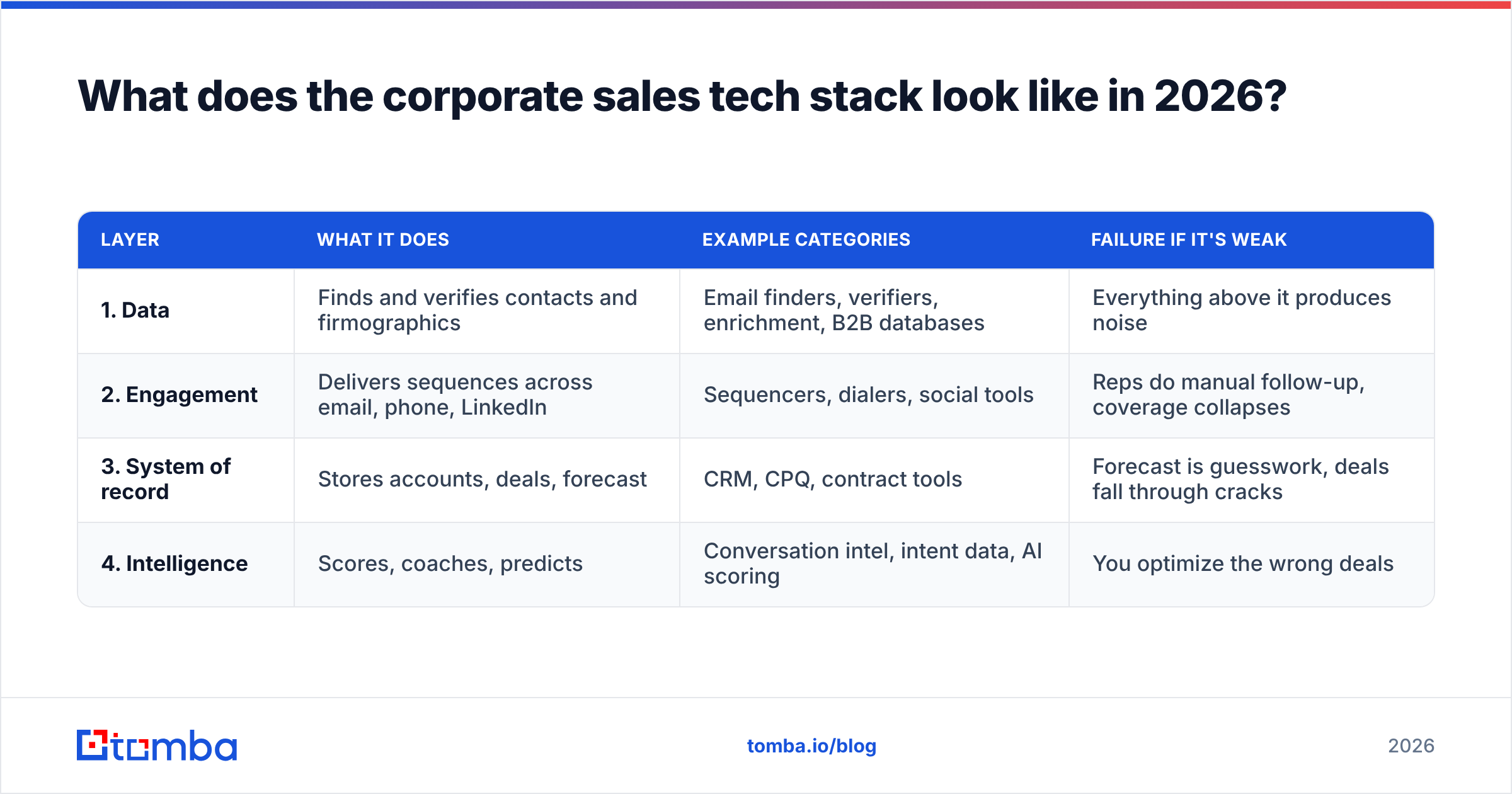
Four layers, in dependency order. Each layer is only as good as the one below it.
| Layer | What it does | Example categories | Failure if it's weak |
|---|---|---|---|
| 1. Data | Finds and verifies contacts and firmographics | Email finders, verifiers, enrichment, B2B databases | Everything above it produces noise |
| 2. Engagement | Delivers sequences across email, phone, LinkedIn | Sequencers, dialers, social tools | Reps do manual follow-up, coverage collapses |
| 3. System of record | Stores accounts, deals, forecast | CRM, CPQ, contract tools | Forecast is guesswork, deals fall through cracks |
| 4. Intelligence | Scores, coaches, predicts | Conversation intel, intent data, AI scoring | You optimize the wrong deals |
Almost every team buys layer 2 and 4 first, because they demo well. Then they pump unverified contacts through a beautiful sequencer, watch their domain reputation collapse, and conclude that "outbound doesn't work anymore."
Outbound works. Outbound on a 22% bounce rate does not. Fix layer 1 first.
How do you build an accurate contact map for a target account?#
This is the operational core of corporate sales, so here is the actual sequence rather than a platitude.
- Start from the domain, not the person. Pull every known contact at the target company with a domain search. This gives you the org's email pattern (
first.last@,flast@,first@) and a starting roster. - Fill the gaps by role. You know from your ICP that you need a VP Eng, a Head of Security, a CFO or finance lead, and two or three end users. Use an email finder against name + domain for the specific people your research surfaced on LinkedIn, the company's about page, conference speaker lists, and engineering blog bylines.
- Verify before you send. Every address goes through an email verifier before it touches a sequence. Catch-all domains — very common at enterprise scale — need a dedicated catch-all check rather than a binary valid/invalid guess, or you'll either throw away good contacts or send into a black hole.
- Add a second channel. Enterprise inboxes are crowded. A verified B2B phone number or a LinkedIn touch alongside email roughly doubles connect rates in most teams' data. Multi-channel isn't a growth hack; it's redundancy.
- Enrich, don't just collect. Titles, seniority, department, and tenure let you tailor the message and prioritize the account. Contact enrichment turns a list of addresses into an org chart you can actually strategize against.
- Re-verify quarterly. B2B contact data decays at roughly 2-3% per month through job changes alone — HubSpot's sales research has tracked this for years. A contact map built in January is meaningfully wrong by July.
For a 200-account target list, do steps 1-3 in bulk rather than one at a time. Running a bulk email finder over a CSV of names and domains turns a two-week manual grind into an overnight job.
How do you choose a data provider for corporate sales?#
The market splits into three rough camps, and they solve different problems:
- Real-time finders and verifiers (Tomba, Hunter, Findymail) — you supply the name and domain, they return and verify the address at query time. Best accuracy on specific named targets; you pay per lookup.
- Static B2B databases (ZoomInfo, Apollo, BookYourData) — pre-built contact records you filter and export. Excellent for volume and for building a target list from scratch; record freshness varies by vendor and by how recently that record was touched. BookYourData in particular is a solid choice when you want a bulk, pre-filtered list rather than per-record lookups.
- Enrichment APIs (Clearbit, Tomba's enrichment endpoint) — you already have a partial record and want it completed inside your CRM or app.
Most serious corporate sales teams run at least two: a database to build the target universe, and a real-time finder + verifier to fill and validate the specific stakeholders that matter. The two are complements, not substitutes — the database gives you breadth, the finder gives you the CTO whose address the database is missing.
Whatever you choose, test it on accounts you already know. Take 50 contacts you have confirmed addresses for, run them through the tool blind, and measure the actual hit rate and false-positive rate. Vendor-published accuracy numbers are marketing. Your own bake-off is data. Compare that against list price — Tomba's pricing starts free at 25 searches/month and moves to $49/mo Starter, $99/mo Growth, and $249/mo Pro — and calculate cost per verified, deliverable contact, not cost per credit. Those are very different numbers.
What metrics actually matter in corporate sales?#
Activity metrics (calls made, emails sent) tell you whether reps are busy. They don't tell you whether you'll hit the number. For long-cycle enterprise deals, track these instead:
- Accounts with 3+ engaged contacts. The single best leading indicator of a deal that will actually close. Single-threaded deals close at roughly half the rate.
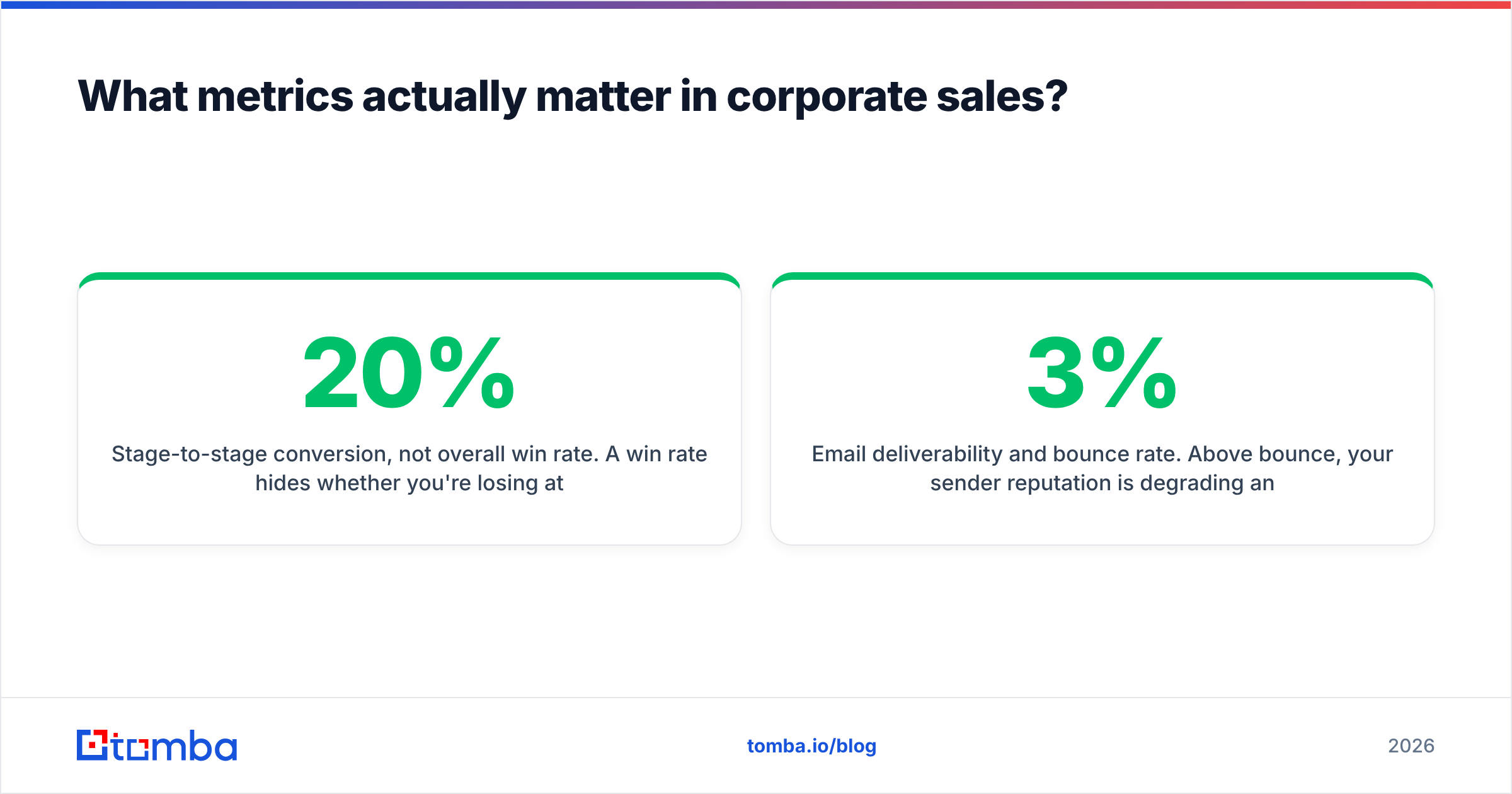
- Stage-to-stage conversion, not overall win rate. A 20% win rate hides whether you're losing at discovery or at procurement. Those are completely different problems.
- Time in stage. A deal that's been in "negotiation" for 90 days isn't in negotiation. It's dead and nobody has said so.
- Email deliverability and bounce rate. Above 3% bounce, your sender reputation is degrading and your good emails start landing in spam. This metric belongs on the sales dashboard, not just the marketing one.
- Pipeline coverage ratio. 3x quota is the usual floor for enterprise; below that, you're forecasting on hope.
Get the data layer right first#
Corporate sales rewards patience, research, and precision — and punishes volume-without-accuracy harder than any other segment. You can have a perfect process, a great SE, and a champion who genuinely loves you, and still lose the quarter because the CFO's email bounced and the business case never reached her.
Start where the leverage is. Build your account map on contact data you've actually verified. Tomba's Email Finder finds and verifies professional email addresses by name, domain, or company, with a free tier to test it against accounts you already know before you commit a dollar. Run your own bake-off, check the hit rate, and then go build the pipeline.
Related guides#
Ready to find emails that actually work?
Join 150,000+ professionals who stopped guessing and started sending. Free credits on signup — no credit card required.
Get the Tomba newsletter
Practical outbound tactics and product updates — once every two weeks.
About the author