7 Best Crawlnow Alternatives in 2026 (Free and Paid Tools)
Crawlnow turns web pages into structured data, but it is not the only option — and for lead data it may not be the right one. Here are 7 alternatives compared on pricing, output quality, and how close they get you to a usable contact.
TL;DR
- Crawlnow sits in the "turn a website into structured data" category, alongside Firecrawl, Apify, ScrapingBee, Bright Data, and Octoparse. Those are the direct swaps.
- The best Crawlnow alternative depends on which of three jobs you actually have: rendering pages, running crawls at scale, or getting contact data. Most teams pick the wrong category and then blame the tool.
- If your end goal is B2B leads, a general crawler is the long way around. A contact-data API returns a verified email in one call instead of a pipeline you maintain forever.
- Pricing models differ more than prices: per-credit, per-request, per-GB, and per-contact are not comparable line items. The table below normalises them.
- Cheapest honest path for a small team: a free crawler tier for content extraction plus a dedicated finder/verifier for emails. Tomba's free tier covers 25 searches/month, with paid plans from $49/mo.
What is Crawlnow, and why are people looking for alternatives?#
Crawlnow belongs to the modern crawling-and-extraction wave: point it at a URL or a domain, and it fetches pages, renders JavaScript, and hands back clean structured output (markdown, JSON, or an LLM-ready blob) instead of raw HTML soup. That category exploded because AI pipelines need clean text, and because scraping infrastructure — proxies, headless browsers, retries, rate limits — is genuinely annoying to run yourself.
People search for Crawlnow alternatives for four reasons, in roughly this order:
- Cost surprises. Usage-based crawling bills scale with pages, not value. A 40,000-page crawl of a marketplace costs the same whether it produced 3 useful rows or 3,000.
- Blocked pages. Anti-bot systems are an arms race. Any single vendor will be strong on some targets and useless on others.
- Wrong output. You wanted 500 decision-maker emails. You got 500 markdown files that mention people.
- Compliance nerves. Legal asks where the data came from, and "we crawled it" is not a great answer for a GDPR audit.
Points 3 and 4 are the ones nobody talks about in comparison posts, so we will spend real time on them below.
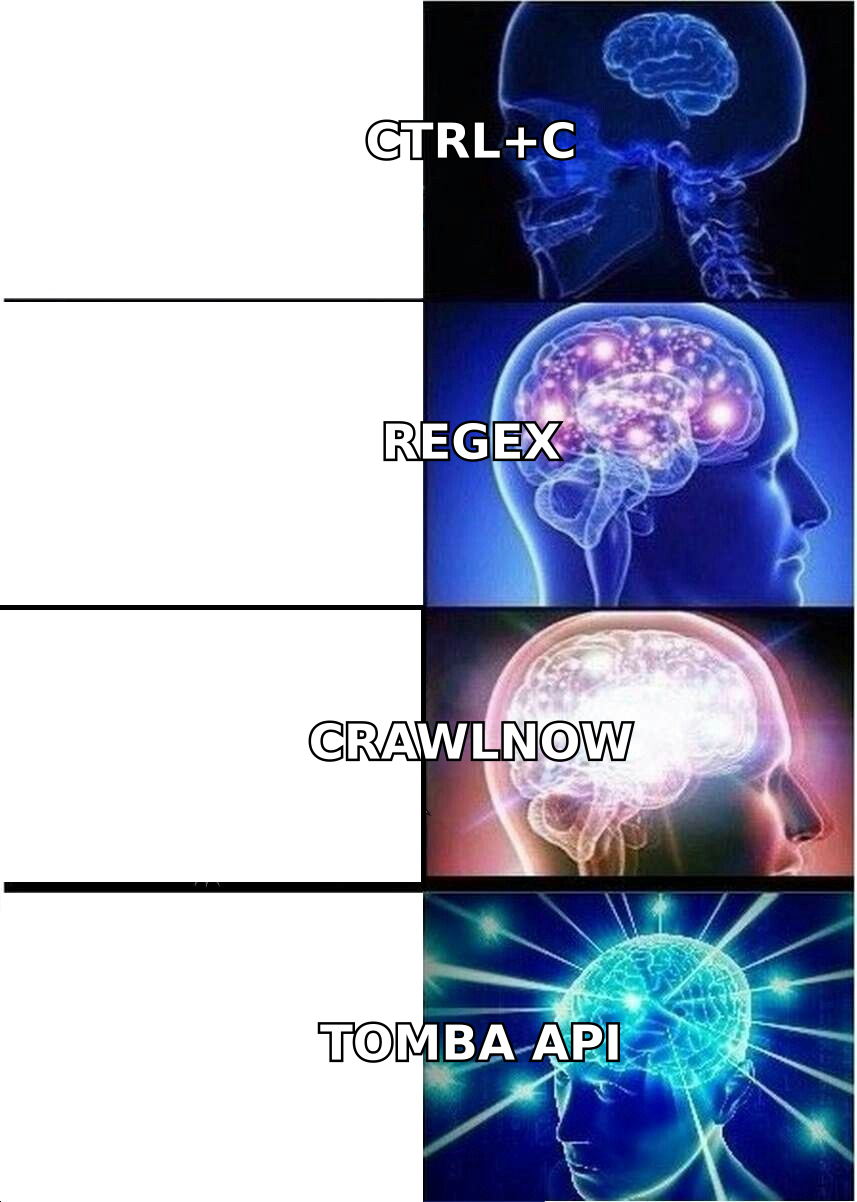
What should you actually compare in a crawling tool?#
Ignore feature checklists for a second. There are six axes that decide whether a tool works for your job:
- Rendering fidelity — does it execute JavaScript, wait for hydration, and handle infinite scroll, or does it just
GETthe HTML? Single-page apps break naive fetchers. - Unblocking — residential proxies, IP rotation, CAPTCHA handling. This is the single biggest driver of both success rate and price.
- Output shape — raw HTML, markdown, or schema-enforced JSON. Schema-enforced JSON saves you a parsing layer; markdown is what LLM pipelines want.
- Crawl orchestration — can it discover and queue an entire domain, dedupe URLs, respect
robots.txt, and resume a failed run? Fetching one page is easy. Fetching 50,000 pages twice a week without babysitting is not. - Billing unit — credits, requests, bandwidth, or results. Bandwidth pricing punishes image-heavy sites. Credit pricing punishes retries. Per-result pricing is the only one aligned with your outcome.
- Distance to the deliverable — how many steps between the tool's output and the thing you actually needed? Every step is code you own forever.
That last axis is the one that reorders the whole ranking when your deliverable is a sales list rather than a corpus.
How do the top Crawlnow alternatives compare?#
Prices below reflect published list pricing at the time of writing (July 2026) and change often — check each vendor's pricing page before you commit. Categories matter more than the numbers.
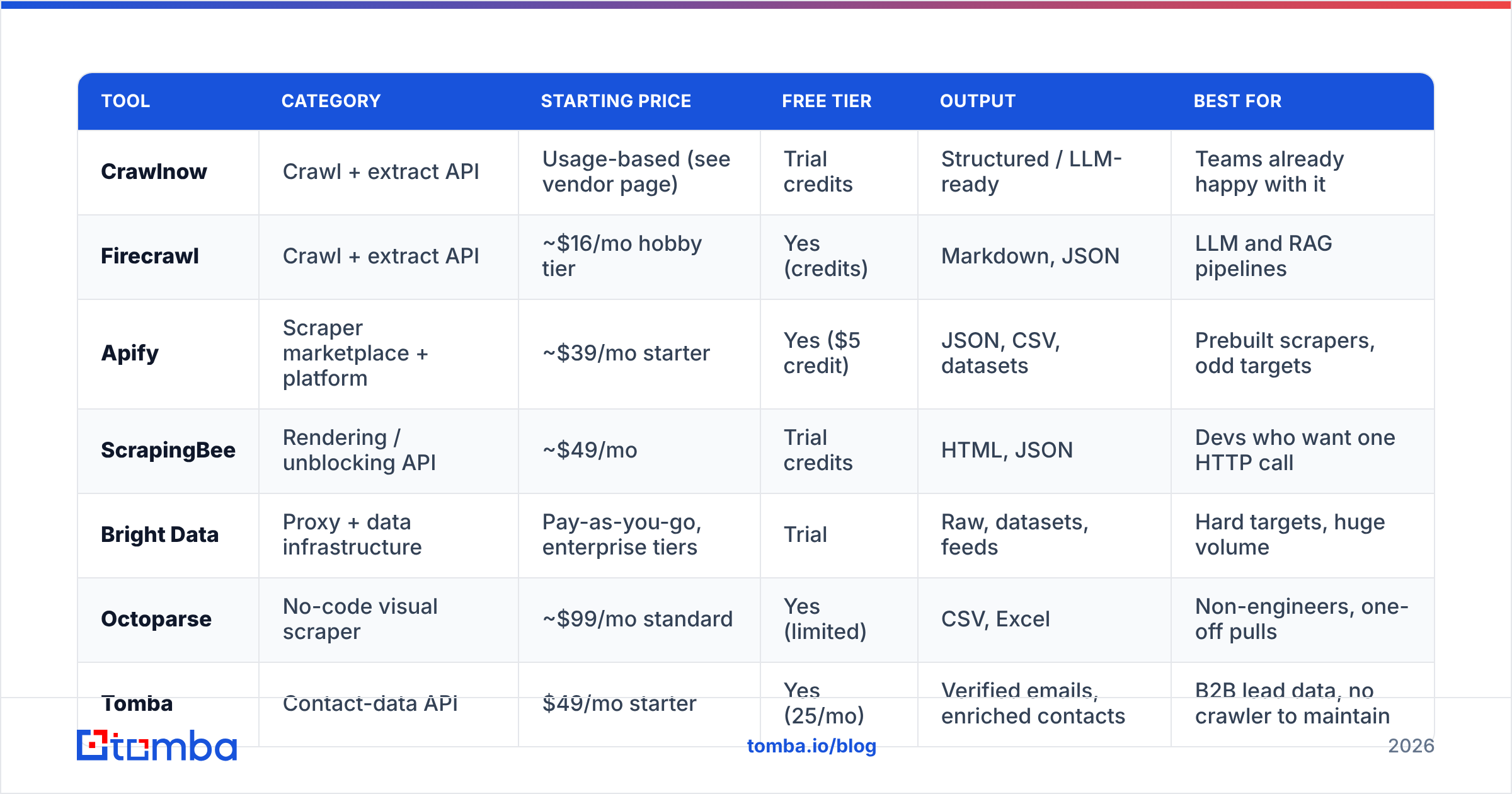
| Tool | Category | Starting price | Free tier | Output | Best for |
|---|---|---|---|---|---|
| Crawlnow | Crawl + extract API | Usage-based (see vendor page) | Trial credits | Structured / LLM-ready | Teams already happy with it |
| Firecrawl | Crawl + extract API | ~$16/mo hobby tier | Yes (credits) | Markdown, JSON | LLM and RAG pipelines |
| Apify | Scraper marketplace + platform | ~$39/mo starter | Yes ($5 credit) | JSON, CSV, datasets | Prebuilt scrapers, odd targets |
| ScrapingBee | Rendering / unblocking API | ~$49/mo | Trial credits | HTML, JSON | Devs who want one HTTP call |
| Bright Data | Proxy + data infrastructure | Pay-as-you-go, enterprise tiers | Trial | Raw, datasets, feeds | Hard targets, huge volume |
| Octoparse | No-code visual scraper | ~$99/mo standard | Yes (limited) | CSV, Excel | Non-engineers, one-off pulls |
| Tomba | Contact-data API | $49/mo starter | Yes (25/mo) | Verified emails, enriched contacts | B2B lead data, no crawler to maintain |
| BookYourData | Prebuilt B2B contact lists | Pay-per-contact | Sample credits | CSV contact lists | Buying a list outright, fast |
Read that table by column, not by row. Six of these tools compete on how well they fetch pages. Two of them compete on whether you need to fetch pages at all.
Firecrawl#
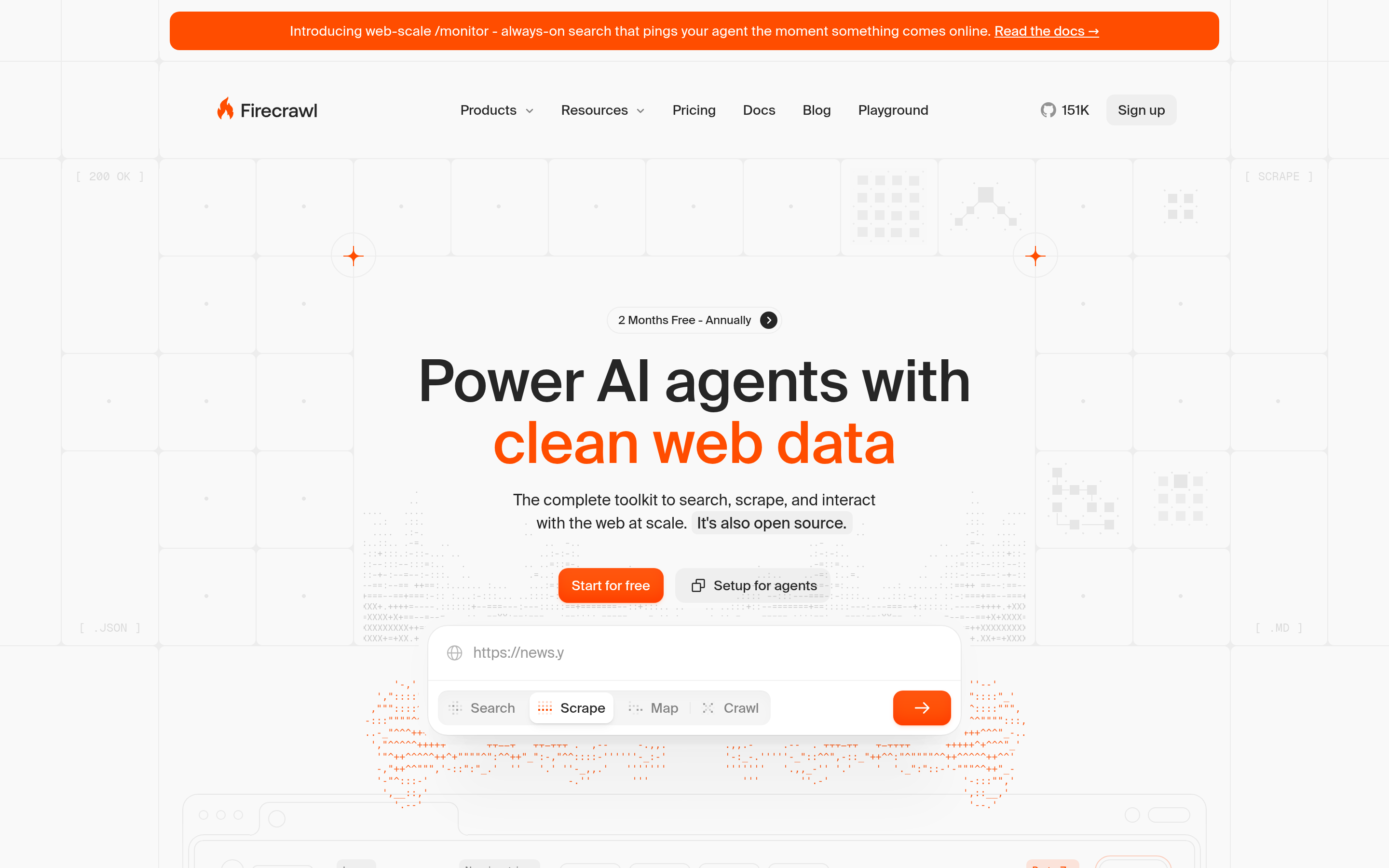
The closest philosophical match to Crawlnow. Point it at a domain, get clean markdown or JSON back, feed it to a model. Good developer ergonomics, a real free tier, and an open-source core that reduces lock-in anxiety. If you switched to Crawlnow from rolling your own Puppeteer scripts, Firecrawl is the lateral move that most teams make first.
Weak spot: it is a fetch-and-clean tool, not a data provider. It will never tell you whether an email address on a page still works.
Apify#
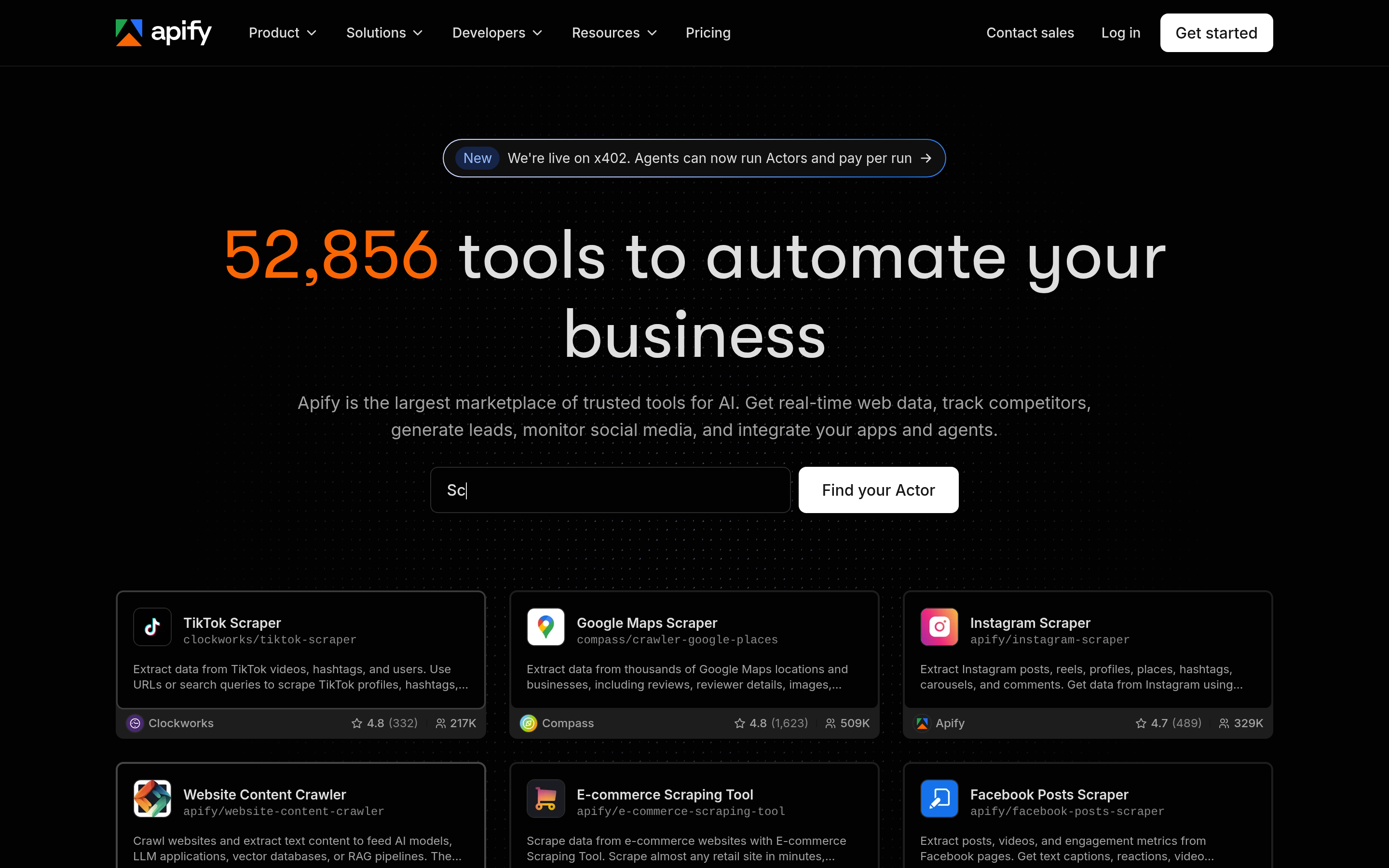
A marketplace of thousands of prebuilt "Actors" — scrapers for specific sites — plus the platform to run them on a schedule. If your target is a well-known site, someone has probably already written and maintained the scraper. Apify also handles proxy rotation, storage, and scheduling, so it replaces more of your stack than a pure extraction API does.
Weak spot: actor quality varies by author, and costs are easy to misjudge until you have watched a run bill in real time.
ScrapingBee#
Deliberately narrow: one API call, JavaScript rendered, proxy handled, HTML returned. No crawl orchestration, no dataset store, no marketplace. That narrowness is the selling point — you keep your own crawl logic and rent only the hard part. ScrapingBee is the right pick if your pipeline is already built and you just need pages to stop getting blocked.
Weak spot: you still write and own the crawler.
Bright Data#
The infrastructure end of the market: enormous proxy networks, unblocking, and prebuilt datasets. When a target is genuinely hostile, this is where teams end up. Bright Data also sells finished datasets, which quietly puts it in the same "skip the crawl" bucket as Tomba and BookYourData for some use cases.
Weak spot: priced and packaged for volume. Overkill and over-budget for a five-person sales team.
Octoparse#
Point-and-click scraping for people who do not write code. Visual selector, cloud scheduling, export to Excel. For a research analyst who needs 2,000 rows once a quarter, it beats any API on time-to-first-result.
Weak spot: brittle when target sites redesign, and no meaningful path to production automation.
BookYourData#
Not a crawler at all — a B2B contact database you buy from directly, per contact, with a stated accuracy guarantee. It solves the "I need a list by Thursday" problem without a pipeline. If your team's real bottleneck is time rather than engineering capacity, buying the data outright is a legitimate and often cheaper answer than building a crawl to reconstruct it. It's a solid option, and an honest one to name in a list like this.
Weak spot: you buy a snapshot. Continuous, always-current enrichment inside your own product is a different job.
Tomba#
Also not a crawler — and that is the point. Tomba is a contact-data layer: give it a domain and get every discoverable email pattern and person, or give it a name plus a company and get one address back, verified. The Tomba API, domain search, and email verifier collapse the crawl → parse → extract → validate chain into a single call you do not maintain.
Weak spot: it is scoped to people and company data. If you need product prices off 400 e-commerce sites, use a crawler — Tomba is the wrong hammer.
Is a crawler even the right tool for lead data?#
Usually not, and this is the most expensive mistake in the category.
Here is what "just crawl their site for emails" actually costs you once it hits production:
- Coverage collapses. Most companies stopped publishing
firstname.lastname@on their team page around 2015. A crawl of a modern SaaS site typically yields onehello@inbox and a contact form. You built a pipeline to find a mailbox nobody reads. - You inherit a validation problem. A string that matches an email regex is not a deliverable address. Scraped lists routinely carry 20–35% dead addresses, and hard bounces above roughly 2% put your sending domain at risk. Now you need a verifier anyway.
- Maintenance never ends. Selectors rot. Anti-bot rules tighten. Your crawler is a small, permanent tax on an engineer.
- Provenance is fuzzy. "We scraped it" is a weaker legal position than "we sourced it from a provider with documented data sources."
A crawler answers what is on this page. A contact-data API answers how do I reach this person, and will the message land. Those are different questions, and no amount of clean markdown converts one into the other.
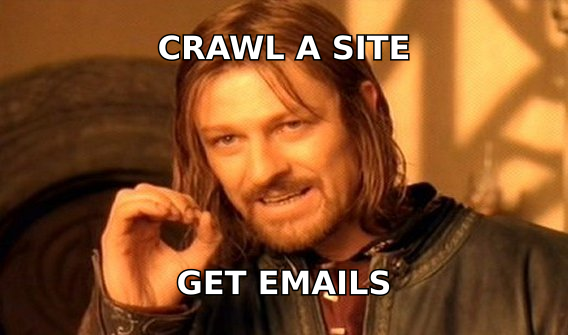
Which Crawlnow alternative should you pick?#
| Your job | Pick | Why |
|---|---|---|
| Feed clean page text to an LLM / RAG index | Firecrawl | Purpose-built markdown output, cheap entry tier |
| Scrape a specific well-known site fast | Apify | Someone already wrote and maintains that actor |
| Unblock pages inside an existing crawler | ScrapingBee | One call, rendered, no orchestration to relearn |
| Hostile targets, millions of pages | Bright Data | Proxy network and enterprise unblocking |
| Non-technical, one-off data pull | Octoparse | No code, results in an afternoon |
| Buy a ready B2B list this week | BookYourData | Pay per contact, no build phase |
| Verified emails on demand, in your product or CRM | Tomba | Skips the crawl entirely; verification built in |
Notice that only two rows are about crawling well. The rest are about not having to.
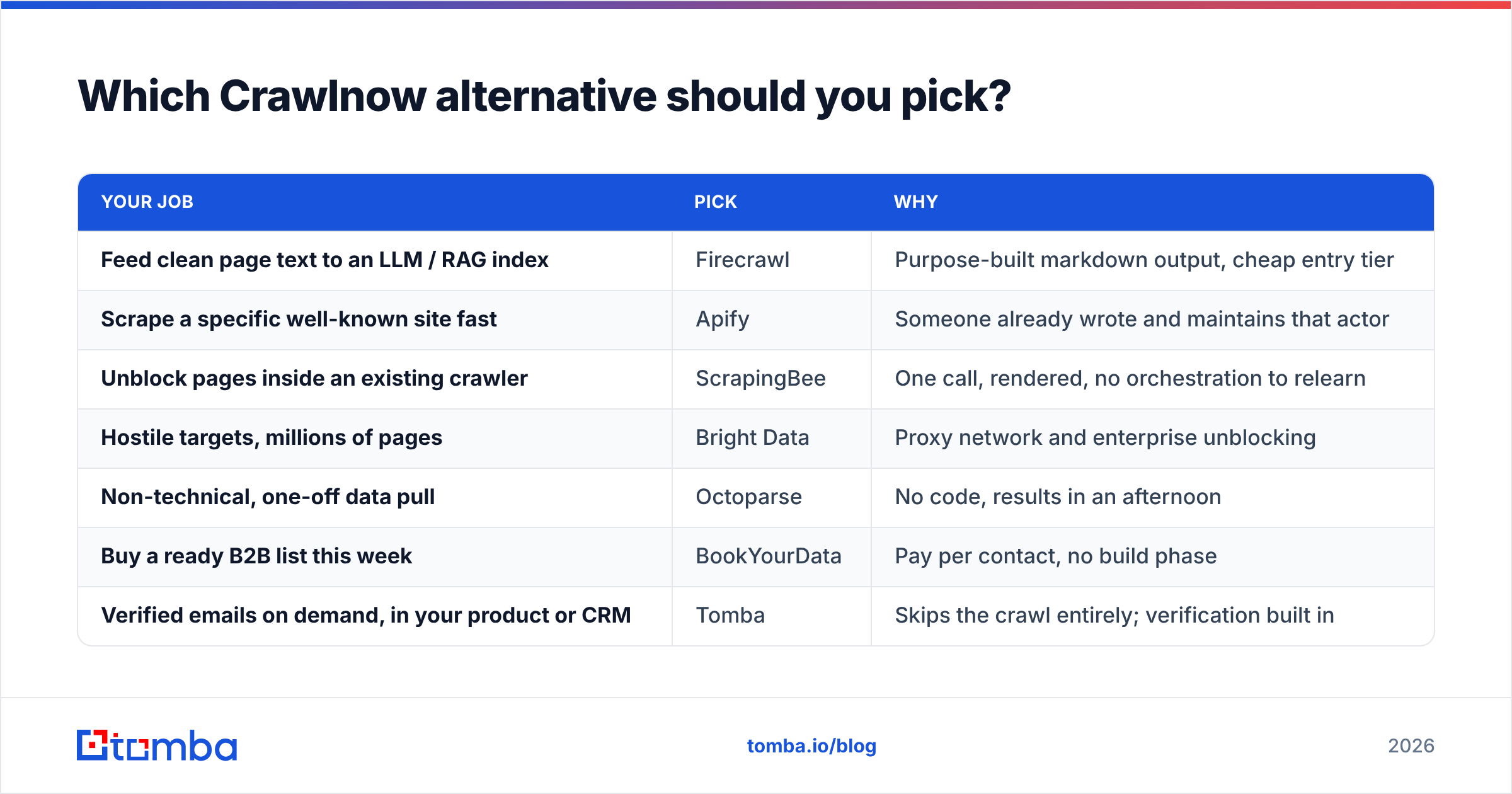
What does switching actually cost?#
The migration cost of leaving Crawlnow is lower than most teams assume, because these tools converged on the same interface: POST a URL, get structured data back.
A realistic swap, in order:
- Inventory your calls. Separate single-page fetches from full-domain crawls. They have different replacements and different price curves.
- Run a 200-URL bake-off. Same target list, three vendors, one afternoon. Measure success rate (not blocked), fidelity (did the content survive), and cost per usable row — not cost per request. Vendors optimise the metric you quote back to them.
- Split the deliverables. Content extraction and contact data are two different vendors now. Trying to make one tool do both is what produced the pipeline you are trying to escape.
- Move verification upstream. Whatever you end up with, validate addresses before they enter your sequencer, not after your bounce rate tells you.
- Watch the first invoice like a hawk. Retries, redirects, and rendered pages all bill. Set a hard cap in week one.
For step 3, the practical shape for most B2B teams is: keep a crawler for content and market intel; move all people-data to a dedicated API. A bulk email finder run against a list of target domains will out-produce a domain crawl by a wide margin, and it arrives pre-verified.
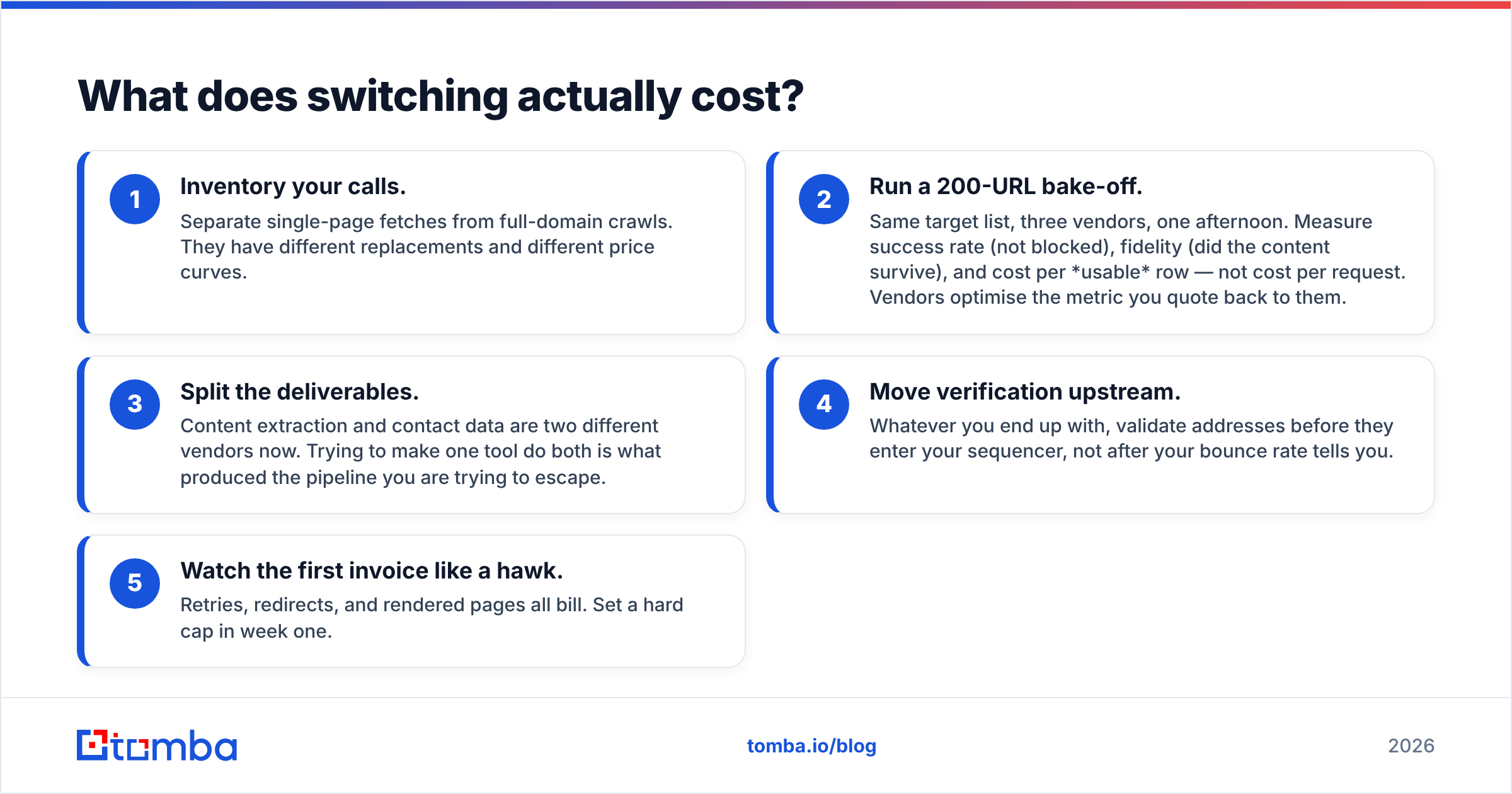
How do the pricing models really compare?#
Sticker price is the least useful number in this category. The billing unit is what determines your bill.
| Billing unit | Used by | You overpay when… | You win when… |
|---|---|---|---|
| Per credit / page | Firecrawl, Crawlnow | Crawls are broad and shallow, lots of junk pages | Targets are precise and small |
| Per request | ScrapingBee | Retries are frequent on hard targets | Targets are easy, volume is steady |
| Per GB bandwidth | Bright Data (proxy) | Pages are image- and script-heavy | You need raw scale and control |
| Per platform-minute | Apify | Actors are slow or poorly written | You reuse a well-built actor often |
| Per verified contact | Tomba, BookYourData | Your ICP is tiny and you buy in bulk anyway | Every unit you buy is a usable lead |
Per-result pricing is the only model where the vendor's incentive matches yours. Everything else pays them for effort, not for outcomes. Tomba's plans run Free (25 searches/mo), Starter $49/mo, Growth $99/mo, Pro $249/mo, and Enterprise custom — and you can validate the whole thing on the free tier before you spend anything.
Frequently asked questions#
Is there a free Crawlnow alternative? Yes. Firecrawl and Apify both have free tiers that are sufficient for evaluation, and Tomba's free plan covers 25 searches a month. For a proof of concept you can usually stay at $0 across two vendors.
Can I just build my own crawler? You can, and for a narrow, stable target it is often the right call. Just price the maintenance honestly: proxies, headless browser upkeep, and selector rot on a handful of targets is realistically a few engineering hours a month, forever. That is the true comparison, not the sticker price.
Is web scraping legal? Scraping publicly available data is broadly permitted in many jurisdictions, but the rules turn on what data you collect, how you use it, and whose terms you accepted. Personal data pulls GDPR and CCPA into scope regardless of how public the page was. Read the vendor's own compliance documentation, check reviews and disclosures on G2, and talk to counsel before you scale a personal-data crawl. This is not legal advice.
Which alternative is closest to a drop-in replacement? Firecrawl for extraction-and-markdown workflows; ScrapingBee if you only used Crawlnow for rendering and unblocking; Apify if you leaned on it for scheduled, site-specific jobs.
The short version#
If you liked Crawlnow and just want a better crawler, take Firecrawl, Apify, ScrapingBee, Bright Data, or Octoparse based on the row in the table that matches your job. Those are honest, capable tools and any of them will serve you.
But if the reason you were crawling in the first place was to end up with a list of people to email, stop building the crawler. You are three hops away from the deliverable, and every hop is code you maintain and data you cannot vouch for.
Give Tomba a domain and get the people back, verified. The Tomba Email Finder returns professional email addresses by domain, name, or company — with a confidence score and verification attached, not a regex match on a page you hope is current. Start on the free tier (25 searches, no card), run it against ten of your real target accounts, and compare the output to whatever your crawler produced last quarter. That comparison usually ends the debate faster than any blog post can.
Related guides#
Ready to find emails that actually work?
Join 150,000+ professionals who stopped guessing and started sending. Free credits on signup — no credit card required.
Get the Tomba newsletter
Practical outbound tactics and product updates — once every two weeks.
About the author