Crisp Pricing Reviews: Pros and Cons for 2026 Buyers
A neutral breakdown of Crisp pricing, the real cost of each plan, and the pros and cons buyers hit at scale — plus where it fits in a 2026 sales stack.
Crisp is one of the better-known customer messaging platforms, bundling live chat, a shared inbox, a chatbot builder, and a small CRM into a single subscription. But "how much does Crisp cost, and is it actually worth it?" is a harder question than the pricing page suggests. This review breaks down the plans, the real per-seat math, and the honest pros and cons so you can decide before you commit budget.
TL;DR#
- Crisp uses a flat per-website subscription with a limited number of included seats — the sticker price looks cheap until you add operators or extra sites.
- The free plan is genuinely usable for a solo founder or a 2-person team testing live chat, which is rare in this category.
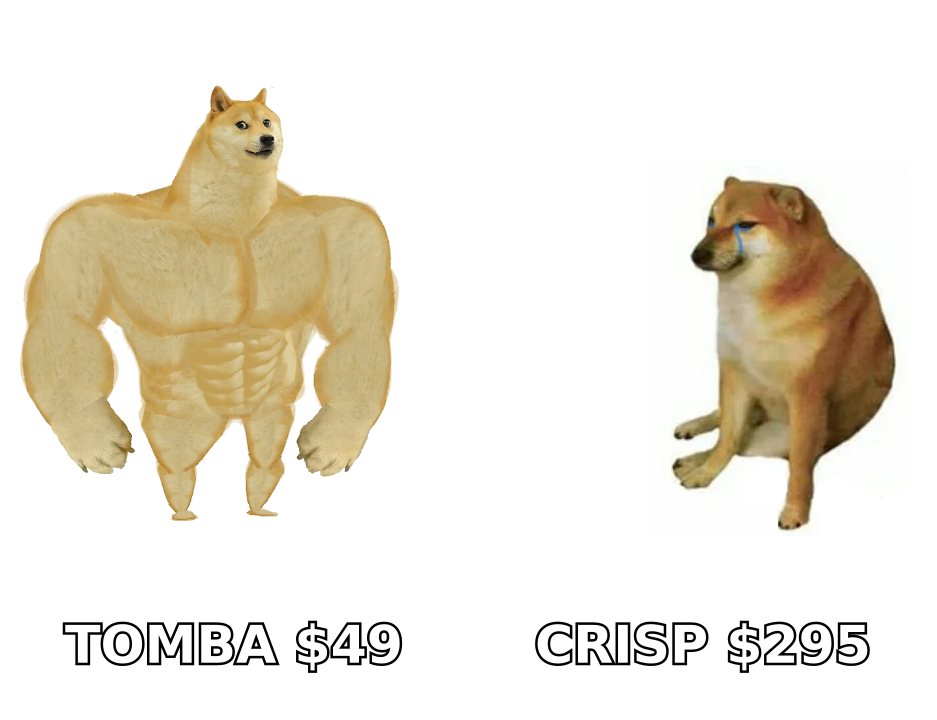
- The jump from Essentials to Plus is steep (roughly 3x) and is where most growing teams feel the pricing pinch.
- Crisp is a support and messaging tool, not a prospecting engine — if you need to find and verify B2B contacts, you'll pair it with a dedicated data tool.
- Best fit: small-to-mid teams that want an all-in-one inbox without Zendesk-level complexity or cost.
What is Crisp and who is it for?#
Crisp is a shared-inbox and customer-messaging platform aimed at startups and SMBs. Instead of buying separate tools for live chat, email support, chatbots, and a knowledge base, you get them bundled. The pitch is simplicity: one widget on your site, one inbox for your team, one bill.
That positioning matters for pricing. Crisp deliberately undercuts enterprise help desks like Zendesk and Intercom on entry price, and it competes with tools like Tidio and Chatwoot on the low end. You're paying for breadth and ease of setup, not for deep enterprise routing, SLAs, or advanced analytics.
Who it suits well:
- Solo founders and micro-teams who need chat plus a basic CRM without a per-agent enterprise contract.
- Bootstrapped SaaS and e-commerce that want a chatbot and knowledge base without stitching four vendors together.
- Support-led teams where the inbox is the product's front door.
Who tends to outgrow it: teams that need granular role permissions, heavy reporting, or high-volume outbound — which is a different job entirely.

How much does Crisp cost in 2026?#
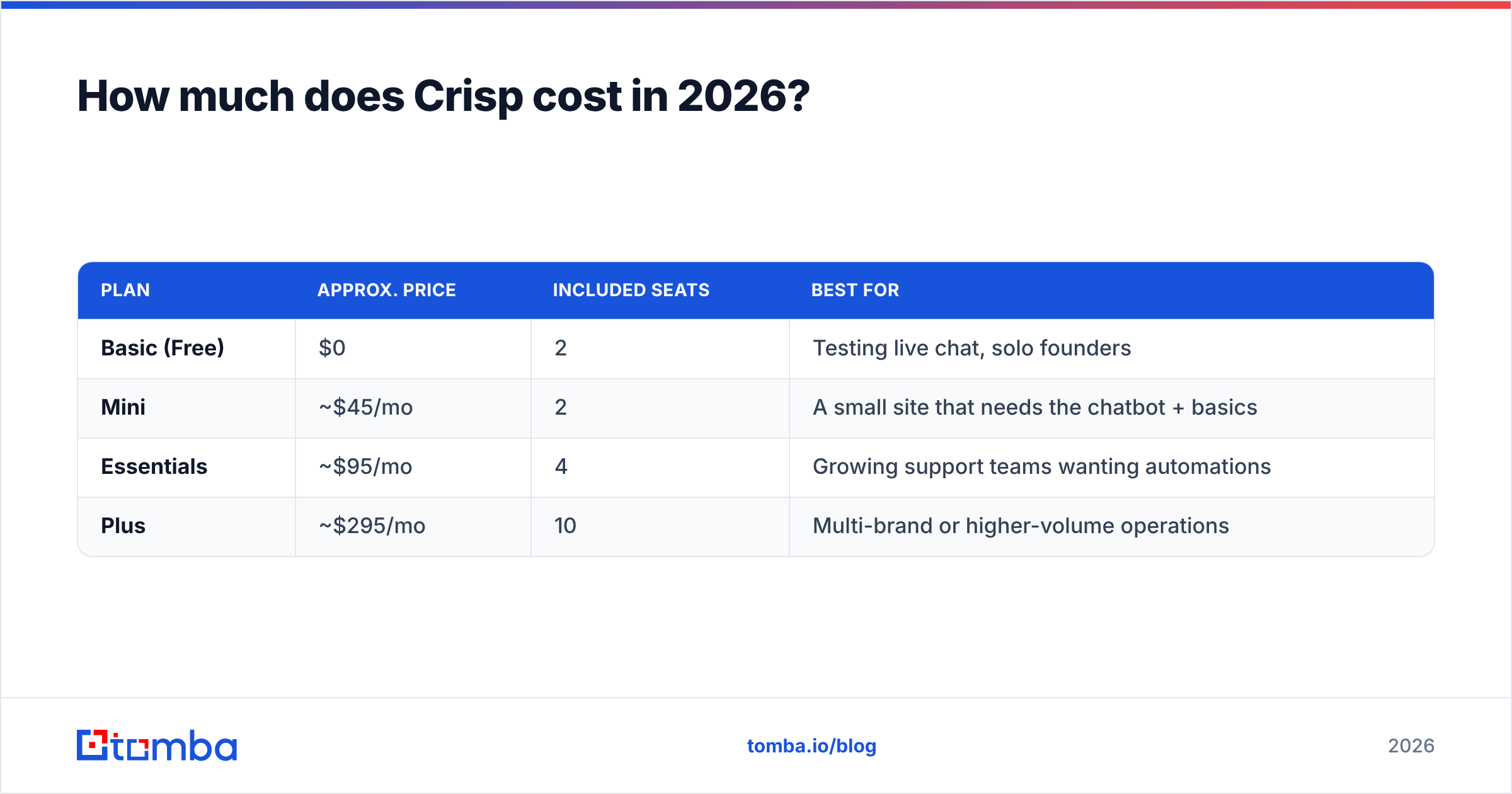
Crisp prices per website (workspace), with a fixed number of seats included on each tier and add-on seats billed separately. Always confirm current numbers on the official Crisp pricing page, since messaging vendors adjust tiers often — but the structure has been stable and looks like this.
| Plan | Approx. price | Included seats | Best for |
|---|---|---|---|
| Basic (Free) | $0 | 2 | Testing live chat, solo founders |
| Mini | ~$45/mo | 2 | A small site that needs the chatbot + basics |
| Essentials | ~$95/mo | 4 | Growing support teams wanting automations |
| Plus | ~$295/mo | 10 | Multi-brand or higher-volume operations |
Two things drive the real bill:
- Seats beyond the included count. Add operators and you pay per extra seat on top of the base price. A 6-person team on Essentials (4 included) pays for 2 add-ons.
- Number of websites. Pricing is per workspace. Agencies or companies running several brands multiply the cost fast.
So the honest "starting price" for a real team is rarely the headline number. Model your seat count and site count first — that single step prevents most budget surprises.
Crisp pricing reviews: pros and cons#
Here's the balanced view pulled from how teams actually describe Crisp on review sites like G2 and Capterra, plus common threads in support communities.
The pros#
- Real free tier. Two seats, live chat, and a shared inbox at $0 is a legitimate starting point, not a crippled trial.
- All-in-one value. Chat, chatbot, knowledge base, and a lightweight CRM in one subscription is cheaper than assembling equivalents separately.
- Fast setup. The widget and inbox are live in minutes; non-technical teams get value the same day.
- Predictable base pricing. Flat per-workspace tiers are easier to forecast than pure per-agent enterprise pricing when your team is small.
- Multi-channel inbox. Email, chat, and social messages land in one place, which reduces tool sprawl.
The cons#
- Seat math bites at scale. Included seats are generous only until you cross them; add-ons make a "cheap" plan mid-market quickly.
- The Essentials-to-Plus cliff. Roughly tripling the price to unlock the next feature set is the most common complaint.
- Per-website billing. Multiple brands or client sites multiply cost in a way single-workspace competitors don't.
- Reporting is light. Teams that live in dashboards find the analytics thin versus Zendesk or Intercom.
- It's not built for outbound. Crisp answers inbound conversations; it doesn't find, enrich, or verify the contacts you want to reach.
Is Crisp worth it compared to alternatives?#
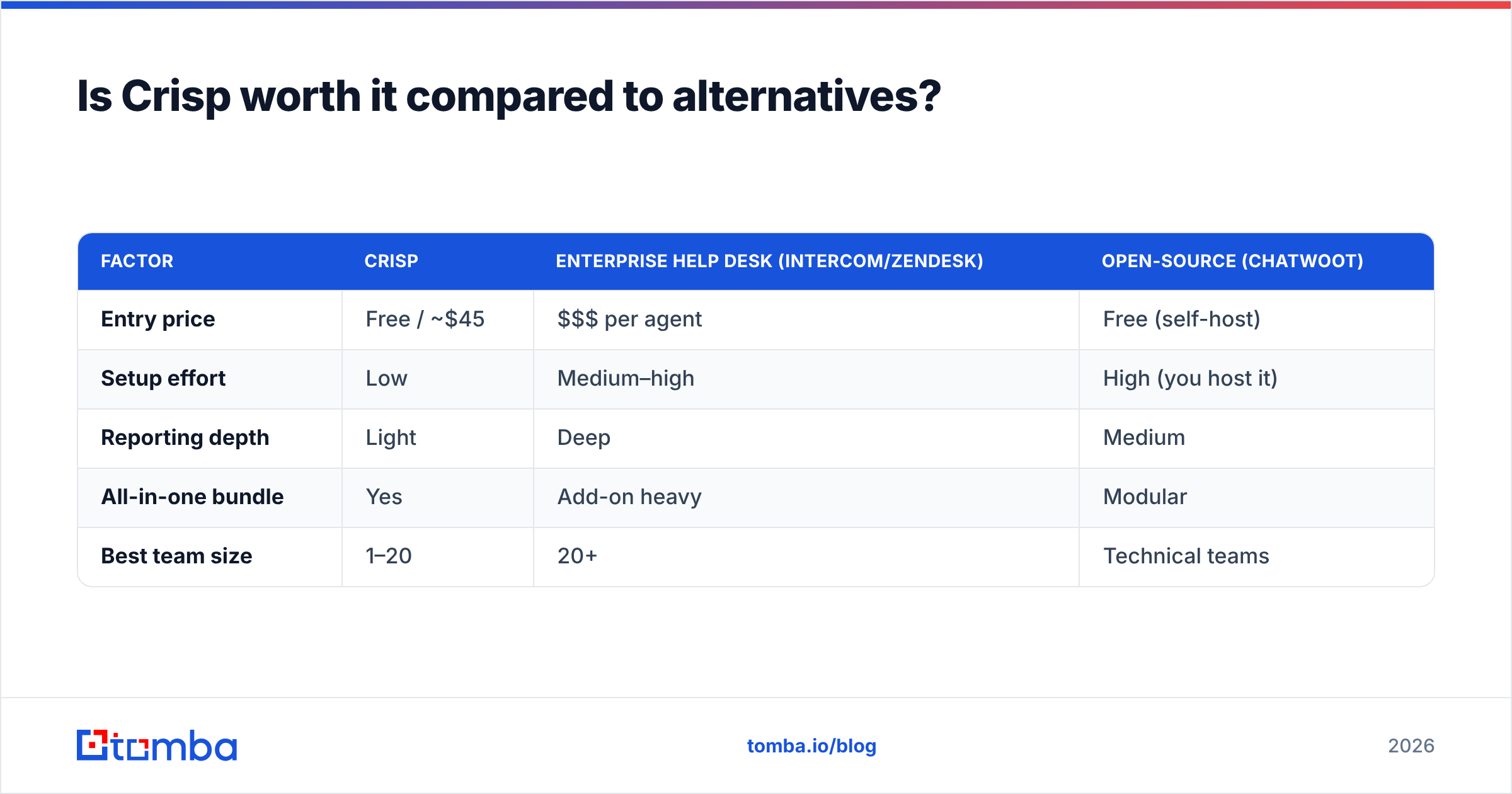
Worth depends on the job. If your core need is a friendly, affordable inbox that a small team can run without training, Crisp earns its price. If you need enterprise routing, deep SLAs, or advanced automation, you'll compare it against heavier (and pricier) platforms.
| Factor | Crisp | Enterprise help desk (Intercom/Zendesk) | Open-source (Chatwoot) |
|---|---|---|---|
| Entry price | Free / ~$45 | $$$ per agent | Free (self-host) |
| Setup effort | Low | Medium–high | High (you host it) |
| Reporting depth | Light | Deep | Medium |
| All-in-one bundle | Yes | Add-on heavy | Modular |
| Best team size | 1–20 | 20+ | Technical teams |
The pattern is clear: Crisp wins on price-to-value for small teams and loses to enterprise tools only when you genuinely need enterprise features. Don't pay for a Ferrari to drive around the block — but don't buy a scooter for a cross-country haul either.
Where does Crisp stop, and what do you add?#
This is the part most Crisp reviews skip. Crisp is excellent at handling conversations that come to you. It does nothing to help you start conversations with people who've never visited your site — that's outbound, and it needs contact data.
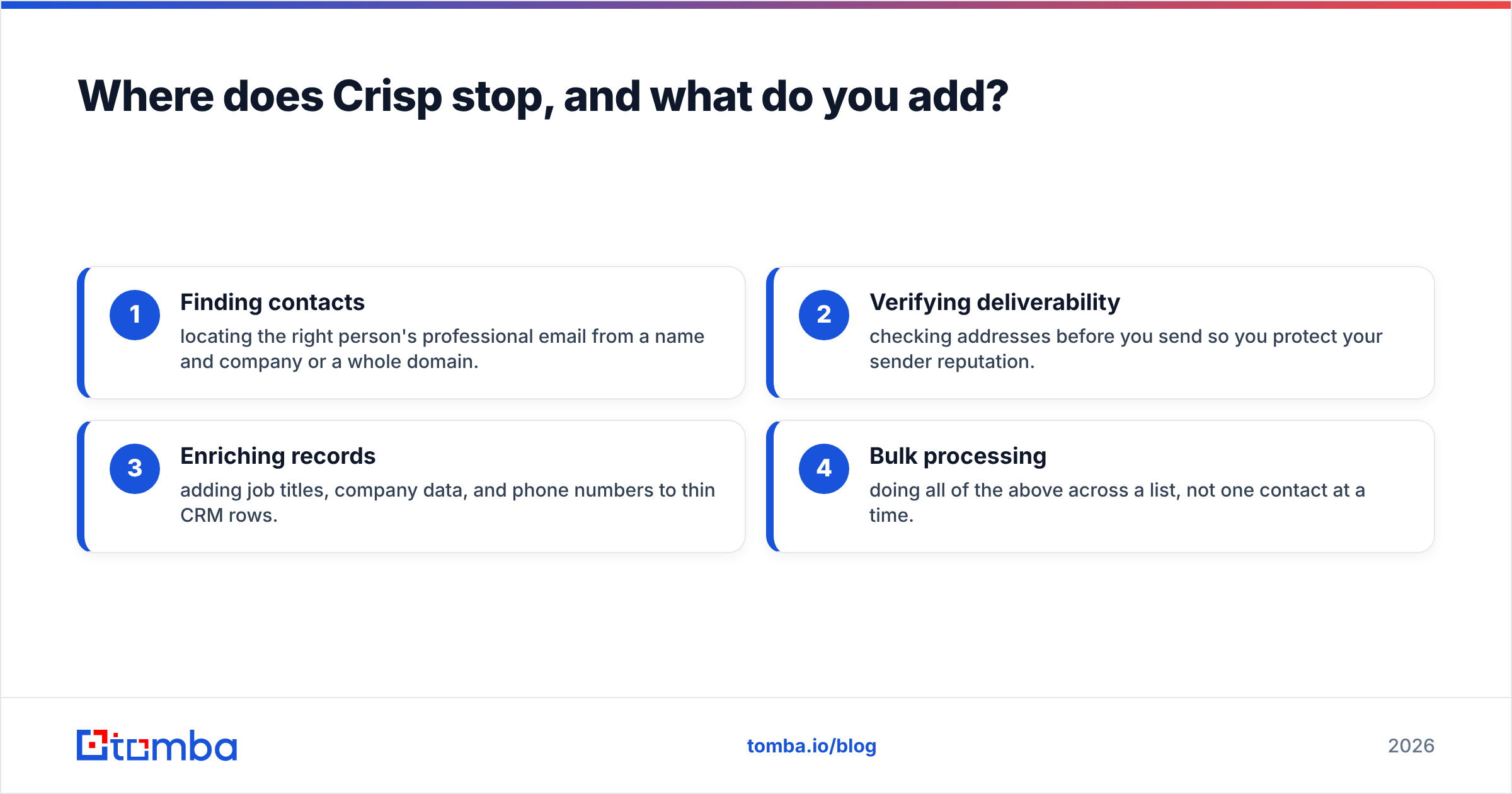
If your growth plan includes cold outreach, partnership prospecting, or building a B2B list, you'll bolt on a data layer. That typically means four capabilities Crisp doesn't provide:
- Finding contacts — locating the right person's professional email from a name and company or a whole domain.
- Verifying deliverability — checking addresses before you send so you protect your sender reputation.
- Enriching records — adding job titles, company data, and phone numbers to thin CRM rows.
- Bulk processing — doing all of the above across a list, not one contact at a time.
That's exactly the gap a tool like Tomba fills. You can use the Tomba Email Finder to find email addresses by name or domain, run addresses through the email verifier before a campaign, and use domain search to pull every reachable contact at a target company. Crisp then handles the inbound replies those campaigns create — the two tools cover opposite halves of the conversation lifecycle.
What does the total stack cost really look like?#
Buyers evaluating Crisp pricing reviews for pros and cons almost always underestimate the full picture, because a messaging tool is only one line item. A realistic small-team stack looks like this:
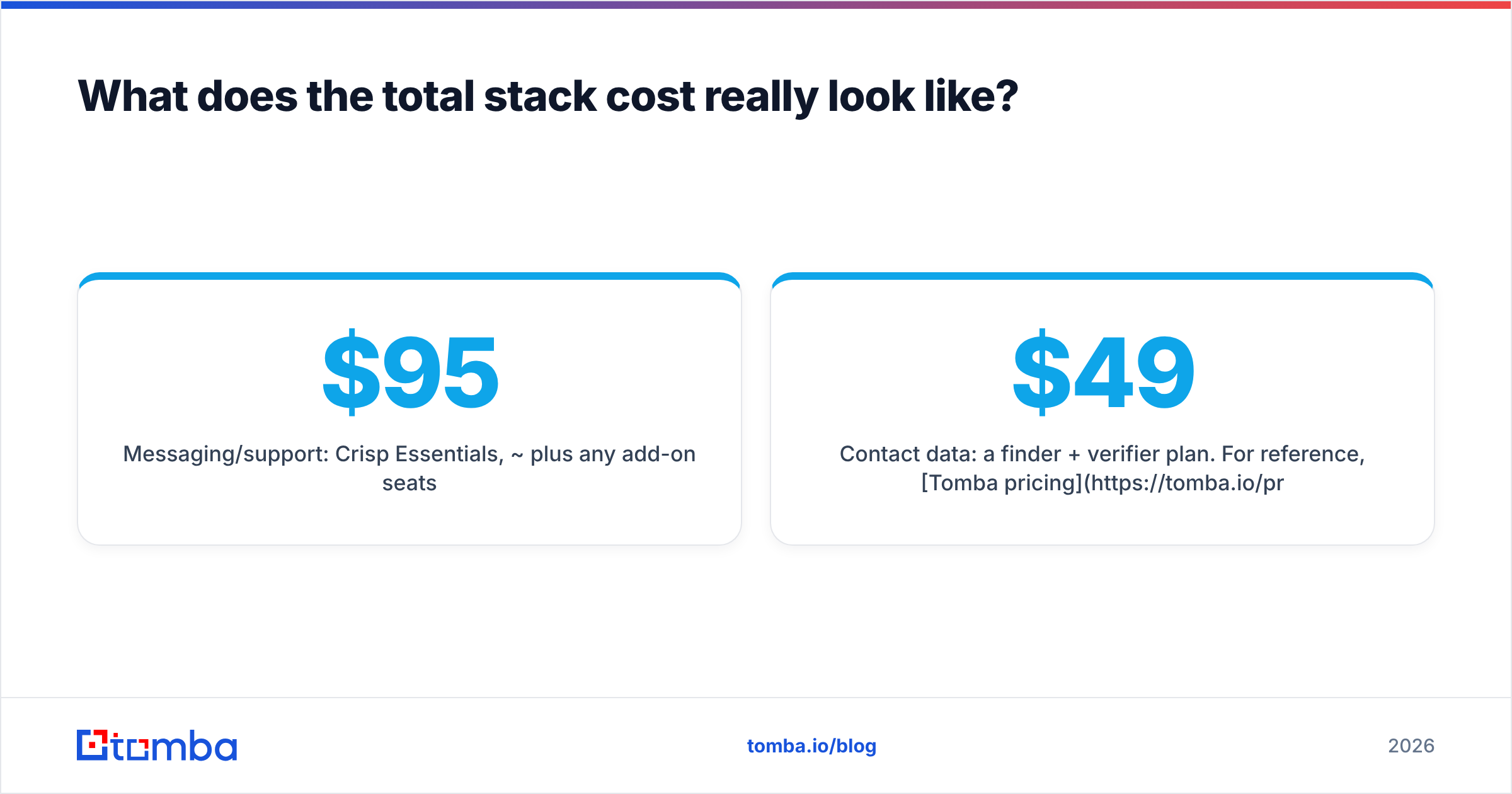
- Messaging/support: Crisp Essentials, ~$95/mo plus any add-on seats.
- Contact data: a finder + verifier plan. For reference, Tomba pricing starts free (25 searches/mo), with Starter at $49/mo and Growth at $99/mo.
- Email sending/sequencing: a separate cold-email or marketing tool if you run campaigns.
The takeaway: judge Crisp on the job it's built for — inbound conversations — and budget separately for the outbound data engine. Trying to force one tool to do both is where teams overpay and underperform.
How to choose the right Crisp plan#
A quick decision path that respects your budget:
- Just testing? Start on the free Basic plan. Two seats is enough to validate whether live chat moves your numbers.
- Need the chatbot and clean branding? Mini is the smallest paid step; fine for a single small site.
- Running a real support desk with automations? Essentials is the sweet spot for most SMB teams — until your seat count climbs.
- Multi-brand or high volume? Plus, but price the add-on seats and extra workspaces before you sign.
And regardless of tier: if you plan to prospect or build lists, add a dedicated data tool from day one rather than discovering the gap mid-campaign.
Frequently asked questions#
Does Crisp have a free plan? Yes. The Basic plan is free and includes two seats with live chat and a shared inbox — usable for solo founders and small tests, not just a trial.
Why does Crisp get more expensive than expected? Two reasons: extra operators beyond the included seats are billed per seat, and pricing is per website, so running multiple brands multiplies the base cost.
Is Crisp good for outbound sales? No — Crisp is built for inbound conversations. For outbound you need a contact-finding and verification layer, which is a separate category of tool.
How does Crisp compare to Intercom or Zendesk on price? Crisp is dramatically cheaper at the entry level and simpler to run, but it offers lighter reporting and fewer enterprise routing features. It's a value play for small teams, not an enterprise replacement.
The verdict#
Crisp is worth it for the specific team it's designed for: small-to-mid businesses that want an affordable, all-in-one inbox they can set up the same afternoon. The free tier is real, the base pricing is predictable, and the bundle beats stitching four vendors together. The honest cons are the seat-and-site math at scale and the steep jump to Plus — so model your true head count before you buy.
Just remember what Crisp is not: a way to reach new prospects. It answers the conversations you already have. If you want to start new ones, you need clean, verified contact data feeding your outreach. Start free with the Tomba Email Finder to find and verify professional emails by name, company, or domain — then let Crisp handle the replies that come back. Cover both halves of the conversation, and every dollar you spend on either tool works harder.
Related guides#
Ready to find emails that actually work?
Join 150,000+ professionals who stopped guessing and started sending. Free credits on signup — no credit card required.
Get the Tomba newsletter
Practical outbound tactics and product updates — once every two weeks.
About the author