CRM and SFA Explained: Key Differences and How They Work
CRM and SFA get used interchangeably, but they solve different problems. Here's what each does, where they overlap, and how to choose the right stack in 2026.
Sales leaders throw around "CRM" and "SFA" like they mean the same thing. They don't. One is the system of record for every customer relationship your company has. The other is the engine that automates the actual selling. Confuse them, and you either overpay for features your reps ignore or underbuild a stack that can't forecast a quarter.
This guide breaks down what CRM and SFA actually are, where they overlap, why the line between them blurred, and how to decide what your team needs in 2026.
TL;DR#
- CRM (Customer Relationship Management) is the broad system of record for every contact, account, and interaction across sales, marketing, and support.
- SFA (Sales Force Automation) is the narrower discipline of automating the sales process itself — pipeline stages, quotes, activity logging, and forecasting.
- SFA is technically a subset of CRM. Most modern CRMs ship SFA features inside them, which is why the terms got tangled.
- Data quality decides whether either one works. A CRM full of stale, unverified contacts forecasts garbage no matter how good the software is.
- Choose by primary pain: relationship visibility across teams points to CRM; rep productivity and forecast accuracy point to SFA-heavy tooling.
What is CRM?#
Think of CRM as the shared address book and memory for your entire go-to-market org. Every email, call, deal, support ticket, and renewal date lives in one place, so anyone touching the customer sees the full history instead of guessing.
Customer Relationship Management (CRM) is both a strategy and a category of software. As a strategy, it's how you manage relationships across the full lifecycle — from first touch to renewal. As software, it's the platform that stores that data and makes it usable across departments. If you want the formal definition, the CRM glossary entry lays out the moving parts.
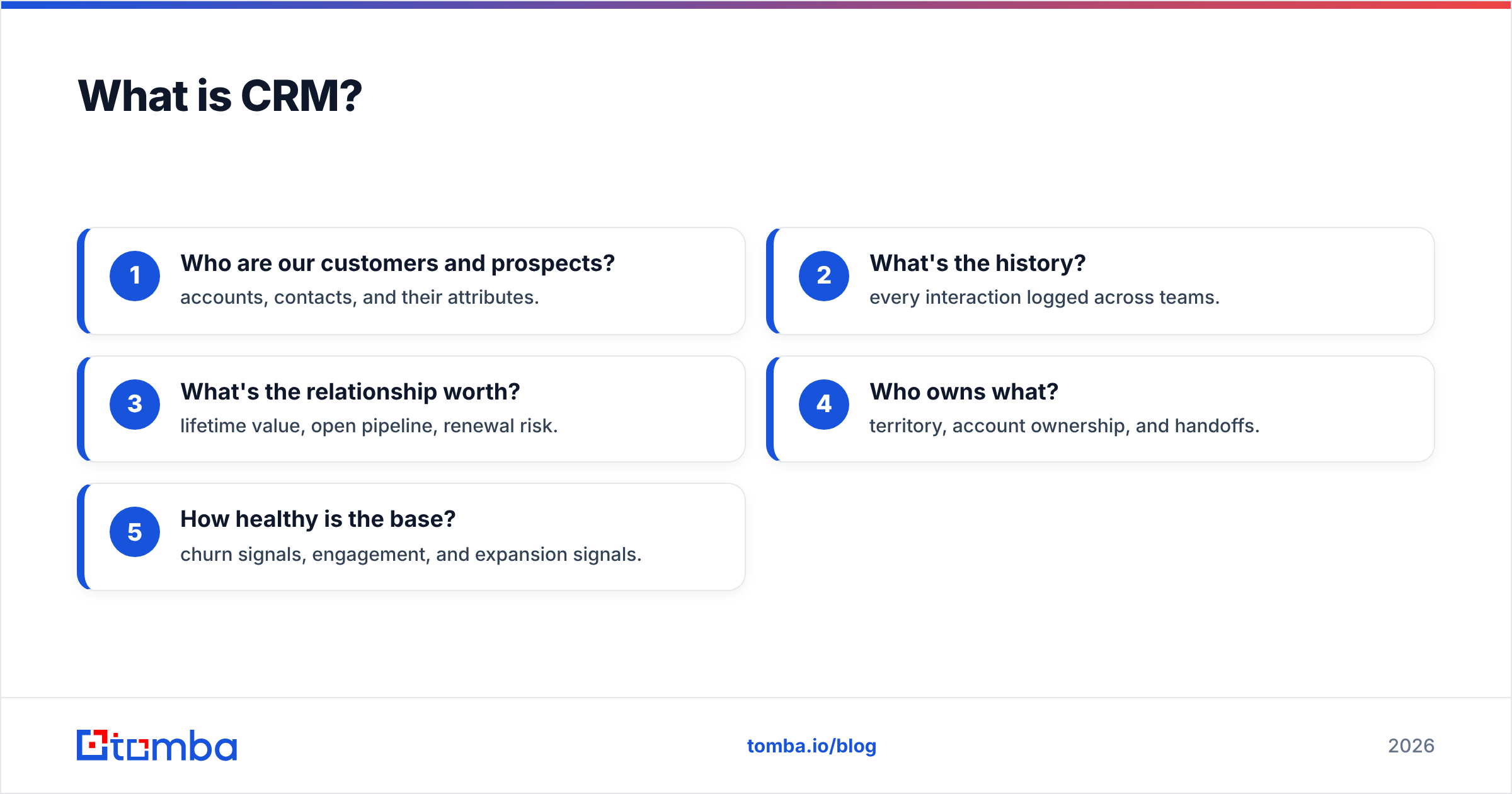
A CRM answers questions like:
- Who are our customers and prospects? — accounts, contacts, and their attributes.
- What's the history? — every interaction logged across teams.
- What's the relationship worth? — lifetime value, open pipeline, renewal risk.
- Who owns what? — territory, account ownership, and handoffs.
- How healthy is the base? — churn signals, engagement, and expansion signals.
The scope is company-wide. Marketing runs campaigns off it, support resolves tickets in it, and finance pulls revenue reporting from it. Sales is one tenant among several.
What is SFA?#
If CRM is the memory, SFA is the assembly line. Sales Force Automation exists to remove the manual, repetitive work that slows reps down and to make the pipeline predictable.
SFA focuses tightly on the selling motion:
- Opportunity and pipeline management — moving deals through defined stages.
- Activity automation — auto-logging calls and emails so reps don't do data entry.
- Quote and proposal generation — CPQ (configure, price, quote) workflows.
- Forecasting — rolling up weighted pipeline into a number leadership can trust.
- Task and cadence automation — next-step reminders and follow-up sequences.
The whole point of SFA is rep productivity and forecast accuracy. Gartner has long framed it as the core "system of action" for sellers, distinct from the broader relationship platform. You can read Gartner's own market framing for the analyst view.
Here's the wrinkle: almost nobody buys standalone SFA anymore. The features got absorbed into CRM suites. So when a vendor says "CRM," they usually mean CRM plus the SFA layer bolted on top.
Is SFA part of CRM, or separate?#
Short answer: SFA is a subset of CRM in modern software, but a distinct discipline in how you think about it.
Historically these were separate product categories. In the 1990s, SFA tools automated the sales rep's day while separate CRM systems tracked relationships. Salesforce and others merged them, and today the sales cloud in any major CRM is the SFA module. That's why Salesforce markets its core product as sales automation living inside a broader CRM.
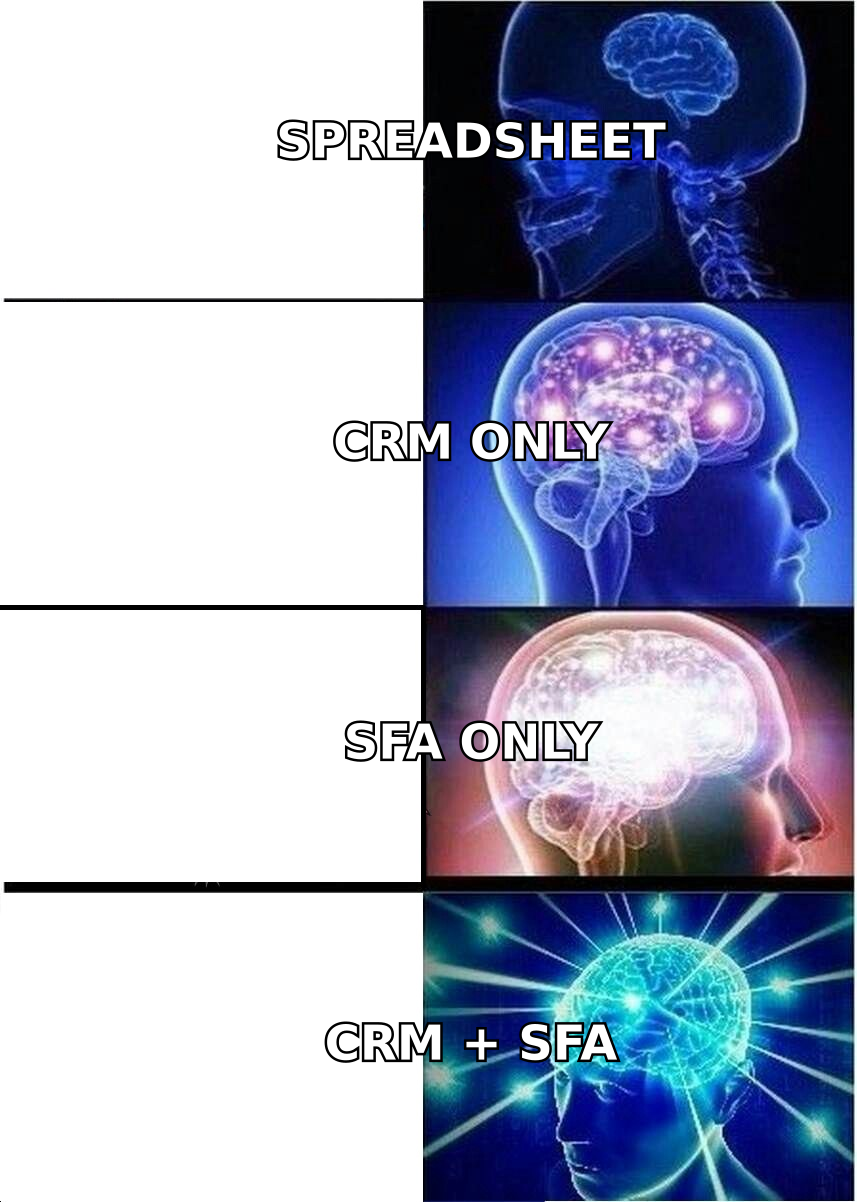
The practical takeaway: don't shop for "an SFA" and "a CRM" as two separate purchases. Instead, evaluate one platform and ask how strong its SFA capabilities are relative to its relationship-management depth. Some tools are CRM-first with light automation; others are automation-first with thin relationship data.
CRM vs SFA: side-by-side comparison#
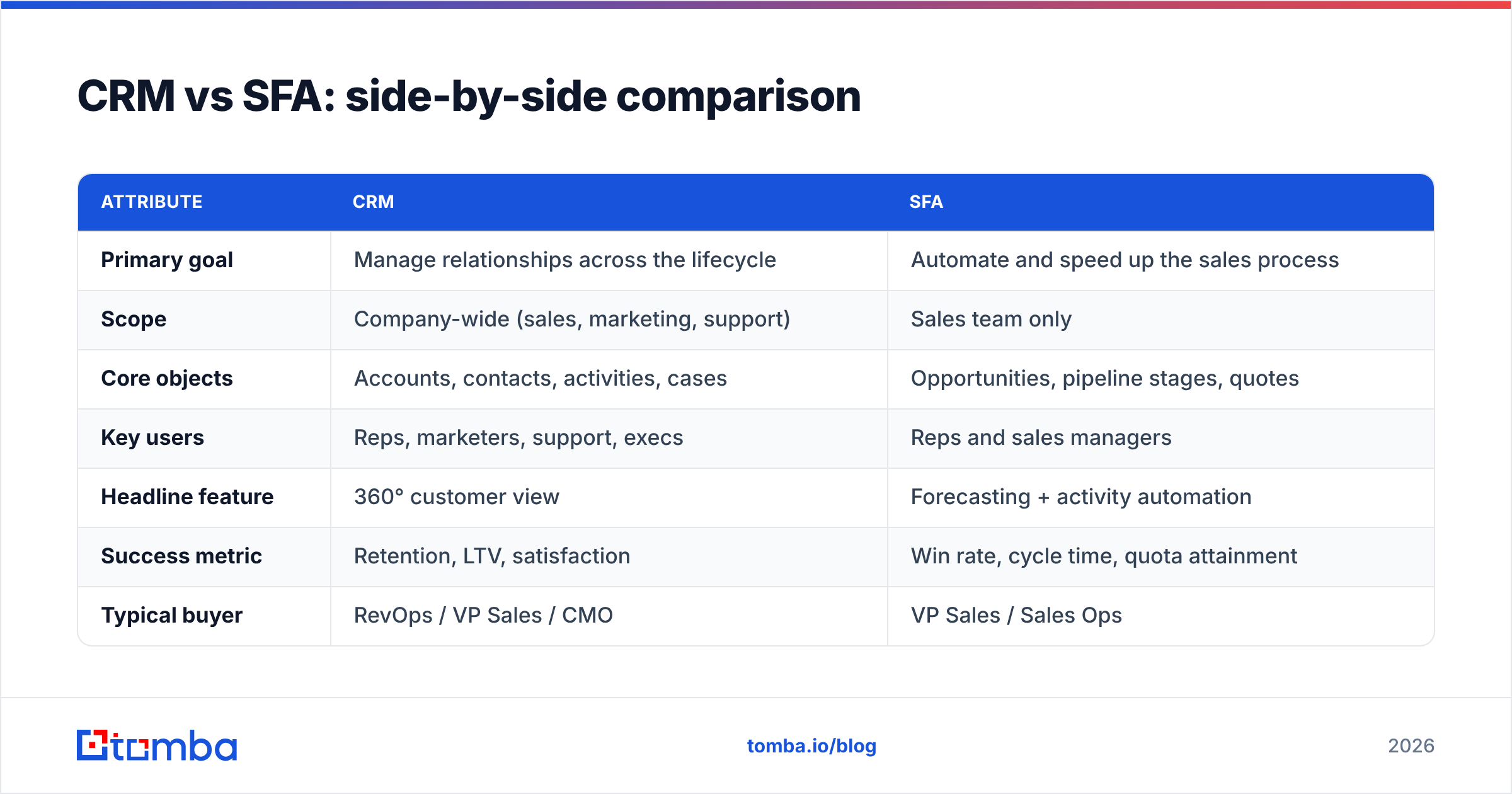
| Attribute | CRM | SFA |
|---|---|---|
| Primary goal | Manage relationships across the lifecycle | Automate and speed up the sales process |
| Scope | Company-wide (sales, marketing, support) | Sales team only |
| Core objects | Accounts, contacts, activities, cases | Opportunities, pipeline stages, quotes |
| Key users | Reps, marketers, support, execs | Reps and sales managers |
| Headline feature | 360° customer view | Forecasting + activity automation |
| Success metric | Retention, LTV, satisfaction | Win rate, cycle time, quota attainment |
| Typical buyer | RevOps / VP Sales / CMO | VP Sales / Sales Ops |
| Standalone in 2026? | Yes | Rarely — bundled into CRM |
Notice the metrics row. CRM success is measured in win rate and retention over time; SFA success is measured in how fast and reliably reps close. When you evaluate tools, map the metric you're graded on to the category that moves it.
Why does the difference matter for your stack?#
Because the two failure modes cost real money.
Failure mode one: buying CRM depth you'll never use. You purchase a heavyweight relationship platform with marketing automation, service cloud, and community features — but your reps just need clean pipeline management and forecasting. You pay enterprise pricing for shelfware, and adoption tanks because the interface is bloated.
Failure mode two: buying automation with no data foundation. You get a slick SFA-heavy tool that automates cadences beautifully, but the contact records feeding it are wrong. Reps automate emails to bounced addresses and dead titles. The forecast rolls up phantom deals. Automation just helps you fail faster.
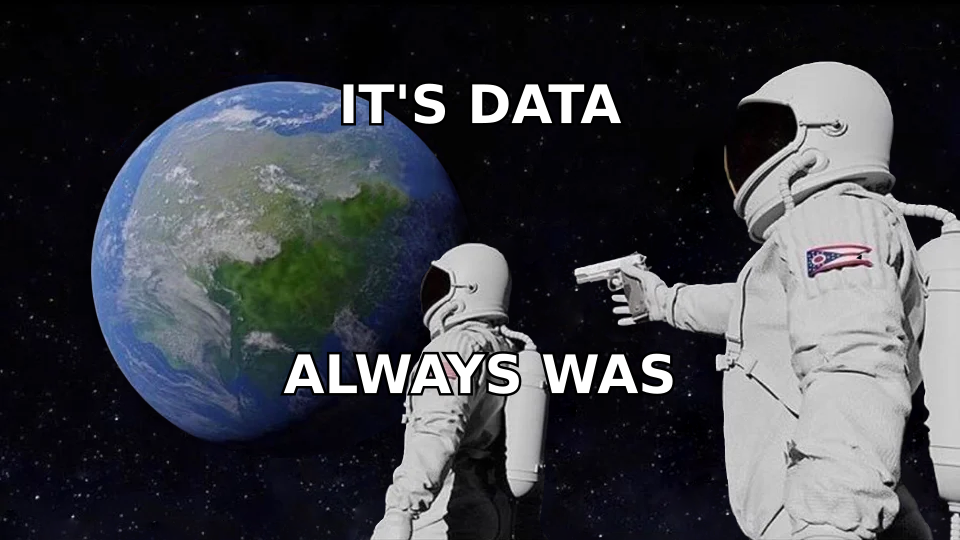
Both failures trace back to the same root cause more often than not: bad data. Whether you call your system CRM or SFA, it runs on the contact and account records inside it. If those are stale, the smartest platform on the market produces confident nonsense.
How does data quality make or break CRM and SFA?#
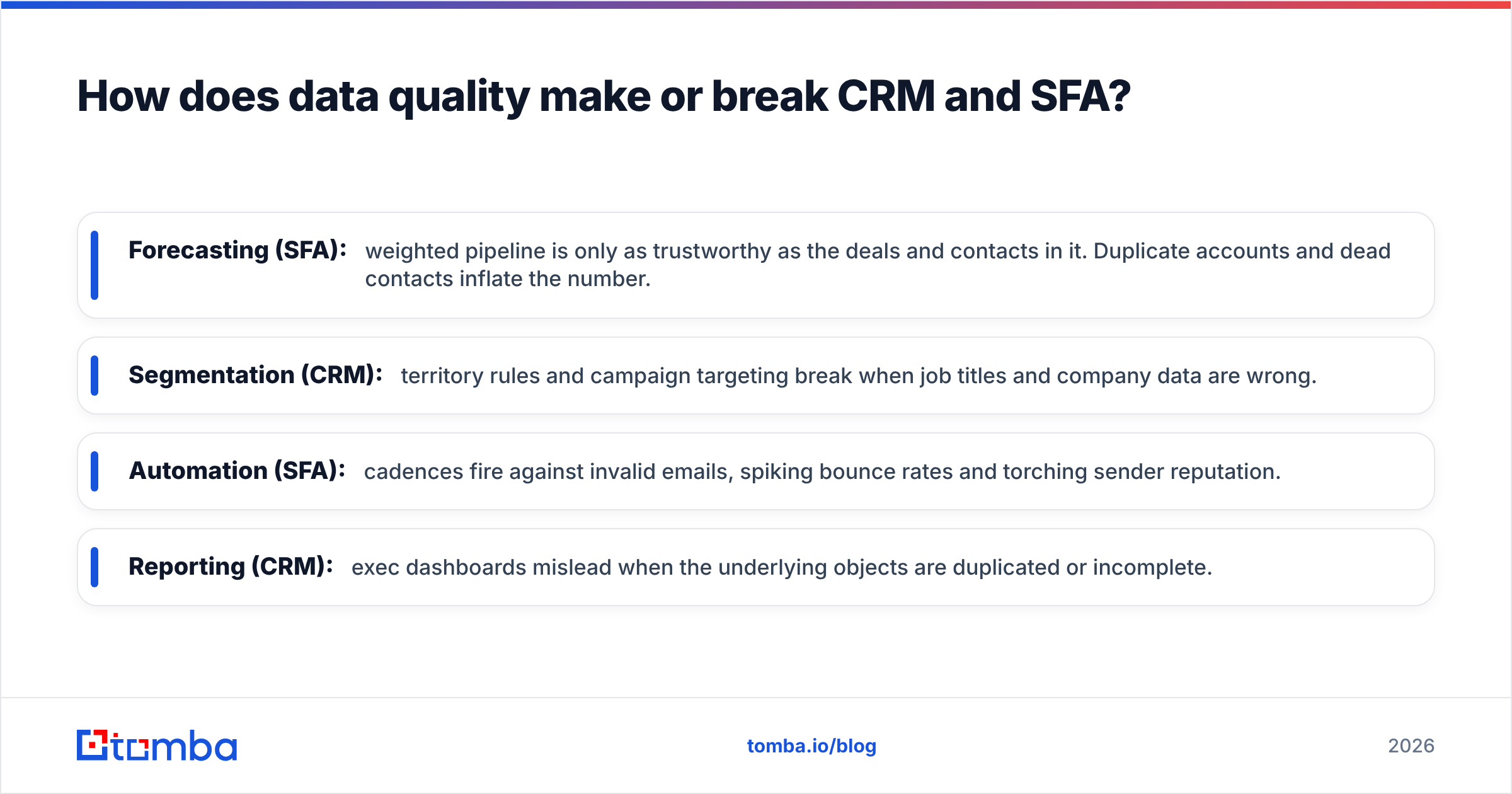
Every CRM and SFA capability sits downstream of one thing: are the records accurate?
- Forecasting (SFA): weighted pipeline is only as trustworthy as the deals and contacts in it. Duplicate accounts and dead contacts inflate the number.
- Segmentation (CRM): territory rules and campaign targeting break when job titles and company data are wrong.
- Automation (SFA): cadences fire against invalid emails, spiking bounce rates and torching sender reputation.
- Reporting (CRM): exec dashboards mislead when the underlying objects are duplicated or incomplete.
This is where a dedicated data layer earns its keep. Before a contact ever lands in your CRM, it should be found accurately and verified. Tomba's email finder locates professional addresses by name and domain, and the email verifier confirms they're deliverable before your SFA automation touches them. Feeding a clean list in beats cleaning a dirty database later.
You can also enrich existing records so your CRM fields stay complete. Data enrichment fills in company size, role, and contact details, which is exactly the metadata your SFA forecasting and CRM segmentation depend on.
Where do CRM and SFA overlap in practice?#
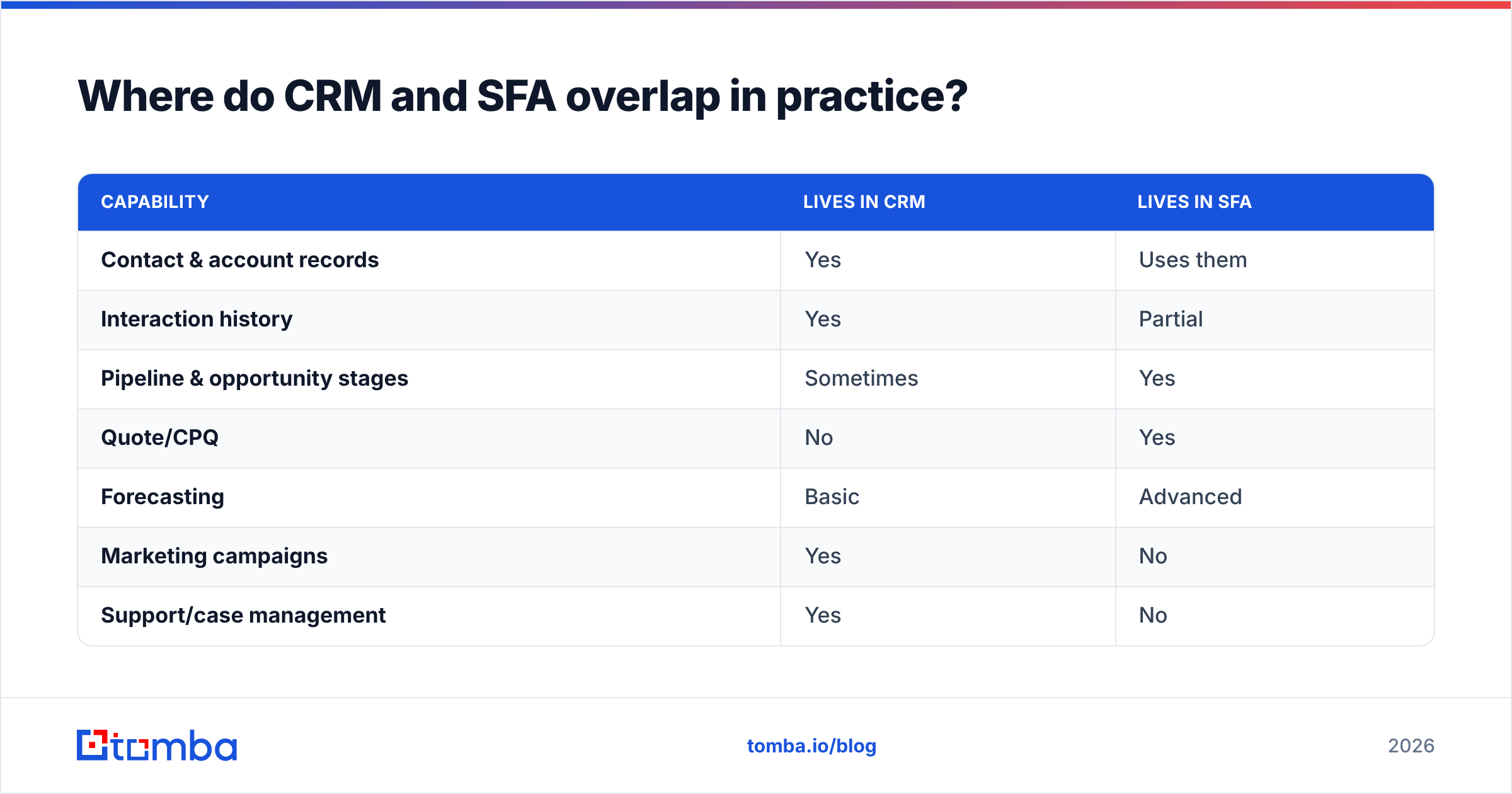
In day-to-day use, the overlap is large. A rep opening their CRM sees SFA features everywhere: the pipeline board, the auto-logged emails, the next-step tasks. They rarely think "this part is CRM, this part is SFA." The categories matter most at the buying and architecture stage, not the daily-use stage.
Here's a rough map of which capabilities sit where:
| Capability | Lives in CRM | Lives in SFA |
|---|---|---|
| Contact & account records | Yes | Uses them |
| Interaction history | Yes | Partial |
| Pipeline & opportunity stages | Sometimes | Yes |
| Quote/CPQ | No | Yes |
| Forecasting | Basic | Advanced |
| Marketing campaigns | Yes | No |
| Support/case management | Yes | No |
| Activity auto-logging | Sometimes | Yes |
The overlap is why integration matters more than category labels. Your email finder, verifier, and enrichment feed should sync into whichever platform holds the records — which is why Tomba connects directly to HubSpot and Salesforce so verified contacts flow straight into the system your reps already live in.
How do you choose the right approach in 2026?#
Start with your primary pain, then work backward to the tooling.
Choose CRM-first when:
- Multiple teams (sales, marketing, support) need one shared customer view.
- Retention, expansion, and lifecycle management are the priority.
- You need exec-level reporting across the full funnel.
- You're building for the long haul and want one system of record.
Lean SFA-heavy when:
- Your bottleneck is rep productivity and manual busywork.
- Forecast accuracy is what leadership is grading you on.
- The sales motion is high-velocity and cadence-driven.
- You already have a lightweight relationship database and just need the selling engine sharpened.
In every case:
- Audit your data first. Run a sample of your existing records through verification and see the bounce rate. If it's high, fix the pipeline before you buy new software.
- Map your success metric to the category that moves it.
- Prioritize integrations over feature checklists — a tool that syncs cleanly with your data sources beats a bloated all-in-one you'll fight.
- Pilot with one team before a company-wide rollout.
- Budget for ongoing data hygiene, not just the software license.
The order matters. Data foundation, then platform, then automation. Teams that reverse it — automation first, data last — are the ones who churn off their CRM in eighteen months blaming "the software."
Frequently asked questions#
Is SFA the same as CRM? No. SFA (Sales Force Automation) automates the sales process specifically, while CRM (Customer Relationship Management) manages relationships across sales, marketing, and support. SFA is usually a module inside a modern CRM.
Do I need both? In 2026, you rarely buy them separately. A major CRM includes SFA capabilities. The real question is how strong the automation and forecasting features are within the CRM you pick.
What breaks CRM and SFA most often? Bad data. Duplicate accounts, stale contacts, and unverified emails undermine forecasting, segmentation, and automation regardless of how good the platform is.
Where does an email finder fit? Upstream of both. You find and verify contacts before they enter the CRM, so the SFA automation and CRM reporting run on accurate records.
The bottom line#
CRM is the relationship system of record; SFA is the automation engine for selling. In modern software they're bundled, so the practical decision isn't "which category" but "how much relationship depth versus automation power do I need — and is my data clean enough for either to work?"
Get the data foundation right first. Find the right contacts, verify they're real, and enrich the records before your CRM or SFA ever touches them. Start free with the Tomba Email Finder — locate and confirm professional emails by name or domain, then push clean, verified contacts straight into your stack. Check the Tomba pricing plans, from the free tier up, and stop forecasting off data you can't trust.
Related guides#
Ready to find emails that actually work?
Join 150,000+ professionals who stopped guessing and started sending. Free credits on signup — no credit card required.
Get the Tomba newsletter
Practical outbound tactics and product updates — once every two weeks.
About the author