CRM Automatic Email Logging: The Complete 2026 Guide
Manual email logging quietly wrecks your CRM data and steals rep selling time. Here's how CRM automatic email logging works, what it costs, and how to set it up right in 2026.
CRM Automatic Email Logging: The Complete 2026 Guide
Every email your team sends is a data point. Who replied, how fast, what was promised, which thread went cold. When that data lands in your CRM automatically, forecasting works and handoffs are clean. When it depends on a rep remembering to click "log to CRM," you're forecasting on fumes.
CRM automatic email logging is the plumbing that decides which of those two worlds you live in. This guide covers what it actually does, the three ways it's implemented, where it breaks, and how to set it up so your data stays trustworthy.
TL;DR#
- CRM automatic email logging captures inbound and outbound emails and attaches them to the right contact, company, and deal record without a rep lifting a finger.
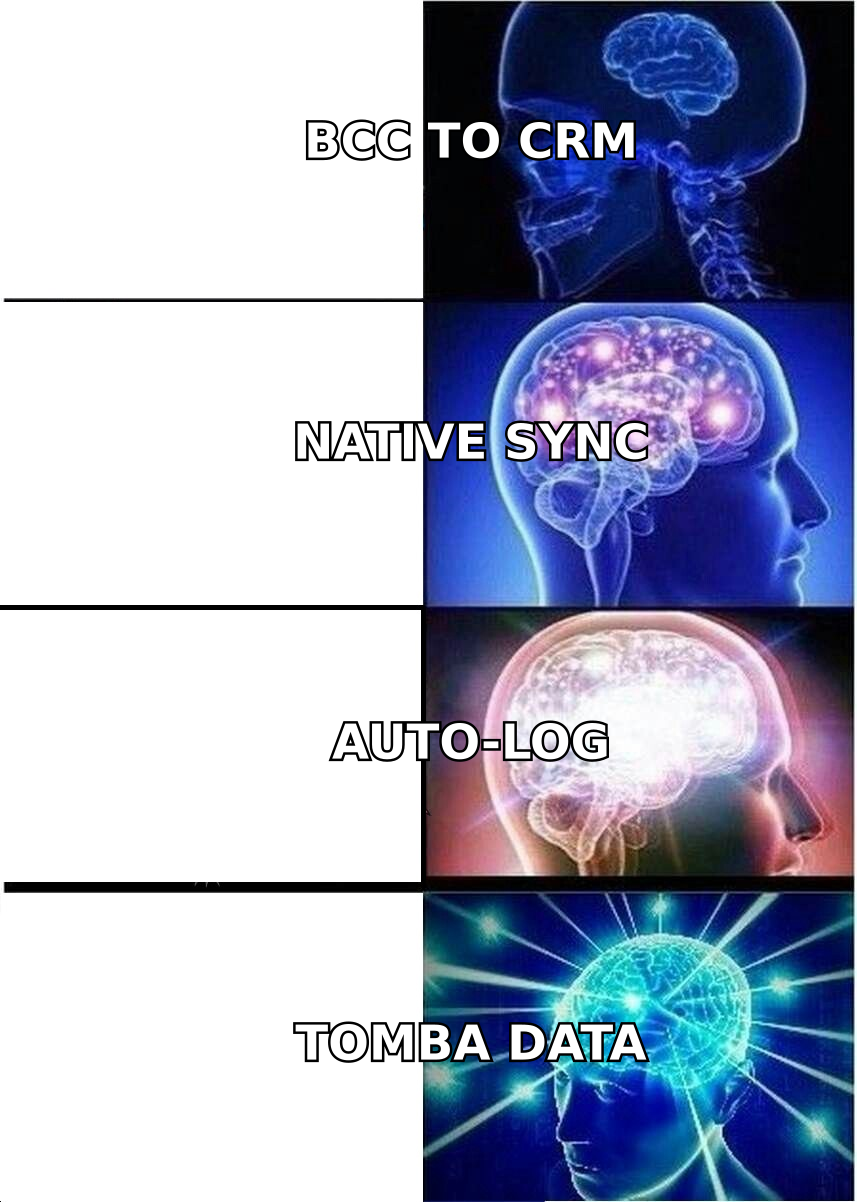
- There are three common methods: BCC-to-CRM, native inbox sync (OAuth), and API/enrichment-driven logging. Native sync wins for most teams.
- The real cost of manual logging isn't time — it's the silent gaps that corrupt reporting, attribution, and forecasts.
- Logging is only as good as the contact record behind it. If the email isn't matched to a verified, enriched contact, you get orphaned activity.
- Set it up with clear match rules, privacy guardrails, and a plan for personal-email and multi-thread edge cases.
What is CRM automatic email logging?#
CRM automatic email logging is a system that watches your team's email traffic and files each message against the correct record in your CRM — the contact, the account, and the open opportunity — with no manual copy-paste.
Think of it like a mailroom clerk who reads every envelope, knows exactly which folder it belongs in, and never takes a lunch break. A human clerk gets tired and misfiles things. Automated logging applies the same matching rule to message one and message one million.
Under the hood, the system does three jobs on every email:
- Capture — intercept the message (via BCC address, inbox API, or mail server hook).
- Match — resolve the sender/recipient address to an existing CRM contact, or create one.
- Associate — link the logged activity to the right company and deal, and stamp it with timestamp, direction, and thread ID.
The match step is where most of the value — and most of the failure — lives. An email logged against the wrong contact, or against no contact at all, is worse than no logging, because it looks like signal and behaves like noise.
Why does manual email logging quietly break your CRM?#
Manual logging fails for a boring, human reason: reps are paid to close, not to do data entry. Under quota pressure, logging is the first task to slip. Studies of CRM adoption consistently show reps spend a large slice of the week on non-selling admin, and email logging is a repeat offender.
The damage isn't the missing minutes. It's what the gaps do to everything downstream:
- Broken activity metrics. If only 60% of emails get logged, your "emails per rep" and "response time" dashboards are fiction. You can't coach what you can't see.
- Wrong forecasts. A deal looks stalled in the CRM because the three emails that moved it forward were never logged. RevOps flags it as at-risk; it was actually about to close.
- Painful handoffs. When an AE leaves or a lead is reassigned, the new owner inherits a record with holes. They re-ask questions the prospect already answered.
- Attribution blind spots. Marketing can't tie influenced pipeline to touches it never sees.
This is the case for treating logging as infrastructure, not a habit. Habits decay. Infrastructure runs whether or not anyone's paying attention. If you want to go deeper on how activity data feeds pipeline health, our primer on revenue operations covers where logging sits in the wider RevOps stack.
How does CRM automatic email logging actually work? (3 methods)#
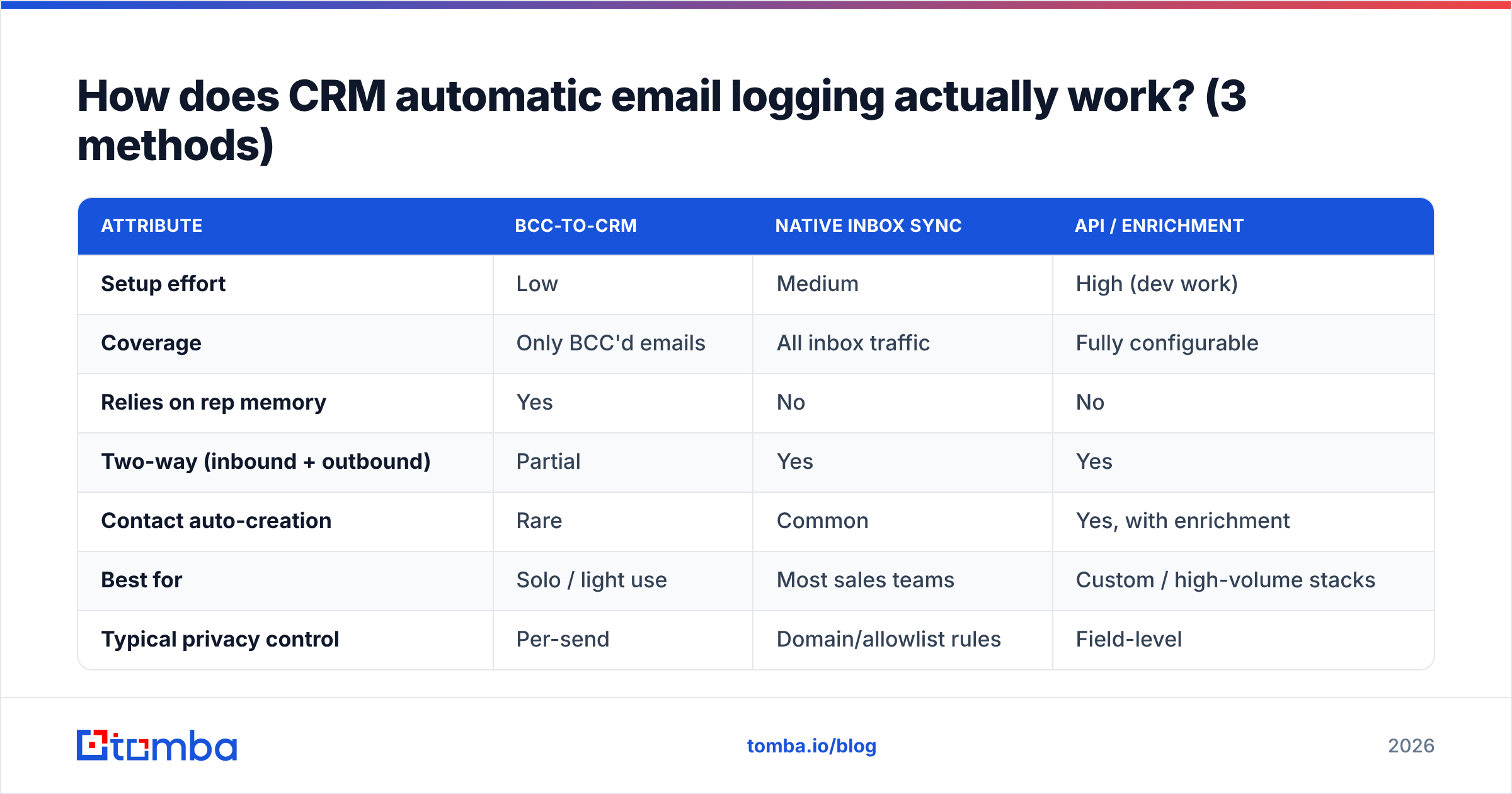
There are three mainstream ways to wire this up, and they differ sharply in coverage, privacy, and setup effort.
- BCC-to-CRM address. Your CRM gives you a unique dropbox address (e.g.
you.a1b2c3@yourcrm.com). BCC or forward it and the email logs. Zero OAuth, works with any mail client, but only captures what the rep remembers to BCC — so it reintroduces the exact human gap you were trying to remove. - Native inbox sync (OAuth). You grant the CRM read access to Gmail or Outlook via OAuth. It then logs every relevant message automatically, both directions, including replies you never think about. This is the default for HubSpot and Salesforce users and the best coverage-to-effort ratio.
- API / enrichment-driven logging. For custom stacks, an email or engagement API pushes message metadata into the CRM, often paired with a data-enrichment step that guarantees each address maps to a complete, verified contact before the activity is written.
Here's how the three stack up:
| Attribute | BCC-to-CRM | Native inbox sync | API / enrichment |
|---|---|---|---|
| Setup effort | Low | Medium | High (dev work) |
| Coverage | Only BCC'd emails | All inbox traffic | Fully configurable |
| Relies on rep memory | Yes | No | No |
| Two-way (inbound + outbound) | Partial | Yes | Yes |
| Contact auto-creation | Rare | Common | Yes, with enrichment |
| Best for | Solo / light use | Most sales teams | Custom / high-volume stacks |
| Typical privacy control | Per-send | Domain/allowlist rules | Field-level |
For most teams the answer is native sync with a tight allowlist. For teams running a custom data layer or ingesting emails at high volume, the API route pays for itself because it can enforce that no activity is logged against an unverified contact.
Where does automatic logging go wrong — and how do you prevent it?#
Automation removes the "forgot to log" failure but introduces new, sneakier ones. Plan for these before rollout, not after your reports look weird.
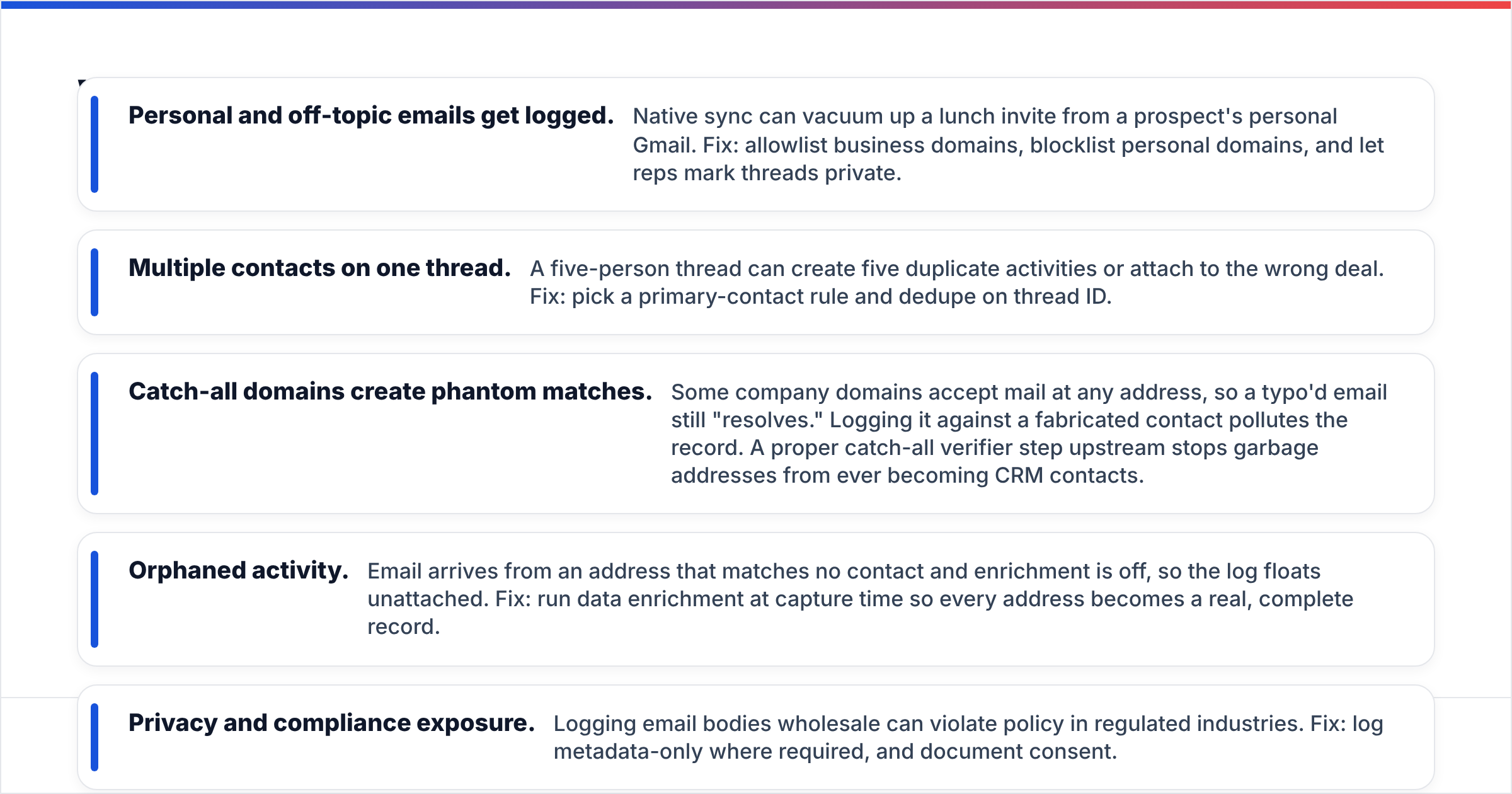
- Personal and off-topic emails get logged. Native sync can vacuum up a lunch invite from a prospect's personal Gmail. Fix: allowlist business domains, blocklist personal domains, and let reps mark threads private.
- Multiple contacts on one thread. A five-person thread can create five duplicate activities or attach to the wrong deal. Fix: pick a primary-contact rule and dedupe on thread ID.
- Catch-all domains create phantom matches. Some company domains accept mail at any address, so a typo'd email still "resolves." Logging it against a fabricated contact pollutes the record. A proper catch-all verifier step upstream stops garbage addresses from ever becoming CRM contacts.
- Orphaned activity. Email arrives from an address that matches no contact and enrichment is off, so the log floats unattached. Fix: run data enrichment at capture time so every address becomes a real, complete record.
- Privacy and compliance exposure. Logging email bodies wholesale can violate policy in regulated industries. Fix: log metadata-only where required, and document consent.
The through-line: automatic logging is only as good as the contact data behind it. Garbage in, garbage logged. This is why the smartest setups treat verification and enrichment as part of the logging pipeline, not a separate afterthought.
How do the main CRMs compare on automatic email logging?#
You rarely pick a CRM for its logging alone, but the differences are real and worth knowing before you commit a team to one.
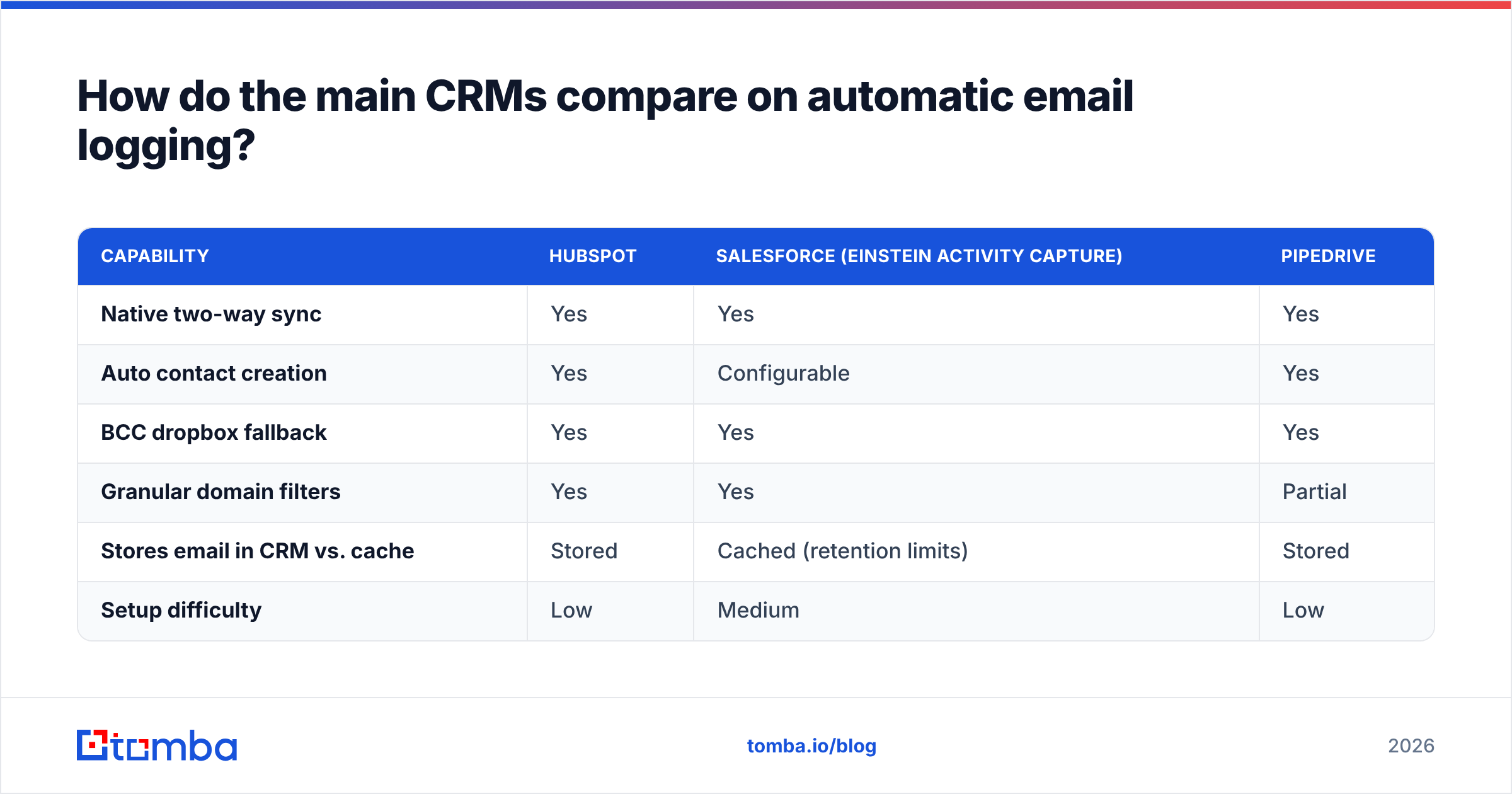
| Capability | HubSpot | Salesforce (Einstein Activity Capture) | Pipedrive |
|---|---|---|---|
| Native two-way sync | Yes | Yes | Yes |
| Auto contact creation | Yes | Configurable | Yes |
| BCC dropbox fallback | Yes | Yes | Yes |
| Granular domain filters | Yes | Yes | Partial |
| Stores email in CRM vs. cache | Stored | Cached (retention limits) | Stored |
| Setup difficulty | Low | Medium | Low |
One nuance that surprises teams: Salesforce's Einstein Activity Capture historically cached captured emails with retention windows rather than writing them as permanent records, which affects long-term reporting. Verify the current behavior for your edition before assuming logged means kept. For an outside read on how buyers rate these platforms, G2 aggregates thousands of hands-on reviews.
If you connect Tomba to your stack, both the HubSpot integration and the Salesforce integration let you enrich and verify contacts as they're created, so the record your emails log against is complete from day one.
How do you set up CRM automatic email logging the right way?#
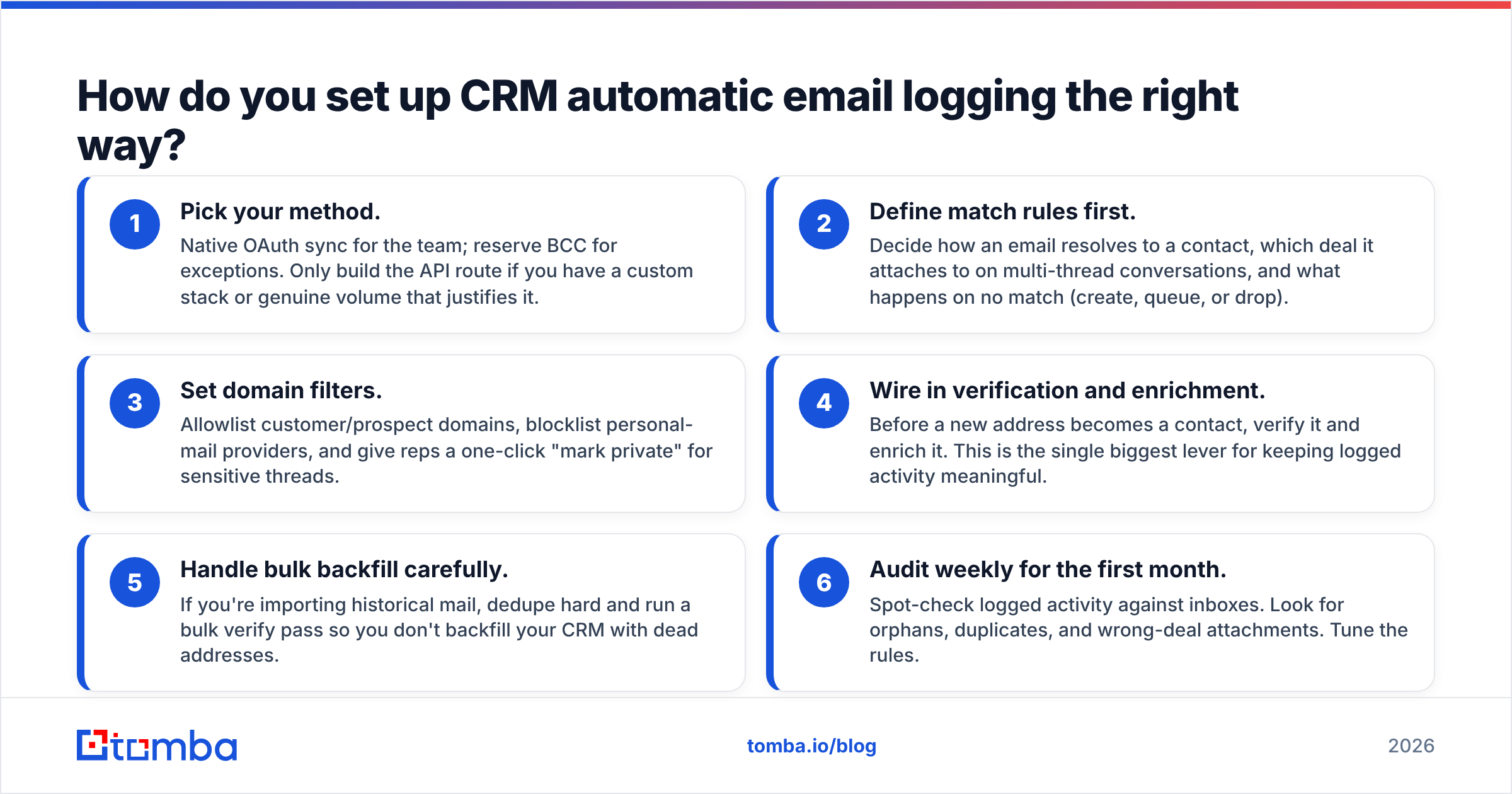
A clean rollout takes an afternoon of decisions and prevents months of dirty data. Work through these in order:
- Pick your method. Native OAuth sync for the team; reserve BCC for exceptions. Only build the API route if you have a custom stack or genuine volume that justifies it.
- Define match rules first. Decide how an email resolves to a contact, which deal it attaches to on multi-thread conversations, and what happens on no match (create, queue, or drop).
- Set domain filters. Allowlist customer/prospect domains, blocklist personal-mail providers, and give reps a one-click "mark private" for sensitive threads.
- Wire in verification and enrichment. Before a new address becomes a contact, verify it and enrich it. This is the single biggest lever for keeping logged activity meaningful.
- Handle bulk backfill carefully. If you're importing historical mail, dedupe hard and run a bulk verify pass so you don't backfill your CRM with dead addresses.
- Audit weekly for the first month. Spot-check logged activity against inboxes. Look for orphans, duplicates, and wrong-deal attachments. Tune the rules.
Notice that steps 4 and 5 are data-quality steps, not logging steps. That's deliberate. The teams that get clean logs are the ones who fixed the contact layer first.
Does automatic logging replace good contact data?#
No — and this is the point most teams miss. Automatic logging is a distribution system. It moves email activity to the right shelf. It does not create the shelf, verify the address on it, or fill in the job title, company, and phone number that make the record useful.
If the underlying contact is a bare email with no name or company, your logged emails attach to a stub. You'll see "3 emails sent" with no idea who to, at what account, in what role. The activity is technically captured and practically worthless.
That's why logging and enrichment belong together. When a new address enters your world, you want to know it's real, whose it is, and everything else worth knowing — before the first email logs against it. Tools like the Tomba Email Finder and email verifier sit upstream of the CRM and make sure every record your logging system touches is a complete, deliverable contact rather than a placeholder. Curious about coverage and plans? Check the current Tomba pricing.
Frequently asked questions#
Does automatic email logging slow down my inbox? No. Native sync runs server-side through OAuth, so it doesn't add latency to sending or receiving. You won't notice it operating.
Will it log emails I don't want in the CRM? It can, if you don't configure filters. Set domain allowlists and blocklists, and enable per-thread private marking. That confines logging to genuine business conversations.
Is BCC-to-CRM good enough for a small team? For a one- or two-person operation with light volume, it's a fine start. The moment coverage matters — accurate metrics, clean handoffs — switch to native sync, because BCC depends on memory.
What happens when an email has no matching contact? That's your choice in the match rules: auto-create with enrichment, queue for review, or drop. Auto-create with verification is usually best, so the record is real and complete rather than a bare stub.
Does logging capture attachments and full email bodies? Depends on the CRM and your settings. Some store the full body, others metadata only. In regulated environments, log metadata-only and document consent.
The bottom line#
CRM automatic email logging turns your team's email traffic from scattered, forgettable activity into structured pipeline data — but only when it's built on verified, enriched contacts. Get the data layer right and logging quietly makes your forecasts, handoffs, and coaching sharper. Skip it and you've just automated the creation of orphaned, mismatched records at scale.
Start where the leverage is highest: the contact itself. Use the Tomba Email Finder to find and verify professional email addresses, then enrich them before they ever hit your CRM. When your logging system files those emails, it files them against real people at real companies — and your pipeline data finally tells the truth. Spin up a free account (25 searches a month, no card) and clean the source before you automate the flow.
Related guides#
Ready to find emails that actually work?
Join 150,000+ professionals who stopped guessing and started sending. Free credits on signup — no credit card required.
Get the Tomba newsletter
Practical outbound tactics and product updates — once every two weeks.
About the author