CRM Automation Software in 2026: The Complete, No-Fluff Guide
CRM automation software promises to run your pipeline on autopilot — but only if the data feeding it is clean. Here's what actually to automate, what to skip, and how to pick a tool in 2026.
CRM automation software is supposed to give your team its time back — no more copy-pasting leads, updating stages by hand, or forgetting the third follow-up. Done right, it does exactly that. Done wrong, it just moves bad data around faster.
This guide is a neutral walkthrough: what CRM automation actually covers in 2026, which workflows are worth automating, which are traps, how the major tools compare, and the one prerequisite nobody puts on the sales page — the quality of the data you're automating on.
TL;DR#
- CRM automation software removes manual data entry, routing, follow-up, and reporting from your revenue workflow so reps sell instead of typing.
- The biggest ROI comes from three plays: lead capture + enrichment, routing/assignment, and sequenced follow-up — not from fancy AI dashboards.
- Tool prices range from free (HubSpot starter tiers) to $150+/user/month (enterprise Salesforce); the real cost is implementation and clean data.
- Automation multiplies whatever data you feed it. Garbage in, garbage out — at scale.
- Pair your CRM with a reliable data enrichment source so automated workflows fire on accurate contact records, not guesses.
What is CRM automation software?#
CRM automation software is a layer inside (or bolted onto) your customer relationship management system that performs repetitive revenue tasks without a human clicking every button. Think of it as the difference between a dishwasher and washing every plate by hand — same outcome, a fraction of the labor, and it runs while you do something valuable.
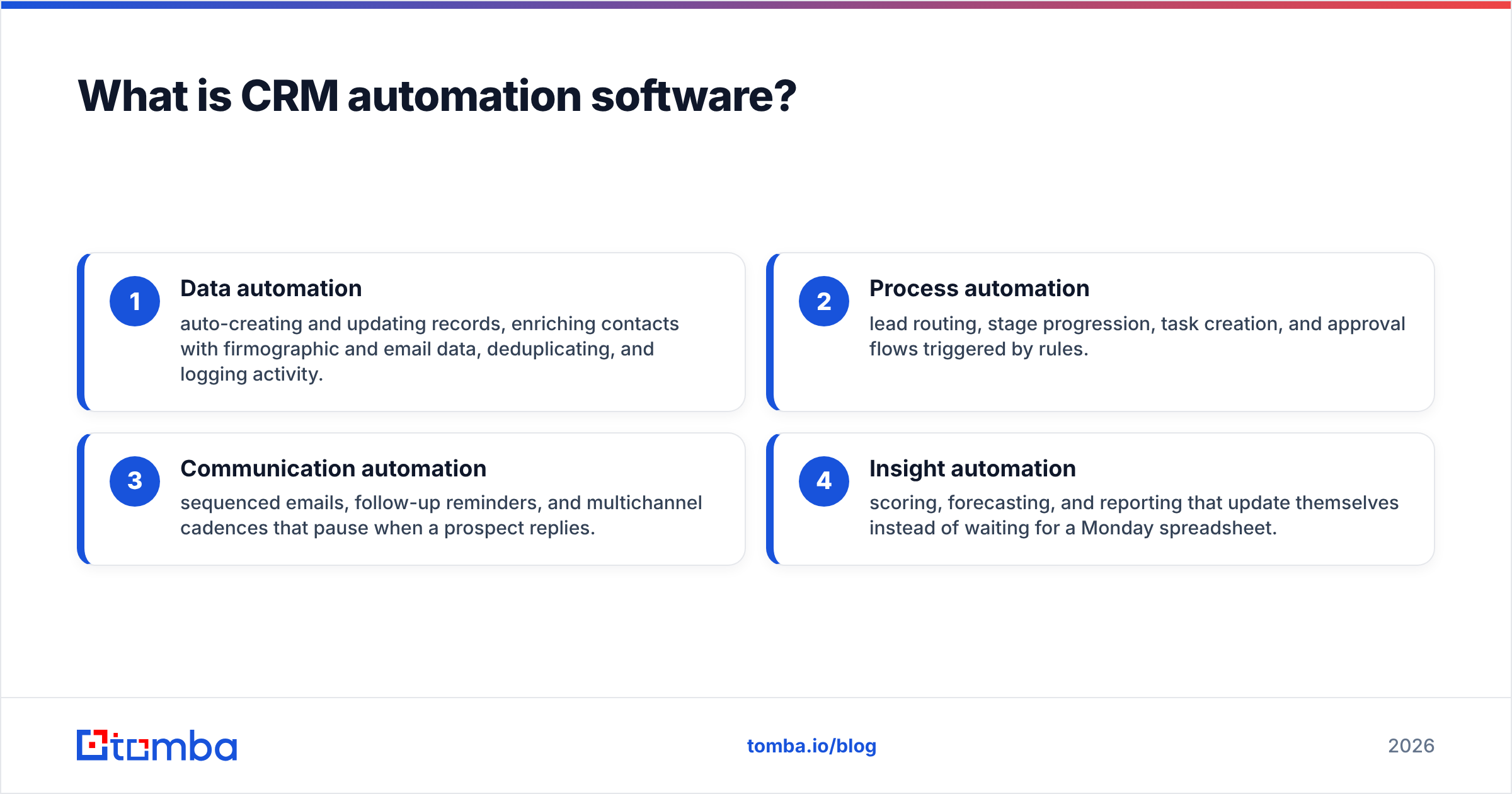
In practice, "automation" spans four buckets:
- Data automation — auto-creating and updating records, enriching contacts with firmographic and email data, deduplicating, and logging activity.
- Process automation — lead routing, stage progression, task creation, and approval flows triggered by rules.
- Communication automation — sequenced emails, follow-up reminders, and multichannel cadences that pause when a prospect replies.
- Insight automation — scoring, forecasting, and reporting that update themselves instead of waiting for a Monday spreadsheet.
The category overlaps heavily with sales automation more broadly, but the CRM is the system of record — so CRM automation is where the other tools plug in and where the data ultimately lives.
Which CRM workflows are actually worth automating?#
Not everything should be automated. Some tasks are cheap to do by hand and expensive to get wrong on autopilot. Here's an honest split.
Automate these — high volume, rule-based, low judgment:
- Lead capture and enrichment. When a form is filled or a list is uploaded, auto-append the missing email, title, company size, and phone. This is the single highest-leverage automation because every downstream step depends on it.
- Lead routing and assignment. Round-robin, territory, or account-based rules beat "whoever grabs it first" every time.
- Follow-up sequences. A cadence that fires day 1, 3, 7, and 14 — and stops the instant someone replies — recovers deals reps forget.
- Activity logging. Email opens, calls, and meetings syncing to the timeline automatically. No rep enjoys this, and none do it reliably by hand.
- Deal-stage hygiene. Auto-flagging stale deals or moving stages when a contract is signed.
Keep a human in the loop — high judgment, high stakes:
- Discovery and qualification calls. No rule replaces a conversation.
- Custom proposals and pricing exceptions. Automate the reminder, not the decision.
- Breakup and re-engagement messaging. Tone matters; a mistimed automated "just checking in" can burn a warm account.
The pattern: automate the plumbing, keep the persuasion human. Teams that automate persuasion end up with high send volume and low reply rates — busy, not effective.
How do the top CRM automation tools compare in 2026?#
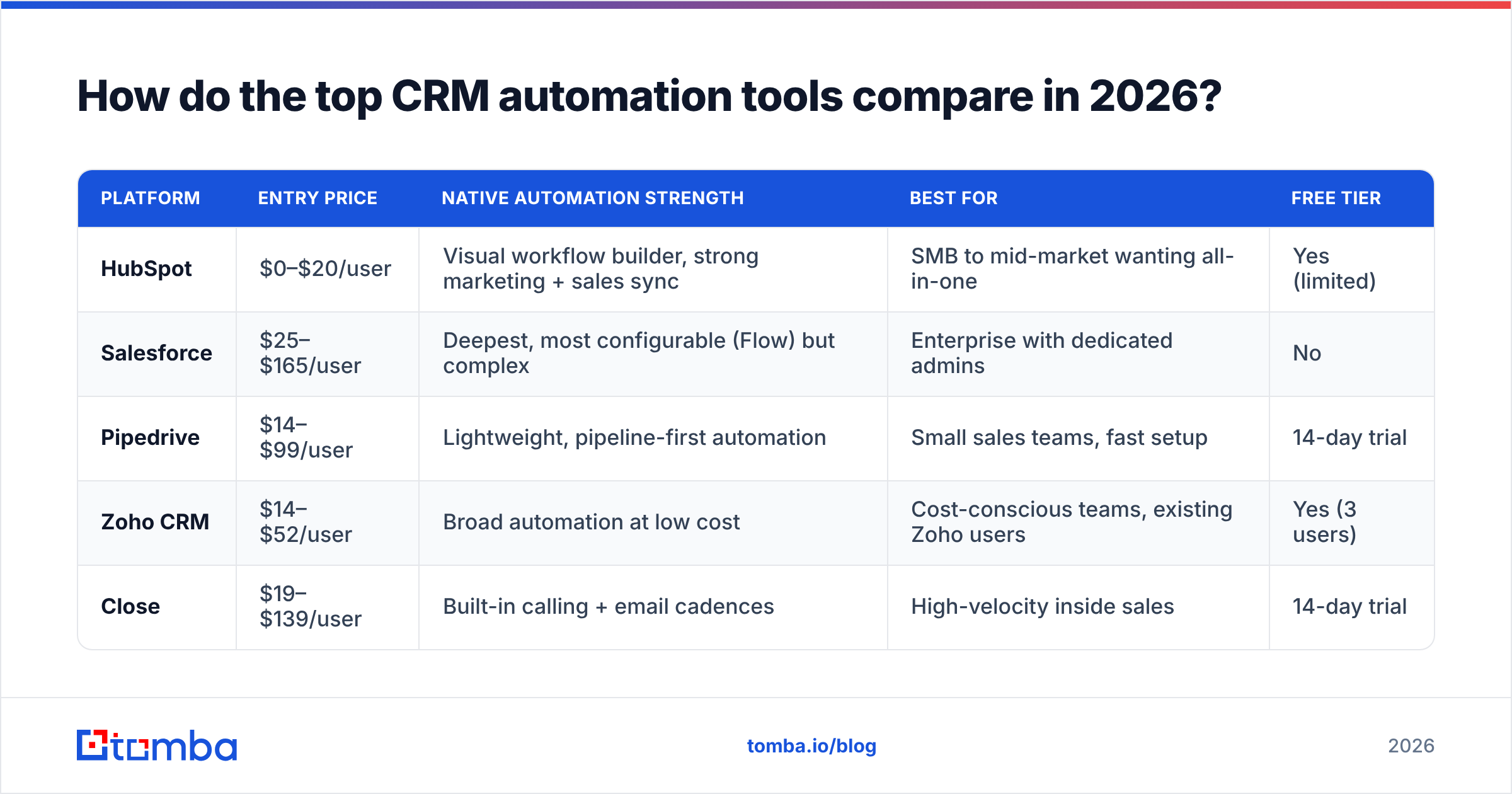
Below is a neutral comparison of the platforms most teams evaluate. Pricing is per user per month on annual billing and reflects published 2026 tiers; always confirm current numbers on each vendor's site, since they change often.
| Platform | Entry price | Native automation strength | Best for | Free tier |
|---|---|---|---|---|
| HubSpot | $0–$20/user | Visual workflow builder, strong marketing + sales sync | SMB to mid-market wanting all-in-one | Yes (limited) |
| Salesforce | $25–$165/user | Deepest, most configurable (Flow) but complex | Enterprise with dedicated admins | No |
| Pipedrive | $14–$99/user | Lightweight, pipeline-first automation | Small sales teams, fast setup | 14-day trial |
| Zoho CRM | $14–$52/user | Broad automation at low cost | Cost-conscious teams, existing Zoho users | Yes (3 users) |
| Close | $19–$139/user | Built-in calling + email cadences | High-velocity inside sales | 14-day trial |
A few honest caveats the pricing pages won't lead with:
- The sticker price is the smallest cost. Implementation, admin time, and integrations often dwarf license fees. Salesforce is powerful precisely because it's configurable, which means someone has to configure it.
- "Unlimited automation" usually isn't. Most tiers cap active workflows, custom fields, or API calls. Read the limits table, not the headline.
- Native ≠ best. A CRM's built-in automation handles internal logic well but is often weak at sourcing fresh, accurate contact data — which is exactly where a dedicated enrichment layer earns its keep.
For teams already committed to a stack, connecting a data source directly matters more than the CRM brand. Tomba offers native HubSpot integration and Salesforce integration so enrichment happens inside the CRM you already use.
Why does data quality decide whether CRM automation pays off?#
Here's the truth that turns a slick automation demo into either a growth engine or an expensive mistake: automation amplifies your data, it does not fix it.
If 20% of your contact records have a wrong or outdated email, a manual process quietly absorbs that — a rep notices the bounce and moves on. Automate the same process and you now send thousands of messages to dead addresses at machine speed. The result is predictable and painful:
- Bounce rates spike, dragging down your sender reputation.
- Deliverability collapses for the good addresses too, because mailbox providers judge the whole domain.
- Reps chase ghosts — automated tasks generated from junk records waste real selling hours.
- Reports lie — dashboards built on incomplete records forecast confidently and wrongly.
According to industry surveys aggregated on G2, poor data quality is one of the most-cited reasons CRM initiatives underdeliver — not the software, the inputs. HubSpot's own research has repeatedly flagged data decay (people change jobs, companies rebrand) as a silent tax on every automated workflow.
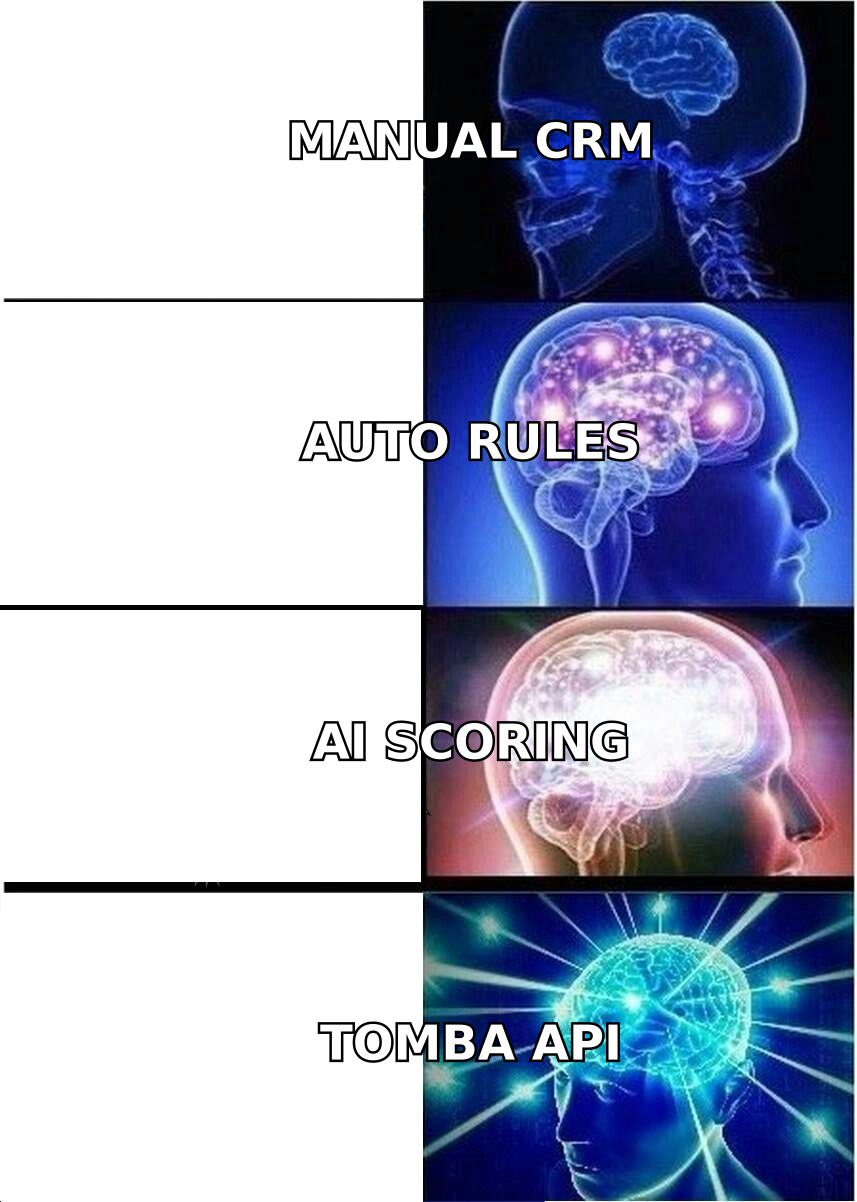
The fix is not to slow down. It's to put a quality gate in front of the automation:
- Enrich at capture. The moment a lead enters, append and verify the email, title, and company data.
- Verify before you send. Run addresses through an email verifier so automated sequences never hit invalid or risky mailboxes.
- Re-enrich on a schedule. Contacts decay ~2–3% per month; refresh stale records rather than trusting a two-year-old field.
How do you build a clean CRM automation stack step by step?#
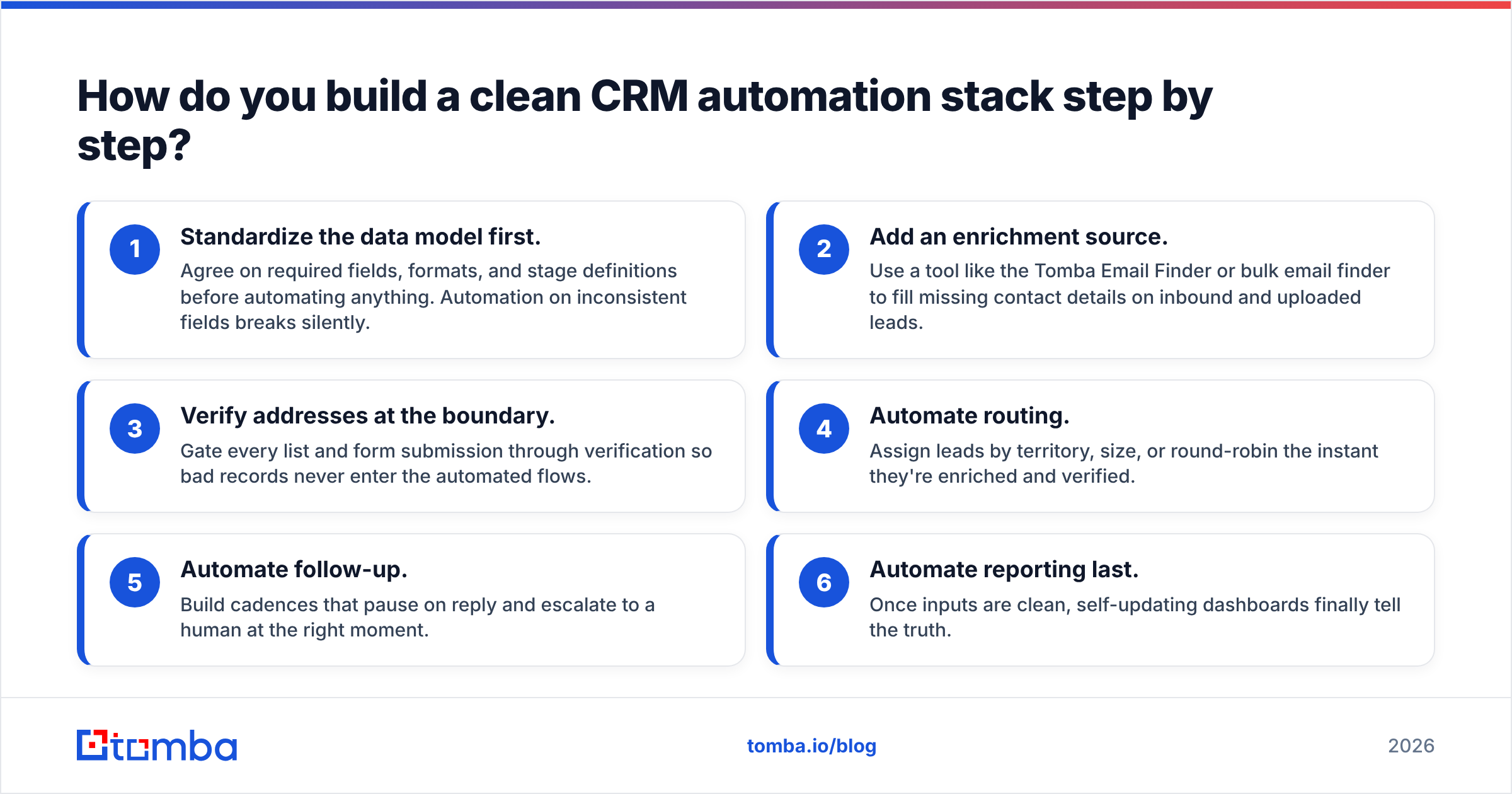
You don't need every feature on day one. Layer capabilities in order of leverage:
- Standardize the data model first. Agree on required fields, formats, and stage definitions before automating anything. Automation on inconsistent fields breaks silently.
- Add an enrichment source. Use a tool like the Tomba Email Finder or bulk email finder to fill missing contact details on inbound and uploaded leads.
- Verify addresses at the boundary. Gate every list and form submission through verification so bad records never enter the automated flows.
- Automate routing. Assign leads by territory, size, or round-robin the instant they're enriched and verified.
- Automate follow-up. Build cadences that pause on reply and escalate to a human at the right moment.
- Automate reporting last. Once inputs are clean, self-updating dashboards finally tell the truth.
Notice that four of the six steps are about data, not workflows. That ratio is the whole point. Connect the pieces with a workflow layer like Zapier or Make.com if your CRM's native automation can't reach a tool you need.
What does CRM automation cost — really?#
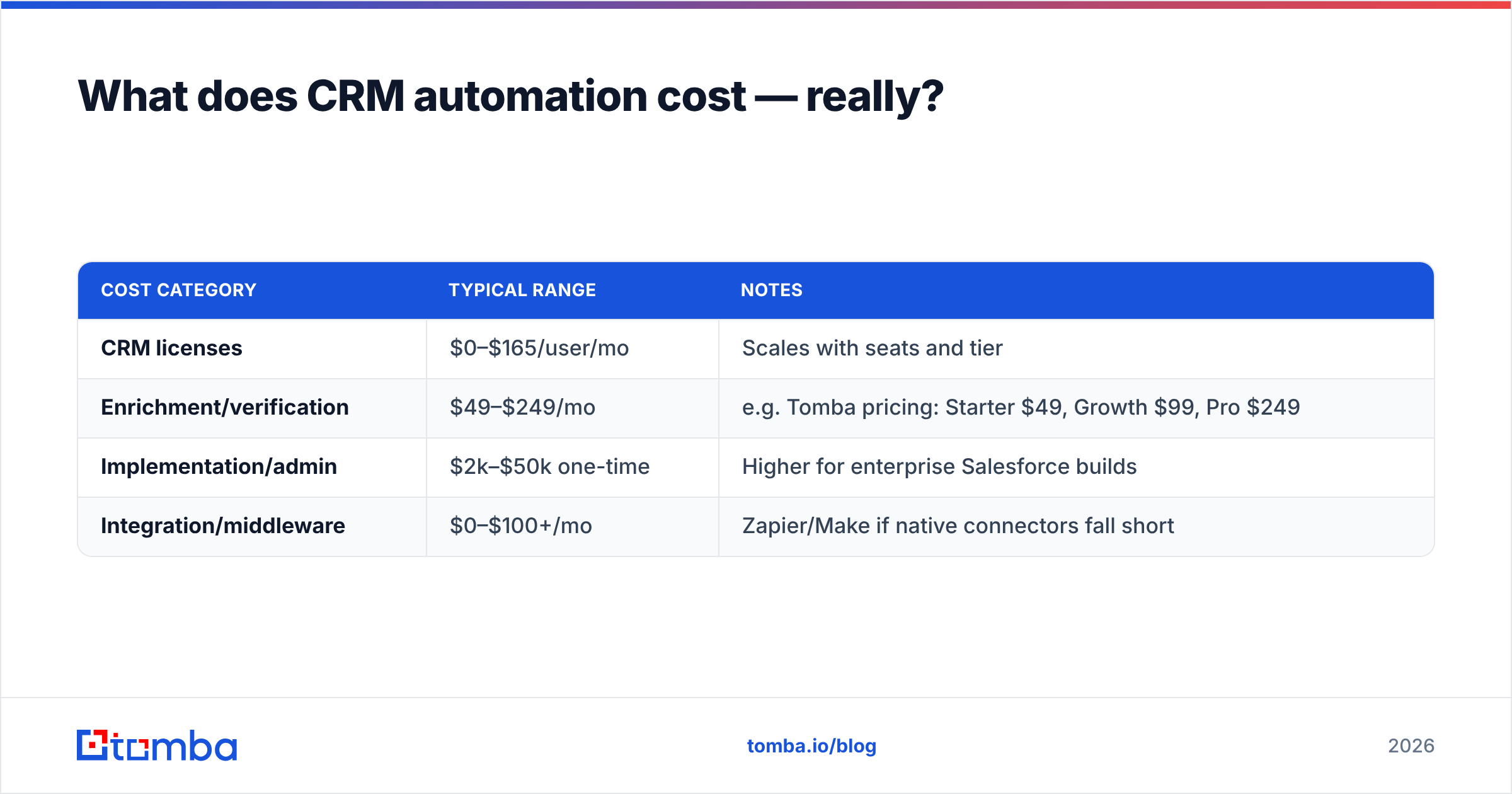
Budget for four line items, not one:
| Cost category | Typical range | Notes |
|---|---|---|
| CRM licenses | $0–$165/user/mo | Scales with seats and tier |
| Enrichment/verification | $49–$249/mo | e.g. Tomba pricing: Starter $49, Growth $99, Pro $249 |
| Implementation/admin | $2k–$50k one-time | Higher for enterprise Salesforce builds |
| Integration/middleware | $0–$100+/mo | Zapier/Make if native connectors fall short |
The counterintuitive takeaway: the cheapest way to make expensive CRM automation pay off is to spend a little on data quality up front. A $49/month enrichment layer that keeps your automated sequences hitting real inboxes protects the value of every other dollar in the stack. Skimp there and you're paying for automation that reliably does the wrong thing.
Do you need a separate enrichment tool, or is native automation enough?#
Short answer: native automation handles logic; you almost always want a dedicated tool for data.
CRMs are excellent at "if stage = X, then do Y." They are not built to find a decision-maker's verified work email from a company domain, append firmographics, or check whether an address is a catch-all. That's a specialized job, and specialized tools do it more accurately and cheaply than a CRM's add-on data marketplace.
A practical division of labor:
- CRM owns: records, stages, tasks, routing rules, reporting.
- Enrichment tool owns: finding, verifying, and refreshing contact data — via domain search, email finder, and catch-all verifier — then pushing clean records into the CRM.
That separation keeps each system doing what it's best at, and it means switching CRMs later doesn't cost you your data pipeline.
Final verdict: is CRM automation software worth it in 2026?#
Yes — with one condition. CRM automation software is one of the highest-ROI investments a revenue team can make when the data underneath it is accurate. Automate routing, follow-up, and reporting, keep judgment calls human, and treat data quality as a first-class part of the stack rather than an afterthought.
Get the sequence right and you free your reps to sell. Get it backward — automating on stale, unverified records — and you've just built a faster way to waste everyone's time.
Start with the data. Use the Tomba Email Finder to find and verify professional emails by domain, name, or company, then push clean, enriched records straight into HubSpot, Salesforce, or Pipedrive. Automation is only as smart as the data it runs on — feed it good data, and the rest of your CRM finally works the way the demo promised. Explore Tomba pricing to see which plan fits your volume.
Related guides#
Ready to find emails that actually work?
Join 150,000+ professionals who stopped guessing and started sending. Free credits on signup — no credit card required.
Get the Tomba newsletter
Practical outbound tactics and product updates — once every two weeks.
About the author