CRM Company Guide: How to Pick the Right CRM in 2026
Not sure which CRM company actually fits your sales team? This no-fluff 2026 guide compares the major vendors, real pricing, hidden costs, and how to keep your CRM full of clean, usable data.
Picking a CRM company is less about the software demo and more about what happens 18 months later — the seat costs, the data decay, and whether your reps actually log anything. This guide skips the vendor spin and shows you how to choose a CRM company that fits how your team really sells.
TL;DR#
- A CRM company sells the platform that stores your contacts, deals, and pipeline — but the platform is only as good as the data you feed it.
- The big four (Salesforce, HubSpot, Pipedrive, Zoho) cover most B2B use cases; the right pick depends on team size, budget, and how much you want to customize.
- Hidden costs — per-seat pricing, add-ons, implementation, and data cleanup — often double the sticker price.
- An empty or dirty CRM kills ROI faster than picking the "wrong" vendor. Enrichment and verified contact data matter more than feature checklists.
- Use a dedicated email finder and data enrichment layer to keep whatever CRM you choose full of accurate, actionable records.
What is a CRM company, and what does it actually sell?#
A CRM company builds and sells customer relationship management software — the system of record where your sales, marketing, and support teams track every contact, deal, and interaction. Think of it as the shared memory of your revenue team: instead of deals living in one rep's inbox and forecasts living in a spreadsheet, everything sits in one place.
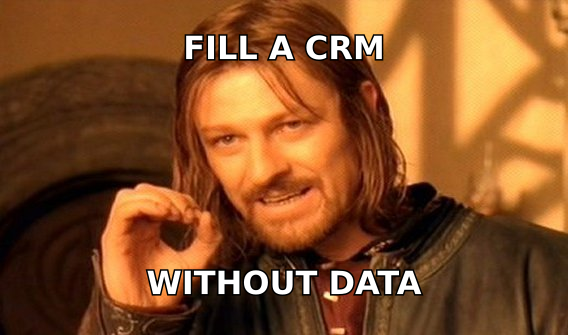
But here's the part vendors gloss over: the CRM is a container. It doesn't generate leads, verify emails, or find phone numbers on its own. If you want a plain-English primer on the category, the CRM glossary entry breaks down the core concepts. What a CRM company gives you is structure. What you put inside that structure is on you.
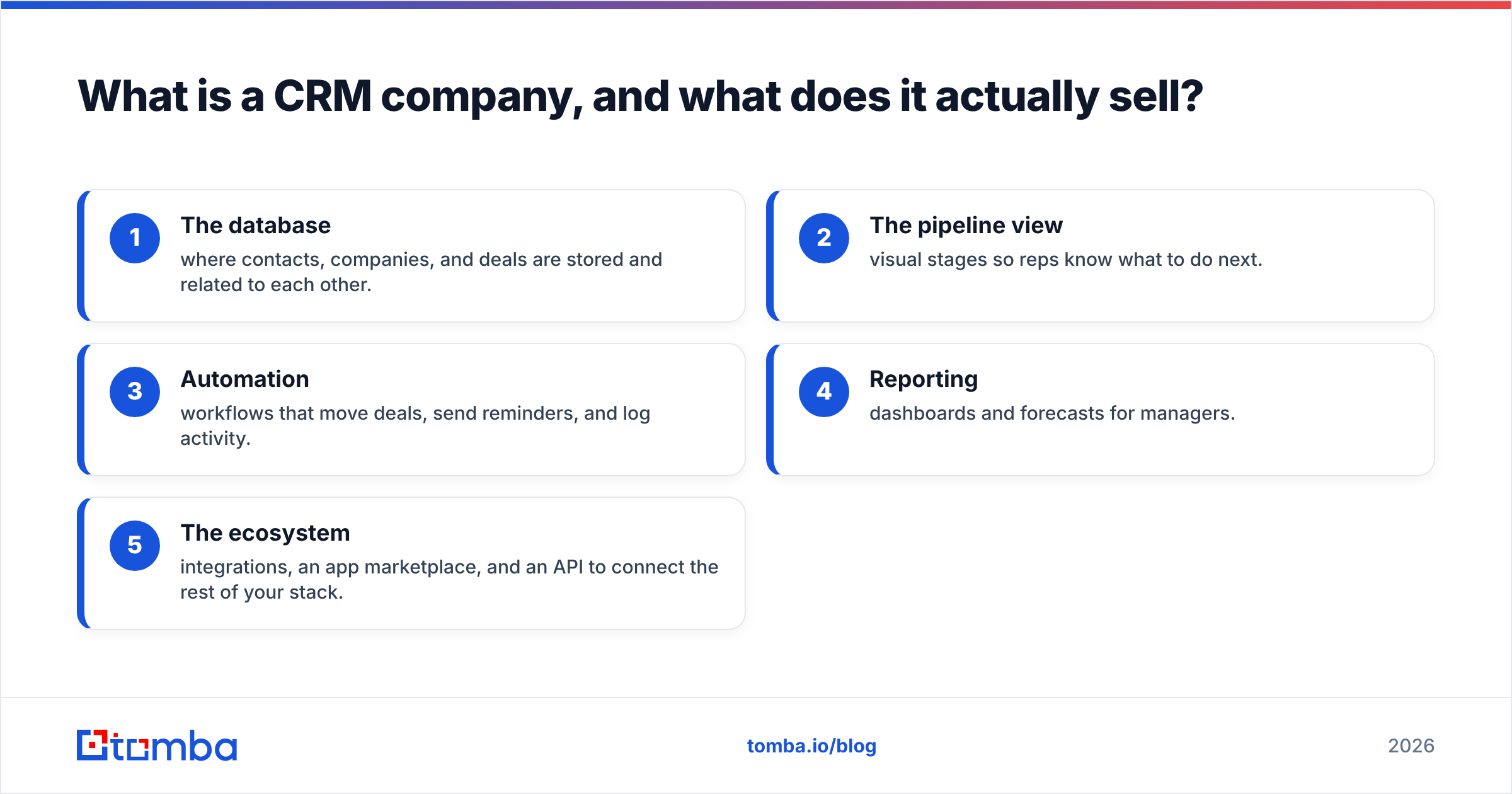
When you evaluate a CRM company, you're really buying five things:
- The database — where contacts, companies, and deals are stored and related to each other.
- The pipeline view — visual stages so reps know what to do next.
- Automation — workflows that move deals, send reminders, and log activity.
- Reporting — dashboards and forecasts for managers.
- The ecosystem — integrations, an app marketplace, and an API to connect the rest of your stack.
Weight those five by what your team is weakest at today. A small team that lives in email needs a light pipeline and good sync, not an enterprise forecasting engine.
Which CRM company is right for your team?#
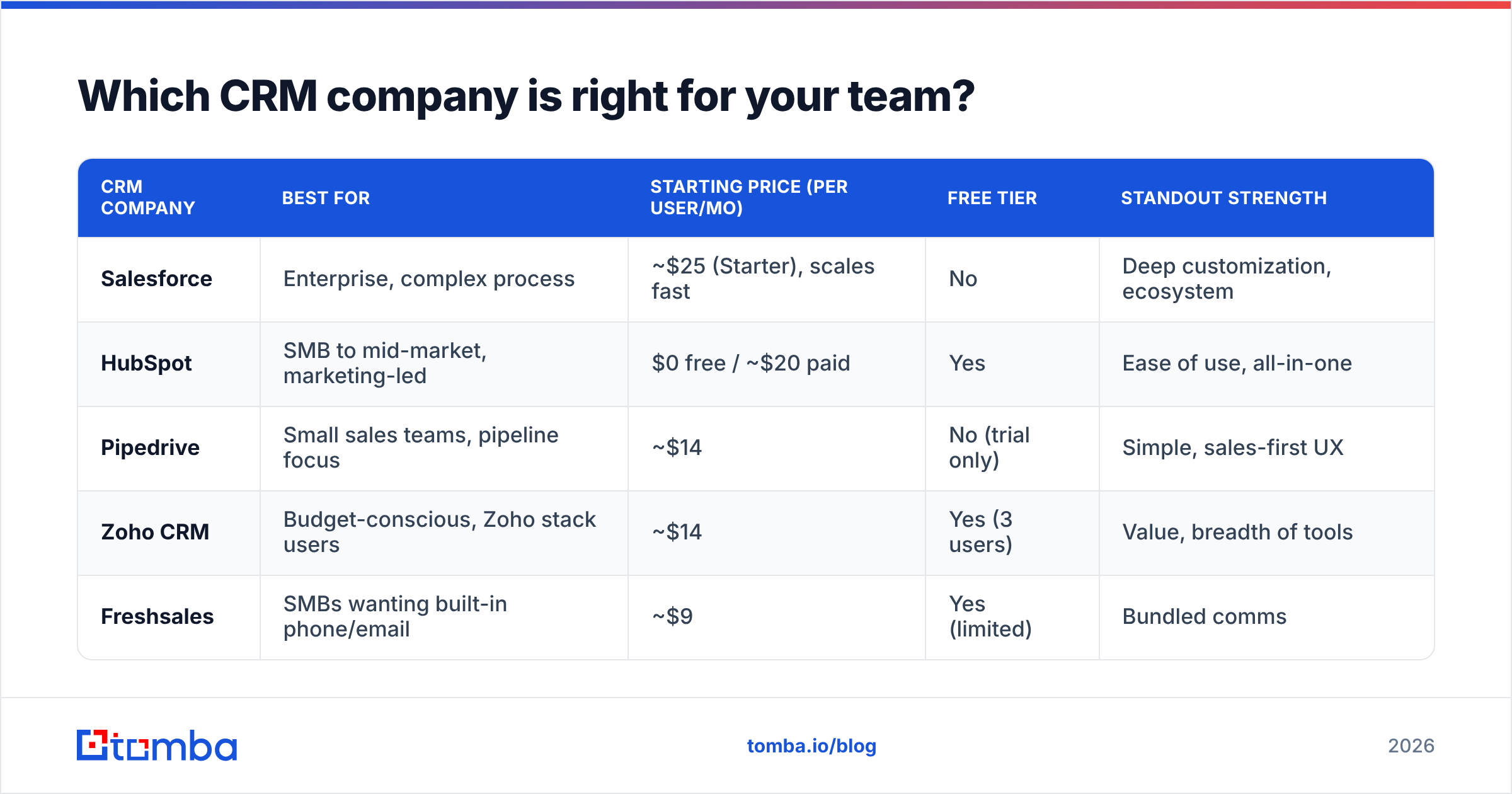
There's no single "best" CRM company — there's the one that matches your team size, budget, and appetite for customization. Below is an honest side-by-side of the platforms most B2B teams shortlist in 2026.
| CRM company | Best for | Starting price (per user/mo) | Free tier | Standout strength |
|---|---|---|---|---|
| Salesforce | Enterprise, complex process | ~$25 (Starter), scales fast | No | Deep customization, ecosystem |
| HubSpot | SMB to mid-market, marketing-led | $0 free / ~$20 paid | Yes | Ease of use, all-in-one |
| Pipedrive | Small sales teams, pipeline focus | ~$14 | No (trial only) | Simple, sales-first UX |
| Zoho CRM | Budget-conscious, Zoho stack users | ~$14 | Yes (3 users) | Value, breadth of tools |
| Freshsales | SMBs wanting built-in phone/email | ~$9 | Yes (limited) | Bundled comms |
A few honest caveats the table can't show:
- Salesforce is the most powerful but the most expensive to implement — budget for an admin or a consultant. It shines when your process is genuinely complex.
- HubSpot wins on usability and its generous free tier, but costs climb quickly once you cross into Marketing or Sales Hub paid seats. See HubSpot's own pricing page before you commit.
- Pipedrive is loved by small teams for a reason: it does pipeline management well and doesn't overwhelm reps. It's thinner on marketing and support features.
- Zoho offers the most for the least money, especially if you already use other Zoho products — the trade-off is a busier interface.
If you want the vendor perspective straight from the source, Salesforce and cross-checked reviews on G2 are worth 20 minutes before any sales call.
How much does a CRM company really cost?#
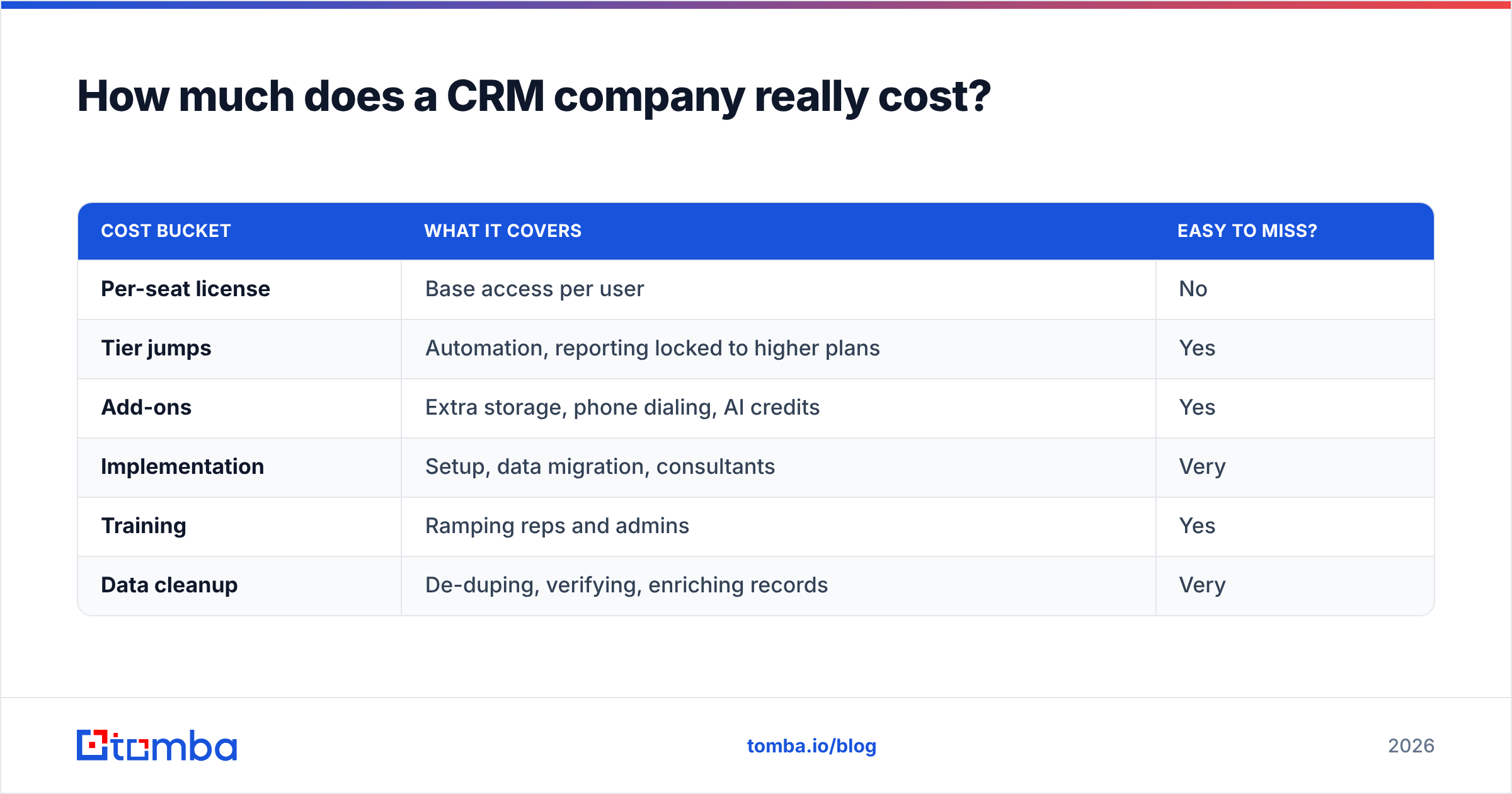
The per-seat number on the pricing page is rarely what you pay. The real cost of a CRM company is the sticker price plus everything the demo skipped.
| Cost bucket | What it covers | Easy to miss? |
|---|---|---|
| Per-seat license | Base access per user | No |
| Tier jumps | Automation, reporting locked to higher plans | Yes |
| Add-ons | Extra storage, phone dialing, AI credits | Yes |
| Implementation | Setup, data migration, consultants | Very |
| Training | Ramping reps and admins | Yes |
| Data cleanup | De-duping, verifying, enriching records | Very |
Two of those buckets — tier jumps and data cleanup — are where budgets quietly explode. A feature you assumed was included (say, sequences or custom reports) often sits one tier up, so a $20 seat becomes a $50 seat across 15 reps. And every CRM company charges you for storage and seats, but none of them keep your data clean for you.

That last point is the one to internalize before you sign anything: the CRM company sells you the shelf, not the groceries. You still have to stock it with accurate contacts — and keep them accurate as people change jobs.
Why does data quality matter more than the CRM company you pick?#
You can buy the most expensive CRM on the market and still get near-zero ROI if the records inside it are wrong. Studies from CRM vendors consistently show B2B contact data decays 20–30% per year as people switch roles and companies. A CRM company won't fix that — it just stores whatever you give it.
This is the difference between a CRM that reps trust and one they quietly abandon:
- Full, verified records → reps open the CRM first thing every morning.
- Half-empty, bouncing records → reps go back to their inbox and spreadsheets, and your expensive CRM becomes a graveyard.
So the smarter sequence is:
- Choose a CRM company that fits your team (use the table above).
- Connect a data layer that finds and verifies contacts before they hit the CRM.
- Enrich on an ongoing basis so records stay current instead of rotting.
This is exactly where a purpose-built tool earns its keep. Tomba's email finder locates professional email addresses by name, company, or domain, and data enrichment fills in the missing firmographic and contact fields your reps need. Because Tomba plugs into the big platforms — see the HubSpot integration — you're not exporting CSVs and importing them by hand.
How do you choose a CRM company without regret? A 6-step checklist#
Skip the 40-tab feature spreadsheet. Run this instead.
- Map your real process first. Write your current sales stages on paper. Buy a CRM that matches them, not one that forces a re-org.
- Count your true seat need. Include future hires. Multiply the per-seat price by 18 months, not one.
- Find the tier where the features you need live. Confirm automation, reporting, and integrations aren't paywalled above your budget.
- Test the mobile and email sync. If reps can't log activity in two clicks, adoption dies.
- Check the integration ecosystem. Your CRM must talk to your email finder, enrichment tool, and outreach platform.
- Plan the data layer before launch. Decide how records get created, verified, and enriched — day one, not month six.
Get step 6 right and any of the platforms above will work. Get it wrong and even Salesforce feels broken.
CRM company vs. data provider: what's the difference?#
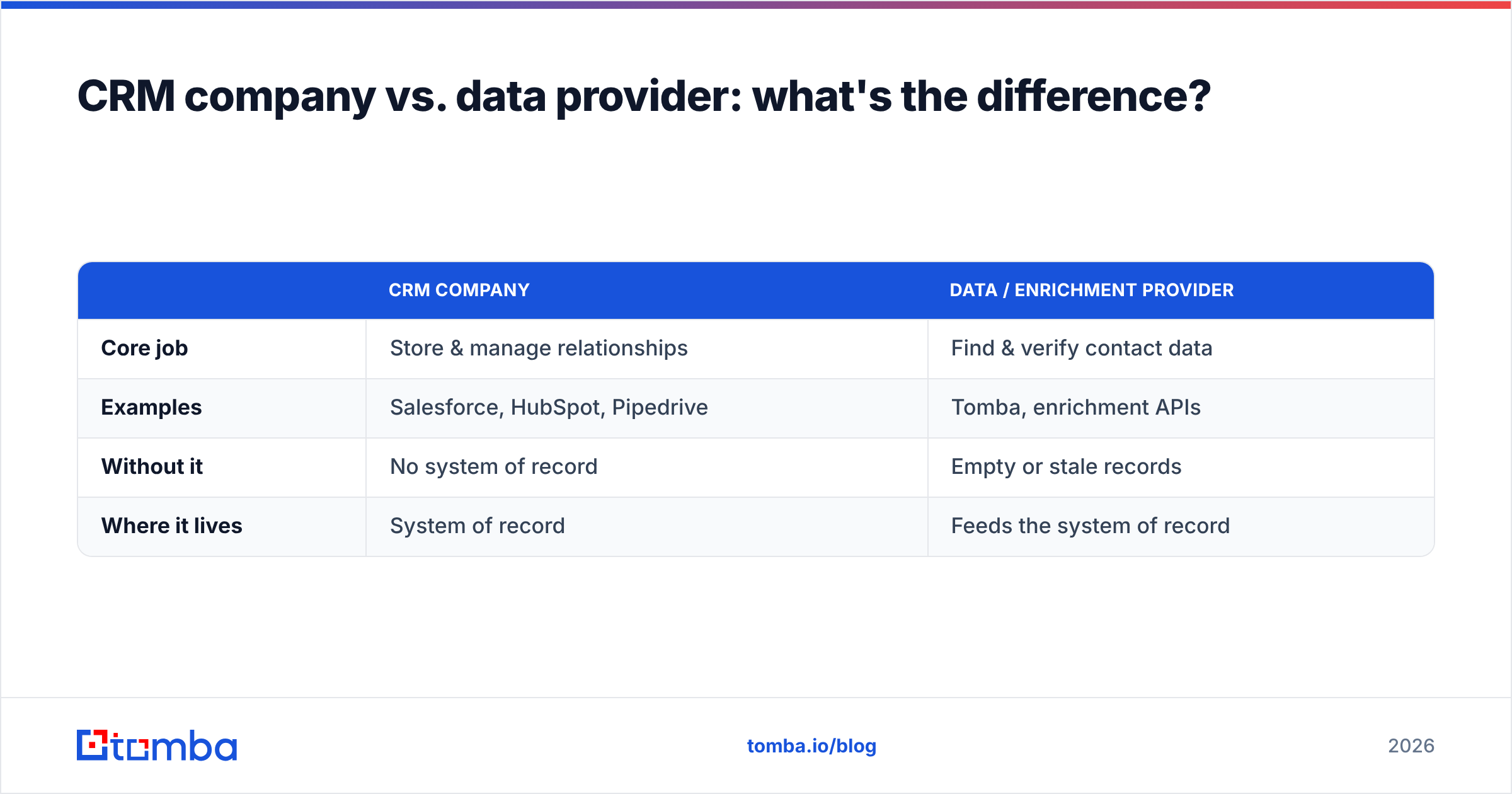
People conflate these, and it costs them. A CRM company stores and organizes relationships you already have. A data provider finds and verifies the contacts and companies you don't yet have. They're complementary, not competing.
| CRM company | Data / enrichment provider | |
|---|---|---|
| Core job | Store & manage relationships | Find & verify contact data |
| Examples | Salesforce, HubSpot, Pipedrive | Tomba, enrichment APIs |
| Without it | No system of record | Empty or stale records |
| Where it lives | System of record | Feeds the system of record |
The winning stack uses both: a CRM company for structure, and a data tool to keep that structure full of verified, deliverable contacts. If you're also building outbound lists, Tomba's bulk email finder and email verifier handle the top-of-funnel volume before it ever reaches your reps' pipeline.
Frequently asked questions#
What is the best CRM company for a small business? For most small B2B teams, HubSpot (for its free tier and ease) or Pipedrive (for pure pipeline simplicity) are the safest starting points. Zoho wins on price if budget is the deciding factor.
Do I need a separate tool if my CRM company already stores contacts? Usually yes. CRMs store the contacts you enter, but they don't find new ones or verify that existing emails still work. A dedicated email finder and enrichment layer keeps the data accurate.
How much should I budget for a CRM company? Take the per-seat price, multiply by your true seat count, add roughly 40–100% for tier jumps, add-ons, implementation, and data cleanup. That range is closer to reality than the pricing page.
Can I switch CRM companies later? Yes, but migrations are painful — clean, well-structured data makes it far easier. Keeping records verified and enriched from the start is the best insurance against a costly re-platform.
The bottom line#
Choosing a CRM company is a real decision, but it's not the decision that makes or breaks your revenue team — data quality is. Pick the platform that matches your process and budget from the table above, then commit to keeping it full of verified, current contacts.
Start with the data layer that makes any CRM worth paying for. Use the Tomba Email Finder to find and verify professional email addresses by name, company, or domain, and push clean records straight into whichever CRM company you choose. Your reps get a system they actually trust — and you stop paying enterprise prices for an empty database. Check Tomba pricing to see how the free tier and paid plans fit your rollout.
Related guides#
Ready to find emails that actually work?
Join 150,000+ professionals who stopped guessing and started sending. Free credits on signup — no credit card required.
Get the Tomba newsletter
Practical outbound tactics and product updates — once every two weeks.
About the author