CRM Data Cleaning in 2026: The Complete No-Fluff Guide
Dirty CRM data quietly wrecks forecasts, deliverability, and rep trust. Here's a practical 2026 playbook to clean, dedupe, and keep your CRM accurate.
Your CRM is only as good as the data inside it. And right now, if you're like most B2B teams, a meaningful slice of that data is wrong: duplicate accounts, dead email addresses, job titles from two roles ago, and contacts who left the company in 2023. CRM data cleaning is the ongoing process of finding and fixing that decay so your pipeline, forecasts, and outreach stop lying to you.
This guide skips the theory and gives you the actual steps, a tooling comparison, and an honest look at what it costs.
TL;DR#
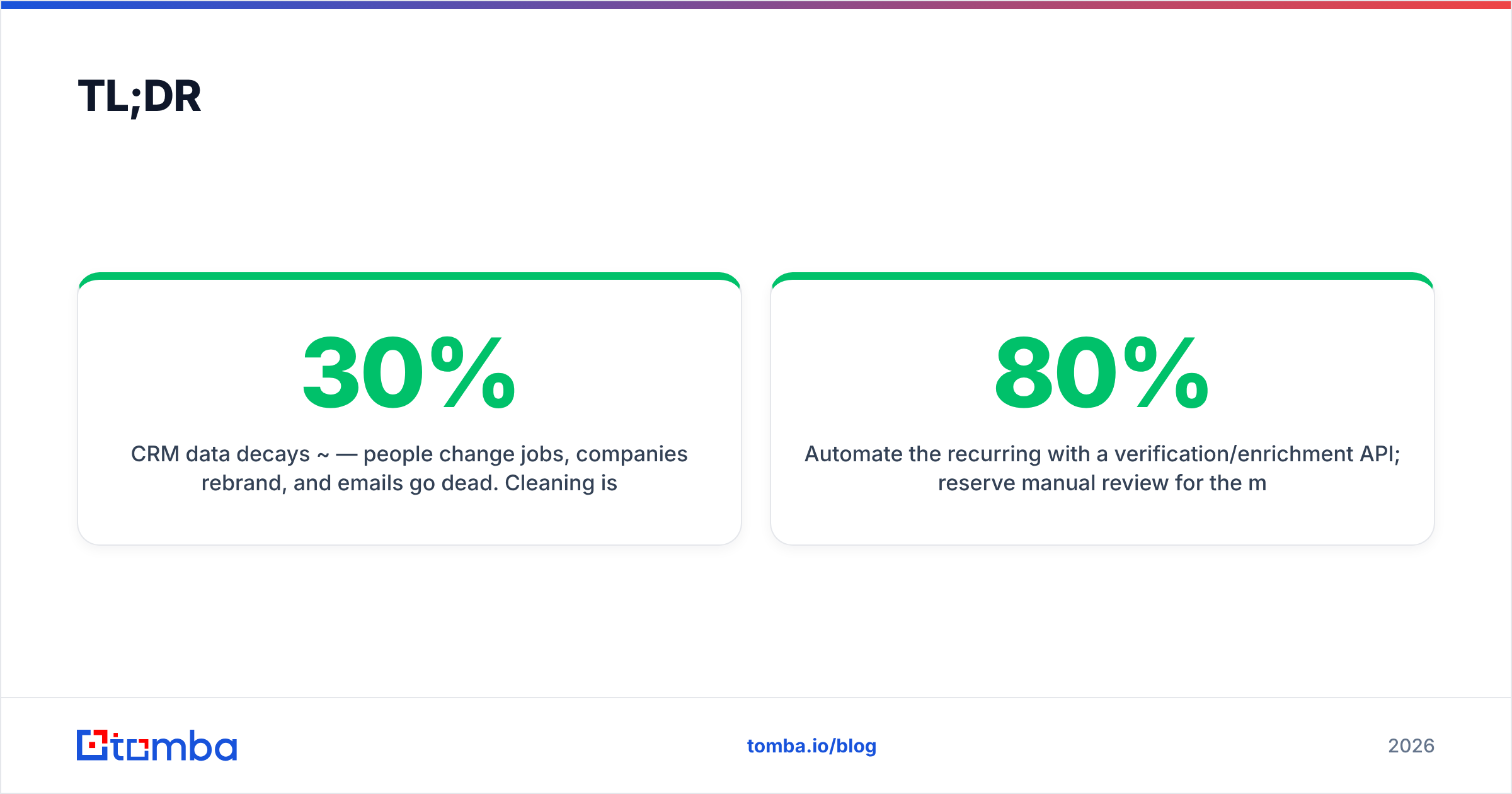
- CRM data decays ~30% per year — people change jobs, companies rebrand, and emails go dead. Cleaning is maintenance, not a one-time project.
- Four core operations: deduplicate, standardize, verify (emails/phones), and enrich missing fields. Do them in that order.
- Verification is the highest-ROI step — bouncing cold emails wrecks your sender reputation faster than any other data problem.
- Automate the recurring 80% with a verification/enrichment API; reserve manual review for the messy 20% (merges, judgment calls).
- Budget realistically: expect tooling plus a few hours of analyst time per month. It's cheaper than the deals you lose to bad data.
Why does CRM data get dirty in the first place?#
Think of your CRM like a warehouse where inventory arrives from a dozen loading docks at once — web forms, imported lists, rep manual entry, integrations, event scanners. Nobody inspects every box, so damaged and duplicate goods pile up fast.
The main sources of decay:
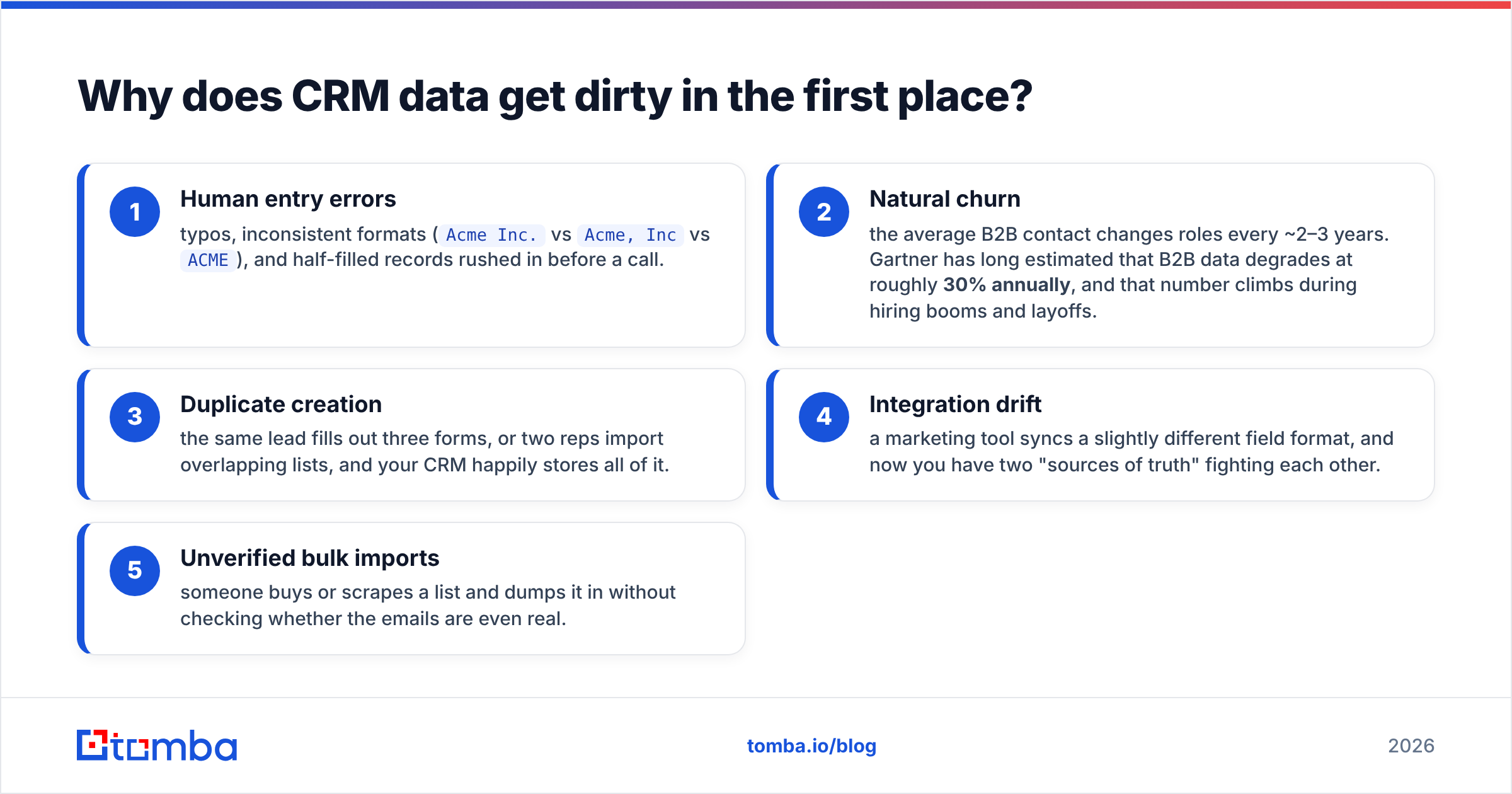
- Human entry errors — typos, inconsistent formats (
Acme Inc.vsAcme, IncvsACME), and half-filled records rushed in before a call. - Natural churn — the average B2B contact changes roles every ~2–3 years. Gartner has long estimated that B2B data degrades at roughly 30% annually, and that number climbs during hiring booms and layoffs.
- Duplicate creation — the same lead fills out three forms, or two reps import overlapping lists, and your CRM happily stores all of it.
- Integration drift — a marketing tool syncs a slightly different field format, and now you have two "sources of truth" fighting each other.
- Unverified bulk imports — someone buys or scrapes a list and dumps it in without checking whether the emails are even real.
The result is a database that looks full but performs empty. Reps stop trusting it, forecasts wobble, and your cold email deliverability tanks because you're mailing addresses that no longer exist.

What does "clean" CRM data actually look like?#
Clean data isn't perfect data — it's reliable data. Every record should be:
- Unique — one row per real person or account, no duplicates.
- Complete — the fields you actually use for routing and outreach are filled (email, name, company, title, region).
- Accurate — the email is deliverable, the phone is valid, the title is current.
- Consistent — formats and picklist values are standardized so filters and reports work.
- Traceable — you know where each record came from and when it was last verified.
If you can't confidently segment and email a list without a chunk of it bouncing, your data isn't clean yet.
What are the core CRM data cleaning steps?#
Run these in order. Skipping ahead (enriching before deduping, for example) just multiplies the work.
1. Audit and profile#
Before you touch anything, measure. Export a sample and count: how many records have no email? How many duplicate company names? What percentage of emails have never been verified? This baseline tells you where the pain is and lets you prove ROI later.
2. Deduplicate#
Merge duplicate contacts and accounts. Match on a combination of email domain, normalized company name, and person name — not just exact-match email, which misses j.smith@ vs john.smith@. Most CRMs (Salesforce, HubSpot) have native dedupe, but they're conservative; a dedicated pass catches more.
3. Standardize#
Normalize formats: consistent country codes on phones, title case on names, a controlled picklist for country/industry/state. This is unglamorous and enormously valuable because it makes every downstream report and filter trustworthy.
4. Verify#
Check that emails are deliverable and phones are valid before you send anything. This is where you protect your sender reputation. Run addresses through an email verifier, and handle catch-all domains explicitly with a catch-all verifier so you know which "valid" addresses are actually risky.
5. Enrich#
Fill the gaps. Missing titles, company size, LinkedIn URLs, and direct phone numbers can be appended via data enrichment so your segmentation and routing rules have something to work with.
6. Schedule recurrence#
Because decay never stops, none of the above is a one-off. Set a cadence — monthly for high-velocity segments, quarterly for the long tail — and automate the parts you can.
Manual cleanup vs. automated tools: which should you use?#
Both. The question is where to draw the line. Manual review is right for judgment calls (which of two conflicting records is the real one?). Automation is right for anything repetitive and rules-based — which is most of it.
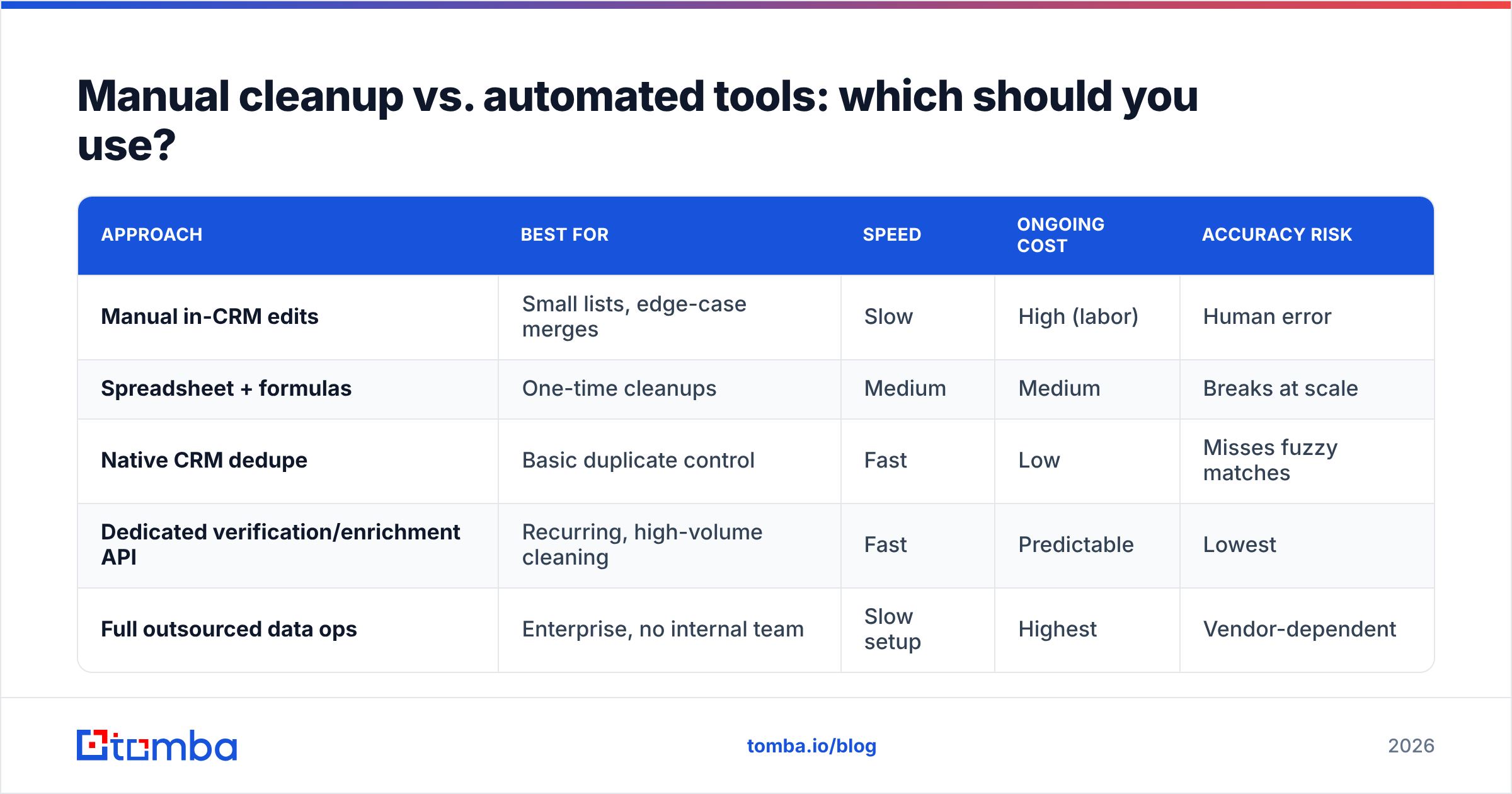
Here's how the common approaches stack up:
| Approach | Best for | Speed | Ongoing cost | Accuracy risk |
|---|---|---|---|---|
| Manual in-CRM edits | Small lists, edge-case merges | Slow | High (labor) | Human error |
| Spreadsheet + formulas | One-time cleanups | Medium | Medium | Breaks at scale |
| Native CRM dedupe | Basic duplicate control | Fast | Low | Misses fuzzy matches |
| Dedicated verification/enrichment API | Recurring, high-volume cleaning | Fast | Predictable | Lowest |
| Full outsourced data ops | Enterprise, no internal team | Slow setup | Highest | Vendor-dependent |
The escalation path most teams follow looks like this — and the smartest tier is the one that removes recurring manual work entirely:

For anything recurring, an API-driven approach wins on cost and consistency. You can push your CRM export through bulk verification, get back a clean, scored list, and re-import — no analyst clicking through 4,000 rows.
How do you verify CRM emails without hurting deliverability?#
Conclusion first: verify before you send, and treat catch-all domains as their own category. Bouncing even 3–5% of a send can drop you into spam folders for the whole list.
A reliable verification pass checks several layers:
- Syntax — is it a validly formatted address?
- Domain/MX — does the domain exist and accept mail?
- Mailbox — does the specific inbox exist (via SMTP checks)?
- Catch-all detection — does the domain accept everything, making mailbox checks unreliable?
- Risk scoring — role accounts (
info@,sales@), disposables, and spam traps flagged.
Anything that comes back "catch-all" or "risky" shouldn't automatically go into a cold sequence. Segment it, warm it slowly, or leave it out. If you want the mechanics of why bounces hurt so much, the fundamentals of email deliverability are worth a read.
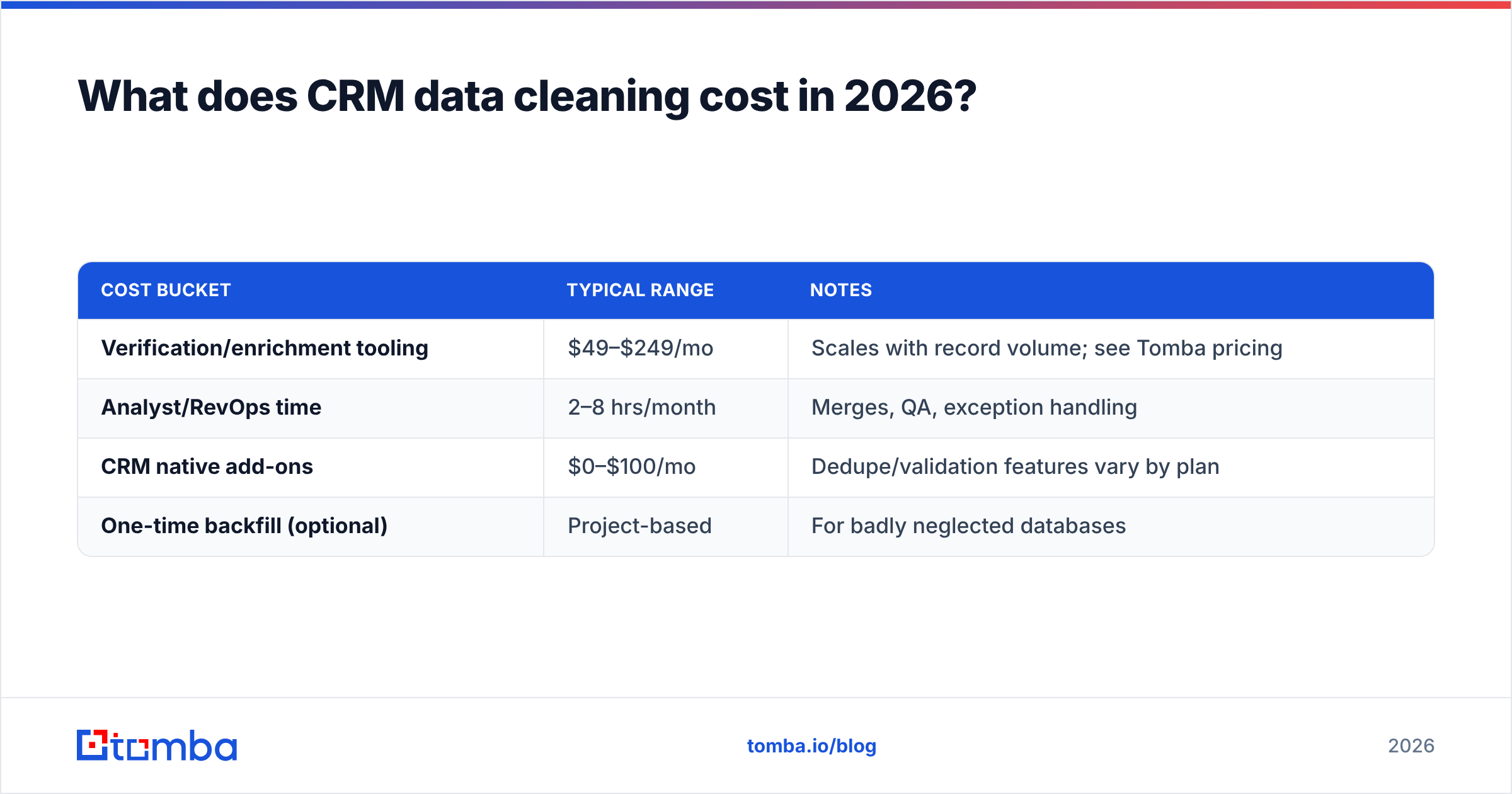
What does CRM data cleaning cost in 2026?#
Less than the revenue you lose to bad data — but let's be concrete. Your costs fall into three buckets:
| Cost bucket | Typical range | Notes |
|---|---|---|
| Verification/enrichment tooling | $49–$249/mo | Scales with record volume; see Tomba pricing |
| Analyst/RevOps time | 2–8 hrs/month | Merges, QA, exception handling |
| CRM native add-ons | $0–$100/mo | Dedupe/validation features vary by plan |
| One-time backfill (optional) | Project-based | For badly neglected databases |
For context, Tomba's tiers run Free (25 searches/mo), Starter at $49/mo, Growth at $99/mo, Pro at $249/mo, and Enterprise custom — so a mid-size team cleaning a few thousand records monthly typically lands in the $49–$99 range plus a couple of analyst hours. Compare that to the fully loaded cost of a single SDR emailing a list that's 25% dead: wasted sends, damaged domain reputation, and skewed reporting that misleads your whole forecast.
Which fields should you prioritize cleaning?#
Not every field deserves equal effort. Prioritize by how much a wrong value actually costs you:
- Email (highest priority) — a wrong email means a bounce, a reputation hit, and a lost touch. Verify relentlessly.
- Company + domain — drives routing, territory assignment, and dedup logic. Standardize hard.
- Title/seniority — powers targeting and personalization. Enrich when missing.
- Phone — validate format and line type before dialing; a phone validator saves reps from dead numbers.
- Region/country — needed for compliance (GDPR/CCPA) and territory rules.
- Lifecycle/source — keep it honest so attribution and MQL scoring stay meaningful.
Fields nobody filters or reports on? Leave them. Perfect data in unused columns is wasted effort.
How do you keep CRM data clean long-term?#
Cleaning once and walking away is like washing a car and then parking it under a tree — it'll be dirty again fast. The teams that stay clean build maintenance into the system:
- Validate at entry. Add required-field rules and inline email verification on web forms so garbage never enters. An email verification API can check addresses at form submit.
- Verify on a schedule. Re-run high-value segments monthly, the long tail quarterly. Automate the export → verify → re-import loop.
- Enforce standardization with picklists, not free-text, wherever possible.
- Assign ownership. One person (usually RevOps) owns data quality metrics and reports them monthly. What gets measured gets maintained.
- Sync enrichment on new records. When a lead enters, auto-append the missing firmographic fields so reps never start from a half-empty record.
Reputable sources like HubSpot's data quality guidance and Salesforce's data management docs both hammer the same point: prevention at the point of entry beats cleanup after the fact. Cleanup handles the backlog; validation stops the bleeding.
Common CRM data cleaning mistakes to avoid#
- Enriching before deduping — you'll pay to enrich duplicates, then merge them and lose the work.
- Trusting "valid" on catch-all domains — a catch-all accepts everything, so "valid" doesn't mean the inbox exists.
- Deleting instead of merging — you lose activity history and attribution. Merge and retain.
- Cleaning once and calling it done — decay resumes the next day.
- No entry-side validation — you'll be back here in three months with the same mess.
- Skipping the audit — without a baseline you can't prove the cleanup worked or justify the tooling.
Frequently asked questions#
How often should I clean my CRM? Continuously for entry validation, monthly for verification of active segments, and quarterly for a full sweep. High-velocity outbound teams should verify right before every major send.
Can I just use my CRM's built-in dedupe? It's a decent first pass but conservative — it misses fuzzy and cross-object duplicates. Pair it with a dedicated dedupe/verification step for high-value data.
Does data cleaning really affect deliverability? Yes, directly. Sending to invalid addresses raises your bounce rate, which mailbox providers read as a spam signal. Verifying first is one of the cheapest deliverability wins available.
Is enrichment the same as cleaning? No. Cleaning fixes what's wrong (duplicates, bad emails, bad formats); enrichment fills what's missing (titles, phones, firmographics). You usually do both, in that order.
Start with the highest-ROI step#
Clean CRM data isn't a project you finish — it's a habit you build. But if you only fix one thing this quarter, fix verification, because dead emails cost you reputation and revenue every single day they sit in your database.
The fastest way to close the loop is to verify and enrich at the source. Use the Tomba Email Finder to source accurate, deliverable addresses, pair it with the email verifier to keep your existing records honest, and push the whole thing through bulk processing on a monthly cadence. Your pipeline will finally reflect reality — and your reps will start trusting the CRM again. Start free with 25 searches and scale from there.
Related guides#
Ready to find emails that actually work?
Join 150,000+ professionals who stopped guessing and started sending. Free credits on signup — no credit card required.
Get the Tomba newsletter
Practical outbound tactics and product updates — once every two weeks.
About the author