CRM Data Management in 2026: The Complete Playbook
Dirty CRM data quietly drains pipeline, wastes rep hours, and skews forecasts. Here is a practical 2026 framework to clean, enrich, and govern your records.
Your CRM is only as valuable as the data inside it. Yet most B2B teams treat data quality as an afterthought — until a rep emails a prospect who left the company two years ago, or a forecast collapses because half the deals point to dead accounts.
CRM data management is the discipline that keeps records accurate, complete, and usable. Done well, it is invisible: reps trust what they see, marketing segments cleanly, and leadership forecasts with confidence. Done poorly, it taxes every downstream process.
This guide breaks down what CRM data management actually involves in 2026, why decay is faster than you think, and how to build a system that keeps your database clean without hiring a team of data janitors.
TL;DR#
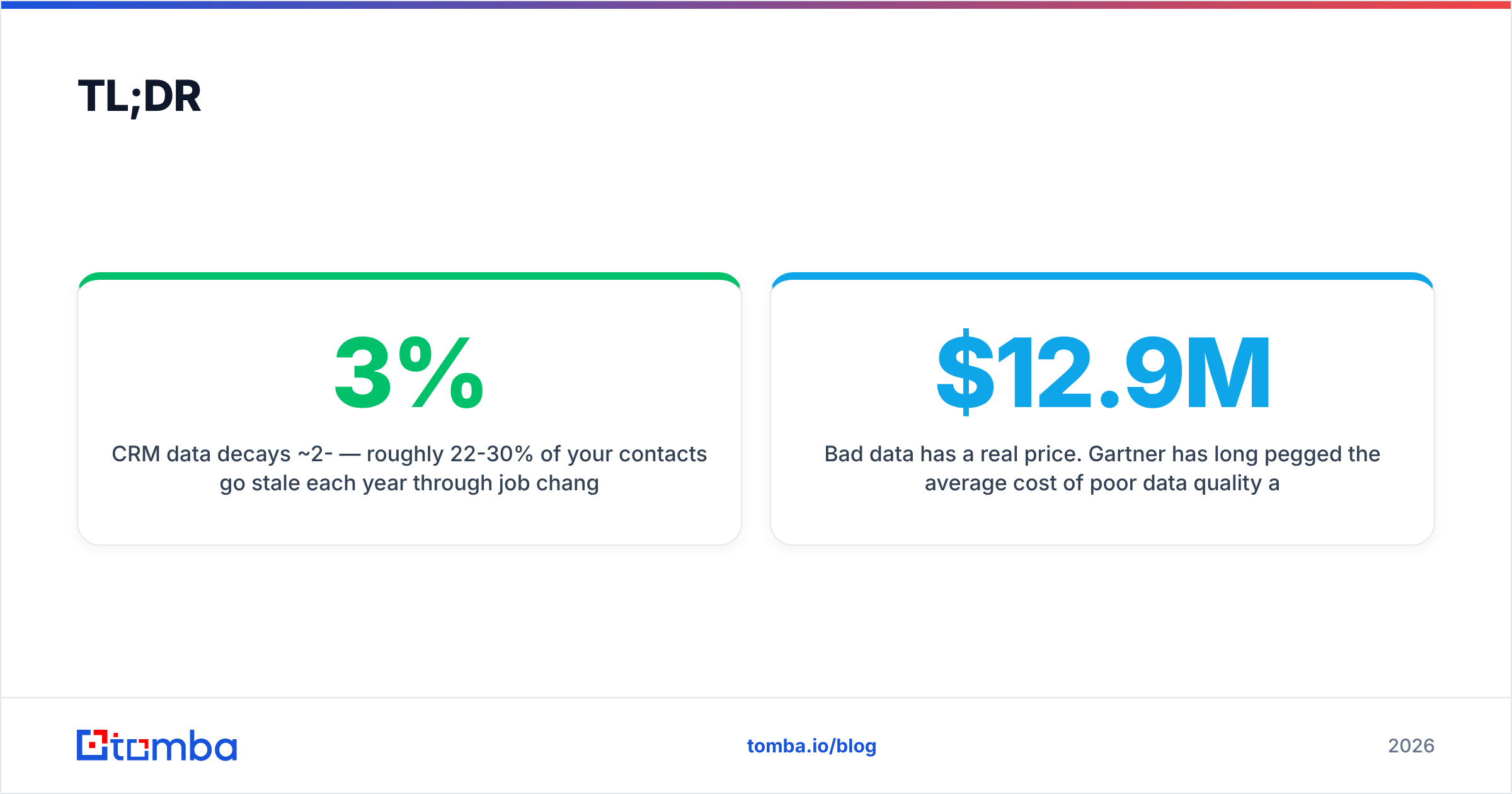
- CRM data decays ~2-3% per month — roughly 22-30% of your contacts go stale each year through job changes, mergers, and rebrands.
- Bad data has a real price. Gartner has long pegged the average cost of poor data quality at around $12.9M per year for larger organizations; for smaller teams it shows up as wasted rep hours and bounced sends.
- Five pillars matter: entry standards, deduplication, verification, enrichment, and governance. Skip any one and the other four erode.
- Verification before enrichment. Enriching a record built on a bad email just multiplies the error — validate first.
- Automate the boring parts. Use an API-driven email verifier and enrichment layer so cleanup happens continuously, not in a painful quarterly purge.
What Is CRM Data Management?#
CRM data management is the set of practices that keep customer and prospect records accurate, consistent, de-duplicated, and enriched across their lifecycle in your CRM.
Think of it like maintaining a car. You can drive on bald tires and old oil for a while, but performance degrades quietly until something expensive breaks. CRM data works the same way — a record entered cleanly in January is subtly wrong by summer because people change jobs, companies get acquired, and phone numbers get reassigned. Management is the ongoing maintenance, not a one-time detailing.
In practice, CRM data management spans five connected activities:
- Data entry standards — enforcing consistent formats, required fields, and naming conventions so "IBM," "I.B.M.," and "Intl Business Machines" don't become three accounts.
- Deduplication — merging duplicate contacts and accounts that fragment your view of a relationship.
- Verification — confirming that emails, phone numbers, and addresses are still valid and reachable.
- Enrichment — filling gaps (job title, company size, industry, LinkedIn) with reliable third-party data enrichment.
- Governance — ownership, access rules, audit trails, and a documented process so quality survives team turnover.
Get all five working together and the CRM becomes a source of truth. Neglect them and it becomes a source of arguments.

Why Does CRM Data Quality Decay So Fast?#
The short answer: your contacts are human, and humans move. B2B contact data has one of the shortest shelf lives of any dataset you own.
Industry estimates consistently land around 2-3% monthly decay, which compounds to roughly a quarter of your database going stale every year. The drivers are predictable:
- Job changes — a contact gets promoted, switches companies, or leaves the workforce, and their work email dies overnight.
- Company events — mergers, acquisitions, and rebrands change domains (and therefore every email at that company).
- Manual entry errors — typos, missing fields, and inconsistent formatting introduced at the point of capture.
- Duplicate creation — the same lead entering through a webform, an import, and a rep's manual add, creating three records.
The compounding problem is that decay is silent. Nothing in your CRM turns red when a contact leaves. You only discover it when a campaign bounces or a rep wastes a call. That lag is exactly why reactive, once-a-year cleanups fail — by the time you run one, a third of the work is already undone.
For a deeper primer on how bounce rates connect to sender health, the concept of email deliverability is worth understanding: dirty lists don't just waste effort, they actively damage your ability to reach the good contacts that remain.
What Does Bad CRM Data Actually Cost?#
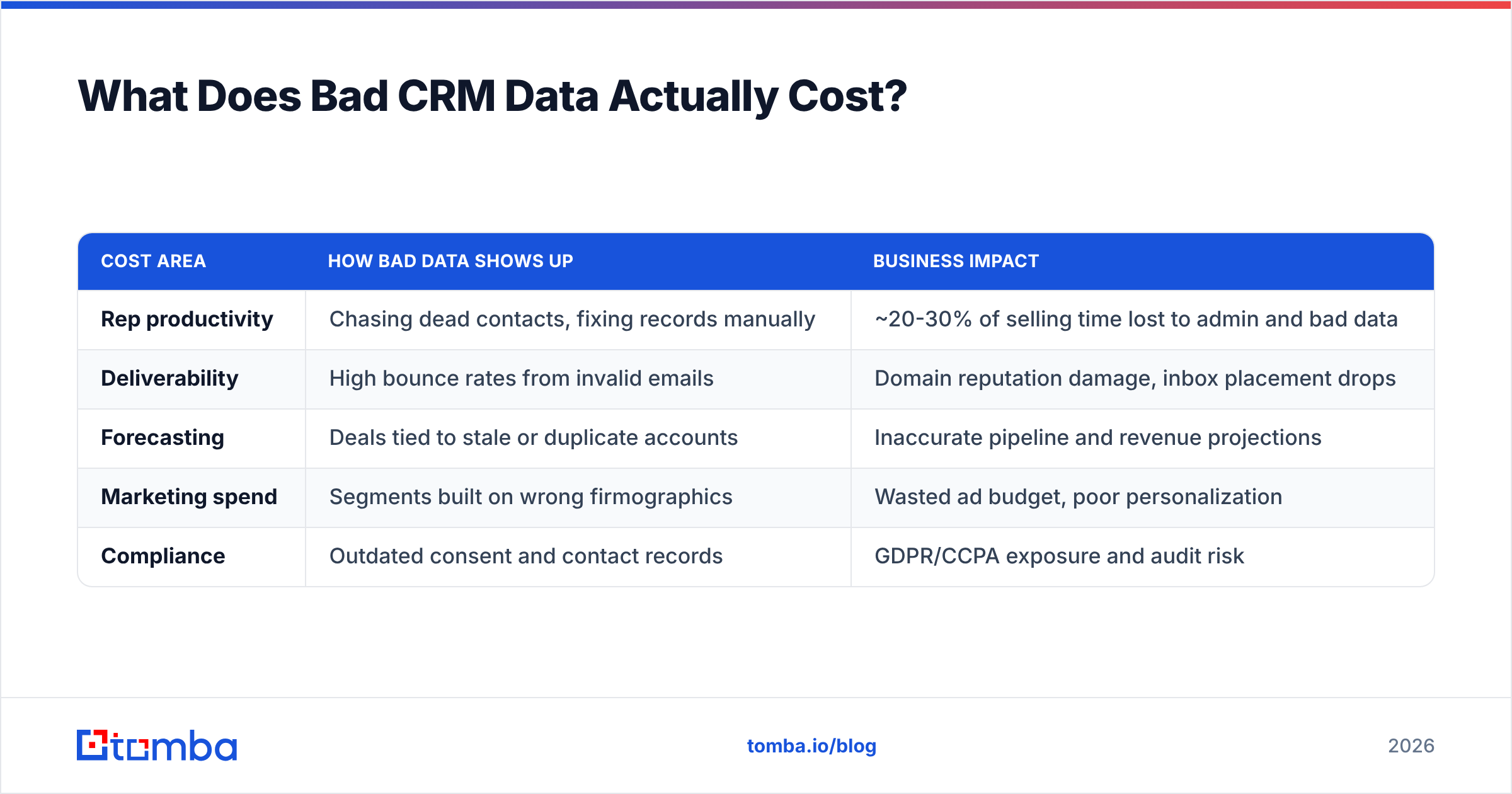
Bad data is expensive in ways that rarely show up as a line item, which is why it survives so long.
| Cost area | How bad data shows up | Business impact |
|---|---|---|
| Rep productivity | Chasing dead contacts, fixing records manually | ~20-30% of selling time lost to admin and bad data |
| Deliverability | High bounce rates from invalid emails | Domain reputation damage, inbox placement drops |
| Forecasting | Deals tied to stale or duplicate accounts | Inaccurate pipeline and revenue projections |
| Marketing spend | Segments built on wrong firmographics | Wasted ad budget, poor personalization |
| Compliance | Outdated consent and contact records | GDPR/CCPA exposure and audit risk |
The headline figure most often cited is Gartner's estimate that poor data quality costs organizations an average of roughly $12.9M annually. That number is skewed toward large enterprises, but the mechanism scales down cleanly: if a five-person sales team each loses even a few hours a week to bad records, that's a full salary's worth of wasted effort every year.
The subtler cost is trust. Once reps stop believing the CRM, they build shadow spreadsheets, and your single source of truth quietly fractures into a dozen private ones. That's the real failure mode — not one bad record, but a whole team routing around the system.
What Are the Core Pillars of CRM Data Management?#
A durable system rests on five pillars. Weakness in any one undermines the rest, so treat them as a set rather than a menu.
- Standardization — Define required fields, picklists instead of free text, and naming conventions before data enters. A well-designed form prevents more mess than any cleanup tool can fix later.
- Deduplication — Run automated dedupe rules on create and on import, matching by email domain, company name, and normalized contact fields. Merge, don't just flag.
- Verification — Validate emails and phone numbers at entry and on a rolling schedule. Catch-all domains, role addresses, and typos should be caught before they hit a sequence.
- Enrichment — Fill firmographic and contact gaps from trusted sources so segmentation and routing work. Enrichment turns a name and email into an actionable lead.
- Governance — Assign a data owner, document the rules, log changes, and review quality metrics monthly. Process is what keeps the other four pillars from decaying with staff turnover.
Notice the order matters: verify before you enrich. If you enrich a record whose email is already wrong, you've spent money making a bad record look more credible — which is worse than leaving it obviously incomplete.
How Do You Build a CRM Data Management Workflow?#
Start with a defined lifecycle for every record, from capture to archive, and automate the checkpoints so quality isn't left to willpower.
1. Standardize at capture. Lock down your webforms and import templates. Use picklists for industry, region, and lead source. Make the fields you'll actually segment on required, and nothing else — over-requiring fields just trains people to type garbage to get past the form.
2. Verify on entry. Before a new contact is saved, run its email through validation. A real-time email verifier catches invalid, disposable, and role-based addresses at the door, which is far cheaper than scrubbing them after a bounce. If you're using a company email search to find contacts by domain, verification should be built into that same step.
3. Deduplicate continuously. Configure fuzzy-match rules so a new "Acme Corp" record merges with the existing "Acme Corporation" instead of spawning a twin. Run a full dedupe sweep monthly as a backstop.
4. Enrich the gaps. Once a record is verified and unique, enrich it — job title, seniority, company size, tech stack, social profiles. This is where data becomes routable and personalizable.
5. Govern and monitor. Track a small set of quality KPIs (completeness %, bounce rate, duplicate rate, average record age) and review them monthly. Assign a single owner. Log who changed what.
The teams that win at this treat data management as a pipeline, not a project. Each step runs automatically through an API or native integration, so a record is clean the moment it lands rather than during a dreaded quarterly cleanup.
Should You Buy Tools or Manage Data Manually?#
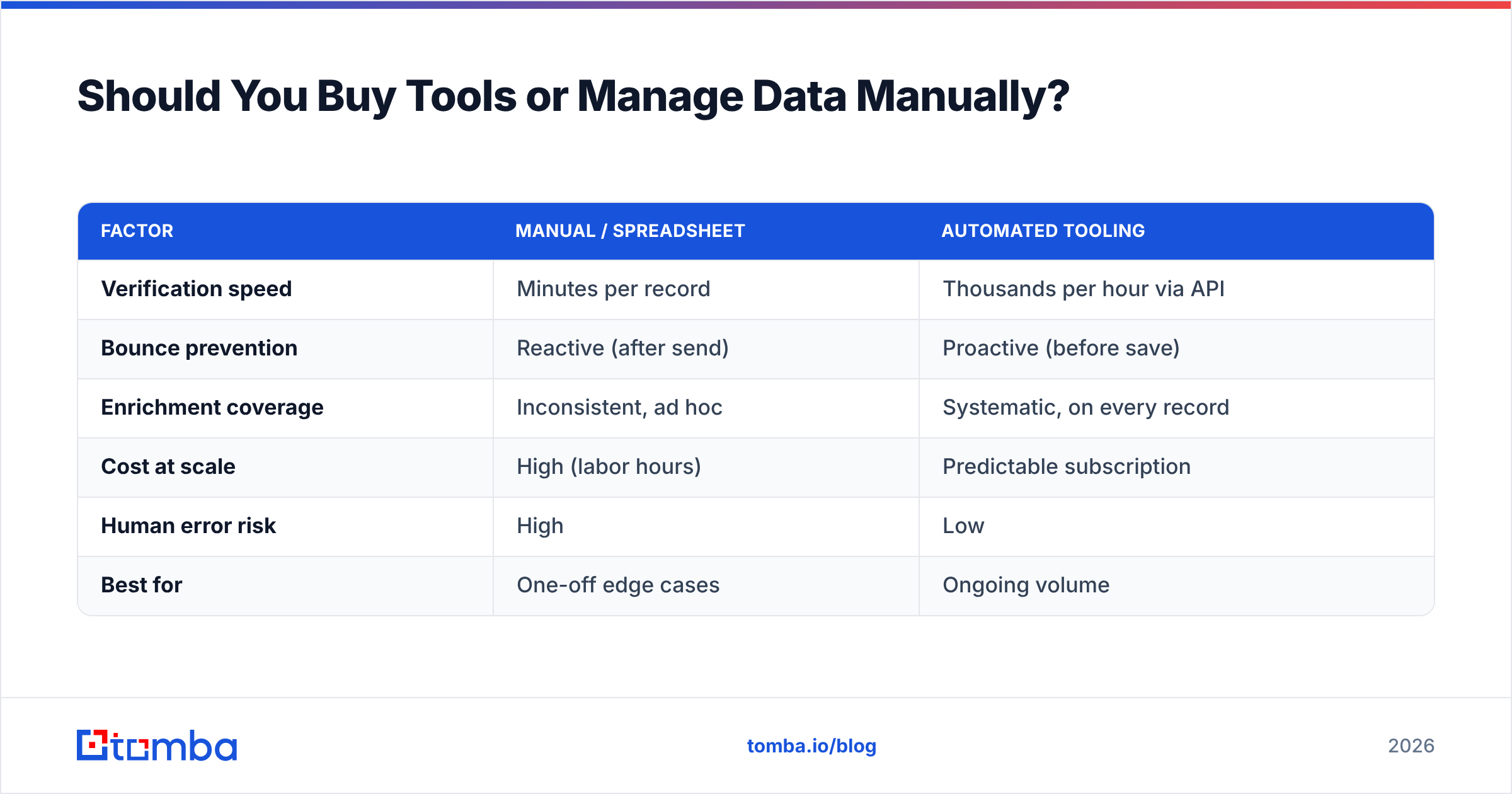
Buy tooling for the repetitive, high-volume work; reserve human judgment for edge cases and strategy. Manual management doesn't scale past a few hundred records, and it's error-prone exactly where errors are most expensive.
Here's how the two approaches compare across a typical mid-market motion:
| Factor | Manual / spreadsheet | Automated tooling |
|---|---|---|
| Verification speed | Minutes per record | Thousands per hour via API |
| Bounce prevention | Reactive (after send) | Proactive (before save) |
| Enrichment coverage | Inconsistent, ad hoc | Systematic, on every record |
| Cost at scale | High (labor hours) | Predictable subscription |
| Human error risk | High | Low |
| Best for | One-off edge cases | Ongoing volume |
Native CRM platforms like HubSpot and Salesforce include duplicate management and basic validation, and you should absolutely turn those features on. But they generally don't verify email deliverability or enrich from external B2B sources at the depth outbound teams need — that's where a dedicated data layer earns its keep.
For teams operating at volume, an API-first approach is the difference between clean data and good intentions. A bulk email finder and verification pipeline can process an entire list overnight, and a direct email verification API can gate every new record at the point of creation. If you want to see how pricing scales with volume, the Tomba pricing tiers run from a free plan up through Pro, so you can match spend to list size rather than overbuying.
What Metrics Prove Your CRM Data Is Healthy?#
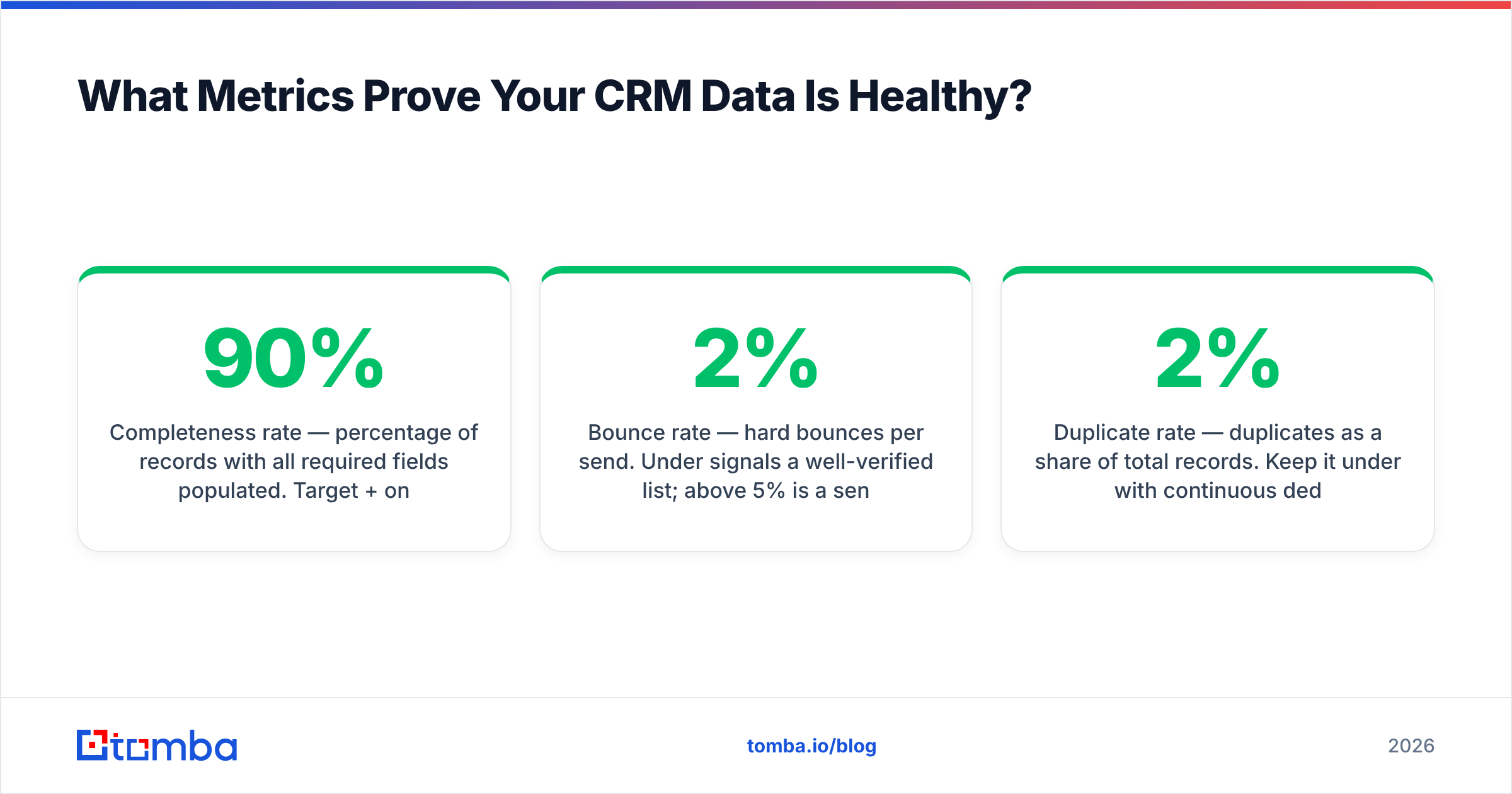
Track leading indicators of decay, not just a one-time "clean" snapshot. Data quality is a rate, not a state.
- Completeness rate — percentage of records with all required fields populated. Target 90%+ on the fields you actually use.
- Bounce rate — hard bounces per send. Under 2% signals a well-verified list; above 5% is a sender-reputation emergency.
- Duplicate rate — duplicates as a share of total records. Keep it under 2% with continuous dedupe.
- Average record age since last verification — if the average is over six months, decay is outpacing your maintenance.
- Enrichment coverage — share of records with firmographic and contact data complete enough to route and personalize.
Review these monthly, chart the trend, and tie the numbers to an owner. A single dashboard that turns amber when bounce rate creeps up will save you from discovering the problem via an angry deliverability alert.
Common CRM Data Management Mistakes to Avoid#
Even disciplined teams fall into a few predictable traps:
- Enriching before verifying. You end up with polished records built on invalid contacts. Verify first, always.
- Treating cleanup as a project. A one-time purge feels productive but decays within months. Make it continuous.
- Over-requiring form fields. Demanding 12 fields at capture trains people to enter junk. Ask only for what you'll use.
- Ignoring duplicates until they compound. Two records become five become a fractured account view. Dedupe on create.
- No single owner. When everyone owns data quality, no one does. Assign one accountable person.
- Skipping catch-all handling. Catch-all domains accept every address, so a naive "valid" check misleads you. Use a proper catch-all verifier to tell reachable from risky.
Avoiding these is less about tooling and more about treating data as an operational discipline with an owner, a cadence, and a scoreboard.
Putting It All Together#
CRM data management isn't glamorous, but it quietly determines whether every other investment — your outbound sequences, your ad spend, your forecasting — pays off or leaks value. Clean, verified, enriched records make reps faster, marketing sharper, and leadership more confident.
The winning pattern in 2026 is continuous and automated: standardize at capture, verify before you save, dedupe on create, enrich the gaps, and govern with a monthly scoreboard. Do that and decay stops being a crisis and becomes background noise your system absorbs.
If you're ready to stop feeding your CRM stale contacts, start at the source. The Tomba Email Finder helps you find accurate, professional email addresses by name, domain, or company — and pairs with built-in verification and enrichment so the records you add are clean from day one. Feed your CRM good data going in, and you'll spend far less time cleaning it up later.
Related guides#
Ready to find emails that actually work?
Join 150,000+ professionals who stopped guessing and started sending. Free credits on signup — no credit card required.
Get the Tomba newsletter
Practical outbound tactics and product updates — once every two weeks.
About the author