CRM for RevOps: How to Build a Revenue Engine in 2026
A CRM is only as good as the RevOps process wrapped around it. Here's how to pick, configure, and feed a CRM that actually powers predictable revenue in 2026.
Most teams think they have a CRM problem. What they actually have is a RevOps problem wearing a CRM costume. The software rarely fails on its own — it fails because nobody defined the data model, nobody owns the handoffs, and the records inside it slowly rot until reps stop trusting the reports.
This guide is about the other approach: treating your CRM as the operating system for revenue, and RevOps as the team that keeps that system honest. If you get the foundation right, the platform you choose matters far less than most vendors want you to believe.
TL;DR#
- A CRM for RevOps is a system of record plus a system of process — it stores accounts, contacts, and deals, but its real job is enforcing the rules that move revenue predictably from lead to renewal.
- Data quality beats feature count. A cheaper CRM fed clean, enriched data will out-perform an expensive one full of duplicates and dead emails.
- The three platforms most RevOps teams evaluate are HubSpot, Salesforce, and Pipedrive — each fits a different stage and team size (comparison table below).
- Integrations and enrichment are non-negotiable. Your CRM needs verified contact data flowing in automatically, not reps pasting emails they guessed.
- Start with the process, then configure the tool. Define lifecycle stages, ownership, and SLAs first; the CRM just enforces what you already decided.
What is a CRM for RevOps, and how is it different from a sales CRM?#
A CRM for RevOps is the single source of truth that marketing, sales, and customer success all operate inside — not just a place where reps log calls.
Think of it like an airport control tower. A basic sales CRM tracks which planes (deals) are on which runways (stages). A RevOps-grade CRM tracks every plane across every runway, terminal, and gate — arrivals (leads), departures (churn), delays (stalled deals), and the ground crew (handoffs between teams) — and it enforces the rules that keep them from colliding.
The practical difference comes down to scope. A sales-only CRM optimizes one funnel. A revenue operations CRM connects the full lifecycle so that a marketing-qualified lead, a sales opportunity, and a renewal are all the same object viewed at different moments. That continuity is what lets you answer questions like "which channel produces customers who actually renew?" — a question a siloed sales CRM structurally cannot answer.
RevOps leaders at Gartner have pushed this framing for years: the CRM is the shared substrate, and RevOps is the discipline that governs it.
What are the core capabilities a RevOps CRM must have?#
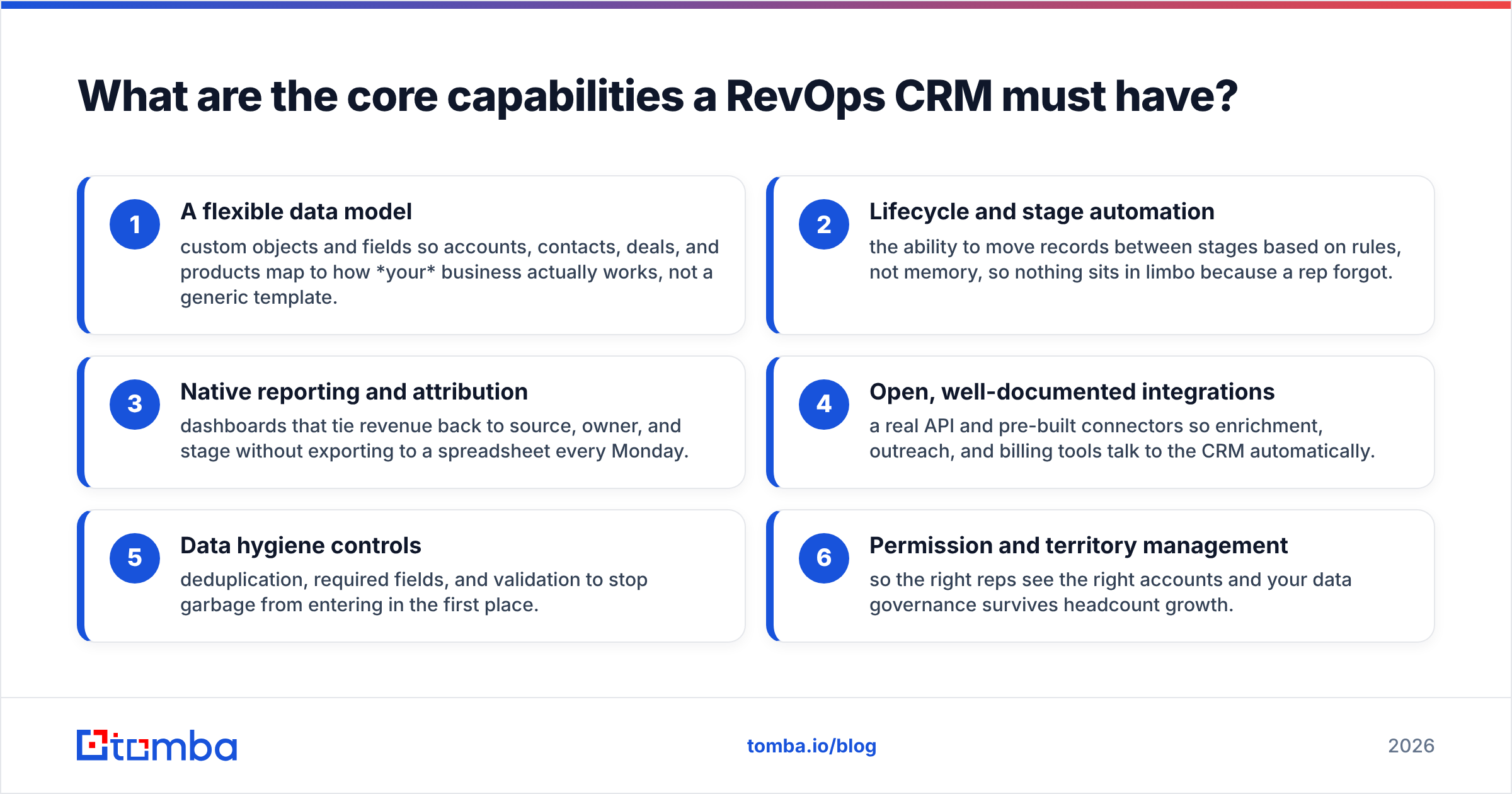
Before comparing brands, pin down the capabilities that actually matter. A RevOps CRM earns its keep on these six:
- A flexible data model — custom objects and fields so accounts, contacts, deals, and products map to how your business actually works, not a generic template.
- Lifecycle and stage automation — the ability to move records between stages based on rules, not memory, so nothing sits in limbo because a rep forgot.
- Native reporting and attribution — dashboards that tie revenue back to source, owner, and stage without exporting to a spreadsheet every Monday.
- Open, well-documented integrations — a real API and pre-built connectors so enrichment, outreach, and billing tools talk to the CRM automatically.
- Data hygiene controls — deduplication, required fields, and validation to stop garbage from entering in the first place.
- Permission and territory management — so the right reps see the right accounts and your data governance survives headcount growth.
Notice that none of these is "the flashiest AI feature." AI copilots are useful, but they amplify whatever data you feed them. Point an AI forecast at a database full of bounced emails and stale titles, and you get confident, well-formatted nonsense.
Which CRM is best for RevOps in 2026?#
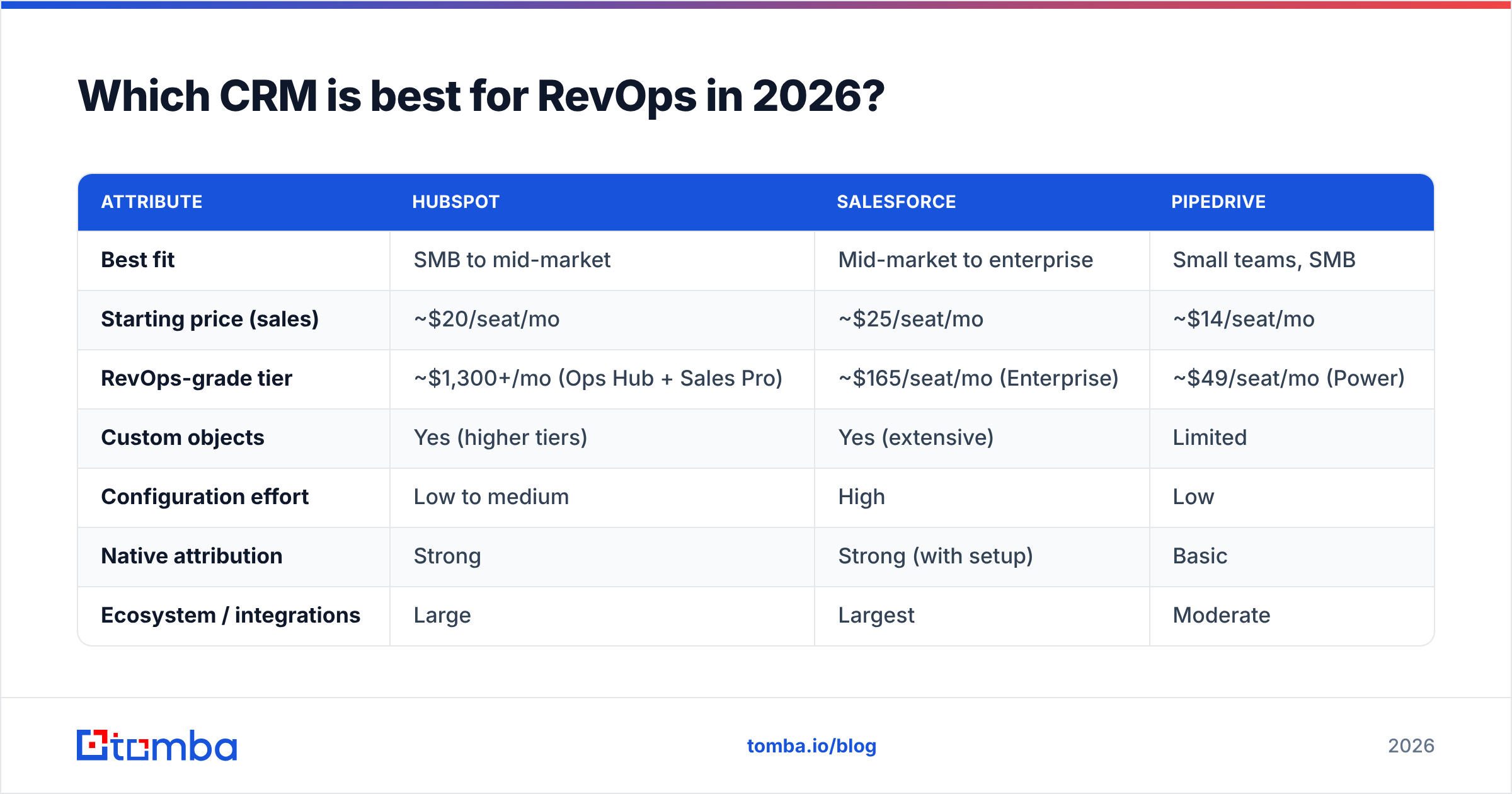
The honest answer: it depends on your stage, budget, and appetite for configuration. Here's how the three most-evaluated platforms compare for a RevOps use case.
| Attribute | HubSpot | Salesforce | Pipedrive |
|---|---|---|---|
| Best fit | SMB to mid-market | Mid-market to enterprise | Small teams, SMB |
| Starting price (sales) | ~$20/seat/mo | ~$25/seat/mo | ~$14/seat/mo |
| RevOps-grade tier | ~$1,300+/mo (Ops Hub + Sales Pro) | ~$165/seat/mo (Enterprise) | ~$49/seat/mo (Power) |
| Custom objects | Yes (higher tiers) | Yes (extensive) | Limited |
| Configuration effort | Low to medium | High | Low |
| Native attribution | Strong | Strong (with setup) | Basic |
| Ecosystem / integrations | Large | Largest | Moderate |
| Learning curve | Gentle | Steep | Gentle |
A rough rule of thumb: HubSpot wins when you want fast time-to-value and a marketing-plus-sales system out of the box. Salesforce wins when you have complex territories, custom processes, and a dedicated admin to tame it. Pipedrive wins when a small sales team needs a clean pipeline without operational overhead. Cross-check current user sentiment on a neutral source like G2 before you commit — pricing and tiers shift often.
Whichever you pick, the platform is maybe 30% of the outcome. The other 70% is the data and process you wrap around it.
Why does data quality decide whether your CRM works?#
Because a CRM is a database, and a database full of wrong records produces wrong decisions — at scale, automatically.
Here's the failure pattern nearly every RevOps team hits. Reps and forms pour contacts into the CRM. Nobody verifies them. Six months later, 20-30% of email addresses bounce, half the job titles are outdated, and duplicate accounts fracture your reporting. Forecasts drift. Sequences hit dead inboxes and tank your sender reputation. The team blames "the CRM."
The fix is boring and effective: verify and enrich contact data before and as it enters the system.
- Verify emails so bounces never reach your sending domain. A quick pass through an email verifier catches invalid and risky addresses before they cost you deliverability.
- Enrich records so every contact carries a role, company, and up-to-date details. Automated data enrichment fills the gaps reps never fill by hand.
- Deduplicate on entry so one account doesn't become three, splitting its history across records.

Clean data is not a one-time project. It's a standing input to the machine. The teams that treat enrichment and verification as plumbing — always on, invisible, feeding the CRM continuously — are the ones whose dashboards people actually trust.
How do you feed a RevOps CRM with reliable contact data?#
You automate the pipeline from "we found a company" to "we have a verified decision-maker in the CRM." Manual copy-paste doesn't scale past a handful of reps, and it's exactly where data quality dies.
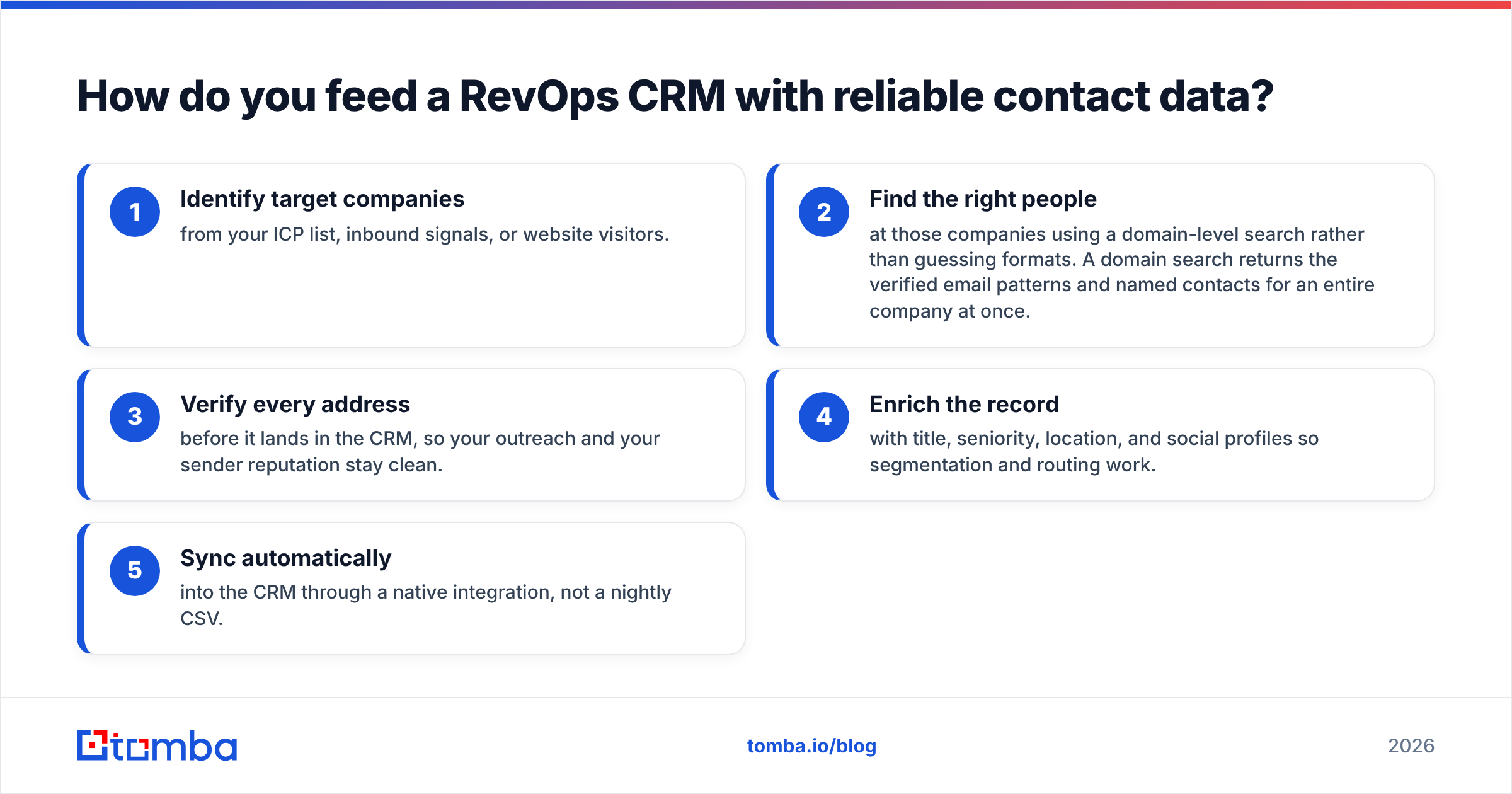
A dependable flow looks like this:
- Identify target companies from your ICP list, inbound signals, or website visitors.
- Find the right people at those companies using a domain-level search rather than guessing formats. A domain search returns the verified email patterns and named contacts for an entire company at once.
- Verify every address before it lands in the CRM, so your outreach and your sender reputation stay clean.
- Enrich the record with title, seniority, location, and social profiles so segmentation and routing work.
- Sync automatically into the CRM through a native integration, not a nightly CSV.
That last step is where most stacks leak. If enrichment lives in one tool and the CRM in another with no live connection, someone becomes a human API — and humans forget. Native connectors close the loop. Tomba pushes verified, enriched contacts straight into your system through its HubSpot integration and Salesforce integration, so the CRM stays current without manual entry.
Data source quality matters here too. It's worth knowing where your provider gets its data and how it's refreshed — a directory of scraped, unverified emails will quietly poison even a perfectly configured CRM.
What does a RevOps CRM setup actually look like?#
Configure in this order, because each layer depends on the one before it:
- Lifecycle stages first. Define the exact stages a record passes through — subscriber, lead, MQL, SQL, opportunity, customer, renewal — and the entry and exit criteria for each. This is a process decision, not a software one.
- Ownership and routing. Every record needs a clear owner at every stage. Ambiguous ownership is how leads die in the gap between marketing and sales.
- SLAs and automation. Attach time-based rules: a new MQL gets worked within X hours, a stalled deal triggers an alert. The CRM enforces the SLA so managers don't have to nag.
- Required fields and validation. Decide the minimum data a record must carry to advance a stage. Enforce it at the field level.
- Reporting last. Once stages, ownership, and data standards exist, dashboards become trivial — you're just visualizing a clean, well-governed dataset.
A common mistake is starting with dashboards. You can't report your way out of a bad data model. Fix the model and the inputs, and the reports build themselves.
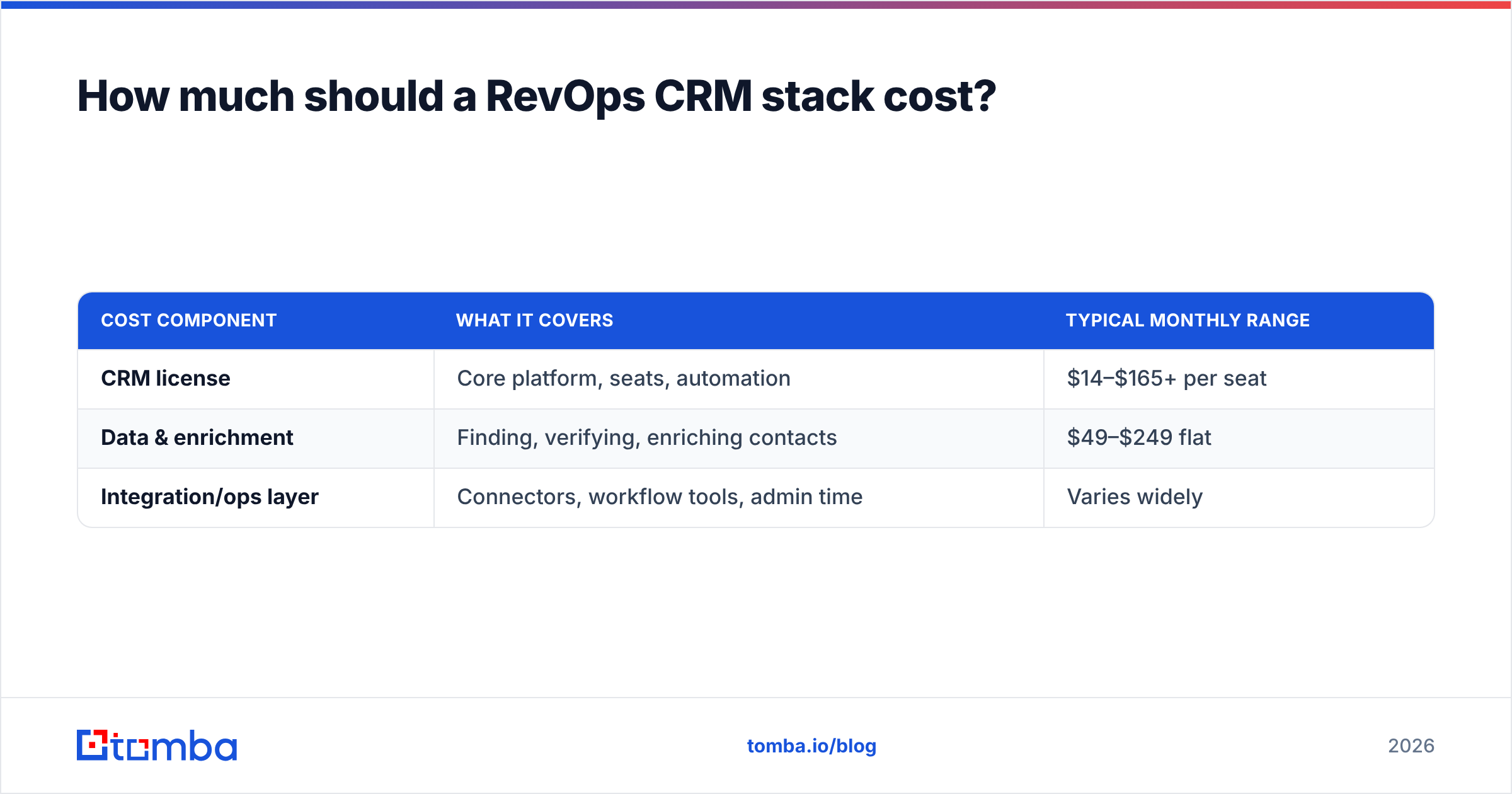
How much should a RevOps CRM stack cost?#
Budget for three separate line items, because the CRM license is only part of the total.
| Cost component | What it covers | Typical monthly range |
|---|---|---|
| CRM license | Core platform, seats, automation | $14–$165+ per seat |
| Data & enrichment | Finding, verifying, enriching contacts | $49–$249 flat |
| Integration/ops layer | Connectors, workflow tools, admin time | Varies widely |
The data layer is where teams either overspend on bloated all-in-one suites or underspend and starve the CRM. A focused email-and-enrichment tool is usually the highest-ROI line item because it protects every dollar spent on the CRM and outreach downstream. Tomba's plans run from a free tier (25 searches/mo) up through Starter at $49/mo and Growth at $99/mo — you can see the full breakdown on the Tomba pricing page. Compared to bundling enrichment into an enterprise CRM add-on, a dedicated data source is typically both cheaper and more accurate.
The trap to avoid: paying enterprise CRM prices and then feeding the system free-tier or scraped data. That's a Ferrari running on contaminated fuel.
What are the biggest RevOps CRM mistakes to avoid?#
- Buying features you won't configure. An enterprise CRM you never customize performs worse than a simple one you actually run well.
- Skipping verification. Every unverified contact is a future bounce, a reputation hit, and a skewed report.
- No single owner for the CRM. RevOps exists precisely so one team owns data governance across departments. Without it, standards erode.
- Manual data entry as the primary input. If your enrichment isn't automated, it isn't reliable — plan the pipeline, don't rely on discipline.
- Reporting before hygiene. Dashboards on dirty data manufacture false confidence.
Get these five right and almost any competent CRM will serve you well. Get them wrong and no platform, however expensive, will save you.
Build the engine, then pick the wrench#
Your CRM is the engine of your revenue operation, but an engine only runs on clean fuel. Define your process, enforce your data standards, and automate the flow of verified contacts into whatever platform you choose — that sequence is what separates a CRM that drives predictable revenue from one that becomes an expensive, distrusted spreadsheet.
The fastest lever most teams can pull today is fixing the data layer. Start feeding your CRM verified, enriched decision-makers instead of guessed addresses: use the Tomba Email Finder to source accurate professional emails by name, company, or domain, verify them before they hit your pipeline, and sync them straight into HubSpot or Salesforce. Clean inputs, trustworthy reports, a revenue engine you can actually forecast — that's what a CRM for RevOps is supposed to deliver.
Related guides#
Ready to find emails that actually work?
Join 150,000+ professionals who stopped guessing and started sending. Free credits on signup — no credit card required.
Get the Tomba newsletter
Practical outbound tactics and product updates — once every two weeks.
About the author