CRM Integration and Sales Automation: The 2026 Playbook
Connecting your CRM to your sales stack sounds simple until dirty data and broken syncs eat your pipeline. Here's how CRM integration and sales automation actually work together in 2026 — and where teams go wrong.
Most sales teams don't have an automation problem. They have an integration problem wearing an automation costume.
You buy a sequencer, a dialer, an enrichment tool, and a scheduling app. Each one connects to your CRM "natively." Six months later reps are still copy-pasting between tabs, deals sit in the wrong stage, and nobody trusts the forecast. The tools work. The wiring doesn't.
This guide is about the wiring — how CRM integration and sales automation fit together in 2026, what to automate first, and the failure modes that quietly kill pipeline.
TL;DR#
- CRM integration is the foundation; automation is the payoff. Automate on top of dirty or half-synced data and you scale the mistakes, not the results.
- Sync direction and field mapping are where most projects break. Decide your system of record per object before you connect anything.
- The highest-ROI automations are boring: lead routing, activity logging, stage hygiene, and data enrichment — not flashy AI that writes emails nobody answers.
- Bad contact data is the silent tax. Verify and enrich records at the point of entry so automations fire against real people, not bounces.
- Pick tools that expose a real API and webhooks. "Native integration" means nothing if the sync is one-way and 15 minutes stale.
What is CRM integration in sales automation?#
CRM integration is the plumbing that lets your other sales tools read from and write to your CRM automatically, so a change in one place shows up everywhere without a human retyping it.
Think of your CRM as the kitchen in a restaurant. Sales automation tools — sequencers, dialers, enrichment services, schedulers — are the waitstaff. Integration is the ticket rail that keeps orders flowing between them. If the rail is missing, every waiter shouts across the room and orders get lost. That's what a half-integrated stack feels like: technically staffed, functionally chaotic.
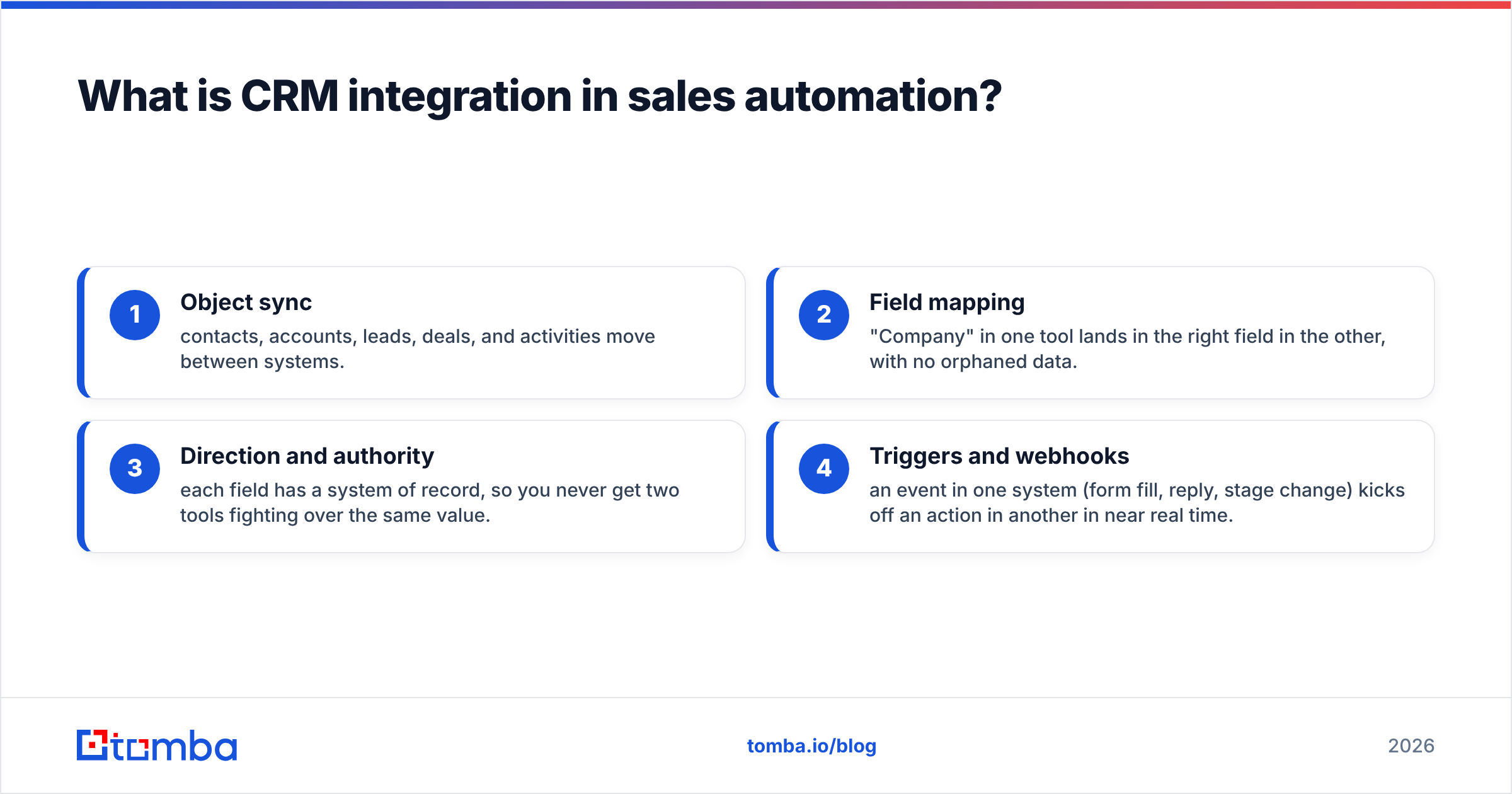
In practical terms, a working integration handles four things:
- Object sync — contacts, accounts, leads, deals, and activities move between systems.
- Field mapping — "Company" in one tool lands in the right field in the other, with no orphaned data.
- Direction and authority — each field has a system of record, so you never get two tools fighting over the same value.
- Triggers and webhooks — an event in one system (form fill, reply, stage change) kicks off an action in another in near real time.
Get those four right and automation becomes safe to build on. Skip them and you're automating on sand.
Why does data quality decide whether automation works?#
Because automation is a multiplier, and multiplying garbage gives you more garbage, faster.
A cold-email sequence that fires against a list with a 30% bounce rate doesn't just waste sends — it torches your sender reputation and drags down deliverability for the clean records too. A routing rule keyed on "company size" fails silently when half your records have that field blank. A "notify AE on high-intent visit" alert is noise if the matched contact left the company a year ago.
This is the part vendors gloss over. The demo always uses clean sample data. Your production CRM is a decade of imports, tradeshow scans, and half-finished records. Before you automate, you need a data hygiene layer:
- Verify every email at entry with an email verifier so invalid and risky addresses never enter a sequence.
- Enrich thin records — a name and a company aren't enough to route or personalize. Add title, seniority, and firmographics with data enrichment.
- Deduplicate on a stable key (usually verified email or domain) so automations don't double-fire.
Do this once, at the boundary, and every downstream automation inherits clean inputs.
Which sales tasks should you automate first?#
Start with the boring, high-frequency tasks that eat rep hours and produce measurable pipeline hygiene. Flashy AI features come later.
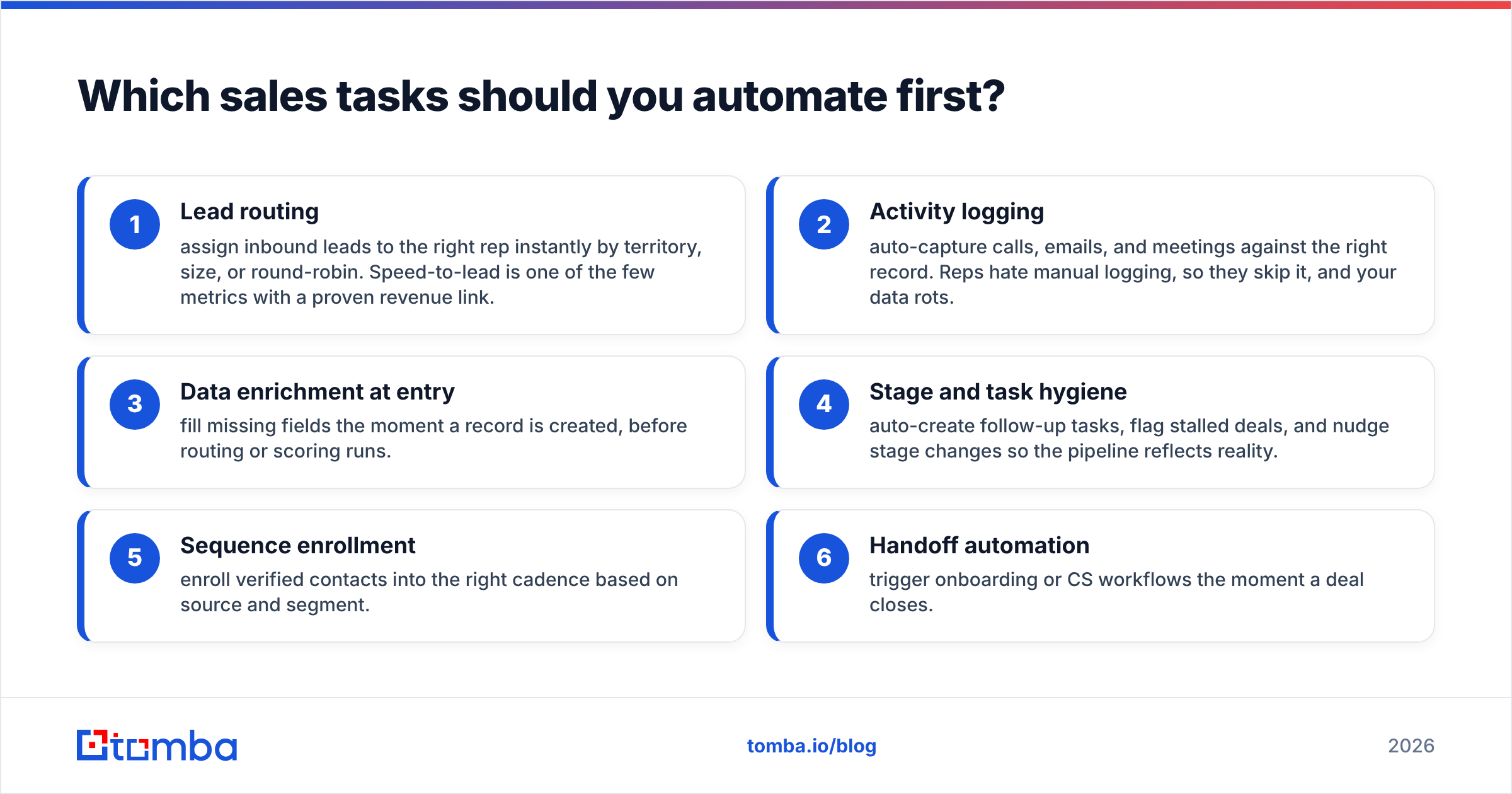
Here's the priority order that pays back fastest:
- Lead routing — assign inbound leads to the right rep instantly by territory, size, or round-robin. Speed-to-lead is one of the few metrics with a proven revenue link.
- Activity logging — auto-capture calls, emails, and meetings against the right record. Reps hate manual logging, so they skip it, and your data rots.
- Data enrichment at entry — fill missing fields the moment a record is created, before routing or scoring runs.
- Stage and task hygiene — auto-create follow-up tasks, flag stalled deals, and nudge stage changes so the pipeline reflects reality.
- Sequence enrollment — enroll verified contacts into the right cadence based on source and segment.
- Handoff automation — trigger onboarding or CS workflows the moment a deal closes.
Notice that "AI writes the whole email" isn't on the list. Personalization at scale matters, but it's worthless if the underlying contact data is wrong or the reply never reaches an inbox. Fix the foundation first.
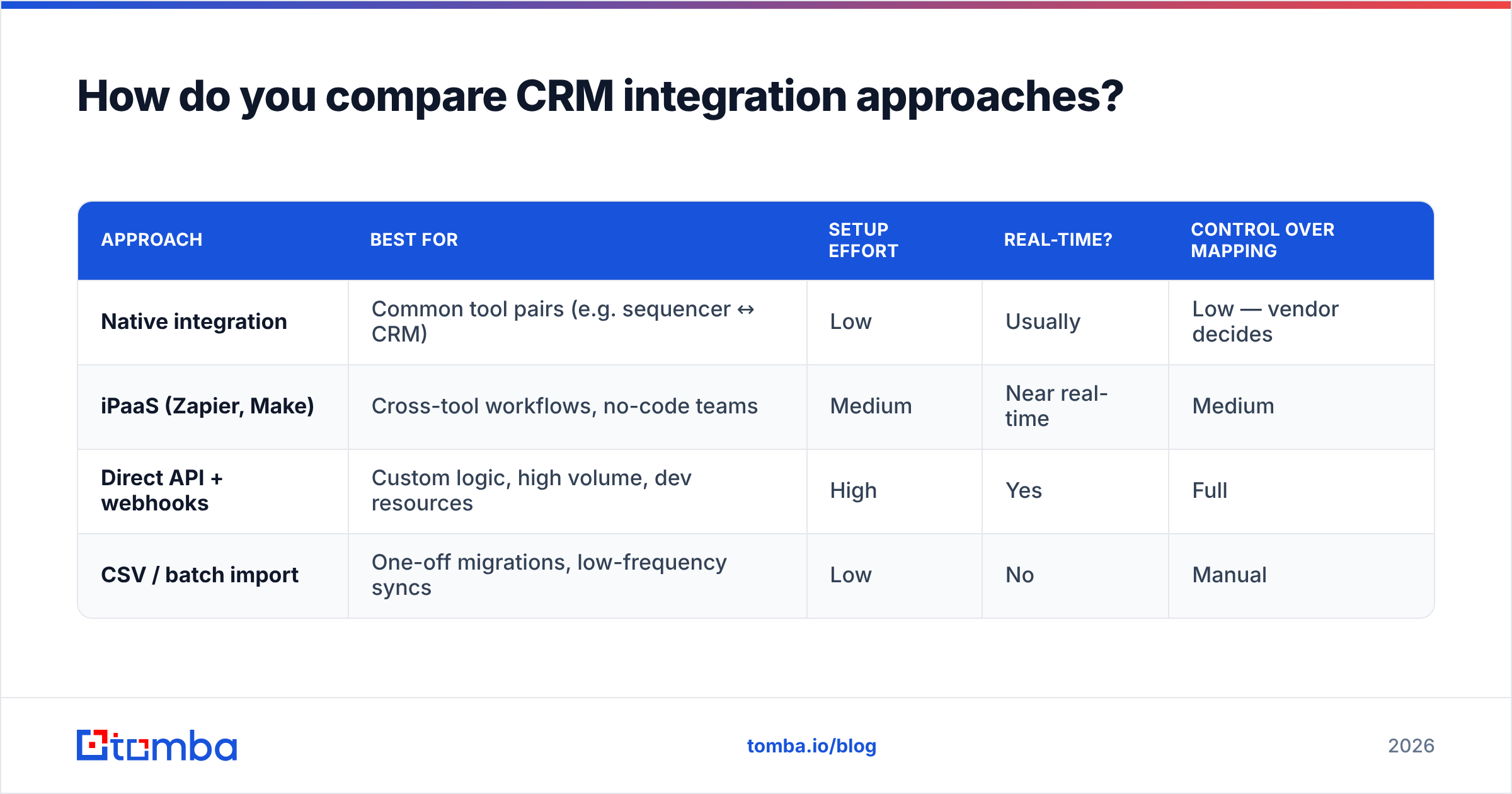
How do you compare CRM integration approaches?#
There are four common ways to connect your stack, and they trade off control against effort. Most teams end up using two or three together.
| Approach | Best for | Setup effort | Real-time? | Control over mapping |
|---|---|---|---|---|
| Native integration | Common tool pairs (e.g. sequencer ↔ CRM) | Low | Usually | Low — vendor decides |
| iPaaS (Zapier, Make) | Cross-tool workflows, no-code teams | Medium | Near real-time | Medium |
| Direct API + webhooks | Custom logic, high volume, dev resources | High | Yes | Full |
| CSV / batch import | One-off migrations, low-frequency syncs | Low | No | Manual |
A few honest caveats:
- "Native" is not always two-way. Read the fine print — many native syncs push one direction and lag by 5–15 minutes.
- iPaaS is fast to build but easy to sprawl. A Zapier integration or Make.com integration can wire almost anything, but undocumented zaps become a maintenance liability. Name and log them.
- APIs give you control but cost engineering time. If you're moving thousands of records or need sub-second triggers, a direct email finder API or enrichment API is worth it.
- Batch import still has a place for migrations and periodic backfills — just verify before you load.
For the CRMs themselves, the platform docs are the source of truth on limits and object models — HubSpot's integration docs and Salesforce's developer platform both spell out API quotas and sync behavior you should read before committing an architecture. Independent reviews on G2 are useful for pressure-testing a vendor's "seamless integration" claims against what customers actually report.
What breaks CRM integrations (and how to avoid it)?#
Most integration failures fall into five predictable buckets. If you design against these up front, you avoid the 3am "why is the pipeline empty" incident.
1. No system of record. Two tools both think they own the "Owner" field, so they overwrite each other on every sync. Fix: declare one authoritative source per field before connecting anything.
2. Loose field mapping. "Job Title" maps to a free-text field in one system and a picklist in another, so values silently drop. Fix: map every synced field explicitly and test with edge-case records.
3. Duplicate creation. Two integrations create the same contact under slightly different emails. Fix: dedupe on a verified, normalized key and enforce it at the API layer.
4. Silent sync failures. A rate limit or auth expiry stops the sync and nobody notices for days. Fix: monitor sync health and alert on it — treat the integration like production infrastructure.
5. Dirty data poisoning triggers. Automations fire against bounced or stale contacts. Fix: verify and enrich at the boundary, as covered above.

The through-line: none of these are exotic. They're basic data-engineering discipline applied to a sales stack. The teams that get automation right treat their CRM integration like a system, not a checkbox.
How does data enrichment fit into the automation flow?#
Enrichment is the step that makes every other automation smarter, because it turns thin records into records you can route, score, and personalize against.
A typical enriched flow looks like this:
- A lead enters via form, import, or website visitor reveal.
- The email is verified — invalid addresses are quarantined, not enrolled.
- Missing fields (title, seniority, company size, LinkedIn) are filled automatically.
- Routing rules run against the now-complete record and assign an owner.
- Lead scoring runs and, if the threshold is met, enrollment into a sequence fires.
- The rep gets a fully-populated record instead of a name and a guess.
Every step after enrichment depends on the data being complete and correct. That's why enrichment sits early in the chain — it's the difference between routing on real firmographics and routing on blanks. Tools like a bulk email finder and a domain search let you backfill entire accounts, not just single contacts, which matters when you're running account-based plays.
If you want a deeper breakdown of pricing tiers for building this layer, the Tomba pricing page lays out where verification and enrichment credits fit at each plan level.
What does a clean 2026 automation stack look like?#
A stack that works shares three traits, regardless of which specific vendors you pick.
One system of record. Your CRM is the hub. Everything reads from and writes to it, and no tool is allowed to hold canonical data it doesn't own. This kills the "which number is right" argument that eats forecast reviews.
A verification-and-enrichment gate at every entry point. Forms, imports, chat, visitor reveal, list buys — every path into the CRM passes through the same hygiene layer. No exceptions, because exceptions are how bad data creeps back in.
Observable, documented automations. Every zap, workflow, and API job is named, logged, and monitored. When something breaks, you know within minutes and you know where. Undocumented automation is technical debt with a sales quota attached.
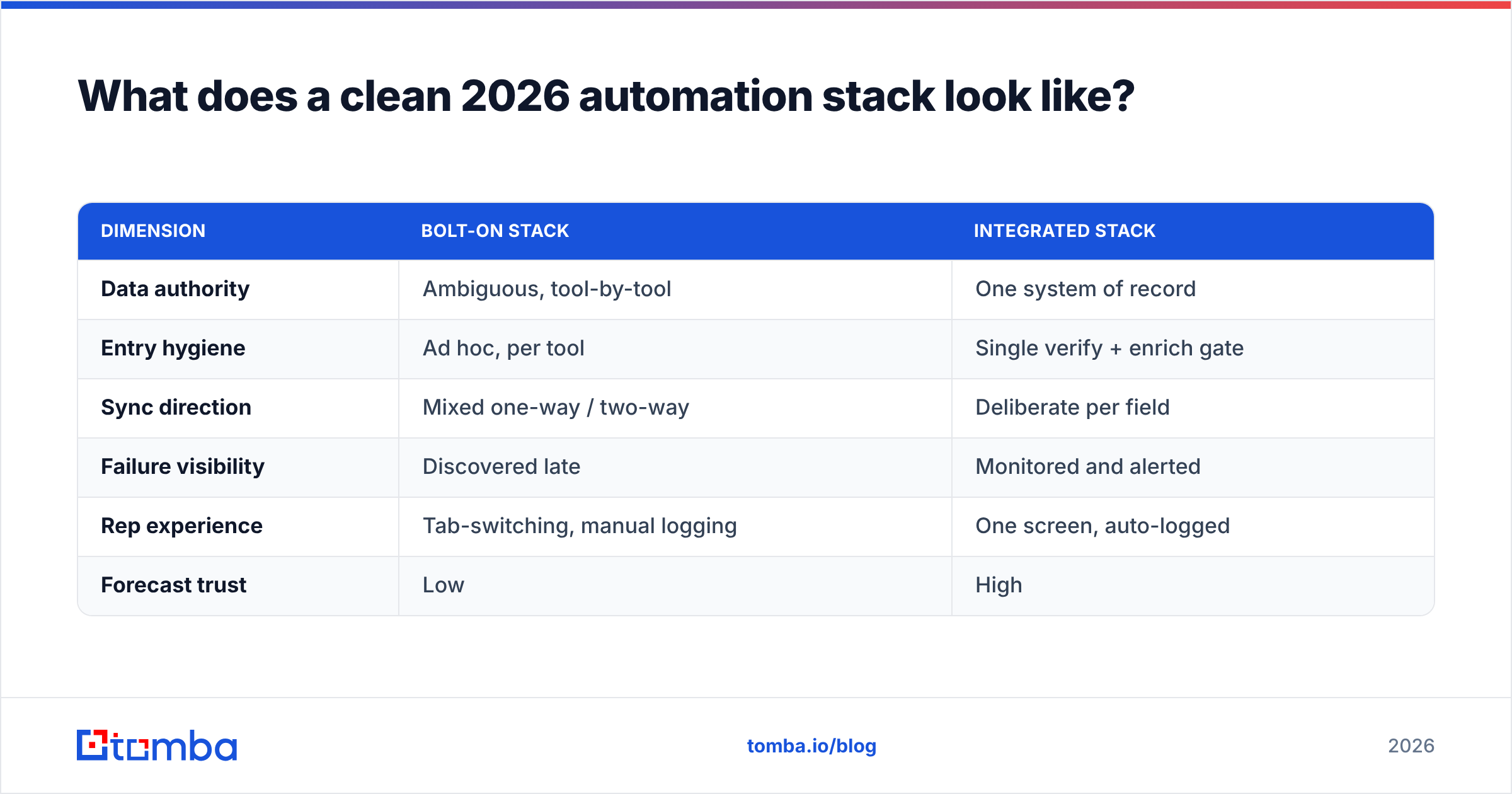
Here's how the two philosophies compare in practice:
| Dimension | Bolt-on stack | Integrated stack |
|---|---|---|
| Data authority | Ambiguous, tool-by-tool | One system of record |
| Entry hygiene | Ad hoc, per tool | Single verify + enrich gate |
| Sync direction | Mixed one-way / two-way | Deliberate per field |
| Failure visibility | Discovered late | Monitored and alerted |
| Rep experience | Tab-switching, manual logging | One screen, auto-logged |
| Forecast trust | Low | High |
You don't need every tool a vendor sells. You need the hub clean, the gate strict, and the automations visible. Everything else is optional.
Frequently asked questions#
Do I need an iPaaS if my tools have native integrations? Not always. If native two-way syncs cover your workflows and stay real-time, start there. Reach for an iPaaS when you need cross-tool logic that no single native connector handles.
Where should email verification happen — in the CRM or before? Before. Verify at the point of entry so invalid addresses never create a record or enroll in a sequence. Verifying after the fact means you've already logged the bounce.
How often should I re-verify existing CRM data? B2B data decays roughly 2–3% per month as people change jobs. Re-verify and re-enrich active segments quarterly, and always before a major campaign.
What's the single biggest mistake teams make? Automating before fixing data authority and hygiene. It feels productive and quietly scales your errors. Foundation first, automation second.
Get the data layer right before you automate#
Automation only pays off when it fires against real, verified, enriched contacts — so that's where to start. Use the Tomba Email Finder to source and verify professional emails by name, company, or domain, then push clean records into your CRM through the Tomba API, HubSpot integration, or Salesforce integration. Wire the hygiene gate once, and every automation you build on top of it inherits clean data instead of guesswork. Start on the free tier, prove the flow on one segment, and scale from there.
Related guides#
Ready to find emails that actually work?
Join 150,000+ professionals who stopped guessing and started sending. Free credits on signup — no credit card required.
Get the Tomba newsletter
Practical outbound tactics and product updates — once every two weeks.
About the author