CRM Lead Source Tracking: A Complete 2026 Field Guide
Lead source is the most abused field in your CRM. Here's how to track it, standardize the values, and actually trust the data behind every closed deal.
Your CRM says 40% of last quarter's revenue came from a lead source called "Other." Nobody knows what "Other" means, so nobody can double down on it, defend it in a budget meeting, or cut it. That single messy field is quietly deciding where your marketing dollars go — and it's usually wrong.
This guide fixes that. You'll learn what a CRM lead source actually is, how to build a taxonomy that survives contact with real reps, and how to keep the data clean once leads start flooding in.
TL;DR#
- CRM lead source is the field that records where a lead first came from — organic search, a webinar, a cold email, a referral, paid social, and so on.
- Most teams break lead source with too many values, free-text entry, and no rules for last-touch vs. first-touch. The result is unusable attribution.
- Keep the picklist short (8–15 values), governed, and mutually exclusive. Split "channel" from "campaign" so you don't overload one field.
- Automate capture at the point of entry — forms, enrichment, and integrations — instead of trusting reps to remember.
- Clean source data compounds: better attribution, smarter budget, higher win rate, and a pipeline you can actually forecast.
What is a CRM lead source?#
A CRM lead source is a structured field on a lead or contact record that answers one question: where did this person first come from? Think of it like the "How did you hear about us?" line on a paper form — except it lives in your CRM and feeds every attribution report you run.
Here's the everyday version. Imagine you run a coffee shop and want to know why the morning rush is bigger this month. Was it the new sidewalk sign, the Instagram post, or the neighbor who keeps recommending you? Lead source is you writing down, for each new customer, which of those brought them in — so next month you spend on what worked.
Technically, lead source is almost always a single-select picklist (a dropdown with a fixed set of values) on the lead object. In HubSpot it's the "Original source" property; in Salesforce it's the standard LeadSource field. Both ship with default values, and both let you customize them — which is exactly where teams get into trouble.
Why does lead source data get so messy?#
Because it's easy to add a value and hard to remove one. Every campaign owner wants their channel represented, every rep types something slightly different, and nobody owns the picklist. Six months later you have 60 values, half of them near-duplicates.
The four failure modes show up in almost every audit:
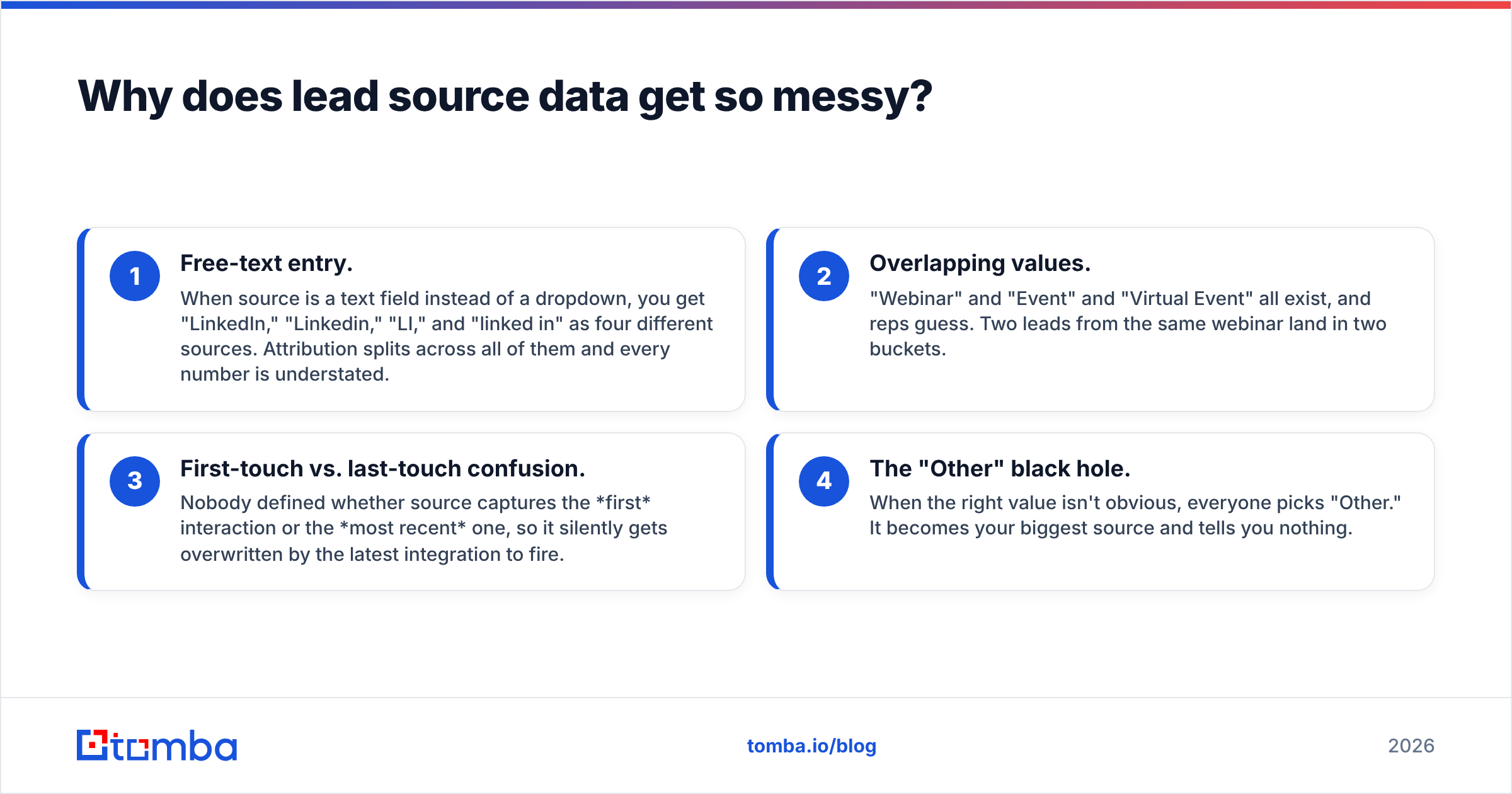
- Free-text entry. When source is a text field instead of a dropdown, you get "LinkedIn," "Linkedin," "LI," and "linked in" as four different sources. Attribution splits across all of them and every number is understated.
- Overlapping values. "Webinar" and "Event" and "Virtual Event" all exist, and reps guess. Two leads from the same webinar land in two buckets.
- First-touch vs. last-touch confusion. Nobody defined whether source captures the first interaction or the most recent one, so it silently gets overwritten by the latest integration to fire.
- The "Other" black hole. When the right value isn't obvious, everyone picks "Other." It becomes your biggest source and tells you nothing.
The fix isn't a bigger picklist. It's a smaller, governed one — plus automation so humans aren't the ones filling it in.
What are the standard CRM lead source values?#
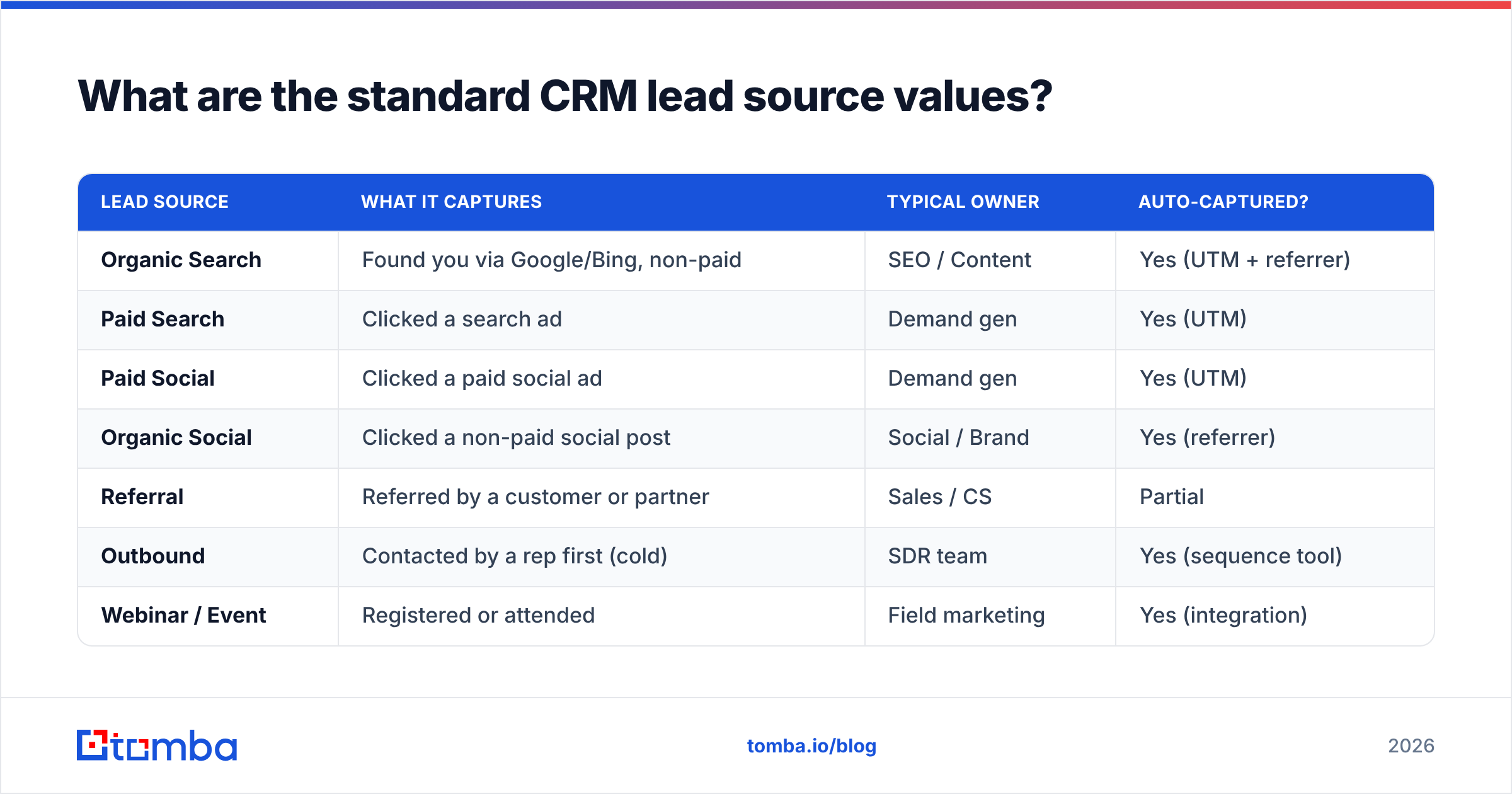
Start from a proven default set and adapt. Both major CRMs ship similar categories, and there's a reason: they map to how buyers actually find companies. Below is a practical baseline you can lift directly.
| Lead source | What it captures | Typical owner | Auto-captured? |
|---|---|---|---|
| Organic Search | Found you via Google/Bing, non-paid | SEO / Content | Yes (UTM + referrer) |
| Paid Search | Clicked a search ad | Demand gen | Yes (UTM) |
| Paid Social | Clicked a paid social ad | Demand gen | Yes (UTM) |
| Organic Social | Clicked a non-paid social post | Social / Brand | Yes (referrer) |
| Referral | Referred by a customer or partner | Sales / CS | Partial |
| Outbound | Contacted by a rep first (cold) | SDR team | Yes (sequence tool) |
| Webinar / Event | Registered or attended | Field marketing | Yes (integration) |
| Content Download | Gated asset, ebook, template | Content | Yes (form) |
| Direct | Typed your URL, no referrer | — | Yes (fallback) |
Notice what this list does not do: it doesn't try to encode the specific campaign, the ad creative, or the sales rep. Those belong in separate fields (Campaign, UTM Campaign, Owner). Lead source answers channel, and only channel. Keep it to roughly 8–15 values and you'll be able to read a source report at a glance.
For deeper context on how source ties into the broader funnel, the marketing qualified lead definition is worth aligning on — source and MQL logic should use the same vocabulary.
First-touch vs. last-touch: which should lead source record?#
Record first-touch on the lead source field, and track last-touch separately. This is the single most important governance decision, and getting it wrong corrupts every report downstream.
- First-touch attributes the lead to the channel that originally introduced them. It rewards top-of-funnel programs — content, SEO, brand — that create demand.
- Last-touch attributes to the final channel before conversion. It rewards bottom-of-funnel programs — retargeting, sales outreach — that capture demand.
Neither is "right." They answer different questions. The mistake is letting a single field flip between them based on whichever integration wrote to it last. Lock lead source to first-touch (set it once, on creation, and make it read-only or "set if empty"), then add a separate "Most Recent Source" field if you need last-touch. Modern multi-touch models blend both, but you can't build a model on a field that overwrites itself.
Analyst research on attribution — for example Gartner's marketing analytics coverage — consistently lands on the same point: the model matters less than the discipline of capturing clean, consistent touch data in the first place.
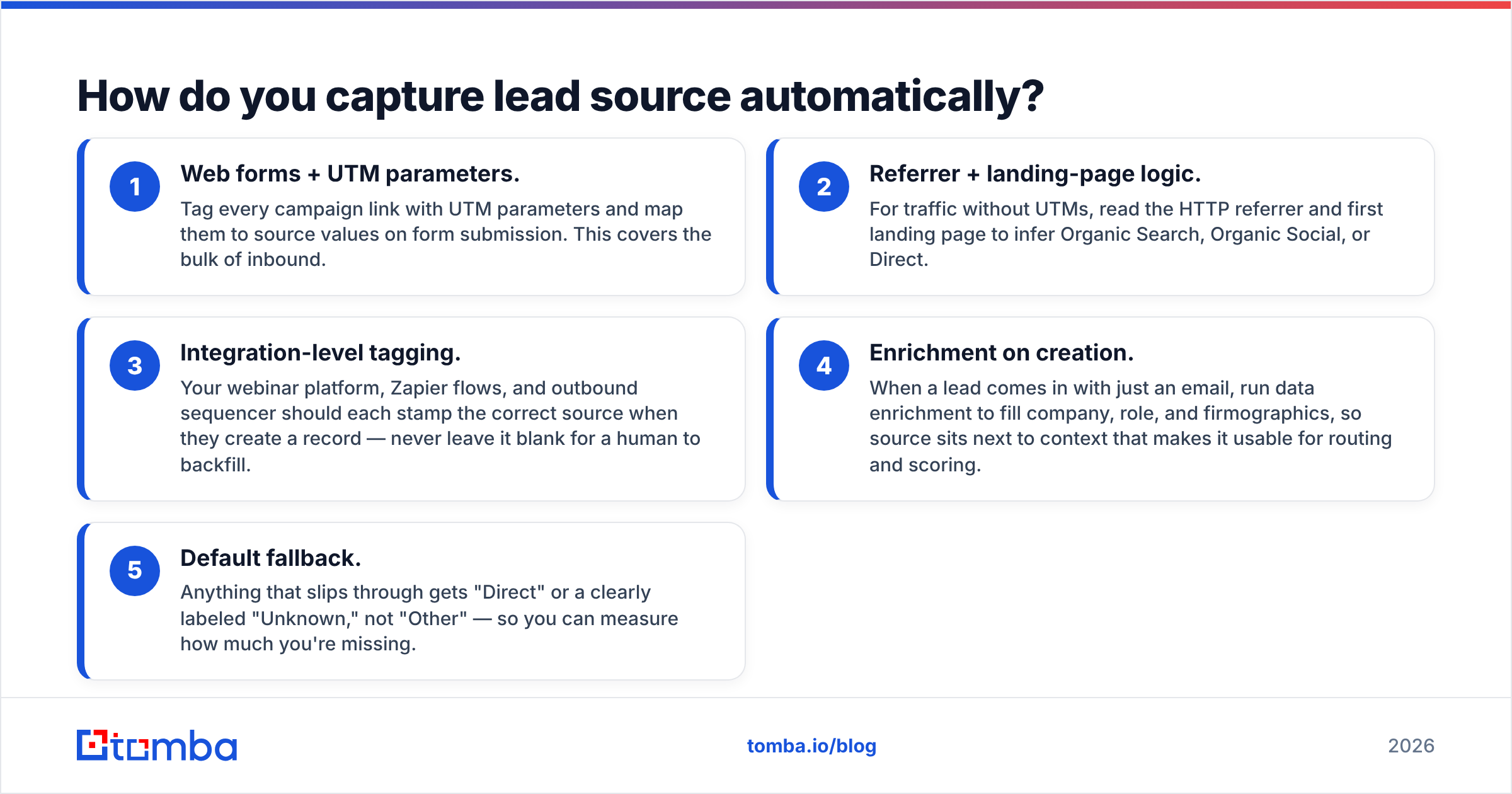
How do you capture lead source automatically?#
You automate it at every entry point so a human never has to remember. Manual entry is where accuracy goes to die — reps are closing deals, not curating your taxonomy.
Here's a layered capture strategy, from most to least reliable:
- Web forms + UTM parameters. Tag every campaign link with UTM parameters and map them to source values on form submission. This covers the bulk of inbound.
- Referrer + landing-page logic. For traffic without UTMs, read the HTTP referrer and first landing page to infer Organic Search, Organic Social, or Direct.
- Integration-level tagging. Your webinar platform, Zapier flows, and outbound sequencer should each stamp the correct source when they create a record — never leave it blank for a human to backfill.
- Enrichment on creation. When a lead comes in with just an email, run data enrichment to fill company, role, and firmographics, so source sits next to context that makes it usable for routing and scoring.
- Default fallback. Anything that slips through gets "Direct" or a clearly labeled "Unknown," not "Other" — so you can measure how much you're missing.

The goal is that by the time a human sees the record, source is already populated correctly. Reps should be correcting rare edge cases, not creating the data.
Manual vs. automated lead source capture#
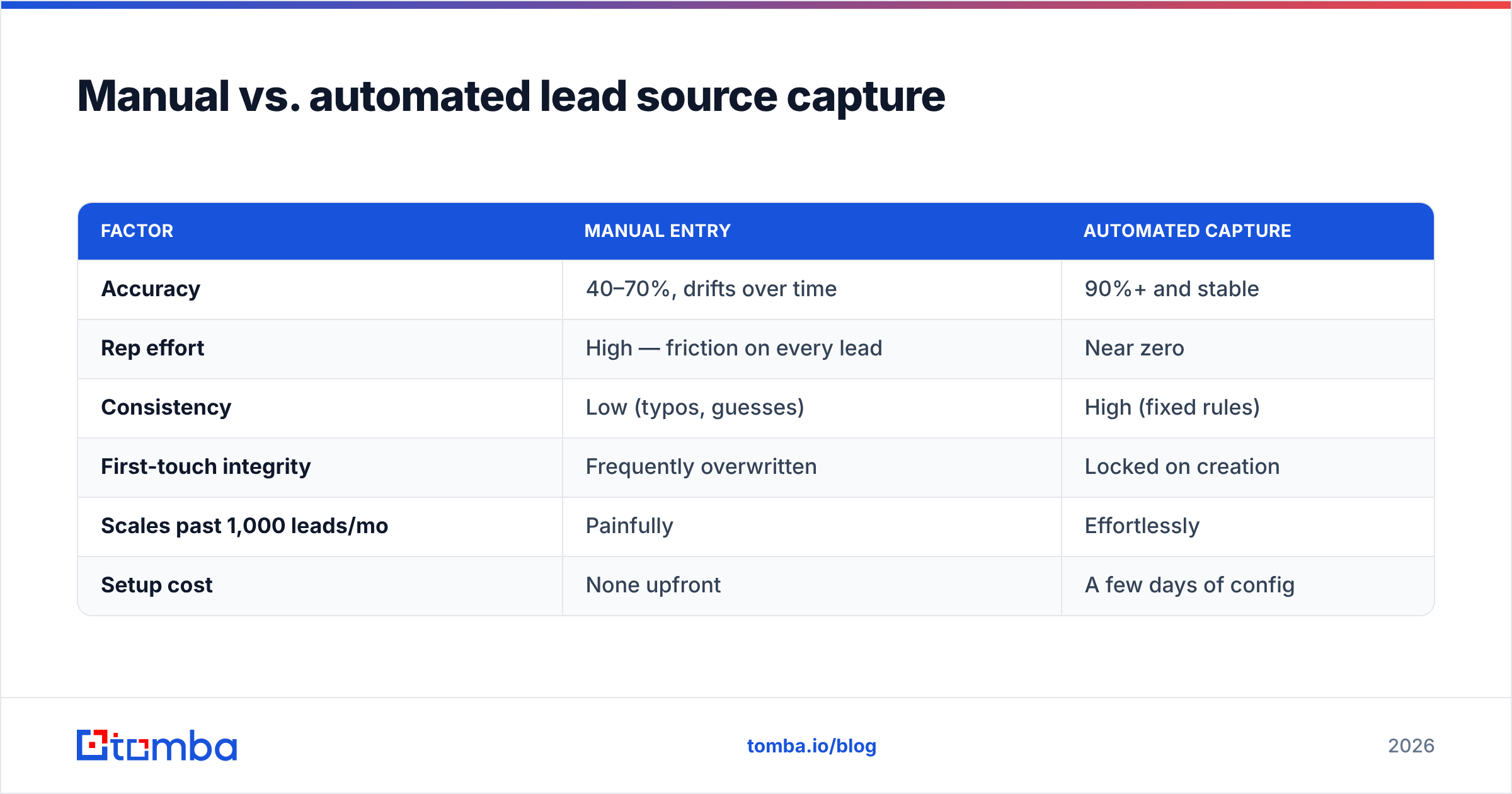
If you're weighing whether it's worth wiring up automation, this comparison makes the trade-off concrete.
| Factor | Manual entry | Automated capture |
|---|---|---|
| Accuracy | 40–70%, drifts over time | 90%+ and stable |
| Rep effort | High — friction on every lead | Near zero |
| Consistency | Low (typos, guesses) | High (fixed rules) |
| First-touch integrity | Frequently overwritten | Locked on creation |
| Scales past 1,000 leads/mo | Painfully | Effortlessly |
| Setup cost | None upfront | A few days of config |
The upfront config pays for itself the first time you present a source report without having to add a paragraph of caveats about the data.
How do you keep lead source clean over time?#
Treat the picklist like production code: governed, versioned, and reviewed. Data decays the moment you stop maintaining it.
- Assign an owner. One person (usually in RevOps) approves any new source value. No exceptions. This alone prevents the 60-value sprawl.
- Audit quarterly. Pull a source report, find values under ~1% volume, and merge or retire them. Rename inconsistent legacy values in bulk.
- Validate on entry. Make the field required, single-select, and — where possible — read-only after creation so it can't be silently changed.
- Reconcile with reality. Cross-check high-value closed deals against their recorded source. If your best customers all say "Other," your taxonomy is broken.
- Document the definitions. A one-page doc that says exactly what "Referral" vs. "Partner" means kills 90% of the guessing.
Independent reviews on G2 echo the same theme across CRM tools: the software rarely fails teams on lead tracking — the process around the field does.
What does clean lead source data unlock?#
Everything downstream of "where do our best customers come from?" Once source is trustworthy, it stops being a reporting chore and becomes a decision engine.
- Budget allocation. Double down on the channels that produce revenue, not just leads. A channel with 100 leads and zero closes is a very different bet than one with 20 leads and five closes.
- Lead scoring and routing. Source is a strong signal. An outbound-sourced enterprise lead and an organic ebook download deserve different treatment and different owners.
- Forecasting. Pipeline coverage by source lets you predict which quarters are healthy and which are propped up by one lucky referral.
- Sales and marketing alignment. When both teams read the same source report, the "your leads are bad" / "your follow-up is bad" argument gets replaced with data.
- Enrichment leverage. Pair source with firmographic data and you can segment by source × company size × industry — the kind of view that actually changes a go-to-market plan.
That last point is where a lead's origin and a lead's context meet. Source tells you the channel; enrichment tells you who they are. Together they make routing and scoring precise instead of guesswork.
Putting it together: a 30-day cleanup plan#
If your source field is currently a mess, here's the order of operations that works:
- Week 1 — Audit. Export every source value and its volume. Circle the duplicates, the "Other" pile, and anything under 1%.
- Week 2 — Consolidate. Define your 8–15 value taxonomy, write the one-page definitions doc, and bulk-remap old values to new ones.
- Week 3 — Automate. Wire UTMs, referrer logic, and integration tagging so capture is hands-off. Lock the field to first-touch.
- Week 4 — Govern. Assign an owner, schedule the quarterly audit, and turn on validation. Announce the new taxonomy to sales and marketing.
Thirty days of focused work buys you years of trustworthy attribution. The alternative is another quarter of guessing why "Other" is your best-performing channel.
Where Tomba fits#
Clean lead source starts with clean lead data. If you're capturing leads from outbound, list-building, or website visitors, you want the record to arrive complete — real email, verified, and enriched — so source sits next to context you can act on.
That's what Tomba's Email Finder is built for: find and verify professional email addresses by name, domain, or company, then push them into your CRM already tagged and enriched. Plans start free with 25 searches a month, and paid tiers begin at $49/mo — see full Tomba pricing for the breakdown. Wire it into your HubSpot or Salesforce flow and your lead source field stops being the thing you apologize for in every reporting meeting — and starts being the thing you build your budget on.
Start with a clean source taxonomy, automate the capture, and let the data tell you where your revenue actually comes from.
Related guides#
Ready to find emails that actually work?
Join 150,000+ professionals who stopped guessing and started sending. Free credits on signup — no credit card required.
Get the Tomba newsletter
Practical outbound tactics and product updates — once every two weeks.
About the author