CRM Lead Status Explained: Stages, Examples, and Best Practices
CRM lead status is the single field that tells your team who to call next. Here's how to define stages, avoid stuck leads, and keep your pipeline honest.
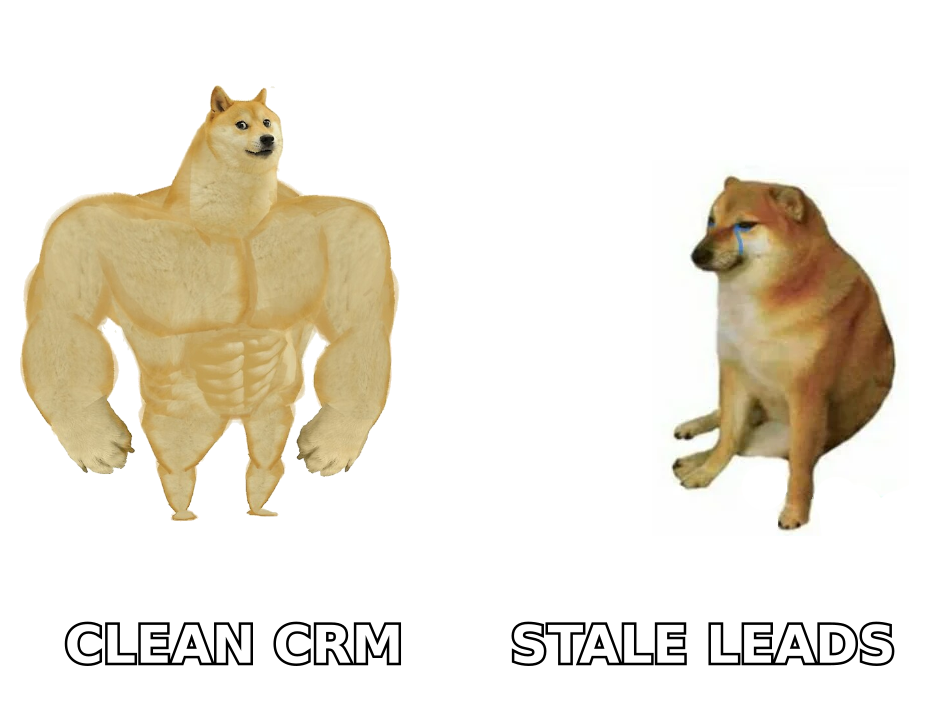
Your CRM lead status field looks trivial — a dropdown with a handful of options. But it quietly decides who your reps call today, which deals forecast, and how much budget marketing gets next quarter. Get it wrong and leads rot in "New" forever. Get it right and every rep knows exactly what to do next.
TL;DR#
- CRM lead status is a structured field that tracks where a lead sits in the early sales journey — from first touch to qualified (or disqualified).
- Keep it simple: 5–7 statuses maximum. More than that and reps stop updating it.
- Status is not the same as pipeline stage. Status governs pre-opportunity leads; stages govern active deals.
- Stuck leads are a data problem, not a discipline problem — bad emails and stale contacts stall the whole system.
- Clean, verified contact data is what makes lead status trustworthy. Enrich and verify emails before a lead ever enters "Working".
What is CRM lead status?#
CRM lead status is the field that answers one question: what has happened with this lead so far, and what needs to happen next?
Think of it like the status label on a package you ordered — "Ordered", "Shipped", "Out for delivery", "Delivered". You don't need to call the courier to know where your box is; the label tells you. Lead status does the same for a human contact moving through your funnel. A rep can glance at 200 leads and instantly know which 12 need a call this morning.
Technically, it's a picklist field attached to the lead (or contact) object in your CRM. Every major platform ships with a default set — HubSpot, Salesforce, and Pipedrive all include one out of the box — and every serious sales team customizes it.
The distinction that trips people up: lead status is pre-deal. It describes the qualification journey. Once a lead becomes a real opportunity with a dollar value, it moves into your pipeline stages instead. Mixing the two into one field is the most common CRM design mistake, and it makes your forecast lie.
What are the standard CRM lead status stages?#
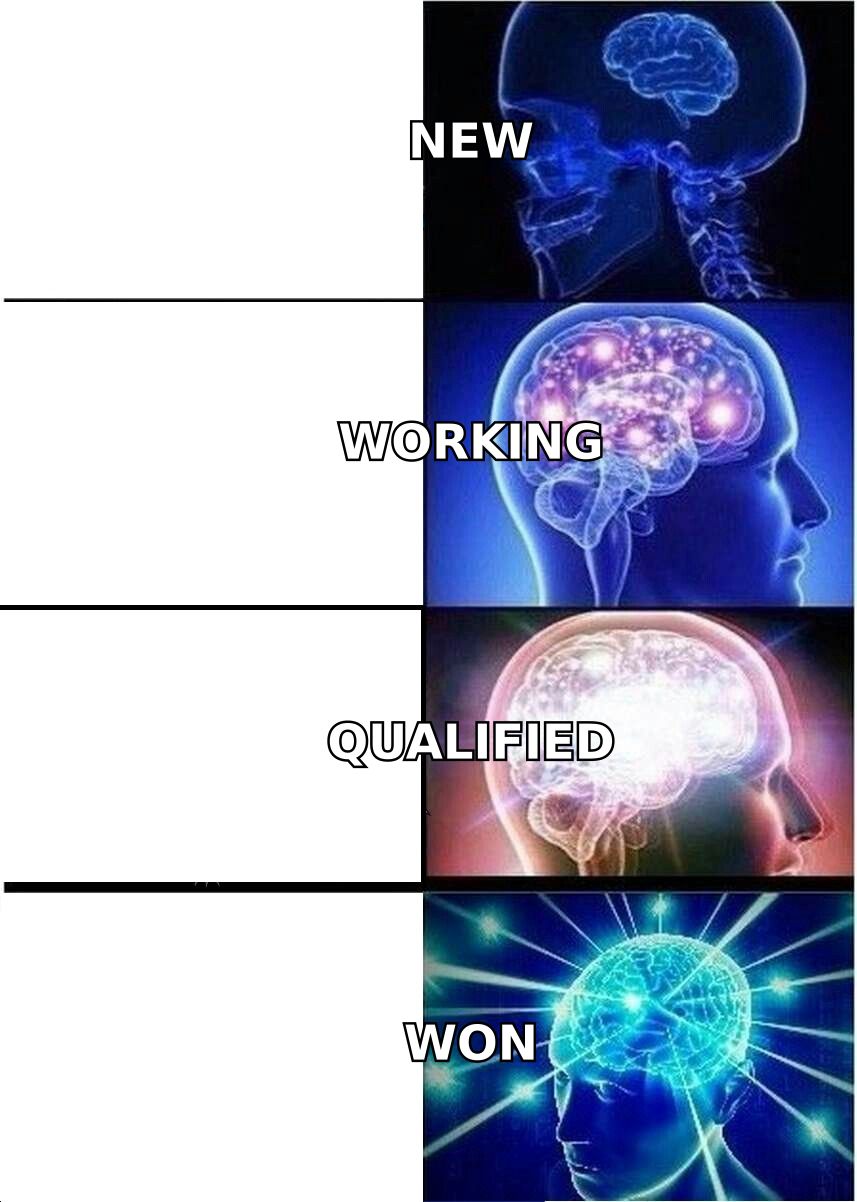
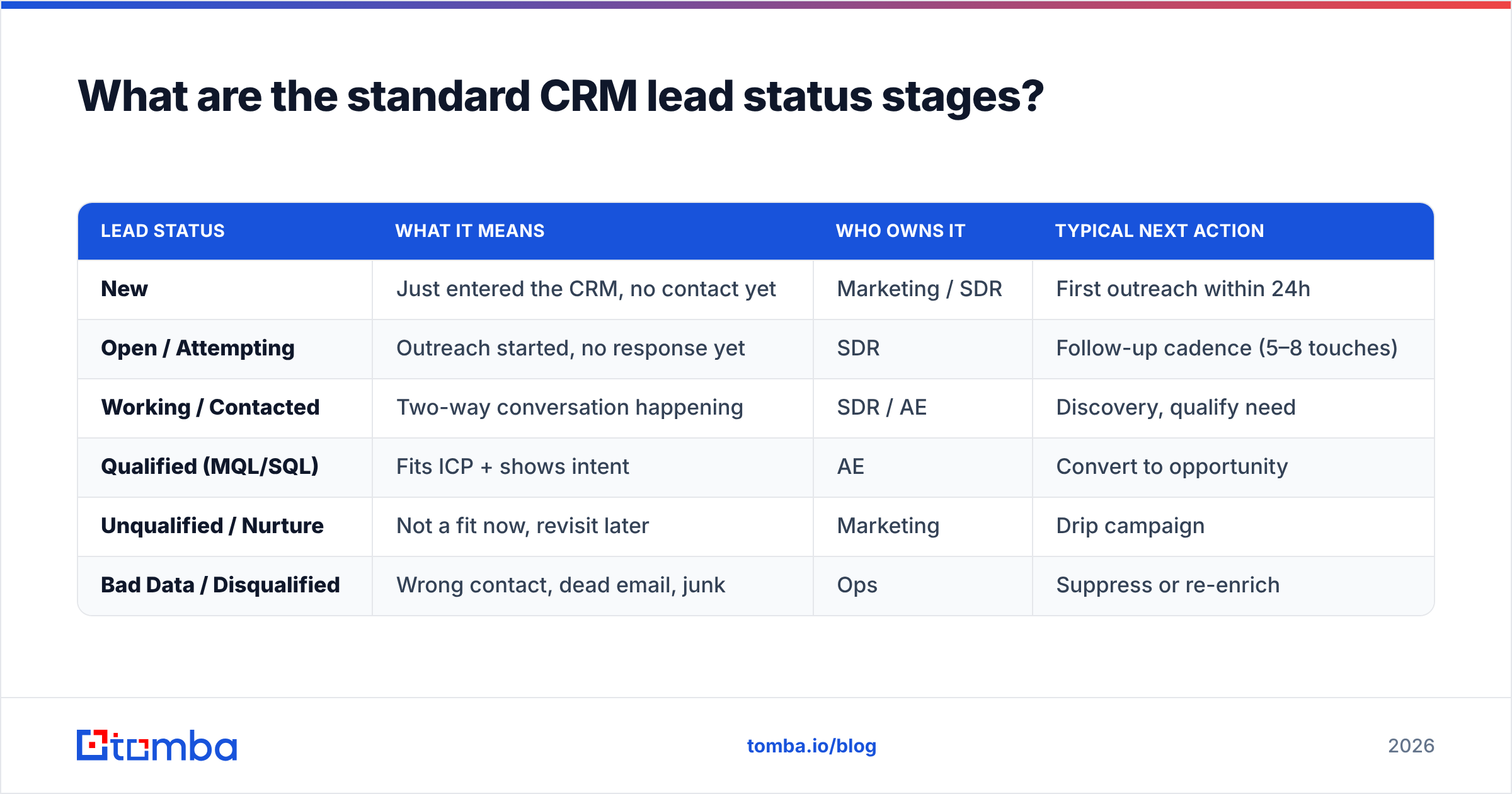
Most high-performing teams converge on a similar set. Here's the canonical progression with what each one actually means in practice.
| Lead Status | What it means | Who owns it | Typical next action |
|---|---|---|---|
| New | Just entered the CRM, no contact yet | Marketing / SDR | First outreach within 24h |
| Open / Attempting | Outreach started, no response yet | SDR | Follow-up cadence (5–8 touches) |
| Working / Contacted | Two-way conversation happening | SDR / AE | Discovery, qualify need |
| Qualified (MQL/SQL) | Fits ICP + shows intent | AE | Convert to opportunity |
| Unqualified / Nurture | Not a fit now, revisit later | Marketing | Drip campaign |
| Bad Data / Disqualified | Wrong contact, dead email, junk | Ops | Suppress or re-enrich |
A few notes on this table:
- New is a holding pen, not a resting place. If a lead sits in New for more than 48 hours, your routing is broken.
- Working should require evidence of a real reply — not just "I sent an email." Otherwise the status inflates and nobody trusts it.
- Qualified is where lead status hands off to pipeline. This is the moment a lead becomes a marketing qualified lead or sales qualified lead and enters a real deal stage.
- Bad Data deserves its own status. Hiding dead contacts inside "Unqualified" pollutes your nurture list and tanks deliverability.
Lead status vs. pipeline stage: what's the difference?#
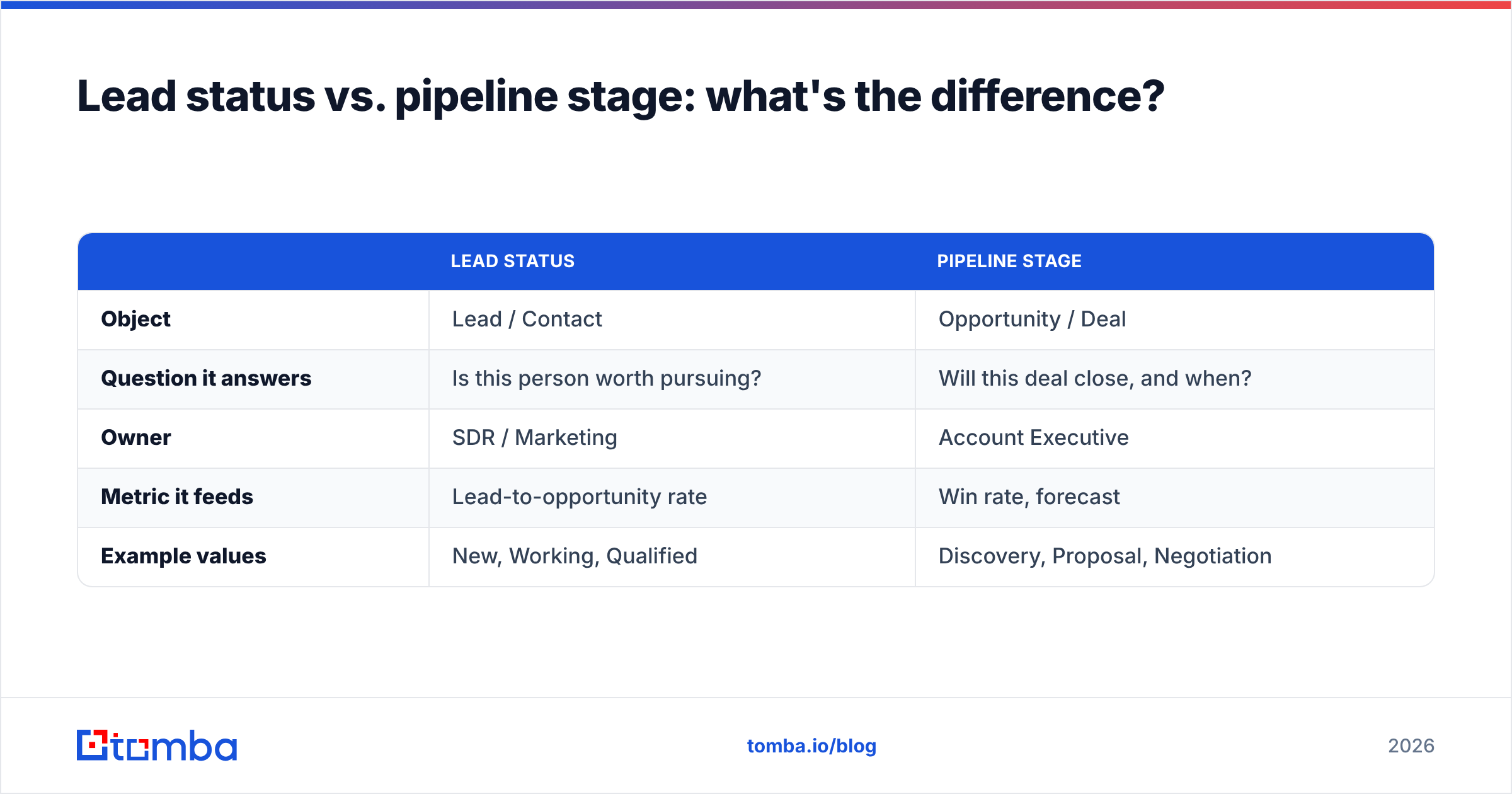
Short answer: lead status tracks a person; pipeline stage tracks a deal.
A lead is an individual you haven't fully qualified. A pipeline opportunity is a qualified deal with a probable value and close date. They live in different objects and answer different questions.
| Lead Status | Pipeline Stage | |
|---|---|---|
| Object | Lead / Contact | Opportunity / Deal |
| Question it answers | Is this person worth pursuing? | Will this deal close, and when? |
| Owner | SDR / Marketing | Account Executive |
| Metric it feeds | Lead-to-opportunity rate | Win rate, forecast |
| Example values | New, Working, Qualified | Discovery, Proposal, Negotiation |
When teams collapse these into one giant dropdown ("New → Working → Demo → Proposal → Closed"), two things break. Marketing can't measure lead quality because "Proposal" isn't a lead outcome. And forecasting breaks because early-funnel noise gets counted as pipeline. Keep them separate. Your reporting will thank you.
Why do leads get stuck in the wrong status?#
Because the data underneath them is wrong. The cleanest status taxonomy in the world fails if the contact record is garbage.
Here's the failure loop most teams live in:
- A lead comes in with a guessed or scraped email that bounces.
- The rep can't reach them, so the lead sits in "Open" indefinitely.
- Nobody wants to mark it "Bad Data" because that feels like giving up.
- The pipeline slowly fills with zombie leads that will never convert.
- Reports look full, but real activity is thin.
The fix isn't a nagging manager — it's better data at the point of entry. If every lead enters the CRM with a verified, deliverable email and enriched firmographics, reps spend their time selling instead of hunting for a working address.
This is exactly where an email finder and verifier earns its keep. Before a lead is ever assigned, you can find email addresses tied to the right person and confirm they're valid. Layer in data enrichment — job title, company size, tech stack — and your "Qualified" status means something because it's based on real attributes, not hope.
How many lead statuses should you have?#
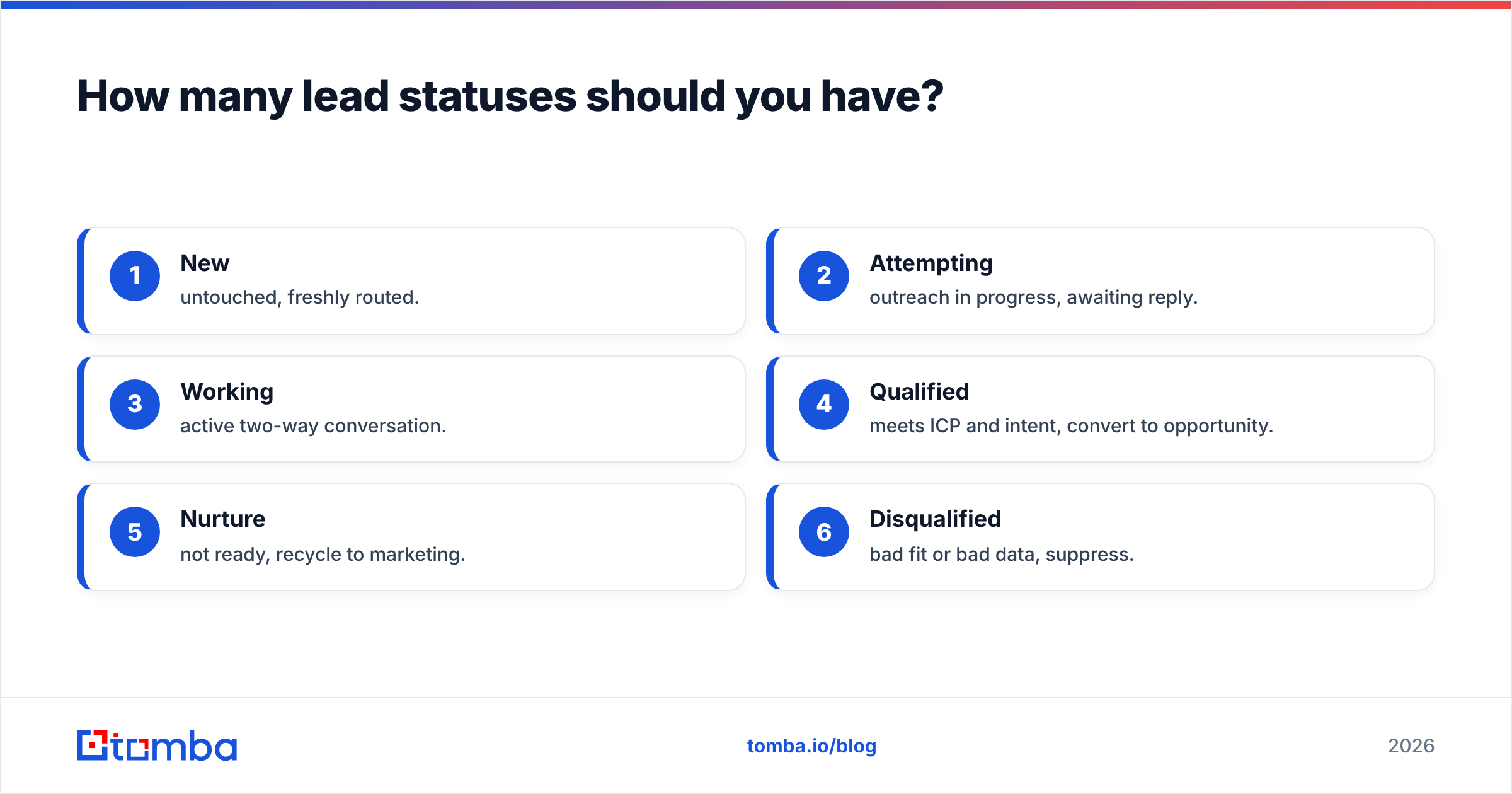
Five to seven. That's the sweet spot backed by how humans actually use dropdowns.
Fewer than four and the status is too coarse to route work. More than eight and reps stop distinguishing between them — "Working" and "Engaged" and "In Conversation" blur into a coin flip, and data quality collapses. Every status you add is a decision you force a busy rep to make dozens of times a day.
A practical test: if two reps would classify the same lead differently, you have too many statuses or unclear definitions. Write a one-sentence entry criterion for each status and post it where reps can see it. If you can't write a clean criterion, that status shouldn't exist.
Here's a lean, battle-tested set for most B2B teams:
- New — untouched, freshly routed.
- Attempting — outreach in progress, awaiting reply.
- Working — active two-way conversation.
- Qualified — meets ICP and intent, convert to opportunity.
- Nurture — not ready, recycle to marketing.
- Disqualified — bad fit or bad data, suppress.
Six statuses. Every rep can hold them in their head. Every one maps to a clear next action.
What are the best practices for managing CRM lead status?#
The framework is worth less than the hygiene around it. These are the habits that separate a CRM that drives revenue from one that's a graveyard.
Automate the entry, not just the field. Set rules so a form fill becomes "New," an email reply flips to "Working," and 30 days of silence auto-moves a lead to "Nurture." Manual-only status updates decay fast. Both HubSpot's lead management docs and Salesforce support workflow automation for exactly this.
Verify data before assignment. A lead should never reach a rep with an unverified email. Wire verification into your intake so bounces are caught before they waste a rep's morning. Read peer reviews of contact-data tools on G2 to compare options.
Enforce a "stuck lead" SLA. Any lead in the same status past a threshold (say, 14 days in "Attempting") triggers a review. Stuck leads are the earliest signal of a data or routing problem.
Separate status from stage — always. We covered why above. This is the single highest-leverage structural decision.
Report on transitions, not snapshots. "How many leads are Qualified" is vanity. "What percent of New leads reach Qualified, and how fast" is insight. Track the conversion rate between each status.
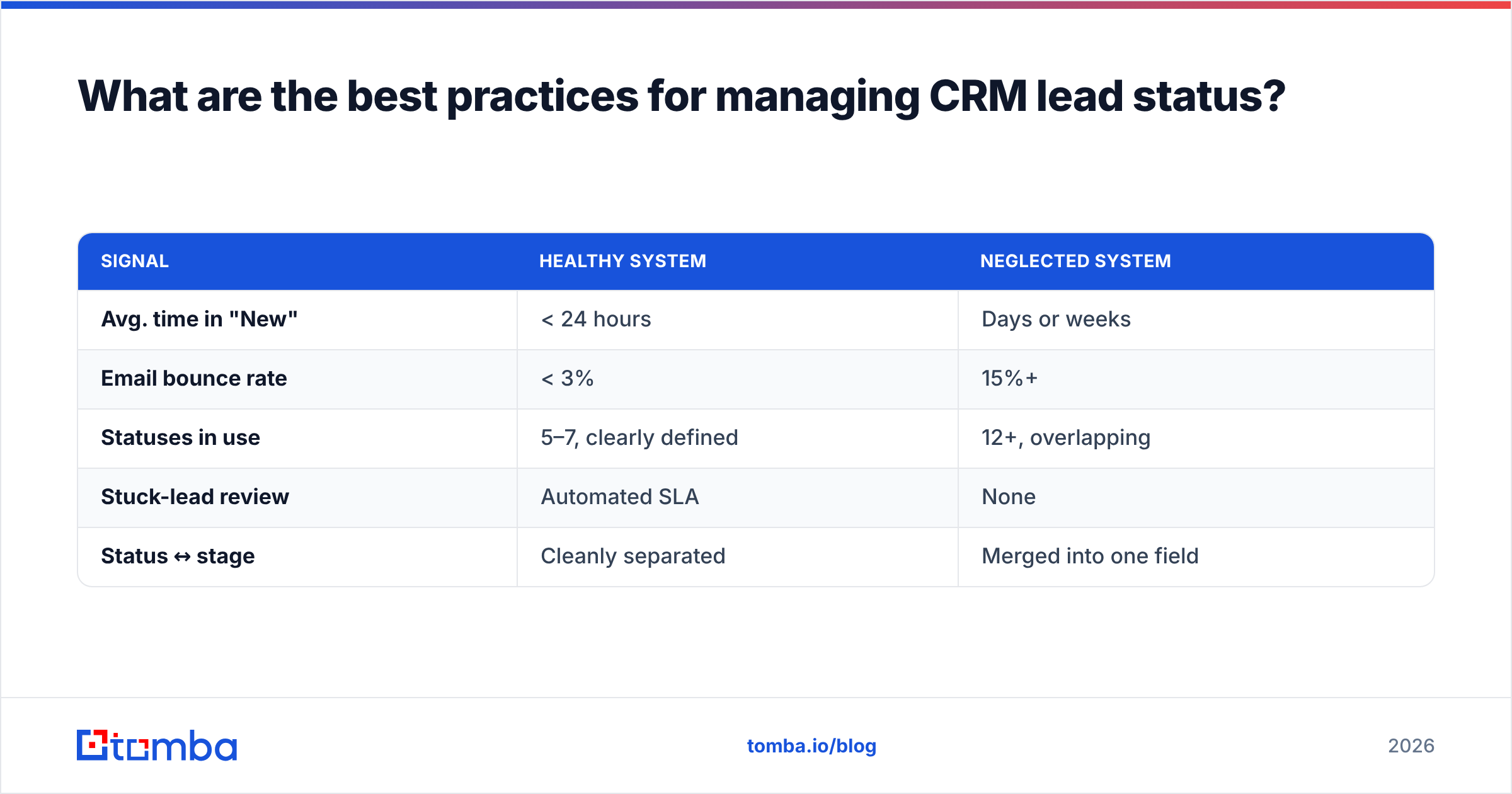
A quick comparison: healthy vs. neglected lead-status hygiene#
| Signal | Healthy system | Neglected system |
|---|---|---|
| Avg. time in "New" | < 24 hours | Days or weeks |
| Email bounce rate | < 3% | 15%+ |
| Statuses in use | 5–7, clearly defined | 12+, overlapping |
| Stuck-lead review | Automated SLA | None |
| Status ↔ stage | Cleanly separated | Merged into one field |
If your row-by-row answers lean right, the problem usually isn't your reps — it's the data and the design.
How does data quality affect lead status accuracy?#
It's the foundation. Lead status is only as honest as the contact record it describes.
Consider two leads both marked "Qualified." The first has a verified email, a confirmed job title, and a company that matches your ICP. The second was scraped, the email is a catch-all nobody reads, and the "VP of Sales" left the company eight months ago. Same status, wildly different reality. Multiply that across a few thousand records and your entire funnel forecast is fiction.
Good data practice makes status trustworthy in three ways:
- Verification removes dead contacts before they inflate "Working" and "Qualified."
- Enrichment gives you the firmographic attributes that make qualification objective instead of a gut call.
- De-duplication stops the same person existing in three statuses at once.
When your data layer is solid, lead status stops being a label reps grudgingly update and becomes a live map of real opportunity. That's the whole point.
The bottom line#
CRM lead status is small in the schema and enormous in impact. Keep it to five to seven clearly defined stages, separate status from pipeline stage, automate transitions, and — above all — feed it clean, verified data. A tidy dropdown on top of garbage records is just organized garbage.
If stuck leads and bouncing emails are quietly draining your pipeline, fix the input first. Use the Tomba Email Finder to source the right professional email for every lead, verify it before assignment, and enrich the record so "Qualified" actually means qualified. Start free with 25 searches a month, and only pay when your pipeline is real. Your reps — and your forecast — will spend their time on leads that can actually close.
Related guides#
Ready to find emails that actually work?
Join 150,000+ professionals who stopped guessing and started sending. Free credits on signup — no credit card required.
Get the Tomba newsletter
Practical outbound tactics and product updates — once every two weeks.
About the author