What Is a CRM Management System? A Practical 2026 Guide
A CRM management system keeps contacts, deals, and follow-ups in one place. Here's how they work, what they cost, and how to pick the right one in 2026.
A spreadsheet can track ten deals. It cannot track a hundred, remind you to follow up on Thursday, or tell you which rep last spoke to a prospect. That gap is exactly what a CRM management system fills — and picking the wrong one costs you months of migration pain.
This guide explains what a CRM management system actually does, how the main options compare, what they cost in 2026, and how to choose one without overbuying. No jargon, no vendor spin.
TL;DR#
- A CRM management system is software that centralizes every contact, deal, and interaction so your team stops losing leads in inboxes and spreadsheets.
- The core value is process, not storage: pipelines, reminders, and reporting that make follow-up automatic instead of heroic.
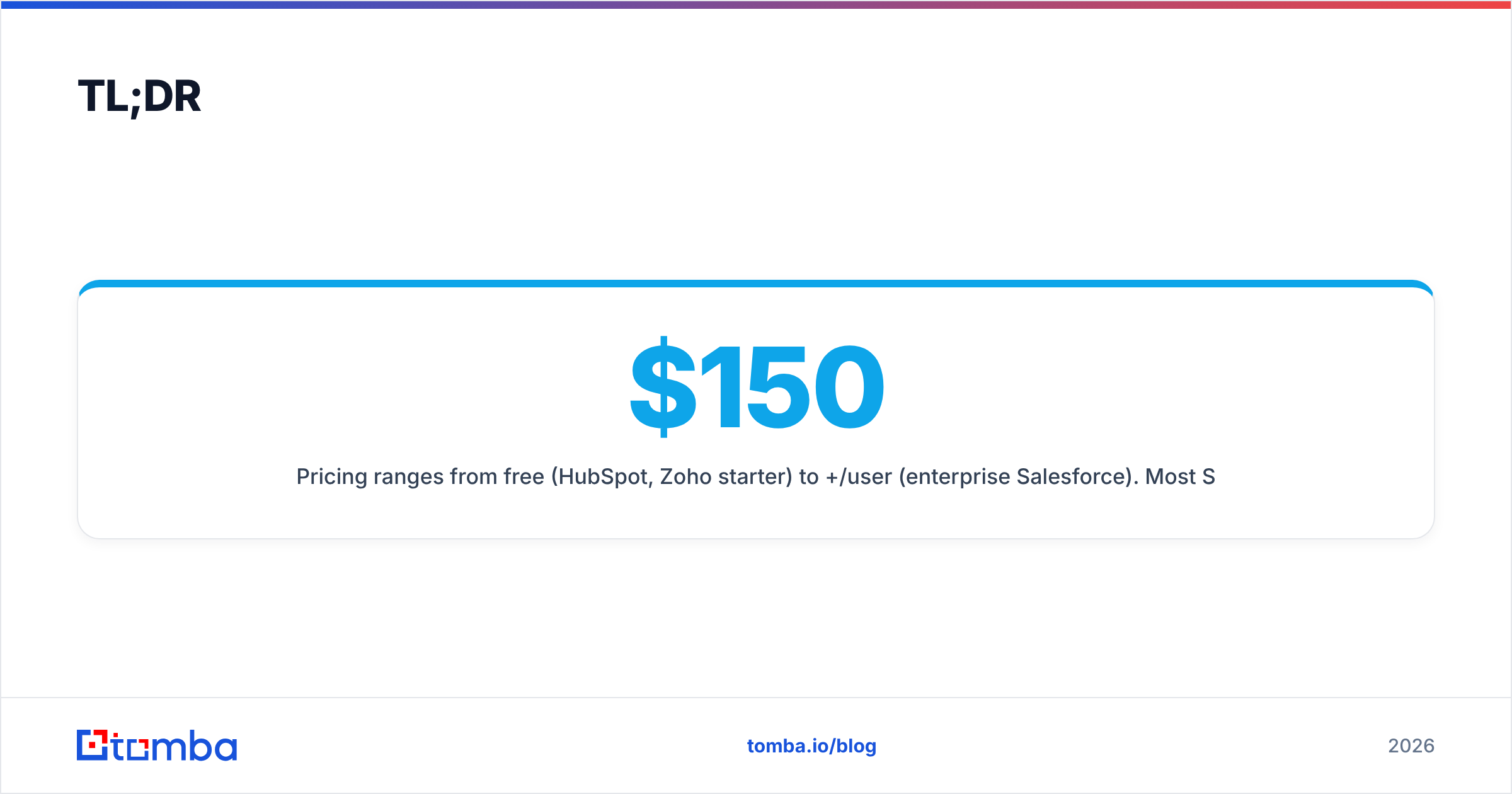
- Pricing ranges from free (HubSpot, Zoho starter) to $150+/user/month (enterprise Salesforce). Most SMB teams land at $15–$50/user/month.
- A CRM is only as good as its data. Dirty, incomplete contact records are the number-one reason CRMs fail — clean enrichment matters more than feature count.
- Start with your sales process, then buy the system that matches it. Don't buy the biggest platform and reverse-engineer your workflow around it.
What is a CRM management system?#
A CRM management system is the software layer that stores and organizes your customer relationships — every lead, contact, company, deal, email, call, and note — in one shared database your whole team can act on. CRM stands for customer relationship management, and the "management system" part is what turns a static contact list into a working sales engine.
Think of it like a shared kitchen in a busy restaurant. Anyone can find the ingredients (contacts), see what's cooking (open deals), and check who's handling which order (ownership) — without shouting across the room. Technically, a CRM is a relational database with a sales-shaped UI on top: pipelines, activity timelines, automation rules, and dashboards.
A modern CRM management system typically handles five jobs:
- Contact and company records — a single profile per person and organization, with full interaction history attached.
- Pipeline management — deals move through named stages (e.g., New → Qualified → Proposal → Won) so nothing stalls silently.
- Activity tracking — logged calls, emails, meetings, and tasks tied to the right record.
- Automation — reminders, follow-up sequences, lead assignment, and stage-change triggers that run without manual clicks.
- Reporting — pipeline value, win rate, activity volume, and forecast, so you manage by numbers instead of gut feel.
If a tool only stores names and emails, it's a contact list. If it moves work forward and tells you what's slipping, it's a CRM management system.
Why do sales teams need a CRM management system?#
Because human memory and shared spreadsheets break at scale. The moment two reps touch the same account, or one rep juggles more deals than they can hold in their head, information starts leaking — and leaked information is lost revenue.
Here's what a CRM management system solves in practice:
- No more dropped follow-ups. Automated reminders mean the 6-day-old "let me think about it" reply doesn't die in an inbox.
- One version of the truth. When a rep leaves, their pipeline and history stay with the company, not in their personal Gmail.
- Faster onboarding. New hires inherit context instead of starting cold.
- Accurate forecasting. Leaders see real pipeline value and stage conversion, not optimistic guesses.
- Cleaner handoffs. Marketing, sales, and success work from the same record instead of re-asking the customer the same questions.
According to HubSpot's research on CRM adoption, teams that centralize their data close more consistently simply because fewer opportunities fall through the cracks. The CRM doesn't sell for you — it makes sure you never forget to.
What features matter most in a CRM management system?#
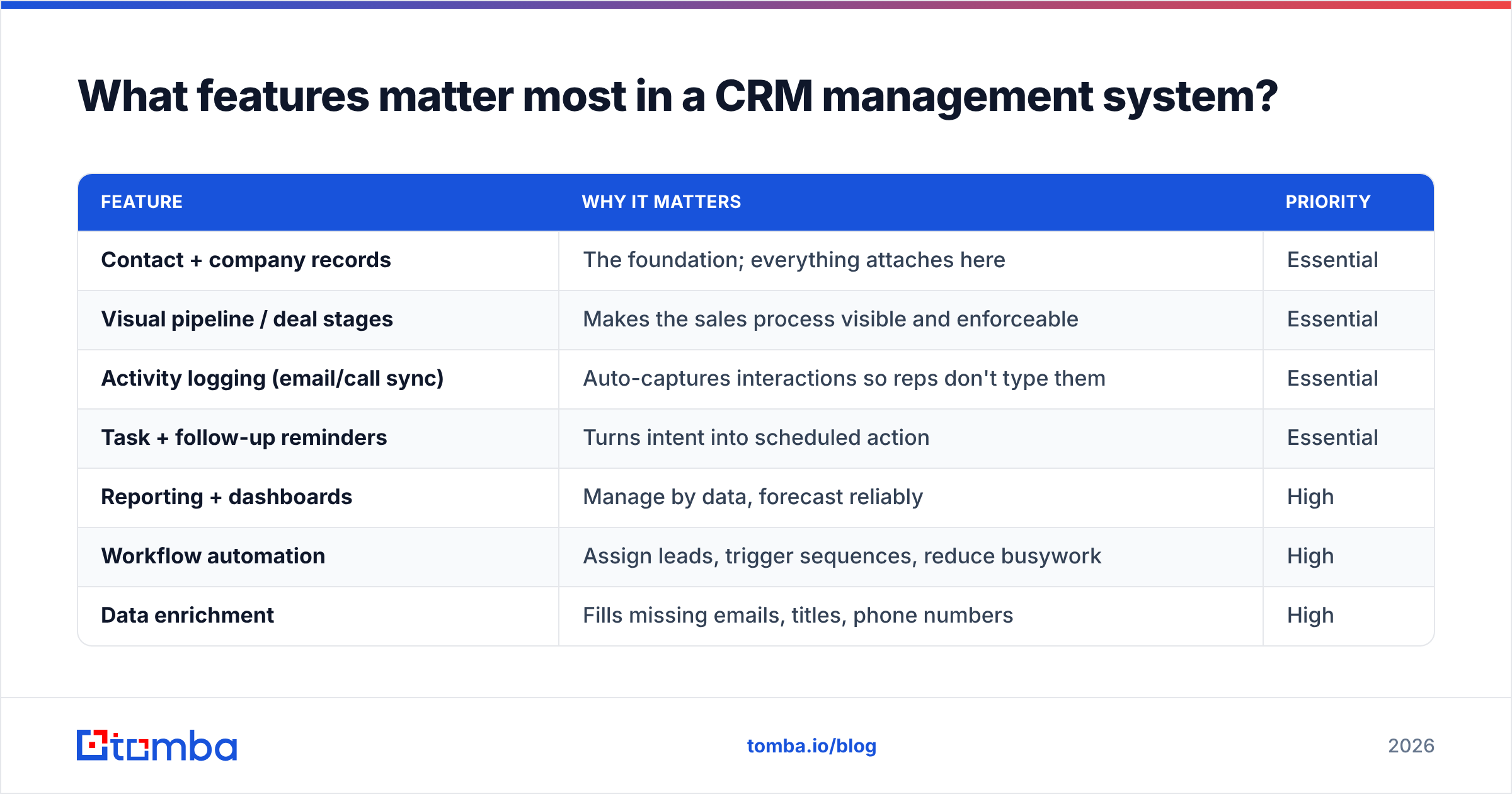
Not all features earn their keep. Some sell demos but never get used. Here's the honest split between what most teams actually need and what's often overbought.
| Feature | Why it matters | Priority |
|---|---|---|
| Contact + company records | The foundation; everything attaches here | Essential |
| Visual pipeline / deal stages | Makes the sales process visible and enforceable | Essential |
| Activity logging (email/call sync) | Auto-captures interactions so reps don't type them | Essential |
| Task + follow-up reminders | Turns intent into scheduled action | Essential |
| Reporting + dashboards | Manage by data, forecast reliably | High |
| Workflow automation | Assign leads, trigger sequences, reduce busywork | High |
| Data enrichment | Fills missing emails, titles, phone numbers | High |
| AI writing / summaries | Useful, but a nice-to-have, not a decider | Medium |
| Custom objects / advanced permissions | Only needed at real complexity/scale | Low for SMB |
The pattern: buy for your process and your data quality first. The flashy AI features are worthless if half your contact records are missing an email address or a job title.
How do the main CRM management systems compare in 2026?#
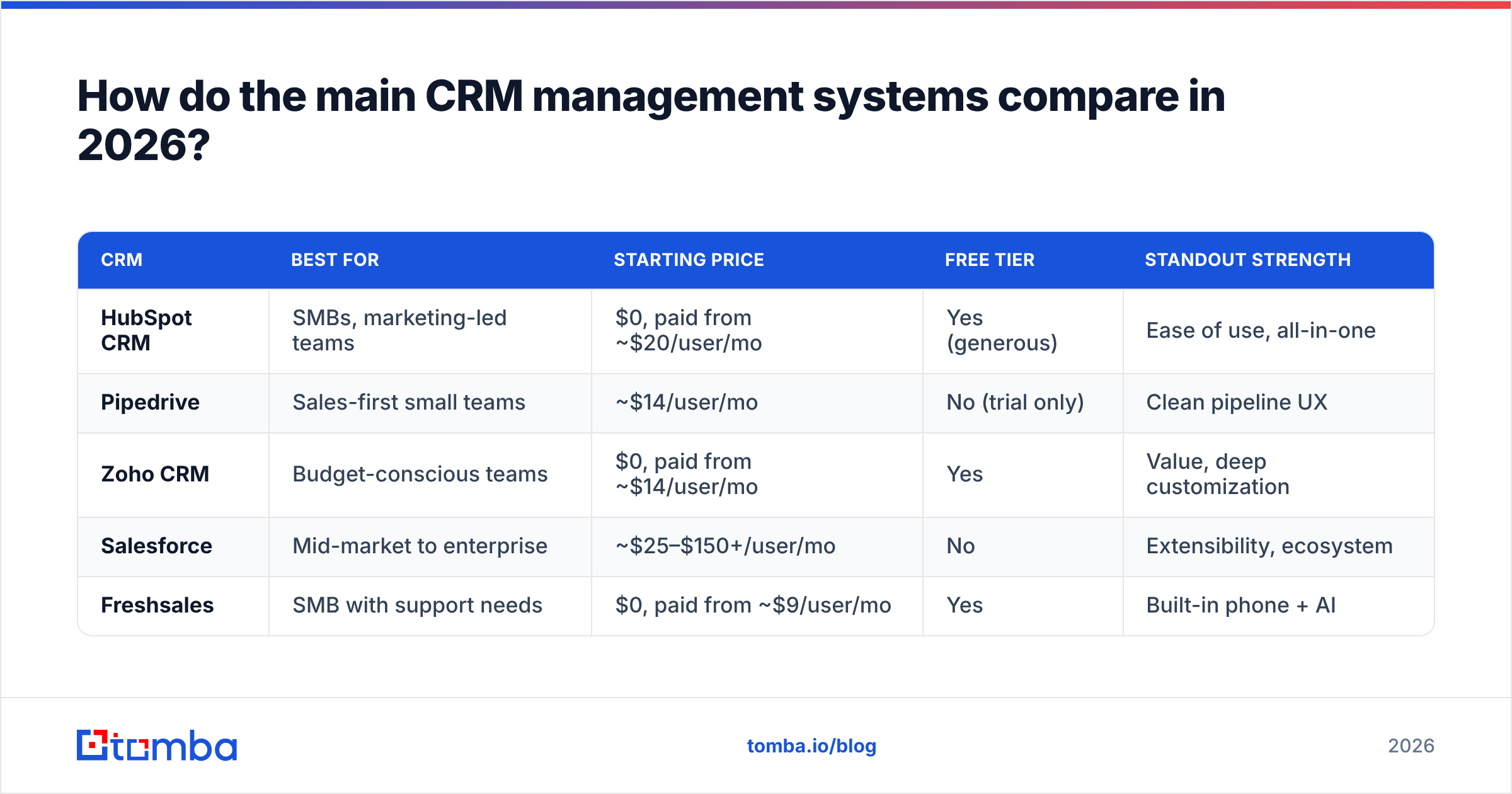
The market splits into three broad tiers: free/SMB-friendly, mid-market, and enterprise. Here's how the most common choices line up.
| CRM | Best for | Starting price | Free tier | Standout strength |
|---|---|---|---|---|
| HubSpot CRM | SMBs, marketing-led teams | $0, paid from ~$20/user/mo | Yes (generous) | Ease of use, all-in-one |
| Pipedrive | Sales-first small teams | ~$14/user/mo | No (trial only) | Clean pipeline UX |
| Zoho CRM | Budget-conscious teams | $0, paid from ~$14/user/mo | Yes | Value, deep customization |
| Salesforce | Mid-market to enterprise | ~$25–$150+/user/mo | No | Extensibility, ecosystem |
| Freshsales | SMB with support needs | $0, paid from ~$9/user/mo | Yes | Built-in phone + AI |
A few honest takeaways:
- HubSpot wins on time-to-value. You can be live in a day, and the free tier is legitimately usable — but costs climb fast as you add Marketing and Sales Hub seats.
- Pipedrive is the tightest pure-sales pipeline tool. If you don't need marketing automation, it's often the least distracting choice.
- Salesforce is the most powerful and the most expensive to run well. It rewards teams with the resources to configure and maintain it; it punishes teams that don't. Compare features on a neutral source like G2 before committing.
- Zoho and Freshsales offer the best raw value, with the trade-off of slightly steeper learning curves for advanced setups.
There is no universal winner. The right CRM management system is the one that matches how your team already sells.
How much does a CRM management system cost?#
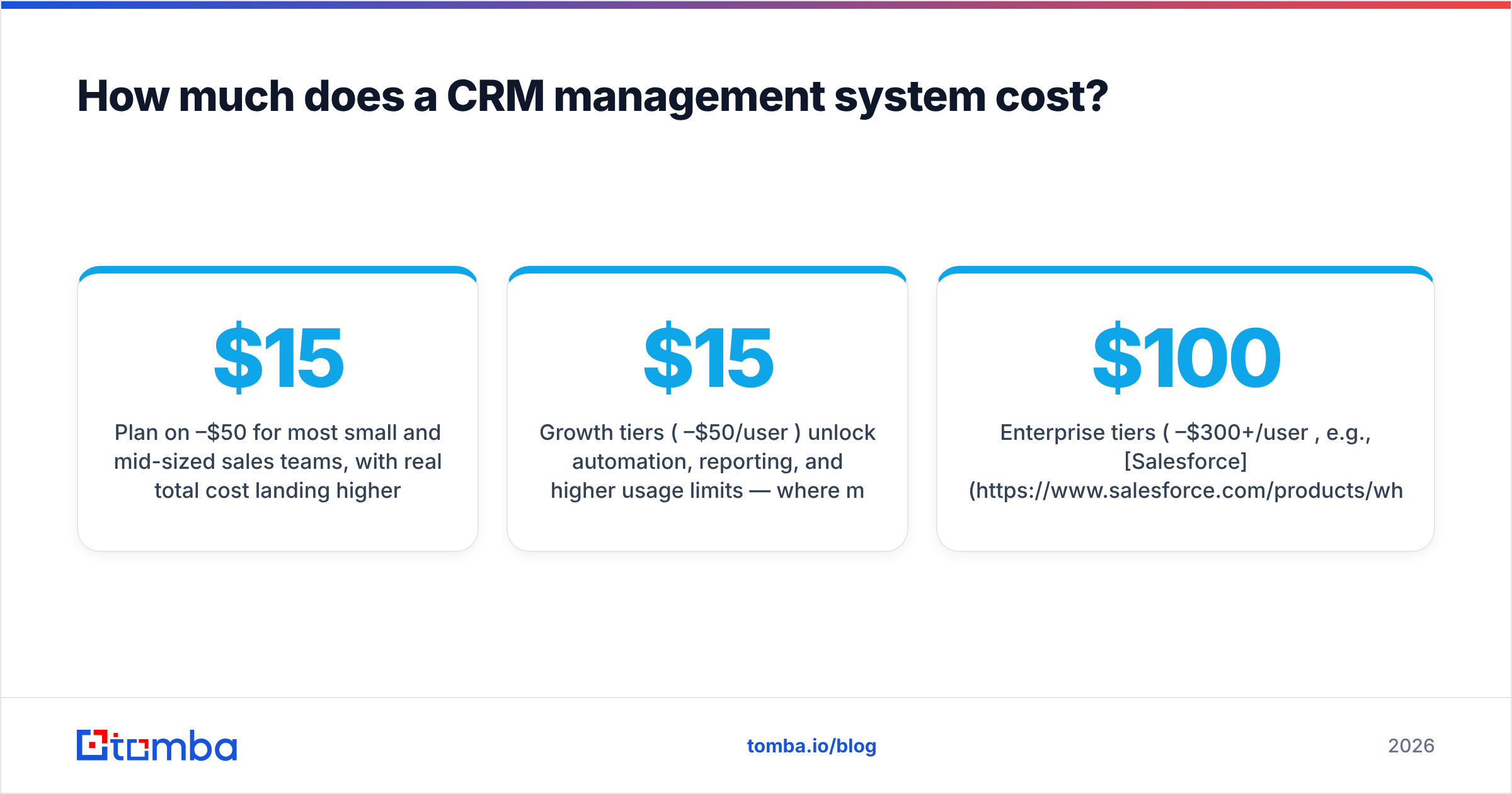
Plan on $15–$50 per user per month for most small and mid-sized sales teams, with real total cost landing higher once you add automation tiers, integrations, and data. Here's the fuller picture:
- Free tiers (HubSpot, Zoho, Freshsales) cover basic contact and pipeline management for small teams — genuinely fine to start.
- Growth tiers ($15–$50/user/mo) unlock automation, reporting, and higher usage limits — where most teams settle.
- Enterprise tiers ($100–$300+/user/mo, e.g., Salesforce) add advanced customization, governance, and support.
The line item most teams forget: data cost. A CRM with empty fields is a filing cabinet full of blank folders. You'll either pay for built-in enrichment or bolt on a dedicated tool to keep records complete and current.
What's the biggest mistake teams make with a CRM management system?#
Feeding it dirty data. A CRM management system amplifies whatever you put into it — including the mess. Missing emails, wrong titles, duplicate companies, and dead phone numbers don't just sit there quietly; they break automation, skew reports, and train reps to distrust the whole system.
The failure loop looks like this:
- Records get imported with gaps and errors.
- Automated sequences bounce or hit the wrong person.
- Reps stop trusting the data and go back to spreadsheets.
- The CRM decays into an expensive address book.
The fix is process plus enrichment. On the process side, require key fields at deal creation and dedupe on a schedule. On the data side, use enrichment to fill and correct records automatically. This is where a dedicated data layer earns its keep alongside — not instead of — your CRM.
Tomba plugs into exactly this gap. Its data enrichment fills missing contact details, its email verifier keeps your list from bouncing, and its domain search pulls every reachable contact at a target company straight into your workflow. Clean input in, trustworthy CRM out.
How do you choose the right CRM management system?#
Start with your sales process, not the feature list. Map how a deal actually moves through your team today, then buy the system that fits it with the least reshaping. Work through these steps:
- Document your pipeline stages. If you can't name them, no CRM will fix that first.
- List your must-have integrations. Your email, calendar, and lead sources need to connect on day one.
- Count real seats and usage. Price the tier you'll actually need in 12 months, not the intro tier.
- Test with real data. Import 50 live contacts in a trial and see how much manual cleanup they need.
- Check the data story. Ask how the CRM handles enrichment, deduplication, and verification — or plan to add a tool that does.
- Confirm the exit. Make sure you can export everything if you leave. Lock-in is a cost.
Most CRMs connect cleanly to the tools you already run. Tomba, for example, offers native paths into HubSpot, Salesforce, and Pipedrive, so contact discovery and enrichment feed your CRM without copy-paste. Check the full list of integrations before you assume anything requires a custom build.
Do you need a CRM if you already use spreadsheets?#
If your team is more than two or three people, or you manage more than a few dozen active deals, yes. Spreadsheets have no reminders, no interaction history, no permissions, and no forecasting — and they collapse the moment two people edit the same row. A CRM management system exists precisely because spreadsheets don't scale past a single motivated operator.
That said, don't over-buy. A five-person team does not need enterprise Salesforce. Start on a free or low-tier plan, prove the process works, and upgrade when you feel real limits — not when a sales rep tells you to.
The bottom line#
A CRM management system is the difference between a sales team that remembers everything and one that hopes it does. The best system is the one that matches your process, connects to your stack, and — critically — runs on clean, complete data. Feature checklists get teams excited; data quality is what actually decides whether the CRM sticks.
Get the process and the data right, and almost any of the major CRMs will serve you well. Get them wrong, and no amount of AI features will save you.
Before those records ever reach your CRM, make sure they're accurate. Tomba's Email Finder finds verified professional email addresses by name, domain, or company — so the contacts you push into HubSpot, Pipedrive, or Salesforce are real, reachable, and ready to work. Start free with 25 searches a month, and see the full Tomba pricing when you're ready to scale. Fill your CRM with data you can trust.
Related guides#
Ready to find emails that actually work?
Join 150,000+ professionals who stopped guessing and started sending. Free credits on signup — no credit card required.
Get the Tomba newsletter
Practical outbound tactics and product updates — once every two weeks.
About the author