CRM Platform Meaning: What It Is and Why It Matters in 2026
A plain-English breakdown of the CRM platform meaning: what a CRM actually does, the main types, real pricing, and how to choose one that fits your team in 2026.
You have heard "CRM" in every sales meeting, every tool demo, and every job description. But when someone asks you to define it precisely, the words get slippery. Is it software? A database? A strategy? All three?
This guide fixes that. Below you get a clear CRM platform meaning, the types that exist, what they actually cost in 2026, and a practical way to choose one — without the vendor spin.
TL;DR#
- A CRM platform is software that centralizes every interaction you have with customers and prospects — contacts, deals, emails, calls, and notes — in one shared system of record.
- The word "platform" matters: modern CRMs are not just address books, they are extensible hubs with automation, reporting, and integrations layered on top.
- There are three core types: operational, analytical, and collaborative — most tools blend all three.
- A CRM is only as good as the data inside it. Garbage contacts in means garbage pipeline out.
- Pricing ranges from free tiers to $150+/user/month. The right pick depends on team size, not brand hype.
What is the CRM platform meaning in simple terms?#
A CRM platform is the single place your business stores and manages relationships with customers and prospects. CRM stands for Customer Relationship Management. The "platform" part signals it is more than a contact list — it is a foundation other tools plug into.
Think of it like a kitchen in a busy restaurant. Every order (deal), every regular guest (contact), every note about allergies (preferences), and every ticket the waiters pass back (activity) flows through one organized station. Without it, servers shout across the room and orders get lost. With it, everyone works from the same source of truth.
Technically, a CRM platform is a database plus a workflow engine plus a reporting layer. It records who your customers are, what they have bought, what conversations you have had, and what should happen next — then automates the busywork around all of that. If you want the formal definition, the CRM glossary entry is a useful bookmark.
What does a CRM platform actually do?#
A modern CRM platform does five jobs. Understanding these is the fastest way to grasp the full CRM platform meaning beyond the acronym.
- Stores contact and company records — the names, emails, phone numbers, job titles, and firmographics that make up your audience.
- Tracks deals through a pipeline — every opportunity moves through stages (new, qualified, proposal, closed) so nothing stalls silently.
- Logs every interaction — emails, calls, meetings, and support tickets attach to the right record automatically.
- Automates repetitive work — follow-up reminders, lead assignment, and status updates fire without a human clicking anything.
- Reports on what is working — win rates, cycle length, and revenue forecasts turn raw activity into decisions.
The magic is not any single feature. It is that all five happen in one system, visible to your whole team, instead of scattered across inboxes and spreadsheets.
What are the main types of CRM platforms?#
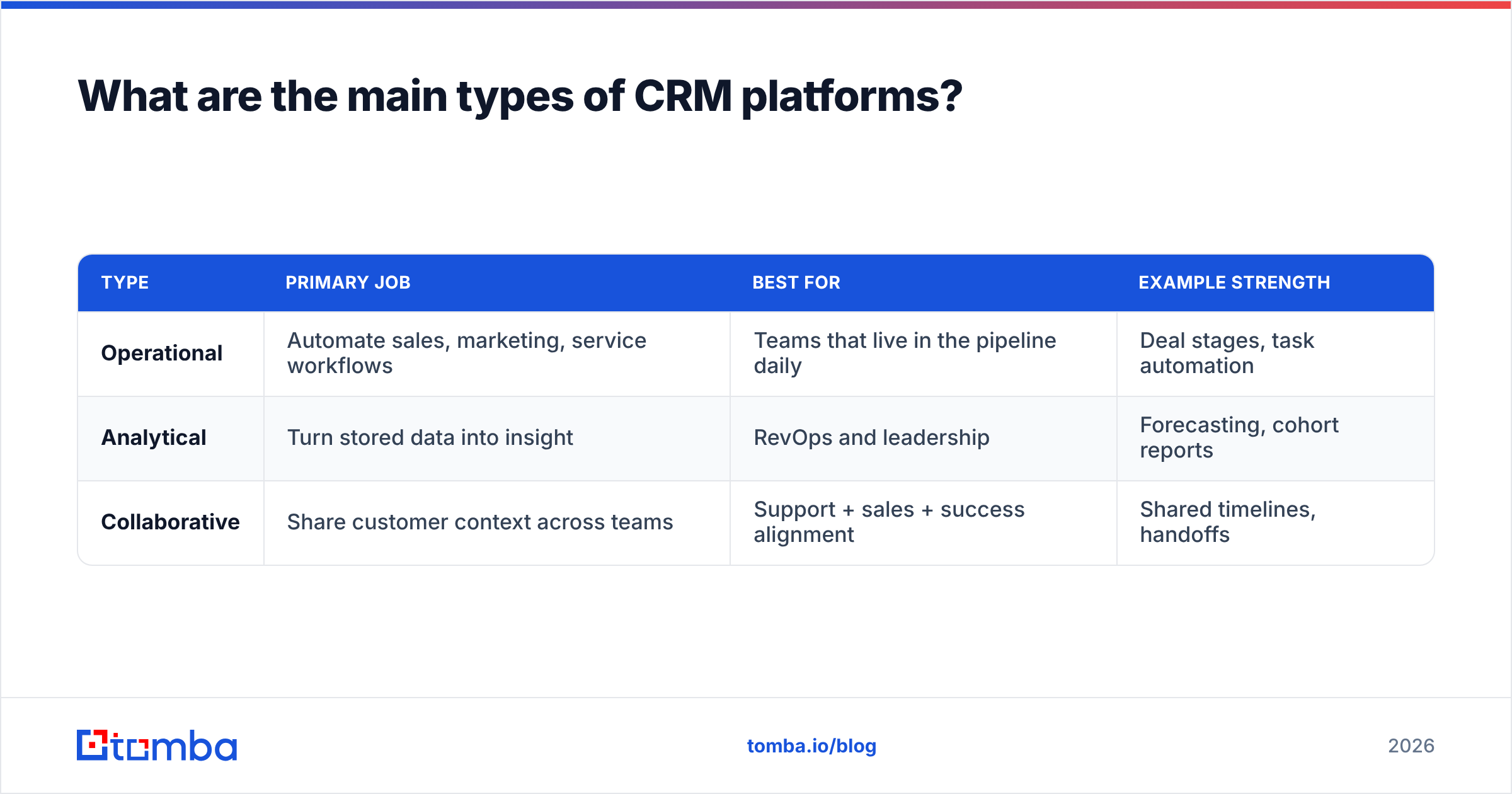
Not every CRM emphasizes the same thing. Vendors usually lean toward one of three models, even when they market "all-in-one."
| Type | Primary job | Best for | Example strength |
|---|---|---|---|
| Operational | Automate sales, marketing, service workflows | Teams that live in the pipeline daily | Deal stages, task automation |
| Analytical | Turn stored data into insight | RevOps and leadership | Forecasting, cohort reports |
| Collaborative | Share customer context across teams | Support + sales + success alignment | Shared timelines, handoffs |
Most well-known platforms — Salesforce, HubSpot, Pipedrive — blend all three. The distinction still matters when you evaluate tools, because a CRM that is strong operationally can be weak at analytics, and paying for both may mean bolting on extras.
Operational CRM#
This is the default mental image most people have. It runs the day-to-day: capturing leads, moving deals, triggering follow-ups. If your team asks "where do I log this call," they want an operational CRM.
Analytical CRM#
Here the value is in the reporting warehouse. Analytical CRMs slice historical data to answer "which segments convert" and "how accurate is our forecast." This ties directly into revenue operations, where clean pipeline data drives planning.
Collaborative CRM#
Collaborative CRMs exist to stop the classic problem where sales, support, and success each keep their own version of the customer. One shared timeline means the support rep sees the deal history and the account manager sees the open ticket.
Why does a CRM platform matter for B2B teams?#
Because relationships are the asset, and a CRM is where that asset lives. Lose the CRM and you lose the memory of your business.
Concretely, a CRM platform pays off in four ways:
- No dropped follow-ups. Reminders and sequences make sure prospects do not go cold because someone forgot.
- Faster onboarding. A new rep inherits full account history instead of starting blind.
- Honest forecasting. Leadership sees a real pipeline, not an optimistic guess in someone's head.
- Compounding data. Every logged interaction makes the next outreach smarter.
The catch: none of this works if the underlying contact data is wrong. A CRM full of bounced emails, duplicate records, and stale titles produces confident but useless reports. This is the part most "what is a CRM" articles skip.
How much do CRM platforms cost in 2026?#
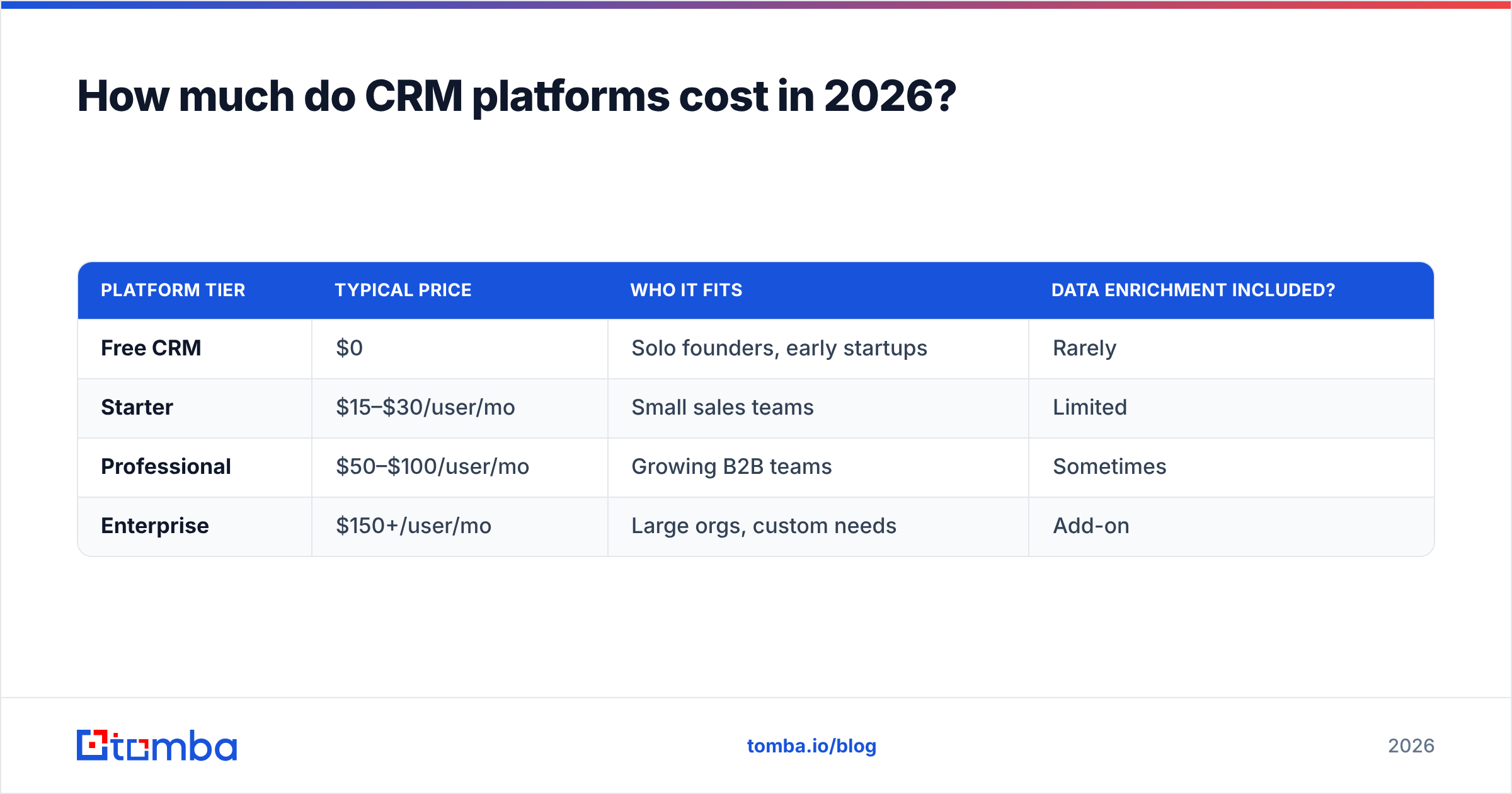
Pricing spans a wide range. Here is a realistic snapshot of common tiers so you can benchmark quotes.
| Platform tier | Typical price | Who it fits | Data enrichment included? |
|---|---|---|---|
| Free CRM | $0 | Solo founders, early startups | Rarely |
| Starter | $15–$30/user/mo | Small sales teams | Limited |
| Professional | $50–$100/user/mo | Growing B2B teams | Sometimes |
| Enterprise | $150+/user/mo | Large orgs, custom needs | Add-on |
Two things inflate the sticker price. First, seats — per-user pricing scales fast as you hire. Second, data — most CRMs charge extra to enrich or verify contacts, or leave you to source that data elsewhere. That second cost is where a dedicated tool earns its keep, which we will get to.
For a transparent example of tool pricing outside the CRM itself, compare against the published Tomba pricing tiers when you budget for data.
How do you choose the right CRM platform?#
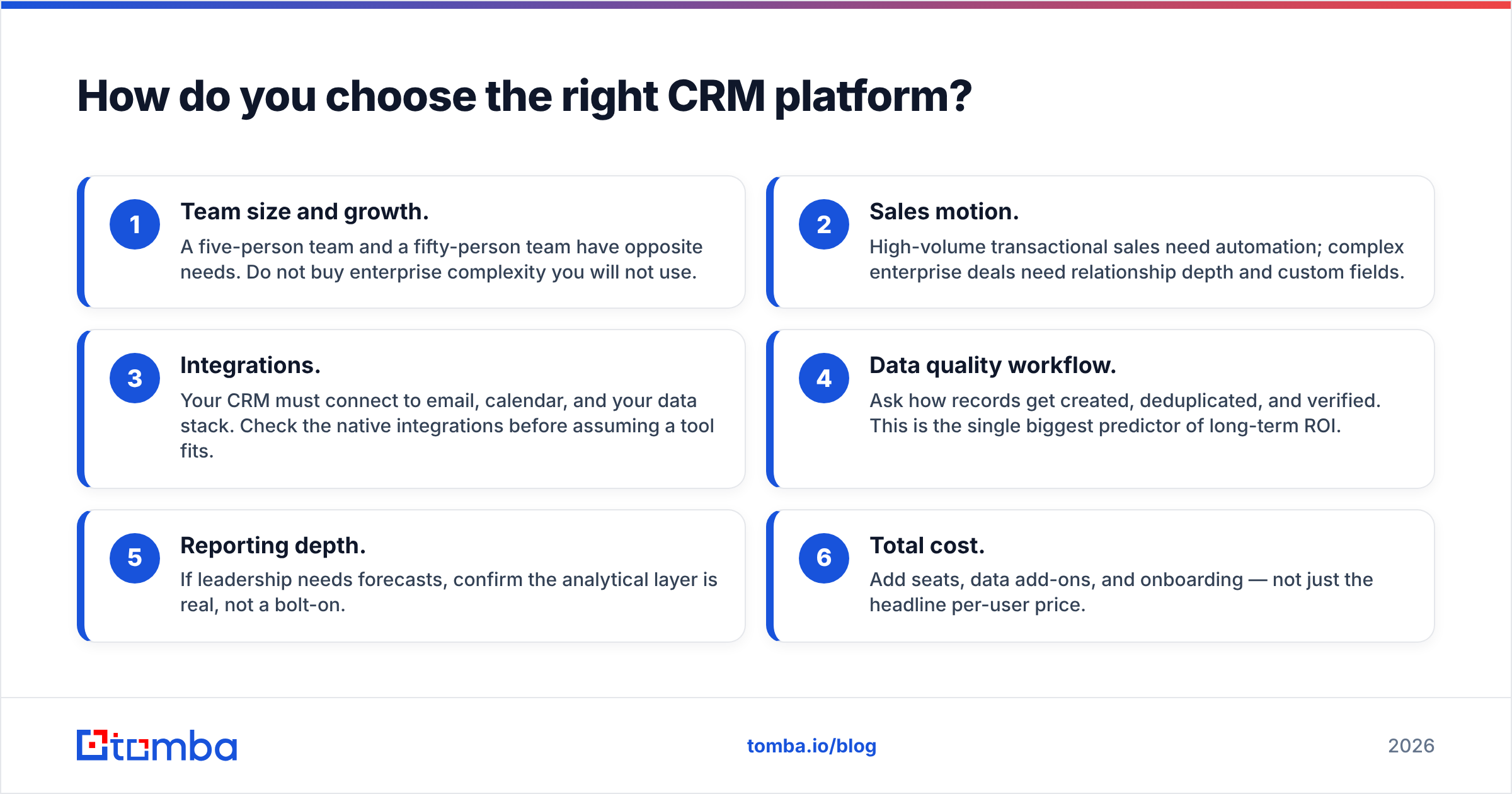
Match the tool to your stage, not to the loudest brand. Run through this checklist before you commit to an annual contract.
- Team size and growth. A five-person team and a fifty-person team have opposite needs. Do not buy enterprise complexity you will not use.
- Sales motion. High-volume transactional sales need automation; complex enterprise deals need relationship depth and custom fields.
- Integrations. Your CRM must connect to email, calendar, and your data stack. Check the native integrations before assuming a tool fits.
- Data quality workflow. Ask how records get created, deduplicated, and verified. This is the single biggest predictor of long-term ROI.
- Reporting depth. If leadership needs forecasts, confirm the analytical layer is real, not a bolt-on.
- Total cost. Add seats, data add-ons, and onboarding — not just the headline per-user price.
Independent review sites like G2 are useful for cross-checking vendor claims against real user feedback before you demo.
Where does contact data fit into the CRM platform meaning?#
A CRM organizes relationships, but it does not create the data — you feed it. This is the piece that determines whether the platform earns its cost.
Every CRM starts empty. You populate it by importing lists, capturing form fills, and adding contacts your reps find. If those contacts have wrong or missing emails, the CRM faithfully stores the errors. Then your automation emails dead addresses, your deliverability drops, and your reports mislead you.
That is why a data layer belongs beside every CRM:
- Finding the right contacts. An email finder turns a name and company into a verified professional email, so records start accurate.
- Verifying before you send. An email verifier removes invalid addresses before they hurt your sender reputation.
- Enriching thin records. Data enrichment fills in job titles, company size, and phone numbers your reps did not capture.
Put simply: the CRM is the filing cabinet, and clean contact data is what makes the files worth keeping. A beautiful CRM full of bad data is an expensive way to be wrong.
CRM platform vs contact database: what is the difference?#
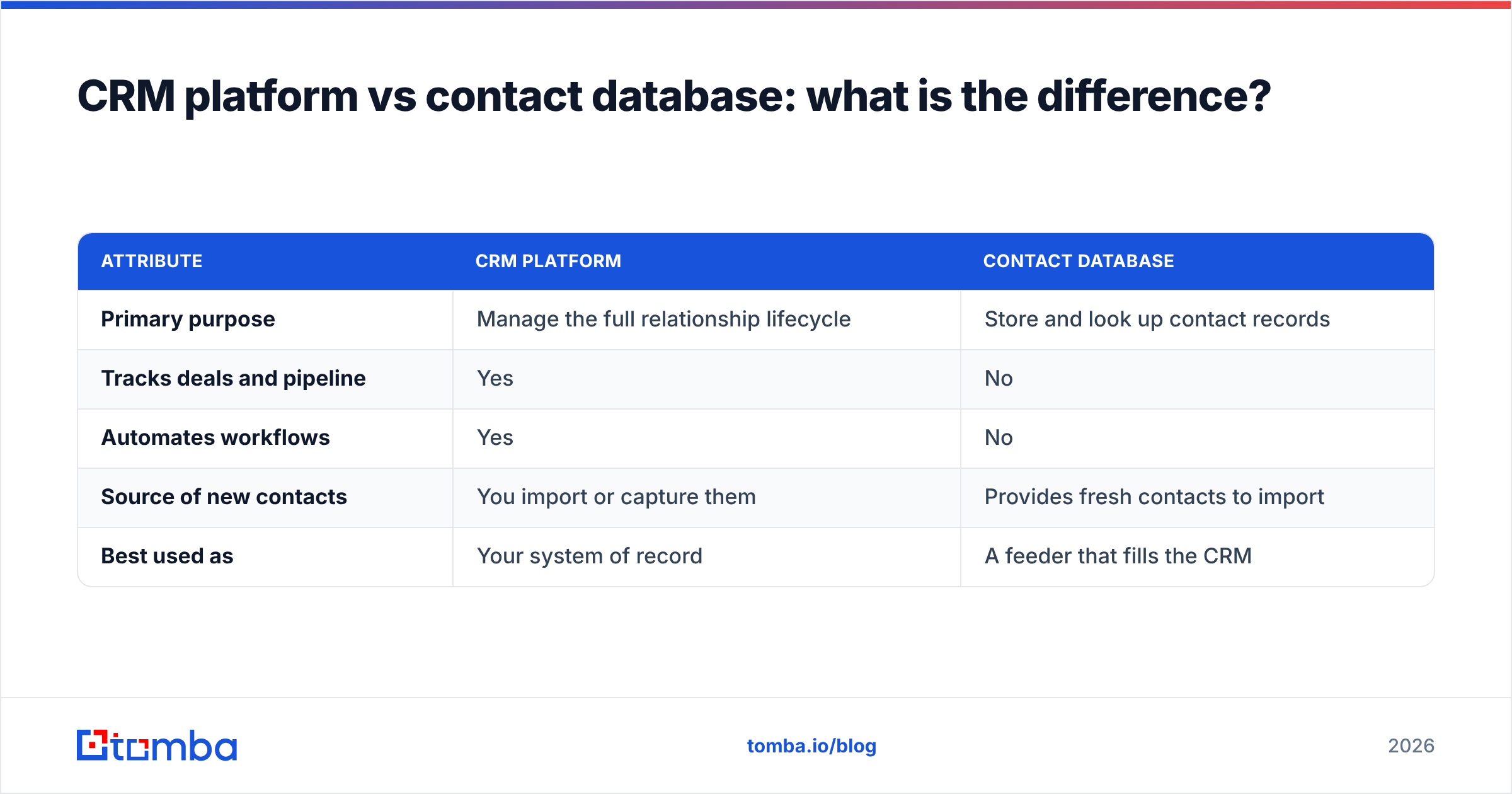
People confuse these, so it is worth a direct comparison.
| Attribute | CRM platform | Contact database |
|---|---|---|
| Primary purpose | Manage the full relationship lifecycle | Store and look up contact records |
| Tracks deals and pipeline | Yes | No |
| Automates workflows | Yes | No |
| Source of new contacts | You import or capture them | Provides fresh contacts to import |
| Best used as | Your system of record | A feeder that fills the CRM |
They are complements, not rivals. You use a B2B database to source and verify contacts, then push clean records into the CRM where deals and activity get tracked. Treating the CRM as both the source and the store is the mistake that leads to bloated, stale data.
Common CRM platform myths, cleared up#
Myth 1: A CRM automatically improves your sales. False. It improves visibility and consistency. Sales still comes down to a good motion and good data.
Myth 2: More features are better. Wrong direction. Unused features add cost and confusion. Match features to your actual workflow.
Myth 3: The CRM keeps data clean on its own. No. Deduplication and verification are ongoing jobs. Without a data hygiene process, decay is guaranteed — B2B contact data goes stale at roughly 25–30% per year as people change roles.
Myth 4: Once set up, you are done. A CRM is a living system. Pipeline stages, fields, and automations need review as your business changes.
How do you get started with a CRM platform?#
Keep the rollout small and disciplined. Ambitious "boil the ocean" launches are where CRM projects die.
- Pick one motion to model first — usually your core outbound or inbound pipeline.
- Define your stages in plain language your reps already use.
- Import a clean, verified contact list — not your entire messy spreadsheet history.
- Set two or three automations that remove obvious busywork, like follow-up reminders.
- Review reports weekly and adjust before adding complexity.
The clean-list step is where most teams cut corners and pay for it later. Before you import anything, run addresses through verification so your fresh CRM does not inherit years of bounce risk. You can bulk-process lists with a bulk email finder so the very first records in your platform are trustworthy.
Final take: the CRM platform meaning in one line#
A CRM platform is your business's memory and workflow engine for customer relationships — a system of record that only delivers value when the data inside it is accurate. The software is table stakes; the discipline around your data is the differentiator.
If you are standing up a CRM this quarter, start with the contacts. Use the Tomba Email Finder to source and verify professional emails, then import only clean, confirmed records. Your pipeline reports, your automations, and your reps will all thank you — and your CRM will finally mean what it is supposed to mean.
Related guides#
Ready to find emails that actually work?
Join 150,000+ professionals who stopped guessing and started sending. Free credits on signup — no credit card required.
Get the Tomba newsletter
Practical outbound tactics and product updates — once every two weeks.
About the author