CRM ROI in 2026: How to Measure and Maximize Your Return
Most CRMs quietly bleed money on dirty data and low adoption. Here's how to calculate CRM ROI in 2026, benchmark it against real numbers, and turn your CRM from a cost center into a revenue engine.
Your CRM is either your best-performing asset or your most expensive filing cabinet. The difference is rarely the software — it's what you put into it and how you measure what comes back out.
TL;DR#
- CRM ROI = (financial gain from CRM − total cost of CRM) ÷ total cost of CRM, expressed as a percentage. The industry benchmark most teams quote is roughly $8 returned for every $1 spent, but median results are far lower when adoption and data quality are weak.
- The single biggest ROI killer is dirty data: decayed contacts, duplicates, and unverified emails silently erode every downstream metric.
- Real ROI comes from three levers — adoption, data quality, and process automation — not from buying a more expensive platform.
- Enriching and verifying contact records with a tool like Tomba Email Finder is one of the cheapest ways to lift the "gain" side of the ROI equation.
- Track ROI quarterly with a small, fixed set of metrics rather than annually with a vanity dashboard.
What is CRM ROI, and how do you actually calculate it?#
CRM ROI is the return you earn on every dollar you invest in your customer relationship management system — software, implementation, training, and the time your team spends inside it.
Think of your CRM like a gym membership. The monthly fee is trivial compared to the value you get if you show up and use the equipment correctly. Most companies pay for the membership, badge in twice, and then wonder why they haven't seen results. The formula is simple; the discipline is not.
The core calculation:
CRM ROI (%) = (Gain from CRM − Cost of CRM) / Cost of CRM × 100To make that concrete, you need both sides of the equation fully loaded:
- Total cost — Add per-seat licensing, onboarding and migration fees, integrations, admin salary allocation, and the hours reps spend on data entry. This last item is the one teams forget, and it's often the largest.
- Total gain — Attribute incremental revenue to CRM-driven behavior: higher win rate, faster cycle times, reduced churn, and recovered pipeline that would otherwise have leaked. Use a conservative attribution window so the number survives scrutiny.
- Payback period — Divide net cost by monthly gain to see how many months until the system pays for itself. Under 12 months is healthy; under 6 is excellent.
What is a good CRM ROI benchmark in 2026?#
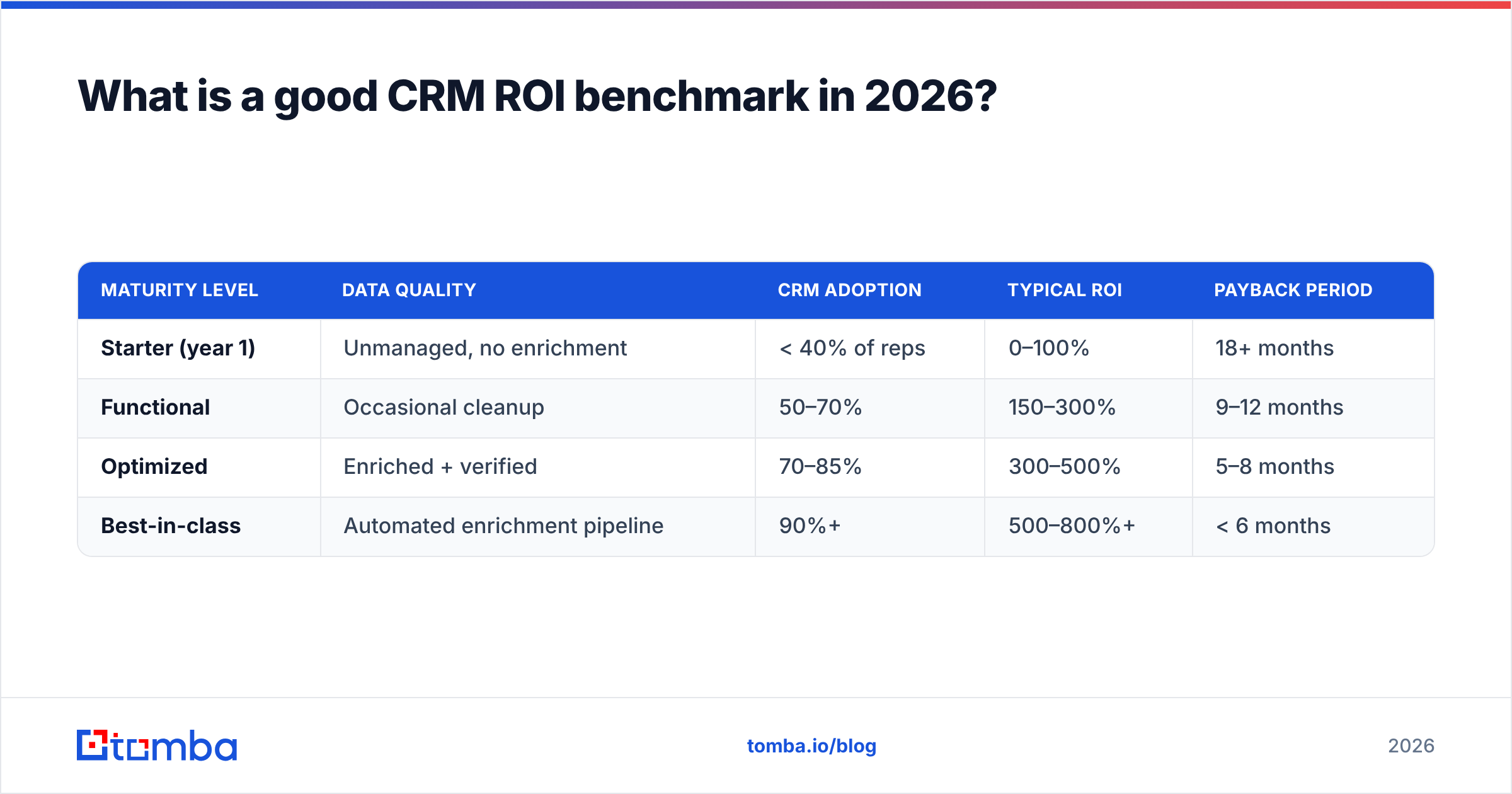
A good CRM ROI clears 300% net — meaning you get at least $4 back for every $1 you put in after costs. The often-cited "$8.71 for every dollar" figure from Nucleus Research is the ceiling that well-run teams approach, not the floor most teams hit.
Here's how returns typically stratify by maturity:
| Maturity level | Data quality | CRM adoption | Typical ROI | Payback period |
|---|---|---|---|---|
| Starter (year 1) | Unmanaged, no enrichment | < 40% of reps | 0–100% | 18+ months |
| Functional | Occasional cleanup | 50–70% | 150–300% | 9–12 months |
| Optimized | Enriched + verified | 70–85% | 300–500% | 5–8 months |
| Best-in-class | Automated enrichment pipeline | 90%+ | 500–800%+ | < 6 months |
The jump from "Functional" to "Optimized" almost never comes from switching vendors. It comes from fixing the inputs — which is why the next section matters more than any feature comparison.
Why does dirty data destroy CRM ROI?#
Bad data is the tax you pay on every CRM feature you bought. It compounds silently, and it hits the "gain" side of your ROI equation the hardest.
Consider what a single decayed record costs. B2B contact data decays at roughly 30% per year as people change jobs, companies rebrand, and domains migrate. That means a database you enriched 12 months ago is already a third wrong. Every wrong record triggers a cascade:
- Reps waste selling time chasing bounced emails and dead phone numbers.
- Deliverability drops because high bounce rates damage your sender reputation, which quietly suppresses the emails that would have landed.
- Reporting lies to you — pipeline forecasts built on duplicate or stale records overstate reality, leading to bad hiring and quota decisions.
- Automation amplifies the error — a broken workflow sending to bad data doesn't fail quietly; it fails at scale.

This is why the cheapest ROI lever available to most teams is not a new module — it's a data hygiene routine. Verifying every address with an email verifier before it enters the CRM, and enriching thin records with data enrichment, lifts win rate and deliverability at the same time. You're not adding cost; you're removing the tax.
What are the three levers that actually move CRM ROI?#
Every meaningful ROI gain traces back to one of three levers. Ignore the feature checklist and pull these instead.
- Adoption. A CRM used by 40% of your team returns roughly 40% of its potential — the math is that blunt. Adoption is driven by making the CRM easier than the alternative: pre-filled records, mobile access, and automation that removes data entry rather than adding it. When reps don't have to hunt for a contact's email or manually type in company details, they actually log their activity.
- Data quality. Covered above, but worth restating as a lever: clean, enriched, verified data is what makes every other feature — scoring, routing, forecasting, sequencing — produce trustworthy output. Garbage in, garbage ROI.
- Process automation. Sales automation converts your CRM from a record of what happened into an engine that makes things happen. Automated lead routing, follow-up reminders, and enrichment triggers recover pipeline that manual processes leak.
Notice that two of the three levers are about inputs and behavior, not software. That's the core insight most "best CRM" content misses.
How do CRM ROI drivers compare by cost and impact?#
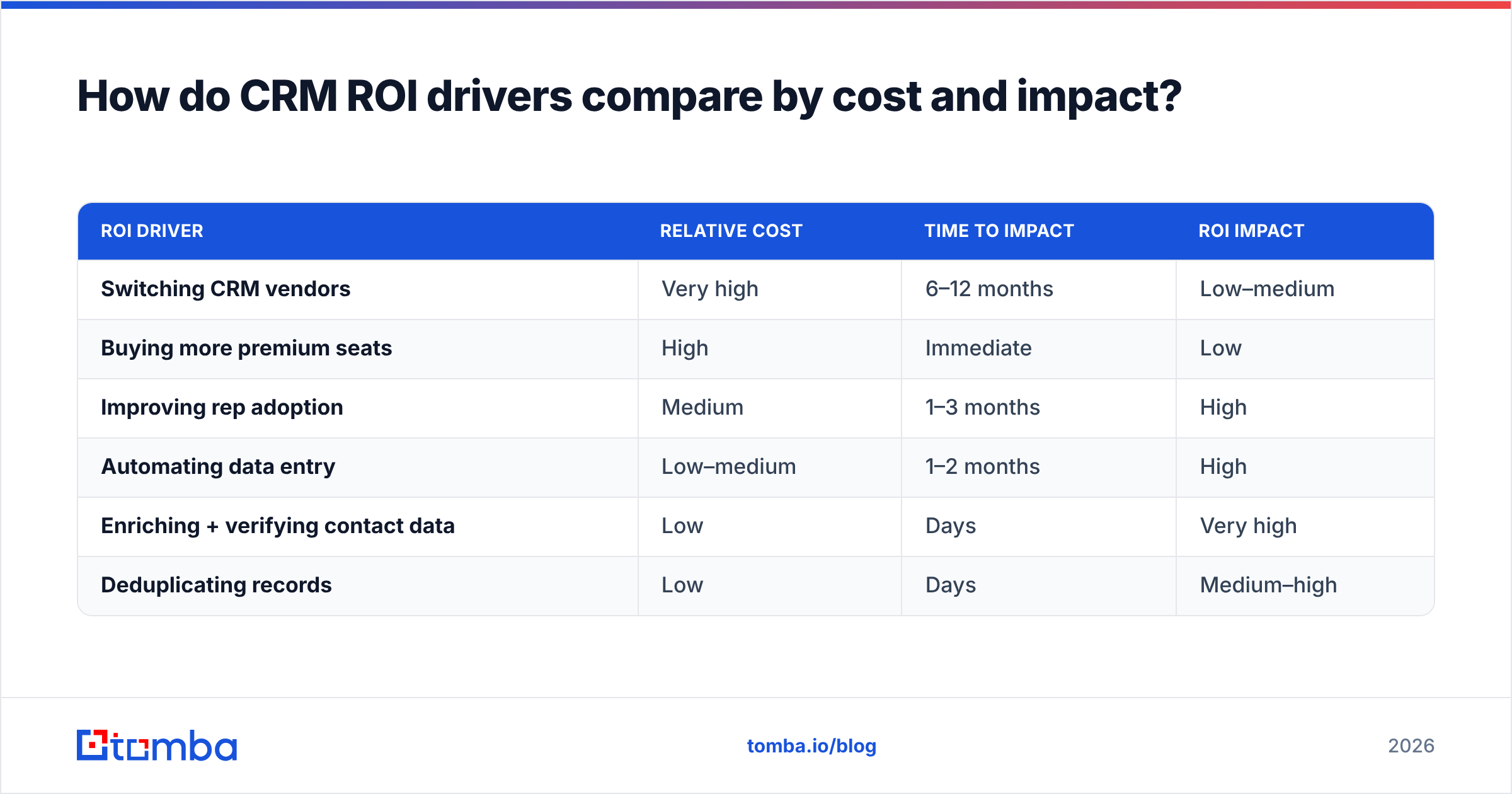
Not every ROI initiative is worth the same effort. Here's how the common ones stack up when you weigh implementation cost against expected return.
| ROI driver | Relative cost | Time to impact | ROI impact |
|---|---|---|---|
| Switching CRM vendors | Very high | 6–12 months | Low–medium |
| Buying more premium seats | High | Immediate | Low |
| Improving rep adoption | Medium | 1–3 months | High |
| Automating data entry | Low–medium | 1–2 months | High |
| Enriching + verifying contact data | Low | Days | Very high |
| Deduplicating records | Low | Days | Medium–high |
The pattern is consistent: the highest-cost interventions (new vendor, more seats) tend to deliver the lowest marginal ROI, while the cheapest data-side fixes deliver the highest. Teams routinely get this backwards because vendor migrations feel like decisive action, while data hygiene feels like chores.
How do you enrich CRM data without blowing the budget?#
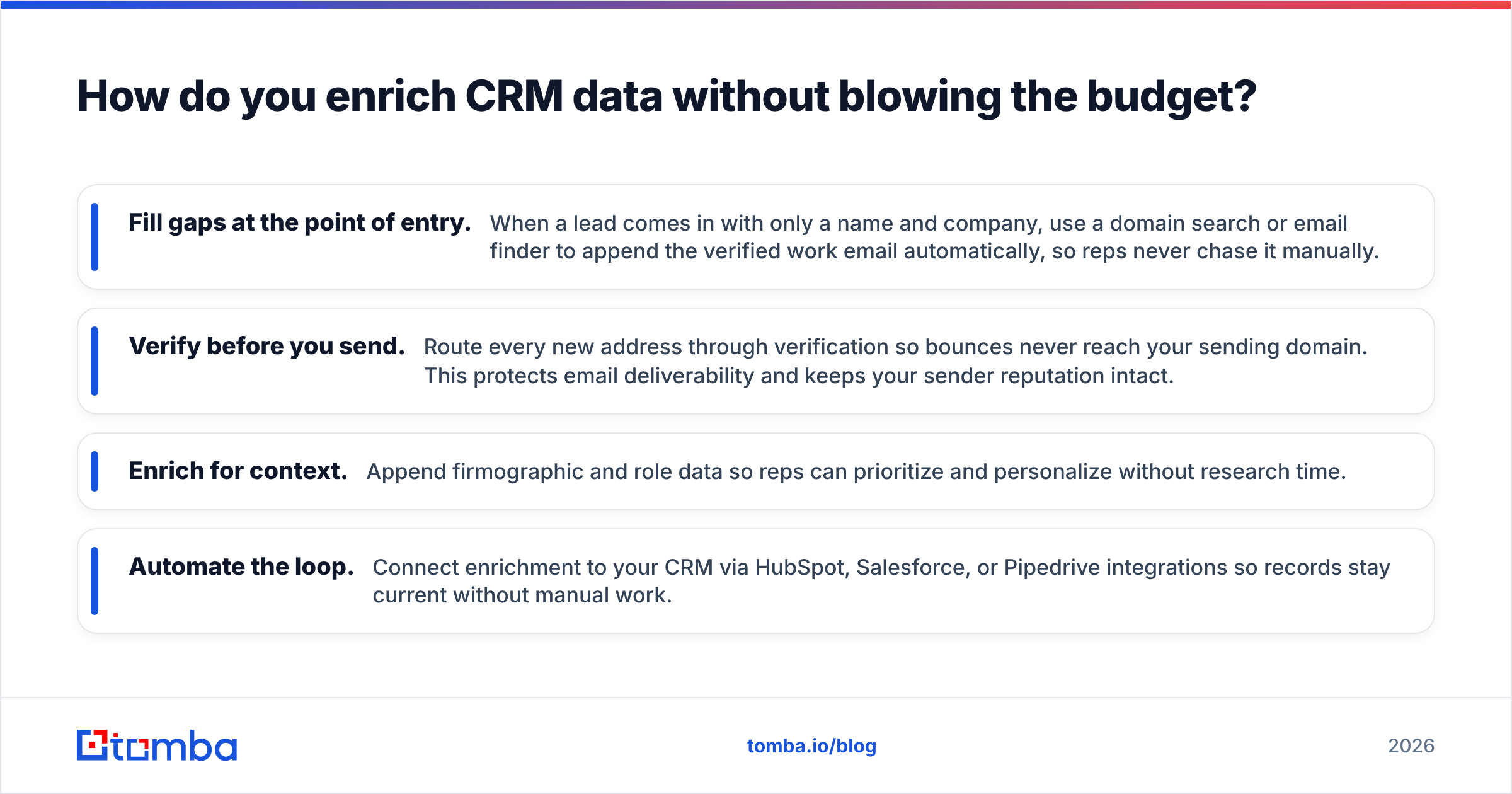
You lift the "gain" side of the equation by making every record in your CRM complete, current, and verified — before your reps ever touch it. The workflow that scales best looks like this:
- Fill gaps at the point of entry. When a lead comes in with only a name and company, use a domain search or email finder to append the verified work email automatically, so reps never chase it manually.
- Verify before you send. Route every new address through verification so bounces never reach your sending domain. This protects email deliverability and keeps your sender reputation intact.
- Enrich for context. Append firmographic and role data so reps can prioritize and personalize without research time.
- Automate the loop. Connect enrichment to your CRM via HubSpot, Salesforce, or Pipedrive integrations so records stay current without manual work.
For bulk cleanups of an existing database, a bulk email finder processes thousands of records at once, turning a stale list into a fresh, verified asset in an afternoon. At Tomba's pricing — free for 25 searches a month, $49/mo Starter, $99/mo Growth — the cost of enrichment is a rounding error against the revenue recovered from data that actually works.
What CRM ROI metrics should you track?#
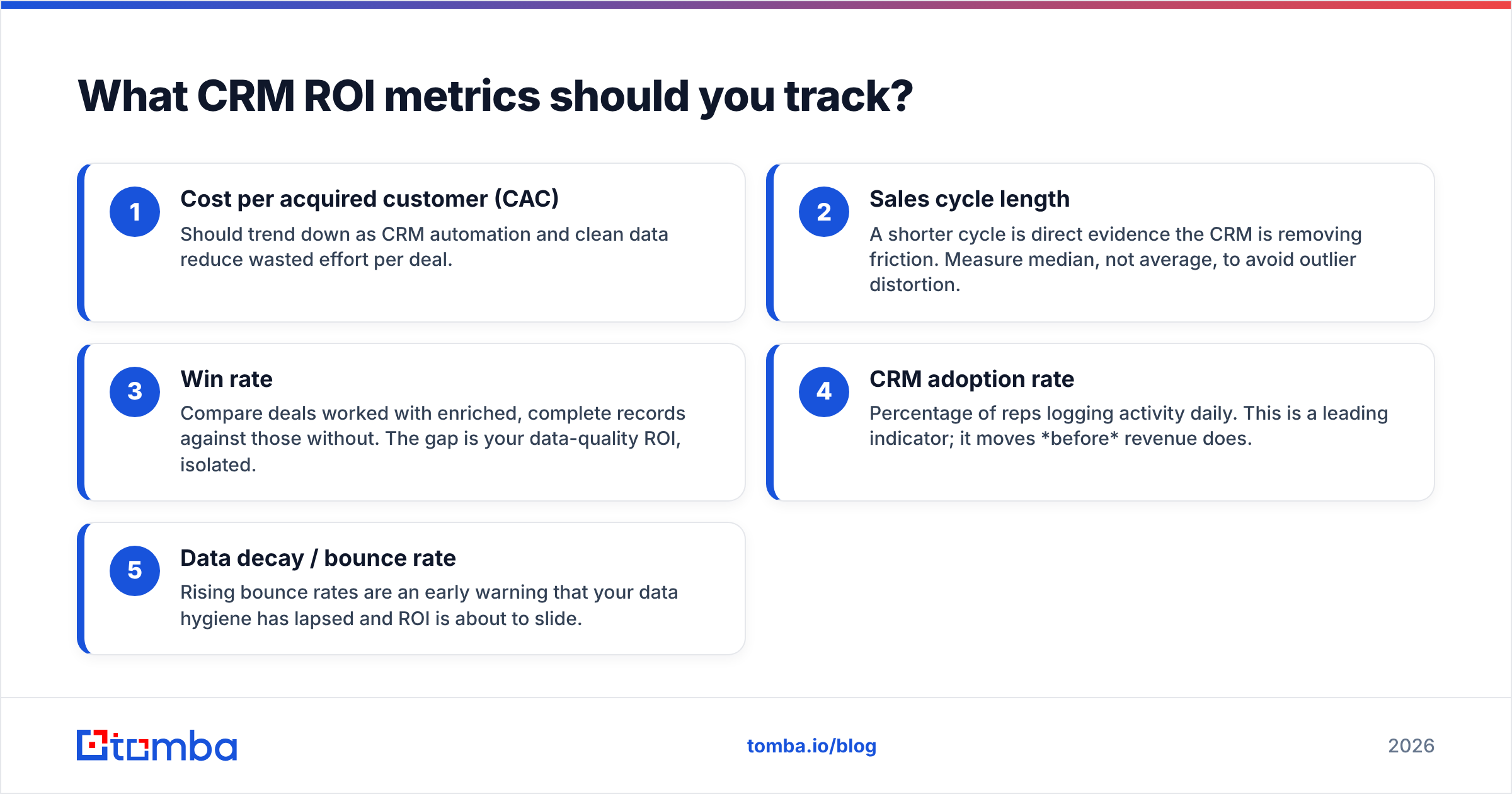
Track a small, fixed set of metrics quarterly rather than a sprawling dashboard nobody reads. These five tell you whether your CRM investment is compounding or leaking.
- Cost per acquired customer (CAC) — Should trend down as CRM automation and clean data reduce wasted effort per deal.
- Sales cycle length — A shorter cycle is direct evidence the CRM is removing friction. Measure median, not average, to avoid outlier distortion.
- Win rate — Compare deals worked with enriched, complete records against those without. The gap is your data-quality ROI, isolated.
- CRM adoption rate — Percentage of reps logging activity daily. This is a leading indicator; it moves before revenue does.
- Data decay / bounce rate — Rising bounce rates are an early warning that your data hygiene has lapsed and ROI is about to slide.
Report these against a baseline you captured before your last optimization. ROI is a delta, and without a baseline you're guessing. Vendors like Salesforce and HubSpot publish their own ROI calculators — useful as directional benchmarks, but always validate against your own numbers, because their models assume best-case adoption.
Is a more expensive CRM worth it for higher ROI?#
Usually not — at least not first. A premium tier or a platform migration adds cost immediately and returns value only after months of re-implementation, during which adoption typically dips and ROI goes negative. Before you spend on a new system, exhaust the cheaper levers:
- Are 90% of your reps actually using what you already own?
- Is your existing data enriched and verified, or are you blaming the software for bad inputs?
- Have you automated the manual data entry that suppresses adoption?
If the answer to any of these is "no," a new CRM will inherit the same problems at higher cost. Fix the inputs first. In most audits, the "we need a better CRM" complaint turns out to be a "we need better data in our current CRM" problem — solvable for a fraction of the price of migration.
The bottom line on CRM ROI#
CRM ROI is not a software problem; it's a data-and-behavior problem wearing a software costume. The teams hitting 500%+ returns didn't buy a more expensive platform — they made sure every record was complete, verified, and current, then automated the drudgery that was killing adoption.
Start with the cheapest, highest-impact lever you have: your data. Run your existing contacts through the Tomba Email Finder to fill the gaps and verify what you already have, connect it to your CRM, and let clean data quietly lift every metric downstream. It's the closest thing to free ROI your revenue operation will find this year — and you can test it on the free tier before you spend a dollar.
Related guides#
Ready to find emails that actually work?
Join 150,000+ professionals who stopped guessing and started sending. Free credits on signup — no credit card required.
Get the Tomba newsletter
Practical outbound tactics and product updates — once every two weeks.
About the author