CRM Software for Sales Management: The 2026 Buyer's Guide
A neutral, no-fluff guide to choosing CRM software for sales management in 2026 — what actually matters, what to ignore, and how clean data decides whether any CRM pays off.
Sales leaders don't buy CRM software because they love software. They buy it because a rep left, three deals stalled silently, and nobody could answer "what's actually in the pipeline this quarter?" A CRM is supposed to be the single source of truth that answers that question. Most of the time, it isn't — not because the tool is bad, but because the data feeding it is.
This guide is written for the person signing the contract: a sales manager, RevOps lead, or founder deciding which CRM to standardize on in 2026. It covers what CRM software for sales management actually does, the features that move win rates versus the ones vendors oversell, real pricing, and the one thing that quietly determines whether any of it works.
TL;DR#
- A CRM is a system of record, not a magic pipeline generator. It organizes activity; it doesn't create demand or clean your data.
- The features that matter for sales management are pipeline visibility, activity tracking, forecasting, and automation — not the endless integration checkbox lists.
- Pricing ranges from free to $150+/user/month. The sticker price is rarely the real cost; onboarding, data cleanup, and add-ons dominate year one.
- Garbage in, garbage out is the whole game. A CRM full of stale contacts and wrong emails produces confident, wrong forecasts.
- Fix the data layer first. Enrichment and verified contact data (via tools like Tomba's data enrichment) is what makes CRM reporting trustworthy.
What is CRM software for sales management?#
CRM software for sales management is the system your team uses to track every prospect, deal, and interaction from first touch to closed-won — and to report on all of it. Think of it like the kitchen pass in a busy restaurant: every order (deal) is visible, everyone knows its stage, and the head chef (sales manager) can see at a glance what's backing up and what's about to go out.
Technically, a sales CRM combines a contact database, a deal pipeline organized by stage, activity logging (calls, emails, meetings), and reporting layered on top. Modern platforms add automation, AI deal scoring, and native email sequencing so reps spend less time on data entry.
The distinction that matters for sales management specifically: you're not just storing contacts, you're managing a process. That means you care less about "can it hold a million records" and more about "can my manager coach off this pipeline on a Monday morning without a spreadsheet export?"
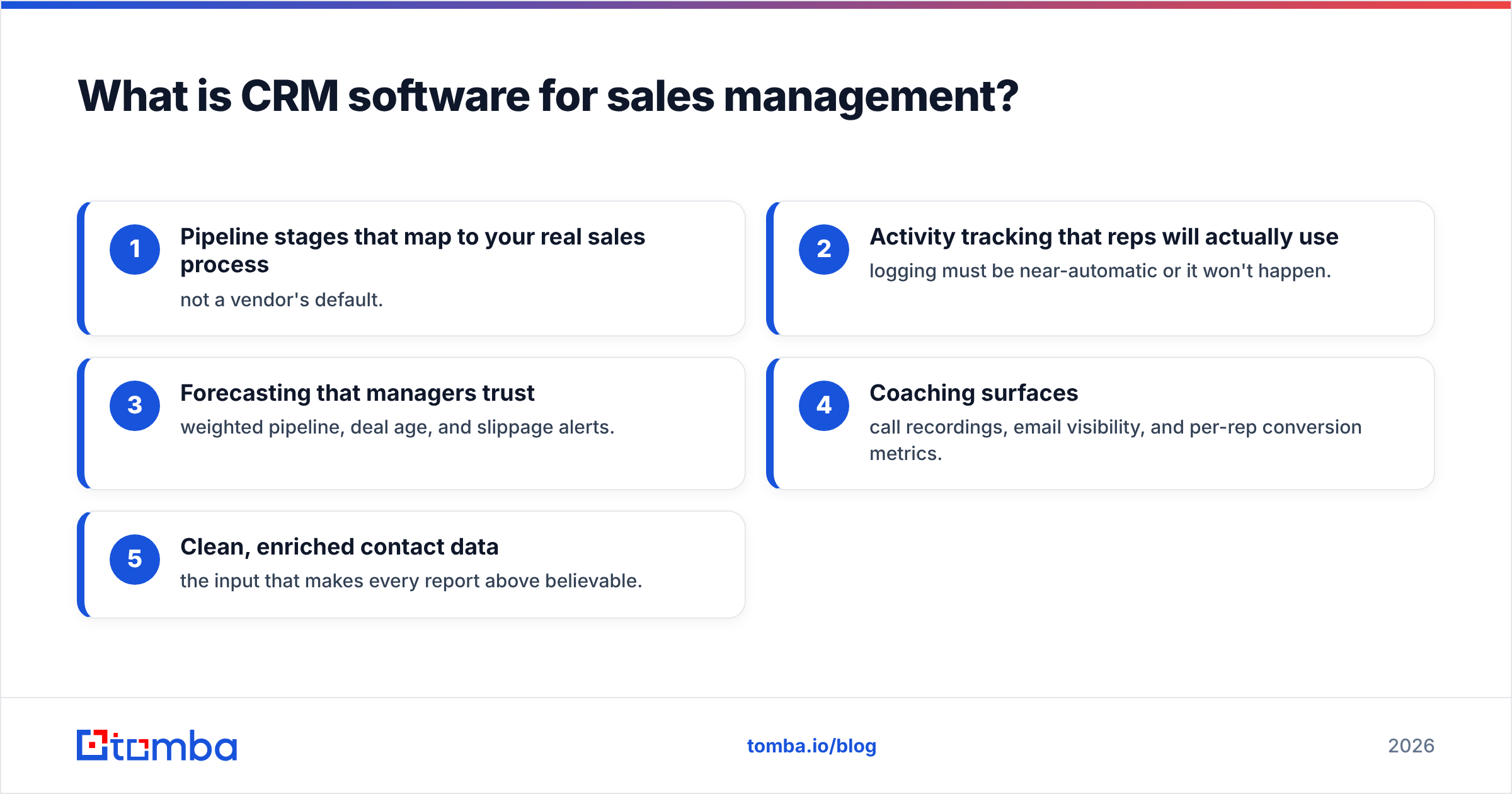
Here's what separates a sales-management CRM from a generic contact database:
- Pipeline stages that map to your real sales process — not a vendor's default.
- Activity tracking that reps will actually use — logging must be near-automatic or it won't happen.
- Forecasting that managers trust — weighted pipeline, deal age, and slippage alerts.
- Coaching surfaces — call recordings, email visibility, and per-rep conversion metrics.
- Clean, enriched contact data — the input that makes every report above believable.
What features actually matter for sales management?#
Ignore the 400-item feature matrix. For managing a sales team, four capabilities do most of the work.
Pipeline visibility. You need to see every deal, its stage, its value, and how long it's been sitting there. Deal age and stage-stall alerts catch the silent killers — the deals nobody marked lost but that died three weeks ago.
Activity tracking. If your reps have to manually log calls and emails, the data will be 60% complete on a good week. The CRMs worth buying capture email and calendar activity automatically. Incomplete activity data is worse than none, because it produces false confidence.
Forecasting. A win rate and weighted-pipeline forecast is only as good as the deal data behind it. Good forecasting tools show you the delta between commit, best-case, and pipeline — and flag which reps are sandbagging or happy-earing.
Automation. Task creation, follow-up reminders, sequence enrollment, and field updates should be rules-based. Every manual step is a step reps skip.
Notice what's not on that list: social media integrations, gamification leaderboards, and AI features that write emails nobody sends. They're nice. They don't decide whether your quarter closes.
Which CRM software is best for sales management in 2026?#
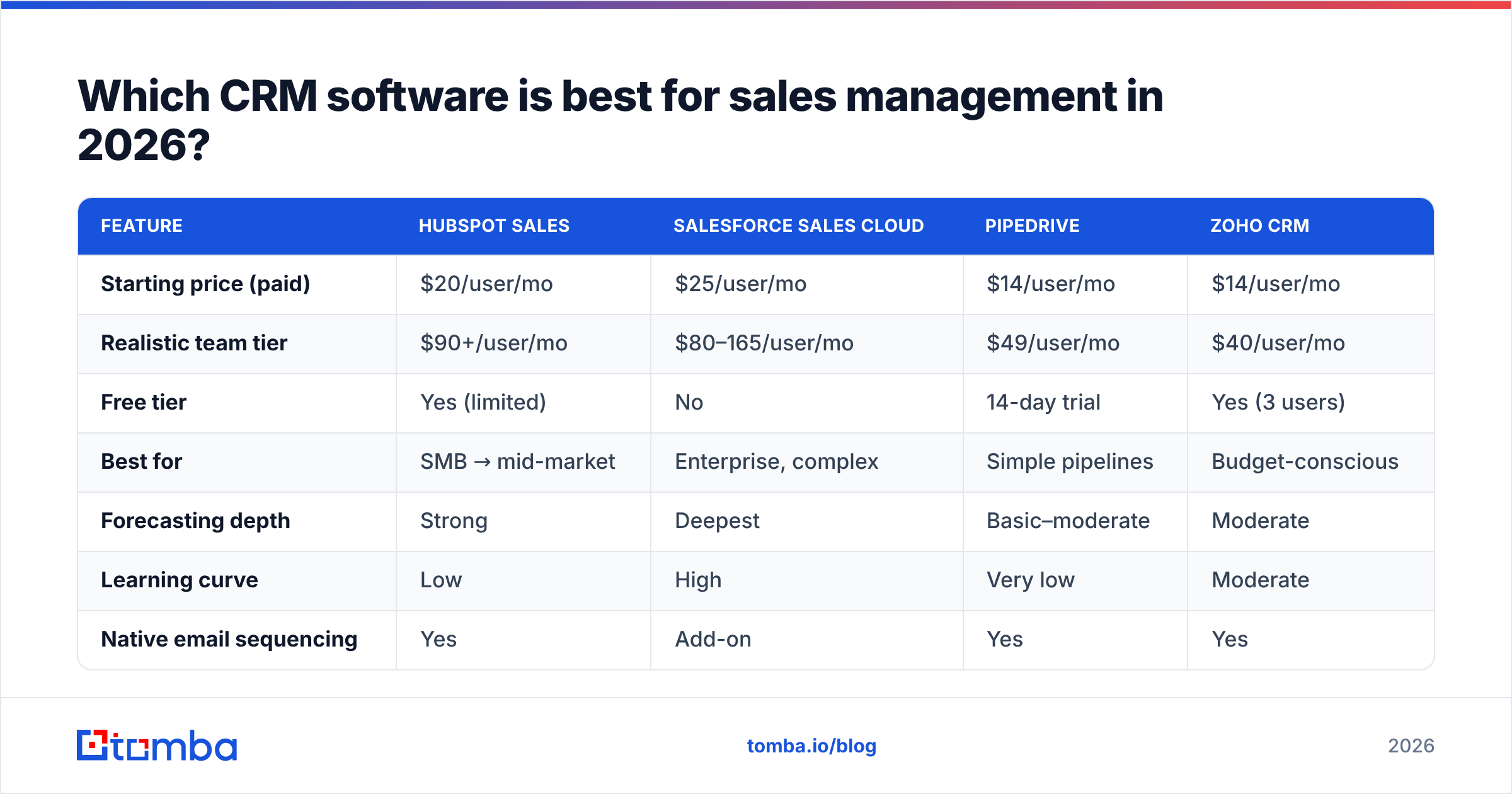
There's no single winner — the right choice depends on team size, process complexity, and budget. Here's an honest comparison of the platforms most sales teams actually shortlist.
| Feature | HubSpot Sales | Salesforce Sales Cloud | Pipedrive | Zoho CRM |
|---|---|---|---|---|
| Starting price (paid) | $20/user/mo | $25/user/mo | $14/user/mo | $14/user/mo |
| Realistic team tier | $90+/user/mo | $80–165/user/mo | $49/user/mo | $40/user/mo |
| Free tier | Yes (limited) | No | 14-day trial | Yes (3 users) |
| Best for | SMB → mid-market | Enterprise, complex | Simple pipelines | Budget-conscious |
| Forecasting depth | Strong | Deepest | Basic–moderate | Moderate |
| Learning curve | Low | High | Very low | Moderate |
| Native email sequencing | Yes | Add-on | Yes | Yes |
A few honest takes:
- Salesforce is the deepest and most customizable, and also the easiest to overspend on. If you don't have an admin, its power becomes a liability.
- HubSpot wins on usability and time-to-value for teams under ~50 reps, but the price climbs fast once you need the good automation.
- Pipedrive is the pick when your process is genuinely simple and you want reps in the tool today, not after a six-week rollout.
- Zoho offers the most feature per dollar, at the cost of a clunkier experience.
Whichever you pick, the platform is maybe 40% of the outcome. The other 60% is what you feed it.
Is expensive CRM software worth it?#
Usually not for the reason vendors claim. The jump from a $20 tier to a $150 tier rarely buys you better core CRM — it buys advanced forecasting, custom objects, sandbox environments, and admin controls. Those matter at scale and are dead weight for a 6-person team.
Before you buy up a tier, ask: is the limitation the software, or the process? Teams routinely blame the CRM for problems that are actually adoption problems (reps not logging activity) or data problems (contacts are wrong). No pricing tier fixes those.
For a full breakdown of how tool costs stack up across a sales stack, compare against transparent options like Tomba's pricing — flat monthly plans that don't scale punitively per seat.
Why does data quality decide whether your CRM works?#
Because a CRM is a mirror, and a mirror can't fix an ugly reflection. Every report, forecast, and automated sequence runs on the contact and account data inside it. If 30% of your contact emails are wrong, stale, or duplicated, then:
- Your deliverability tanks, and outbound sequences bounce.
- Your reps waste hours chasing dead contacts.
- Your forecast is built on activity that never reached a real human.
- Your "engaged" metrics are polluted by sends that hard-bounced.
This is the least glamorous and most decisive part of CRM software for sales management. You can buy the best platform on the market and still get worthless reporting if the underlying data rots.
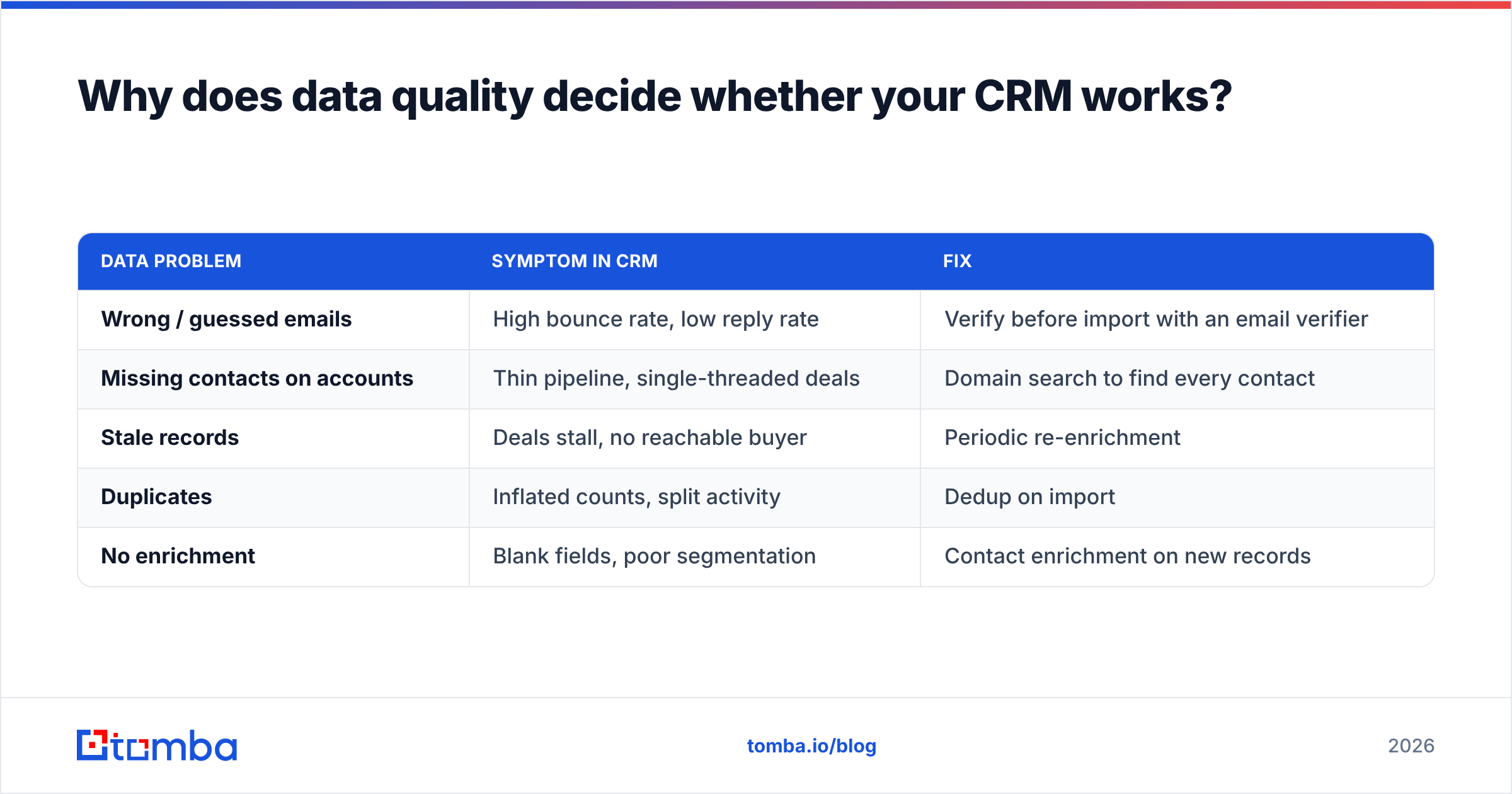
The fix is a data hygiene layer that sits alongside the CRM:
| Data problem | Symptom in CRM | Fix |
|---|---|---|
| Wrong / guessed emails | High bounce rate, low reply rate | Verify before import with an email verifier |
| Missing contacts on accounts | Thin pipeline, single-threaded deals | Domain search to find every contact |
| Stale records | Deals stall, no reachable buyer | Periodic re-enrichment |
| Duplicates | Inflated counts, split activity | Dedup on import |
| No enrichment | Blank fields, poor segmentation | Contact enrichment on new records |
A practical workflow: when a rep adds a company, run a domain search to pull the right contacts and verified emails straight into the CRM, then enrich for title, seniority, and LinkedIn. Now every downstream report has something real underneath it. Teams that skip this step spend Q1 building dashboards on sand.
How do you roll out a CRM without it becoming a graveyard?#
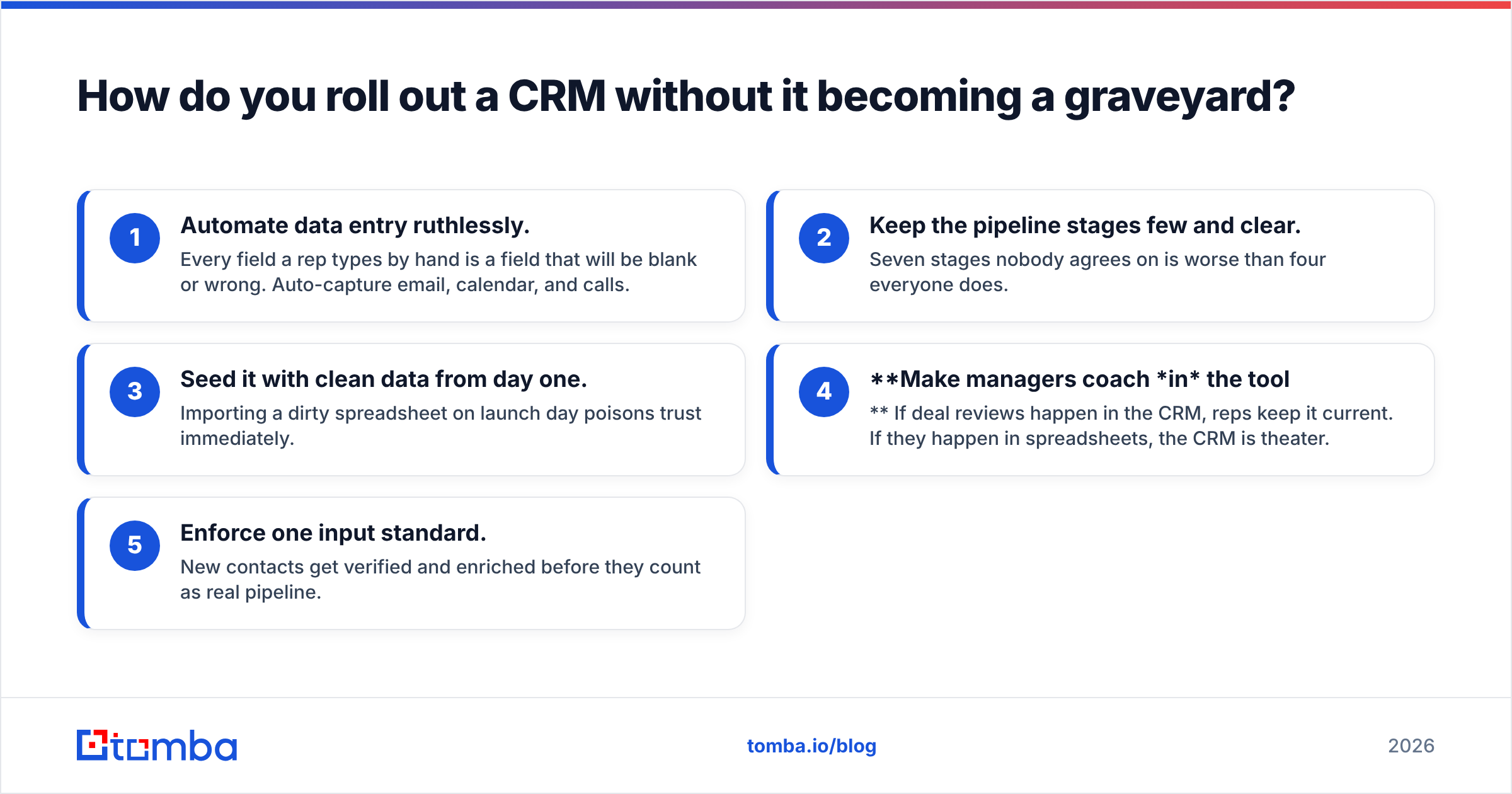
Most CRM failures aren't technical — they're behavioral. The tool becomes a place data goes to die because reps see it as reporting for their manager, not a tool that helps them sell. Avoid that with a few rules:
- Automate data entry ruthlessly. Every field a rep types by hand is a field that will be blank or wrong. Auto-capture email, calendar, and calls.
- Keep the pipeline stages few and clear. Seven stages nobody agrees on is worse than four everyone does.
- Seed it with clean data from day one. Importing a dirty spreadsheet on launch day poisons trust immediately.
- Make managers coach in the tool. If deal reviews happen in the CRM, reps keep it current. If they happen in spreadsheets, the CRM is theater.
- Enforce one input standard. New contacts get verified and enriched before they count as real pipeline.
The teams that treat the CRM as the output of a clean data process — rather than the process itself — get forecasts they can bet a quarter on.
What about smaller teams and startups?#
If you're under ten reps, resist the urge to buy enterprise. A free or low-tier CRM plus a disciplined data layer will outperform a $150/user platform you never configure. The leverage for small teams is speed: find the right buyers, load verified contacts, and work them — not administering custom objects.
That's where pairing a lean CRM with a fast contact-finding workflow pays off. Use a bulk email finder to build a target list, verify it, push it into whatever CRM you're on, and start selling the same day. The CRM tracks the process; the data layer feeds it.
The bottom line#
The best CRM software for sales management in 2026 is the one your reps will actually keep current and your managers can forecast from — and both of those depend more on data quality than on the logo on the login screen. Shortlist HubSpot, Salesforce, Pipedrive, or Zoho by team size and process complexity. Then spend at least as much energy on the contact data going in as on the platform itself.
Because here's the uncomfortable truth: a mediocre CRM with clean, verified, enriched data beats a world-class CRM full of guessed emails and dead contacts every single time.
Start with the input layer. Use the Tomba Email Finder to find verified professional emails by name, company, or domain, then enrich and load them into your CRM so every deal, forecast, and dashboard is built on data you can trust. Your reps get reachable contacts, your managers get forecasts that hold up, and your CRM finally becomes the source of truth it was sold as. Try it free with 25 searches a month and see what clean pipeline data does to your reporting.
Related guides#
Ready to find emails that actually work?
Join 150,000+ professionals who stopped guessing and started sending. Free credits on signup — no credit card required.
Get the Tomba newsletter
Practical outbound tactics and product updates — once every two weeks.
About the author