Best CRM Software for Small Businesses in 2026: A Buyer's Guide
A no-fluff guide to choosing CRM software for small businesses in 2026 — real pricing, honest trade-offs, and the data layer most buyers forget.
Choosing CRM software for small businesses is less about finding the "best" tool and more about finding the one your team will actually use every day. The flashiest platform is worthless if reps abandon it after two weeks. This guide cuts through the marketing and shows you what matters: real pricing, honest trade-offs, and the one layer most buyers ignore until their pipeline is already full of dead contacts.
TL;DR#
- The best CRM software for small businesses in 2026 is the one your reps update without being nagged — usability beats feature count every time.
- HubSpot, Pipedrive, and Zoho cover most small-business needs; free tiers exist but get expensive fast as you add seats and automation.
- Price per seat matters more than sticker price. A "$15/mo" CRM becomes $180/mo across a 4-person team once you unlock the tiers you actually need.
- A CRM is only as good as the data inside it. Garbage contacts sink deliverability and forecasting no matter how slick the interface is.
- Pair your CRM with an email finder and verifier so records enter clean instead of getting cleaned up later.
What is CRM software, and why do small businesses need it?#
Think of a CRM as your business's shared memory. Without one, customer details live in five inboxes, three spreadsheets, and one salesperson's head — and when that salesperson leaves, the memory walks out the door. A CRM (customer relationship management platform) centralizes every contact, deal, email, and note so the whole team works from the same page.
For a small business, the payoff is concrete: fewer dropped follow-ups, faster onboarding of new reps, and a real forecast instead of a gut feeling. According to HubSpot's research, teams that adopt a structured pipeline close more consistently because nothing slips through the cracks between "interested" and "signed."
The catch is that a CRM only helps if it reflects reality. A pipeline full of stale, mistyped, or duplicate contacts gives you a confident-looking dashboard built on sand.
What features actually matter for a small business?#
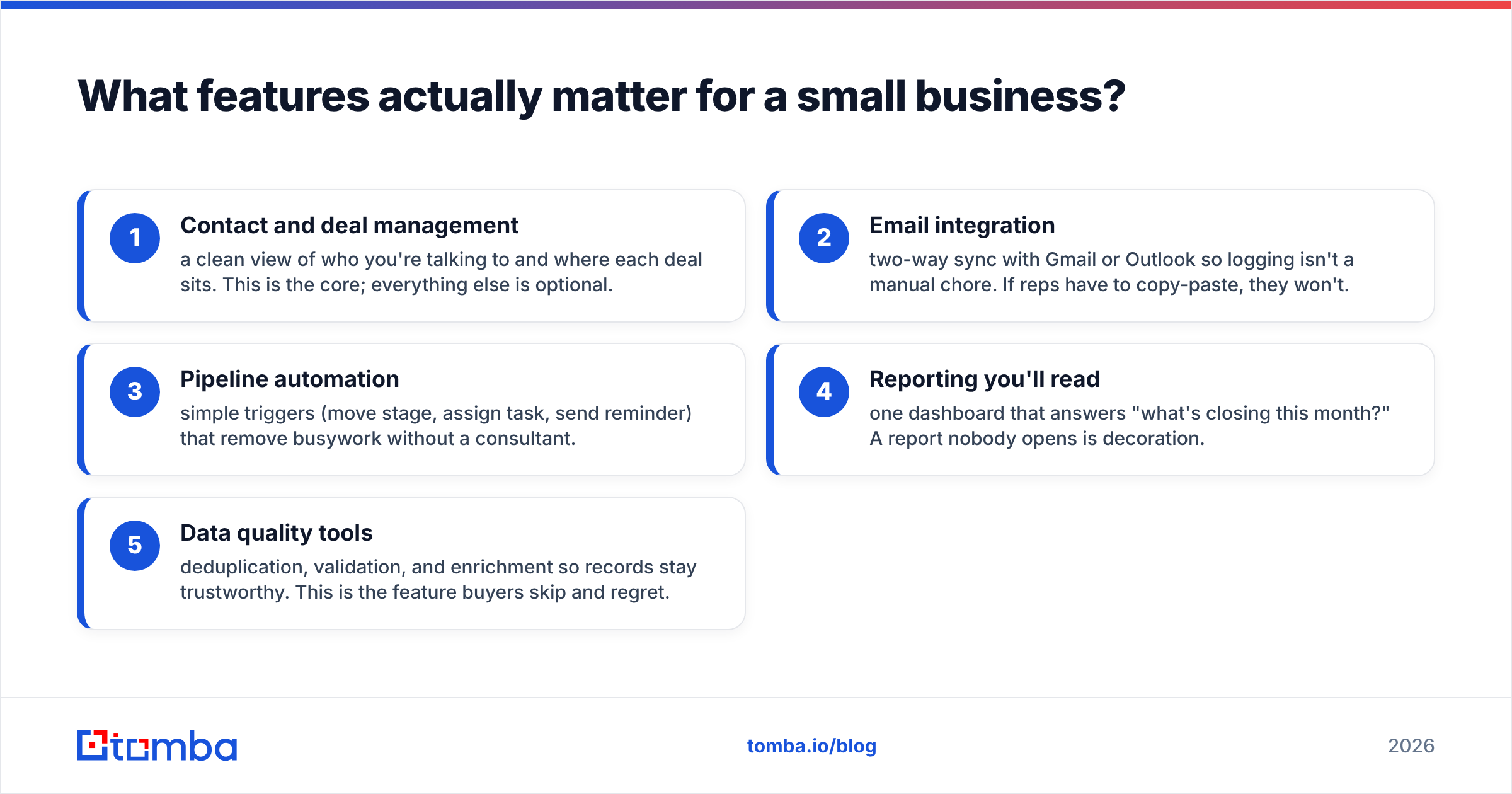
Ignore the 200-item feature checklists. For a team under 20 people, these five things decide whether the tool sticks:
- Contact and deal management — a clean view of who you're talking to and where each deal sits. This is the core; everything else is optional.
- Email integration — two-way sync with Gmail or Outlook so logging isn't a manual chore. If reps have to copy-paste, they won't.
- Pipeline automation — simple triggers (move stage, assign task, send reminder) that remove busywork without a consultant.
- Reporting you'll read — one dashboard that answers "what's closing this month?" A report nobody opens is decoration.
- Data quality tools — deduplication, validation, and enrichment so records stay trustworthy. This is the feature buyers skip and regret.
Notice what's not on the list: AI meeting summaries, territory management, custom object hierarchies. Those matter at scale. At 8 people, they're a distraction you're paying for.
Which CRM software is best for small businesses in 2026?#
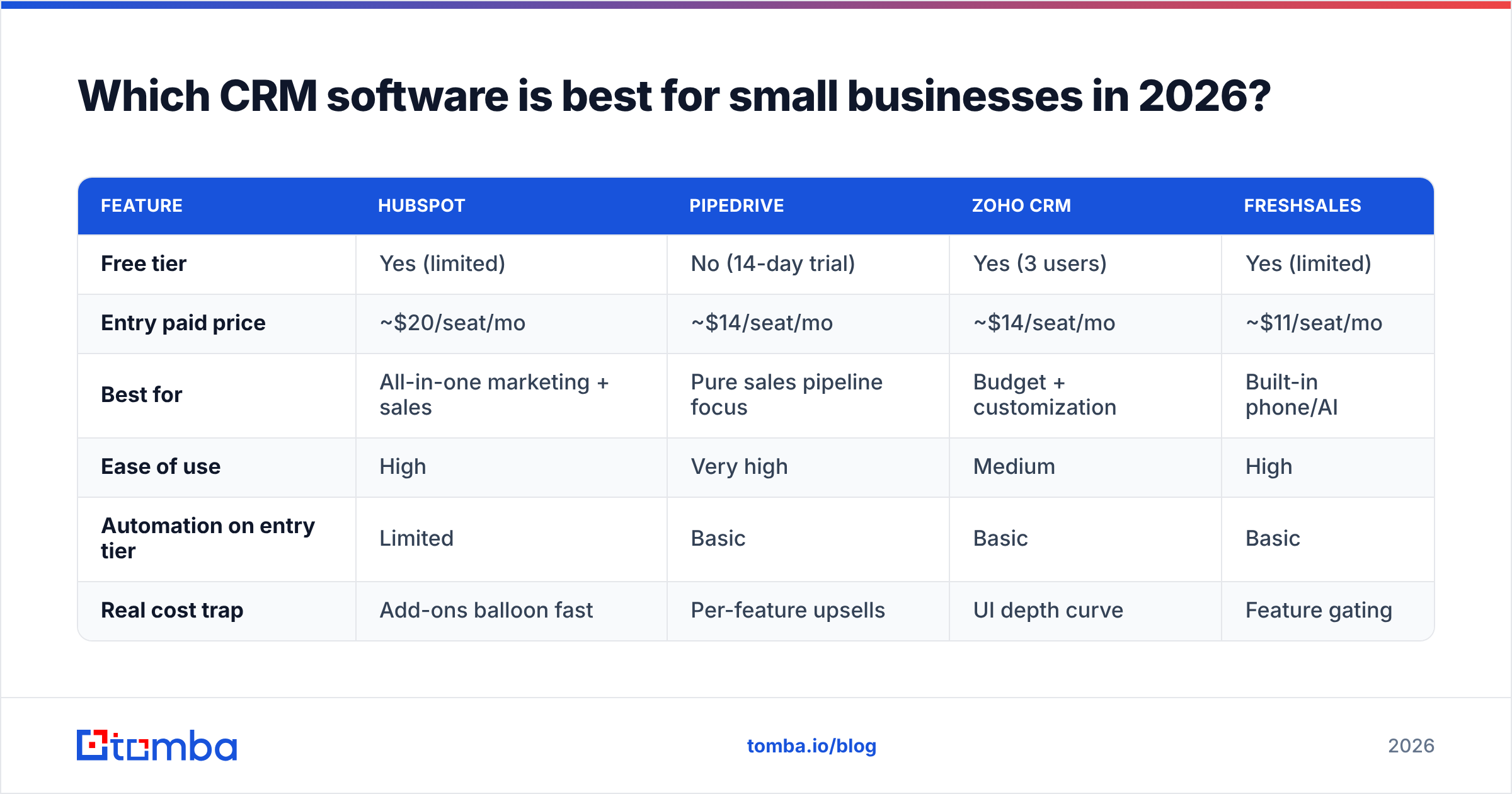
There's no single winner — the right pick depends on your budget, your sales motion, and how much you'll customize. Here's an honest side-by-side of the platforms small teams shortlist most often.
| Feature | HubSpot | Pipedrive | Zoho CRM | Freshsales |
|---|---|---|---|---|
| Free tier | Yes (limited) | No (14-day trial) | Yes (3 users) | Yes (limited) |
| Entry paid price | ~$20/seat/mo | ~$14/seat/mo | ~$14/seat/mo | ~$11/seat/mo |
| Best for | All-in-one marketing + sales | Pure sales pipeline focus | Budget + customization | Built-in phone/AI |
| Ease of use | High | Very high | Medium | High |
| Automation on entry tier | Limited | Basic | Basic | Basic |
| Real cost trap | Add-ons balloon fast | Per-feature upsells | UI depth curve | Feature gating |
HubSpot wins if you want marketing and sales under one roof and can tolerate pricing that climbs as you add Marketing Hub or extra seats. Pipedrive is the cleanest choice for a team that just wants a visual pipeline and nothing else. Zoho offers the most customization per dollar if you're willing to invest setup time. Freshsales bundles calling and AI cheaply, which suits phone-heavy teams. Cross-check current plans on G2 or Capterra before you commit, since tiers shift often.
How much does CRM software for small businesses really cost?#
The sticker price is a trap. Vendors advertise the per-seat entry rate, but the plan you actually need — the one with automation, reporting, and enough contact storage — usually sits one or two tiers up.
Run the real math before you sign:
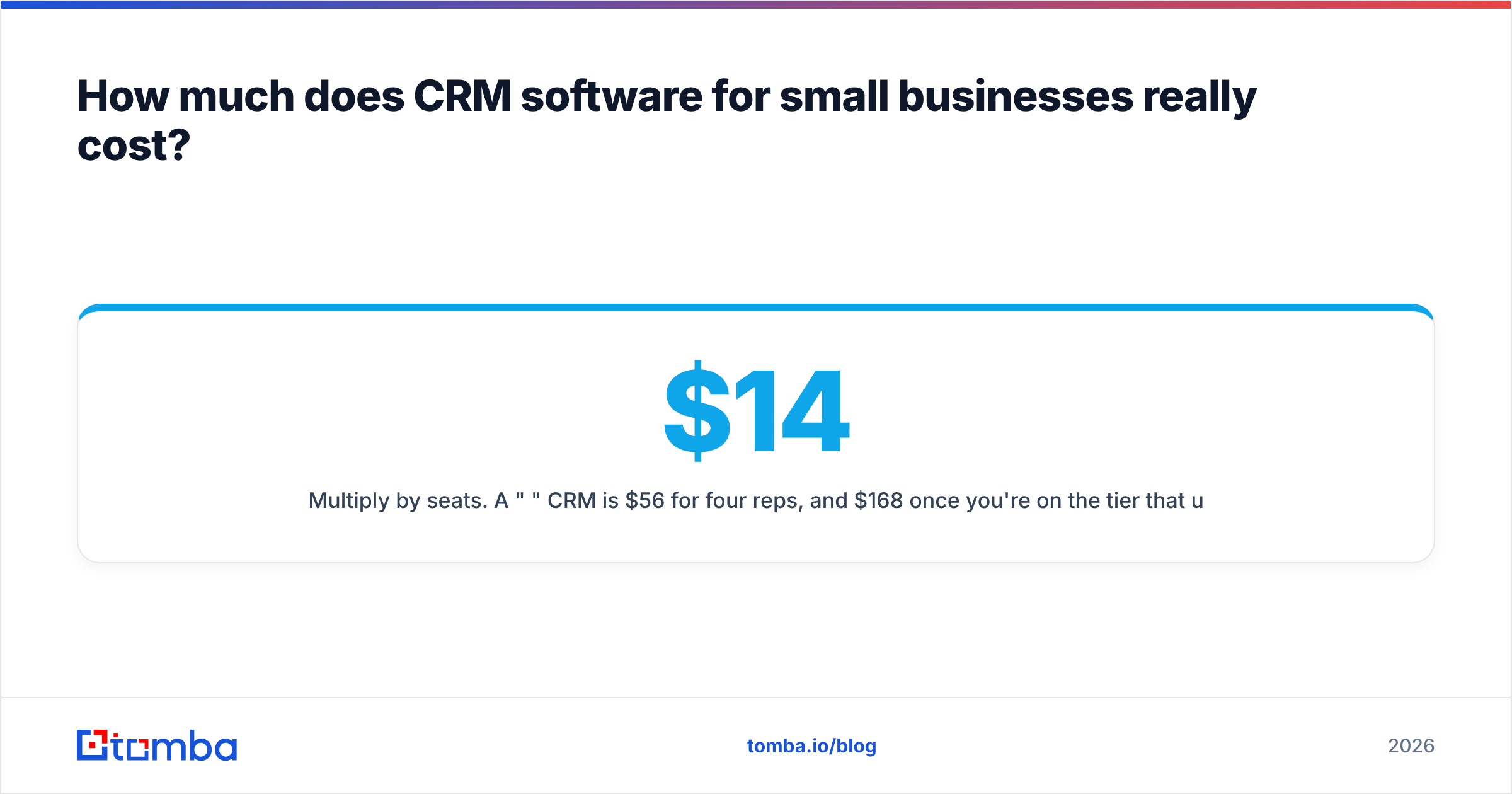
- Multiply by seats. A "$14/mo" CRM is $56/mo for four reps, and $168/mo once you're on the tier that unlocks automation.
- Count the add-ons. Extra contacts, dedicated support, and marketing tools are often separate line items.
- Factor onboarding. Some platforms nudge you toward paid setup packages that cost more than a year of subscription.
- Include the data cost. Whatever you save on the CRM, you'll spend re-cleaning bad records later if you skip validation.
That last point is where small teams bleed money quietly. If half your imported contacts have wrong or unverified emails, you're paying for CRM seats to manage data that actively hurts your email deliverability. Clean input is cheaper than cleanup.
Free vs. paid: is a free CRM enough?#
For the first few months, often yes. HubSpot and Zoho's free tiers genuinely run a small pipeline. The question isn't whether free works today — it's when you'll outgrow it.
You've outgrown free the moment you hit any of these:
- You need automation. Manual stage-moves and reminders don't scale past a handful of active deals.
- You hit contact caps. Free tiers throttle stored contacts; blowing past the limit forces an upgrade mid-quarter.
- You need real reporting. Free dashboards are usually read-only summaries, not the custom pipeline reports leadership wants.
- You want team permissions. Role-based access almost always lives behind a paid wall.
The smart play: start free to validate that your team will use any CRM, then upgrade deliberately once adoption is proven. Don't pay for a Pro tier before you know reps will log in.
Why does data quality make or break your CRM?#
Here's the truth vendors won't lead with: your CRM is a database, and a database full of bad data produces bad decisions. Duplicate records inflate your pipeline. Wrong emails torch your sender reputation. Missing phone numbers stall your reps. No feature set fixes dirty inputs.
This is where the workflow around your CRM matters as much as the CRM itself. Before a contact ever lands in a deal, you want to know the email is real, the format matches the company pattern, and the record isn't a duplicate of one you already have.
That's the job of a dedicated data layer feeding your CRM:
- Use an email finder to source verified professional addresses instead of guessing formats.
- Run new lists through an email verifier so bounces never reach your sending domain.
- Apply data enrichment to fill missing titles, companies, and phone numbers automatically.
- Use company email search to pull every relevant contact at a target account in one pass.
Tomba plugs directly into the CRMs above through native connectors for HubSpot, Pipedrive, and Salesforce, so records enter your pipeline already verified rather than getting flagged as junk three months later.

How do you choose the right CRM for your small business?#
Skip the 40-tool comparison paralysis. Run this short process instead:
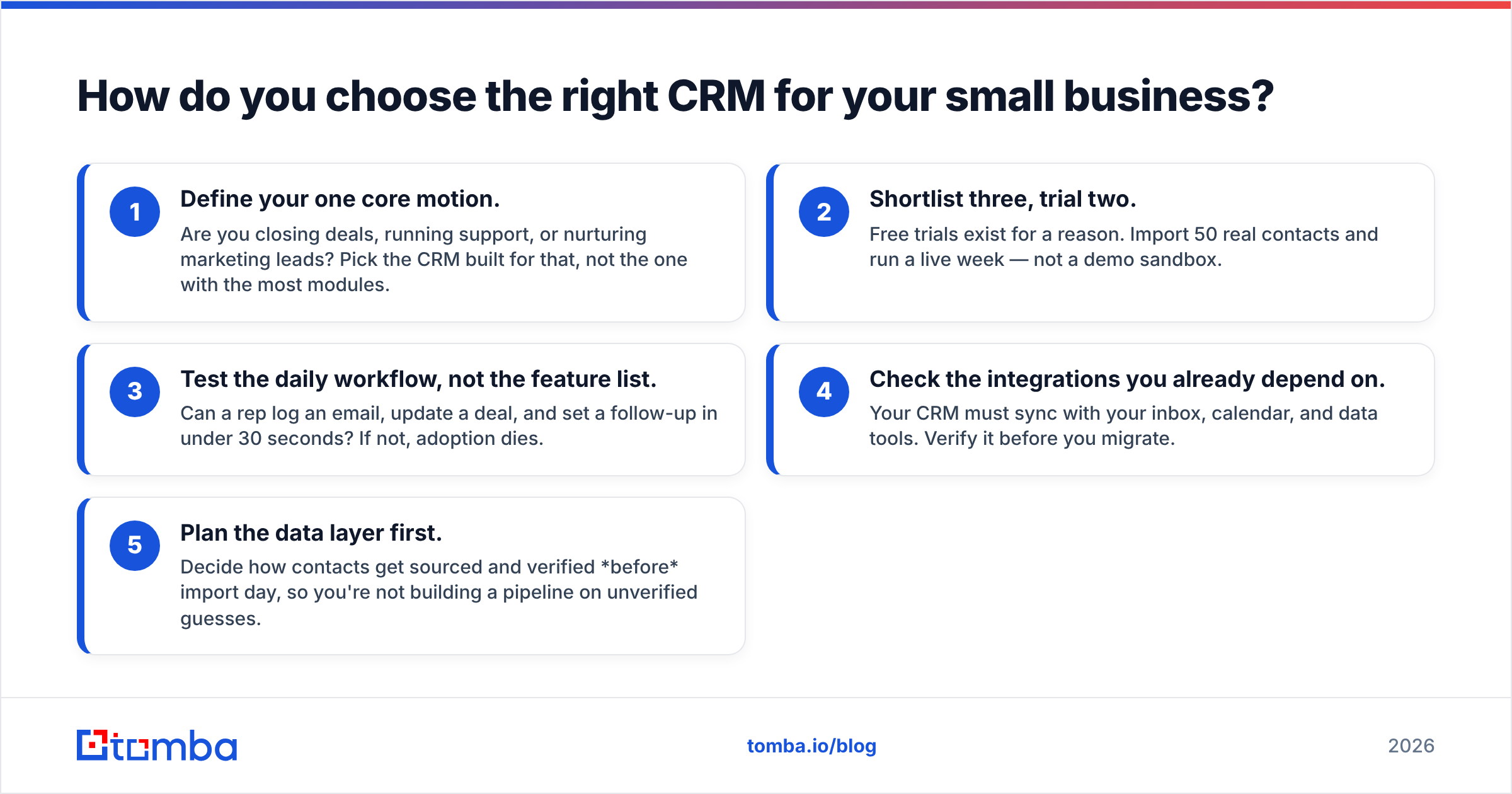
- Define your one core motion. Are you closing deals, running support, or nurturing marketing leads? Pick the CRM built for that, not the one with the most modules.
- Shortlist three, trial two. Free trials exist for a reason. Import 50 real contacts and run a live week — not a demo sandbox.
- Test the daily workflow, not the feature list. Can a rep log an email, update a deal, and set a follow-up in under 30 seconds? If not, adoption dies.
- Check the integrations you already depend on. Your CRM must sync with your inbox, calendar, and data tools. Verify it before you migrate.
- Plan the data layer first. Decide how contacts get sourced and verified before import day, so you're not building a pipeline on unverified guesses.
The teams that succeed with CRM software treat it as one piece of a system — a clean-data pipeline in, a disciplined sales motion through, and reporting out. The tool is the easy part. The habits and the data are what actually move revenue.
The bottom line#
For most small businesses in 2026, the shortlist is short: Pipedrive for pure pipeline simplicity, HubSpot for an all-in-one growth stack, and Zoho for budget-conscious customization. Start on a free tier, prove adoption, then upgrade with your eyes open about per-seat math and add-on creep.
But whichever CRM you pick, remember that it inherits the quality of what you put into it. A pristine interface can't rescue a pipeline full of dead contacts. Feed it verified, enriched records from day one and your forecasts, your deliverability, and your close rate all get better at the same time.
Ready to fill your CRM with contacts that are real instead of hopeful? Start with the Tomba Email Finder — find and verify professional email addresses by domain, name, or company, then push them straight into HubSpot, Pipedrive, or Salesforce. Check the Tomba pricing plans (free tier includes 25 searches to test it) and give your new CRM data worth managing.
Related guides#
Ready to find emails that actually work?
Join 150,000+ professionals who stopped guessing and started sending. Free credits on signup — no credit card required.
Get the Tomba newsletter
Practical outbound tactics and product updates — once every two weeks.
About the author