Crunchbase vs DiscoverOrg (2026): Which B2B Data Wins?
Crunchbase tracks companies and funding; DiscoverOrg (now ZoomInfo) sells deep contact data at enterprise prices. Here's which one actually fits your GTM motion in 2026 — and the cheaper way to get the emails you really need.
TL;DR
- Crunchbase is a company-and-funding intelligence database. It's great for tracking who raised money, who's hiring, and which markets are heating up — but it's weak on verified individual contact details.
- DiscoverOrg (merged into ZoomInfo in 2019) is a contact-and-org-chart database built for outbound sales teams. Deep data, deep pockets required — annual contracts routinely land in the five figures.
- They solve different problems. Choosing "Crunchbase vs DiscoverOrg" is often the wrong question; the real question is company signals vs contact data.
- If your actual goal is reaching decision-makers, neither is the cheapest path. A dedicated email finder plugs the gap at a fraction of the cost.
- Below: a side-by-side table, honest pros and cons, and a pricing reality check before you sign anything.
What are Crunchbase and DiscoverOrg?#
Crunchbase started as a startup-funding tracker and grew into a broad company intelligence platform. You use it to answer questions like "who just raised a Series B in fintech?", "which companies added 20% headcount last quarter?", or "who acquired whom?" Its strength is firmographic and signal data — the story of a company over time. You can explore the public product at crunchbase.com.
DiscoverOrg was built for a different buyer: the outbound sales rep who needs a name, a title, a direct dial, and an accurate org chart today. In 2019 DiscoverOrg acquired ZoomInfo and eventually took the ZoomInfo brand, so when people shop for DiscoverOrg in 2026 they're really evaluating the ZoomInfo data engine. Its strength is human-level contact data verified by a research team.
Think of it like two maps of the same city. Crunchbase gives you the zoning map — which districts are growing, where the money is flowing. DiscoverOrg gives you the phone book — the exact person on the third floor and how to call them. Both are useful; neither is a substitute for the other.

How do Crunchbase and DiscoverOrg compare head-to-head?#
Here's the practical breakdown teams care about when they line up Crunchbase vs DiscoverOrg side by side.
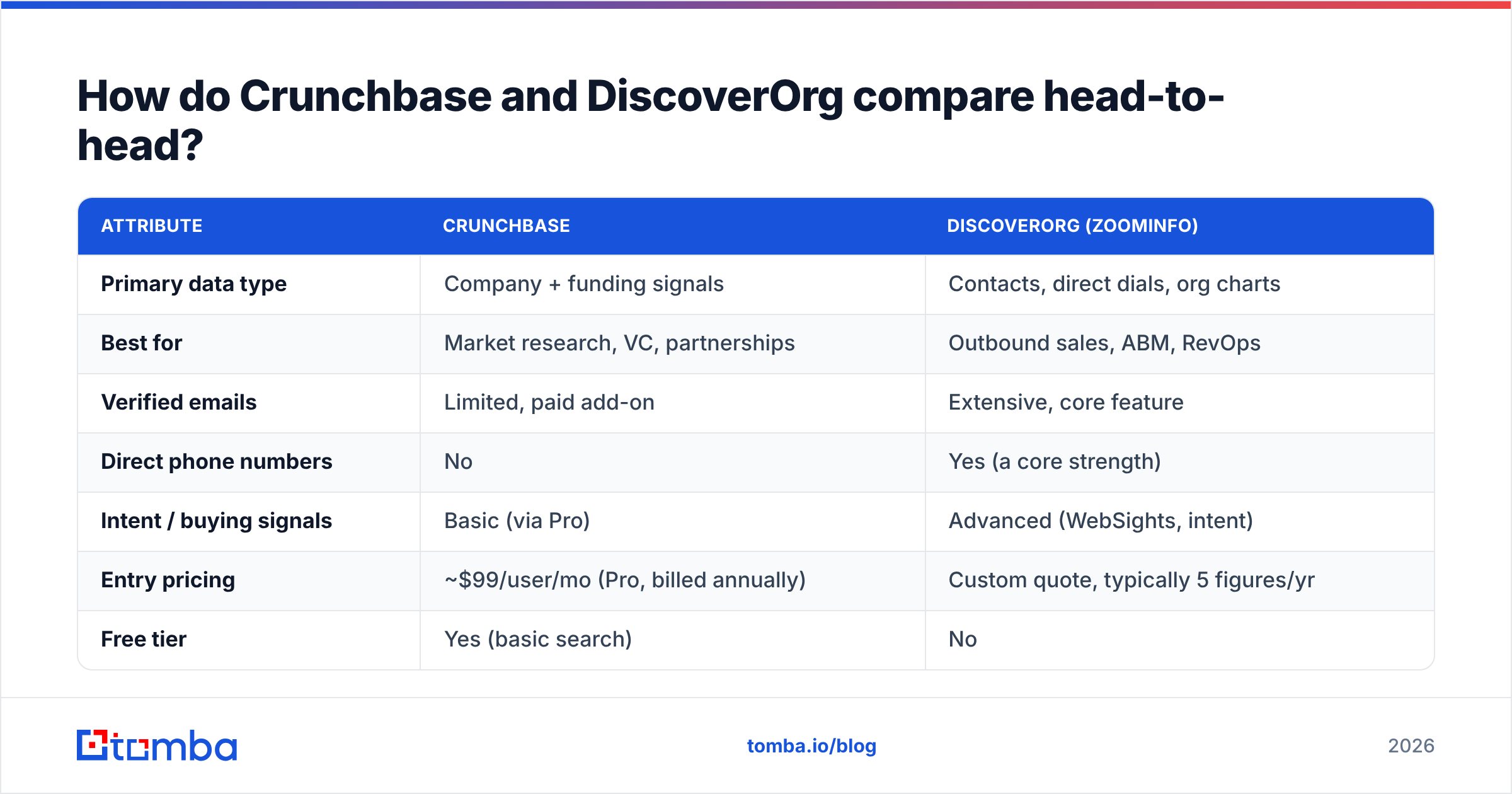
| Attribute | Crunchbase | DiscoverOrg (ZoomInfo) |
|---|---|---|
| Primary data type | Company + funding signals | Contacts, direct dials, org charts |
| Best for | Market research, VC, partnerships | Outbound sales, ABM, RevOps |
| Verified emails | Limited, paid add-on | Extensive, core feature |
| Direct phone numbers | No | Yes (a core strength) |
| Intent / buying signals | Basic (via Pro) | Advanced (WebSights, intent) |
| Entry pricing | ~$99/user/mo (Pro, billed annually) | Custom quote, typically 5 figures/yr |
| Free tier | Yes (basic search) | No |
| Contract commitment | Monthly or annual | Annual, seat-based |
| Data refresh | Continuous, community + AI | Research-team verified |
| Learning curve | Low | Moderate to high |
The pattern is clear. Crunchbase is cheaper, self-serve, and signal-heavy. DiscoverOrg is expensive, sales-assisted, and contact-heavy. If someone tells you one is objectively "better," they're skipping the part where it depends entirely on what you're trying to do.
Which one has better data quality?#
Neither wins outright — they're accurate at different things.
Crunchbase's funding and firmographic data is strong because much of it is sourced from public filings, news, and a large contributor community, then cleaned with machine learning. When Crunchbase says a company raised $12M in March, that's usually right. But ask Crunchbase for the personal email of a VP of Engineering and you'll often get nothing, or a generic role address.
DiscoverOrg built its reputation on human-verified contact data. A research team re-checks records on a rotating cycle, which is why direct dials and org charts hold up better than most competitors. Independent reviews on G2 consistently rate its contact accuracy near the top of the category — and also flag the price and aggressive renewals as the main complaints.
The honest takeaway: for company truth, trust Crunchbase. For contact truth, trust DiscoverOrg. And for email deliverability specifically, verify whatever you get from either one before you send — stale B2B data decays at roughly 2–3% per month regardless of source. Running any list through an email verifier before a campaign is cheap insurance against bounce-driven sender reputation damage.
What does each one actually cost?#
This is where a lot of buyers get surprised.
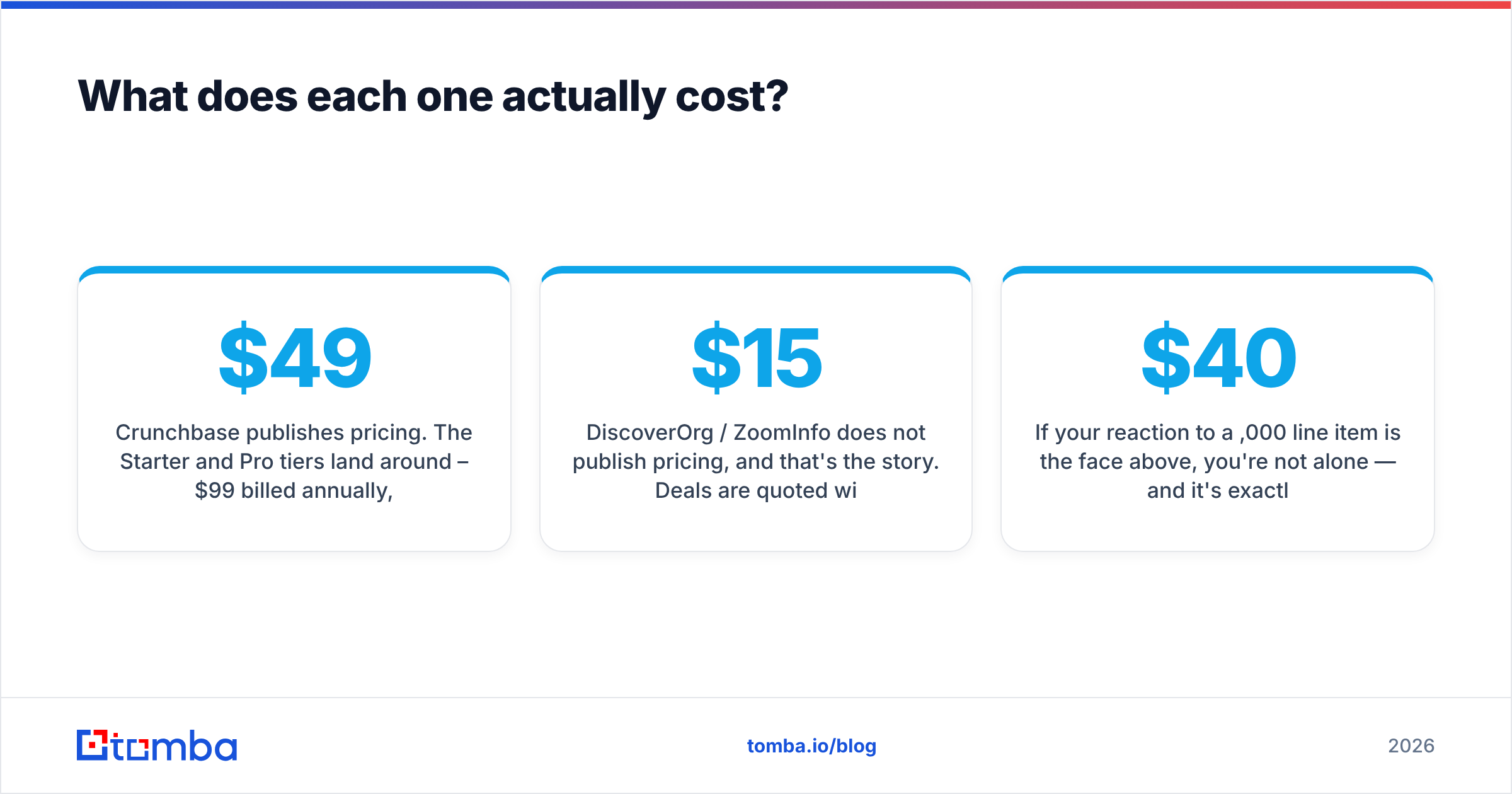
Crunchbase publishes pricing. The Starter and Pro tiers land around $49–$99 per user per month billed annually, with enterprise plans negotiated on top. You can start on a free account, poke around, and upgrade when you hit limits. Predictable and self-serve.
DiscoverOrg / ZoomInfo does not publish pricing, and that's the story. Deals are quoted per seat with data-credit tiers, add-ons for intent and enrichment, and annual commitments. Real-world contracts commonly start around $15,000/year and climb well past $40,000 for multi-seat teams with the premium modules. Renewals are known to increase, and unused credits typically don't roll over.

If your reaction to a $40,000 line item is the face above, you're not alone — and it's exactly why so many teams end up building a leaner stack. You rarely need the entire DiscoverOrg database. You usually need verified emails for a defined list of accounts you already identified elsewhere (often in Crunchbase). Paying enterprise rates for a firehose when you need a garden hose is the most common overspend in B2B data.
Who should choose Crunchbase?#
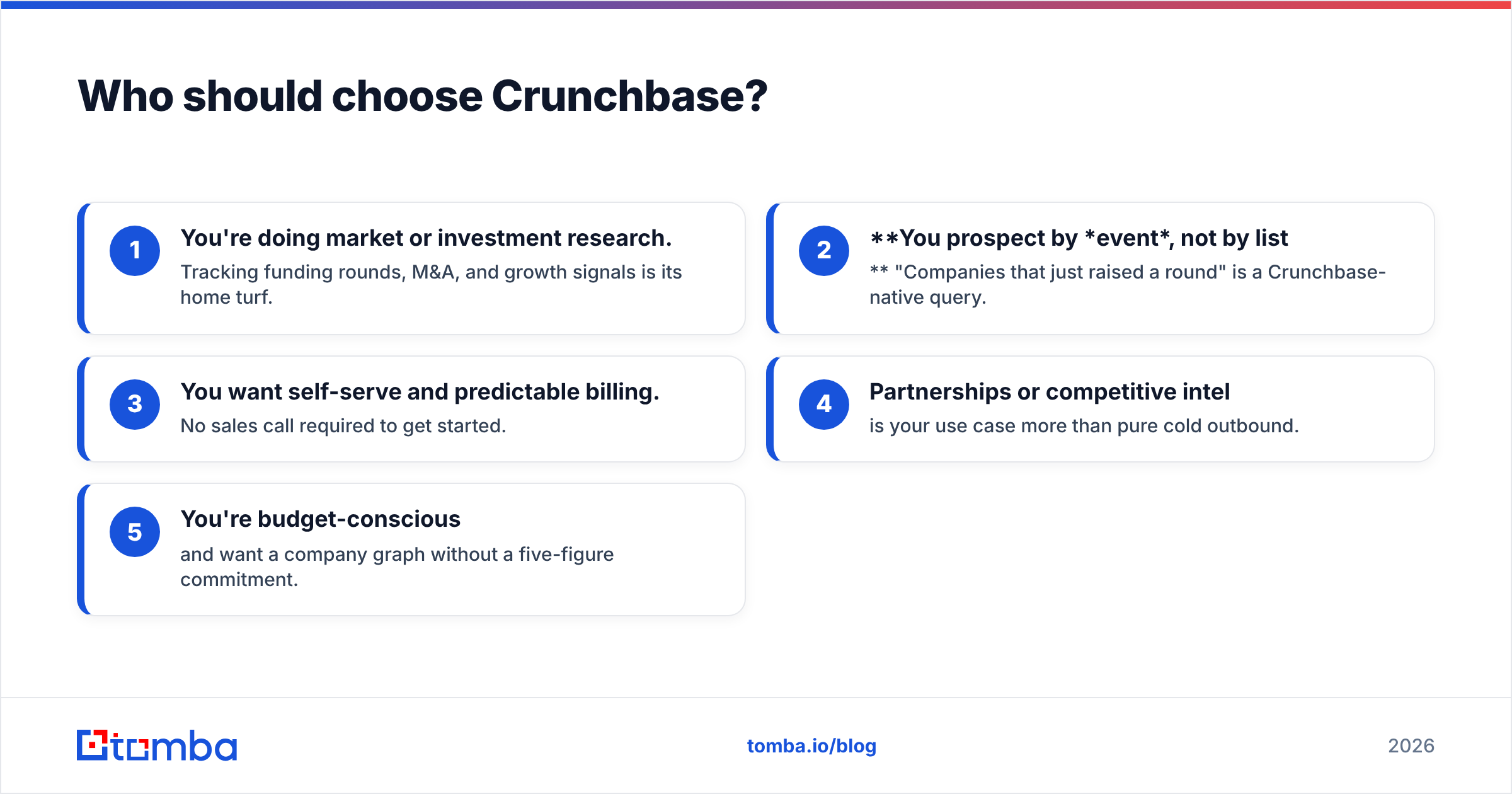
Choose Crunchbase if:
- You're doing market or investment research. Tracking funding rounds, M&A, and growth signals is its home turf.
- You prospect by event, not by list. "Companies that just raised a round" is a Crunchbase-native query.
- You want self-serve and predictable billing. No sales call required to get started.
- Partnerships or competitive intel is your use case more than pure cold outbound.
- You're budget-conscious and want a company graph without a five-figure commitment.
Crunchbase's weak spot is the last mile: turning "this company is interesting" into "here's the decision-maker's verified email." That's a gap you fill with a dedicated tool, not a bigger Crunchbase plan.
Who should choose DiscoverOrg?#
Choose DiscoverOrg / ZoomInfo if:
- You run high-volume outbound and need direct dials plus verified emails at scale.
- Org charts matter — you sell into complex enterprises and need to map buying committees.
- You want intent data layered on contact data in one platform.
- You have the budget and the seat count to justify a five-figure annual contract.
- A RevOps team can own the data hygiene, integrations, and CRM sync that make the investment pay off.
Its weak spot is cost and commitment. For a small team, a two-person startup, or anyone testing a new market, the annual contract is hard to justify against the number of contacts you'll actually work.
Is there a better-value way to get the contacts?#
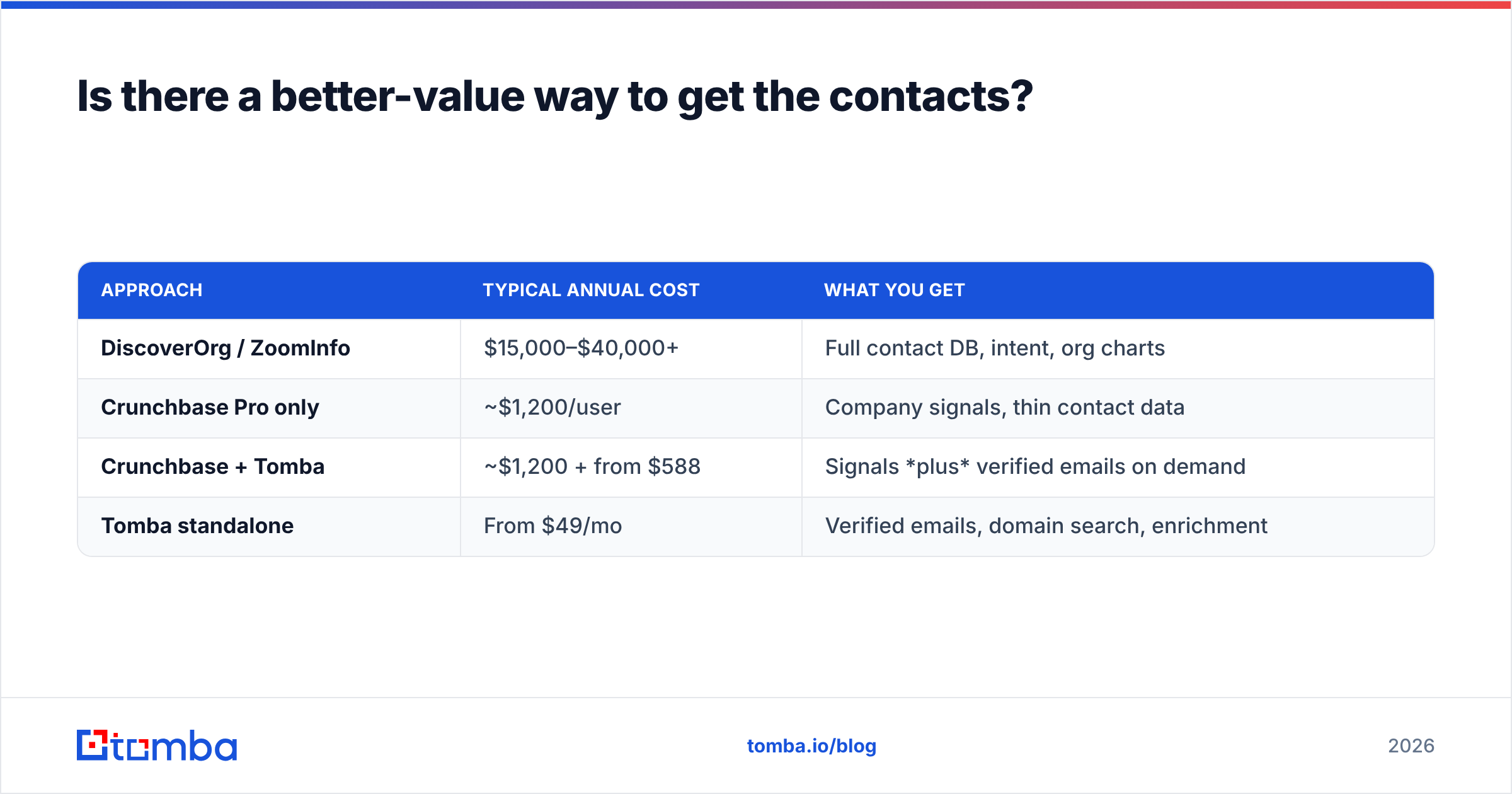
Yes — decouple the two jobs. Use a signal source for which companies to target, and a focused, pay-as-you-scale email finder for who to contact. This hybrid stack routinely costs 80–90% less than an all-in-one enterprise contract, and you only pay for the data you use.
A practical 2026 workflow looks like this:
- Find target accounts using Crunchbase signals (funding, hiring, tech adoption) — or your own ICP list.
- Find the people with a domain search to pull every known email pattern and contact at a target company.
- Get the exact address with an email finder using a name + company, then verify it before sending.
- Enrich and route the record into your CRM with data enrichment so reps get title, company, and social context automatically.
Here's how the value math compares for a team that needs verified emails for, say, 2,000 target contacts a month:
| Approach | Typical annual cost | What you get |
|---|---|---|
| DiscoverOrg / ZoomInfo | $15,000–$40,000+ | Full contact DB, intent, org charts |
| Crunchbase Pro only | ~$1,200/user | Company signals, thin contact data |
| Crunchbase + Tomba | ~$1,200 + from $588 | Signals plus verified emails on demand |
| Tomba standalone | From $49/mo | Verified emails, domain search, enrichment |
Tomba's own pricing is transparent and self-serve: a free tier with 25 searches/month, Starter at $49/mo, Growth at $99/mo, and Pro at $249/mo — no annual lock-in required to start. For most teams the winning move isn't "Crunchbase or DiscoverOrg," it's "Crunchbase for signals and a focused email tool for contacts," skipping the enterprise premium entirely.
Crunchbase vs DiscoverOrg: the verdict#
There's no universal winner — there's a winner for your job.
- Pick Crunchbase if you live in market research, funding signals, and self-serve budgets.
- Pick DiscoverOrg if you run enterprise-scale outbound, need direct dials and org charts, and have the budget to match.
- Pick a hybrid stack if you want the best of both without the five-figure invoice — signals from Crunchbase, verified contacts from a focused finder.
The mistake to avoid is buying a massive contact database to solve a problem that's really just "I need verified emails for accounts I already know." That's an expensive way to reach a short list.
Get the verified contacts without the enterprise contract#
If your actual bottleneck is reaching decision-makers — not admiring a dashboard — start with the Tomba Email Finder. Feed it a name and a company domain and get a verified professional email in seconds, with confidence scoring and built-in verification so your bounce rate stays low and your email deliverability stays high. Layer it on top of Crunchbase signals, or run it standalone, and you'll spend a fraction of a DiscoverOrg contract while getting the one thing both platforms are really being bought for: an accurate way to reach the right person. Try the free tier first — 25 searches, no card, no annual commitment.
Related guides#
Ready to find emails that actually work?
Join 150,000+ professionals who stopped guessing and started sending. Free credits on signup — no credit card required.
Get the Tomba newsletter
Practical outbound tactics and product updates — once every two weeks.
About the author