Csvgo vs Generect: B2B Lead Data Tools Compared (2026)
Csvgo and Generect both promise clean B2B lead data, but they solve different problems. Here's an honest breakdown of accuracy, pricing, workflows, and where each one actually fits your outbound stack.
Choosing between Csvgo and Generect usually comes down to one question: do you need a fast way to clean and enrich lists you already have, or a live engine that builds fresh B2B lead lists from scratch? They sound similar in the marketing copy, but they sit at different points in the outbound workflow. This comparison walks through what each tool actually does, where the data comes from, what you pay, and which one fits your team.
TL;DR — Csvgo vs Generect at a glance#
- Csvgo is built around CSV enrichment and cleanup: you upload a messy list, it appends emails, job titles, and company fields, then hands the file back. Best for teams that already have raw data and want it usable.
- Generect is a lead-generation engine with LinkedIn-based search and real-time email lookups. Best for teams that start from zero and need to build targeted lists on demand.
- Accuracy depends on verification, not marketing claims. Both quote high match rates; neither replaces an independent email verifier before you send.
- Pricing is credit-based on both sides, so your real cost scales with volume and how much you re-run enrichment.
- If you want one platform that finds, verifies, and enriches without stitching tools together, a dedicated email finder like Tomba covers the same ground with a transparent API.

What is Csvgo and who is it for?#
Csvgo is a data-enrichment tool oriented around spreadsheets. The core loop is simple: bring a CSV of company names, domains, or partial contacts, map your columns, and let the tool fill in the gaps — business emails, job titles, LinkedIn URLs, company size, and similar firmographic fields. You get an enriched file back that drops straight into your CRM or sequencing tool.
That positioning makes Csvgo attractive to a specific user: someone who already has a list. Maybe you exported event attendees, scraped a directory, or inherited a stale CRM segment. Csvgo's value is turning that half-finished data into something you can actually email. It leans on bulk processing, so the workflow rewards batching hundreds or thousands of rows at once rather than looking up contacts one at a time.
The tradeoff is that Csvgo assumes you bring the raw material. It is an enrichment layer, not a discovery engine. If your list is empty, Csvgo has nothing to work with. It also means your output quality is capped by your input quality — feed it bad domains and you get bad matches back, which is why a separate verification pass matters regardless of the vendor's quoted accuracy.
What is Generect and who is it for?#
Generect approaches the problem from the other end. It is a lead-generation platform that builds lists from live search, with a strong tilt toward LinkedIn-sourced data. You define an audience — title, industry, headcount, geography — and Generect returns matching people and companies with contact details attached. It also offers real-time email lookups, meaning the address is resolved when you request it rather than pulled from a stale cached table.
This makes Generect a fit for teams starting cold. You do not need an existing list; you describe your ideal customer and the platform assembles one. For SDR teams running high-volume prospecting, that "search-to-list" motion is the whole point. Real-time lookups also help with freshness, since B2B contact data decays roughly 2–3% per month as people change jobs.
The tradeoff runs opposite to Csvgo. Generect is strongest when you are generating net-new prospects and comparatively less focused on the "I have a giant messy spreadsheet, fix it" use case. Real-time lookups can also be slower and more credit-intensive per contact than batch enrichment of a known list. You are paying for discovery plus resolution, not just resolution.
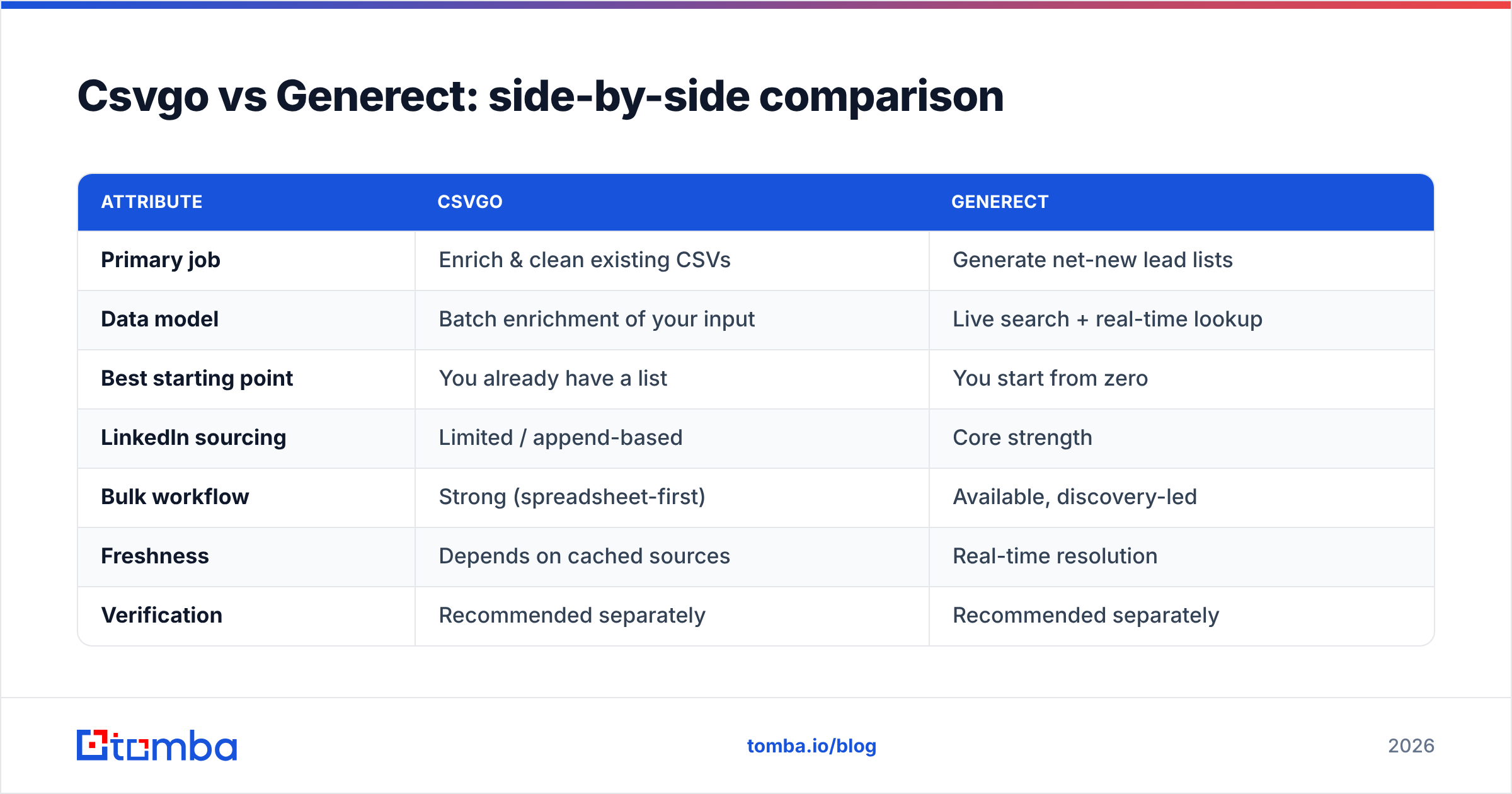
Csvgo vs Generect: side-by-side comparison#
Here is the practical breakdown across the attributes that actually change your decision.
| Attribute | Csvgo | Generect |
|---|---|---|
| Primary job | Enrich & clean existing CSVs | Generate net-new lead lists |
| Data model | Batch enrichment of your input | Live search + real-time lookup |
| Best starting point | You already have a list | You start from zero |
| LinkedIn sourcing | Limited / append-based | Core strength |
| Bulk workflow | Strong (spreadsheet-first) | Available, discovery-led |
| Freshness | Depends on cached sources | Real-time resolution |
| Verification | Recommended separately | Recommended separately |
| Typical buyer | RevOps / data cleanup | SDR / outbound teams |
The headline: Csvgo optimizes for cleanup, Generect optimizes for discovery. Neither is "better" in the abstract — they answer different questions. If you already have rows, Csvgo's batch model is efficient. If you have an ICP but no contacts, Generect's search engine does work Csvgo cannot.
How accurate are Csvgo and Generect?#
Accuracy is where most comparisons get lazy, so treat every quoted number with skepticism — including the ones on the vendors' own sites. Match rate (did the tool return an email at all?) and accuracy (is that email real and deliverable?) are different metrics, and vendors love to blur them.
A few things hold true across both tools:
- Match rate is not deliverability. A tool can "find" an address by guessing a common pattern (first.last@domain) without confirming the mailbox exists. That inflates match rates and torches your sender reputation when the bounces roll in.
- Catch-all domains distort everything. Many company domains accept every address, so a naive verifier marks them all "valid." You need a real catch-all verifier to separate signal from noise.
- Freshness beats raw volume. Generect's real-time lookups have an edge on recently changed roles; Csvgo's batch enrichment can lag if its cached sources are stale.
- Always verify before you send. Whatever the source, run the list through independent verification. This is the single biggest lever on bounce rate, and it is tool-agnostic.
Independent review platforms like G2 and Capterra are more useful than vendor pages here, because you can filter reviews by company size and use case that match yours.
What do Csvgo and Generect cost?#
Both tools use credit-based pricing, which is standard in this category but makes apples-to-apples comparison harder than a flat monthly seat. A credit is typically consumed per enriched row or per resolved contact, and prices step down at higher volumes.
The important cost questions are not on the pricing page:
- Do failed lookups burn credits? With some tools, a "no match" still costs you. That quietly doubles your effective price on low-coverage segments.
- Does re-enrichment cost full price? Data decays, so you will re-run lists. If every refresh is billed at full rate, your annual cost is much higher than the headline.
- Is verification included or extra? If you have to bolt on a separate verification tool, add that line item before comparing.
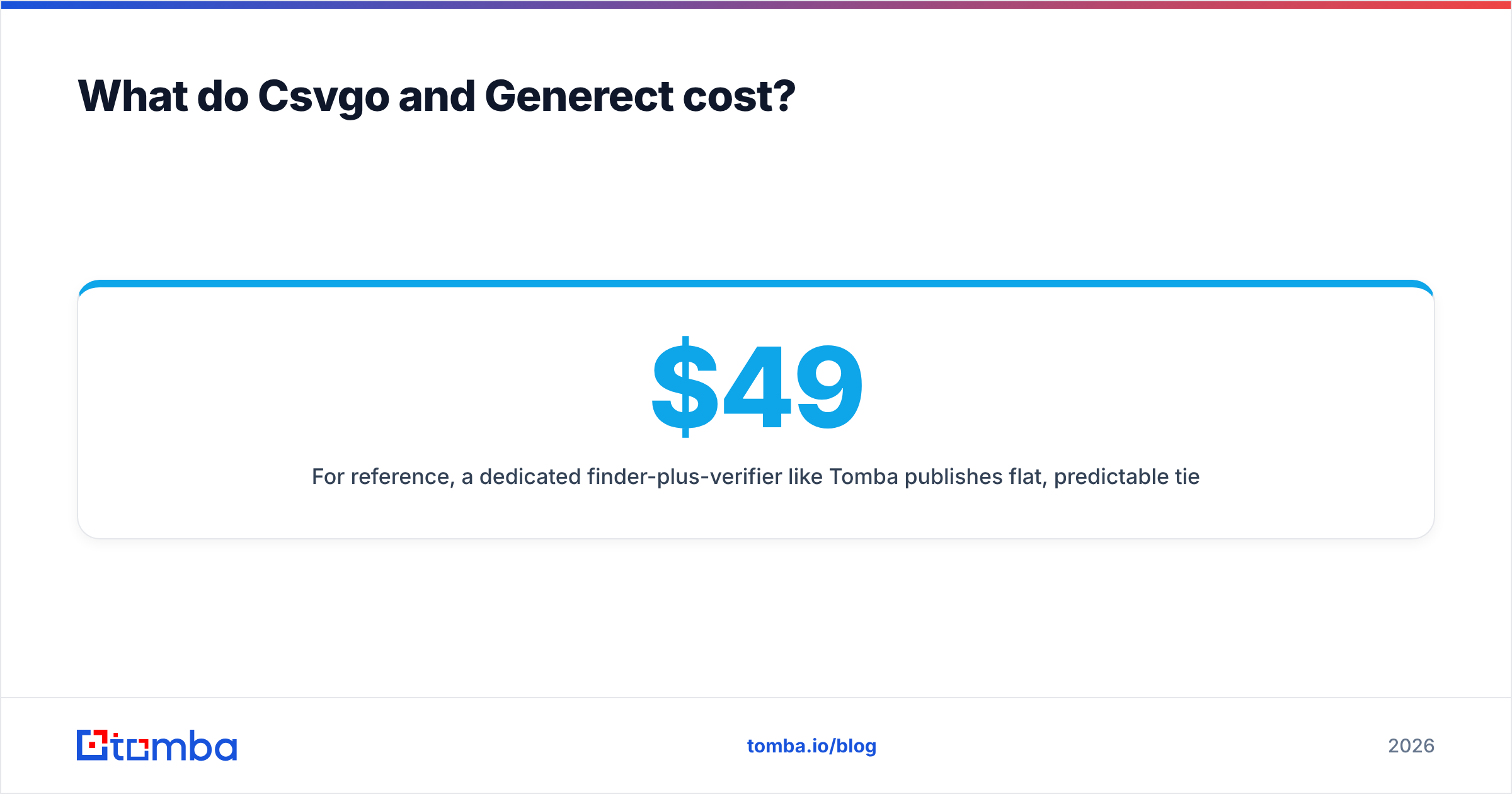
For reference, a dedicated finder-plus-verifier like Tomba publishes flat, predictable tiers — a Free plan with 25 searches per month, then Starter at $49/mo, Growth at $99/mo, and Pro at $249/mo, with verification built in rather than sold separately. You can see the full Tomba pricing breakdown to benchmark against whatever quote Csvgo or Generect gives you. The point is not that one is cheapest; it is that "credits" can hide your true cost until you model real volume.
When should you pick Csvgo over Generect?#
Choose Csvgo when:
- You already own the raw list and just need it enriched and cleaned.
- Your workflow is spreadsheet-centric and you process data in big batches.
- You care more about filling missing fields than discovering new accounts.
- Your team lives in RevOps or ops and treats data hygiene as a recurring chore.
Choose Generect when:
- You are starting from an ICP definition, not an existing list.
- LinkedIn-sourced prospecting is central to your motion.
- You value real-time freshness for recently changed roles.
- Your SDRs need to build targeted lists on demand, weekly.
If you find yourself wanting both — discovery and cleanup and verification — that is a signal you are trying to assemble a stack out of point tools. That works, but it adds integration overhead, multiple credit pools, and inconsistent data formats.
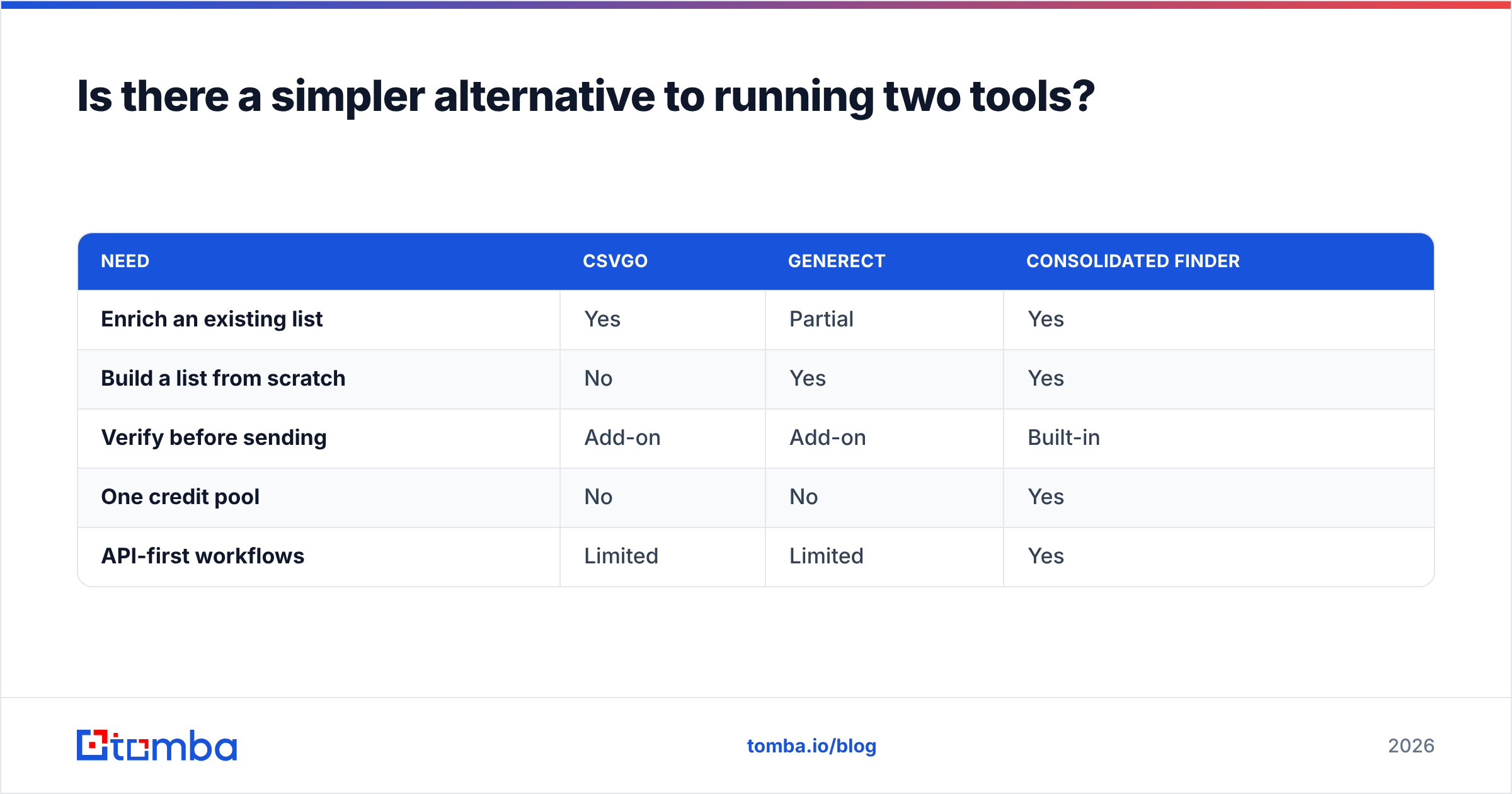
Is there a simpler alternative to running two tools?#
Often, yes. The reason teams end up comparing Csvgo vs Generect is that each covers only part of the outbound data pipeline. Csvgo cleans, Generect discovers, and verification usually sits somewhere else entirely.
A consolidated platform collapses those steps. With Tomba you can run domain search to pull every contact at a target company, find individual addresses by name, verify them in the same flow, and push everything through a bulk email finder for list-scale jobs. Because it is one system, you avoid the "re-map the CSV, re-pay the credits, re-verify in a third tool" tax. For engineering-led teams, the same capabilities are available through the Tomba API, so enrichment happens inside your own product or workflow instead of a manual upload loop.
This is not a knock on either Csvgo or Generect — both are competent at their core job. It is a reminder that the comparison itself often reveals you are shopping for a pipeline, not a single feature.
| Need | Csvgo | Generect | Consolidated finder |
|---|---|---|---|
| Enrich an existing list | Yes | Partial | Yes |
| Build a list from scratch | No | Yes | Yes |
| Verify before sending | Add-on | Add-on | Built-in |
| One credit pool | No | No | Yes |
| API-first workflows | Limited | Limited | Yes |
How do you actually decide?#
Run a small paid pilot on the same seed data. Pick one target segment — say, 200 companies in one industry — and push it through each tool. Then measure the only three numbers that matter:
- Coverage: what share of contacts came back with an email at all.
- Deliverability: what share of those emails passed independent verification.
- True cost per usable contact: total spend divided by verified, deliverable addresses — not by rows returned.
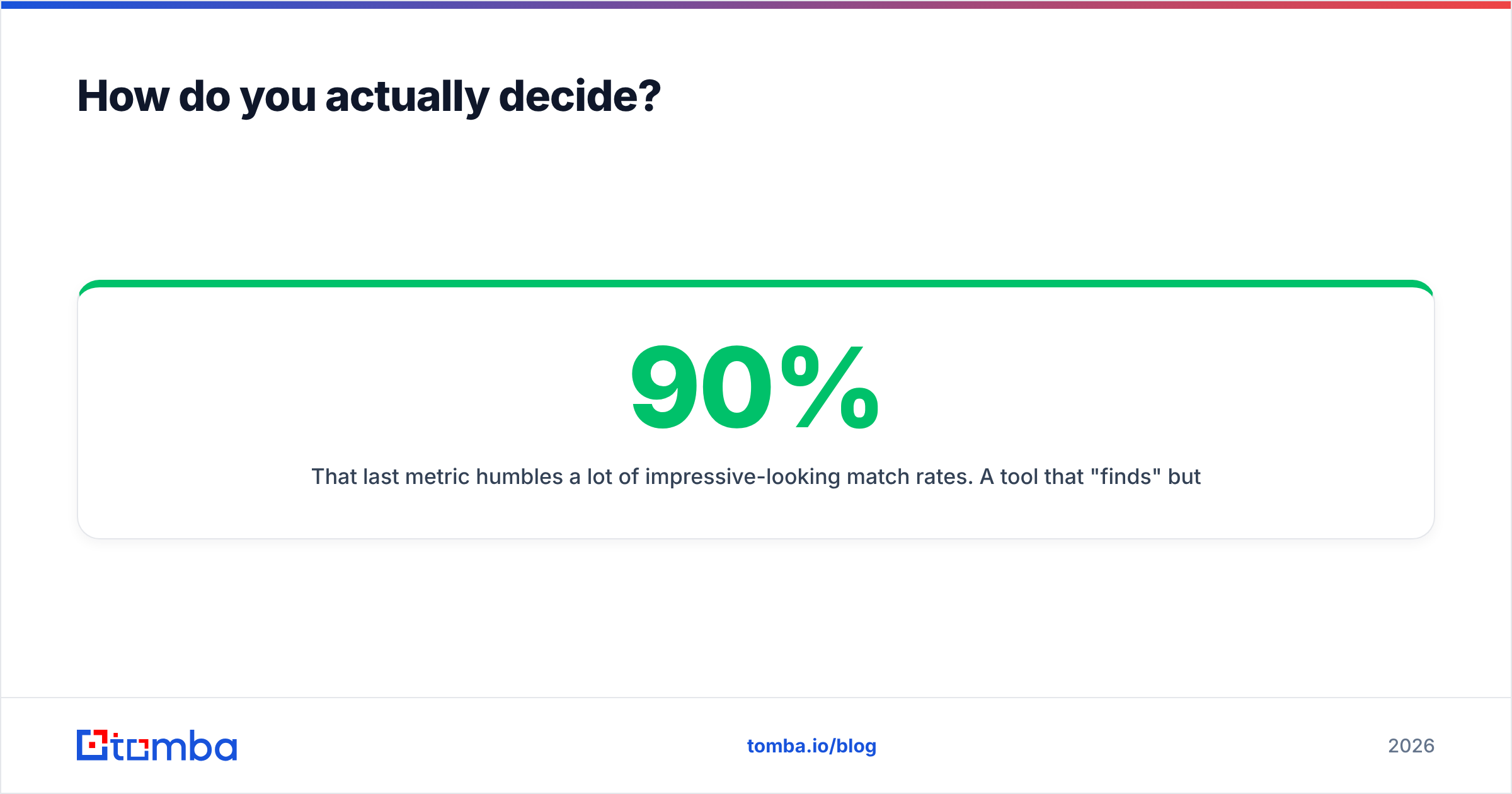
That last metric humbles a lot of impressive-looking match rates. A tool that "finds" 90% but only 60% are deliverable is more expensive per usable contact than a tool that finds 70% at 95% deliverability. Verification is the great equalizer, which is exactly why it should live inside your workflow rather than as an afterthought.
The bottom line on Csvgo vs Generect#
Csvgo and Generect are not really rivals — they are two halves of the same job. Csvgo makes the list you have usable; Generect builds the list you do not have yet. Pick Csvgo if your problem is dirty data, pick Generect if your problem is empty pipeline, and pilot both on identical data before committing budget.
But if the honest answer is "I need discovery, verification, and enrichment without juggling three credit pools," consolidate. Start with the Tomba Email Finder — find professional emails by domain, name, or company, verify them in the same flow, and export clean, deliverable lists your reps can actually send to. Spin up the free tier, run your pilot segment, and compare true cost per usable contact against whatever Csvgo or Generect quotes you. The data will make the decision for you.
Related guides#
Ready to find emails that actually work?
Join 150,000+ professionals who stopped guessing and started sending. Free credits on signup — no credit card required.
Get the Tomba newsletter
Practical outbound tactics and product updates — once every two weeks.
About the author