CSVGO vs LeadsForge: Which Lead Data Tool Wins in 2026?
CSVGO and LeadsForge both promise ready-to-use B2B lead lists, but they win on different things. Here's an honest, side-by-side breakdown of data quality, pricing, and where each one actually fits.
You have a target account list and a quota. What you don't have is a clean set of contacts to email without torching your domain. That's the gap CSVGO and LeadsForge both promise to close — and the reason you're comparing them.
Short answer up front: CSVGO is the better pick if you want cheap, high-volume list exports and you'll verify the data yourself. LeadsForge wins if you want a guided, filter-first workflow with enrichment baked in and don't mind paying more per record. Neither is a full outbound platform, and neither replaces a real-time email finder when you need contacts for a specific person on demand.
Here's the honest, section-by-section breakdown.
TL;DR#
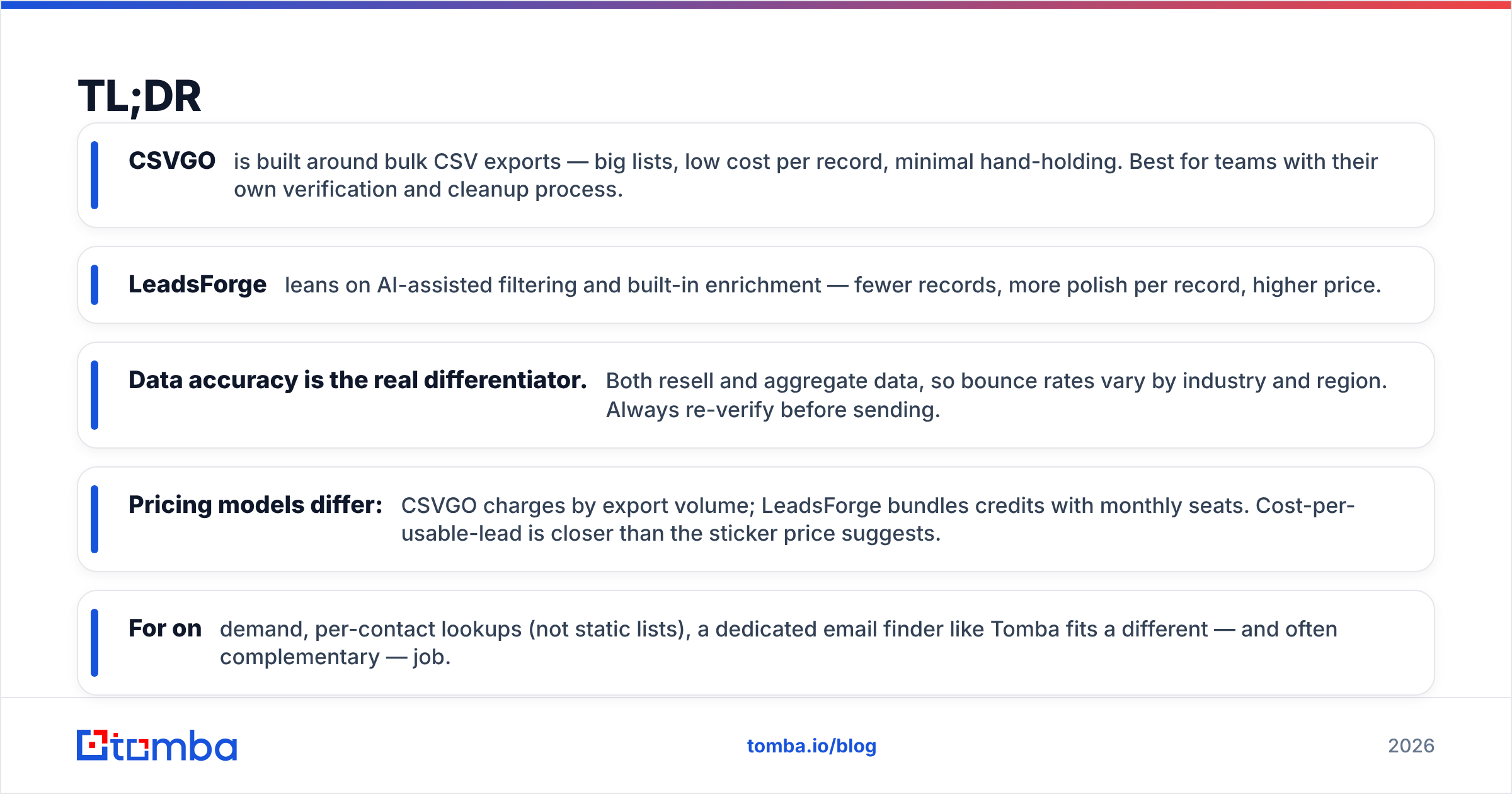
- CSVGO is built around bulk CSV exports — big lists, low cost per record, minimal hand-holding. Best for teams with their own verification and cleanup process.
- LeadsForge leans on AI-assisted filtering and built-in enrichment — fewer records, more polish per record, higher price.
- Data accuracy is the real differentiator. Both resell and aggregate data, so bounce rates vary by industry and region. Always re-verify before sending.
- Pricing models differ: CSVGO charges by export volume; LeadsForge bundles credits with monthly seats. Cost-per-usable-lead is closer than the sticker price suggests.
- For on-demand, per-contact lookups (not static lists), a dedicated email finder like Tomba fits a different — and often complementary — job.
What are CSVGO and LeadsForge?#
Both are B2B lead data tools: you filter a database of companies and contacts, then export the results to work in your CRM or cold email tool. They sit in the same category as list providers and data vendors, not in the sequencing/sending category (that's Instantly, Smartlead, and the like).
CSVGO positions itself as a volume-first list builder. The pitch is straightforward: describe your ICP, pull thousands of matching rows, download a CSV. It's aimed at operators who buy lists at scale and run their own hygiene pipeline afterward.
LeadsForge takes a more guided approach. It layers AI-assisted search and filtering on top of its dataset and enriches records (job title, company size, tech signals) before you export. The workflow is designed so a non-technical rep can go from prompt to list without knowing boolean filters.
The core tension between them is the classic one in B2B data: breadth and price vs. depth and polish. CSVGO optimizes for the former, LeadsForge for the latter.

How do CSVGO and LeadsForge compare head-to-head?#
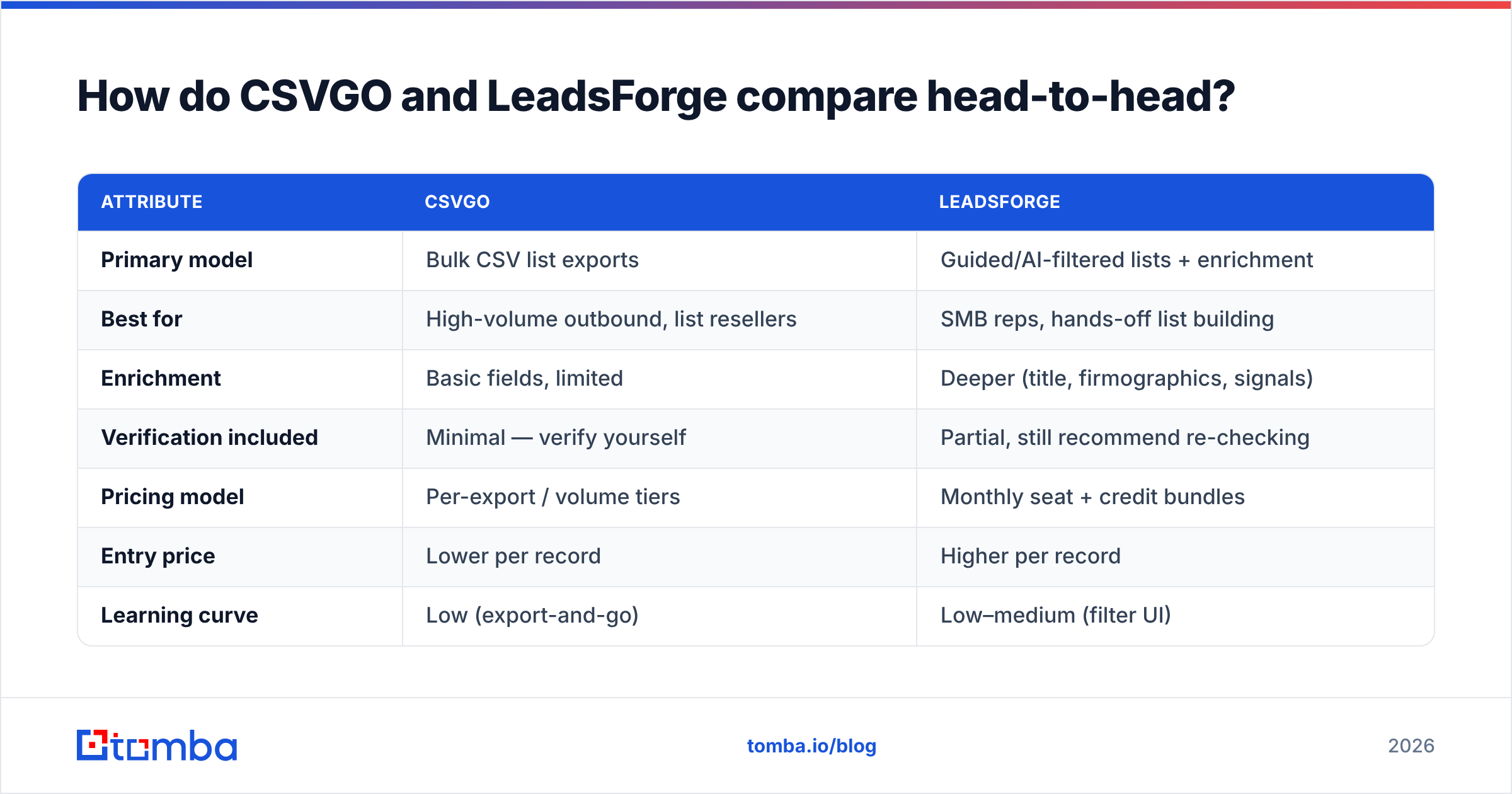
Here's the side-by-side. Treat exact prices as directional — both vendors adjust tiers, and your real number depends on volume and add-ons.
| Attribute | CSVGO | LeadsForge |
|---|---|---|
| Primary model | Bulk CSV list exports | Guided/AI-filtered lists + enrichment |
| Best for | High-volume outbound, list resellers | SMB reps, hands-off list building |
| Enrichment | Basic fields, limited | Deeper (title, firmographics, signals) |
| Verification included | Minimal — verify yourself | Partial, still recommend re-checking |
| Pricing model | Per-export / volume tiers | Monthly seat + credit bundles |
| Entry price | Lower per record | Higher per record |
| Learning curve | Low (export-and-go) | Low–medium (filter UI) |
| API / automation | Limited | Varies by plan |
| Real-time single lookup | No | No |
The pattern: CSVGO gives you more rows for less money and expects you to do the cleanup. LeadsForge gives you cleaner rows out of the box and charges for that convenience.
Where each one is the obvious choice#
- Pick CSVGO if you send high volume, already run email verification, and your bottleneck is list cost, not list quality.
- Pick LeadsForge if you're a small team without a data ops person, you'd rather pay for enrichment than build it, and you value a clean filter UI over raw volume.
- Pick neither if what you actually need is a contact for one specific person right now — that's a real-time finder job, covered below.
Which has better data accuracy?#
This is where you should slow down, because it's the metric that decides whether your campaign lands in inboxes or in spam folders.
Both CSVGO and LeadsForge aggregate and resell data rather than generate every record from a live source at query time. That means accuracy drifts with how recently the underlying data was refreshed. B2B contact data decays fast — roughly 25–30% of a list can go stale in a year as people change jobs, according to widely cited industry estimates from firms like Gartner. A record that was accurate at ingestion can be wrong by the time you export it.
Practically:
- LeadsForge tends to ship cleaner records because enrichment and partial verification happen before export. Fewer obvious junk rows.
- CSVGO ships more records, more raw. You'll find more valid emails in absolute terms and more dead ones — the ratio is what you manage.
- Neither number should be trusted blind. Whatever the vendor claims, run the list through your own verifier before the first send.
That last point isn't optional. Bounce rate directly hits your sender reputation, and a reputation dip quietly tanks deliverability across every campaign — not just the one with the bad list. Re-verifying a purchased list is the cheapest insurance you can buy. A tool like Tomba's catch-all verifier also helps you decide what to do with the risky catch-all addresses both tools will hand you.
How does pricing really compare?#
Sticker price is misleading here. The number that matters is cost per usable (verified, deliverable) lead, not cost per row.
Think of it like buying produce. CSVGO is the bulk wholesaler — cheap per pound, but some of it is bruised and you sort it yourself. LeadsForge is the pre-sorted grocery — you pay more, but less goes in the trash. Whether the wholesaler is cheaper in the end depends entirely on how much spoilage you're willing to sort.
A rough way to model it:
- CSVGO: low price per row × (1 − your bounce/junk rate) + your verification cost = true cost per usable lead.
- LeadsForge: higher price per row × (1 − a smaller junk rate) = true cost per usable lead.
For teams that already pay for verification anyway, CSVGO usually wins on math. For teams that would otherwise skip verification (don't), LeadsForge's built-in cleanup can be worth the premium because it prevents the invisible cost — a damaged domain.
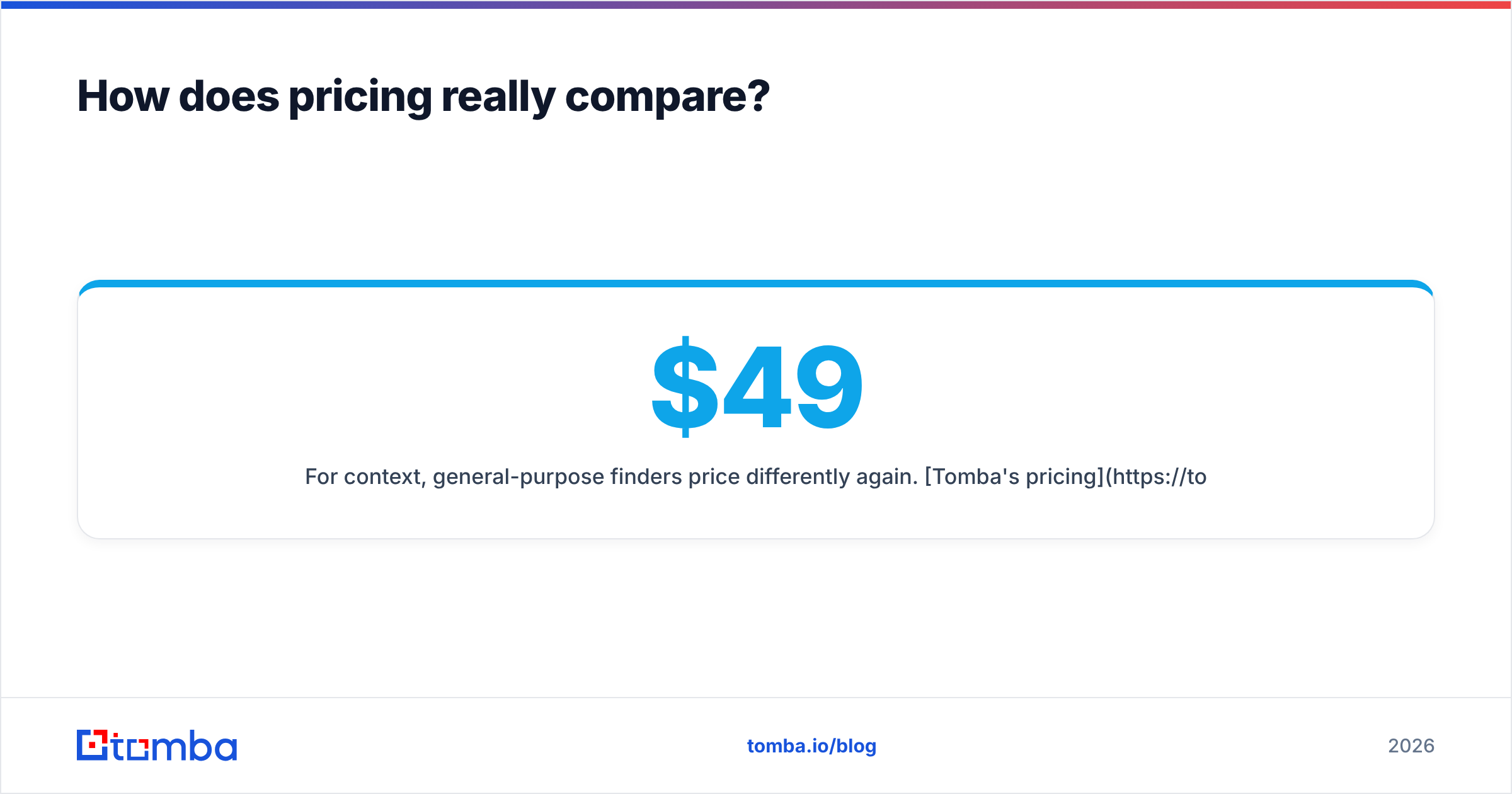
For context, general-purpose finders price differently again. Tomba's pricing runs a Free tier (25 searches/month), Starter at $49/month, Growth at $99/month, and Pro at $249/month — a credit model tuned for targeted lookups and verification rather than mass static-list dumps. Different job, different pricing shape; more on that next.
Do you actually need a static list — or a live email finder?#
This is the question most CSVGO-vs-LeadsForge comparisons skip, and it's the one that saves you money.
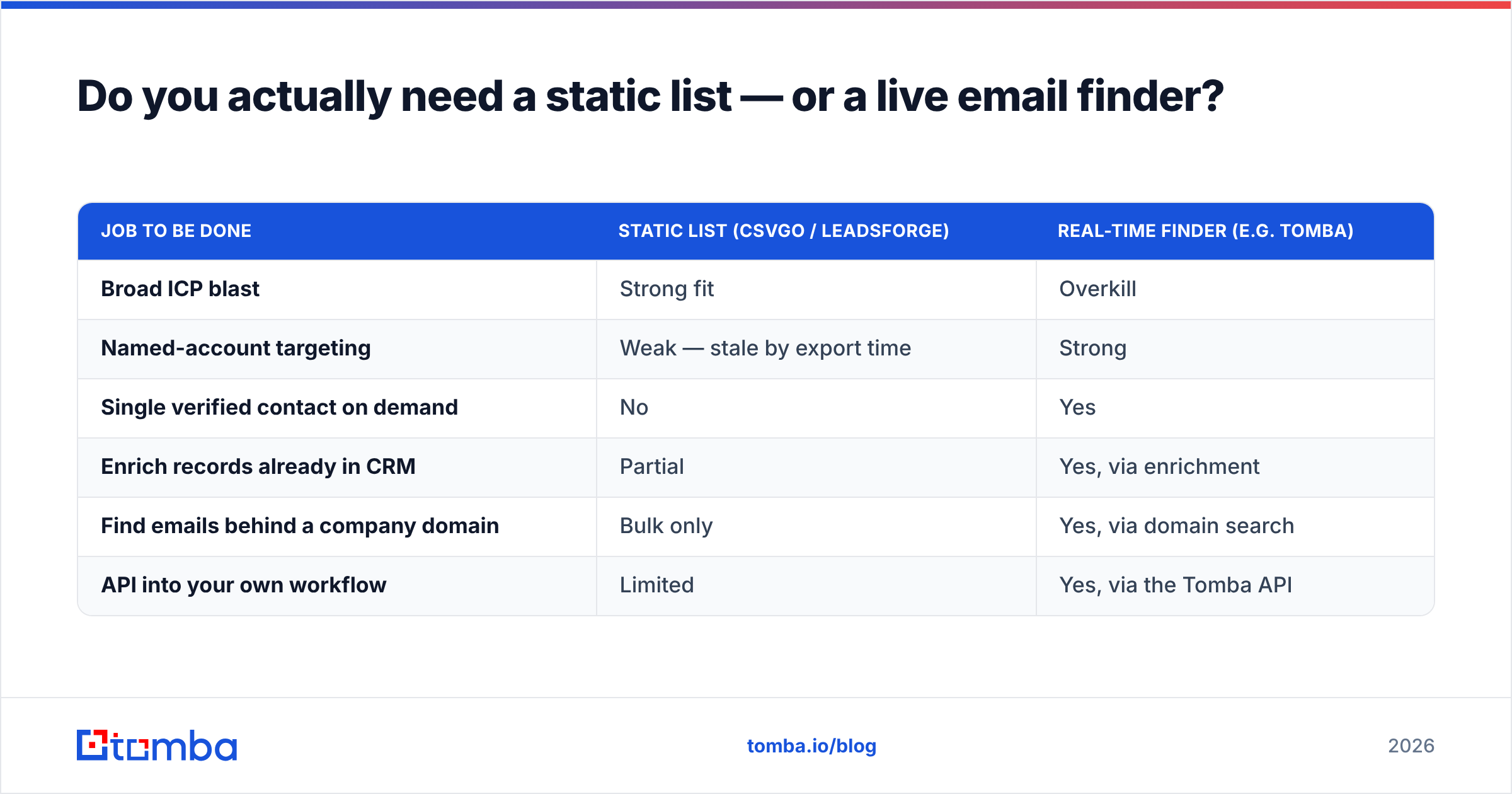
Static lead lists (what both tools sell) are the right tool when you're running broad, ICP-based outbound — you want everyone matching a filter and you'll message them in a sequence. They're the wrong tool when your motion is account-based or trigger-based: you already know the exact companies and people, and you need a verified contact for each, refreshed at the moment you reach out.
For that second motion, a real-time finder beats a list every time, because the data is pulled and validated when you ask — not months earlier when it was scraped into a database.
| Job to be done | Static list (CSVGO / LeadsForge) | Real-time finder (e.g. Tomba) |
|---|---|---|
| Broad ICP blast | Strong fit | Overkill |
| Named-account targeting | Weak — stale by export time | Strong |
| Single verified contact on demand | No | Yes |
| Enrich records already in CRM | Partial | Yes, via enrichment |
| Find emails behind a company domain | Bulk only | Yes, via domain search |
| API into your own workflow | Limited | Yes, via the Tomba API |
The realistic setup for most teams isn't "list vs. finder" — it's both, layered. Use CSVGO or LeadsForge to build the top-of-funnel ICP list, then use a finder and verifier to fill gaps, refresh stale rows, and confirm deliverability on your highest-value named accounts before you hit send.
What are the pros and cons of each?#
CSVGO — pros
- Lowest cost per row in this comparison
- Fast export-and-go workflow, no learning curve
- Great for high-volume operators and list resellers
CSVGO — cons
- You own all the cleanup and verification
- Thinner enrichment fields
- Accuracy varies more, list to list
LeadsForge — pros
- Cleaner records out of the box
- Guided AI filtering, friendly for non-technical reps
- Enrichment reduces downstream work
LeadsForge — cons
- Higher price per record
- Fewer rows for the same spend
- Still needs re-verification despite the polish
What both share
- They're aggregated datasets, so both decay over time
- Neither does real-time, per-contact lookups
- Neither manages sending, so pair with a sequencer and a verifier
Which should you choose in 2026?#
Decide by your motion and your data-ops maturity, not by the marketing page.
- High volume, you verify anyway → CSVGO. You'll get more usable leads per dollar and the raw-data downside is a problem you already solve.
- Small team, want it clean and simple → LeadsForge. Pay the premium to skip building an enrichment pipeline you don't have the headcount for.
- Named-account or trigger-based outbound → a real-time finder, not a list. Build the ICP list with either tool if you like, then find and verify the specific contacts you're actually reaching that week.
Whichever list tool you land on, the non-negotiable step is verification before the first send. That single habit protects deliverability more than any data vendor's accuracy claim.
The bottom line#
CSVGO and LeadsForge solve the same problem from opposite ends: CSVGO optimizes for cheap volume you clean yourself, LeadsForge for polished records you pay a premium for. Compare them on cost per usable lead, not sticker price, and you'll usually find they're closer than they look.
But the sharper move is recognizing when you don't need a static list at all. When you're targeting named accounts or acting on a trigger, a live finder gives you contacts that are accurate today, not at scrape time.
That's where Tomba fits alongside — or instead of — either tool. Use the Tomba Email Finder to pull verified, professional email addresses by name, company, or domain the moment you need them, then run everything through the built-in verifier before it hits your sequencer. Start on the free tier, keep your bounce rate low, and let the list tools handle breadth while Tomba handles precision.
Outbound doesn't fail because you picked the wrong list vendor. It fails because you emailed stale, unverified data. Fix that first, and the CSVGO-vs-LeadsForge question gets a lot smaller.
Related guides#
Ready to find emails that actually work?
Join 150,000+ professionals who stopped guessing and started sending. Free credits on signup — no credit card required.
Get the Tomba newsletter
Practical outbound tactics and product updates — once every two weeks.
About the author