Cufinder Reviews (2026): Accuracy, Pricing, and Real Limits
Cufinder promises billions of B2B records and email lookups, but how accurate is it really? Here's an honest breakdown of pricing, data quality, and where it actually fits your prospecting stack.
Cufinder markets itself as an all-in-one B2B data engine: company enrichment, email lookups, phone numbers, and a browser extension wrapped into one subscription. But marketing pages and real prospecting results are two different things. This review cuts through the pitch and looks at what Cufinder actually delivers on accuracy, pricing, and day-to-day usability, and where a focused tool beats it.
TL;DR: Is Cufinder Worth It in 2026?#
- Cufinder is a broad data platform, strongest at company-level enrichment and firmographics, weaker at pin-point personal email accuracy.
- Pricing scales fast. Entry plans look cheap, but credits burn quickly once you enrich at volume, and annual commitments are pushed hard.
- Data freshness is inconsistent. You will find plenty of valid records, but catch-all and stale contacts show up more than the marketing suggests.
- It is a jack-of-all-trades. If you need one reliable job done, finding and verifying email addresses, a specialized tool usually returns cleaner lists.
- Best fit: teams that want firmographic enrichment plus emails in one dashboard and can tolerate extra verification steps.
What Is Cufinder and Who Is It For?#
Cufinder is a B2B lead generation and data enrichment platform. You feed it a company name, domain, or LinkedIn URL and it returns firmographic data, employee contacts, business emails, and phone numbers. It also ships a Chrome extension and an API for teams that want to enrich records programmatically.
The audience is clear: SDRs, growth marketers, and recops teams who want to build lists and enrich a CRM without stitching five tools together. That "one platform for everything" promise is the main selling point, and also the source of most complaints. When a single vendor covers company data, contact data, and verification, each individual layer tends to be good-but-not-great rather than best-in-class.
If your workflow is enrichment-heavy (you already have accounts and need to fill in missing fields), Cufinder is a reasonable candidate. If your workflow is discovery-heavy (you need net-new, deliverable contacts for cold outreach), the accuracy of the underlying email data matters far more than the breadth of the dataset, and that is exactly where these reviews get more critical.

How Accurate Is Cufinder's Data?#
Accuracy is the number that decides whether a data tool earns its price. A large database is worthless if a quarter of the emails bounce, because bounces hammer your sender reputation and can pull healthy domains into spam folders.
Cufinder publishes high accuracy claims, and for company-level fields (industry, size, location, tech stack) the data holds up well in practice. The weaker link is personal contact data. Independent user feedback on directories like G2 and Capterra repeatedly flags two issues: catch-all addresses returned as "valid," and contacts that left the company months ago.
That does not make Cufinder unusable, it makes verification non-negotiable. Any list you pull should pass through an email verifier before it touches a sending tool. The gap between "found" and "deliverable" is where most cold campaigns quietly die.

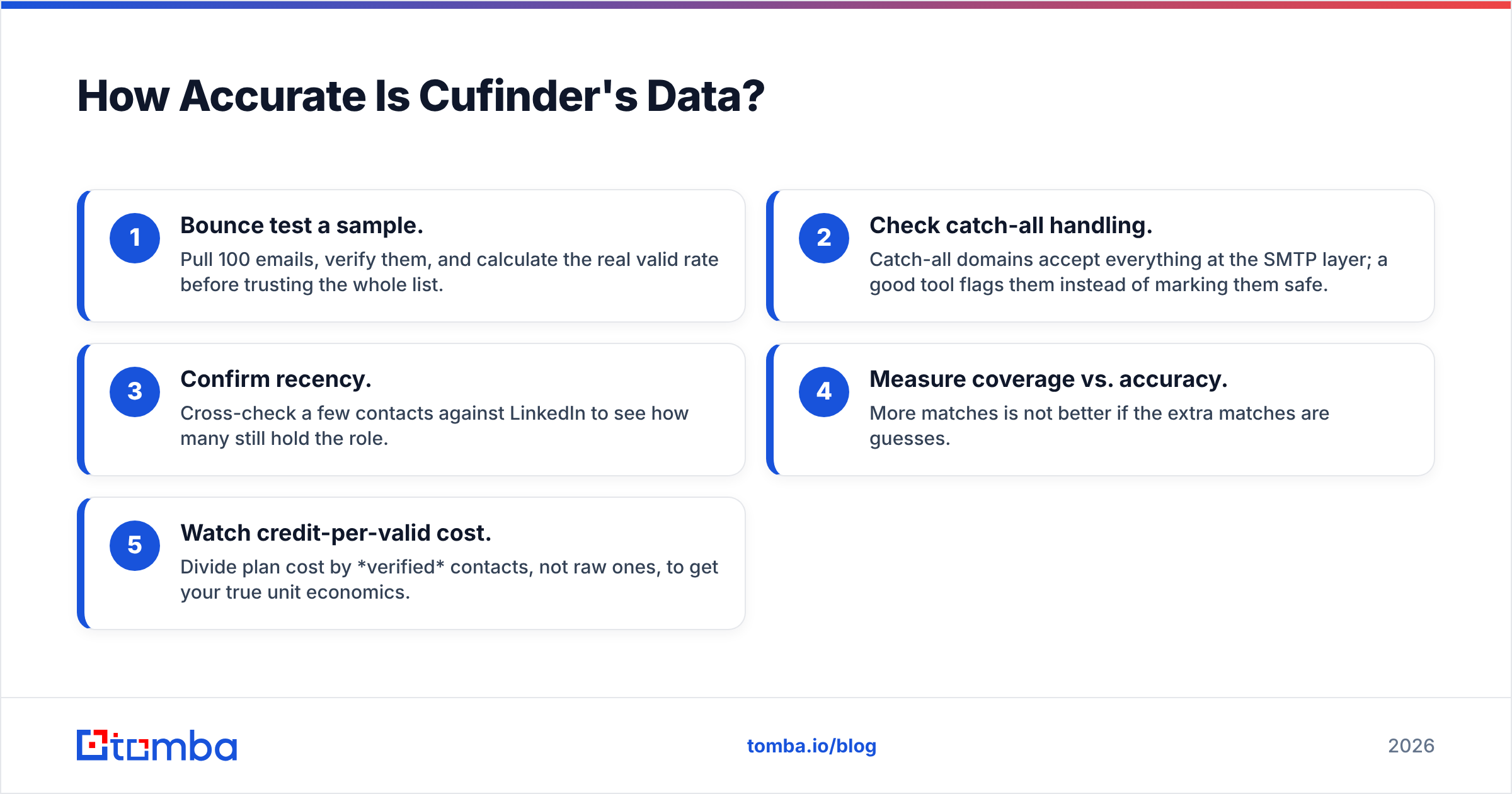
A practical accuracy checklist when you evaluate any Cufinder export:
- Bounce test a sample. Pull 100 emails, verify them, and calculate the real valid rate before trusting the whole list.
- Check catch-all handling. Catch-all domains accept everything at the SMTP layer; a good tool flags them instead of marking them safe.
- Confirm recency. Cross-check a few contacts against LinkedIn to see how many still hold the role.
- Measure coverage vs. accuracy. More matches is not better if the extra matches are guesses.
- Watch credit-per-valid cost. Divide plan cost by verified contacts, not raw ones, to get your true unit economics.
How Much Does Cufinder Cost?#
Cufinder uses a credit-based model across tiered monthly plans, with a limited free tier to test the waters. The headline prices look competitive, but two things inflate the real cost: enrichment consumes credits quickly, and the most useful features sit on higher tiers.
Here is how Cufinder stacks up against Tomba on the attributes that actually affect a prospecting budget. (Figures for third-party tools change often, confirm current numbers on each vendor's pricing page.)
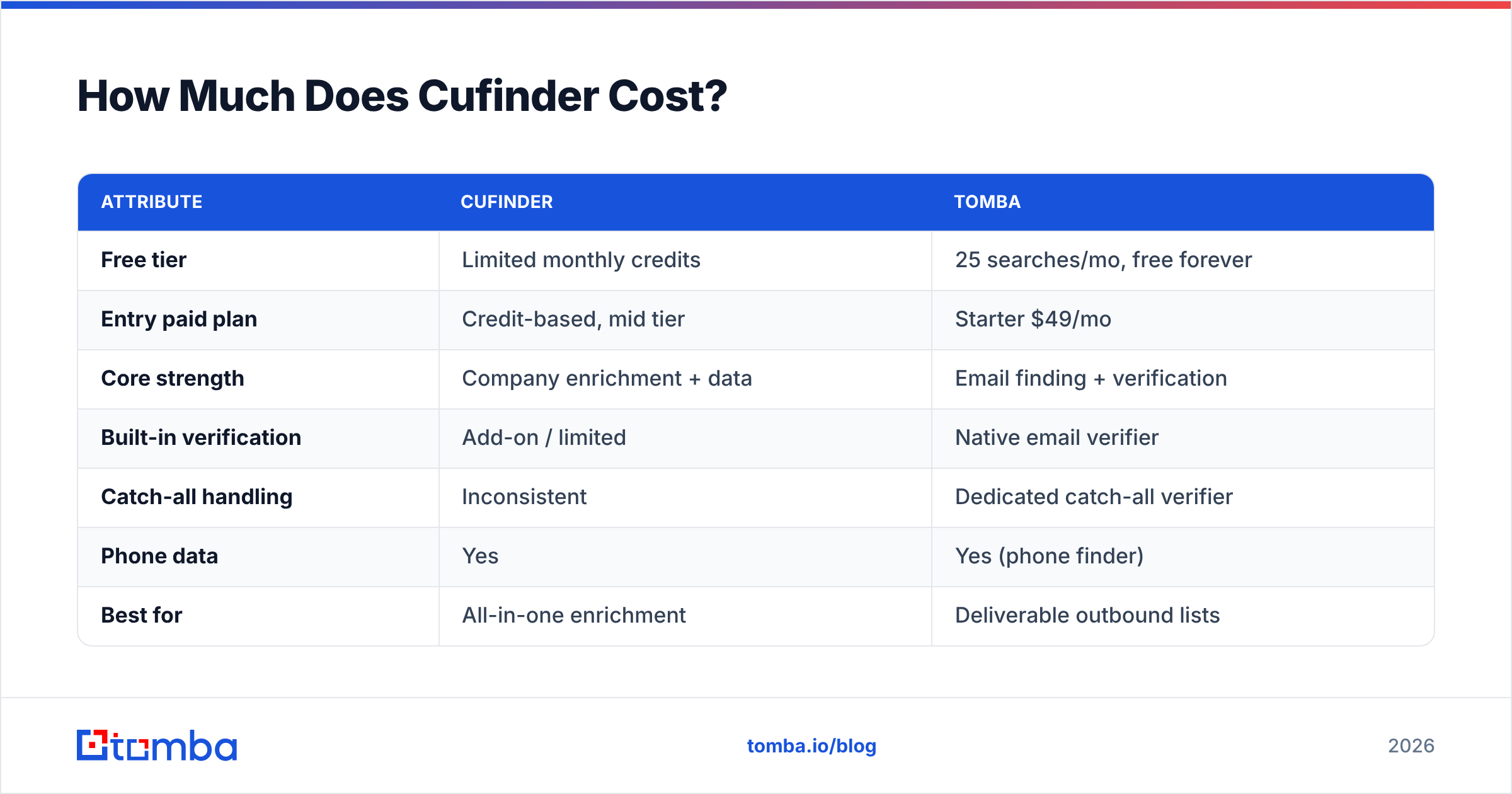
| Attribute | Cufinder | Tomba |
|---|---|---|
| Free tier | Limited monthly credits | 25 searches/mo, free forever |
| Entry paid plan | Credit-based, mid tier | Starter $49/mo |
| Core strength | Company enrichment + data | Email finding + verification |
| Built-in verification | Add-on / limited | Native email verifier |
| Catch-all handling | Inconsistent | Dedicated catch-all verifier |
| Phone data | Yes | Yes (phone finder) |
| Best for | All-in-one enrichment | Deliverable outbound lists |
The takeaway is not that Cufinder is expensive, it is that credit models make budgeting unpredictable. If your team enriches thousands of records a month, model your spend on verified output. For a transparent comparison, put Cufinder's tiers next to Tomba pricing and calculate cost-per-deliverable-contact rather than cost-per-credit.
What Do Users Like and Dislike About Cufinder?#
Pulling together public reviews, a consistent picture emerges. The praise clusters around breadth and convenience; the complaints cluster around accuracy and support.
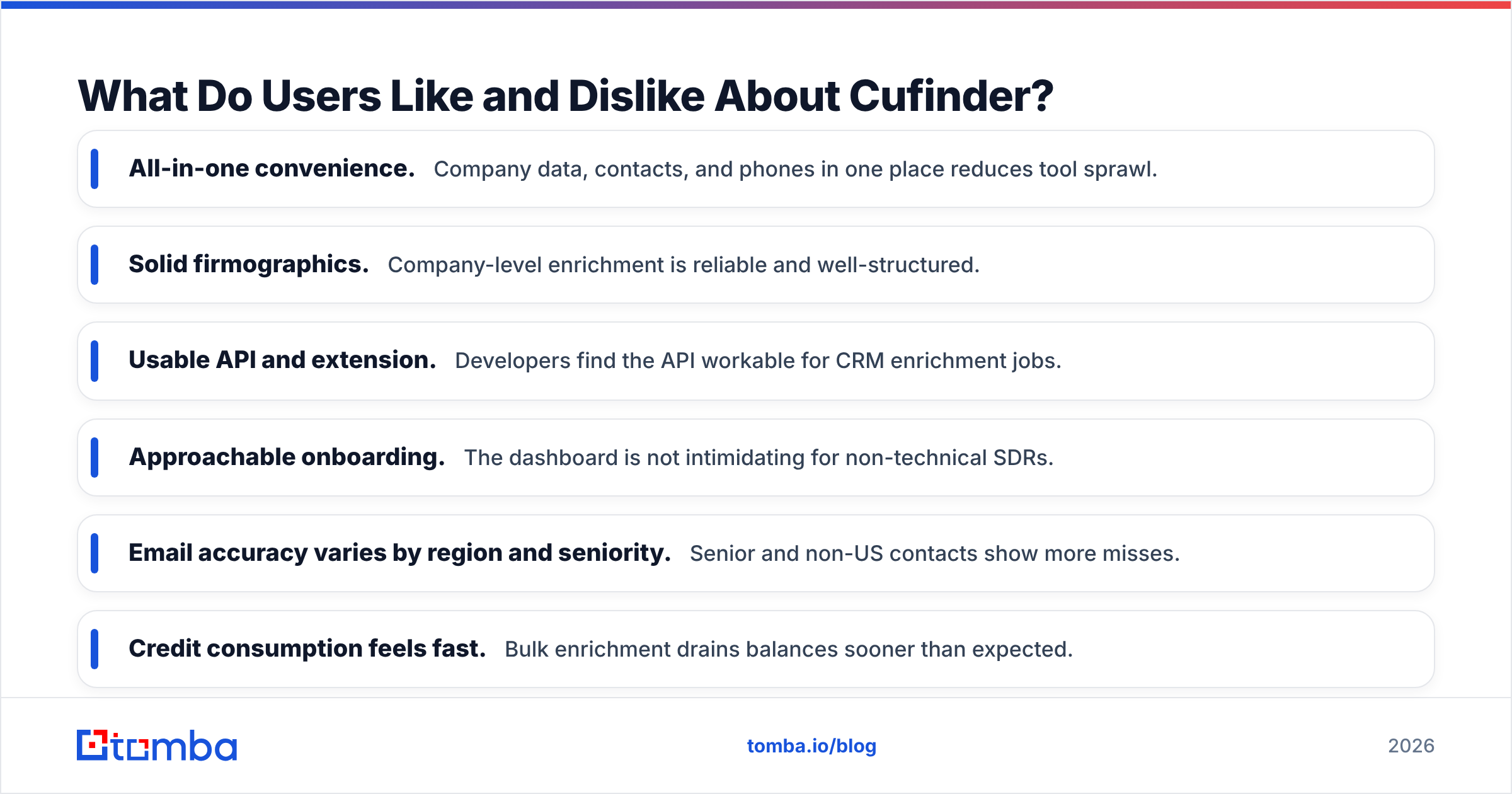
What reviewers praise:
- All-in-one convenience. Company data, contacts, and phones in one place reduces tool sprawl.
- Solid firmographics. Company-level enrichment is reliable and well-structured.
- Usable API and extension. Developers find the API workable for CRM enrichment jobs.
- Approachable onboarding. The dashboard is not intimidating for non-technical SDRs.
What reviewers criticize:
- Email accuracy varies by region and seniority. Senior and non-US contacts show more misses.
- Credit consumption feels fast. Bulk enrichment drains balances sooner than expected.
- Catch-all confusion. "Valid" results that are really catch-all cause bounces.
- Support responsiveness. Slower resolution on data disputes is a recurring theme.
None of these are dealbreakers on their own. Together, they explain why many teams keep Cufinder for enrichment but route their outbound email discovery through a tool built specifically for deliverability.
Cufinder vs. a Specialized Email Finder: Which Wins?#
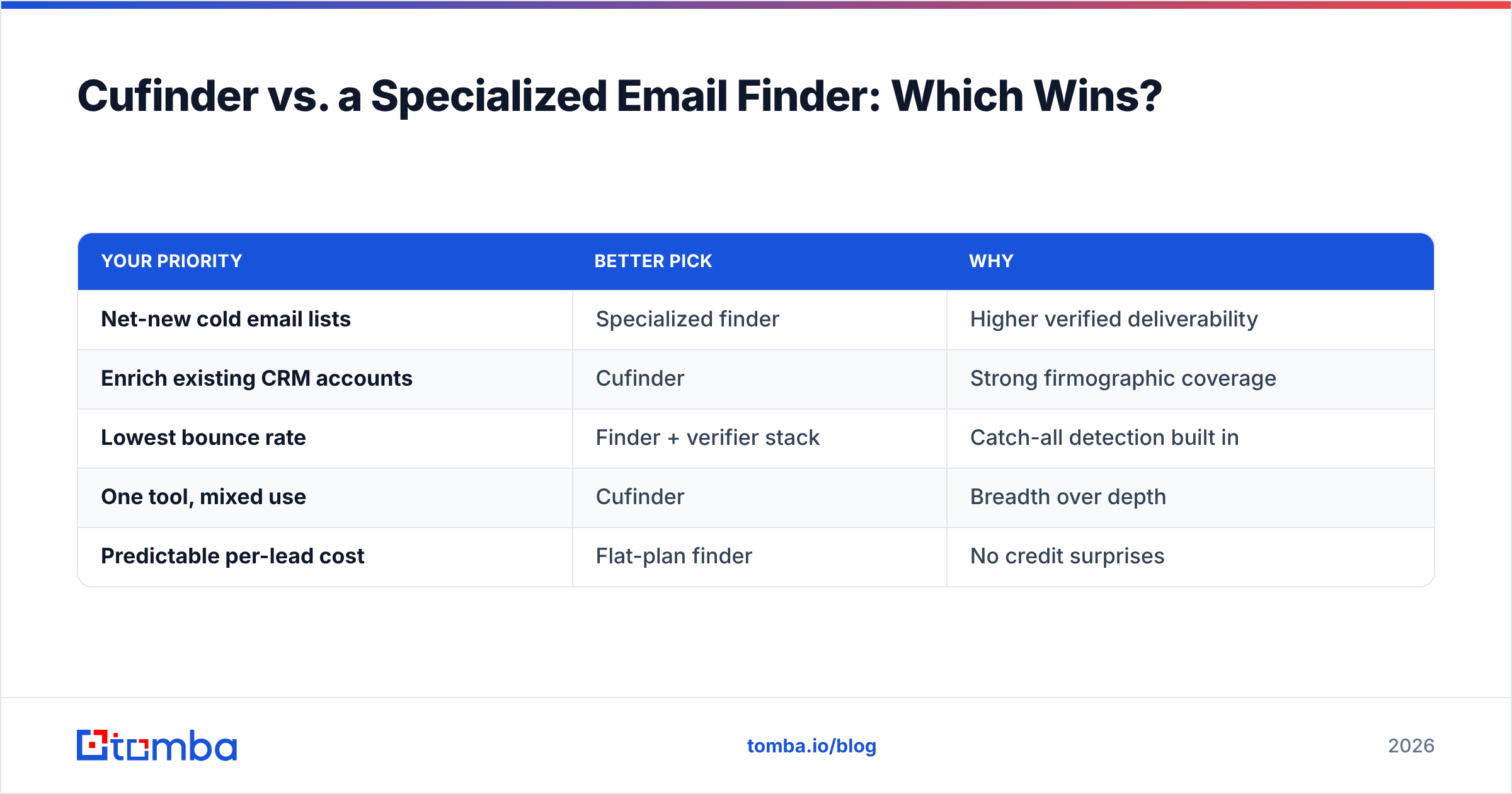
The honest answer is "it depends on the job." Cufinder wins on breadth. A focused tool wins on the one metric that governs cold outreach: how many of the emails you found are actually deliverable.

If your primary goal is building cold email lists, a dedicated email finder with native verification tends to produce cleaner data because the entire product is optimized around that single outcome, not spread across enrichment, intent, and firmographics. Tomba, for example, pairs the finder with a catch-all verifier and publishes where its data comes from, which matters when you need to defend list quality to a deliverability-conscious team.

Here is a decision framework:
| Your priority | Better pick | Why |
|---|---|---|
| Net-new cold email lists | Specialized finder | Higher verified deliverability |
| Enrich existing CRM accounts | Cufinder | Strong firmographic coverage |
| Lowest bounce rate | Finder + verifier stack | Catch-all detection built in |
| One tool, mixed use | Cufinder | Breadth over depth |
| Predictable per-lead cost | Flat-plan finder | No credit surprises |
If you are actively shopping around, it is worth reading how Cufinder compares to other names in the category before committing, the same evaluation logic applies whether you are weighing a Clearbit alternative or a RocketReach alternative.
How to Get the Most Out of Cufinder (If You Choose It)#
If Cufinder fits your enrichment needs, a few habits keep the data honest and the spend under control:
- Always verify before you send. Treat every export as raw. Run it through verification and drop catch-alls unless you have a warmed domain that can absorb the risk.
- Segment by data confidence. Send to your highest-confidence contacts first, then test into the riskier tail separately so a bad batch cannot torch your reputation.
- Enrich in bulk, prospect in focus. Use Cufinder for the wide firmographic pass, then hand the outbound-critical rows to a finder tuned for accuracy.
- Monitor credit burn weekly. Credit models reward attention. Track cost-per-verified-contact and cut low-yield enrichment jobs early.
- Keep a fallback finder. No single database has every contact. A second source materially lifts coverage on hard-to-find roles.
This last point is the one experienced teams internalize fast: data providers are complementary, not interchangeable. The winning setup is usually a broad enricher plus a sharp finder, not one platform doing everything at 80%.
Frequently Asked Questions#
Is Cufinder legit and safe to use? Yes, Cufinder is a legitimate B2B data provider with a real product, API, and paying customer base. The caveats are about data accuracy and credit costs, not legitimacy. As with any provider, confirm your outreach complies with GDPR and local regulations for the regions you target.
Does Cufinder have a free trial? Cufinder offers a limited free tier so you can test data quality before paying. Use it to run the accuracy checklist above on a sample from your own target market rather than trusting aggregate claims.
Is Cufinder accurate enough for cold email? For company data, yes. For personal emails used in cold outreach, verify first. The safest approach is to treat Cufinder's contact data as candidates and confirm deliverability with a dedicated verifier before you send.
What is the best Cufinder alternative for email finding? If deliverability is your priority, a specialized email finder with native verification, like Tomba, typically returns cleaner outbound lists. Compare on cost-per-verified-contact, not cost-per-credit.
The Verdict on Cufinder Reviews#
Cufinder is a capable, broad B2B data platform that does its best work as a firmographic enricher. It is not a bad tool, it is a wide one, and width comes at the expense of depth on the single metric cold outreach cares about most: verified deliverability. If you buy it, budget for verification and keep a sharp finder in your stack.
If your real goal is building outbound lists that land in the inbox instead of the bounce folder, start with a tool built for exactly that. The Tomba Email Finder finds professional emails by domain, name, or company and verifies them in the same workflow, with a free tier of 25 searches a month and Starter plans at $49/mo. Test it against a Cufinder sample, measure the valid rate on both, and let the bounce numbers decide.
Related guides#
Ready to find emails that actually work?
Join 150,000+ professionals who stopped guessing and started sending. Free credits on signup — no credit card required.
Get the Tomba newsletter
Practical outbound tactics and product updates — once every two weeks.
About the author