Cufinder vs Apollo.io: Full 2026 Comparison for B2B Teams
Cufinder vs Apollo.io, compared head-to-head on data accuracy, pricing, and workflow fit — plus where a leaner email finder beats both for pure prospecting.
Cufinder vs Apollo.io usually comes down to one question. Do you need a full sales suite? Or do you just need clean contact data in your CRM? Both tools promise accurate B2B emails. Both offer data enrichment. But they solve different problems. And they do it at very different prices.
This is a neutral, hands-on comparison. We break down data accuracy and pricing. We look at enrichment depth and real workflow fit. And we are honest about one thing. A focused email finder can undercut both.
TL;DR — Cufinder vs Apollo.io at a glance#
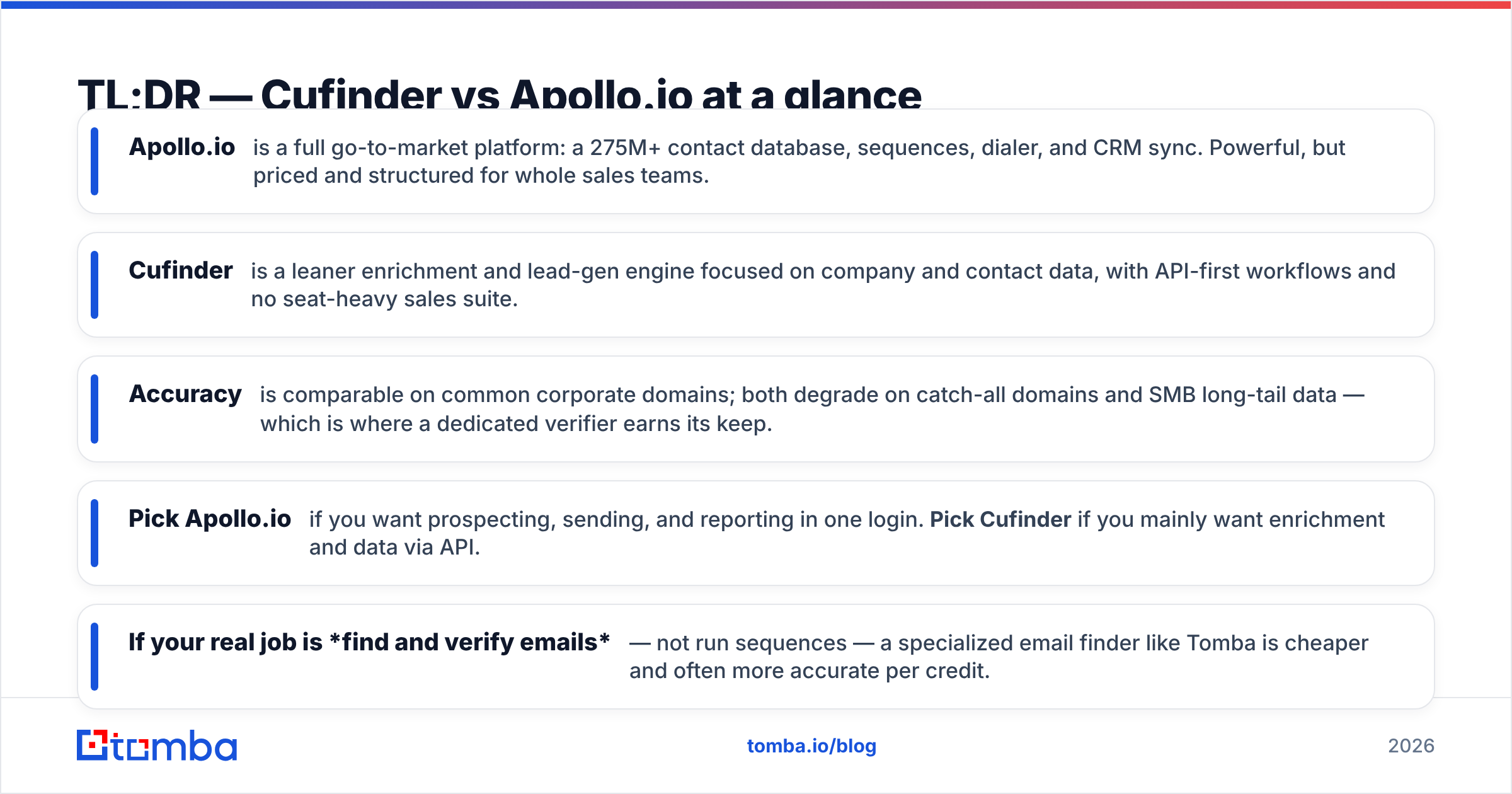
- Apollo.io is a full go-to-market platform. You get a 275M+ contact database, sequences, a dialer, and CRM sync. It is powerful. But it is priced for whole sales teams.
- Cufinder is a leaner enrichment and lead-gen engine. It focuses on company and contact data. Its workflows are API-first. There is no seat-heavy sales suite.
- Accuracy is close on common corporate domains. Both tools slip on catch-all domains. Both slip on SMB long-tail data. That is where a dedicated verifier earns its keep.
- Pick Apollo.io if you want prospecting, sending, and reporting in one login. Pick Cufinder if you mainly want enrichment and data via API.
- Is your real job to find and verify emails, not run sequences? Then a specialized email finder like Tomba is cheaper. It is often more accurate per credit too.

What is Cufinder and who is it for?#
Cufinder calls itself an AI-powered lead generation and data enrichment platform. At its core is a company and contact database. You query it by name, domain, or other traits. On top sits a stack of enrichment APIs. These cover company-to-domain, domain-to-email, phone lookup, and tech-stack data.
The typical user is a growth or RevOps person. They want data pipelines, not a sending tool. You feed it a list of company names. You get back enriched rows: domains, emails, employee counts, and tech stack. It leans API-first. So it fits automated workflows in Make, Zapier, or your own scripts.
What Cufinder is not: a cold-email sender or a sequencer. There is no built-in dialer. There is no engagement reporting. That is a deliberate choice. It stays in the data enrichment lane. It does not try to be your whole outbound stack.
What is Apollo.io and who is it for?#
Apollo.io is the broader product. It bundles a large B2B contact database with a full sales-engagement layer. That layer adds multi-step email sequences and a built-in dialer. It also adds LinkedIn tasks, deal tracking, and native CRM sync to HubSpot and Salesforce. According to Apollo's own site, the database tops 275 million contacts.
The ideal Apollo user is an SDR or full sales team. They want to prospect, enrich, send, and report in one place. No stitching five tools together. You build a list, verify emails, drop contacts into a sequence, and dial. It all happens in one session. That is Apollo's biggest selling point.
The trade-off is weight. Apollo is priced per seat. Its best data and automation sit behind higher tiers. Export and credit limits can bite when you scale. If you only need raw contact data, you pay for a lot you will never touch.
Cufinder vs Apollo.io: the core comparison table#
Here is the head-to-head on the traits that decide the purchase.
| Attribute | Cufinder | Apollo.io |
|---|---|---|
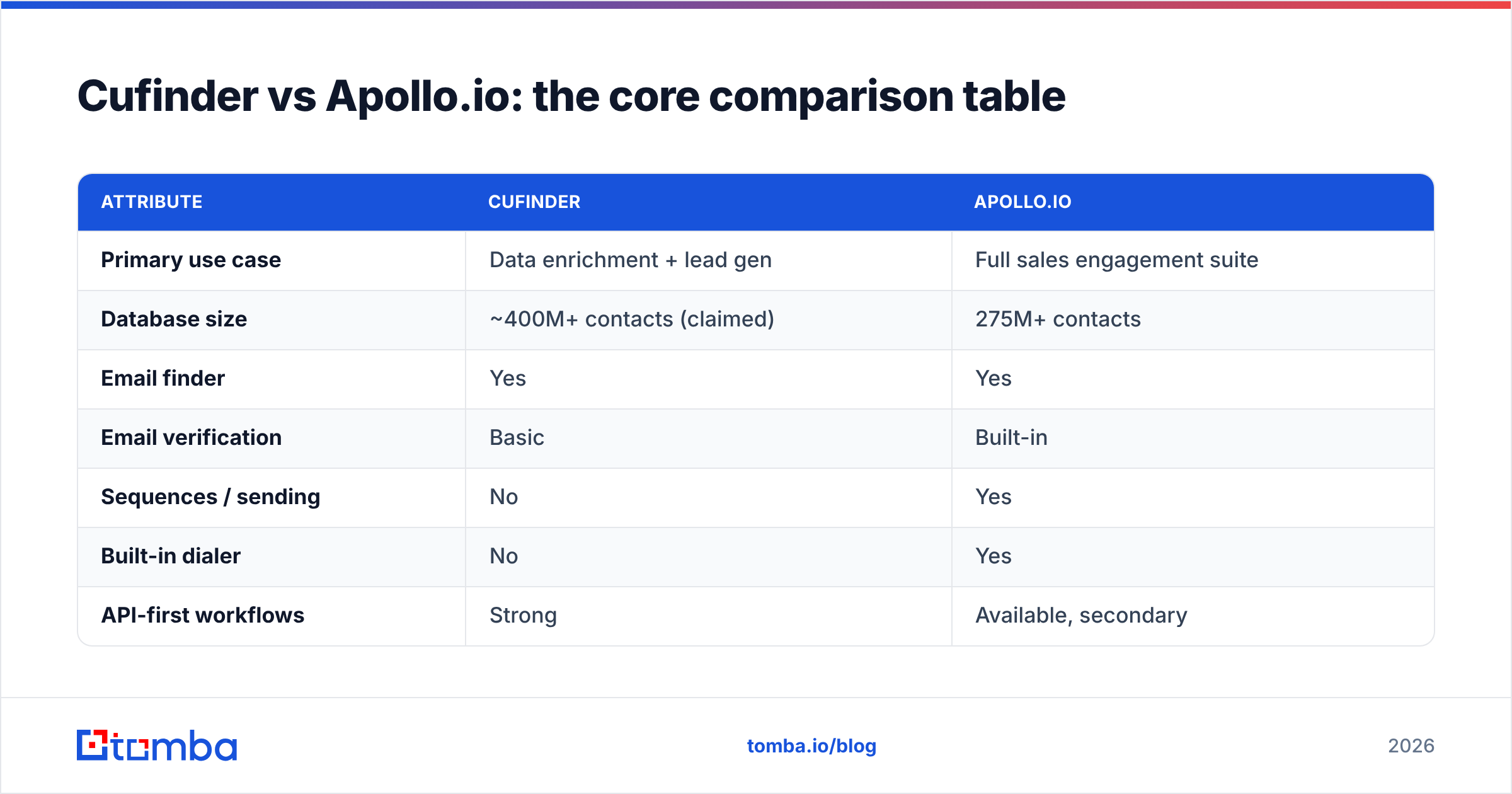
| Primary use case | Data enrichment + lead gen | Full sales engagement suite |
| Database size | ~400M+ contacts (claimed) | 275M+ contacts |
| Email finder | Yes | Yes |
| Email verification | Basic | Built-in |
| Sequences / sending | No | Yes |
| Built-in dialer | No | Yes |
| API-first workflows | Strong | Available, secondary |
| CRM sync | Via integrations | Native HubSpot / Salesforce |
| Pricing model | Credit + plan | Per seat + credits |
| Free tier | Limited free credits | Free plan (limited) |
| Best for | RevOps, data teams | SDR / AE teams |
The pattern is clear. Cufinder wins on focused data workflows. Apollo wins on all-in-one engagement. Neither is strictly better. They are built for different buyers.
Is Cufinder or Apollo.io more accurate?#
Accuracy is where these comparisons get slippery. Why? Because it depends on the domain type you hit.
Take large corporate domains with clear patterns, like first.last@company.com. Both tools do well here. You get high match rates and low bounce. The gap widens in three cases:
- Catch-all domains. These servers accept every address. So a check cannot confirm a real inbox. Both tools tend to return risky or falsely valid results here. A dedicated catch-all verifier is the only reliable fix.
- SMB and long-tail companies. Smaller firms leave a smaller data trail. Coverage is thinner. Results vary a lot between providers.
- Recently changed roles. People switch jobs often. So any static database goes stale within months.
The honest takeaway: do not trust one provider's verified label. Whichever tool you pick, add a check. Run found emails through an independent email verifier before you send. That one step beats switching vendors for your bounce rate. Review sites like G2 put both tools in a similar accuracy band. Users on both sides gripe about stale mobile numbers and catch-all noise.

How do Cufinder and Apollo.io pricing compare?#
Pricing is the sharpest fork in the road.
Apollo.io uses a per-seat model. There is a free plan with capped credits. Then come the Basic, Professional, and Organization tiers. They scale by seat. Higher tiers unlock more exports, sequences, and filters. For a small team the monthly cost adds up fast. Export caps on lower tiers annoy anyone doing heavy list-building.
Cufinder leans on credit-and-plan pricing. There is no seat multiplier. Are you a solo operator or a small data team? Then this structure is often cheaper. You do not pay for engagement features you will not use.
But both leave out one part. For pure email finding, a specialist is usually the cheapest path. Compare the entry points:
| Plan | Apollo.io | Cufinder | Tomba |
|---|---|---|---|
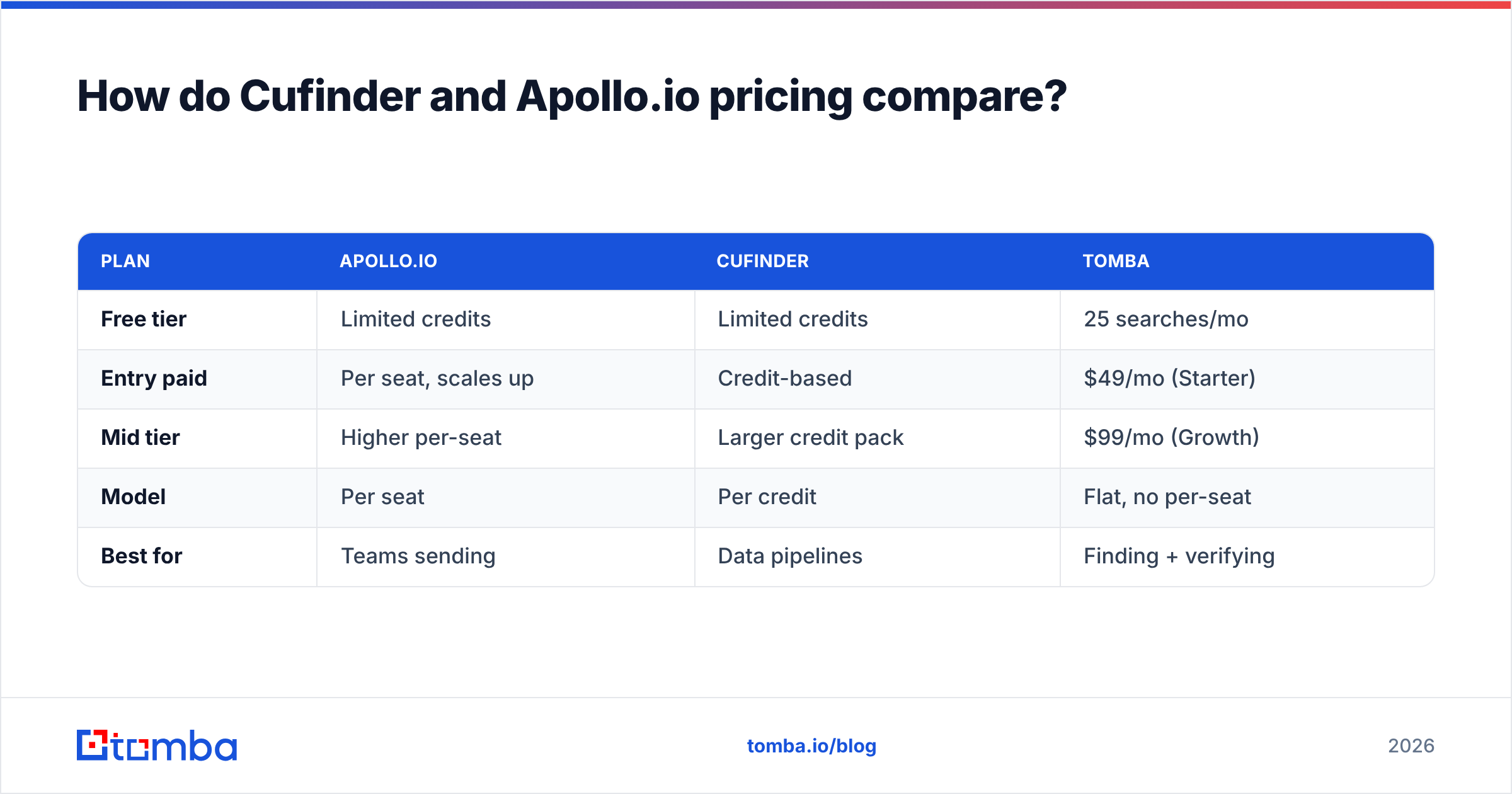
| Free tier | Limited credits | Limited credits | 25 searches/mo |
| Entry paid | Per seat, scales up | Credit-based | $49/mo (Starter) |
| Mid tier | Higher per-seat | Larger credit pack | $99/mo (Growth) |
| Model | Per seat | Per credit | Flat, no per-seat |
| Best for | Teams sending | Data pipelines | Finding + verifying |
You can see full Tomba pricing for the exact credit math. But the point stands. A flat, no-per-seat plan removes a hidden tax. With Apollo, every new hire costs another seat. That is what makes it pricey at scale.
Which tool fits your workflow better?#
Forget features for a second. Think about the job you hire the tool to do.
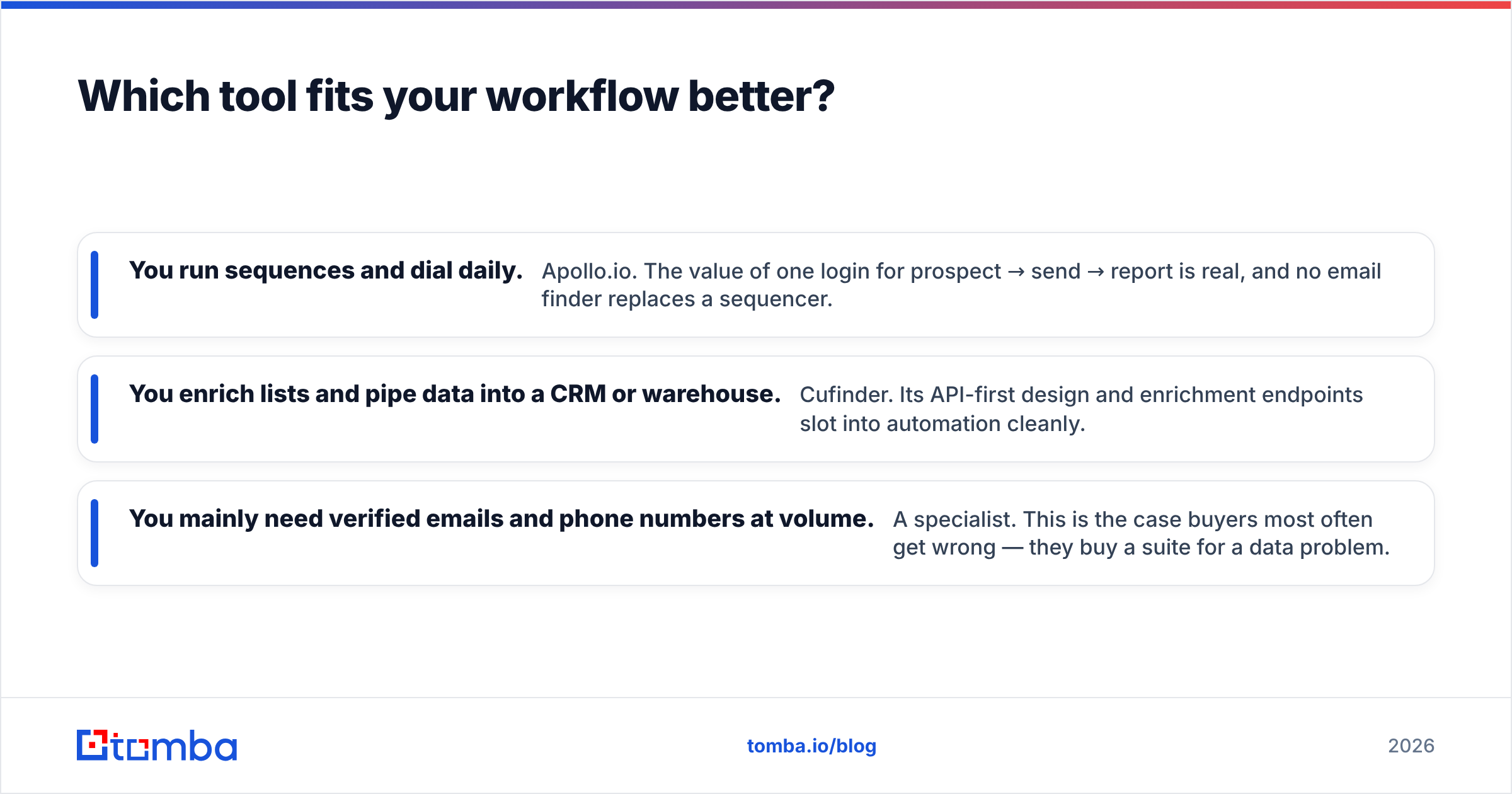
- You run sequences and dial daily. Pick Apollo.io. One login for prospect, send, and report has real value. No email finder replaces a sequencer.
- You enrich lists and pipe data into a CRM or warehouse. Pick Cufinder. Its API-first design slots into automation cleanly.
- You need verified emails and phone numbers at volume. Pick a specialist. Buyers get this one wrong most often. They buy a whole suite for a data problem.
That third group needs a focused stack. Use domain search to pull every address on a company domain. Use the bulk email finder to process lists. Use the email finder API to wire it into your own tools. You skip the seat costs. You skip the features you will never open.
Cufinder vs Apollo.io: pros and cons#
Cufinder — pros
- API-first, automation-friendly enrichment
- No heavy per-seat pricing
- Strong company + technographic data
Cufinder — cons
- No sending, sequencing, or dialer
- Verification is basic — pair it with a real verifier
- Smaller brand ecosystem and fewer native integrations
Apollo.io — pros
- True all-in-one: data + engagement + reporting
- Large database with native CRM sync
- Good for full SDR/AE teams
Apollo.io — cons
- Per-seat cost climbs quickly
- Export and credit caps on lower tiers
- You pay for engagement features even if you only want data
Where does a specialized email finder beat both?#
Is your real problem to find the right person's email and confirm it will deliver? Then both Cufinder and Apollo do more than you need. And they charge you for it.
A dedicated finder wins on three axes:
- Cost per verified email. No seat tax, credits go straight to lookups.
- Verification depth. Purpose-built email verification and catch-all handling beat bundled good-enough checks.
- Portability. A Chrome extension, a Google Sheets add-on, and an API move the data wherever you work. It is not locked inside one platform's UI.
This is not an argument that suites are useless. Apollo's sequencing is genuinely useful if you use it. It is an argument for matching spend to scope. Many teams run a specialist finder for data. They pair it with a sender for outreach. Together they pay less than one bloated all-in-one seat.
The verdict: Cufinder vs Apollo.io#
Choose Apollo.io if you are a sales team that wants prospecting, sending, dialing, and reporting under one roof. You also need to justify per-seat pricing.
Choose Cufinder if you are a data or RevOps person. You want enrichment and lead gen via API, with no engagement suite bolted on.
Choose a specialist if your core need is finding and verifying contact data at the lowest cost per record. And you would rather not pay for a sequencer you will not touch.
Whatever you pick, verify before you send. That one habit protects your sender reputation more than any vendor swap.
Try a leaner alternative first#
Before you sign a per-seat contract or buy a big credit pack, test a focused tool first. The Tomba Email Finder finds professional emails by name, domain, or company. It runs built-in verification and catch-all checks. It plugs into your CRM, Sheets, or code via API. The plan is flat. It starts free with 25 searches a month. It moves to $49/mo when you scale. Run your next list through it. Measure the bounce rate against your current tool. Then let the numbers decide.
Related guides#
Ready to find emails that actually work?
Join 150,000+ professionals who stopped guessing and started sending. Free credits on signup — no credit card required.
Get the Tomba newsletter
Practical outbound tactics and product updates — once every two weeks.
About the author