Cufinder vs Enrichley: B2B Data Tool Comparison 2026
Cufinder and Enrichley both promise clean B2B contact data at a lower price than Apollo or ZoomInfo. Here is how they actually differ on accuracy, enrichment depth, pricing, and API access — plus who each one is really for.
TL;DR
- Cufinder is the broader platform: a large company database, 20+ enrichment endpoints, and a Chrome extension. Its weak point is email accuracy on smaller domains, where guessed patterns slip through as "valid."
- Enrichley is the narrower, newer play: enrichment-first, API-first, thinner UI. Good if you already have a list and need fields filled; poor if you need to build the list from scratch.
- Neither publishes an independently audited bounce rate. Treat both vendors' "98% accurate" claims as marketing until you run your own 200-contact sample.
- If your bottleneck is finding correct emails rather than appending firmographics, a dedicated email finder with SMTP-level verification will beat both on deliverability per dollar.
- Budget reality: Cufinder's usable tier lands around $49–$99/mo, Enrichley pushes you toward annual API commitments. Run both free tiers on the same 100 rows before you sign anything.
What are Cufinder and Enrichley, actually?#
They solve overlapping but different problems, and the marketing sites blur that on purpose.
Cufinder (cufinder.io) started as a company-search engine and grew outward. You search a niche ("Series B fintech, 50–200 employees, Germany"), get a company list, then push those companies through enrichment endpoints to get contacts, emails, phone numbers, and technographics. The pitch is breadth: one subscription, many lookup types.
Enrichley is the enrichment-layer play. You bring identifiers — a domain, a LinkedIn URL, an email — and it returns structured fields. It is built for someone piping records through an API or a workflow tool, not for a rep clicking around a UI at 9am.
The distinction matters more than any feature table. Cufinder assumes you have a market and need a list. Enrichley assumes you have a list and need it complete. If you buy the wrong one for your motion, no amount of credits fixes it.

How do Cufinder and Enrichley compare head-to-head?#
Here is the honest side-by-side. Prices reflect publicly listed tiers as of mid-2026 — both vendors adjust frequently, so verify before you buy.
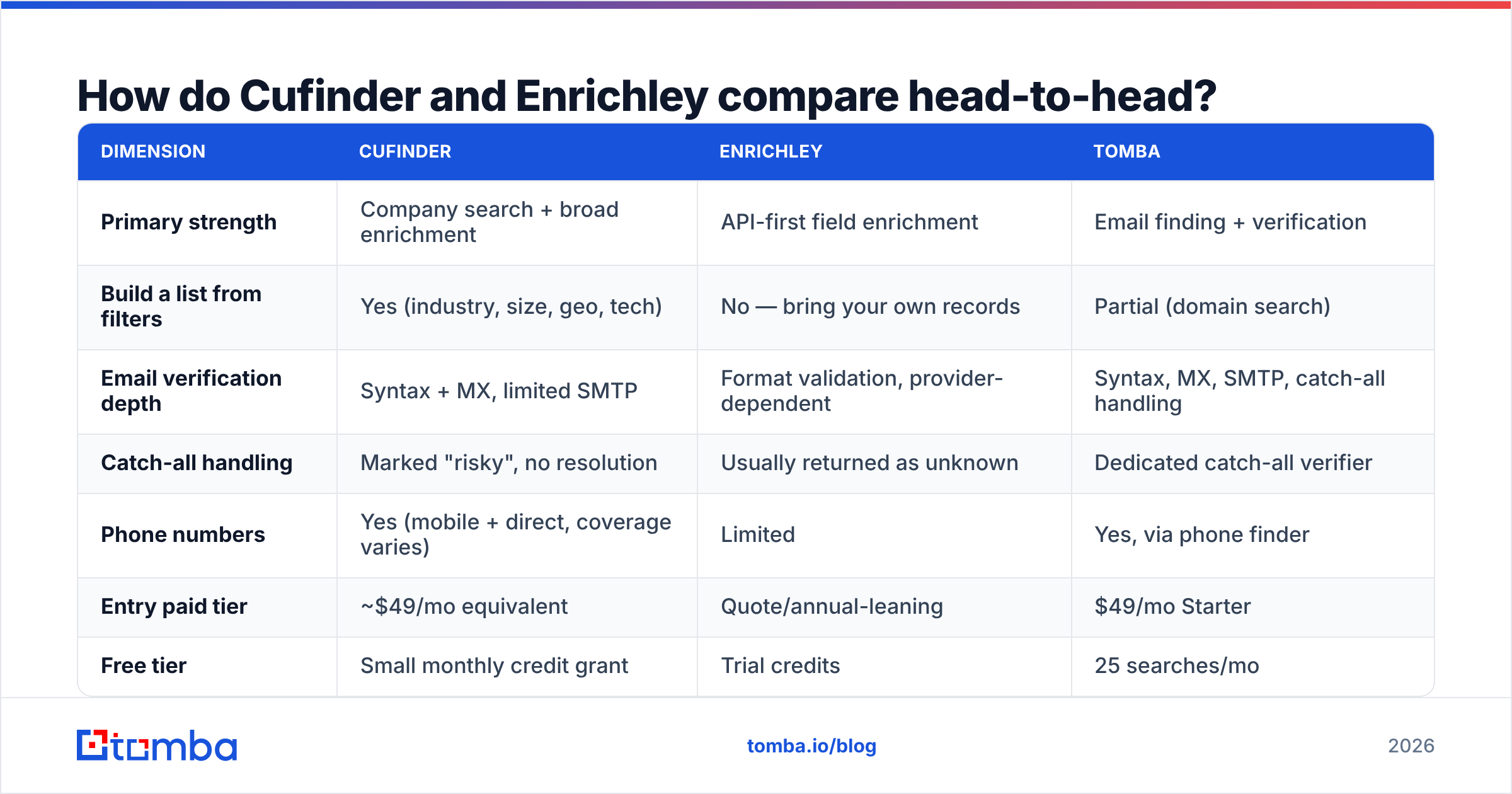
| Dimension | Cufinder | Enrichley | Tomba |
|---|---|---|---|
| Primary strength | Company search + broad enrichment | API-first field enrichment | Email finding + verification |
| Build a list from filters | Yes (industry, size, geo, tech) | No — bring your own records | Partial (domain search) |
| Email verification depth | Syntax + MX, limited SMTP | Format validation, provider-dependent | Syntax, MX, SMTP, catch-all handling |
| Catch-all handling | Marked "risky", no resolution | Usually returned as unknown | Dedicated catch-all verifier |
| Phone numbers | Yes (mobile + direct, coverage varies) | Limited | Yes, via phone finder |
| Entry paid tier | ~$49/mo equivalent | Quote/annual-leaning | $49/mo Starter |
| Free tier | Small monthly credit grant | Trial credits | 25 searches/mo |
| Public API docs | Yes | Yes | Yes — Tomba API |
| Native spreadsheet add-on | Chrome extension | Not core | Sheets, Excel, Airtable |
| Best for | SMB teams building lists | Eng-led RevOps pipelines | Accuracy-first outbound |

The row that decides most deals is catch-all handling. Roughly a third of B2B domains run catch-all MX configurations that accept every address at SMTP time. A tool that shrugs and marks those "unknown" hands the risk back to you. A tool that marks them "valid" without deeper signals is worse — it's confidently wrong, and your bounce rate pays for it.
Which one has better data accuracy?#
Neither publishes third-party audits, so judge them by method, not by the number on the homepage.
Ask each vendor these five questions before you trust a percentage:
- What counts as "valid"? Some vendors count syntax-valid addresses. Some count SMTP-accepted. Those are wildly different numbers on the same list.
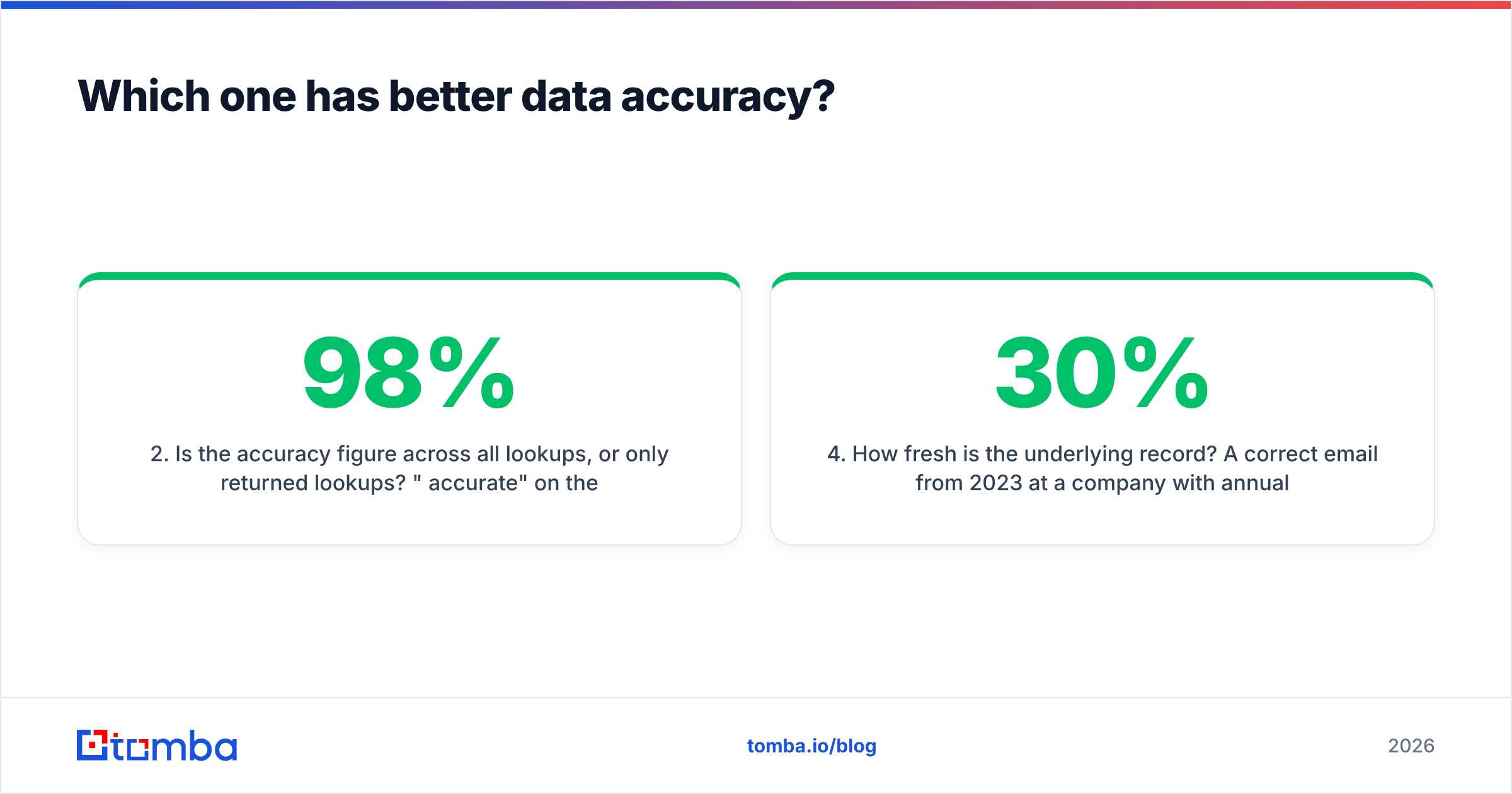
- Is the accuracy figure across all lookups, or only returned lookups? "98% accurate" on the 40% of rows they actually returned is really 39% coverage-adjusted accuracy.
- How are catch-all domains scored? If they're excluded from the denominator, the headline number is inflated.
- How fresh is the underlying record? A correct email from 2023 at a company with 30% annual churn is a coin flip in 2026.
- Where does the data come from? Public crawl, contributed contact books, partner licensing, or pattern inference? Inference is fine — as long as it's verified afterward, not shipped raw. Tomba documents its data sources for exactly this reason.
Cufinder's real weakness surfaces on long-tail domains. On companies under ~50 employees with no public email footprint, it tends to return a pattern-inferred address (first.last@domain.com) with a confidence badge that reads more certain than the evidence supports. On enterprise domains with abundant public signal, it's solid.
Enrichley is more conservative — it returns null more often rather than guessing. That's intellectually honest and operationally annoying. You get fewer bounces and fewer contacts. Whether that trade is good depends on whether your constraint is domain reputation or pipeline volume.
The test that settles it: pull 200 rows from your actual ICP — not a demo list, not the Fortune 500 — run them through both free tiers, then verify every returned address through an independent email verifier. Count real bounces after a small send. Vendor claims collapse fast under that procedure.
What does each one actually cost?#
Sticker price is the smallest part of the bill.
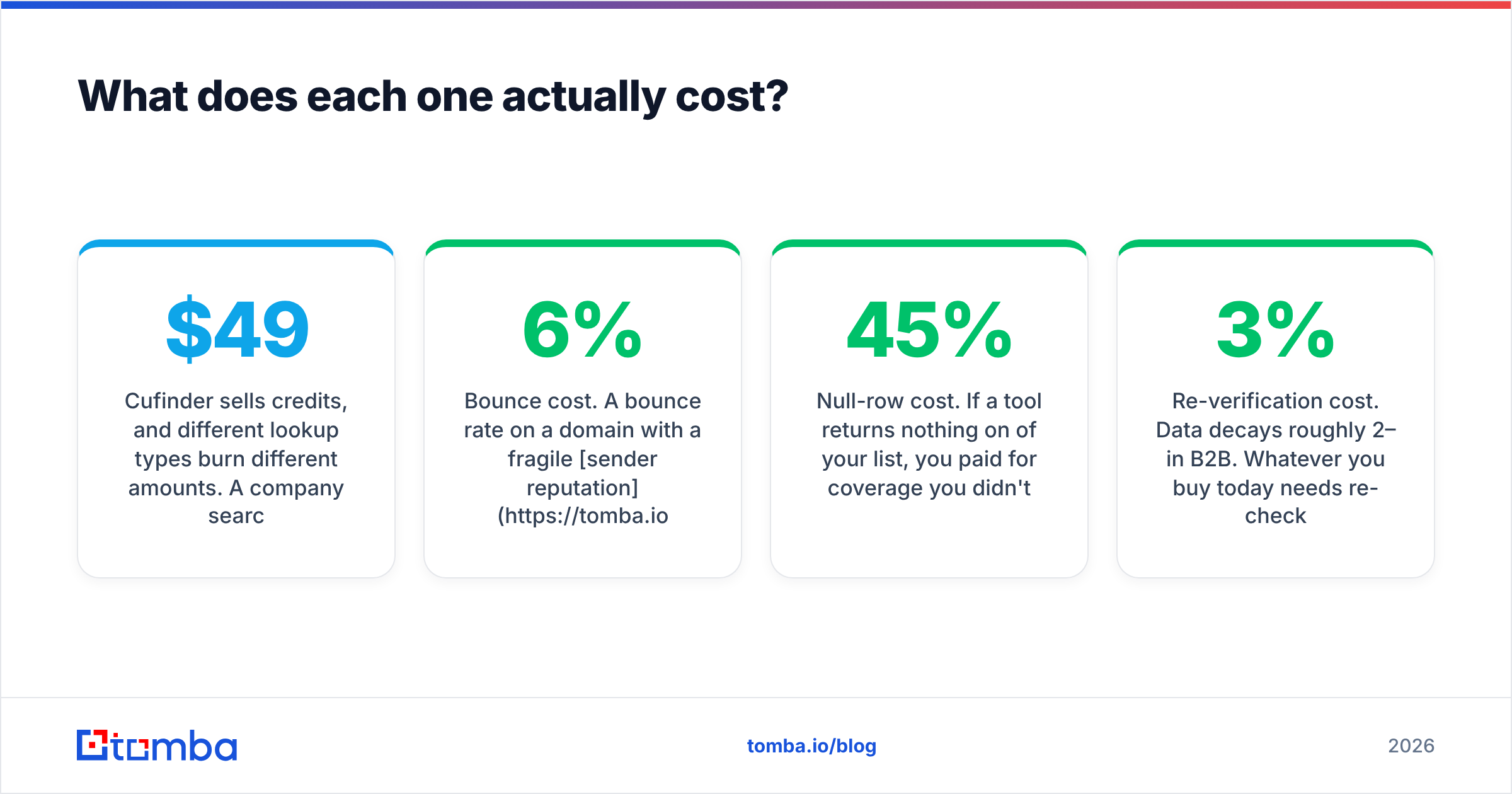
Cufinder sells credits, and different lookup types burn different amounts. A company search costs less than an email lookup, which costs less than a mobile number. The $49-equivalent tier evaporates quickly if you're pulling phone numbers. Read the credit table, not the pricing page headline.
Enrichley leans toward annual commitments and volume-tiered API pricing. That's normal for enrichment infrastructure and genuinely cheaper at scale — but it front-loads risk onto you before you know the match rate on your data. Push hard for a paid pilot with an exit.
The cost nobody quotes:
- Bounce cost. A 6% bounce rate on a domain with a fragile sender reputation can suppress inbox placement for weeks. The credits were cheap; the recovery wasn't.
- Null-row cost. If a tool returns nothing on 45% of your list, you paid for coverage you didn't get, and someone on your team now manually sources those rows.
- Re-verification cost. Data decays roughly 2–3% per month in B2B. Whatever you buy today needs re-checking in a quarter.
- Integration cost. Engineering hours to wire an API into your CRM are real money. A native HubSpot integration or Sheets add-on removes that line item entirely.
For reference, Tomba pricing runs Free (25 searches/mo), Starter $49/mo, Growth $99/mo, Pro $249/mo, Enterprise custom — with verification included rather than sold as a separate credit type. That last detail is worth checking on any vendor: if verification is a second meter, your effective cost per usable contact is higher than the tier suggests.

Wait — that image belongs to the meme slot:

Is Cufinder better than Enrichley for outbound teams?#
For most outbound teams under 20 reps: Cufinder, with caveats.
The reason is workflow, not data. Outbound teams need to go from "we should sell to X" to "here are 400 people at X-shaped companies" without filing an engineering ticket. Cufinder does that in a browser. Enrichley expects you to already have the 400 rows.
Cufinder's caveats:
- Verify everything it returns before sending. Its own verification layer is not deep enough to protect a sending domain on its own.
- Watch the credit burn on phone lookups.
- Expect weaker coverage outside North America and Western Europe.
Enrichley wins when:
- You have a product-led motion and need to enrich signups in real time.
- You have engineering capacity and want one clean API contract, not a UI.
- Your list already exists in a warehouse and you need fields, not names.
If you're evaluating either as an Apollo alternative, be clear about which half of Apollo you're replacing — the database or the sequencer. Neither Cufinder nor Enrichley sends email. You'll still need a sending tool, and that's a second line item.
What about the third option — a dedicated finder plus verifier?#
The unbundled stack is underrated. Instead of one platform that does list-building, enrichment, finding, and verification at B-minus quality across the board, run best-in-class pieces:
- Source the accounts where your ICP actually lives — a database, LinkedIn Sales Navigator, a conference list, a G2 category page, your own website traffic.
- Find the emails with a tool that's optimized for exactly that job. A domain search returns the people at a company plus the pattern that company uses — which lets you extrapolate correctly instead of guessing.
- Verify before sending, every time, including catch-all domains. This is the step teams skip, and it's the one that protects email deliverability.
- Enrich only what you need. Most enrichment fields never get used in a sequence. Firmographics you don't personalize with are decoration.
- Re-verify quarterly. Set a calendar reminder. Data decay is not a hypothetical.
This stack costs less than most people expect, because you stop paying for enrichment fields you never merge into a template. And it fails gracefully — if one vendor's coverage drops, you swap that one piece rather than migrating a platform.
For teams weighing broader alternatives, it's worth noting that providers like BookYourData take a different route entirely — pay-per-lead, verified-at-download data with no subscription. That model fits teams who buy lists in bursts rather than running continuous enrichment, and it sidesteps the credit-expiry problem both Cufinder and Enrichley have. Different tool, genuinely different job.
How should you run the evaluation?#
Don't read reviews. Run the test. Three days, roughly two hours of work.
Day 1 — build the sample. Pull 200 contacts that look exactly like your best customers. Include the messy ones: sub-50-employee companies, non-English domains, recently rebranded firms. A demo list of Fortune 500 contacts tells you nothing, because every vendor nails those.
Day 2 — run all candidates blind. Same 200 rows through Cufinder, Enrichley, and a control (Tomba's free tier works, 25 searches, or use the free email checker on the outputs). Record two numbers per tool: match rate (rows returned) and claimed validity.
Day 3 — verify independently. Push every returned address through a verifier that isn't the vendor that produced it. Self-graded homework is not evidence. Then compute the only number that matters:
Usable contacts per dollar = (rows returned × independently verified valid) ÷ cost of the credits burned
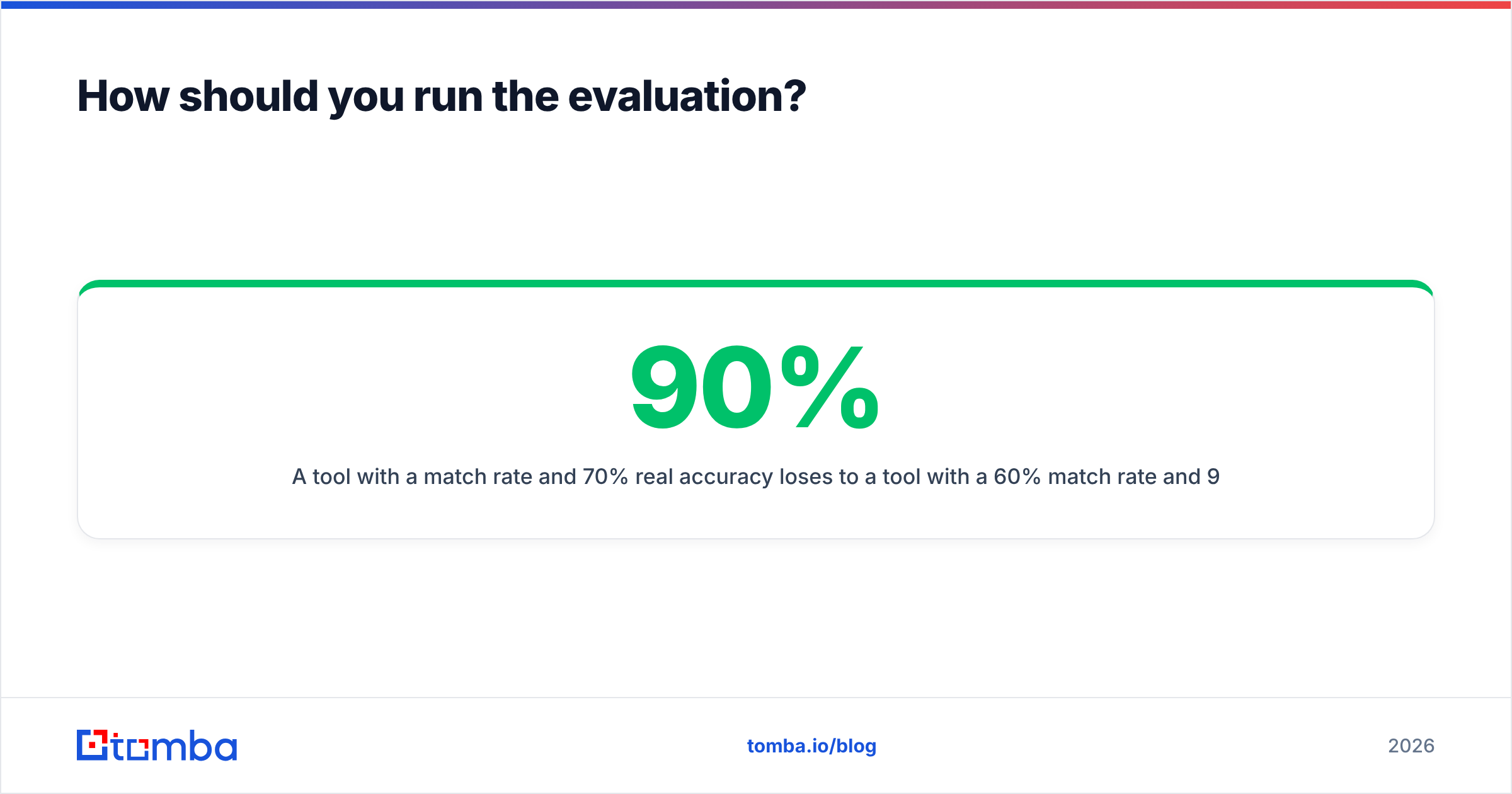
A tool with a 90% match rate and 70% real accuracy loses to a tool with a 60% match rate and 96% real accuracy — because bounces cost more than blanks. That's counterintuitive enough that most teams get it wrong on the first pass.
Cross-check whatever you find against real user reviews on G2 and Capterra, filtered to companies your size. A 4.6 average driven by enterprise reviewers tells a 5-person startup nothing.
Frequently asked questions#
Do Cufinder and Enrichley have free tiers? Both offer limited free or trial credits — enough to test 25–100 rows, not enough to run a campaign. Use them for the evaluation above, not for production.
Can either replace ZoomInfo? For contact data at SMB price points, partly. For intent signals, org charts, and enterprise firmographic depth, no. They're not competing in that weight class, and their pricing reflects it honestly.
Which is better for GDPR compliance? Ask both for their lawful basis and data-subject-request process in writing. Vendors that get vague when you ask this question in email are telling you something. Neither should be treated as compliant by default because they have a badge on the pricing page.
Do I still need a separate verifier? Yes, on both. Neither vendor's built-in checking is deep enough to safely handle catch-all domains, and catch-alls are where bounce rates come from.
The bottom line#
Pick Cufinder if you need to build lists in a browser and you're willing to verify its output before sending. Pick Enrichley if you have an engineering team, an existing list, and a preference for null over wrong. Pick neither if your actual problem is that too many of your emails bounce — that's a finding-and-verification problem, and a platform that treats email as one of twenty fields will never solve it as well as a tool built for that single job.
Run the 200-row test. It takes two hours and it will contradict at least one thing you currently believe about your data vendor.
Ready to see what your real match rate looks like? Start with the Tomba Email Finder free tier — 25 searches a month, no card, SMTP-level verification included rather than metered separately. Run it against the same list you're testing Cufinder and Enrichley on and compare usable contacts per dollar. If a different tool wins on your data, use that one. But test it on your data, not theirs.
Related guides#
Ready to find emails that actually work?
Join 150,000+ professionals who stopped guessing and started sending. Free credits on signup — no credit card required.
Get the Tomba newsletter
Practical outbound tactics and product updates — once every two weeks.
About the author