Cufinder vs Kitt AI (2026): Which B2B Data Tool Wins?
A neutral, hands-on breakdown of Cufinder vs Kitt AI for 2026 — data coverage, email accuracy, pricing, and which tool actually fits your outbound stack.
Choosing between Cufinder and Kitt AI usually comes down to one question: which one gives you contacts you can actually email without torching your sender reputation? Both promise company data, contact discovery, and enrichment. But they take different roads to get there, and the difference shows up in your bounce rate, your CRM hygiene, and your monthly bill.
This is a neutral, practitioner-level comparison — no vendor spin. We look at data coverage, email accuracy, enrichment depth, pricing, and the real-world workflows each tool fits. We also flag where a dedicated email-finding layer like Tomba earns its place in the stack.
TL;DR: Cufinder vs Kitt AI at a glance#
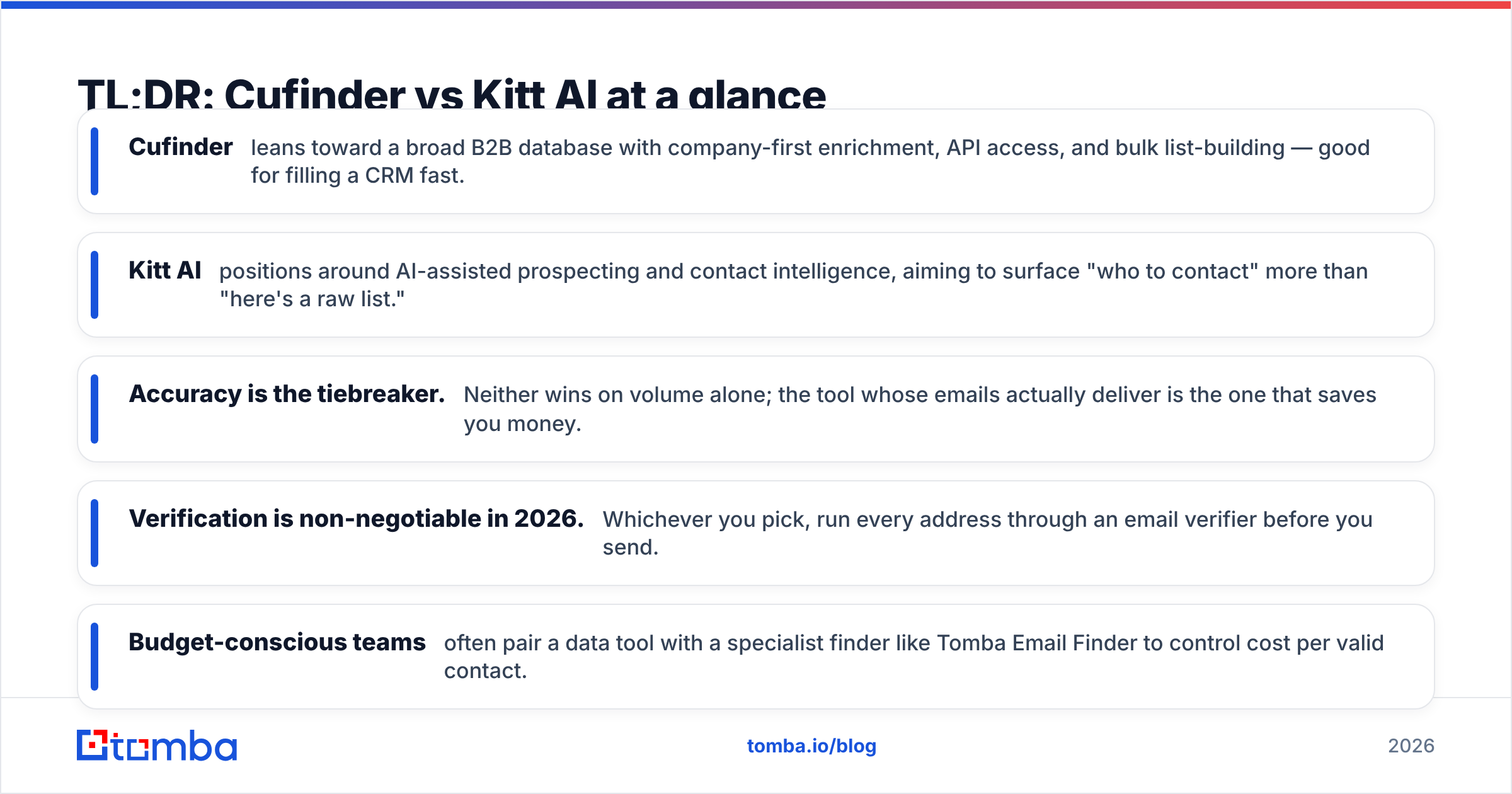
- Cufinder leans toward a broad B2B database with company-first enrichment, API access, and bulk list-building — good for filling a CRM fast.
- Kitt AI positions around AI-assisted prospecting and contact intelligence, aiming to surface "who to contact" more than "here's a raw list."
- Accuracy is the tiebreaker. Neither wins on volume alone; the tool whose emails actually deliver is the one that saves you money.
- Verification is non-negotiable in 2026. Whichever you pick, run every address through an email verifier before you send.
- Budget-conscious teams often pair a data tool with a specialist finder like Tomba Email Finder to control cost per valid contact.

What is Cufinder?#
Cufinder is a B2B data and enrichment platform built around a company and contact database. Its core pitch is breadth: search by company, industry, location, or technology, then pull associated contacts and firmographic fields into your workflow. It exposes an API and bulk tools, which makes it attractive for teams that want to programmatically build or enrich lists rather than hand-search one prospect at a time.
Where Cufinder shines is the "company-out" motion. You start from an account you care about, and the platform fans out to titles, departments, and firmographics. That's a natural fit for account-based outbound and for data enrichment jobs where you already have a list of domains and need to fill in the blanks.
The trade-off common to database-first tools is freshness. A large index is only as good as its last refresh, and B2B data decays fast — people change jobs, companies rebrand, and email formats shift. That's why the verification step matters regardless of how polished the source looks.
What is Kitt AI?#
Kitt AI markets itself on the "intelligence" side of prospecting — using AI signals to help you decide who to reach and when, not just handing you a raw export. The promise is fewer, better contacts: prioritized accounts, suggested personas, and enriched context you can drop into a sequence.
For teams drowning in list volume, that framing is appealing. If a tool can tell you which 50 of your 5,000 accounts are worth a personalized touch this week, that's real leverage. The risk is the same one every AI-layer product faces: the recommendations are only as trustworthy as the underlying contact data. Smart targeting on top of stale emails still bounces.
In practice, buyers evaluating Kitt AI should separate two things — the intelligence layer (genuinely useful for prioritization) and the contact-data layer (which must be verified before it touches your mail server).
Cufinder vs Kitt AI: the core comparison#
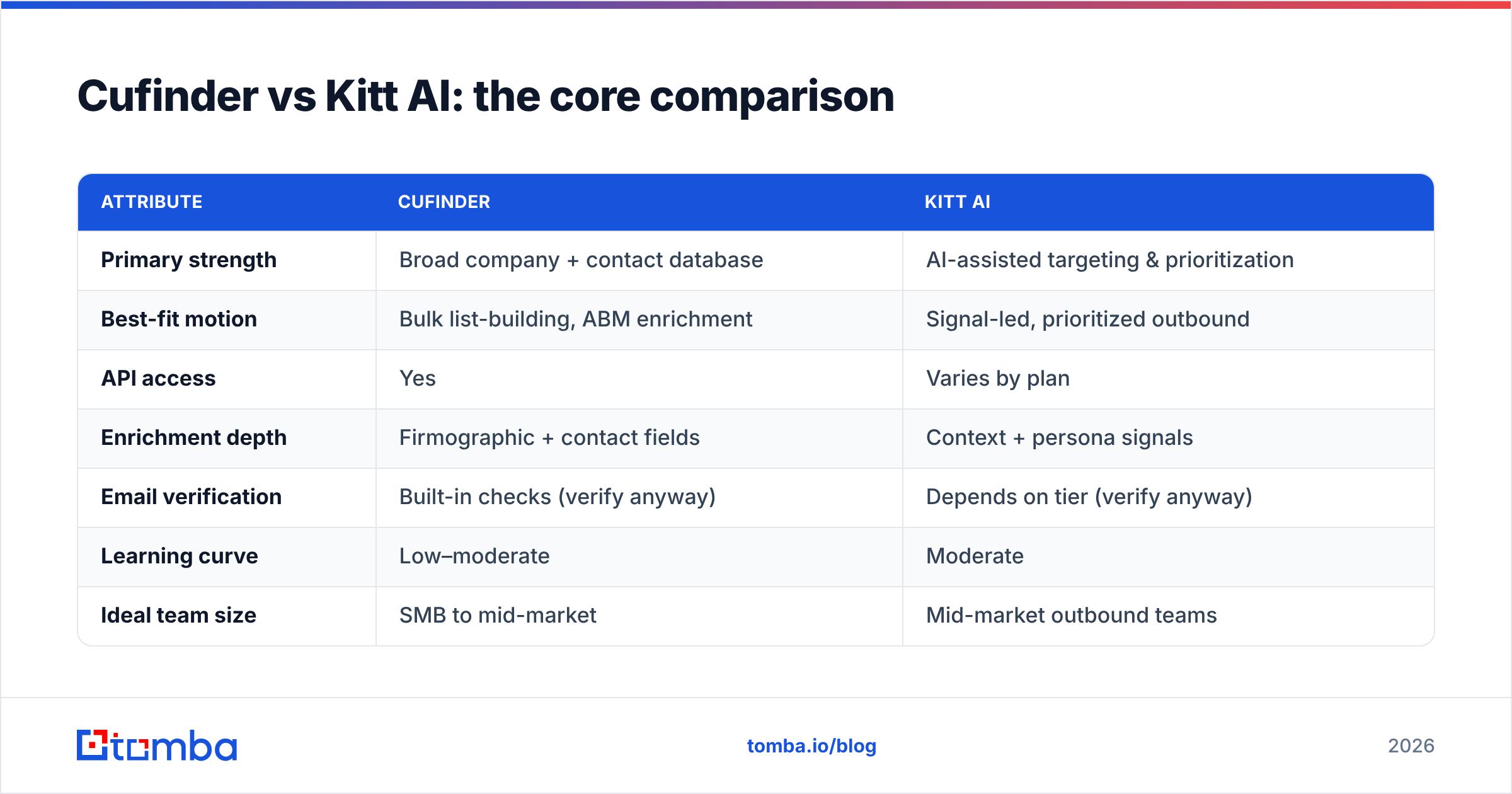
Here's the head-to-head on the attributes that actually move your pipeline. Treat vendor-published numbers skeptically and test on your own ICP before committing.
| Attribute | Cufinder | Kitt AI |
|---|---|---|
| Primary strength | Broad company + contact database | AI-assisted targeting & prioritization |
| Best-fit motion | Bulk list-building, ABM enrichment | Signal-led, prioritized outbound |
| API access | Yes | Varies by plan |
| Enrichment depth | Firmographic + contact fields | Context + persona signals |
| Email verification | Built-in checks (verify anyway) | Depends on tier (verify anyway) |
| Learning curve | Low–moderate | Moderate |
| Ideal team size | SMB to mid-market | Mid-market outbound teams |
The honest read: Cufinder is the more "give me the data now" tool, while Kitt AI wants to be the "tell me who to chase" tool. Neither replaces a rigorous verification step, and neither is automatically cheaper per valid contact — that depends entirely on how clean their data is for your specific market.
Which one has better email accuracy?#
Accuracy is where these comparisons are won or lost, because every bounced email costs you twice — once in wasted send volume and once in damaged sender reputation. A tool that returns 1,000 addresses at 80% deliverability is worse than one that returns 700 at 97%.

Two accuracy factors matter more than raw database size:
- Catch-all handling. Many B2B domains accept every address at the SMTP layer, so a naive checker marks them "valid" when they may not be. A proper catch-all verifier applies deeper signals instead of shrugging.
- Recency of the source record. An email that was correct 14 months ago may route to a departed employee today. Job-change churn is the silent killer of database accuracy.
Neither Cufinder nor Kitt AI publishes independently audited, market-by-market accuracy you can take to the bank, so the pragmatic move is to run a sample of each tool's output through a neutral verifier and measure the real valid rate on your domains. This is exactly the gap a dedicated finder-plus-verifier stack closes.

How do they compare on pricing?#
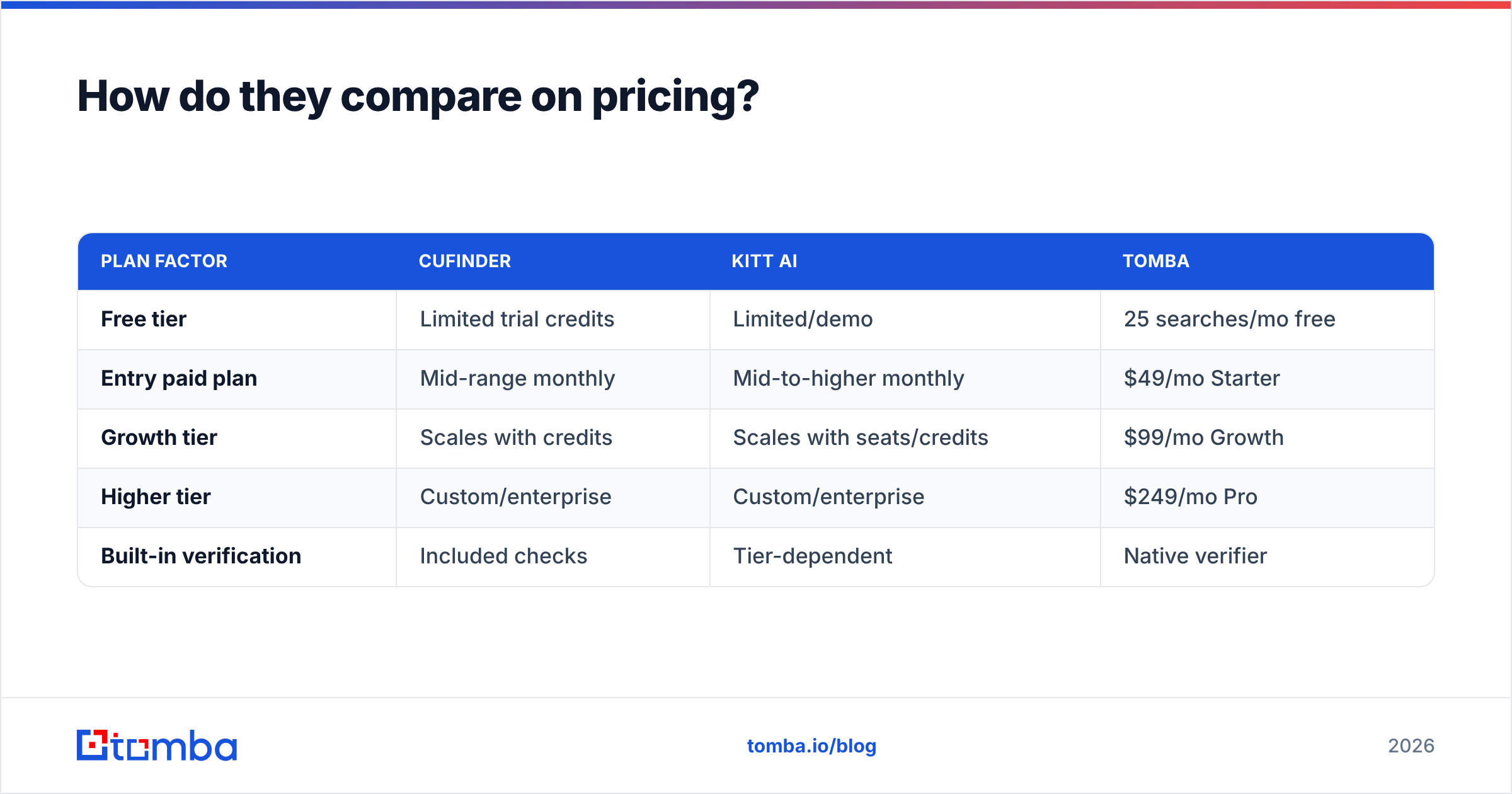
Both vendors use credit- or tier-based pricing, and both tend to gate the highest-value features (API volume, bulk exports, advanced enrichment) behind upper plans. The number that matters isn't the sticker price — it's cost per verified, sendable contact.
Here's how the value math typically shakes out, with Tomba included as a specialist reference point:
| Plan factor | Cufinder | Kitt AI | Tomba |
|---|---|---|---|
| Free tier | Limited trial credits | Limited/demo | 25 searches/mo free |
| Entry paid plan | Mid-range monthly | Mid-to-higher monthly | $49/mo Starter |
| Growth tier | Scales with credits | Scales with seats/credits | $99/mo Growth |
| Higher tier | Custom/enterprise | Custom/enterprise | $249/mo Pro |
| Built-in verification | Included checks | Tier-dependent | Native verifier |
Because exact vendor pricing shifts quarter to quarter, confirm current numbers on each provider's own page before you buy. For Tomba, the published Tomba pricing starts with a free tier at 25 searches per month and a $49/mo Starter plan — useful as a baseline when you're calculating what "cheap" actually costs after failed sends.
The trap with pure database tools is paying for volume you can't use. If 20% of a large export bounces, you didn't get a discount — you overpaid for the 80% that worked and damaged your domain with the rest.
Which tool fits which team?#
Pick Cufinder if you want a broad, API-accessible database to enrich known accounts and build lists at scale, and you already have a verification and hygiene process downstream. Its company-first search suits ABM teams and RevOps functions that live in bulk operations. Just budget for the cleanup step.
Pick Kitt AI if your bottleneck is prioritization, not raw contacts — you have plenty of accounts and need help deciding who deserves a human-crafted touch this quarter. Its intelligence layer earns its keep when your reps are time-constrained and your TAM is large.
Add a specialist finder if your primary pain is deliverability and cost control. This is where a focused tool changes the economics: instead of paying for a giant index, you pay per confirmed, verified address.
Where does Tomba fit in this comparison?#
Tomba isn't trying to be an all-in-one revenue-intelligence suite. It's a focused email-finding and verification layer — and for a lot of teams, that focus is the point. If your real problem is "I have domains and names, I need deliverable emails, and I don't want to pay for a bloated database," Tomba is built for exactly that.
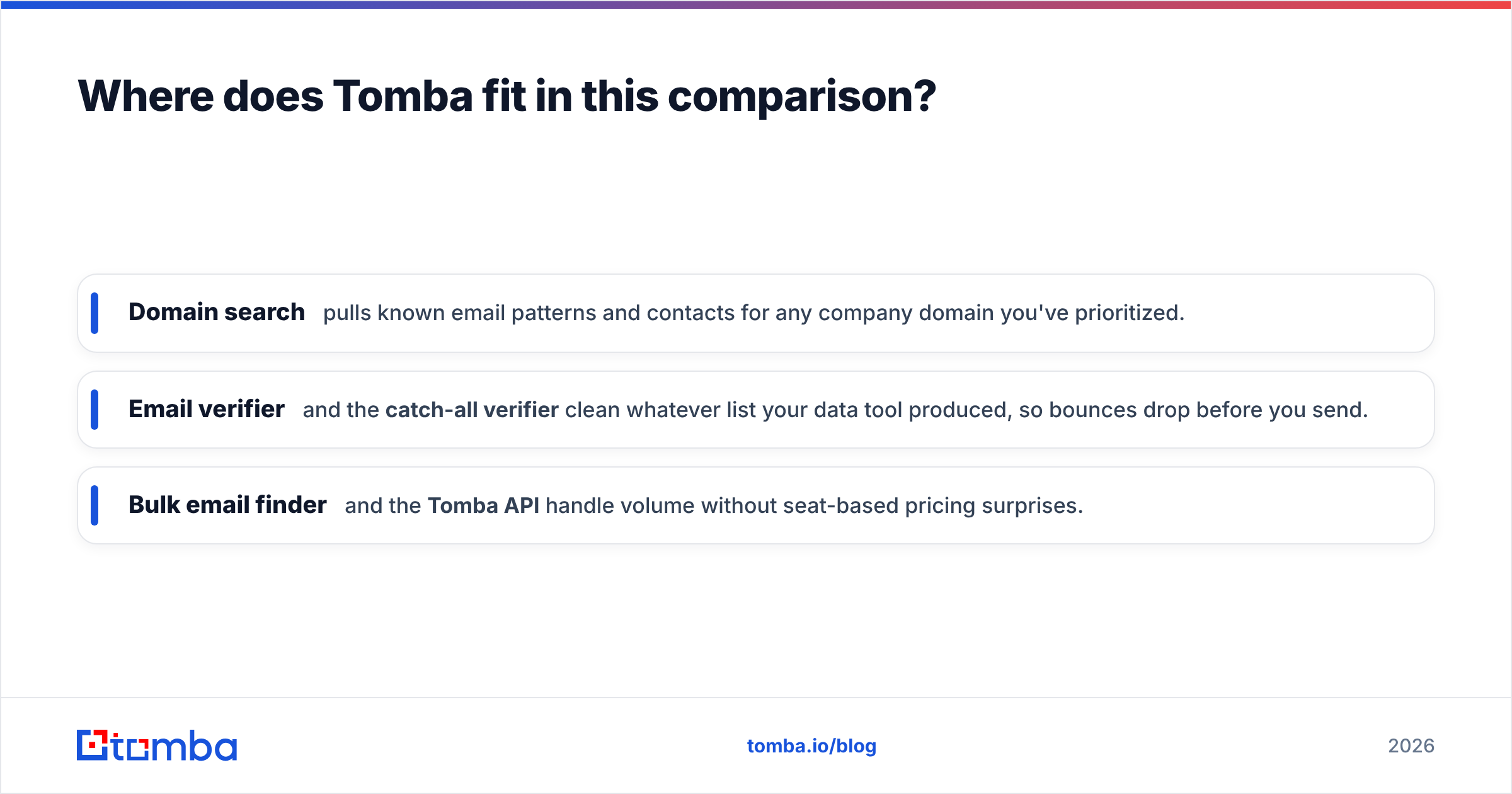
Concretely, it slots into a Cufinder or Kitt AI workflow rather than fully replacing them:
- Domain search pulls known email patterns and contacts for any company domain you've prioritized.
- Email verifier and the catch-all verifier clean whatever list your data tool produced, so bounces drop before you send.
- Bulk email finder and the Tomba API handle volume without seat-based pricing surprises.
A common, honest pattern in 2026: use Kitt AI (or your CRM signals) to decide who, use Cufinder to enrich the account, and use Tomba to confirm the address is real before it ever hits your sequence. Each tool does the job it's best at.
Cufinder vs Kitt AI: the verdict#
There's no universal winner — there's a winner for your motion.
- If you value breadth and API-driven list-building, Cufinder is the stronger default.
- If you value AI-assisted prioritization over raw exports, Kitt AI makes a better case.
- If you value deliverability and cost per valid contact above everything, neither is complete without a dedicated verification layer — and that's the most expensive gap to ignore.
Whatever you choose, the decision that protects your revenue isn't the database logo. It's the discipline of verifying every address before you send. Independent benchmarks consistently show that the "biggest list" rarely equals the "best results," which is why seasoned outbound teams optimize for valid contacts, not total rows. For a broader view of how the major tools stack up, industry directories like G2 and Capterra are useful neutral starting points, and reputable primers on email deliverability explain why bounce management matters so much.
Ready to stop paying for bounces?#
If the takeaway landed — that accuracy beats volume — start where the money leaks. Run your Cufinder or Kitt AI export through Tomba, or skip the middle step and pull verified contacts directly. The Tomba Email Finder finds professional email addresses by domain, name, or company, verifies them, and keeps your sender reputation intact, with a free tier so you can test on your own ICP before spending a dollar. Try it against your current tool and compare the valid rate — that's the only number your pipeline actually feels.
Related guides#
Ready to find emails that actually work?
Join 150,000+ professionals who stopped guessing and started sending. Free credits on signup — no credit card required.
Get the Tomba newsletter
Practical outbound tactics and product updates — once every two weeks.
About the author