Cufinder vs LeadLeaper: Email Finder Comparison for 2026
Cufinder and LeadLeaper both promise fast B2B emails, but they take very different paths. Here's how they compare on accuracy, pricing, and data depth—plus where each one quietly falls short.
Choosing between Cufinder and LeadLeaper usually comes down to one quiet question nobody puts on their pricing page: how many of the emails you pull will actually land? Both tools sell speed. Neither makes it easy to compare what matters—accuracy, coverage, and cost per usable contact. This breakdown does that, then shows where a third option quietly beats both.
TL;DR: Cufinder vs LeadLeaper at a glance#
- Cufinder is a data-enrichment and company-search platform with a large firmographic database. It's strong for building account lists and enriching CRM records, weaker as a pure email-finding workhorse.
- LeadLeaper is a lightweight Chrome extension built around LinkedIn prospecting. It's fast for grabbing emails one profile at a time, but limited on bulk work, verification, and API depth.
- Accuracy is the real differentiator: neither publishes independent bounce-rate benchmarks, and both lean on catch-all guessing more than they admit.
- Pricing favors LeadLeaper for solo prospectors and Cufinder for teams that need enrichment—but credit definitions differ, so headline prices mislead.
- If verified-email accuracy is the priority, a dedicated email finder like Tomba outperforms both on hit rate and per-contact cost.
What is Cufinder and who is it for?#
Cufinder positions itself as an all-in-one B2B data and lead-generation engine. You search by company name, domain, or industry, and it returns firmographic data—company size, revenue band, tech stack, phone numbers, and contact emails. Its sweet spot is account-based list building: give it a target segment and it fills a spreadsheet with companies and decision-maker details.
That breadth is also its trade-off. Because Cufinder spreads across enrichment, company search, and contact data, its email-finding layer behaves like a feature rather than the main event. For teams already running data enrichment inside a CRM, that's fine. For someone who just needs a clean, verified email for one named person at one company, it's more platform than the job requires.
Cufinder's strongest use cases:
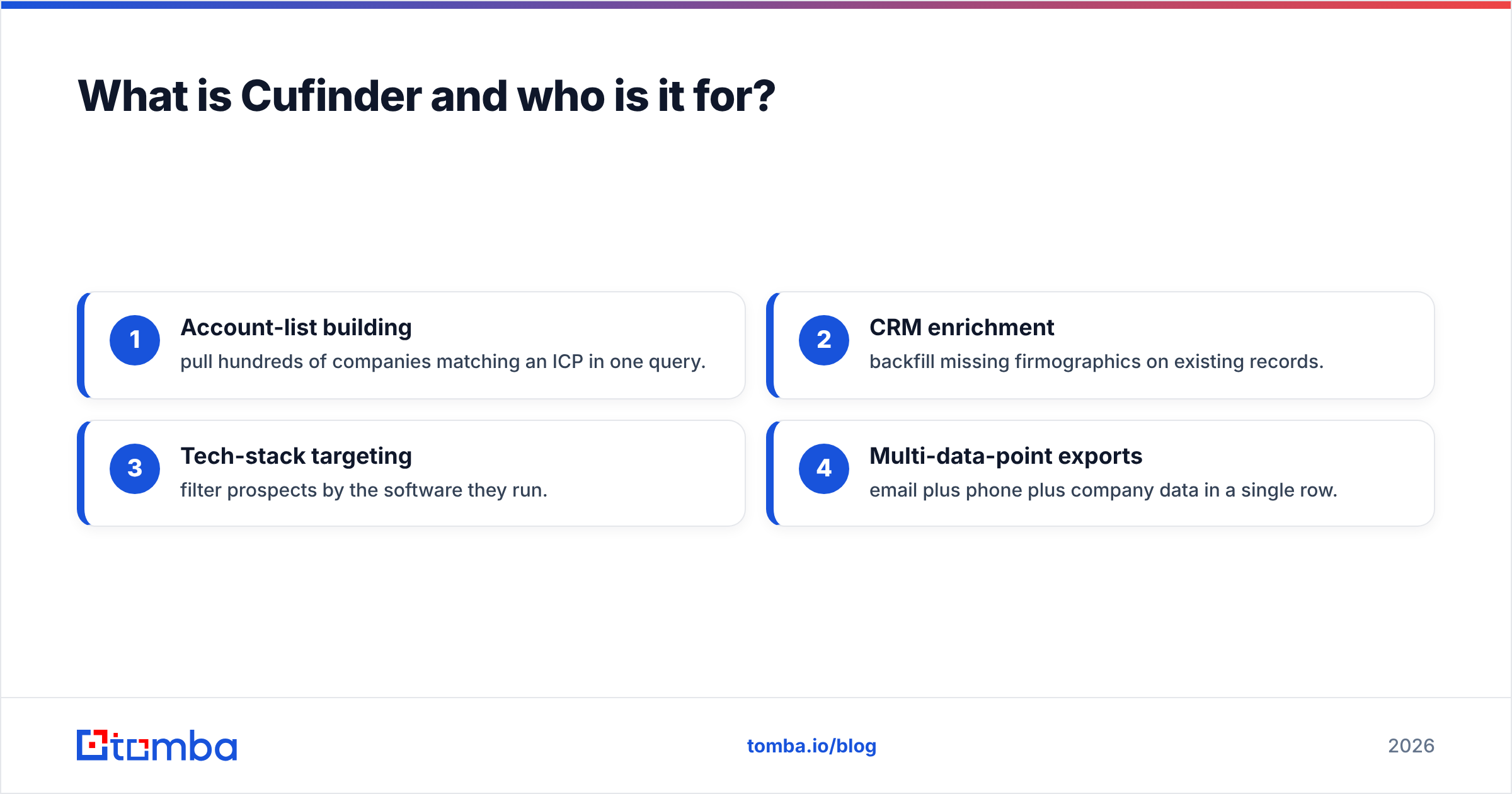
- Account-list building — pull hundreds of companies matching an ICP in one query.
- CRM enrichment — backfill missing firmographics on existing records.
- Tech-stack targeting — filter prospects by the software they run.
- Multi-data-point exports — email plus phone plus company data in a single row.
What is LeadLeaper and who is it for?#
LeadLeaper takes the opposite approach: do one thing, on one surface, fast. It's a browser extension that sits on top of LinkedIn. You open a profile or a search result, click, and LeadLeaper attempts to surface that person's business email and add them to a list you can export or push to your outreach tool.
For a solo SDR or founder living inside LinkedIn Sales Navigator all day, that workflow is genuinely convenient. There's no separate dashboard to learn and no CSV round-trip for one-off lookups. The monthly free credits also make it an easy tool to start with before committing budget.
The limits show up at scale. LeadLeaper is built for profile-by-profile capture, not large bulk jobs, and its verification is thin—you often get a "best guess" address with no confidence signal. If your list-building lives outside LinkedIn, or you need to process thousands of rows, the extension model becomes a bottleneck rather than a shortcut.

Cufinder vs LeadLeaper: the head-to-head comparison#
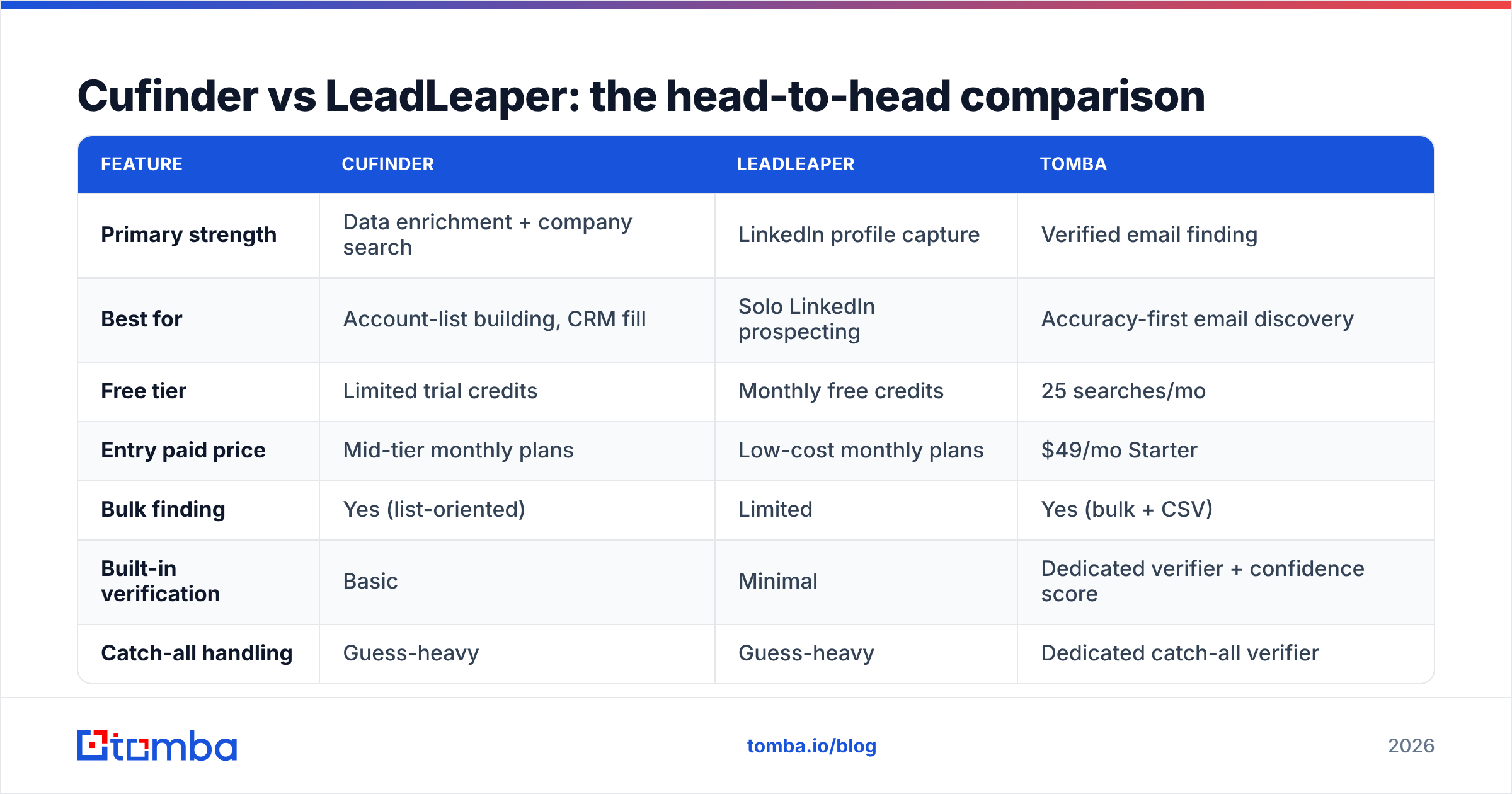
Here's the direct comparison on the attributes that actually change your reply rate and your bill. Pricing reflects publicly listed entry tiers at the time of writing; confirm current numbers on each vendor's site before you buy.
| Feature | Cufinder | LeadLeaper | Tomba |
|---|---|---|---|
| Primary strength | Data enrichment + company search | LinkedIn profile capture | Verified email finding |
| Best for | Account-list building, CRM fill | Solo LinkedIn prospecting | Accuracy-first email discovery |
| Free tier | Limited trial credits | Monthly free credits | 25 searches/mo |
| Entry paid price | Mid-tier monthly plans | Low-cost monthly plans | $49/mo Starter |
| Bulk finding | Yes (list-oriented) | Limited | Yes (bulk + CSV) |
| Built-in verification | Basic | Minimal | Dedicated verifier + confidence score |
| Catch-all handling | Guess-heavy | Guess-heavy | Dedicated catch-all verifier |
| API access | Yes | Limited | Full REST API |
| Chrome extension | Yes | Yes (core product) | Yes |
The pattern is clear once you read across the row: Cufinder wins on data breadth, LeadLeaper wins on in-browser speed, and both leave a gap on verification and accuracy—the part that decides whether your campaign inboxes or bounces.
Is Cufinder or LeadLeaper more accurate?#
Accuracy is where the marketing gets vague and the results get expensive. Neither Cufinder nor LeadLeaper publishes independently audited bounce rates, and both rely heavily on pattern-guessing for addresses they can't confirm from a real source. That's not unusual—most tools do some of this—but it matters because an unverified "guessed" email that bounces damages your sender reputation and pulls down email deliverability for every future send from that domain.

The hidden cost is catch-all domains. When a company accepts every address at its domain, a guessing tool will happily report firstname@company.com as "found" because the server doesn't reject it—even when no such mailbox exists. Without a real catch-all verifier in the loop, both Cufinder and LeadLeaper can inflate their apparent hit rate while quietly feeding you addresses that never reach a human.

Practical way to test this yourself before committing:
- Pull the same 50 contacts through each tool.
- Verify the output independently with a standalone email verifier.
- Compare valid vs catch-all vs invalid counts, not just "emails returned."
- Watch the bounce rate on a small real send, since that's the only number that pays your bills.
Most teams that run this test are surprised by how much the "found" number shrinks once catch-all guesses are stripped out.
How do Cufinder and LeadLeaper pricing compare?#
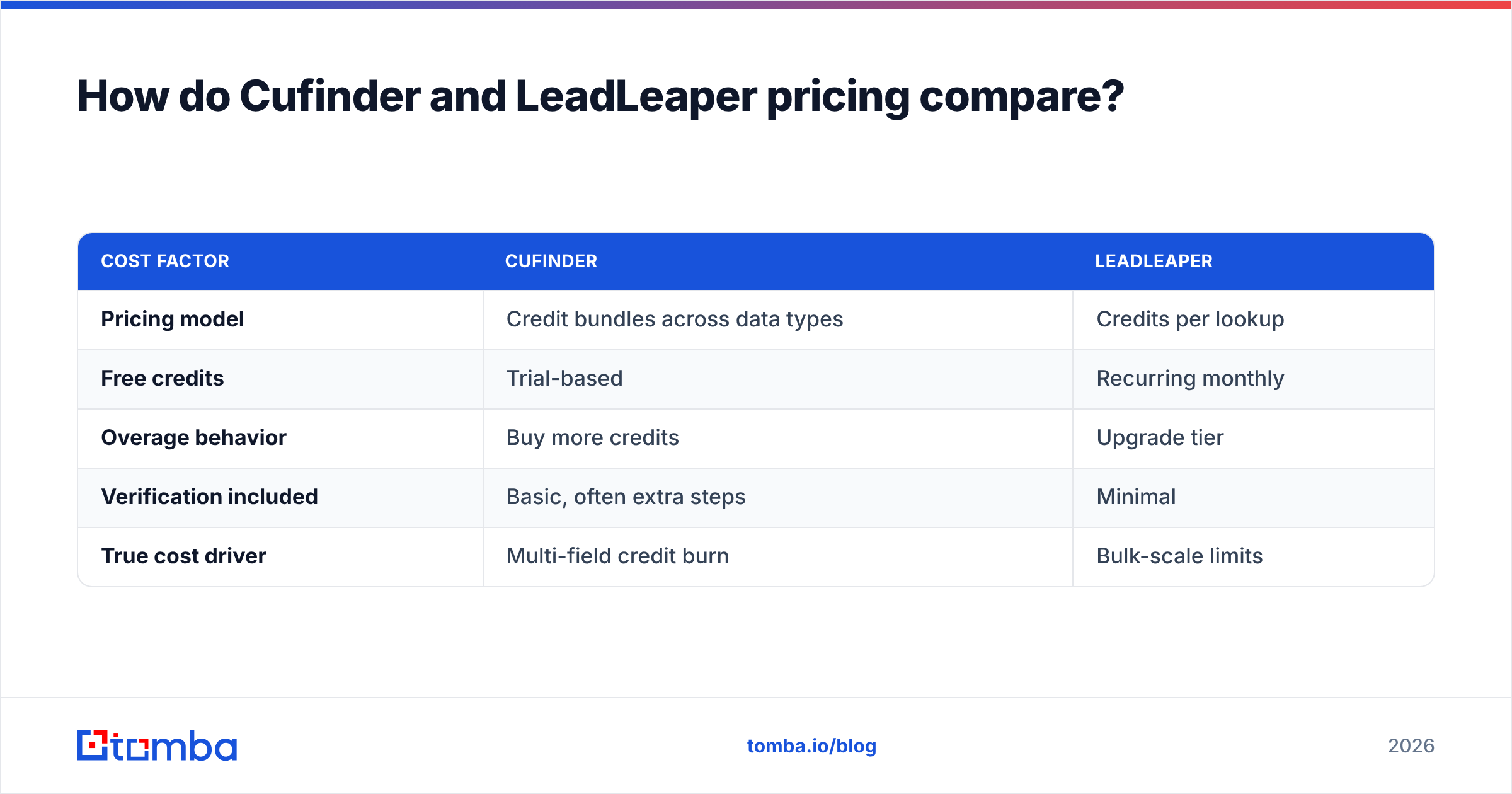
Headline prices are misleading because a "credit" means different things in each tool. In LeadLeaper, a credit is roughly one email lookup. In Cufinder, credits can be consumed across email, phone, and enrichment fields, so a single enriched record may burn several credits. Comparing sticker prices without normalizing to cost per verified email is how teams end up over-paying.
| Cost factor | Cufinder | LeadLeaper |
|---|---|---|
| Pricing model | Credit bundles across data types | Credits per lookup |
| Free credits | Trial-based | Recurring monthly |
| Overage behavior | Buy more credits | Upgrade tier |
| Verification included | Basic, often extra steps | Minimal |
| True cost driver | Multi-field credit burn | Bulk-scale limits |
A cleaner way to budget: decide your monthly volume of verified emails, then divide each plan's price by the number of emails that survive independent verification. On that math, a tool priced at $49/mo that returns mostly valid addresses can be cheaper per usable contact than a "$29" tool that returns a pile of catch-all guesses. You can sanity-check the numbers against transparent Tomba pricing as a reference point.
Where do both tools fall short—and what's the alternative?#
Both Cufinder and LeadLeaper are competent at their core jobs. The gap they share is the same one: accuracy is a byproduct, not the product. Cufinder is optimized for breadth of data, LeadLeaper for speed inside LinkedIn. Neither is built from the ground up around returning a verified, deliverable email with a confidence score attached.
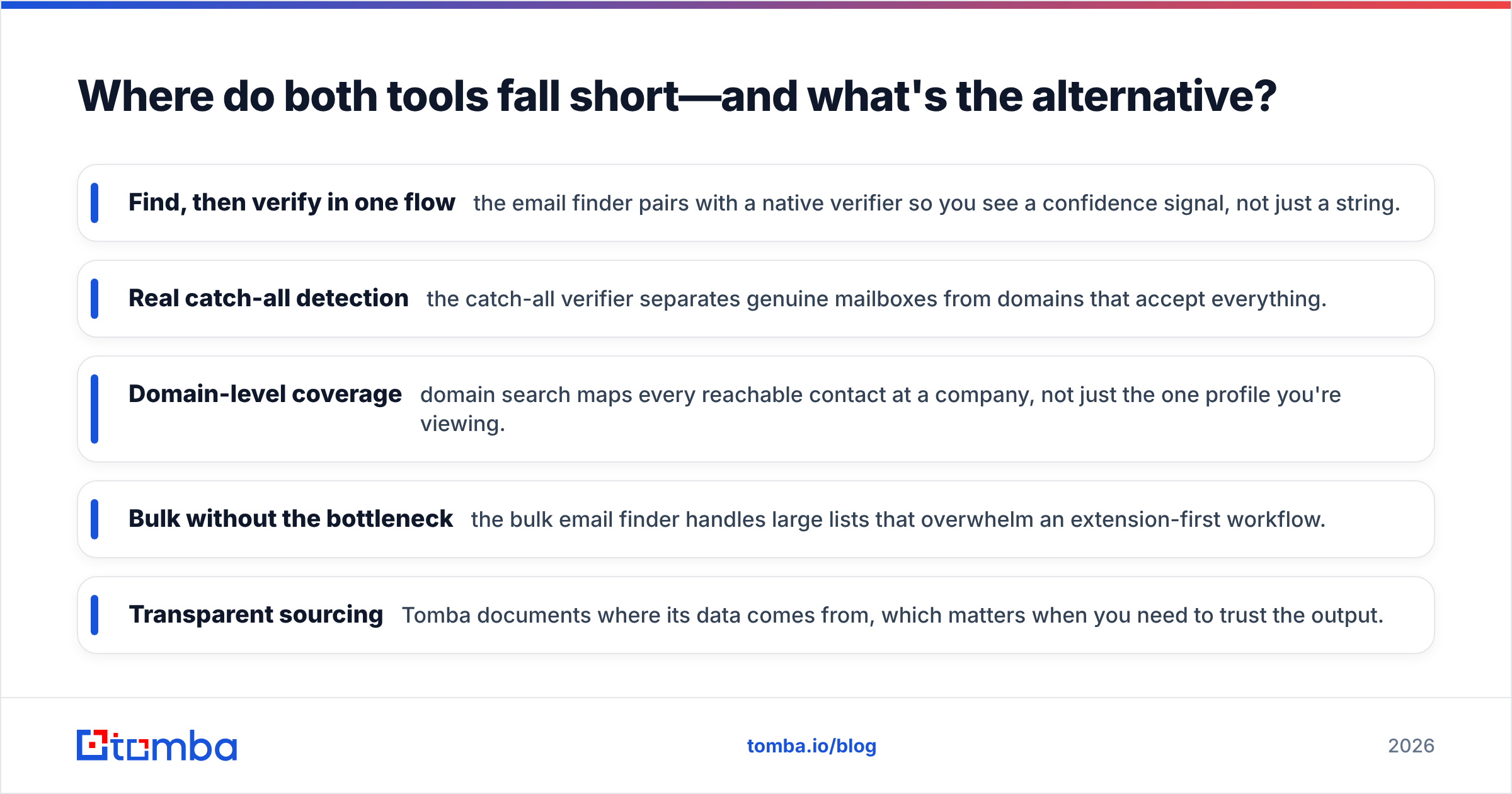
That's the case for evaluating a dedicated email-finding platform alongside them. Tomba was built around the finding-and-verifying loop rather than bolting verification on afterward:
- Find, then verify in one flow — the email finder pairs with a native verifier so you see a confidence signal, not just a string.
- Real catch-all detection — the catch-all verifier separates genuine mailboxes from domains that accept everything.
- Domain-level coverage — domain search maps every reachable contact at a company, not just the one profile you're viewing.
- Bulk without the bottleneck — the bulk email finder handles large lists that overwhelm an extension-first workflow.
- Transparent sourcing — Tomba documents where its data comes from, which matters when you need to trust the output.
This isn't to say Cufinder and LeadLeaper have no place. If you live in LinkedIn and need occasional one-off grabs, LeadLeaper is frictionless. If you're building broad account lists with firmographics, Cufinder's database earns its keep. But if the metric you're judged on is reply rate—and reply rate starts with emails that actually deliver—accuracy has to be the first filter, not the last.

Which should you choose: Cufinder, LeadLeaper, or Tomba?#
Match the tool to the job rather than the hype:
- Choose LeadLeaper if you're a solo prospector working almost entirely inside LinkedIn and you value in-browser speed over bulk scale or verification depth.
- Choose Cufinder if your main need is account-list building and CRM enrichment with firmographics, phone data, and tech-stack filters in one export.
- Choose Tomba if verified-email accuracy and low bounce rates are the priority, especially for bulk finding, API workflows, or catch-all-heavy target markets.
The honest verdict: there's no single winner for every team, but there is a single most-important test. Run the 50-contact accuracy check across all three before you commit budget. The tool that returns the most verified emails—not the most emails—is the one that will quietly make every downstream campaign perform better.
For a deeper look at how vendors compare on independent data, browse the reviews on G2 and cross-check each tool's own docs before deciding.
Start with accuracy, not guesswork#
If your outreach depends on emails that actually reach a human, start where the results start: a finder built around verification. The Tomba Email Finder returns professional addresses by name, domain, or company with a confidence score attached—and the free tier gives you 25 searches a month to run your own head-to-head test against Cufinder and LeadLeaper. Verify a sample, compare the bounce rates, and let the numbers pick your winner.
Related guides#
Ready to find emails that actually work?
Join 150,000+ professionals who stopped guessing and started sending. Free credits on signup — no credit card required.
Get the Tomba newsletter
Practical outbound tactics and product updates — once every two weeks.
About the author