Cufinder vs Nymeria (2026): Which B2B Data Tool Wins?
Cufinder vs Nymeria compared on accuracy, pricing, enrichment, and API depth for 2026 — plus where a leaner email finder beats both on cost per verified contact.
Cufinder vs Nymeria (2026): Which B2B Data Tool Wins?
Picking between Cufinder and Nymeria comes down to one question most comparison pages dodge: which one puts more verified, deliverable contacts into your sequences per dollar? Both promise emails, phone numbers, and enrichment. But they solve slightly different problems, and neither is automatically the right call for your team.
This is a neutral breakdown — no vendor spin. We compare accuracy, pricing, data coverage, API depth, and real workflow fit, then show where a focused email finder like Tomba undercuts both on cost per usable contact.
TL;DR: Cufinder vs Nymeria at a glance#
- Cufinder leans toward company-level enrichment and a large B2B database with 20+ lookup APIs — strong if you enrich accounts in bulk and live in a CRM.
- Nymeria is built around a LinkedIn/browser workflow — great for reps who prospect one profile at a time and want emails plus social data inline.
- Accuracy is close on verified corporate emails; both degrade on catch-all domains, which is where a dedicated email verifier matters.
- Pricing favors Nymeria for solo prospectors and Cufinder for bulk enrichment — but per-verified-contact cost often beats both when you split finding and verifying across tools.
- The pragmatic pick: match the tool to your motion. Account-based enrichment → Cufinder. Rep-led LinkedIn sourcing → Nymeria. High-volume, deliverability-first outbound → a lean finder + verifier stack.
What is Cufinder, and who is it for?#
Cufinder is a B2B data platform that started as a company and email lookup engine and expanded into a suite of enrichment APIs — company-to-domain, domain-to-email, company-to-LinkedIn, phone lookup, and more. Its selling point is breadth: you feed it one identifier (a company name, a domain, a person) and it returns a stacked profile.
That makes Cufinder a fit for revenue operations and account-based teams who enrich thousands of rows at a time. If you already have a list of target companies and need to fill in firmographics, contacts, and technographics, Cufinder's API-first design does the heavy lifting. It's less about hunting a single person and more about batch-enriching a whole territory.
The tradeoff: breadth can mean shallower verification on any single field. When you enrich at scale, you inherit whatever confidence level the underlying source carried — so pairing it with independent email verification is wise before you send.
What is Nymeria, and who is it for?#
Nymeria is a contact-enrichment tool best known for its browser extension that surfaces emails and phone numbers while you browse LinkedIn and other profiles. It also offers bulk enrichment and an API, but its center of gravity is the rep-in-the-flow experience: see a prospect, click, get contact data.
That design wins for individual sellers and recruiters who source contacts profile-by-profile. Nymeria attaches personal and work emails plus social handles, which is handy for multichannel outreach. If your team lives in LinkedIn all day, the extension removes a copy-paste step from every prospecting session.
The tradeoff mirrors Cufinder's in reverse: Nymeria is excellent one contact at a time but can get expensive and slower when you need ten thousand enriched rows overnight. And, like every provider, it struggles with catch-all domains where no SMTP signal confirms the mailbox.

How accurate are Cufinder and Nymeria in 2026?#
Accuracy is the metric that actually decides your bounce rate — and it's where marketing claims get slippery. Every vendor quotes a headline "95%+" number, but that figure usually reflects pattern-matched emails, not SMTP-verified ones. The real question is what percentage of the emails a tool returns actually accept mail.

In practice, on standard corporate domains (a company running its own mail server that answers SMTP probes), Cufinder and Nymeria both land in a similar, respectable range. The gap opens on two fronts:
- Catch-all domains. When a domain accepts every address, no provider can confirm a specific mailbox by SMTP alone. Tools that guess here inflate their "found" numbers and hand you bounces. A dedicated catch-all verifier that layers pattern confidence, historical signals, and enrichment does better than a single SMTP check.
- Personal vs work emails. Nymeria often returns personal addresses too. Great for reach, risky for compliance and deliverability if you send cold B2B offers to a Gmail inbox.
The honest takeaway: treat any single tool's "found" count as a starting list, not a send list. Run the output through independent verification before it touches your sending domain. That one habit protects your sender reputation more than switching between Cufinder and Nymeria ever will.
Cufinder vs Nymeria vs Tomba: feature and pricing comparison#
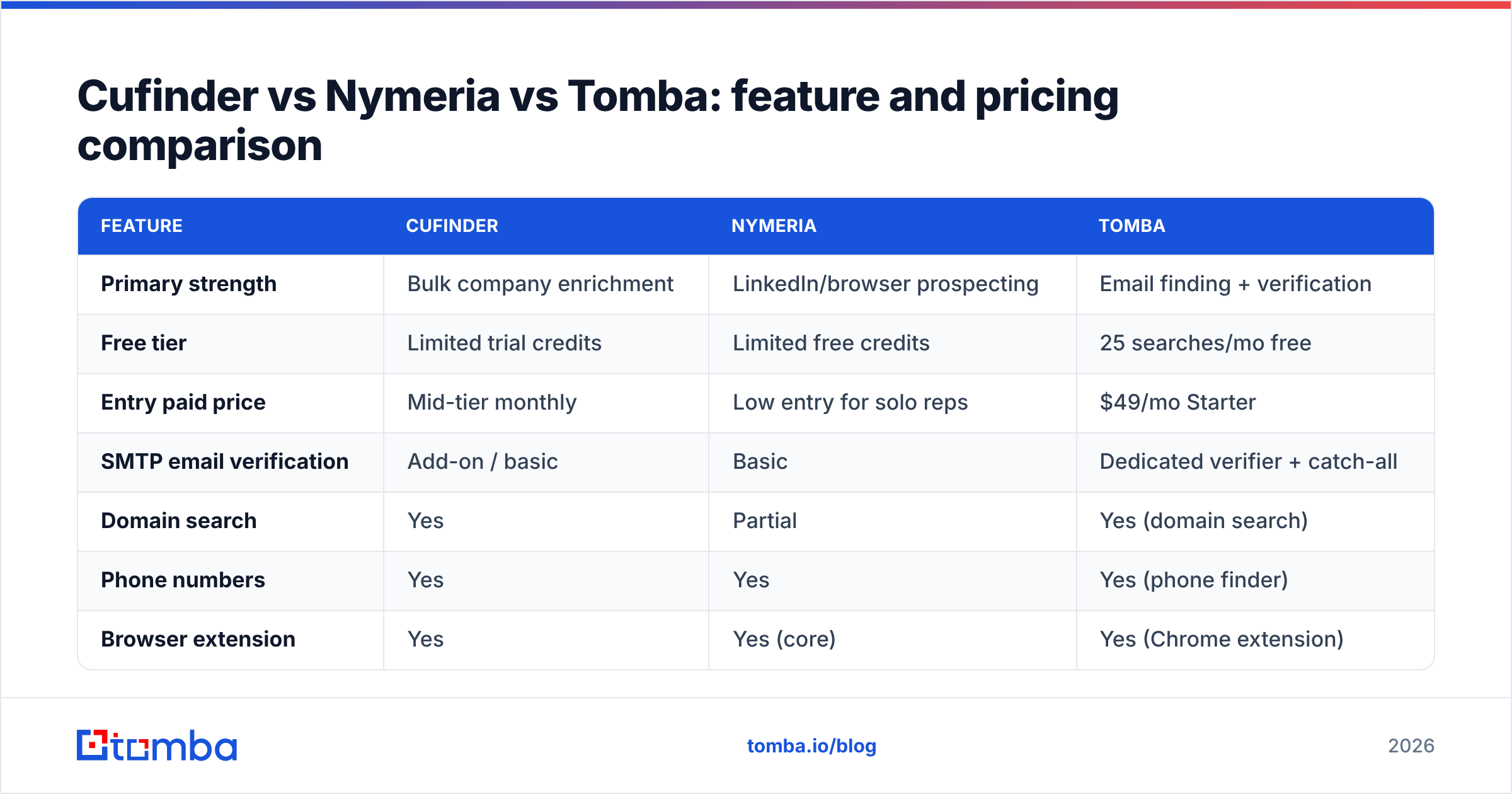
Here's the head-to-head on the attributes that change your results. Pricing reflects publicly listed entry tiers as of 2026; always confirm current numbers on each vendor's site, since plans shift.

| Feature | Cufinder | Nymeria | Tomba |
|---|---|---|---|
| Primary strength | Bulk company enrichment | LinkedIn/browser prospecting | Email finding + verification |
| Free tier | Limited trial credits | Limited free credits | 25 searches/mo free |
| Entry paid price | Mid-tier monthly | Low entry for solo reps | $49/mo Starter |
| SMTP email verification | Add-on / basic | Basic | Dedicated verifier + catch-all |
| Domain search | Yes | Partial | Yes (domain search) |
| Phone numbers | Yes | Yes | Yes (phone finder) |
| Browser extension | Yes | Yes (core) | Yes (Chrome extension) |
| API + integrations | 20+ lookup APIs | REST API | Email finder API, Sheets, HubSpot, Salesforce |
| Best fit | RevOps / ABM enrichment | Individual sellers, recruiters | Deliverability-first outbound teams |
A few things to read out of that table:
- Free tier for evaluation. Tomba's 25 free searches per month let you benchmark accuracy on your domains before paying — the only honest way to compare vendors. Run the same 50 target contacts through each tool and count verified hits.
- Verification is not an afterthought. Cufinder and Nymeria both find contacts well; neither leads with catch-all-grade verification. If your outbound depends on staying under a 2% bounce rate, that gap is the whole ballgame.
- Cost per verified contact is the number to compute — not cost per credit. A cheaper credit that returns an unverifiable catch-all costs you more than a slightly pricier verified hit.
Which tool fits your sales motion?#
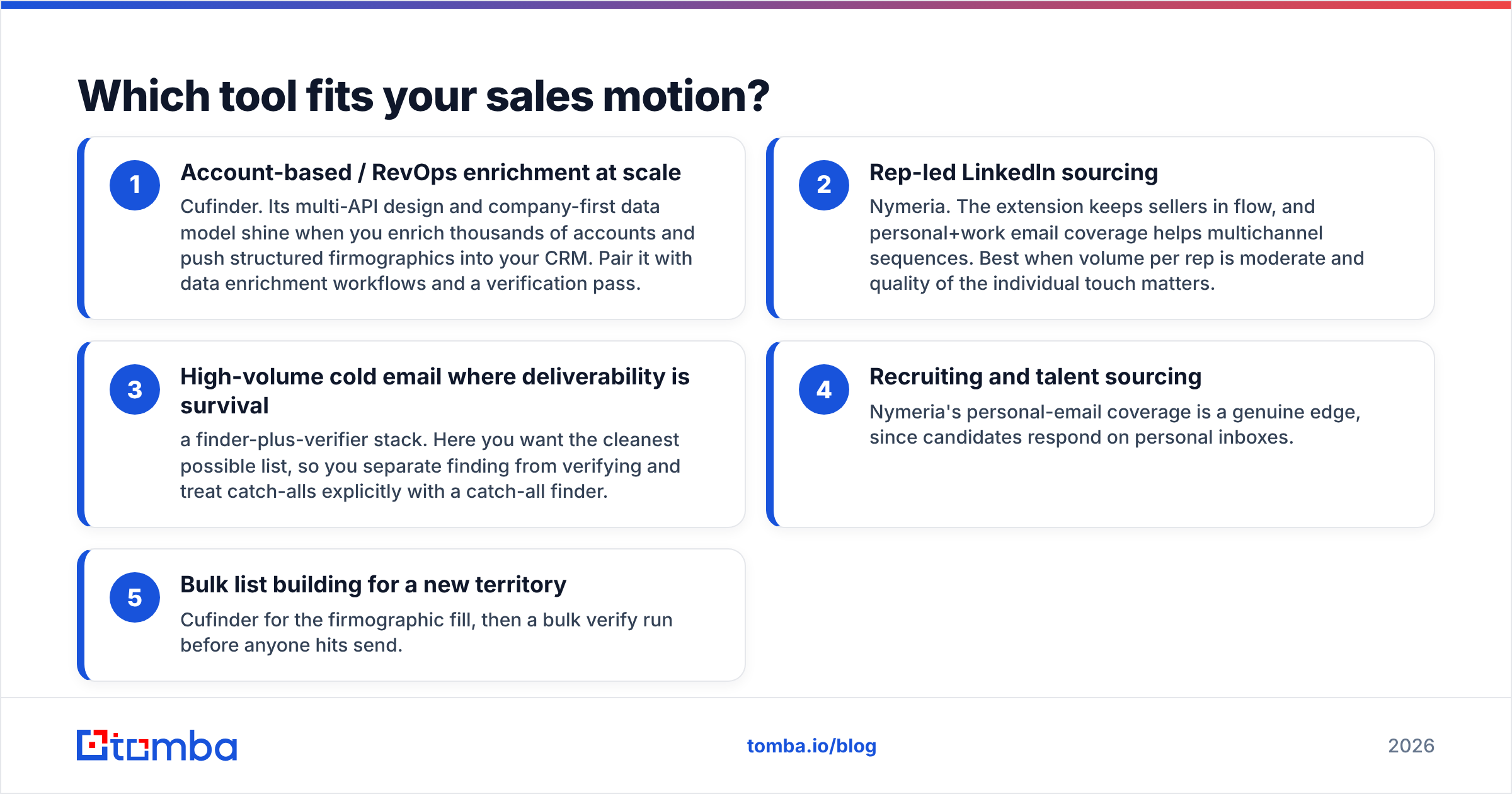
Instead of crowning one winner, map the tool to how your team actually prospects.
- Account-based / RevOps enrichment at scale — Cufinder. Its multi-API design and company-first data model shine when you enrich thousands of accounts and push structured firmographics into your CRM. Pair it with data enrichment workflows and a verification pass.
- Rep-led LinkedIn sourcing — Nymeria. The extension keeps sellers in flow, and personal+work email coverage helps multichannel sequences. Best when volume per rep is moderate and quality of the individual touch matters.
- High-volume cold email where deliverability is survival — a finder-plus-verifier stack. Here you want the cleanest possible list, so you separate finding from verifying and treat catch-alls explicitly with a catch-all finder.
- Recruiting and talent sourcing — Nymeria's personal-email coverage is a genuine edge, since candidates respond on personal inboxes.
- Bulk list building for a new territory — Cufinder for the firmographic fill, then a bulk verify run before anyone hits send.

Where does Tomba fit against Cufinder and Nymeria?#
Tomba is a focused email-finder and verification platform rather than an everything-suite — and for outbound teams, that focus is the point. Instead of paying for company graphs and technographics you may not use, you pay for finding real, deliverable emails and confirming them before you send.
Concretely, Tomba covers the same core jobs both competitors do:
- Find emails by name, company, or domain with the email finder, then confirm each with a dedicated email verifier that handles catch-all domains explicitly.
- Work where you already work — a Google Sheets add-on, HubSpot integration, Salesforce integration, and a documented email finder API for engineering-led pipelines.
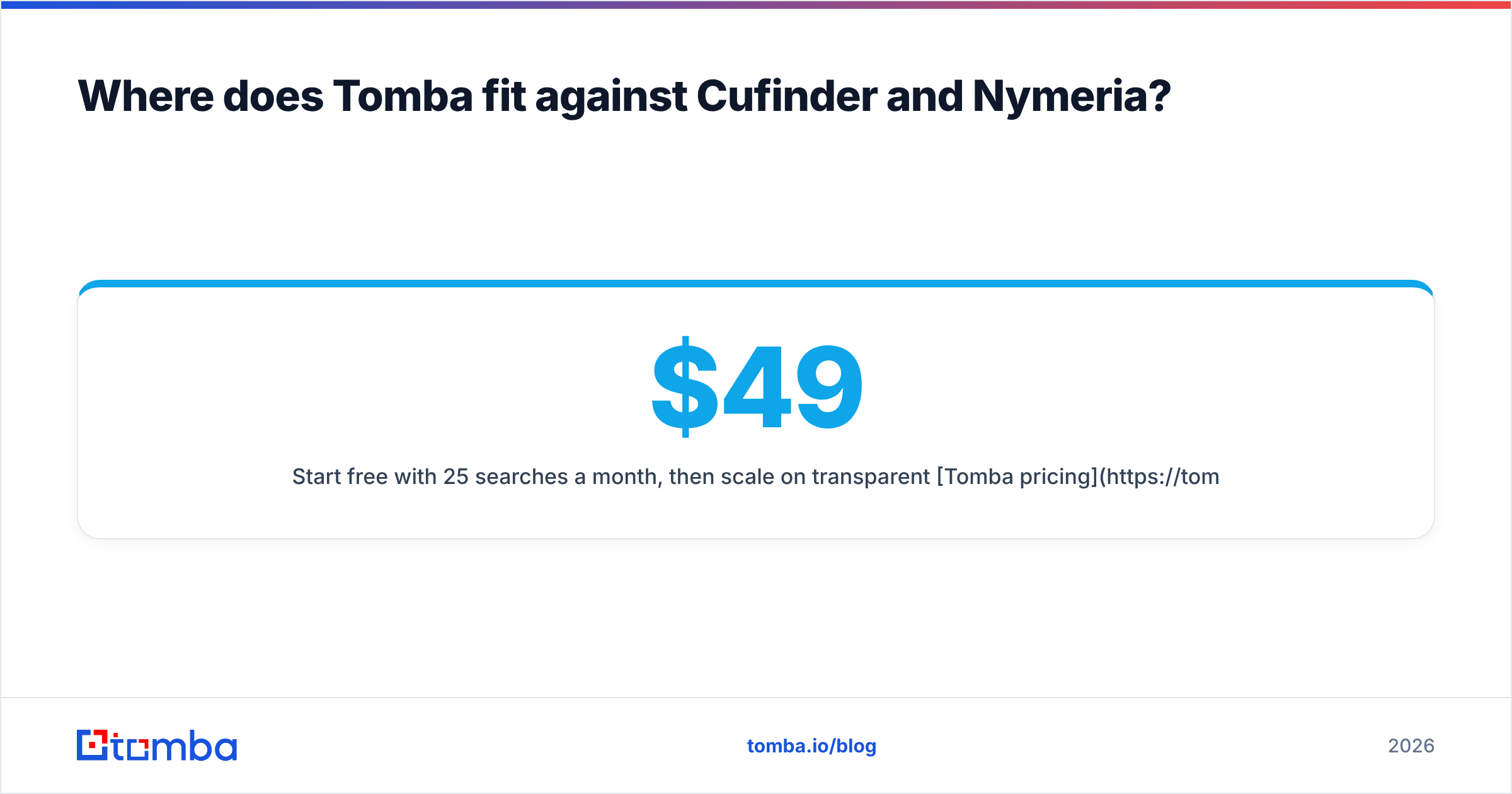
- Start free with 25 searches a month, then scale on transparent Tomba pricing: Starter at $49/mo, Growth at $99/mo, Pro at $249/mo, and custom Enterprise.
The deliverability angle is where a verification-first tool earns its keep. Independent sources like G2 and buyer guides on Capterra consistently show that bounce rate — not raw list size — is what wrecks cold campaigns, because mailbox providers read bounces as a spam signal. If you want the deeper mechanics, HubSpot's guidance on email deliverability is a solid neutral primer. The practical rule: a smaller verified list beats a larger unverified one every time.
Cufinder vs Nymeria: pros and cons#
| Pros | Cons | |
|---|---|---|
| Cufinder | Broad enrichment APIs, strong company data, good for bulk/ABM | Verification is lighter; can return lower-confidence fields at scale |
| Nymeria | Excellent LinkedIn/browser flow, personal+work emails, recruiter-friendly | Costlier at high volume; personal emails raise compliance care |
| Tomba | Verification-first, catch-all handling, free tier, transparent pricing | Focused on email/phone — not a full firmographic graph |
How to choose in 15 minutes#
Don't decide from feature lists — decide from a test on your own data.
- Pull 50 real target contacts from one segment you actually sell to.
- Run them through each tool's free or trial tier, including Tomba's 25 free searches.
- Verify every returned email with an independent email verifier so you're comparing deliverable hits, not raw finds.
- Count verified matches and divide by the credits spent — that's your true cost per usable contact.
- Weigh workflow fit: does the tool live where your reps already work? A great database no one opens loses to a decent one inside the CRM.
Whichever name tops your spreadsheet wins — and now it's your data saying so, not a landing page.
The bottom line#
Cufinder wins for bulk, company-first enrichment; Nymeria wins for rep-led LinkedIn sourcing with strong personal-email coverage. Both are legitimate tools, and the "best" one depends entirely on your motion. But if your outbound lives or dies on deliverability, the deciding factor isn't which suite has more APIs — it's how many verified contacts land in your sequences per dollar.
That's where a focused stack pulls ahead. Start with the Tomba Email Finder and its built-in verification, use the free 25 searches to benchmark it head-to-head against Cufinder and Nymeria on your own list, and let cost-per-verified-contact make the call. Clean data in, replies out — that's the only comparison your pipeline cares about.
Related guides#
Ready to find emails that actually work?
Join 150,000+ professionals who stopped guessing and started sending. Free credits on signup — no credit card required.
Get the Tomba newsletter
Practical outbound tactics and product updates — once every two weeks.
About the author