Cufinder vs Pubrio (2026): Which B2B Data Tool Wins?
Cufinder and Pubrio both promise accurate B2B emails and enrichment, but they win at different jobs. Here's an honest breakdown of accuracy, pricing, and data coverage—plus a cheaper pick.
Choosing between Cufinder and Pubrio comes down to one question: do you need a broad enrichment engine, or clean, verified emails you can actually send to? Both tools live in the same B2B data category, both sell "millions of contacts," and both will happily quote you a credit-based plan. But they solve slightly different problems, and picking the wrong one means burning credits on bounces or paying for firmographic data you never touch.
This is a neutral, hands-on comparison for revenue teams, founders, and SDRs who want the real trade-offs before committing budget.
TL;DR — Cufinder vs Pubrio at a glance#
- Cufinder is a wide B2B database and enrichment API. Strong for company-level firmographics, technographics, and bulk list building; email accuracy is decent but variable across regions.
- Pubrio is a leaner lead-intelligence and email-finding tool with a cleaner UX and AI-assisted prospecting; smaller database but competitive verification on the contacts it does return.
- Pricing is credit-based on both sides, and both get expensive fast at scale. Neither publishes a truly generous free tier.
- Accuracy is the deciding factor. If you send cold email, verified deliverability matters more than raw database size—and that's where a purpose-built email finder plus a real email verifier beats a "we have everything" platform.
- Best value pick: if your core need is finding and verifying professional emails, a focused tool like Tomba covers the same job at a lower entry price ($49/mo) with a documented verification step.

What is Cufinder and who is it for?#
Cufinder positions itself as an all-in-one B2B data platform: an email and phone finder, a company database, an enrichment API, and a set of list-building tools. Its pitch is breadth—you search by company, industry, tech stack, or location and pull back contacts and firmographics in bulk.
That breadth is the appeal for RevOps and demand-gen teams who need to enrich existing records or build target-account lists at volume. The enrichment API is the strongest part of the product: feed it a domain or a company name and get back size, industry, location, and technographic signals.
The weakness is the same as most wide-net databases: coverage and freshness vary by region and seniority. You'll get strong hits on US mid-market companies and thinner, staler data on EMEA SMBs or niche roles. And because everything is credit-metered, exploratory searches quietly eat your allowance.
What is Pubrio and who is it for?#
Pubrio is a newer B2B lead-intelligence tool built around a cleaner prospecting workflow. It combines an email finder, contact database, and AI features that help you build and score lists faster. The interface is more modern than Cufinder's, and the learning curve is shorter for a solo founder or a small SDR team.
Pubrio's database is smaller than the biggest players, which cuts both ways. You'll occasionally come up empty on obscure targets, but the contacts it does surface tend to be reasonably fresh, and its verification step filters out a lot of obvious junk before it hits your sequence.
Pubrio is a good fit for early-stage outbound teams who value speed and a tidy UX over exhaustive coverage, and who don't want to wire up an API to get value on day one.
Cufinder vs Pubrio: the core comparison#
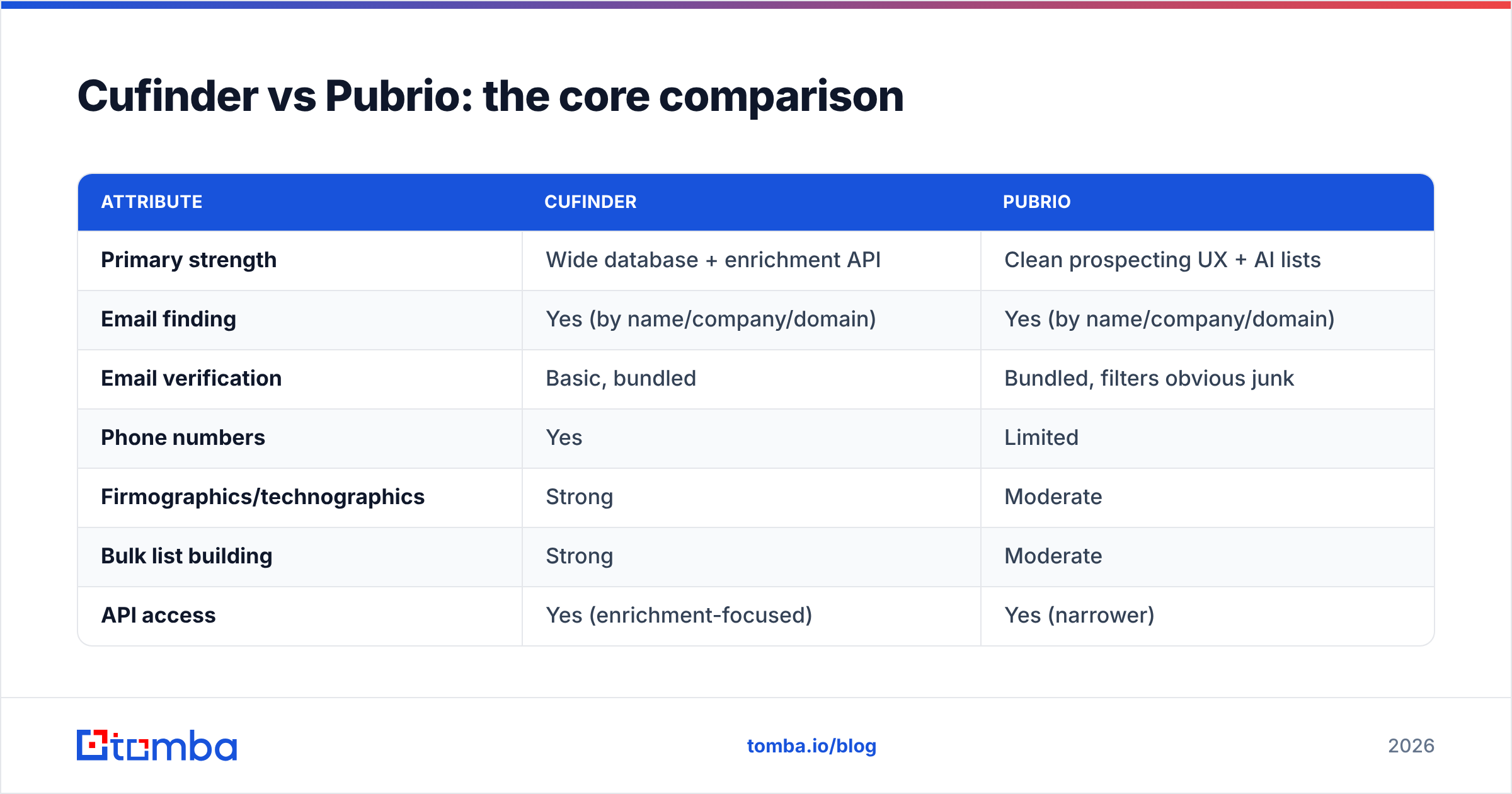
Here's how the two stack up on the attributes that actually change your results. Treat exact prices as directional—both vendors adjust tiers and credit definitions often, so confirm on their own pricing pages before you buy.
| Attribute | Cufinder | Pubrio |
|---|---|---|
| Primary strength | Wide database + enrichment API | Clean prospecting UX + AI lists |
| Email finding | Yes (by name/company/domain) | Yes (by name/company/domain) |
| Email verification | Basic, bundled | Bundled, filters obvious junk |
| Phone numbers | Yes | Limited |
| Firmographics/technographics | Strong | Moderate |
| Bulk list building | Strong | Moderate |
| API access | Yes (enrichment-focused) | Yes (narrower) |
| Free tier | Small, credit-limited | Small, credit-limited |
| Best for | RevOps enrichment at scale | Lean SDR prospecting |
| Learning curve | Moderate–steep | Gentle |
The pattern is clear: Cufinder wins on breadth and enrichment; Pubrio wins on simplicity and workflow. Neither is built primarily as a deliverability tool, which is the gap most cold-email teams feel after the first campaign.
Is Cufinder or Pubrio more accurate?#
Accuracy is where "which is better" stops being about features and starts being about your send reputation. A database with 200 million contacts is worthless if 20% of the emails bounce—bounces hammer your sender reputation and can push you into spam folders for weeks.
Independent accuracy varies by the exact list you pull, but a few reliable rules hold across both tools:
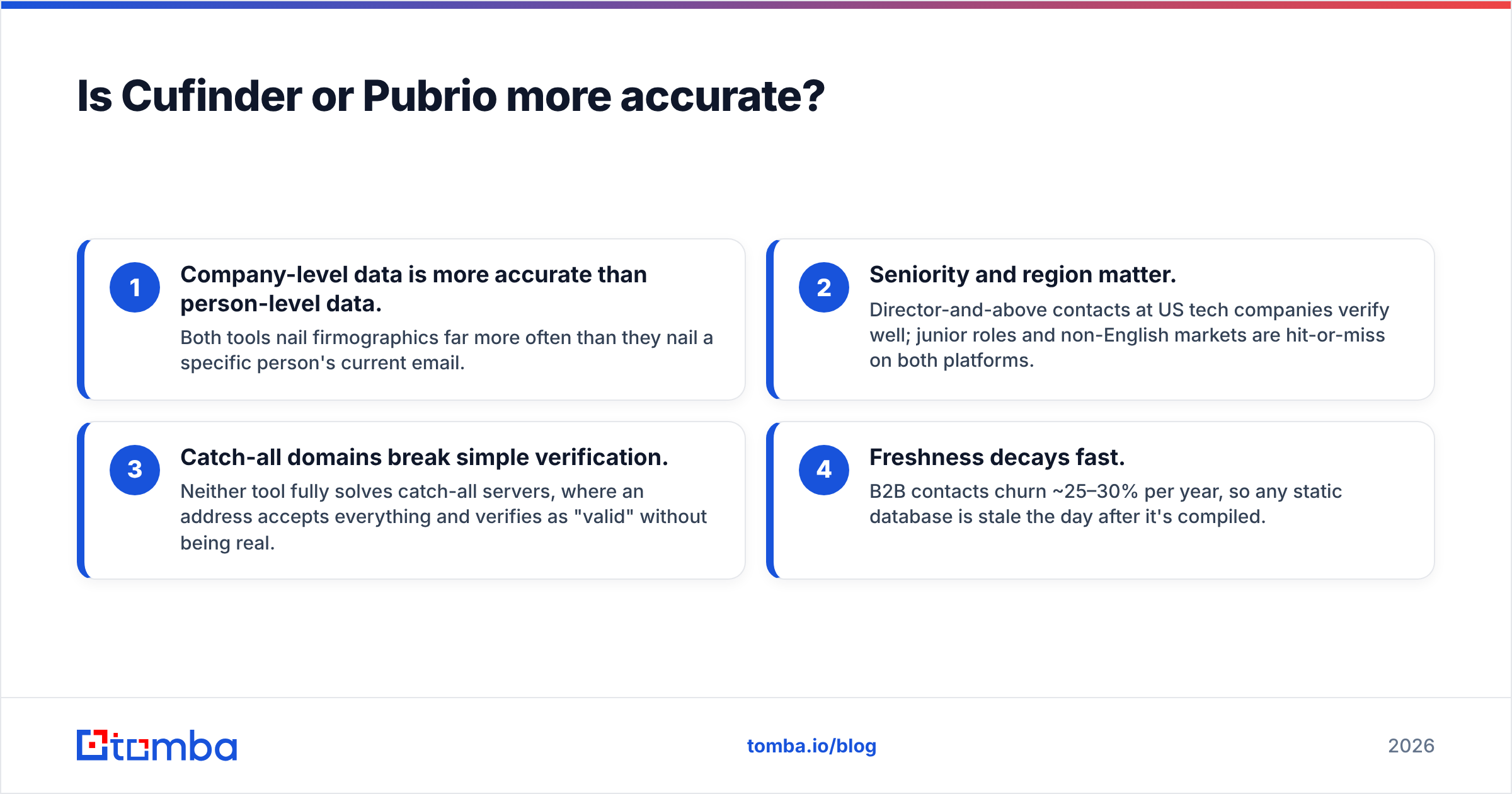
- Company-level data is more accurate than person-level data. Both tools nail firmographics far more often than they nail a specific person's current email.
- Seniority and region matter. Director-and-above contacts at US tech companies verify well; junior roles and non-English markets are hit-or-miss on both platforms.
- Catch-all domains break simple verification. Neither tool fully solves catch-all servers, where an address accepts everything and verifies as "valid" without being real.
- Freshness decays fast. B2B contacts churn ~25–30% per year, so any static database is stale the day after it's compiled.

This is the practical takeaway: if deliverability is your priority, don't rely on the database's bundled "verified" flag alone. Run every list through a dedicated verification pass. That's why teams often pair a finder with a standalone catch-all verifier before loading a sequence—it's the single cheapest way to protect your domain.

How do Cufinder and Pubrio price compare?#
Both use credit-based pricing, which sounds flexible and usually isn't. A "credit" can mean a search, a verified email, an enrichment call, or a phone reveal depending on the action—so two plans with identical credit counts can deliver wildly different real output.
Watch for these cost traps on either platform:
- Search credits vs result credits. Getting charged for a search that returns nothing is the fastest way to blow a monthly allowance.
- Verification counted separately. If verification isn't bundled, your effective cost per usable email can double.
- Annual lock-in for the good rate. The advertised per-credit price often assumes annual prepay; monthly is meaningfully higher.
- Enrichment API metering. High-volume enrichment can dwarf your email-finding spend if you're not watching call counts.
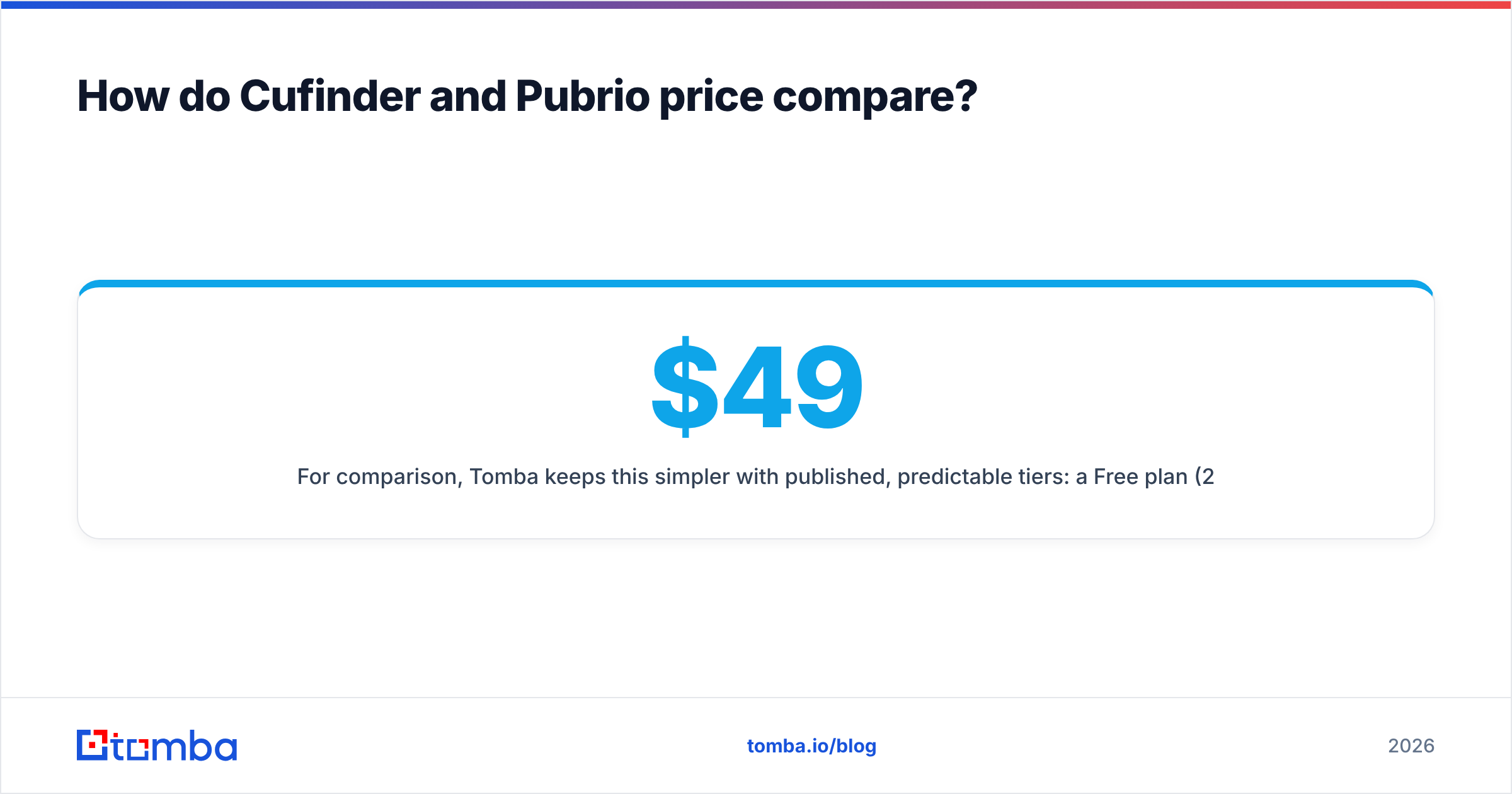
For comparison, Tomba keeps this simpler with published, predictable tiers: a Free plan (25 searches/mo), Starter at $49/mo, Growth at $99/mo, and Pro at $249/mo, with searches and verifications defined transparently. You can see the full breakdown on the Tomba pricing page. The point isn't that cheaper always wins—it's that you should be able to predict your cost per usable email before you commit.
When should you pick a focused email finder instead?#
Pick a focused tool when your actual job is "get verified, sendable B2B emails," not "explore a data lake." A lot of teams over-buy a wide platform, use 10% of it, and still struggle with bounce rates because verification was an afterthought.
A focused stack looks like this:
- Find emails by domain, name, or company with a dedicated finder.
- Verify every address—including catch-all domains—before it enters a sequence.
- Enrich only the records that matter, rather than paying to enrich everything.
- Export in bulk to your CRM or sequencer without per-seat friction.
Tomba is built around exactly that flow. Its domain search pulls the email pattern and known contacts for any company, data enrichment fills the gaps on records you care about, and the bulk email finder handles list-scale jobs. Because verification is a first-class step—not a bundled checkbox—you get a cleaner list going into your sequencer.
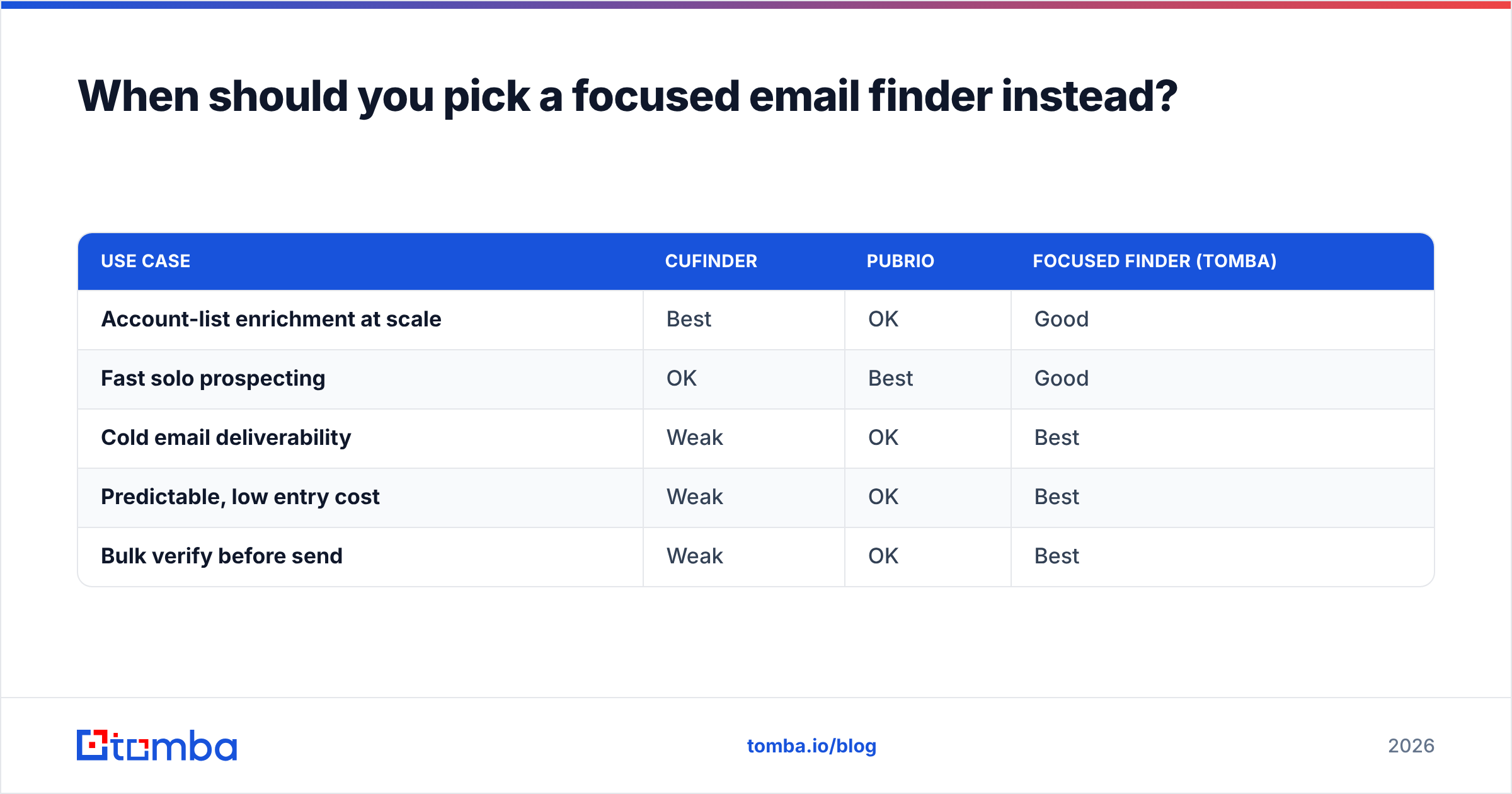
Here's how the three approaches map to real use cases:
| Use case | Cufinder | Pubrio | Focused finder (Tomba) |
|---|---|---|---|
| Account-list enrichment at scale | Best | OK | Good |
| Fast solo prospecting | OK | Best | Good |
| Cold email deliverability | Weak | OK | Best |
| Predictable, low entry cost | Weak | OK | Best |
| Bulk verify before send | Weak | OK | Best |
Cufinder vs Pubrio: which should you choose?#
Choose Cufinder if you're a RevOps or demand-gen team that needs firmographics, technographics, and bulk enrichment through an API, and you have someone to manage credit usage. Its database breadth is the real reason to buy it.
Choose Pubrio if you're a small, fast-moving outbound team that wants a clean prospecting UX, AI-assisted lists, and reasonable data without an onboarding project. It's the friendlier of the two for a solo operator.
Choose a focused email finder if deliverability is the whole game—if bounces, spam placement, and cost-per-usable-email keep you up at night. In that case, a purpose-built finder with mandatory verification and transparent pricing will serve you better than either broad platform.
Do your own due diligence too: cross-check current reviews on G2 and the vendors' own sites (cufinder.io and pubrio.com) since features and credit definitions shift quarter to quarter.

The bottom line#
Cufinder and Pubrio are both legitimate tools that win at different jobs—Cufinder for breadth and enrichment, Pubrio for a lean, modern prospecting workflow. But if your real objective is landing in the inbox instead of the spam folder, the winning move isn't a bigger database. It's finding the right contacts and verifying them before you hit send.
That's what Tomba is built for. Start free with 25 searches a month, then scale on a plan you can actually predict—use the Tomba Email Finder to pull verified professional emails by domain, name, or company, run them through verification, and load a clean list into your sequencer. Better data in means fewer bounces, a healthier sender reputation, and more replies out.
Related guides#
Ready to find emails that actually work?
Join 150,000+ professionals who stopped guessing and started sending. Free credits on signup — no credit card required.
Get the Tomba newsletter
Practical outbound tactics and product updates — once every two weeks.
About the author