Cufinder vs Skrapp (2026): Which Email Finder Wins?
Cufinder vs Skrapp compared on accuracy, pricing, data coverage, and workflow fit for 2026—plus the email finder that quietly beats both on cost-per-valid-lead.
Choosing between Cufinder and Skrapp usually comes down to one question you can't answer from a pricing page: which one actually returns valid, deliverable emails for the accounts you're prospecting? Both promise B2B contact data. Both have loyal users. But they solve slightly different problems, and the wrong pick quietly burns budget on bounces.
This is a neutral, head-to-head breakdown—accuracy, pricing, data model, and workflow fit—so you can match the tool to your actual motion. And because "cheapest per valid lead" is the metric that matters, we'll show where a third option often undercuts both.
TL;DR: Cufinder vs Skrapp at a glance#
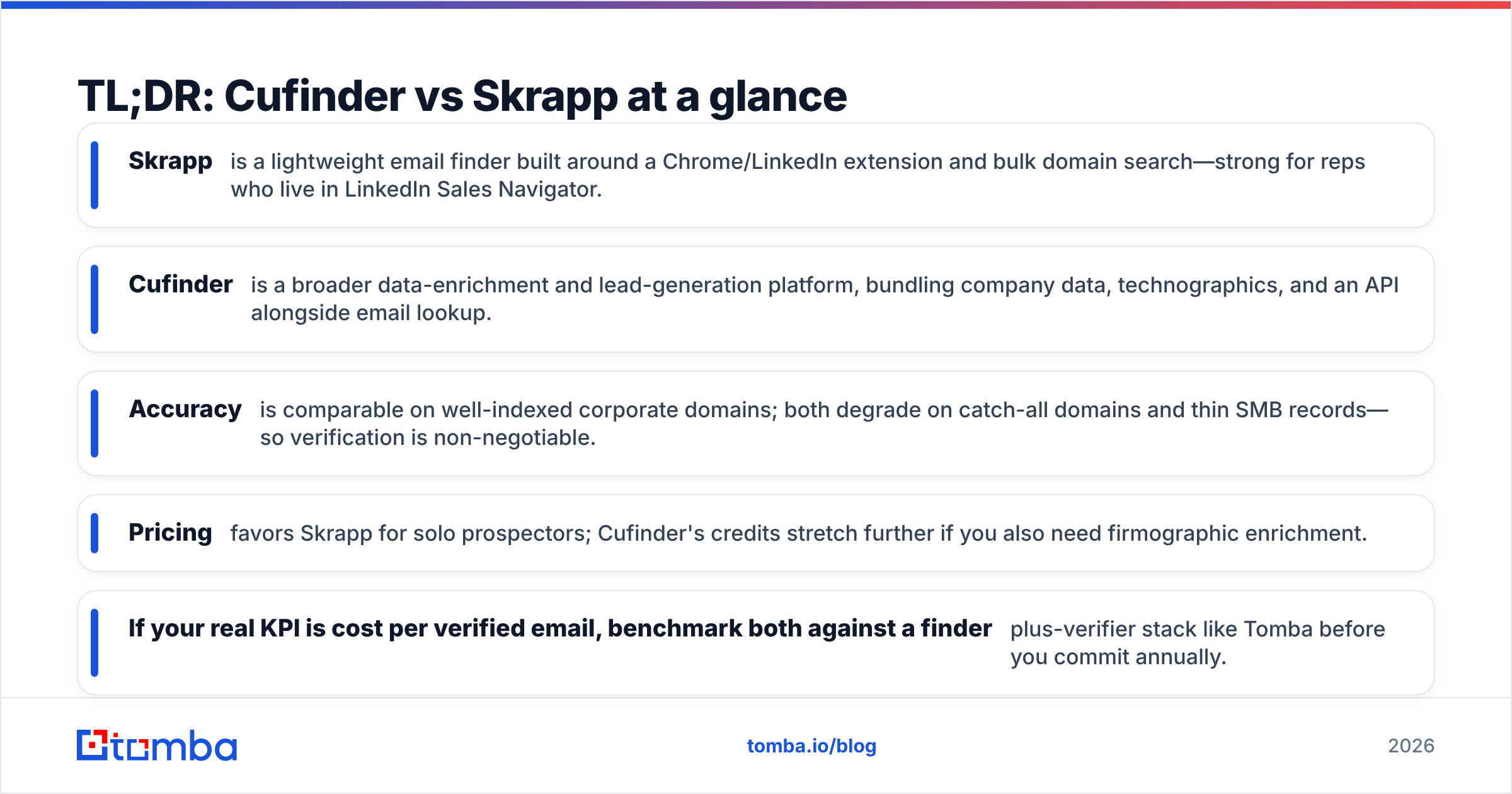
- Skrapp is a lightweight email finder built around a Chrome/LinkedIn extension and bulk domain search—strong for reps who live in LinkedIn Sales Navigator.
- Cufinder is a broader data-enrichment and lead-generation platform, bundling company data, technographics, and an API alongside email lookup.
- Accuracy is comparable on well-indexed corporate domains; both degrade on catch-all domains and thin SMB records—so verification is non-negotiable.
- Pricing favors Skrapp for solo prospectors; Cufinder's credits stretch further if you also need firmographic enrichment.
- If your real KPI is cost per verified email, benchmark both against a finder-plus-verifier stack like Tomba before you commit annually.

What is Cufinder, and who is it for?#
Cufinder positions itself as an all-in-one B2B lead-generation and enrichment engine, not just an email finder. You feed it a company name, domain, or LinkedIn URL, and it returns a bundle: emails, phone numbers, company size, industry, and technographic signals. That "one input, many fields" model is the pitch.
That makes Cufinder attractive to RevOps and growth teams who want to enrich a list, not just append an email. If you're building account lists and need firmographics to score them, having enrichment and email discovery in one tool cuts integration overhead. Its official site leans heavily on the enrichment-suite framing rather than pure email volume.
The trade-off: breadth can dilute depth. When a platform spreads across company data, contact data, and technographics, its email-finding precision on obscure domains isn't always its headline strength. You pay for a wide toolkit even if you only need one blade.
What is Skrapp, and who is it for?#
Skrapp is the more focused of the two. It's an email finder and verifier built for outbound reps, with its center of gravity in the browser extension that pulls contacts straight from LinkedIn and Sales Navigator. You browse a prospect, click, and Skrapp attempts to resolve the work email.
Skrapp's second pillar is domain search—give it a company domain and it returns known email addresses and the company's email pattern (e.g., {first}.{last}@). That's the same core capability behind any good domain search workflow, and Skrapp does it cleanly. Its site and G2 profile reflect a product tuned for LinkedIn-first SDRs rather than enrichment-heavy ops teams.
The trade-off runs the other direction from Cufinder: Skrapp is lean. If you need phone numbers, deep firmographics, or intent data, you'll bolt on other tools.
Cufinder vs Skrapp: full comparison table#
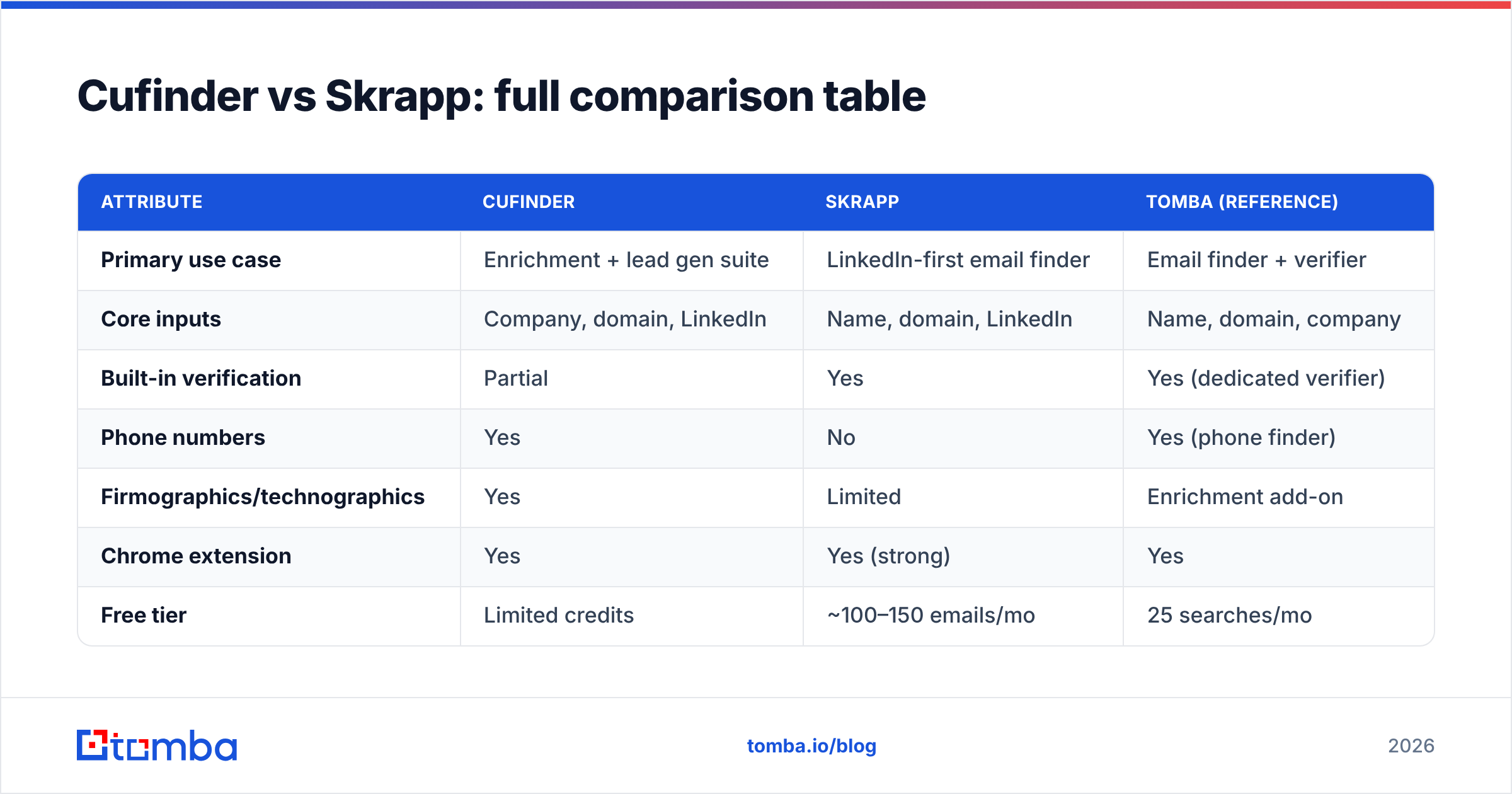
| Attribute | Cufinder | Skrapp | Tomba (reference) |
|---|---|---|---|
| Primary use case | Enrichment + lead gen suite | LinkedIn-first email finder | Email finder + verifier |
| Core inputs | Company, domain, LinkedIn | Name, domain, LinkedIn | Name, domain, company |
| Built-in verification | Partial | Yes | Yes (dedicated verifier) |
| Phone numbers | Yes | No | Yes (phone finder) |
| Firmographics/technographics | Yes | Limited | Enrichment add-on |
| Chrome extension | Yes | Yes (strong) | Yes |
| Free tier | Limited credits | ~100–150 emails/mo | 25 searches/mo |
| Entry paid plan | Mid-tier credit packs | ~$39–$49/mo range | $49/mo Starter |
| API access | Yes | Yes (higher tiers) | Yes (all paid) |
| Best for | RevOps, enrichment | SDRs on LinkedIn | Verified-email volume |
Treat plan prices as directional—both vendors reprice and repackage credits. Always confirm on the live pricing page before you buy, and compare against Tomba pricing so you're benchmarking cost per verified contact, not raw lookups.
Is Cufinder or Skrapp more accurate?#
Accuracy is where head-to-head reviews get lazy—people quote a single vendor-supplied "98%" and move on. The honest answer: accuracy depends on the domain, not the logo.
On large, well-indexed corporate domains (companies with public email patterns and lots of crawlable footprints), Cufinder and Skrapp both perform well—you'll see high match rates and low bounces. The gap opens on the hard cases:
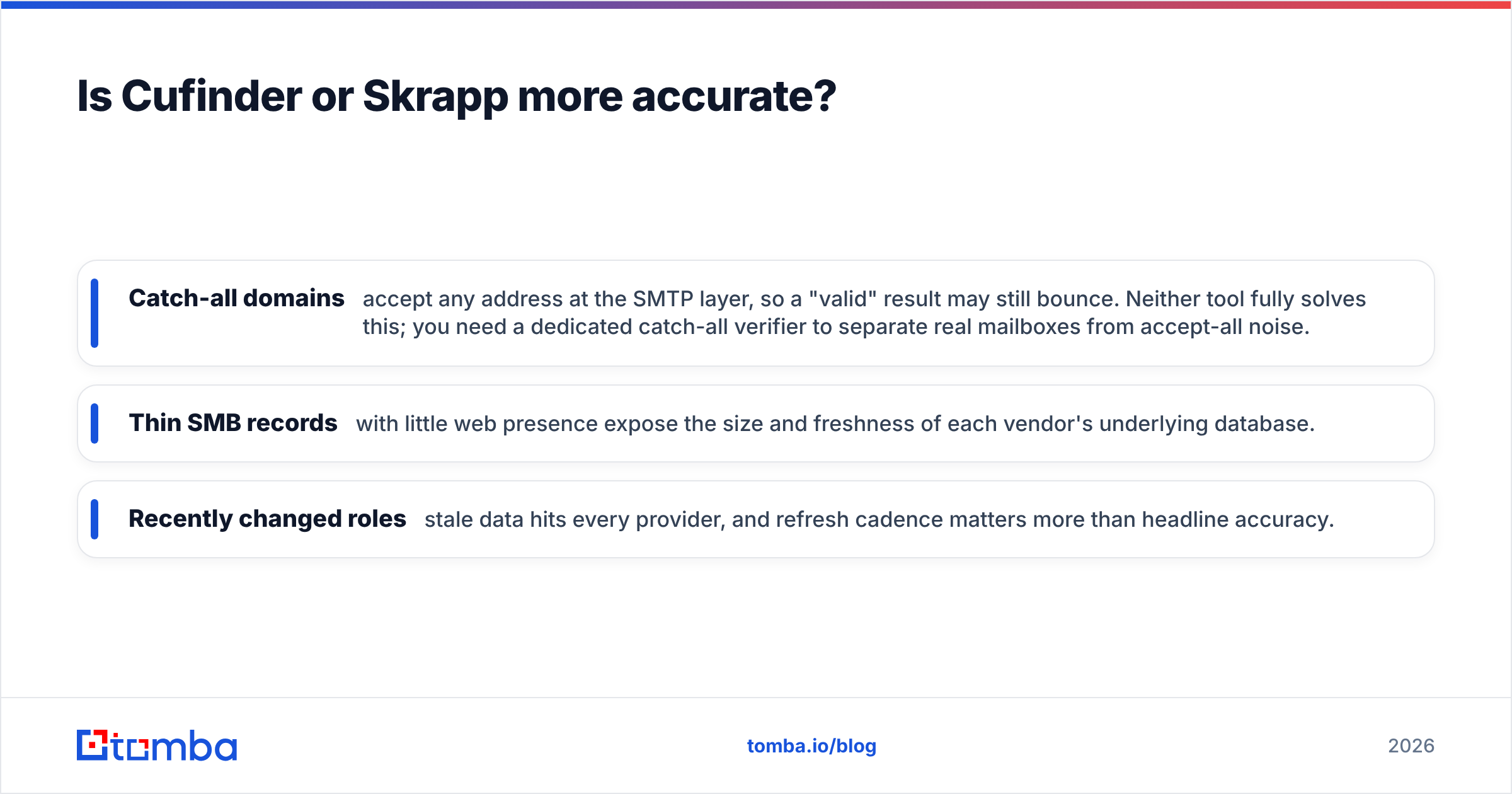
- Catch-all domains accept any address at the SMTP layer, so a "valid" result may still bounce. Neither tool fully solves this; you need a dedicated catch-all verifier to separate real mailboxes from accept-all noise.
- Thin SMB records with little web presence expose the size and freshness of each vendor's underlying database.
- Recently changed roles—stale data hits every provider, and refresh cadence matters more than headline accuracy.

The practical takeaway: whichever tool you pick, run every list through independent verification before you send. A finder's job is to guess well; a verifier's job is to confirm. Conflating the two is how sender reputation gets torched. Pairing any finder with a strong email verifier does more for deliverability than a two-point difference in finder accuracy.
How do Cufinder and Skrapp price out?#
Pricing is where intent should drive the decision.
Skrapp uses straightforward monthly tiers tied to email-finding and verification credits. Its free tier (roughly 100–150 finds per month) is genuinely useful for testing, and entry paid plans land in the budget-SDR zone. If you're one rep prospecting on LinkedIn, Skrapp's cost structure is hard to beat.
Cufinder prices around credit packs that you spend across email, phone, and enrichment lookups. That's efficient if you consume the full suite—one credit pool feeding multiple data types—but wasteful if you only wanted emails. You're partly paying for firmographics you may already get from your CRM.
Here's the number that actually matters, and neither pricing page shows it:
Cost per verified email = (monthly cost) ÷ (finds × match rate × verification pass rate)
A cheaper plan with a lower match rate or more catch-all noise can cost more per usable contact than a pricier plan that returns clean data. Run 200–300 real prospects through each free tier, verify the output, and compute that ratio yourself. It reorders the leaderboard more often than you'd expect.

Which fits your workflow: extension, bulk, or API?#
Tooling should match how your team actually works. Three common patterns:
- LinkedIn-first SDR. You prospect inside Sales Navigator and want one-click capture. Skrapp wins—the extension is its strongest surface, and it drops contacts into your flow without context-switching.
- List-based RevOps. You start from a spreadsheet of target accounts and need emails plus firmographics to score and route. Cufinder fits—the enrichment breadth pays off when one input must yield many fields.
- Programmatic / high-volume. You're enriching thousands of records via automation. Here the deciding factor is a clean, well-documented API and predictable bulk email finder throughput—evaluate all three tools on rate limits and response schema, not UI polish.
If your motion is #3, the platform with the most transparent API and a native verifier in the same call usually wins on total engineering cost, even if per-credit pricing looks slightly higher.
Where does a third option beat both?#
Both Cufinder and Skrapp are competent, but many teams find that a finder-plus-verifier platform delivers a lower cost per deliverable email because verification isn't an afterthought—it's built into the same pipeline.
That's the gap Tomba targets:
- Finding and verification in one workflow, so you're not exporting to a second tool and paying twice.
- Catch-all handling as a first-class feature rather than a silent source of bounces.
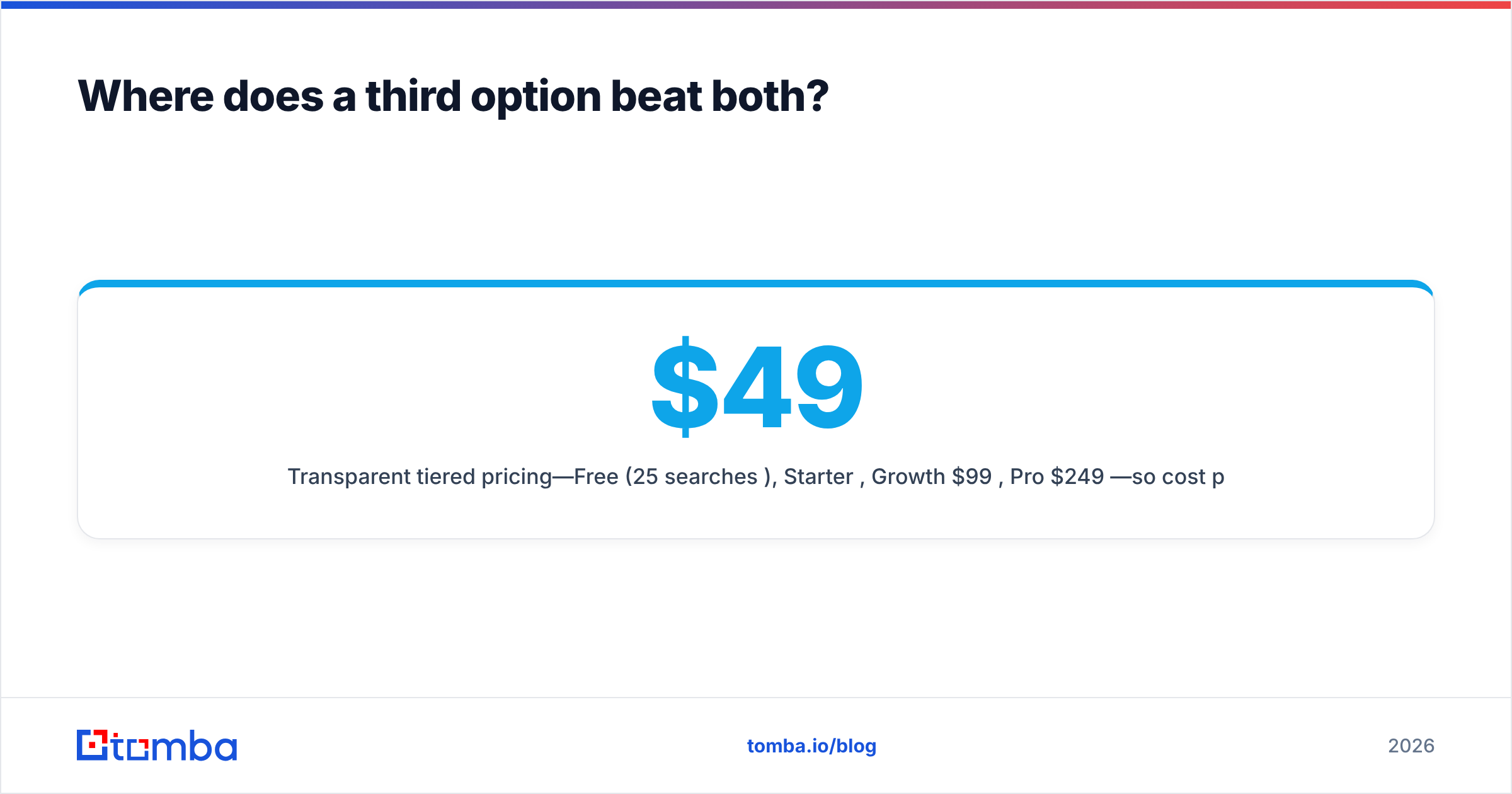
- Transparent tiered pricing—Free (25 searches/mo), Starter $49/mo, Growth $99/mo, Pro $249/mo—so cost per verified contact is easy to model against Tomba pricing.
- A full data stack (domain search, phone finder, enrichment, API) that covers Cufinder's breadth and Skrapp's precision from one credit pool.
None of this makes Cufinder or Skrapp bad choices. It means "Cufinder vs Skrapp" is often a false binary—the right question is "which tool gives me the most verified contacts per dollar," and that's worth a three-way test.
Cufinder vs Skrapp: quick verdict#
- Pick Skrapp if you're an SDR who lives in LinkedIn, want a great extension, and need email finding plus verification on a lean budget.
- Pick Cufinder if you're in RevOps and need enrichment, firmographics, and phone data bundled with email discovery.
- Test a finder-plus-verifier platform if your KPI is cost per deliverable email and you send at volume—verification-in-pipeline usually wins the math.
Whatever you choose, don't buy annually off a demo. Run the same 200-prospect list through each free tier, verify every result, and let cost-per-valid-email break the tie.
Ready to benchmark against a verified-first finder?#
If bounces and wasted credits are your real problem, start where accuracy is enforced, not assumed. The Tomba Email Finder pairs domain, name, and company lookups with built-in verification and catch-all detection—so the emails you export are the emails that land. Spin up the free tier (25 searches, no card), run it side-by-side against Cufinder and Skrapp on your own account list, and compare the only metric that pays your quota: verified contacts per dollar.
Related guides#
Ready to find emails that actually work?
Join 150,000+ professionals who stopped guessing and started sending. Free credits on signup — no credit card required.
Get the Tomba newsletter
Practical outbound tactics and product updates — once every two weeks.
About the author