Cufinder vs Verifyemailio: Which Data Tool Wins in 2026?
Cufinder finds and enriches B2B contacts; Verifyemail.io cleans your list. Here's an honest, side-by-side look at accuracy, pricing, and which one your team actually needs in 2026.
Should you pick Cufinder or Verifyemail.io? For most teams, that is the wrong question. The Cufinder vs Verifyemailio choice looks like a head-to-head, but the two tools do different jobs. Cufinder is a B2B data platform. It finds and enriches contacts and companies. Verifyemail.io is a verification tool. It tells you if an address is safe to send to. You often need one tool on the way in and the other on the way out.
This guide breaks down what each tool does. We look at accuracy and pricing in 2026. Then we help you decide which one fits your stack. We also ask whether a single tool that does both makes more sense.
TL;DR#
- Cufinder finds and enriches leads. It offers an email finder, company data, phone numbers, and a bulk API.
- Verifyemail.io is a light email-verification tool. It catches bounces, spam traps, and bad syntax before you send.
- They work together. They do not replace each other. Finding an address and confirming it are two separate steps.
- Want both in one place? A combined email finder and email verifier removes the tool-juggling and the second bill.
- Our pick for high-volume outbound: run finding and verification in one tool. It keeps email deliverability high without stitching APIs together.
What is Cufinder?#
Cufinder is a B2B data-enrichment platform. It finds contact and company information at scale. You give it a name, domain, or company. It returns work emails, phone numbers, firmographics, and social profiles. Its main strength is breadth. It wants to be the one source that turns a thin lead list into a full record.
For sales and growth teams, Cufinder is a top-of-funnel tool. You use it to build lists, enrich a CRM import, or turn anonymous accounts into real contacts. Most of its value sits in the bulk API and enrichment endpoints.
Cufinder is not a deliverability specialist. It surfaces addresses. But confirming that each one reaches an inbox is a different job. Clearing catch-all domains, spam traps, and role accounts needs a dedicated checker. Cufinder's verification layer handles this more lightly.

What is Verifyemail.io?#
Verifyemail.io sits at the other end of the pipeline. It is an email-verification service. You paste or upload a list. It flags each address as valid, invalid, risky, or unknown. Under the hood, it runs syntax checks, MX-record lookups, SMTP handshakes, and disposable-domain detection.
Verifyemail.io does one thing well: list hygiene. Before a cold campaign or a newsletter, you want to remove addresses that will bounce. A high bounce rate hurts your sender reputation. It can also get your domain throttled. Verifyemail.io is built for exactly that pass.
But verification assumes you already have the addresses. It will not find a prospect's email. It will not enrich a company record or pull a phone number. It cleans what you bring. It does not generate leads.
Cufinder vs Verifyemailio: the core difference#
Here is the difference in one line. Cufinder answers "what is this person's email?" Verifyemail.io answers "is this email safe to send to?"
Think of it like hiring. Cufinder is the recruiter who sources candidates. Verifyemail.io is the background check that confirms them. You would not ask the background-check firm to find candidates. And you would not skip the check just because the recruiter sent a resume.
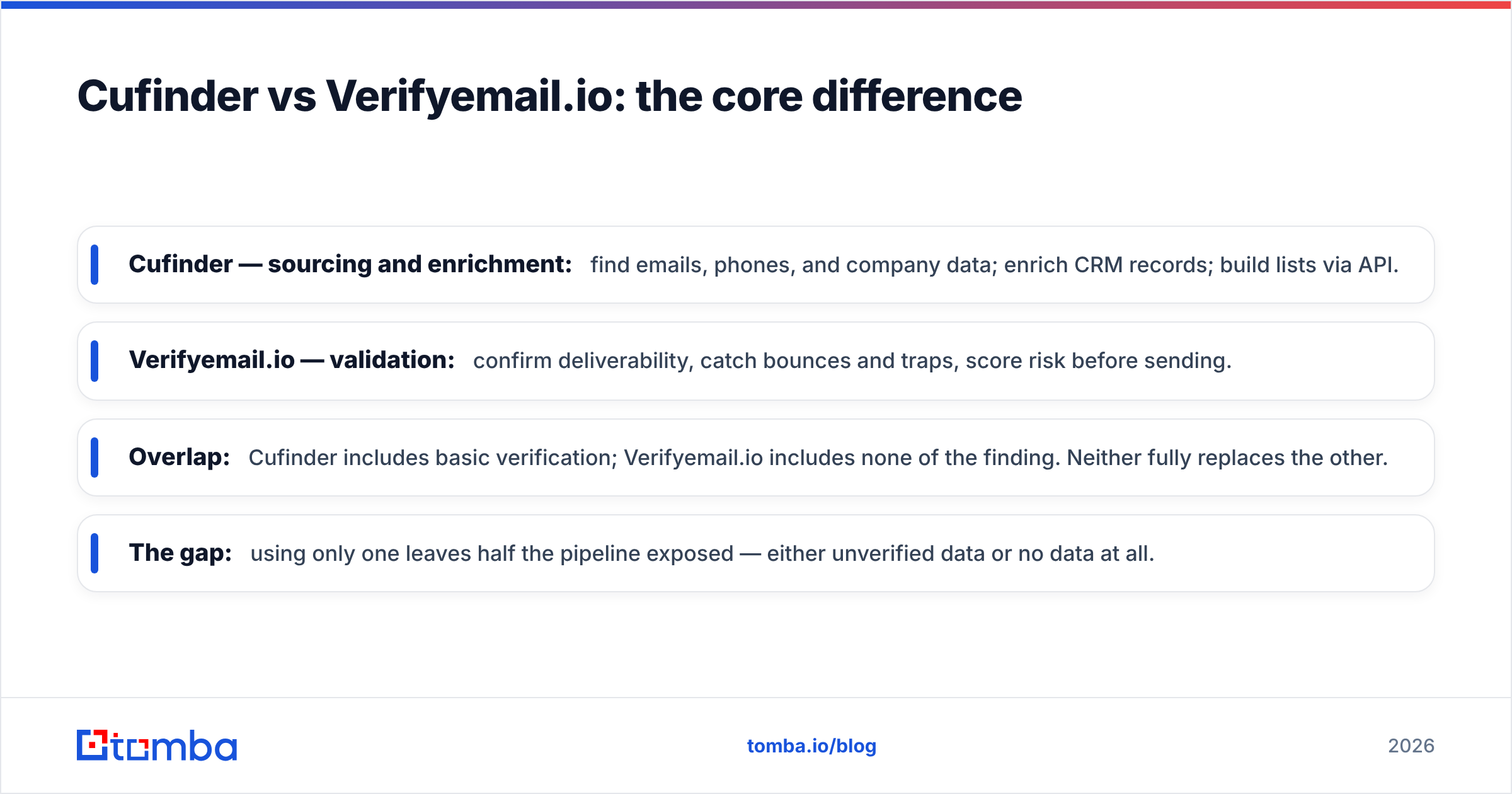
- Cufinder — sourcing and enrichment: find emails, phones, and company data. Enrich CRM records. Build lists through the API.
- Verifyemail.io — validation: confirm deliverability. Catch bounces and traps. Score risk before you send.
- Overlap: Cufinder includes basic verification. Verifyemail.io includes no finding. Neither fully replaces the other.
- The gap: use only one and half your pipeline is exposed. You get unverified data or no data at all.

How do Cufinder and Verifyemail.io compare on features?#
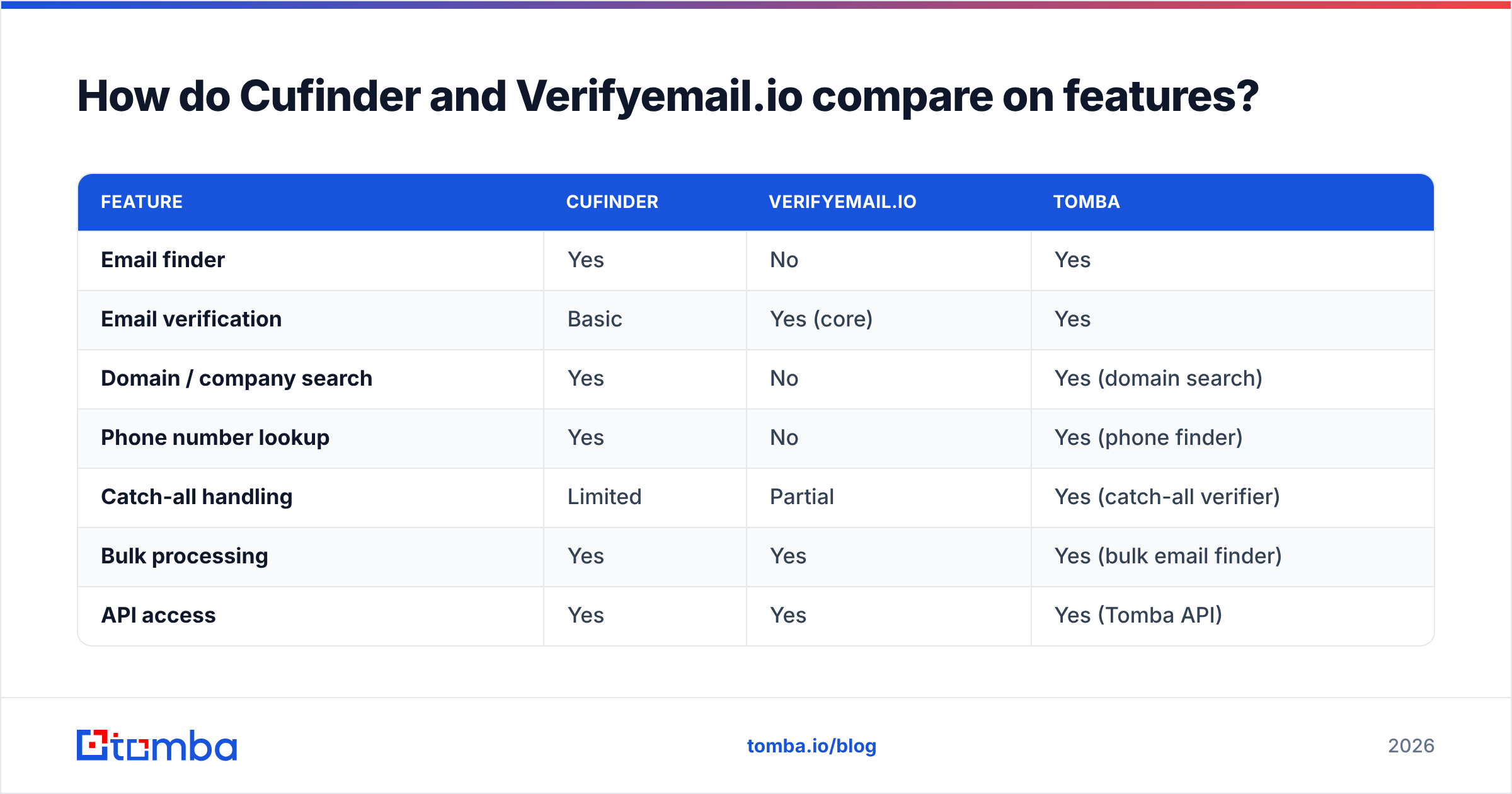
| Feature | Cufinder | Verifyemail.io | Tomba |
|---|---|---|---|
| Email finder | Yes | No | Yes |
| Email verification | Basic | Yes (core) | Yes |
| Domain / company search | Yes | No | Yes (domain search) |
| Phone number lookup | Yes | No | Yes (phone finder) |
| Catch-all handling | Limited | Partial | Yes (catch-all verifier) |
| Bulk processing | Yes | Yes | Yes (bulk email finder) |
| API access | Yes | Yes | Yes (Tomba API) |
| Free tier | Limited | Limited | 25 searches/mo |
| Best for | Sourcing + enrichment | List cleaning | Both, end to end |
The pattern is clear. Cufinder owns the find column. Verifyemail.io owns the verify column. Neither covers both to the same depth. A platform built for the whole flow — find, verify, then enrich — folds two subscriptions into one. It also removes the hand-off where data usually leaks.
Which is more accurate?#
Accuracy means something different for each tool. So judge them on their own turf.
For finding, accuracy is the share of returned addresses that are correct and current. This depends on the data's freshness and size. It also depends on real-time SMTP checks at lookup. Cufinder competes here. Verification tools like Verifyemail.io do not. They never produce an address in the first place.
For verification, accuracy is how well a tool separates deliverable from undeliverable. The hard cases are catch-all domains. There, the server accepts every address and hides the truth. Verifyemail.io is built for this. It does a solid job on standard mailboxes. Catch-all and greylisted domains stay the stubborn edge case for every vendor.
The takeaway is simple. One verdict from one tool can mislead you. Finding an address without verifying it invites bounces. Verifying a list you sourced badly just confirms bad data. You want both checks. Ideally they come from a provider that is open about where its data comes from.
How do they compare on pricing?#
Both tools use credit-based pricing. Both offer limited free tiers to test. Exact numbers shift, so check each vendor's page before you buy. Still, the shape of the cost is what drives a decision.
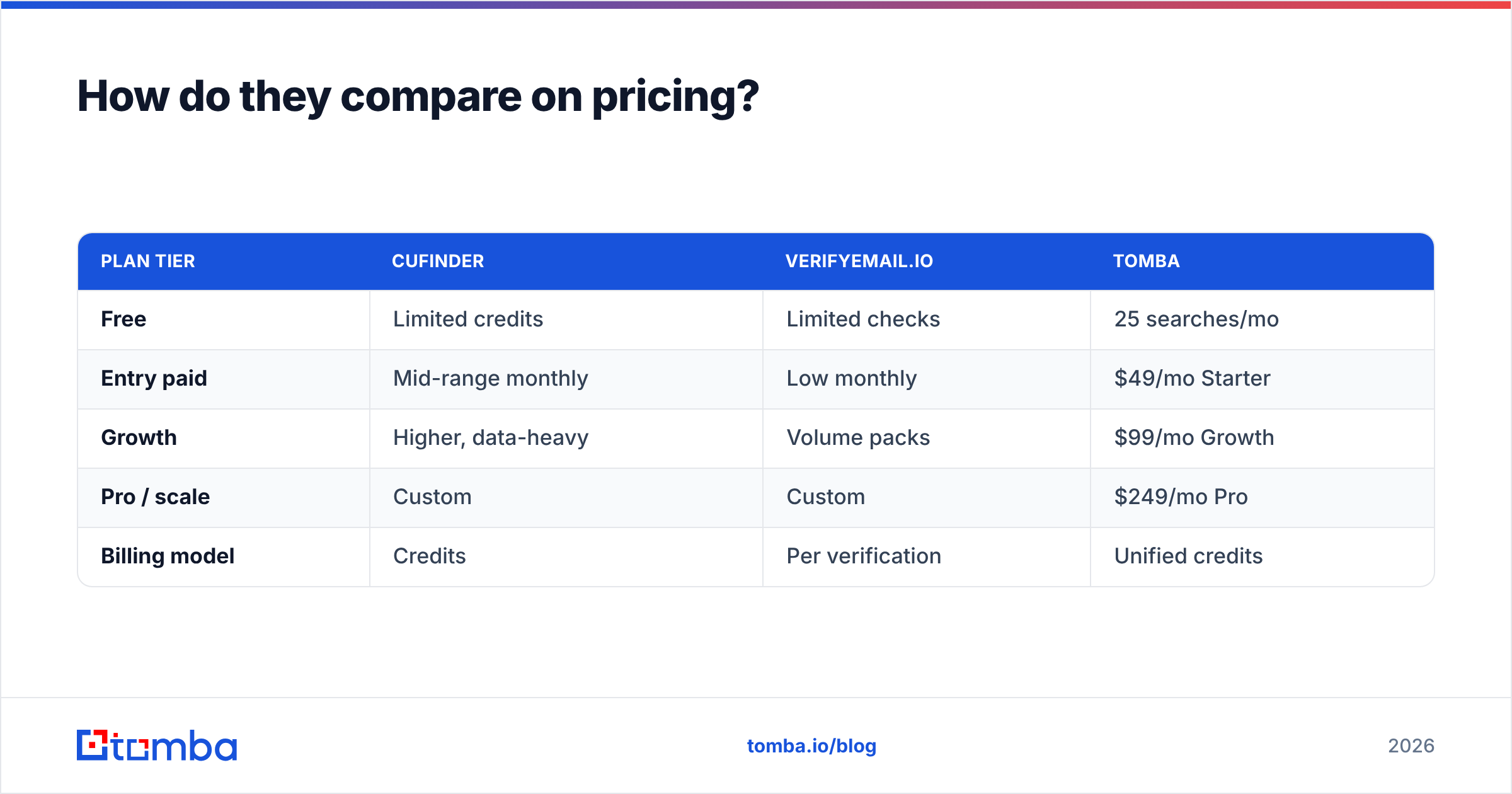
| Plan tier | Cufinder | Verifyemail.io | Tomba |
|---|---|---|---|
| Free | Limited credits | Limited checks | 25 searches/mo |
| Entry paid | Mid-range monthly | Low monthly | $49/mo Starter |
| Growth | Higher, data-heavy | Volume packs | $99/mo Growth |
| Pro / scale | Custom | Custom | $249/mo Pro |
| Billing model | Credits | Per verification | Unified credits |
The hidden cost of a two-tool setup is not the sticker price. It is the second integration, the second dashboard, and the credits you burn reprocessing the same records. Find with Cufinder and verify with Verifyemail.io, and you pay twice to move one contact through your pipeline. A combined plan on clear Tomba pricing folds both steps into one credit balance.

When should you use each tool?#
Use Cufinder when your problem is not enough contacts. You are building lists from scratch. You are enriching a stale CRM. You need firmographic and phone data next to emails. Cufinder's enrichment API is its strongest card. If sourcing volume is the whole job, it earns its place.
Use Verifyemail.io when you already have a list and need it clean before a send. Did you import a trade-show export? Did you inherit a marketing database of unknown age? Run it through verification first. This is the classic pre-campaign hygiene pass. A focused verifier does it with little overhead.
Use a combined platform when you do both often. That describes most outbound and demand-gen teams. If every week means finding new prospects and keeping lists deliverable, two vendors add friction with no upside. Here an all-in-one tool is worth a serious look.
Is there a better all-in-one alternative?#
For teams that need finding and verification, one platform is usually the cleaner call. It is worth comparing Cufinder and Verifyemail.io against a tool that spans the whole pipeline.
Tomba covers both ends. The email finder sources addresses by name, domain, or company. The email verifier confirms deliverability. It includes a dedicated catch-all verifier for the domains that trip up lighter tools. Domain search, phone lookup, enrichment, and a documented API sit in one account. So one credit balance and one integration handle the full find-verify-enrich loop.
This does not make Cufinder or Verifyemail.io bad choices. Each is strong at its specialty. It makes them partial choices. If your workflow needs only one half of the pipeline, a specialist is fine. If it needs both, one tool is simpler and usually cheaper than two subscriptions and the glue between them.
Test the data quality yourself before you decide. Vendor claims are easy, so run your own target accounts. Review sites like G2 and Capterra help you read how real users rate accuracy and support. Most vendors, including Cufinder, publish their own methodology. Read it, but read it critically.

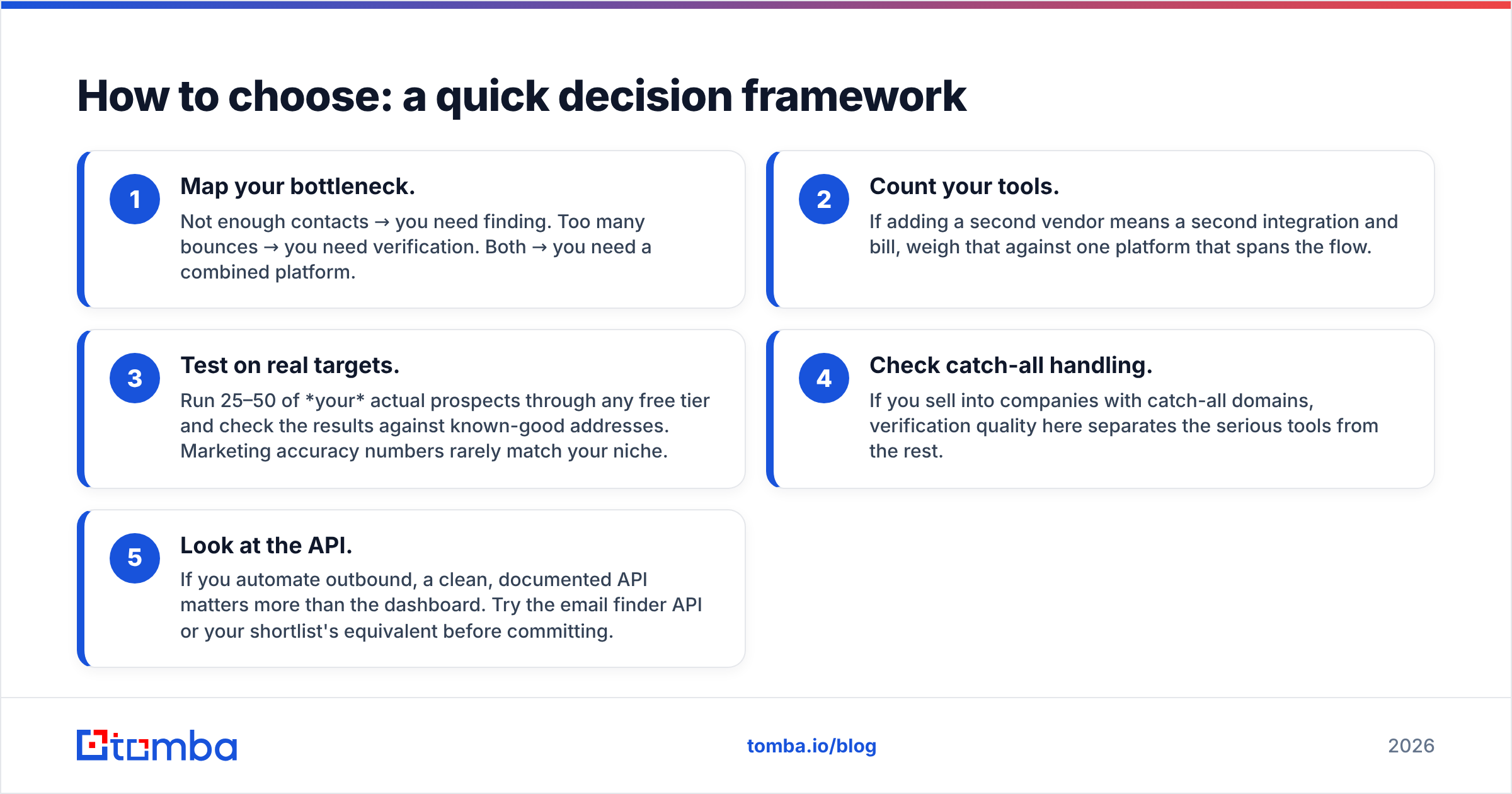
How to choose: a quick decision framework#
- Map your bottleneck. Not enough contacts? You need finding. Too many bounces? You need verification. Both? You need a combined platform.
- Count your tools. A second vendor means a second integration and bill. Weigh that against one platform that spans the flow.
- Test on real targets. Run 25–50 of your real prospects through any free tier. Check the results against known-good addresses. Marketing accuracy numbers rarely match your niche.
- Check catch-all handling. Do you sell into companies with catch-all domains? Then verification quality here separates the serious tools from the rest.
- Look at the API. If you automate outbound, a clean, documented API beats a nice dashboard. Try the email finder API or your shortlist's version before you commit.
Follow that order and the Cufinder vs Verifyemailio question usually answers itself. Often it reveals you need both, which is the real case for consolidating.
The bottom line#
Cufinder and Verifyemail.io are not rivals. They are two stages of the same pipeline. Cufinder finds and enriches. Verifyemail.io verifies. A team doing serious outbound needs both jobs covered. The only question is how: two specialist tools, or one platform that runs the whole loop.
Would you rather find, verify, and enrich in one place? With a real free tier and one credit balance instead of two? Start with the Tomba Email Finder. Pull verified addresses by name, domain, or company. Confirm deliverability before you send. Skip the hand-off where data goes stale. Test it on 25 of your own target accounts and compare the results head-to-head. That is the only benchmark that counts.
Related guides#
Ready to find emails that actually work?
Join 150,000+ professionals who stopped guessing and started sending. Free credits on signup — no credit card required.
Get the Tomba newsletter
Practical outbound tactics and product updates — once every two weeks.
About the author