What Is a Customer Database? The 2026 Build-and-Use Guide
A customer database is only as valuable as it is clean. Here is how to structure, enrich, and maintain one in 2026 so it actually drives revenue instead of rotting.
A customer database sounds like plumbing — invisible until it breaks. Then a rep emails a contact who left two years ago, a campaign bounces at 30%, and finance asks why the pipeline forecast was fiction. The database was the problem the whole time.
This guide covers what a customer database actually is in 2026, how to structure one, and — the part most articles skip — how to keep it from rotting. Because the hard part was never storing the data. It's keeping it true.
TL;DR#
- A customer database is the single, structured source of truth for everyone who has bought from, engaged with, or been qualified by your business.
- It is not the same as a CRM — the CRM is the app; the database is the data underneath it (and often spread across several systems).
- B2B contact data decays at roughly 30% per year, so ingestion and enrichment matter more than storage.
- Verification and enrichment on entry — deduping, validating emails, appending firmographics — separate a database that compounds value from one that quietly poisons every downstream tool.
- Tools like a B2B database and data enrichment API keep records current without manual data entry.
What is a customer database?#
A customer database is a structured collection of information about your customers and prospects — identities, contact details, firmographics, transaction history, and behavioral signals — stored so you can query, segment, and act on it.
Think of it like a library rather than a pile of books. A pile technically "has" every book, but you can't find anything, two copies of the same title sit in different corners, and half the pages are missing. A database imposes structure: every record has a consistent shape, a unique key, and a defined relationship to the others. That structure is what lets a marketer pull "all VP-level contacts at SaaS companies in EMEA who opened the last three emails" in seconds.
The core entities in most B2B customer databases:
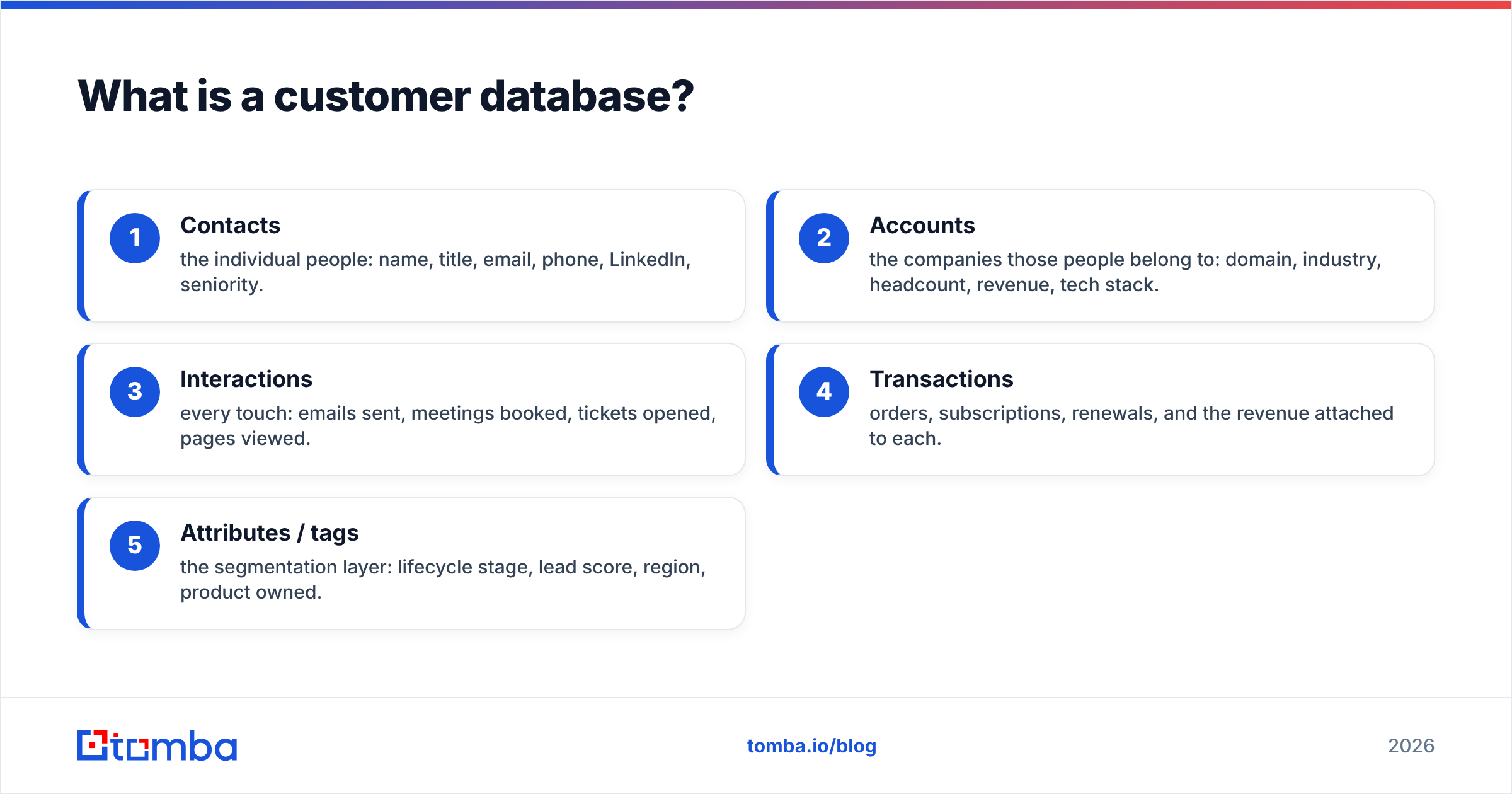
- Contacts — the individual people: name, title, email, phone, LinkedIn, seniority.
- Accounts — the companies those people belong to: domain, industry, headcount, revenue, tech stack.
- Interactions — every touch: emails sent, meetings booked, tickets opened, pages viewed.
- Transactions — orders, subscriptions, renewals, and the revenue attached to each.
- Attributes / tags — the segmentation layer: lifecycle stage, lead score, region, product owned.
A database becomes powerful when these entities are linked — a contact belongs to an account, an interaction belongs to a contact, a transaction rolls up to an account. That relational spine is why one clean record can answer questions a spreadsheet never could.

Customer database vs CRM: what's the difference?#
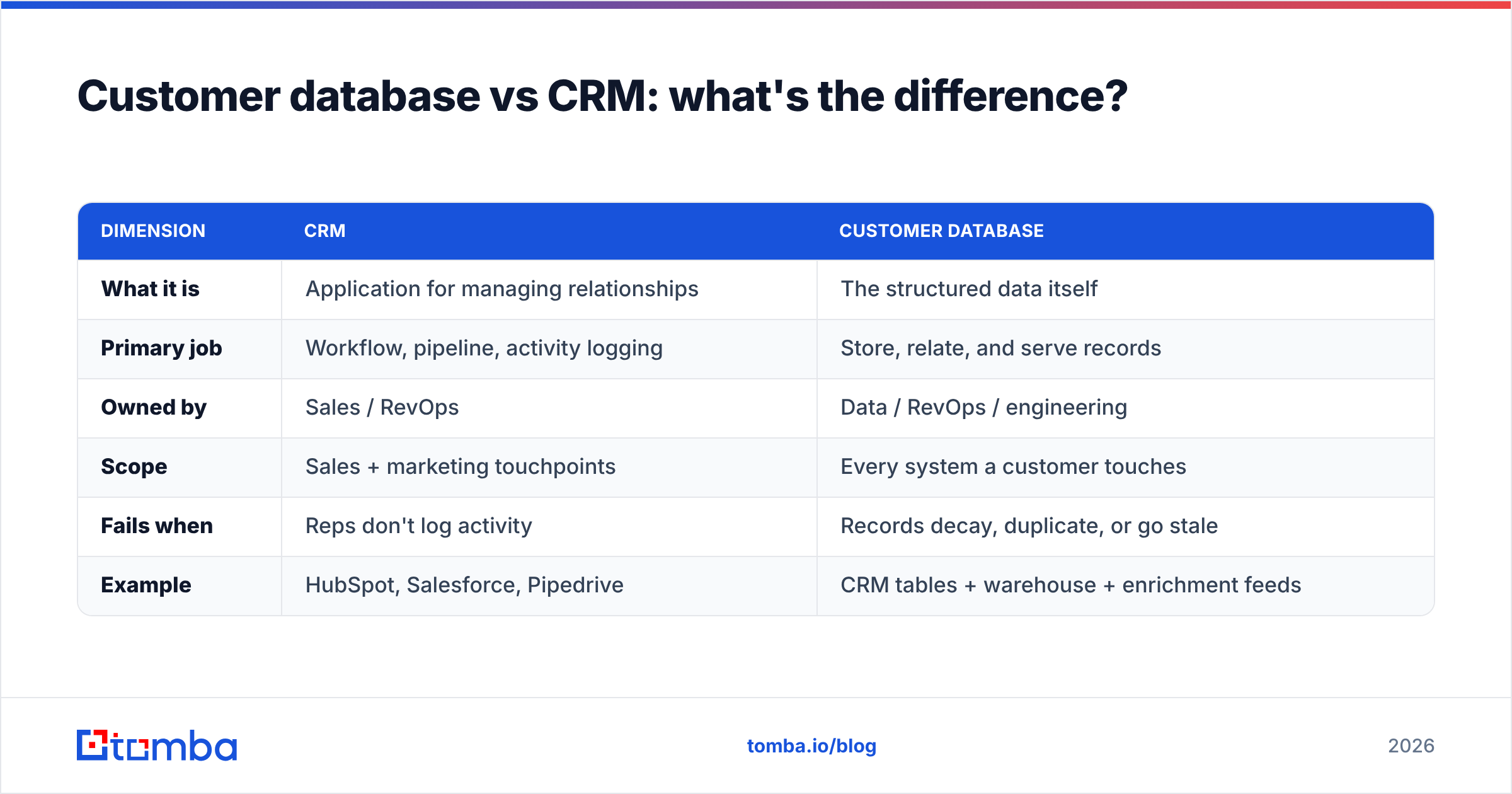
The short version: a CRM is software; a customer database is the data model it runs on. You can have a database without a CRM (a warehouse table, a set of spreadsheets, a product analytics store), but you can't have a useful CRM without a database.
Most companies conflate the two because their CRM — Salesforce, HubSpot, Pipedrive — is where the customer database physically lives. That works until data outgrows the CRM: product usage sits in one system, billing in another, support in a third. At that point the "customer database" is really a distributed thing, and the CRM is just one view into it.
| Dimension | CRM | Customer Database |
|---|---|---|
| What it is | Application for managing relationships | The structured data itself |
| Primary job | Workflow, pipeline, activity logging | Store, relate, and serve records |
| Owned by | Sales / RevOps | Data / RevOps / engineering |
| Scope | Sales + marketing touchpoints | Every system a customer touches |
| Fails when | Reps don't log activity | Records decay, duplicate, or go stale |
| Example | HubSpot, Salesforce, Pipedrive | CRM tables + warehouse + enrichment feeds |
The practical takeaway: buying a CRM does not give you a good customer database. It gives you a container. What you pour into it — and how often you clean it — decides whether it's an asset or a liability.
What makes a customer database actually good?#
Storage is a solved problem. Quality is not. A high-value customer database is judged on four properties, and every one of them degrades over time unless you defend it.
Accuracy. The email resolves, the phone connects, the title is current. According to industry estimates cited by data vendors like ZoomInfo and validated across analyst research, B2B data decays around 30% annually as people change jobs. An "accurate" database is really a continuously re-verified one.
Completeness. Every record carries the fields your go-to-market motion needs. A contact with a name and nothing else is a dead end; the same contact enriched with title, company size, industry, and LinkedIn is a lead. This is where data enrichment earns its keep — appending the fields your forms never captured.
Uniqueness. One human, one record. Duplicates are the silent killer: they inflate counts, split interaction history, and cause the same person to get emailed twice by two reps. Deduping on a stable key (usually verified email or domain + name) is table stakes.
Freshness. Data has a half-life. Job changes, company acquisitions, domain migrations, and role shifts all invalidate records. Freshness comes from re-verification cycles and event-driven updates, not one-time imports.
Miss any one of these and the whole thing wobbles. A database that's accurate but incomplete can't segment. One that's complete but full of duplicates lies about its own size.
How do you build a customer database in 2026?#
You build it in layers, from schema to maintenance. Skipping the middle layers is why so many databases start clean and end as landfill.
- Define the schema first. Decide your entities (contacts, accounts, interactions) and the required fields for each before importing a single row. A field you don't define is a field you'll never populate consistently.
- Choose the system of record. Pick one place each field lives authoritatively. Email owned by the CRM, product usage owned by the warehouse — no field owned by two systems at once.
- Ingest with validation at the door. Never import raw. Validate emails, normalize company names, and dedupe on entry. It's ten times cheaper than cleaning later.
- Enrich on entry. As each record lands, append firmographics and verified contact details via an API so reps aren't hand-filling fields.
- Segment with tags and lifecycle stages. Structure beats folders — a record can be "enterprise," "trialing," and "EMEA" at once.
- Schedule maintenance. Re-verification runs, decay reports, and merge jobs on a calendar, not a whim.
The step teams underrate is #3 and #4 — the door. A bulk email finder and an email verifier at the ingestion point mean bad records never enter, instead of getting scrubbed out painfully six months later after they've already burned your sender reputation.
Where does the data come from — and how do you keep it clean?#
Data enters a customer database from four main sources, and each has a different failure mode you have to design around.
- First-party capture — forms, signups, checkout. Highest intent, but users lie and typo. Validate in real time.
- Sales entry — reps logging contacts manually. Rich context, worst consistency. Constrain with picklists and required fields.
- Third-party enrichment — appending firmographics and verified contacts from a data provider. Scales completeness fast; quality depends entirely on the vendor's data sources.
- Behavioral / product — events, page views, feature usage. High volume, needs a stable identity key to attach to the right contact.
Keeping it clean is a loop, not a project:
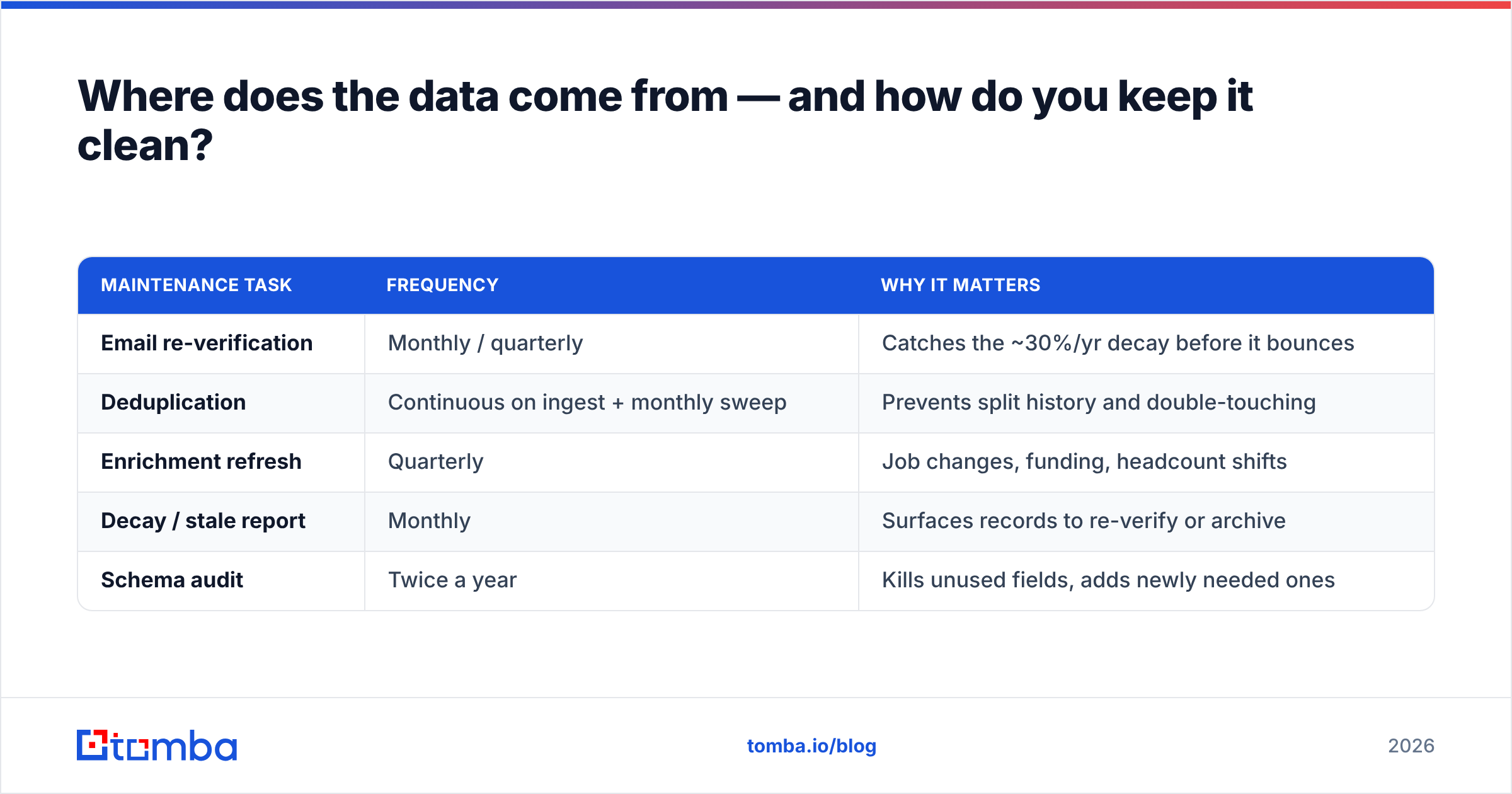
| Maintenance task | Frequency | Why it matters |
|---|---|---|
| Email re-verification | Monthly / quarterly | Catches the ~30%/yr decay before it bounces |
| Deduplication | Continuous on ingest + monthly sweep | Prevents split history and double-touching |
| Enrichment refresh | Quarterly | Job changes, funding, headcount shifts |
| Decay / stale report | Monthly | Surfaces records to re-verify or archive |
| Schema audit | Twice a year | Kills unused fields, adds newly needed ones |
Peer platforms in the B2B data space — BookYourData, ZoomInfo, and Clearbit among them — all converge on the same principle: the value isn't in acquiring records once, it's in the maintenance cadence that keeps them true. A database you never re-verify is just a snapshot aging in place.
Which tools fit which job?#
You rarely need one mega-platform. You need the right primitive at each stage. Here's how the common jobs map to purpose-built tools.
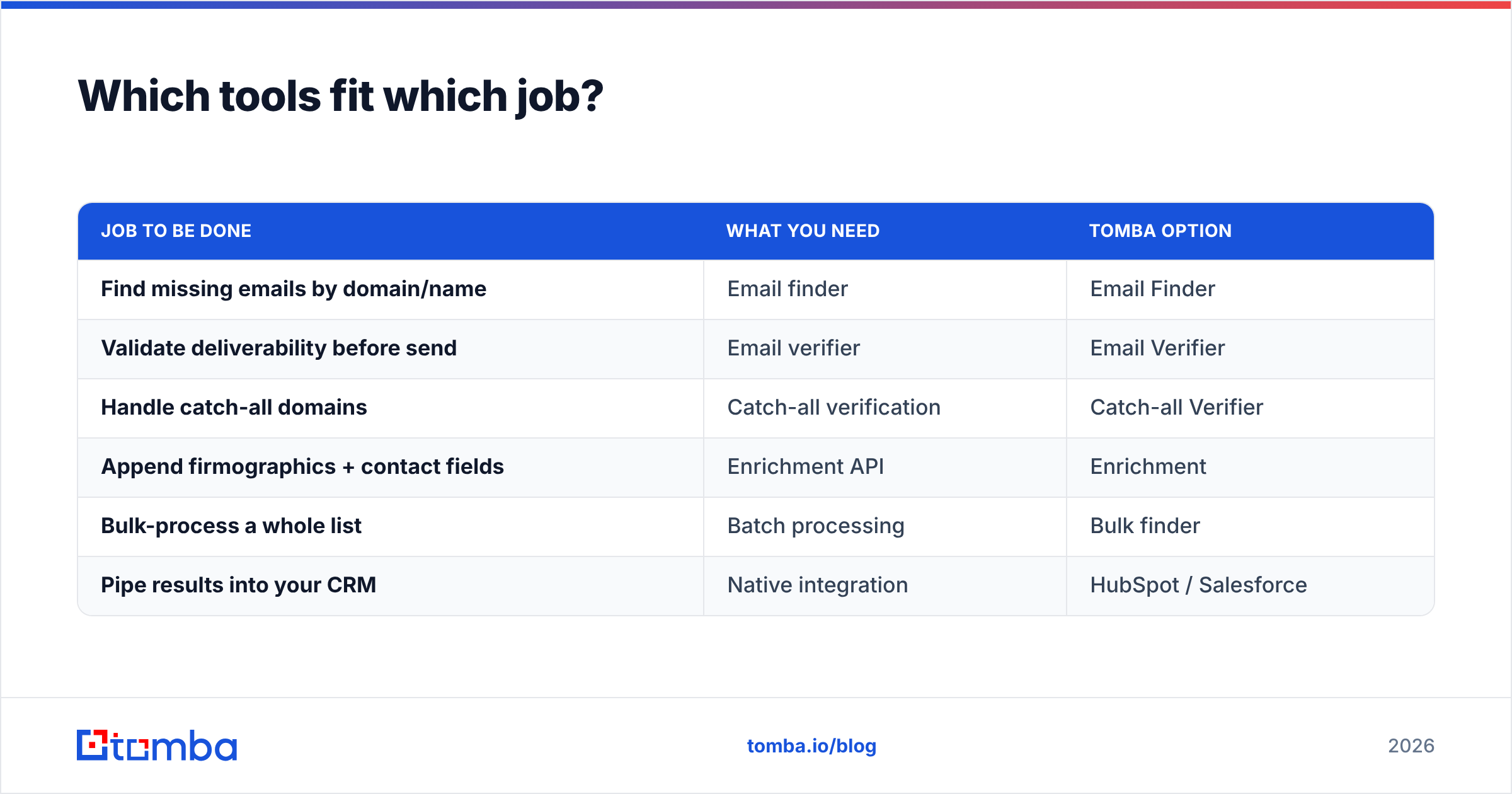
| Job to be done | What you need | Tomba option |
|---|---|---|
| Find missing emails by domain/name | Email finder | Email Finder |
| Validate deliverability before send | Email verifier | Email Verifier |
| Handle catch-all domains | Catch-all verification | Catch-all Verifier |
| Append firmographics + contact fields | Enrichment API | Enrichment |
| Bulk-process a whole list | Batch processing | Bulk finder |
| Pipe results into your CRM | Native integration | HubSpot / Salesforce |
The reason to keep enrichment and verification as an API layer outside your CRM is portability. When you migrate CRMs — and eventually you will — a database enriched by an independent service moves with you. One whose quality was locked inside a single vendor's proprietary fields does not.
For pricing context, Tomba plans start with a free tier of 25 searches/month, then Starter at $49/mo, Growth at $99/mo, and Pro at $249/mo — so you can validate the workflow before committing budget. Compare that against how you'd scope a broader suite on a marketplace like G2 and you'll usually find the primitive-per-job approach costs less and locks you in less.
What are the most common customer database mistakes?#
Four patterns account for most of the damage, and all four are preventable at the design stage.
- Treating import as a one-time event. The database is a living system. If your only ingestion process is a quarterly CSV upload, decay wins.
- No unique key. Without a stable identifier (verified email, domain+name), dedup is guesswork and every integration breaks subtly.
- Enriching everything, verifying nothing. Appending 40 fields to an email that doesn't exist just makes a confident-looking dead record. Verify first, enrich second.
- Letting the CRM be the only source of truth. The moment product usage or billing data matters, a CRM-only model can't answer the questions leadership asks.
Get the key right, verify at the door, and schedule maintenance, and the other problems mostly solve themselves. Skip those, and no amount of dashboard polish will save the forecast built on top.
Build a customer database that compounds#
The difference between a customer database that drives revenue and one that quietly drains it comes down to what happens at the door and on the calendar — verification on entry, enrichment on entry, and re-verification on a schedule. Storage was never the moat. Truth is.
If you're building or cleaning a customer database this quarter, start where the leverage is highest: stop bad records from entering and fill the gaps in the good ones. Tomba's Email Finder plus its verification and enrichment APIs handle exactly that layer — finding the missing contacts, confirming they're real, and appending the firmographics your CRM never captured — so the database you hand to sales is one they can actually trust. Try it on the free tier, run it against your dirtiest list, and see how much of your "database" was fiction.
Related guides#
Ready to find emails that actually work?
Join 150,000+ professionals who stopped guessing and started sending. Free credits on signup — no credit card required.
Get the Tomba newsletter
Practical outbound tactics and product updates — once every two weeks.
About the author