Customer Profiling Tools in 2026: A Practical Buyer's Guide
Customer profiling tools turn scattered CRM records into an ICP you can actually sell to. Here's how the main categories compare, what they cost, and how to pick one without overbuying.
Customer profiling tools promise the same thing every vendor pitches: stop guessing who your best customers are and start selling to more of them. The reality is messier. Some tools are firmographic databases wearing a profiling label, some are behavioral analytics platforms, and a few are just enrichment APIs with a dashboard. Picking the wrong category wastes budget and produces an ideal customer profile nobody trusts.
This guide breaks down what customer profiling tools actually do, the categories that matter, how the leading options compare on data depth and price, and a decision framework so you buy the one that fits your motion instead of the one with the loudest homepage.
TL;DR#
- Customer profiling tools collect and structure data about your accounts and contacts so you can define an ideal customer profile (ICP), segment your list, and target lookalikes.
- They fall into four buckets: firmographic databases, behavioral/analytics platforms, enrichment APIs, and CDPs. Most teams need two of these, not one all-in-one suite.
- Data accuracy is the whole game. A pretty segmentation UI on top of stale contact data still sends your reps to disconnected phone numbers and bounced emails.
- Pricing ranges from free tiers (25–50 lookups/month) to $1,000+/month enterprise contracts. Overbuying is the most common mistake.
- For the contact layer — finding and verifying the emails behind your profiled accounts — a focused tool like the Tomba Email Finder is cheaper and more accurate than paying a suite for the same data.
What are customer profiling tools?#
Customer profiling tools are software that gathers, cleans, and organizes data about your customers and prospects so you can describe your best-fit buyer in concrete terms. Think of it like a scout report before a draft: instead of "we sell to tech companies," you get "we win with 50–200 person SaaS firms in North America using HubSpot, where the buyer is a VP of Revenue."
Technically, these tools combine firmographic data (industry, headcount, revenue, location), technographic data (the software a company runs), and behavioral data (site visits, product usage, email engagement) into a profile you can filter, score, and clone.
A good profile answers three questions:
- Who already buys from us and succeeds? — the retrospective view from your CRM.
- What do those accounts have in common? — the pattern your ICP is built on.
- Who else looks exactly like them? — the lookalike list your outbound team works.

The trap is treating profiling as a one-time exercise. Markets shift, your product moves upmarket, and a profile built in 2024 quietly rots. The tools worth paying for keep the underlying data fresh so your ICP reflects who's buying now, not who bought two years ago.
What types of customer profiling tools exist?#
Not every tool labeled "profiling" does the same job. Sorting them into categories prevents the classic mistake of buying a behavioral analytics suite when what you actually needed was a clean contact database.
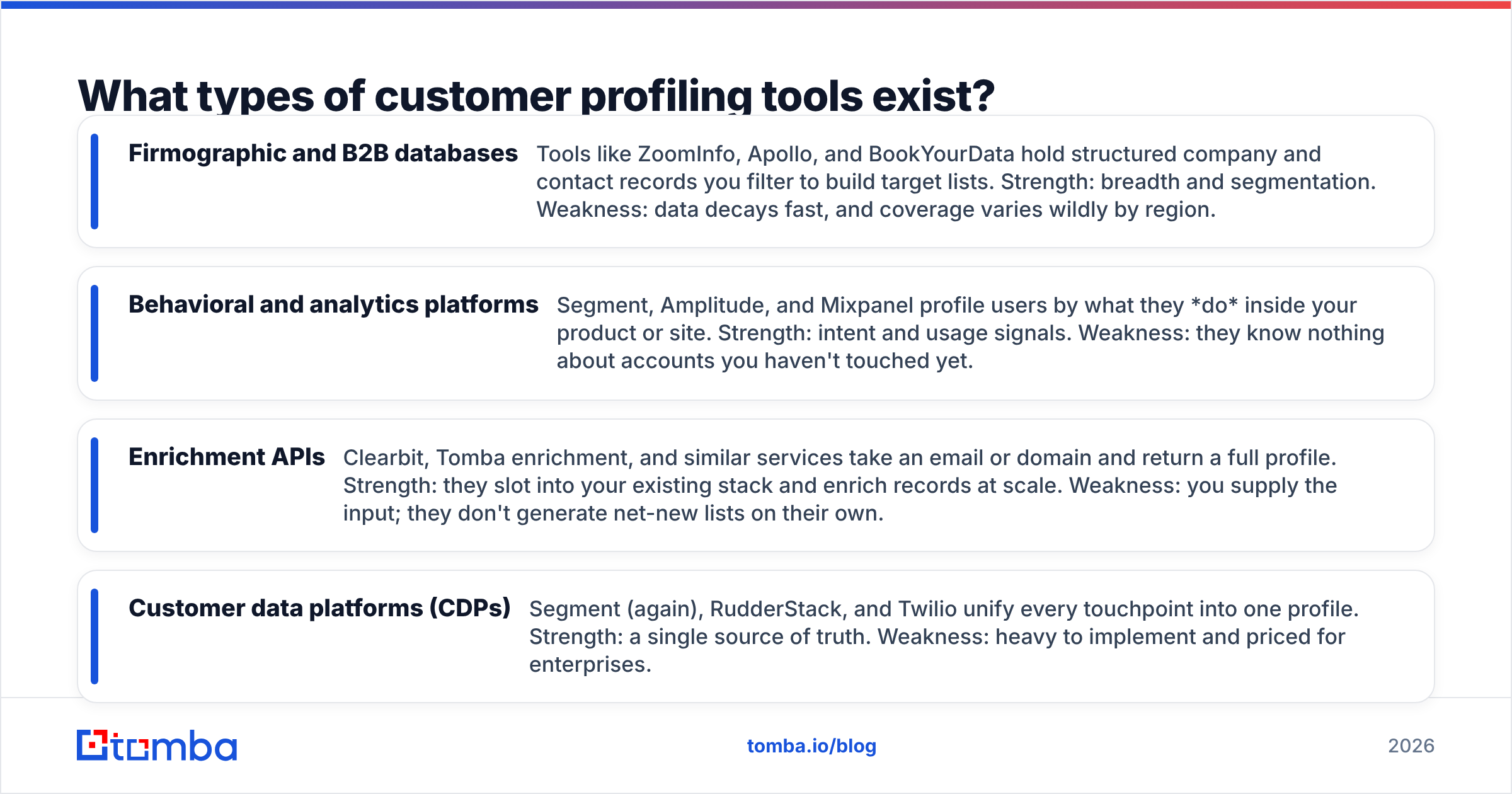
- Firmographic and B2B databases — Tools like ZoomInfo, Apollo, and BookYourData hold structured company and contact records you filter to build target lists. Strength: breadth and segmentation. Weakness: data decays fast, and coverage varies wildly by region.
- Behavioral and analytics platforms — Segment, Amplitude, and Mixpanel profile users by what they do inside your product or site. Strength: intent and usage signals. Weakness: they know nothing about accounts you haven't touched yet.
- Enrichment APIs — Clearbit, Tomba enrichment, and similar services take an email or domain and return a full profile. Strength: they slot into your existing stack and enrich records at scale. Weakness: you supply the input; they don't generate net-new lists on their own.
- Customer data platforms (CDPs) — Segment (again), RudderStack, and Twilio unify every touchpoint into one profile. Strength: a single source of truth. Weakness: heavy to implement and priced for enterprises.
Most go-to-market teams need one database for reach and one enrichment or verification layer for accuracy. Buying a CDP before you've nailed your ICP is putting a turbocharger on a car with no wheels.
How do customer profiling tools compare on data and price?#
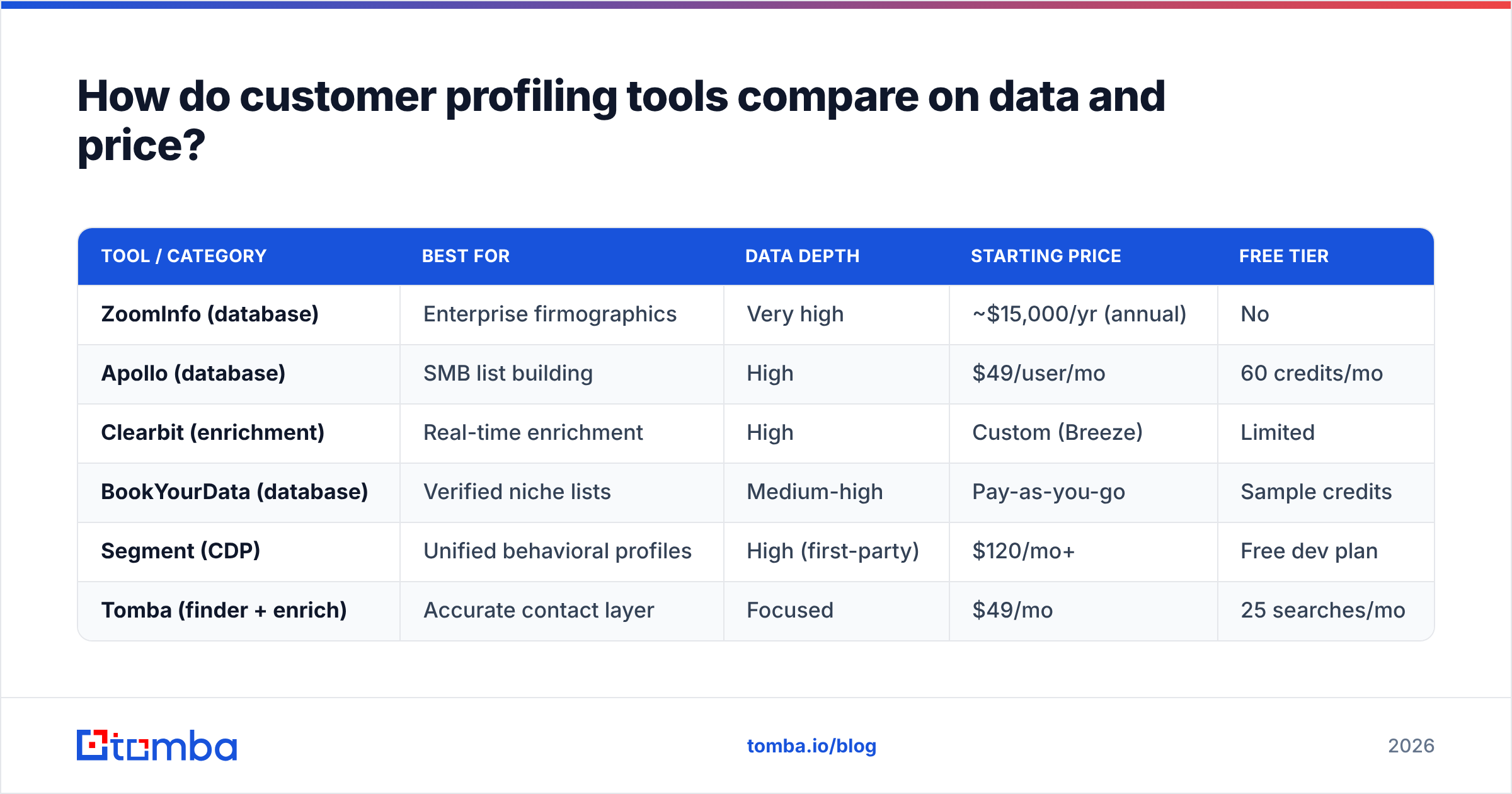
The differences that actually change your buying decision are data depth, refresh frequency, and price per useful record. Here's how the main categories stack up.
| Tool / Category | Best for | Data depth | Starting price | Free tier |
|---|---|---|---|---|
| ZoomInfo (database) | Enterprise firmographics | Very high | ~$15,000/yr (annual) | No |
| Apollo (database) | SMB list building | High | $49/user/mo | 60 credits/mo |
| Clearbit (enrichment) | Real-time enrichment | High | Custom (Breeze) | Limited |
| BookYourData (database) | Verified niche lists | Medium-high | Pay-as-you-go | Sample credits |
| Segment (CDP) | Unified behavioral profiles | High (first-party) | $120/mo+ | Free dev plan |
| Tomba (finder + enrich) | Accurate contact layer | Focused | $49/mo | 25 searches/mo |
Two things stand out. First, price does not track accuracy — a $15,000/year contract can still hand you a 20% bounce rate if the underlying records are stale. Second, the "focused tool" row does one job well for a fraction of the suite price, which is exactly why many teams pair a broad database with a dedicated verifier rather than trusting one vendor for both.
If accuracy is your priority, this is where an email verifier earns its keep: it validates every address before your sequencer touches it, so your profiling work doesn't get undone at the send step. You can read more about where the data comes from on Tomba's data sources page.
For an independent read on how these platforms score with real users, G2's marketing analytics and CDP categories are a useful sanity check against vendor claims.
What features should a customer profiling tool have?#
Ignore the feature checklists vendors publish and focus on the handful that determine whether the tool produces a usable profile.
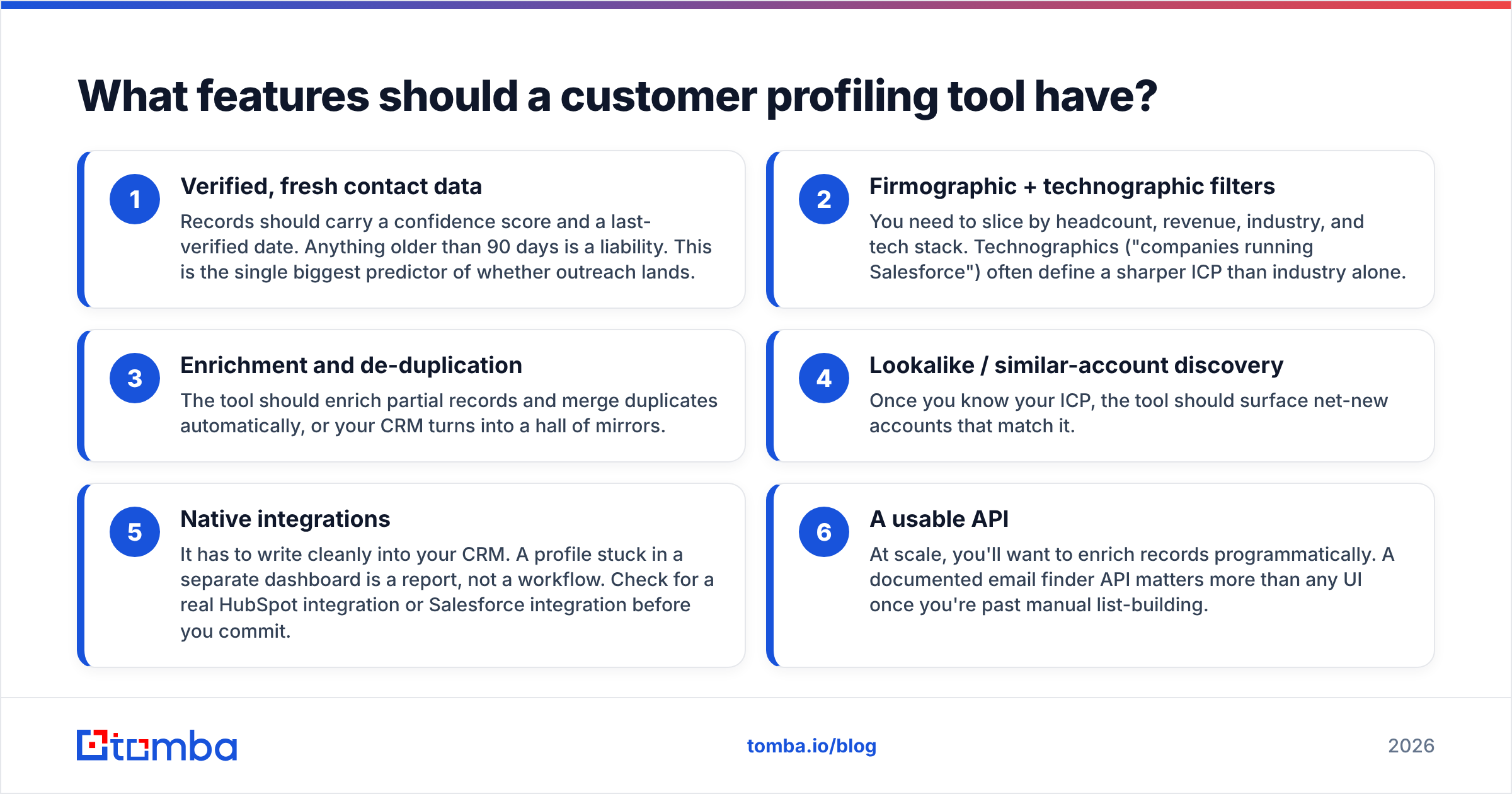
- Verified, fresh contact data — Records should carry a confidence score and a last-verified date. Anything older than 90 days is a liability. This is the single biggest predictor of whether outreach lands.
- Firmographic + technographic filters — You need to slice by headcount, revenue, industry, and tech stack. Technographics ("companies running Salesforce") often define a sharper ICP than industry alone.
- Enrichment and de-duplication — The tool should enrich partial records and merge duplicates automatically, or your CRM turns into a hall of mirrors.
- Lookalike / similar-account discovery — Once you know your ICP, the tool should surface net-new accounts that match it.
- Native integrations — It has to write cleanly into your CRM. A profile stuck in a separate dashboard is a report, not a workflow. Check for a real HubSpot integration or Salesforce integration before you commit.
- A usable API — At scale, you'll want to enrich records programmatically. A documented email finder API matters more than any UI once you're past manual list-building.
If a tool nails the first two and integrates with your CRM, it will outperform a feature-rich platform that scores well on a spec sheet but ships you outdated records.
How do you build a customer profile with these tools?#
The tool is the easy part. The method is what produces a profile your reps actually trust. Here's the sequence that works.
Step 1 — Pull your winners. Export your closed-won accounts from the last 12–18 months, weighted toward high-retention, high-expansion customers. These are your ground truth.
Step 2 — Enrich them. Run those accounts through an enrichment layer to fill in firmographics and technographics you don't already store. Now you can see patterns instead of guessing.
Step 3 — Find the pattern. Look for the two or three attributes that consistently separate wins from churns — often headcount band, a specific tech in the stack, or a particular buyer title. That intersection is your ICP.
Step 4 — Build the lookalike list. Use your database tool's filters to find every company matching that pattern, then pull the right contacts. This is where a domain search is faster than manual research: give it a company domain and get back the verified emails for the roles you care about.
Step 5 — Verify before you send. Route the whole list through verification. Skipping this step is how a clean profile still produces a 15% bounce rate and a damaged sender reputation. If you're unsure about a domain, a catch-all verifier tells you whether those addresses are safe to email.
The discipline here beats the software. A modest toolset run through this loop outperforms an expensive platform used as a glorified contact export.
Which customer profiling tool should you choose?#
Match the tool to your stage and motion rather than chasing the longest feature list.
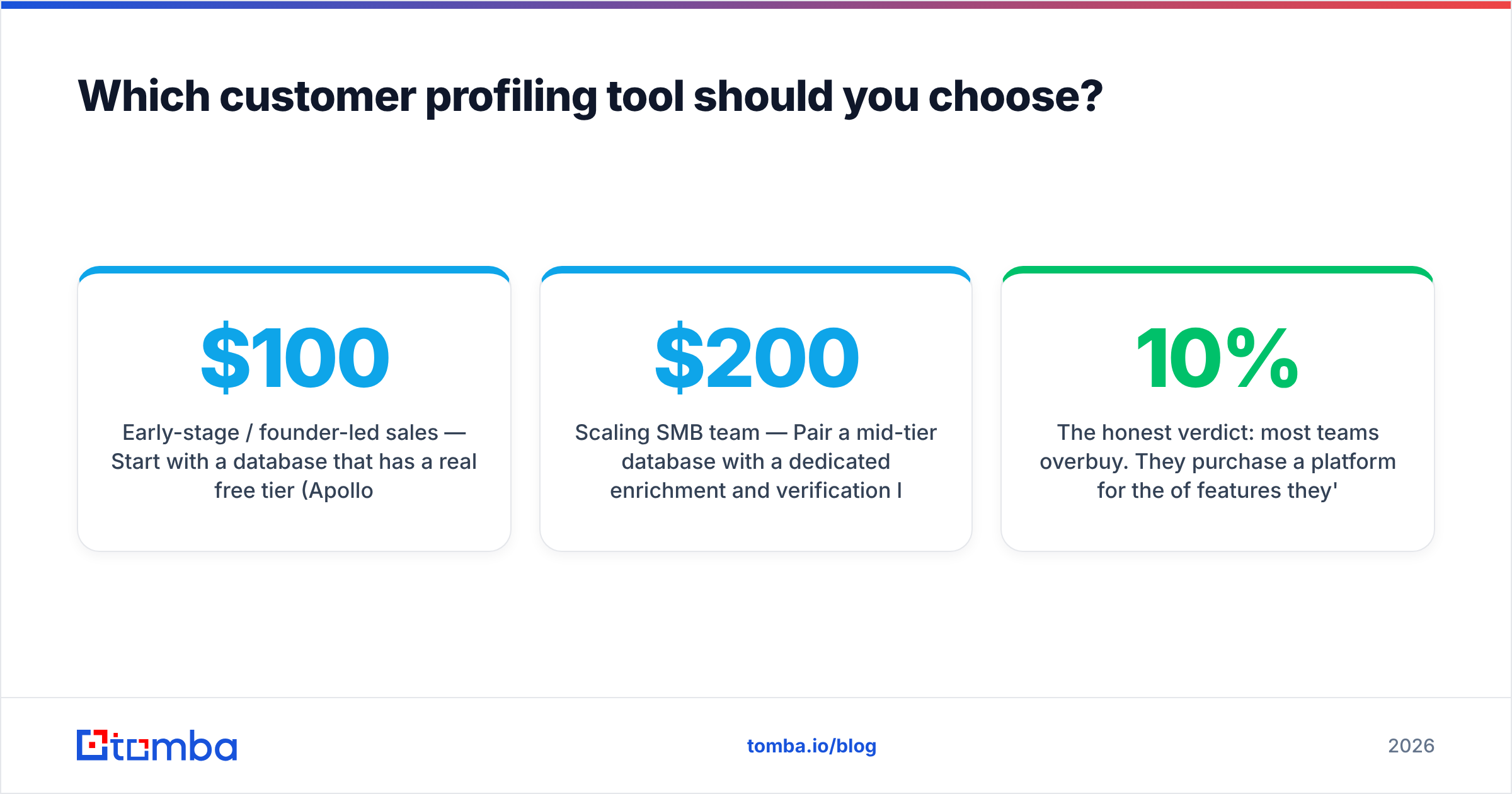
- Early-stage / founder-led sales — Start with a database that has a real free tier (Apollo or Tomba's free plan) plus a verifier. You need reach and accuracy, not a CDP. Total spend under $100/month.
- Scaling SMB team — Pair a mid-tier database with a dedicated enrichment and verification layer. Budget $200–500/month and prioritize CRM integration over raw record count.
- Enterprise with a data team — This is where ZoomInfo, Clearbit, or a full CDP earns its price, because you have the volume and the engineers to operationalize it. Expect four- to five-figure annual contracts.
- Any team doing outbound at volume — Whatever database you pick, add a focused contact-finding and verification tool. It's the cheapest insurance against bounce rates, and it's often more accurate on emails than the suite you already pay for. See how vendors describe their own methodology, like HubSpot's guidance on building buyer personas, for a neutral baseline.
The honest verdict: most teams overbuy. They purchase a platform for the 10% of features they'll use and inherit stale data for the 90% that matters. Buy narrow, verify obsessively, and expand only when your ICP is proven.
Frequently asked questions#
Are customer profiling tools the same as CRMs? No. Your CRM stores what you already know about customers. Profiling tools bring in external data to enrich those records and find net-new accounts that match your best customers. They feed the CRM; they don't replace it.
Do I need a separate tool for email accuracy? Usually, yes. Databases optimize for breadth, not verification, so their contact accuracy varies. A dedicated finder and verifier catches the bounces before they cost you sender reputation. Tomba's data sourcing is documented on its our data page if you want to see the methodology.
How often should I refresh my customer profile? Revisit your ICP every two quarters, and re-verify contact lists before every major campaign. B2B data decays roughly 2–3% per month, so a list you built in January is measurably worse by summer.
Build your profiling stack on accurate contact data#
Every customer profile is only as good as the contact data underneath it. You can define the perfect ICP and still lose the quarter if the emails behind those accounts bounce. That's the layer to get right first.
Start with the Tomba Email Finder to turn your profiled account list into verified, ready-to-contact emails — 25 free searches a month, no card required, and a $49/month Starter plan when you scale. Pair it with the built-in verifier and domain search, and you'll spend your budget on reaching the right buyers instead of cleaning up after the wrong data. Check the full Tomba pricing to match a plan to your volume.
Related guides#
Ready to find emails that actually work?
Join 150,000+ professionals who stopped guessing and started sending. Free credits on signup — no credit card required.
Get the Tomba newsletter
Practical outbound tactics and product updates — once every two weeks.
About the author