CustomerFinderBot Pricing, Reviews, Pros and Cons (2026)
A neutral, no-hype breakdown of CustomerFinderBot pricing, real user reviews, and the pros and cons of using AI social listening to find leads in 2026 — plus where it falls short.
Here's a fast, no-hype guide to CustomerFinderBot pricing, reviews, pros and cons for 2026. You'll see what you really pay, what users like and dislike, and where the tool falls short. Short version: it is great at finding leads, but it stops before you can reach them.
CustomerFinderBot Pricing, Reviews, Pros and Cons: The Short Version#
TL;DR
- CustomerFinderBot is an AI social-listening tool. It scans Reddit, X (Twitter), Hacker News, and other communities. It looks for posts where people describe a problem your product solves. Then it drafts a reply so you can jump in.
- Pricing is subscription-based. It scales by keywords, tracked platforms, and AI reply volume. Expect a low-cost entry tier and higher plans for agencies. Always confirm current numbers on the official pricing page.
- Reviews are broadly positive on time saved and lead relevance. The common gripes: false positives, per-platform limits, and the manual work of replying well.
- The biggest gap: it finds conversations, not verified contact details. To turn a Reddit username into a real outbound sequence, you still need an email.
- Best fit: founders and small teams doing community-led growth who want warm inbound signals. Pair it with a proper email finder for follow-up.
What is CustomerFinderBot?#
CustomerFinderBot is a social monitoring and lead-detection tool. Think of it as a smoke alarm for buying intent. You don't scroll Reddit all day hoping to spot someone asking "what tool do you use for X?". Instead, the bot watches those threads around the clock. It pings you the moment a relevant post appears.
It works in three steps. First, you define keywords, topics, or a short description of your product. Second, the bot scans supported platforms — mostly Reddit and X, often Hacker News and a few others. It looks for posts and comments that match. Third, it uses an LLM to score relevance and draft a natural-sounding reply. You post that reply to start a conversation.
The pitch is "warm leads without cold outreach." You're not interrupting strangers. You're answering people who already raised their hand. That is a very different motion from buying a list and blasting it. But it is also narrower than it sounds. And it stops well short of a full pipeline.
If you're comparing intent tools, it helps to know the vocabulary. A quick skim of a B2B glossary clarifies terms like intent data, MQL, and social selling. Learn them before you evaluate any single vendor.
How much does CustomerFinderBot pricing cost in 2026?#
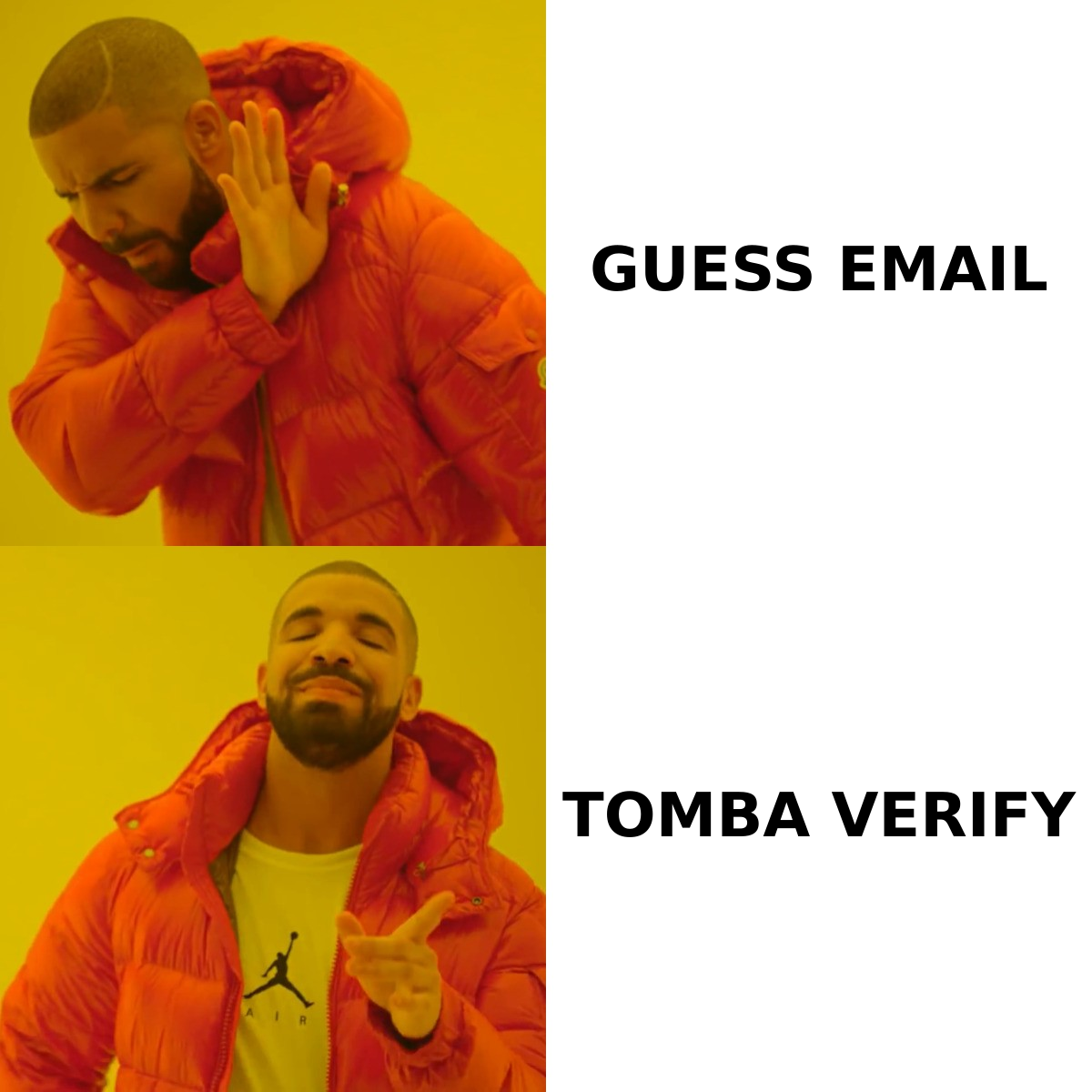
CustomerFinderBot uses a simple monthly SaaS model. You pay more as you add keywords, connect more platforms, and use more AI replies. Vendors change plans often. So treat the numbers below as a rough structure. Verify the live figures on the official CustomerFinderBot site before you buy.
| Plan tier | Who it targets | Typical monthly cost | What you get |
|---|---|---|---|
| Free / trial | Testing the fit | $0 (limited) | A handful of keywords, capped results, limited AI replies |
| Starter | Solo founders | ~$29–$49/mo | More keywords, 1–2 platforms, moderate reply volume |
| Pro / Growth | Small teams | ~$79–$99/mo | Multiple platforms, higher limits, priority scanning |
| Agency / Business | Agencies, multi-brand | $150/mo+ | Many projects, team seats, highest limits |
A few things to watch on the invoice:
- Per-platform gating. Cheaper tiers often limit you to Reddit only. If X or Hacker News matter to your audience, you may need a higher tier.
- Reply/credit caps. AI-drafted replies are usually metered. Heavy users hit the ceiling. Then they upgrade or wait for the reset.
- Keyword limits. Broad products need many keywords. Narrow limits force you to prioritize and miss edge-case mentions.
- Annual discounts. Like most SaaS, paying yearly usually saves 15–20%. It is worth it only once the tool earns its keep.
Compared with heavyweight suites (Brandwatch, Sprout Social), CustomerFinderBot is cheap and lightweight. Those suites can cost hundreds or thousands per month. This tool is closer to an indie monitoring bot than an enterprise platform. That is its appeal — and its ceiling.
What do CustomerFinderBot reviews say?#
Public feedback is generally favorable, but the same themes come up on both sides. You'll find it across product directories, Reddit threads, and X. Cross-check current sentiment on directories like G2 and Capterra. Don't rely on any single testimonial.
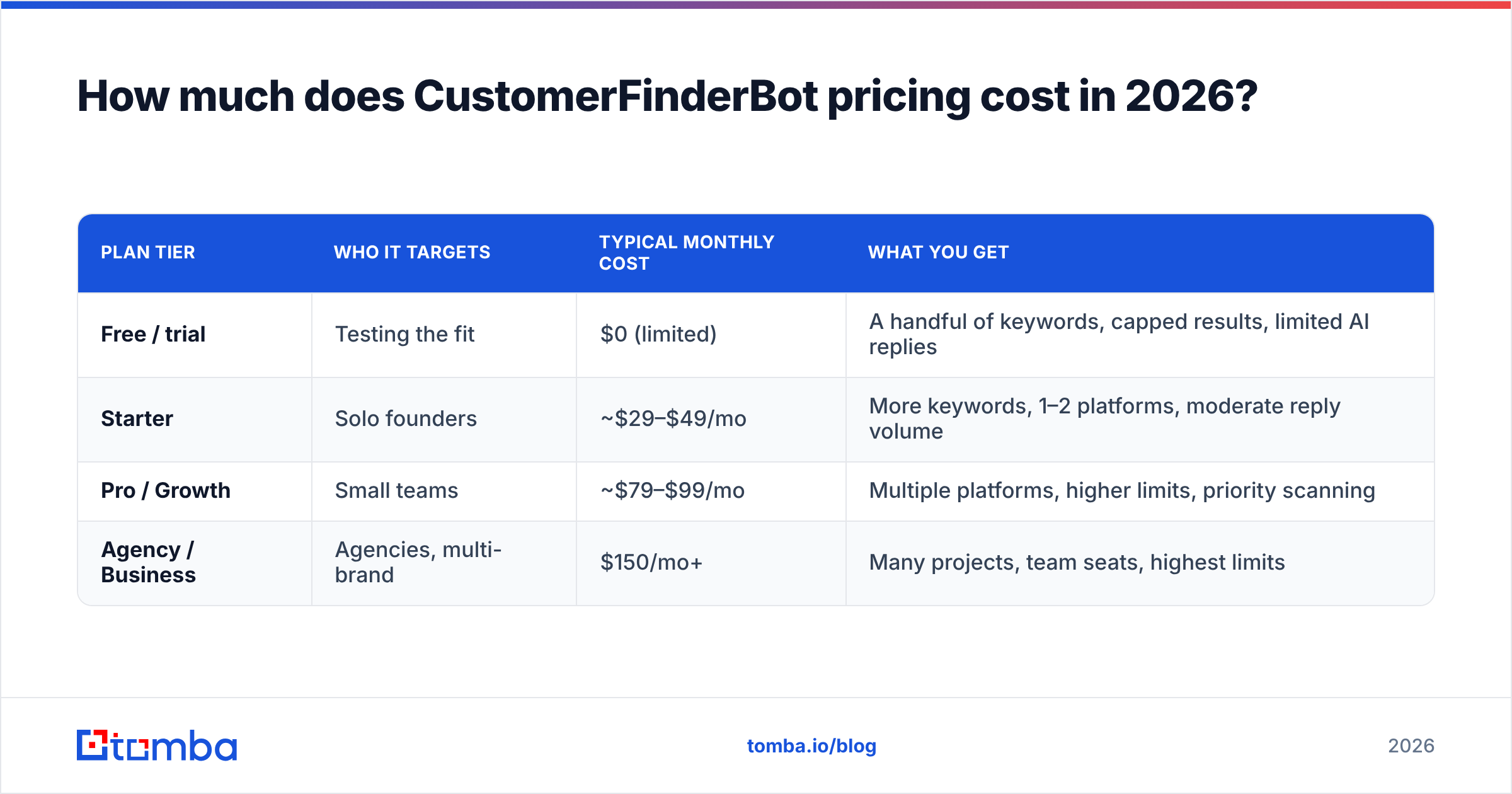
What reviewers praise:
- Time saved. This is the most common compliment. Users who once monitored subreddits by hand say the bot reclaims hours each week.
- Genuinely relevant hits. When keywords are tuned well, the leads are warm. People actively describe the problem you solve.
- Low barrier to entry. It is cheap enough for a solo founder to trial without a budget conversation.
- Decent draft replies. The AI suggestions are a useful starting point, especially for non-native English speakers.
What reviewers criticize:
- False positives. Broad keywords surface off-topic posts. Tuning takes iteration, and early days can feel noisy.
- Reply fatigue and etiquette risk. Communities like Reddit punish anything that smells promotional. Automated-sounding replies get downvoted or removed. The human still has to rewrite most drafts.
- Platform limits. Coverage depth varies by platform. Some users want more sources than their tier allows.
- It stops at the mention. Reviewers note the tool finds the opportunity but leaves the outreach to you, especially off-platform follow-up.
That last point is the crux. A Reddit username or an X handle is not a sales contact. When a conversation shows real interest, you'll want to move it to email or a call. CustomerFinderBot doesn't hand you that data.
What are the pros and cons of CustomerFinderBot?#
Here's the balanced view, side by side.
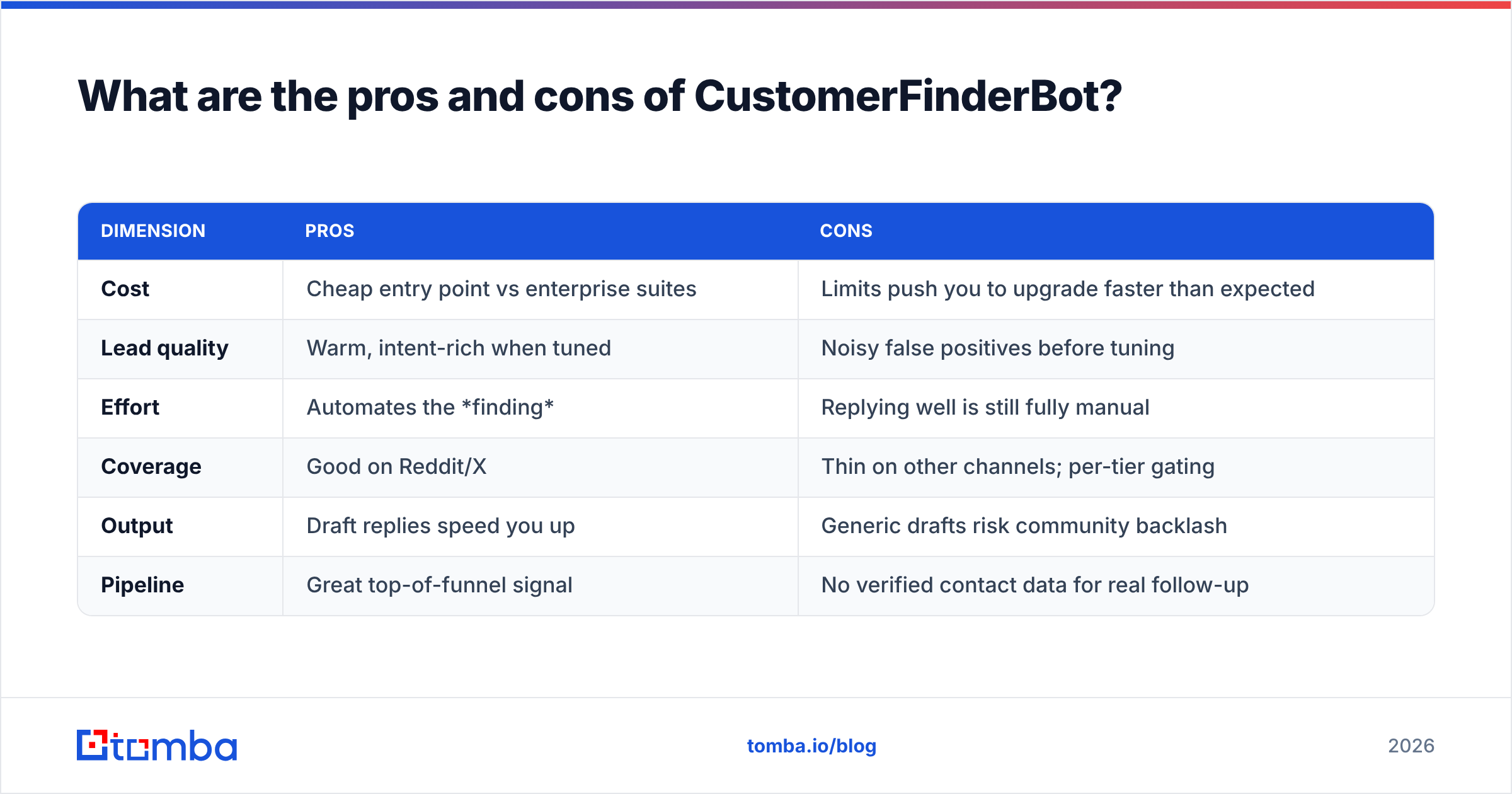
| Dimension | Pros | Cons |
|---|---|---|
| Cost | Cheap entry point vs enterprise suites | Limits push you to upgrade faster than expected |
| Lead quality | Warm, intent-rich when tuned | Noisy false positives before tuning |
| Effort | Automates the finding | Replying well is still fully manual |
| Coverage | Good on Reddit/X | Thin on other channels; per-tier gating |
| Output | Draft replies speed you up | Generic drafts risk community backlash |
| Pipeline | Great top-of-funnel signal | No verified contact data for real follow-up |
The honest summary: it is a strong signal tool and a weak pipeline tool. It tells you who is talking and where. But it doesn't give you a durable way to reach them. Threads go cold and prospects go quiet. Community platforms can shadow-limit links, throttle new accounts, and change rules overnight. So leaning on in-thread replies alone is fragile.
Who is CustomerFinderBot best for?#
CustomerFinderBot fits a specific profile well:
- Bootstrapped founders doing community-led growth who live on Reddit and X anyway.
- Early-stage SaaS with a clear pain point and a small set of high-signal keywords.
- Solo marketers who need to punch above their weight without a listening-suite budget.
It is a weaker fit in a few cases. You may not need it if you sell to enterprise via named-account outbound. It helps less if your buyers aren't active in public communities. And it won't replace CRM-grade contact records or multichannel sequencing. In those cases the bot is a nice-to-have, not a core system.
How do you turn CustomerFinderBot leads into real pipeline?#
Short answer: pair it with an email finder and verifier. Social mentions decay fast, and DMs get ignored.
A conversation on Reddit is a moment, not a relationship. The person asking today may not come back tomorrow. To build durable pipeline, move them into a channel you control: email. There you can nurture, follow up, and measure response rate properly. That handoff is where CustomerFinderBot ends and a data tool begins.
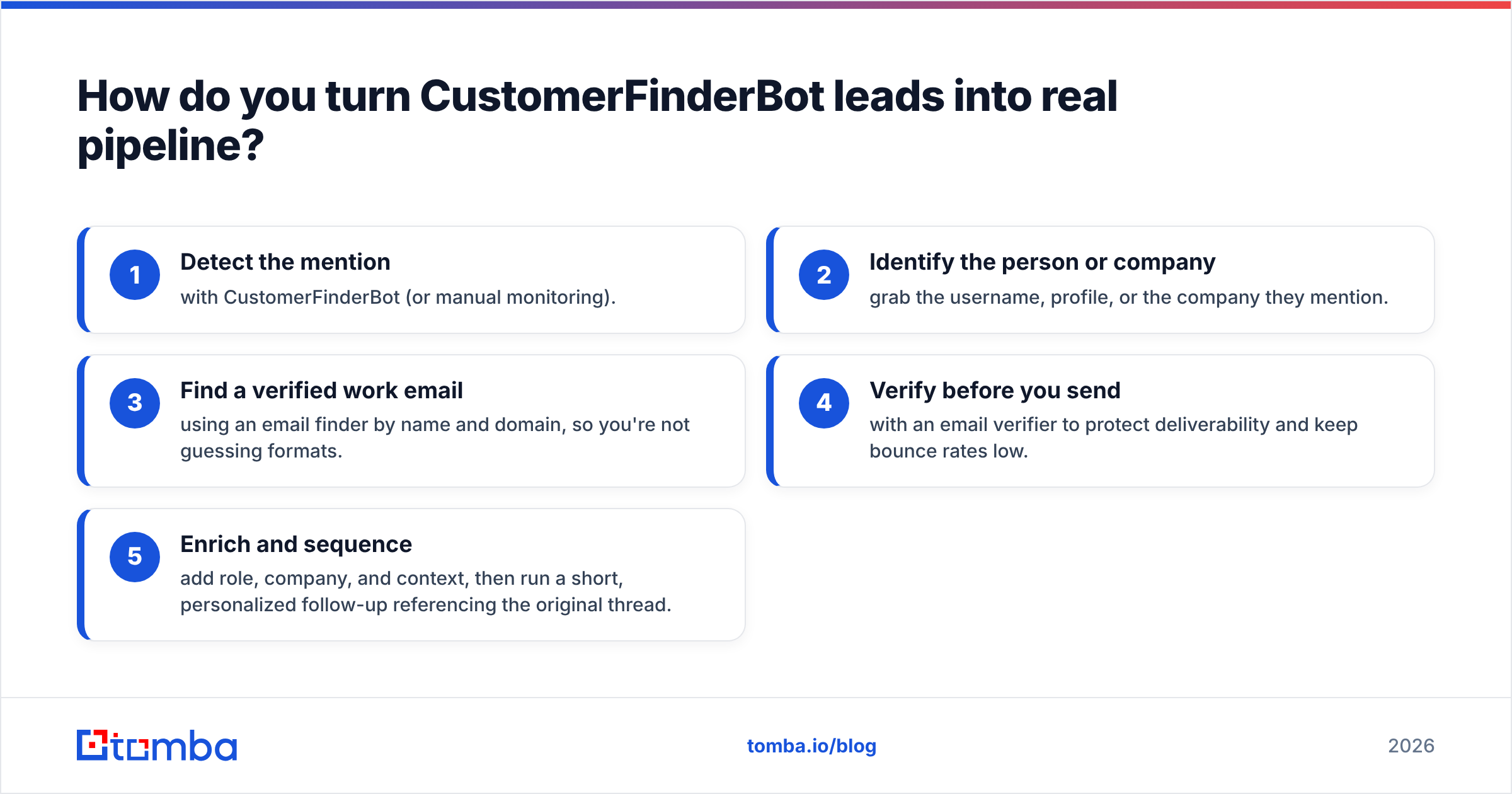
Here's a practical workflow that plugs the gap:
- Detect the mention with CustomerFinderBot (or manual monitoring).
- Identify the person or company. Grab the username, profile, or the company they mention.
- Find a verified work email using an email finder by name and domain, so you're not guessing formats.
- Verify before you send with an email verifier to protect deliverability and keep bounce rates low.
- Enrich and sequence. Add role, company, and context. Then run a short, personalized follow-up that references the original thread.
This is where Tomba complements a social listener instead of competing with it. CustomerFinderBot answers "who's interested right now?" Tomba answers "how do I reach them?" One finds the spark. The other keeps the fire going after the thread scrolls away.
If you only have an anonymous email, a reverse email lookup closes the loop the other way. And if you're pricing the full stack, Tomba's pricing starts free (25 searches/mo) and scales from $49/mo. That is a predictable line item next to any tier of CustomerFinderBot.
Is CustomerFinderBot worth it?#
Yes — for the right team, at the right stage, with clear eyes about what it does. Say you're a founder or small team doing community-led growth. The entry pricing is low enough that one won deal pays for a year. And the time saved on manual monitoring is real.
But budget for the whole motion, not just the alert. The bot's cost is only the first line item. To convert what it surfaces, you'll spend time writing non-spammy replies. You'll also pay for the contact-data layer that turns a username into a reachable buyer. Teams that skip that second half tend to churn off the tool. They conclude "social leads don't convert" and blame the wrong thing.
Set expectations early. CustomerFinderBot is a sharp, affordable discovery tool. Treat it as the front door of a system, not the whole house. Do that, and it earns its price.
Frequently asked questions#
Does CustomerFinderBot give you contact details? No. It surfaces posts, usernames, and profiles, not verified emails or phone numbers. You'll need a separate email finder to turn a mention into an outreach contact.
Is CustomerFinderBot better than manual Reddit monitoring? For most people, yes. It saves hours and catches mentions you'd miss. The trade-off is tuning keywords to cut false positives and still writing your own replies.
Will automated replies get me banned on Reddit? They can, if they read as promotional or bot-like. Use the AI drafts as a starting point. Rewrite them to add real value, and follow each subreddit's self-promotion rules.
How does CustomerFinderBot pricing compare to enterprise listening tools? It is much cheaper. Suites like Brandwatch or Sprout Social run into the hundreds or thousands monthly. CustomerFinderBot targets indie budgets with tiers from free to roughly $150+/mo.
The bottom line: pair discovery with real contact data#
That wraps up this look at CustomerFinderBot pricing, reviews, pros and cons. It is a useful, affordable way to catch buying intent in public communities. It is strong on discovery, saves real time, and is priced for small teams. Its ceiling is that it stops at the mention. To build a pipeline you control, you need verified emails to follow up when the thread goes quiet.
That's the job Tomba is built for. Use CustomerFinderBot (or any listener) to spot the conversation. Then use the Tomba Email Finder to find and verify the decision-maker's real work email in seconds — by name, domain, or company. Start free with 25 searches a month. Turn scattered social signals into a repeatable outbound motion. Find the conversation with a bot; close it with a verified email.
Related guides#
Ready to find emails that actually work?
Join 150,000+ professionals who stopped guessing and started sending. Free credits on signup — no credit card required.
Get the Tomba newsletter
Practical outbound tactics and product updates — once every two weeks.
About the author