D7 Lead Finder vs FinalScout: Which Tool Wins in 2026?
D7 Lead Finder scrapes local business lists; FinalScout mines LinkedIn emails. We compare pricing, data accuracy, and use cases—then name the smarter pick for most B2B teams in 2026.
Choosing between D7 Lead Finder and FinalScout comes down to one question: do you need bulk local business lists, or verified emails for specific people on LinkedIn? They sound similar because both promise "leads," but they solve opposite problems. Pick wrong and you either drown in unqualified phone numbers or pay per-credit for contacts you could have pulled in bulk.
This comparison breaks down pricing, data type, accuracy, and the exact scenarios where each tool earns its subscription—plus where a verification-first alternative beats both.
TL;DR: D7 Lead Finder vs FinalScout#
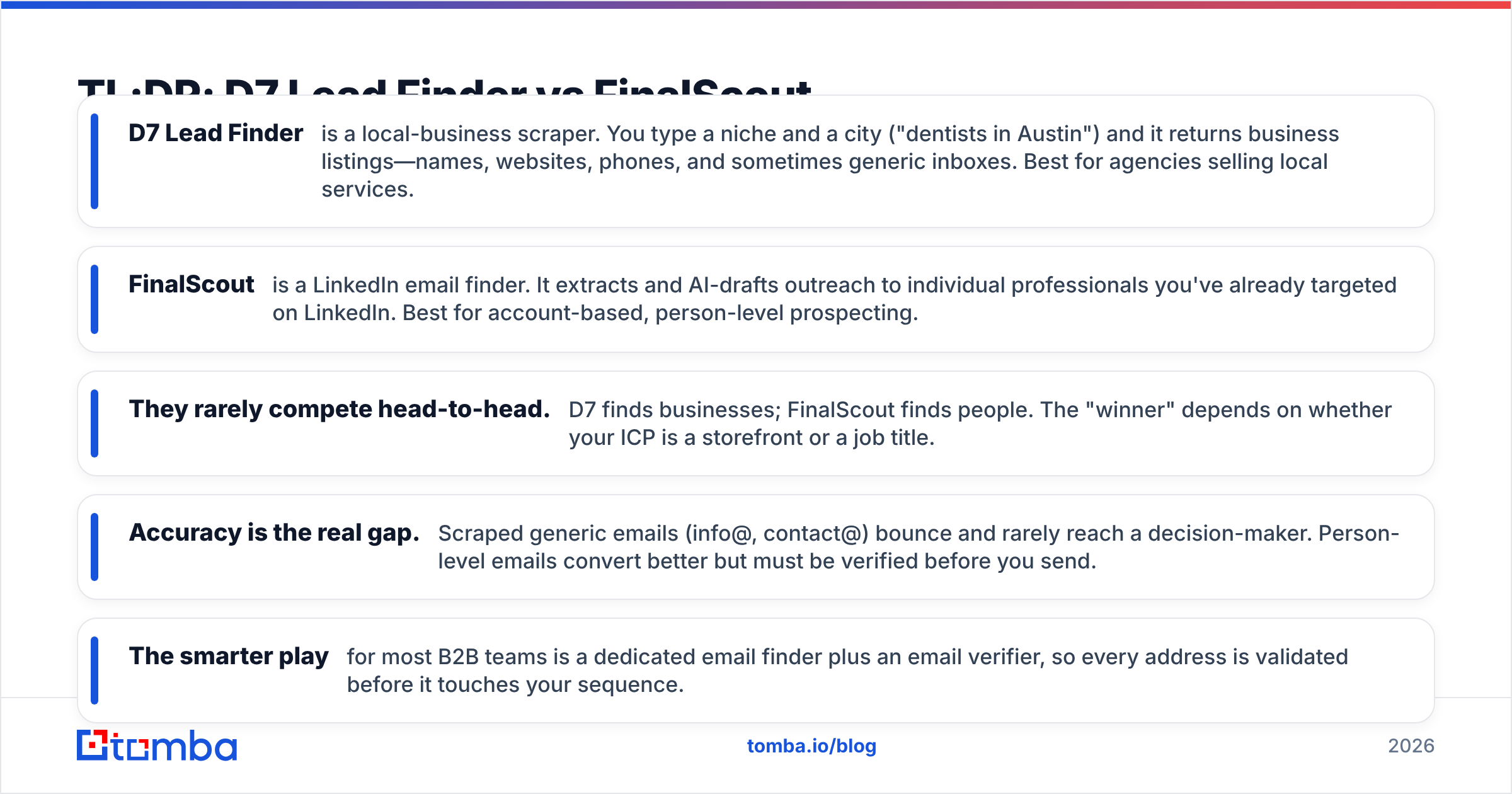
- D7 Lead Finder is a local-business scraper. You type a niche and a city ("dentists in Austin") and it returns business listings—names, websites, phones, and sometimes generic inboxes. Best for agencies selling local services.
- FinalScout is a LinkedIn email finder. It extracts and AI-drafts outreach to individual professionals you've already targeted on LinkedIn. Best for account-based, person-level prospecting.
- They rarely compete head-to-head. D7 finds businesses; FinalScout finds people. The "winner" depends on whether your ICP is a storefront or a job title.
- Accuracy is the real gap. Scraped generic emails (info@, contact@) bounce and rarely reach a decision-maker. Person-level emails convert better but must be verified before you send.
- The smarter play for most B2B teams is a dedicated email finder plus an email verifier, so every address is validated before it touches your sequence.
What is D7 Lead Finder?#
D7 Lead Finder is a bulk local-lead scraping tool. It aggregates public business directory data and returns spreadsheets of companies matching a keyword and location. In one search you might pull hundreds of "plumbers in Denver," each with a business name, category, website, phone number, star rating, and—when the business published one—an email address.
That model is built for volume, not precision. D7 is popular with SMMA (social media marketing agency) owners and local-service sellers who want a wide net: 500 roofers to cold-call about a website redesign, for example. You're buying reach into a geographic market, not a curated list of named buyers.
The tradeoff is contact quality. Most emails D7 surfaces are generic role inboxes scraped from a website footer. Those addresses (info@, office@, hello@) get filtered, forwarded, or ignored, and they almost never belong to the actual decision-maker. If your motion is phone-first, that's fine. If it's email-first, you'll feel the bounce rate fast.

What is FinalScout?#
FinalScout is a LinkedIn-centric email finder with an AI writing layer. You browse LinkedIn (or Sales Navigator), select profiles or search results, and FinalScout extracts business email addresses for those specific people. It then uses AI to draft personalized outreach based on each profile.
This is person-level prospecting. Instead of "every dentist in a zip code," you're targeting "VPs of Marketing at 50–200 person SaaS companies"—named individuals with a title, company, and role. FinalScout markets a high deliverability guarantee on the emails it returns, which matters because person-level emails are what actually land in a decision-maker's inbox.
The constraint is that FinalScout lives inside the LinkedIn workflow and prices by credits. Your total addressable list is bounded by what you can surface and select on LinkedIn, and heavy prospecting months mean buying more credits. It's precise, but it's not a firehose the way a scraper is.
D7 Lead Finder vs FinalScout: side-by-side comparison#
Here's how the two tools line up on the attributes that actually change your results.
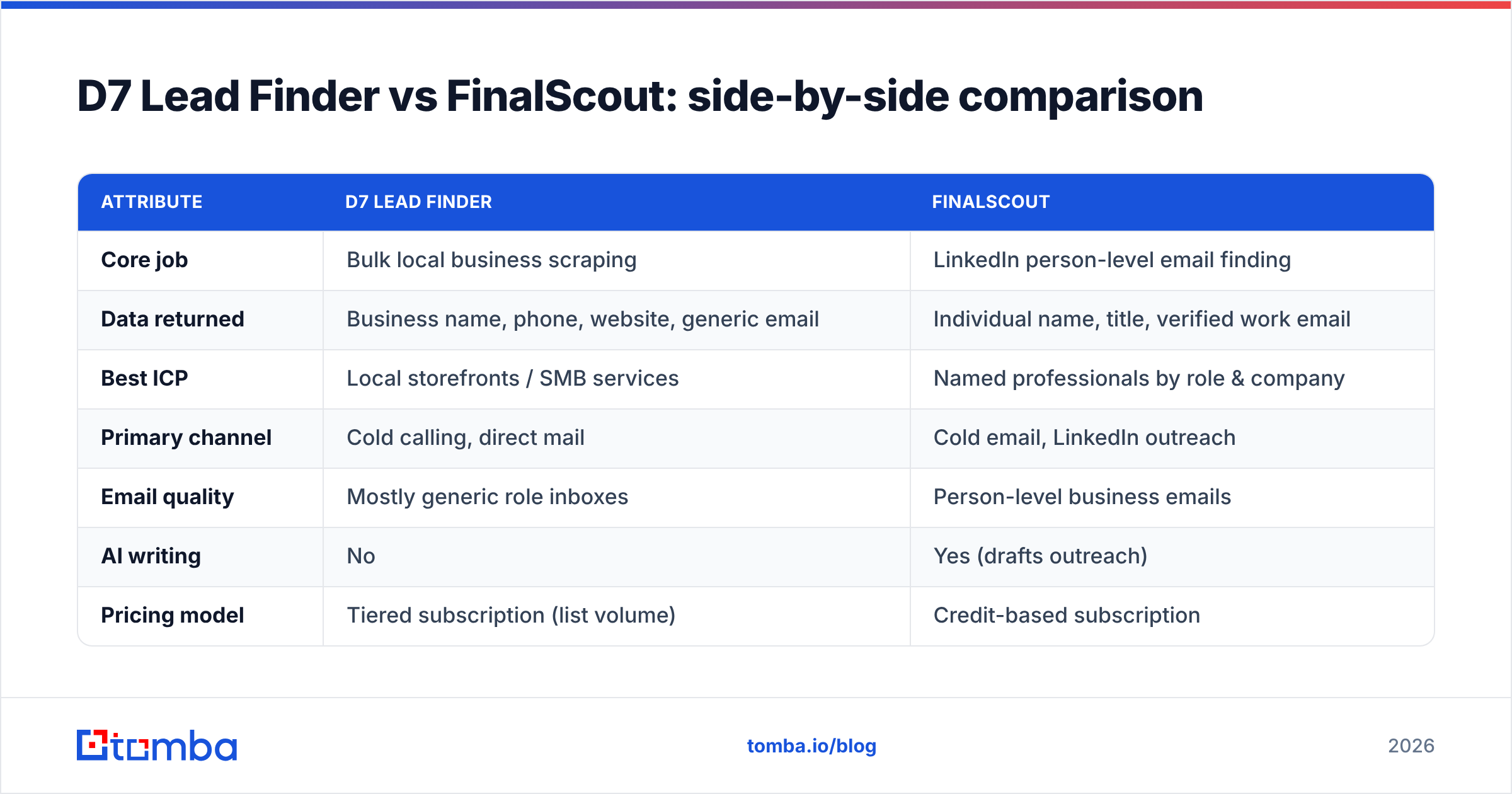
| Attribute | D7 Lead Finder | FinalScout |
|---|---|---|
| Core job | Bulk local business scraping | LinkedIn person-level email finding |
| Data returned | Business name, phone, website, generic email | Individual name, title, verified work email |
| Best ICP | Local storefronts / SMB services | Named professionals by role & company |
| Primary channel | Cold calling, direct mail | Cold email, LinkedIn outreach |
| Email quality | Mostly generic role inboxes | Person-level business emails |
| AI writing | No | Yes (drafts outreach) |
| Pricing model | Tiered subscription (list volume) | Credit-based subscription |
| Free option | Limited trial searches | Limited free credits |
| Weakness | Low email deliverability | Bounded by LinkedIn, per-credit cost |
The pattern is clear: D7 optimizes for breadth, FinalScout for precision. Neither is "better" in the abstract—they're built for different funnels.
Is D7 Lead Finder better than FinalScout?#
D7 wins when three things are true: your buyer is a local business, your first touch is a phone call or a walk-in, and you need volume more than you need named contacts. An agency owner cold-calling 300 HVAC companies about lead-gen services doesn't need a VP's direct email—they need a long list of businesses and phone numbers fast. That's exactly what D7 delivers, and cheaply.
D7 loses the moment your motion becomes email-first or you sell to a specific job function. Scraped generic inboxes tank your sender reputation because they bounce and trigger spam complaints. If you push a scraped list straight into a cold-email tool without cleaning it, you can burn a sending domain in a week. To learn why bounces cascade, see this primer on email deliverability.
Is FinalScout better than D7 Lead Finder?#
FinalScout wins for account-based and role-based outreach. If you already know your ICP by title—"Head of Talent at Series B startups"—FinalScout turns those LinkedIn profiles into contactable emails with drafted messaging attached. The emails are person-level, so they reach a human who can say yes, and the deliverability focus means fewer bounces than a scrape.
FinalScout's limits are workflow and cost. You're tethered to LinkedIn as your sourcing surface, so if a prospect isn't active there, you won't find them. And the credit model means scaling to tens of thousands of contacts a month gets expensive compared with a flat bulk plan. It's a scalpel, not a bulldozer—excellent when you know exactly who you want, less economical for indiscriminate volume.

Why data accuracy decides the real winner#
Here's the uncomfortable truth both categories share: a lead you can't reach isn't a lead. D7 gives you volume with weak email quality. FinalScout gives you quality within a bounded surface. But neither replaces a verification step, and skipping that step is what quietly kills campaigns.
Every list—scraped or LinkedIn-sourced—decays. People change jobs, companies fold, catch-all domains hide invalid mailboxes. Before you send, you want each address checked for syntax, domain health, mailbox existence, and catch-all status. That's the difference between a 2% bounce rate and a 30% one.
Consider the workflow most durable teams actually run:
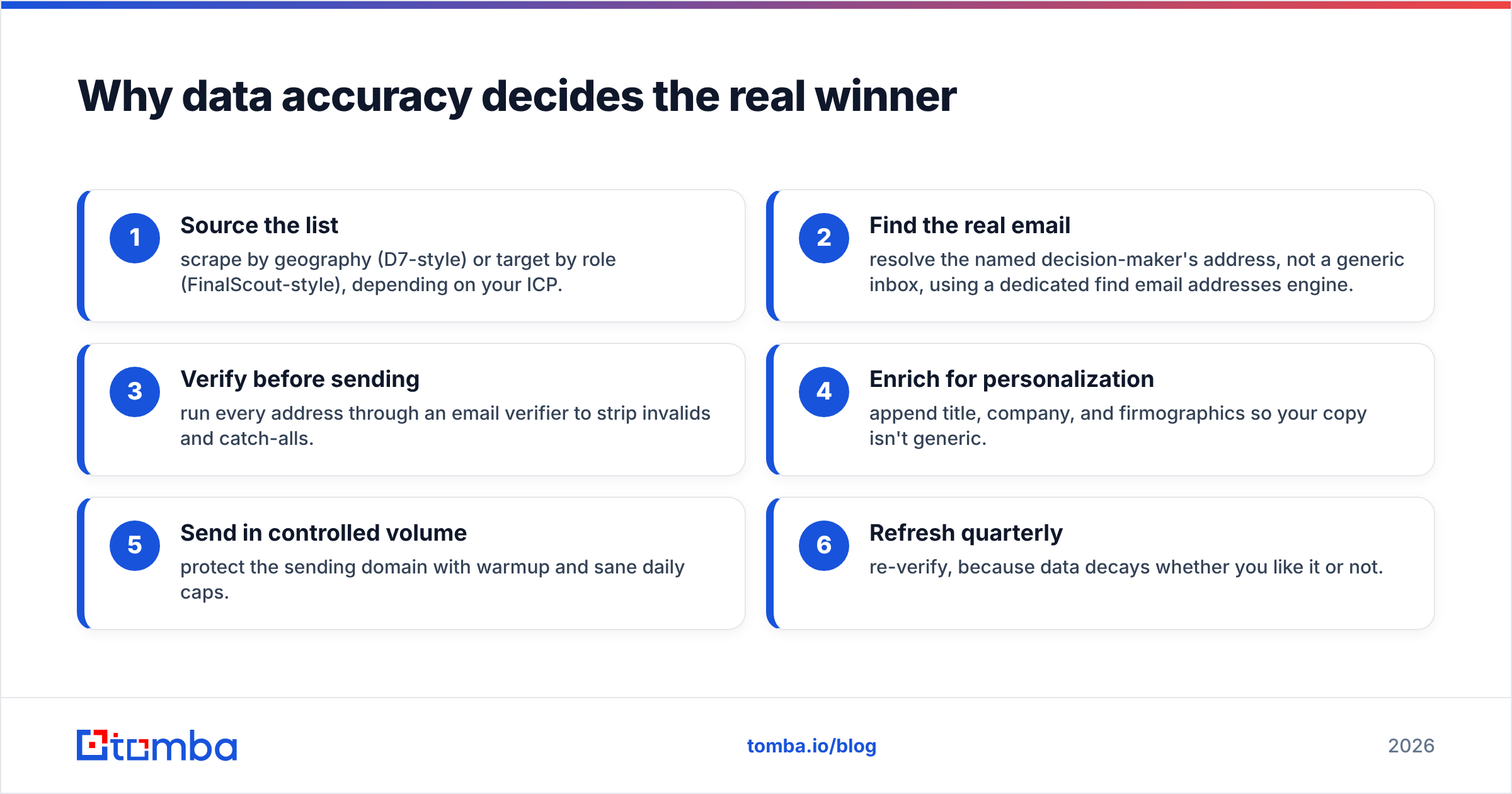
- Source the list — scrape by geography (D7-style) or target by role (FinalScout-style), depending on your ICP.
- Find the real email — resolve the named decision-maker's address, not a generic inbox, using a dedicated find email addresses engine.
- Verify before sending — run every address through an email verifier to strip invalids and catch-alls.
- Enrich for personalization — append title, company, and firmographics so your copy isn't generic.
- Send in controlled volume — protect the sending domain with warmup and sane daily caps.
- Refresh quarterly — re-verify, because data decays whether you like it or not.
Steps 2 and 3 are where scraped-and-blast approaches fall apart. G2 reviews across the lead-data category consistently flag bounce rates and stale records as the top complaint—so treat verification as non-negotiable, not optional. You can compare user sentiment across tools on G2.
Where Tomba fits between the two#
Tomba isn't a local scraper and it isn't a LinkedIn-only extractor—it's the accuracy layer that makes either sourcing motion pay off. Once you know the company (from D7) or the person (from FinalScout), Tomba resolves and validates the actual email.
- Domain search — feed a company website from a D7 export and get the real people and email pattern behind it via domain search, instead of a footer info@.
- LinkedIn finder — matched FinalScout's motion? Resolve profile-based work emails with the LinkedIn finder.
- Bulk processing — clean an entire scraped spreadsheet at once with the bulk email finder and verifier.
- Catch-all handling — the domains that silently swallow test pings get resolved by the catch-all verifier.
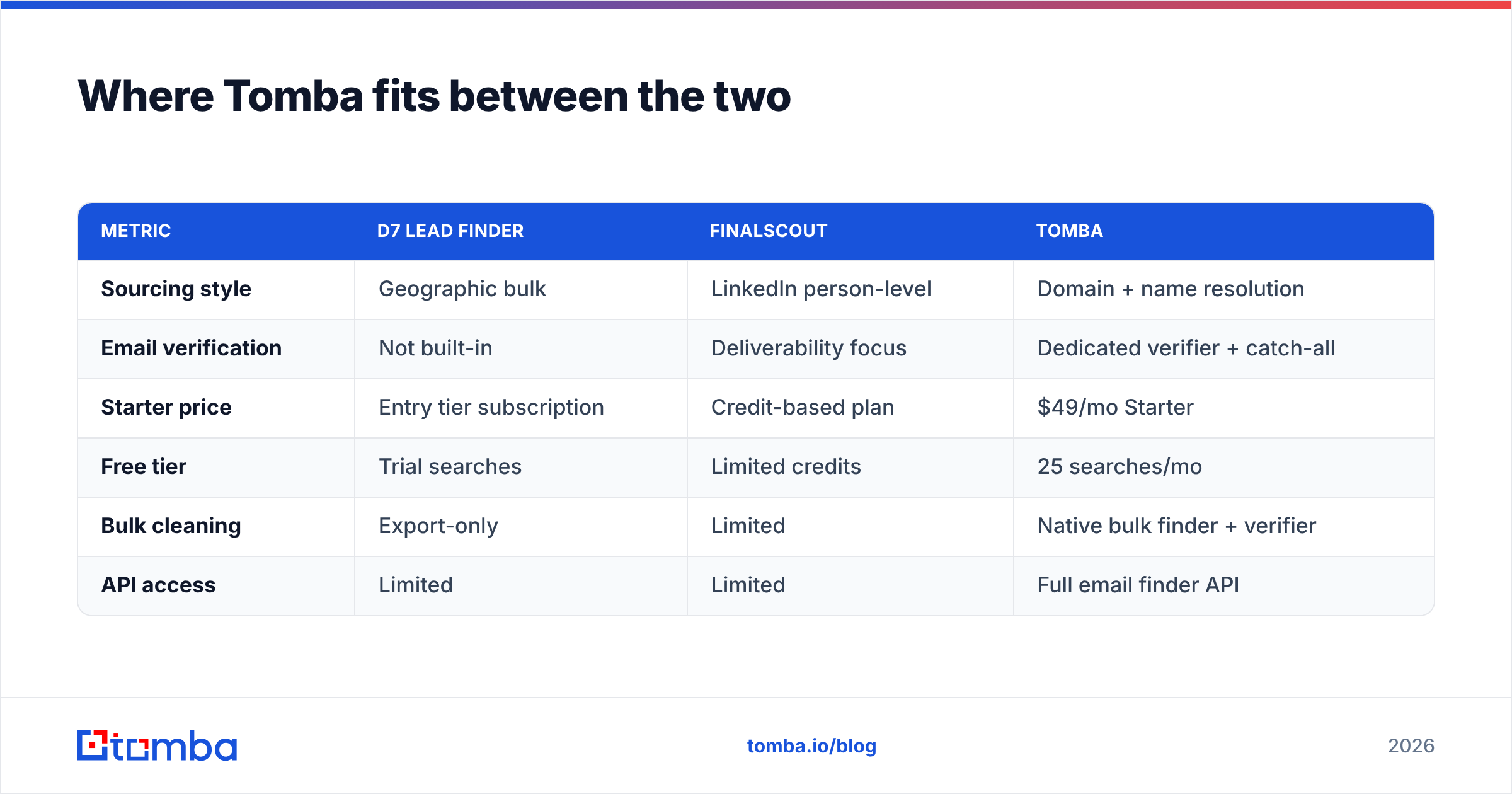
Here's how the three approaches compare on the metrics that move pipeline.
| Metric | D7 Lead Finder | FinalScout | Tomba |
|---|---|---|---|
| Sourcing style | Geographic bulk | LinkedIn person-level | Domain + name resolution |
| Email verification | Not built-in | Deliverability focus | Dedicated verifier + catch-all |
| Starter price | Entry tier subscription | Credit-based plan | $49/mo Starter |
| Free tier | Trial searches | Limited credits | 25 searches/mo |
| Bulk cleaning | Export-only | Limited | Native bulk finder + verifier |
| API access | Limited | Limited | Full email finder API |
Tomba's transparent, flat Tomba pricing—Free (25 searches/mo), Starter $49/mo, Growth $99/mo, Pro $249/mo—means you're not rationing credits mid-campaign or guessing at list-volume tiers. You can also review where the data comes from on Tomba's data sources page, which matters when accuracy is the whole game.
Which tool should you actually buy?#
Match the tool to your motion, not to the marketing:
- You sell to local storefronts and cold-call first → D7 Lead Finder gets you volume cheaply. Just verify any emails before you send.
- You run account-based outreach by job title → FinalScout resolves person-level LinkedIn emails with AI drafting built in.
- You send cold email at scale and live or die by deliverability → lead with a verification-first stack. Source however you like, but resolve and validate every address before it enters a sequence.
For most B2B teams whose primary channel is email, the deciding factor isn't "scrape vs LinkedIn"—it's whether every address is real. That's the gap D7 leaves open and the surface FinalScout bounds. A dedicated finder-plus-verifier closes it regardless of where the raw list originated. You can sanity-check the vendors' own claims on the D7 Lead Finder site and FinalScout before you commit.
The bottom line#
D7 Lead Finder and FinalScout aren't really rivals—they're two ends of the sourcing spectrum. D7 is breadth for local, phone-first outreach. FinalScout is precision for LinkedIn, person-first outreach. The tool that quietly determines your reply rate isn't either one; it's the verification step both leave to you.
If your growth depends on cold email actually landing, start with accuracy. Use the Tomba Email Finder to resolve real decision-maker addresses by domain, name, or company, run them through the verifier, and send into a clean list from day one. Spin up the free tier—25 searches a month, no credit card—and test your next batch against whatever you're scraping or extracting today. The bounce rate will tell you everything.
Related guides#
Ready to find emails that actually work?
Join 150,000+ professionals who stopped guessing and started sending. Free credits on signup — no credit card required.
Get the Tomba newsletter
Practical outbound tactics and product updates — once every two weeks.
About the author