D7 Lead Finder vs Generect: Which Lead Tool Wins in 2026?
D7 Lead Finder sells cheap bulk business lists; Generect targets LinkedIn-sourced B2B leads. We compare accuracy, pricing, and data freshness to find the better fit for your outreach.
TL;DR
- D7 Lead Finder is a cheap, high-volume scraper: type a keyword and a city, get a bulk CSV of local businesses with emails, phones, and social links. Great for local B2B and SMB targeting, weak on verified decision-maker emails.
- Generect is a LinkedIn-centric B2B lead platform: it builds targeted lists of professionals by title, company, and industry with real-time enrichment. Better data freshness, higher price, smaller local-business coverage.
- Neither is a precision email finder. D7 trades accuracy for volume; Generect trades breadth for depth. If bounce rate matters, you still need verification.
- On price, D7 Lead Finder is the cheapest entry; Generect costs more but returns cleaner professional data.
- If your real job is finding and verifying accurate work emails at scale, a dedicated tool like Tomba Email Finder beats both — and starts free.
If you have landed on this page, you are probably staring at two very different tools and wondering which one deserves your budget. This is the honest breakdown, not a sales sheet.
What is D7 Lead Finder?#
D7 Lead Finder is a keyword-and-location scraper. You tell it "dentists in Austin" or "roofing companies in Manchester," and it returns a downloadable list of matching businesses — company name, website, phone, email where available, and social profiles. It is built for volume and speed, not surgical accuracy.
Think of D7 like a fishing net rather than a spear. You drag it through a category and a geography and pull up whatever is there. That works beautifully when your buyer is a small local business (a plumber, a gym, a law office) and any general inbox will do. It works far less well when you need to reach a named VP of Marketing at a mid-market SaaS company.
The data mostly comes from public web sources: business directories, Google Business listings, and website scraping. That means a lot of the emails are role-based (info@, contact@, sales@) rather than a specific person. For local outreach that is fine. For personalized cold email to decision-makers, it is a problem.

Where D7 shines:
- Local and SMB targeting — restaurants, contractors, clinics, retail. It is one of the fastest ways to build a big local list.
- Price — the entry cost is low, which is why agencies and freelancers love it for churning out prospect lists.
- Multi-channel data — you get phone and social alongside email, so you are not locked into one channel.
Where D7 struggles: verified, person-specific work emails, deliverability, and enterprise-grade coverage. You should assume a meaningful chunk of any scraped list will bounce unless you run it through an email verifier before sending.
What is Generect?#
Generect is a B2B lead-generation platform built around LinkedIn and professional data. Instead of scraping local directories, it lets you filter by job title, seniority, company size, industry, and technology, then returns enriched contact records for the actual people who match. Its selling point is real-time enrichment — pulling current data at request time rather than serving a stale cached row.
If D7 is a net, Generect is closer to a targeting scope. You define the exact profile of your buyer and it assembles a list of individuals who fit. That makes it a much stronger match for classic B2B SaaS and sales-led motions where you are chasing named roles, not generic storefronts.
Generect leans on LinkedIn as its spine, which is both a strength and a limit. The strength: professional titles and company affiliations tend to be accurate and current, because people update LinkedIn. The limit: coverage skews toward white-collar, LinkedIn-active industries. If your ICP is a machine shop owner who has never touched LinkedIn, Generect has less to offer than D7.

Generect's practical strengths:
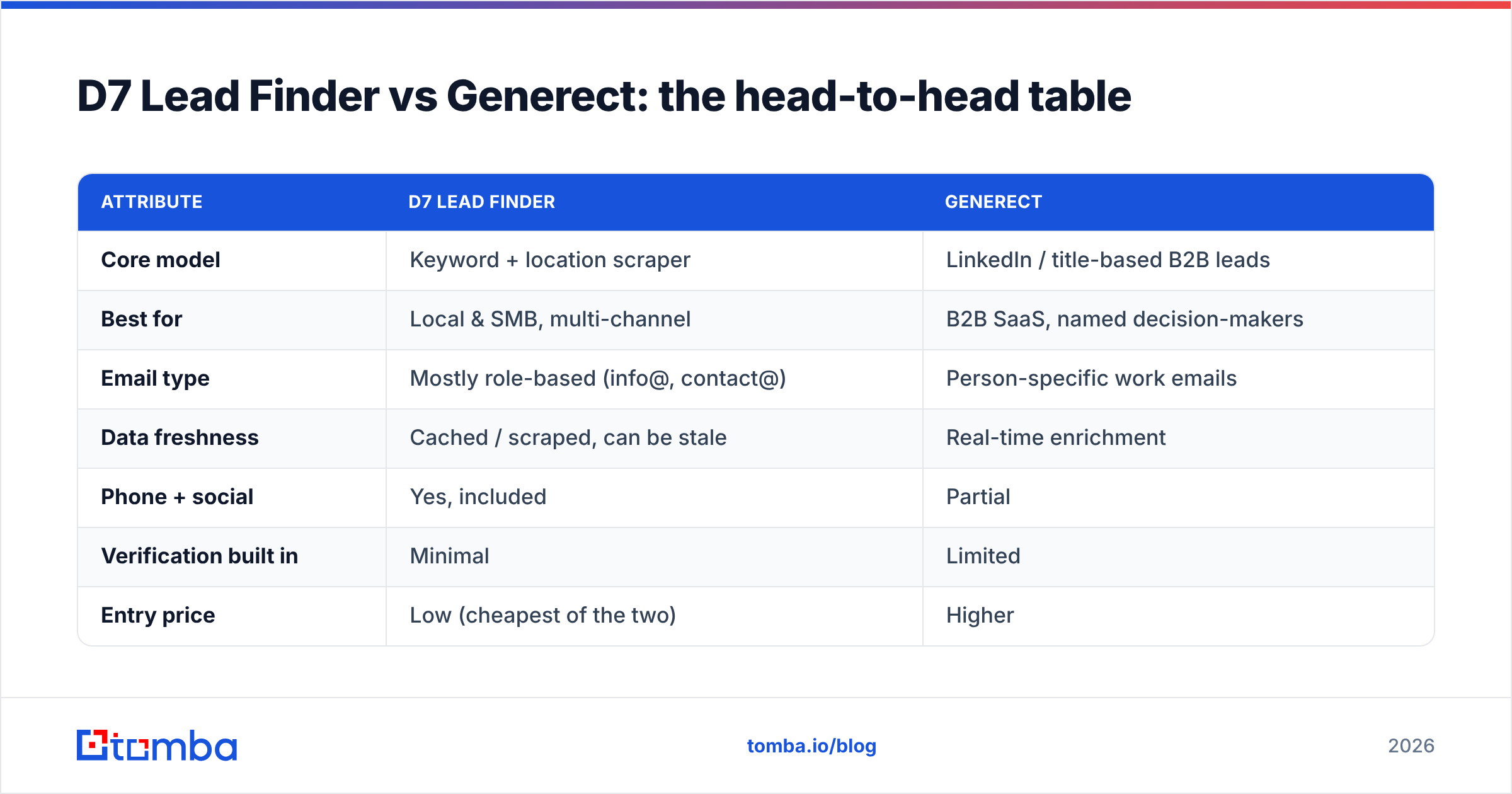
- Decision-maker targeting by title and seniority
- Fresher records thanks to real-time enrichment vs. a static dump
- Company-level filters (headcount, industry, tech stack) that D7 does not really do
The trade-off is price and breadth. You pay more per lead, and your universe is narrower — high quality inside the LinkedIn-shaped world, thinner outside it.
D7 Lead Finder vs Generect: the head-to-head table#
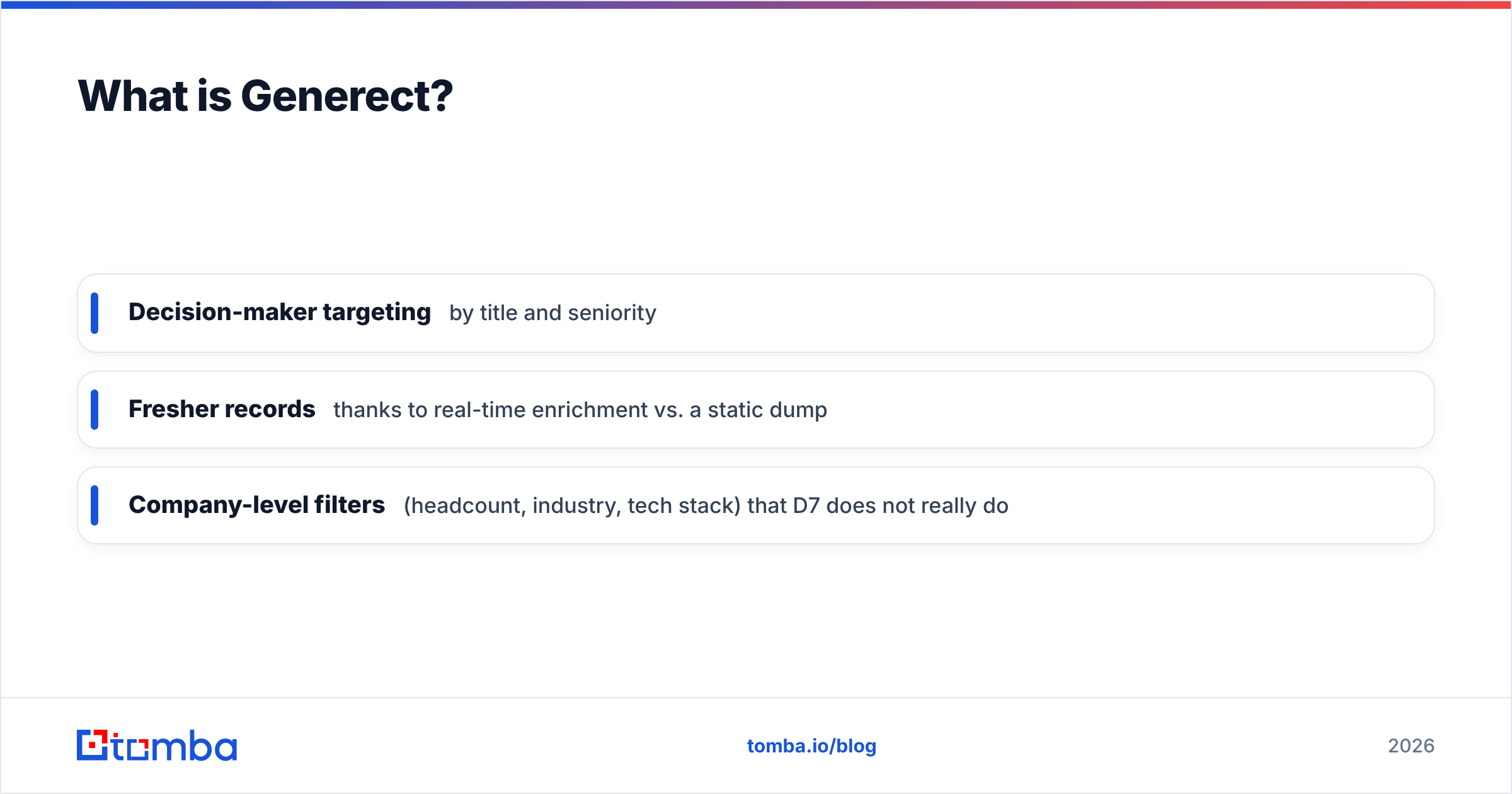
Here is the direct comparison on the attributes that actually change your results.
| Attribute | D7 Lead Finder | Generect |
|---|---|---|
| Core model | Keyword + location scraper | LinkedIn / title-based B2B leads |
| Best for | Local & SMB, multi-channel | B2B SaaS, named decision-makers |
| Email type | Mostly role-based (info@, contact@) | Person-specific work emails |
| Data freshness | Cached / scraped, can be stale | Real-time enrichment |
| Phone + social | Yes, included | Partial |
| Verification built in | Minimal | Limited |
| Entry price | Low (cheapest of the two) | Higher |
| Coverage weakness | Enterprise & named roles | Non-LinkedIn / blue-collar |
| Learning curve | Very low | Moderate |
The pattern is clear: these tools are not really competitors so much as two answers to two different questions. D7 answers "how do I get a big local list cheaply?" Generect answers "how do I reach named professionals at target accounts?"

Is D7 Lead Finder better than Generect for cold email?#
For cold email to decision-makers, Generect's data is the safer starting point — but neither tool removes the verification step. Cold email lives and dies on two things: reaching a real person, and not getting flagged as spam. Role-based inboxes from a D7 scrape hurt both. A message to info@ rarely reaches the buyer, and blasting scraped generic addresses tanks your sender reputation fast.
Generect's person-level, LinkedIn-anchored records give you a better shot at a named human, which is what personalization needs. But "enriched in real time" is not the same as "verified deliverable." Every serious cold-email operator runs their list through validation before the first send, regardless of source.
That is where the honest answer gets uncomfortable for both tools: their email accuracy is a byproduct of their real job (list building), not their core competency. If you send from an unverified list, your bounce rate climbs, mailbox providers throttle you, and your whole domain suffers. Check how much this matters by reading up on email deliverability before you scale any campaign.
How accurate is the email data in each tool?#
Accuracy is the whole game, so be skeptical of any vendor's headline number. Independent reviews on G2 and Capterra consistently show that scraped and enriched B2B email data varies wildly by industry and region. A tool that hits 95% on US tech companies can drop below 70% on European SMBs.
Two realistic expectations:
- D7 Lead Finder: high match volume, lower per-email confidence. Because much of it is scraped from public listings, you get a lot of addresses, but a larger share are outdated, generic, or catch-all. Run everything through a catch-all verifier before you trust it.
- Generect: fewer results per query, higher average confidence, especially for LinkedIn-active professionals. Real-time enrichment reduces staleness, but LinkedIn-derived emails are still guesses until an SMTP check confirms them.
The uncomfortable truth: both leave verification as your problem. That is why teams that care about bounce rate pair a list-builder with a dedicated finder-and-verifier stack rather than trusting a single scrape. The accuracy of your data sources is the input to every downstream metric — response rate, meetings booked, pipeline.
What do D7 Lead Finder and Generect cost?#
Pricing is where the two diverge most obviously.
D7 Lead Finder uses a low-cost subscription built for volume. It is one of the cheapest ways to generate large local lists, which is exactly why agencies use it as a raw-material machine. You can confirm current tiers on the official D7 Lead Finder site.
Generect sits in the mid-to-higher B2B tier, priced around the value of person-level, real-time data. You pay more per lead but get cleaner professional records. Check the Generect website for current plans.
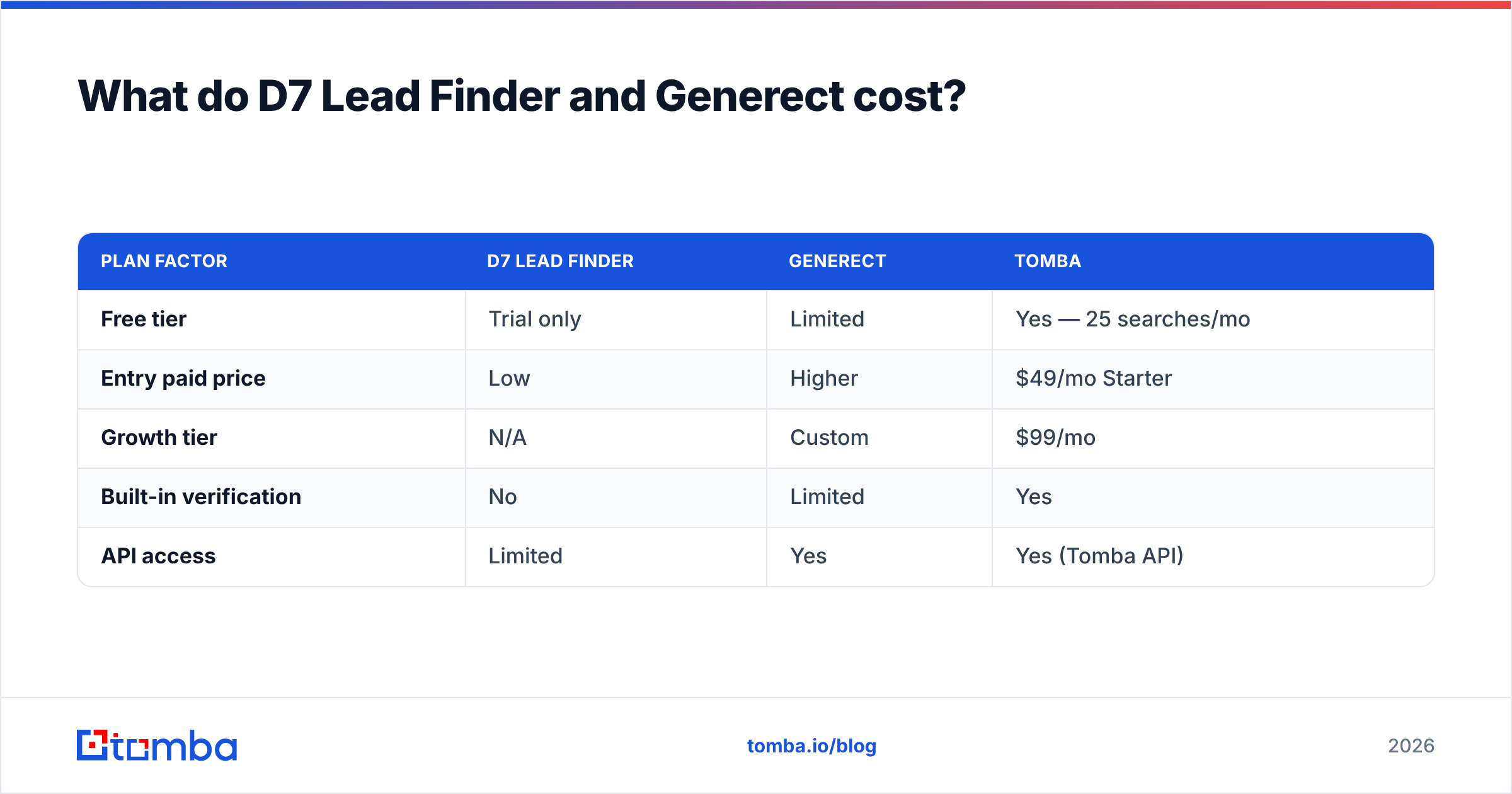
Here is how a dedicated email-finder stack compares on the axes buyers actually weigh:
| Plan factor | D7 Lead Finder | Generect | Tomba |
|---|---|---|---|
| Free tier | Trial only | Limited | Yes — 25 searches/mo |
| Entry paid price | Low | Higher | $49/mo Starter |
| Growth tier | N/A | Custom | $99/mo |
| Built-in verification | No | Limited | Yes |
| API access | Limited | Yes | Yes (Tomba API) |
See full Tomba pricing for the exact credit breakdown. The point of the table is not "Tomba is cheapest" — it is that when you factor verification and API access into the total cost, a bundled finder-plus-verifier is often cheaper than a list tool plus a separate validation tool.

Which one should you actually choose?#
Match the tool to the motion, not the marketing.
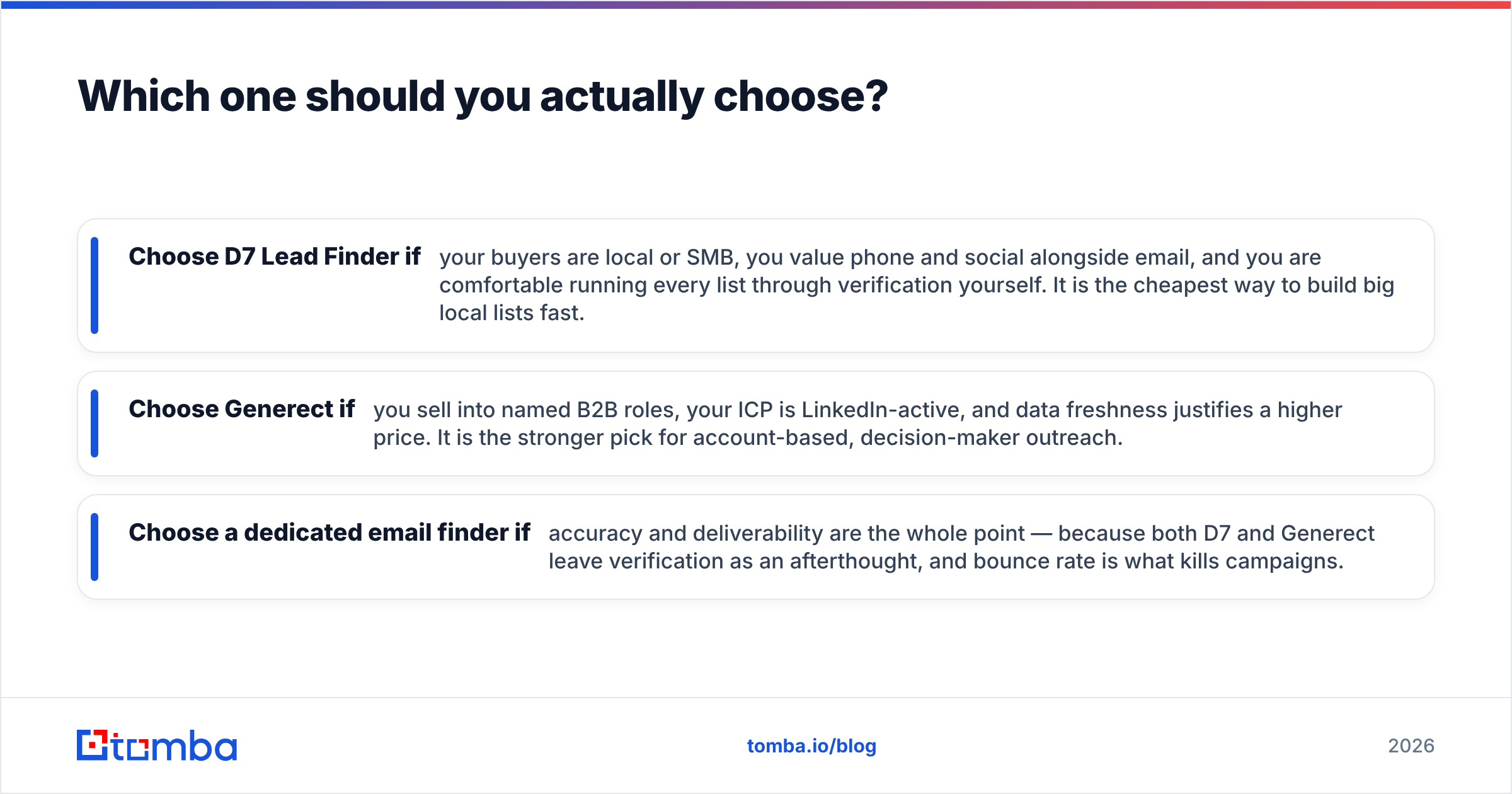
- Choose D7 Lead Finder if your buyers are local or SMB, you value phone and social alongside email, and you are comfortable running every list through verification yourself. It is the cheapest way to build big local lists fast.
- Choose Generect if you sell into named B2B roles, your ICP is LinkedIn-active, and data freshness justifies a higher price. It is the stronger pick for account-based, decision-maker outreach.
- Choose a dedicated email finder if accuracy and deliverability are the whole point — because both D7 and Generect leave verification as an afterthought, and bounce rate is what kills campaigns.
For that third path, this is where Tomba fits. Rather than scraping generic listings or leaning on a single LinkedIn source, Tomba's email finder locates person-specific professional emails by name and domain, then verifies them against SMTP before you ever hit send. Need scale? The bulk email finder processes whole lists at once, and the LinkedIn finder covers the professional-data angle Generect is known for — with verification baked in, not bolted on.
The verdict#
D7 Lead Finder wins on price and local breadth; Generect wins on decision-maker quality and freshness. But if your success metric is emails that actually land, both make you do the verification work anyway.
The smartest B2B teams stop treating "list building" and "email accuracy" as the same job. Use a scraper or a LinkedIn tool to define who to contact — then use a purpose-built finder and verifier to make sure you can actually reach them without torching your domain.
That is the gap Tomba fills. Start with the Tomba Email Finder on the free tier (25 searches a month, no card), test the accuracy against a D7 or Generect export you already have, and compare bounce rates head-to-head. If verified deliverability is what you are really buying, let the results decide. Find, verify, and enrich in one place — then send with confidence.
Related guides#
Ready to find emails that actually work?
Join 150,000+ professionals who stopped guessing and started sending. Free credits on signup — no credit card required.
Get the Tomba newsletter
Practical outbound tactics and product updates — once every two weeks.
About the author