D7 Lead Finder vs Jet Leads Pro: Honest 2026 Comparison
D7 Lead Finder and Jet Leads Pro both scrape business leads fast, but they win at very different jobs. Here is the honest, side-by-side breakdown of pricing, data accuracy, and export limits for 2026.
Choosing between D7 Lead Finder and Jet Leads Pro usually comes down to one question you only discover after you have already paid: do you want a fast local-business scraper, or a repeatable outbound data engine? Both pull business listings in bulk, both promise emails and phone numbers, and both look nearly identical on a feature grid. They are not the same tool, and picking the wrong one wastes weeks of prospecting.
This is a neutral, side-by-side comparison written for people who actually run outbound — not a sales page for either vendor.
TL;DR: D7 Lead Finder vs Jet Leads Pro#
- D7 Lead Finder is a mature, browser-based local lead scraper. It is fast, cheap to start, and great for agencies pulling "all the dentists in Austin" type lists.
- Jet Leads Pro is a lighter, newer scraper aimed at solo sellers and SMBs who want quick niche lists without a steep learning curve.
- Neither tool is built for verification. Both hand you raw contact data with catch-all and stale emails baked in, so bounce rates suffer unless you clean the list afterward.
- For accuracy-first outbound, pairing either scraper (or replacing both) with a dedicated email finder and email verifier is the move that protects your domain.
- Fast verdict: D7 for volume and local SEO agencies, Jet Leads Pro for lightweight niche pulls, Tomba for accurate B2B contact data you can actually send to.
What is D7 Lead Finder?#
D7 Lead Finder is a lead-generation tool that scrapes public business directories and map listings, then returns a spreadsheet of companies with whatever contact fields it can find — website, phone, email, social profiles, and review counts. It has been around long enough to build a reputation among local SEO agencies and cold callers who need large regional lists quickly.
Its core strength is breadth of local data. Search by keyword plus location ("plumbers in Phoenix") and it returns hundreds of businesses in minutes. Pricing starts cheap and scales by daily search volume, which suits high-throughput list building.
The weakness is the same as every scraper: the emails are pulled from public pages, not verified against live mail servers. You get info@ and contact@ catch-alls, outdated addresses, and role accounts that tank reply rates. D7 tells you where a business is; it does not confirm you can actually reach a decision-maker.
What is Jet Leads Pro?#
Jet Leads Pro is a newer, lighter-weight scraper positioned at freelancers, small agencies, and founders who want niche B2B lists without paying enterprise prices. It leans on a simpler interface and quicker onboarding, and markets itself around speed and ease rather than raw volume.
Functionally it overlaps heavily with D7: keyword-and-location search, bulk export, and business contact enrichment. Where it differs is scope and maturity. Jet Leads Pro is easier to learn on day one, but it has a smaller footprint, fewer integrations, and less of a track record than D7's established base.
Like D7, it is a discovery tool, not a data-quality tool. The contact accuracy problem is identical — you are exporting public-web data that nobody has checked against an SMTP server.
D7 Lead Finder vs Jet Leads Pro: Feature comparison#
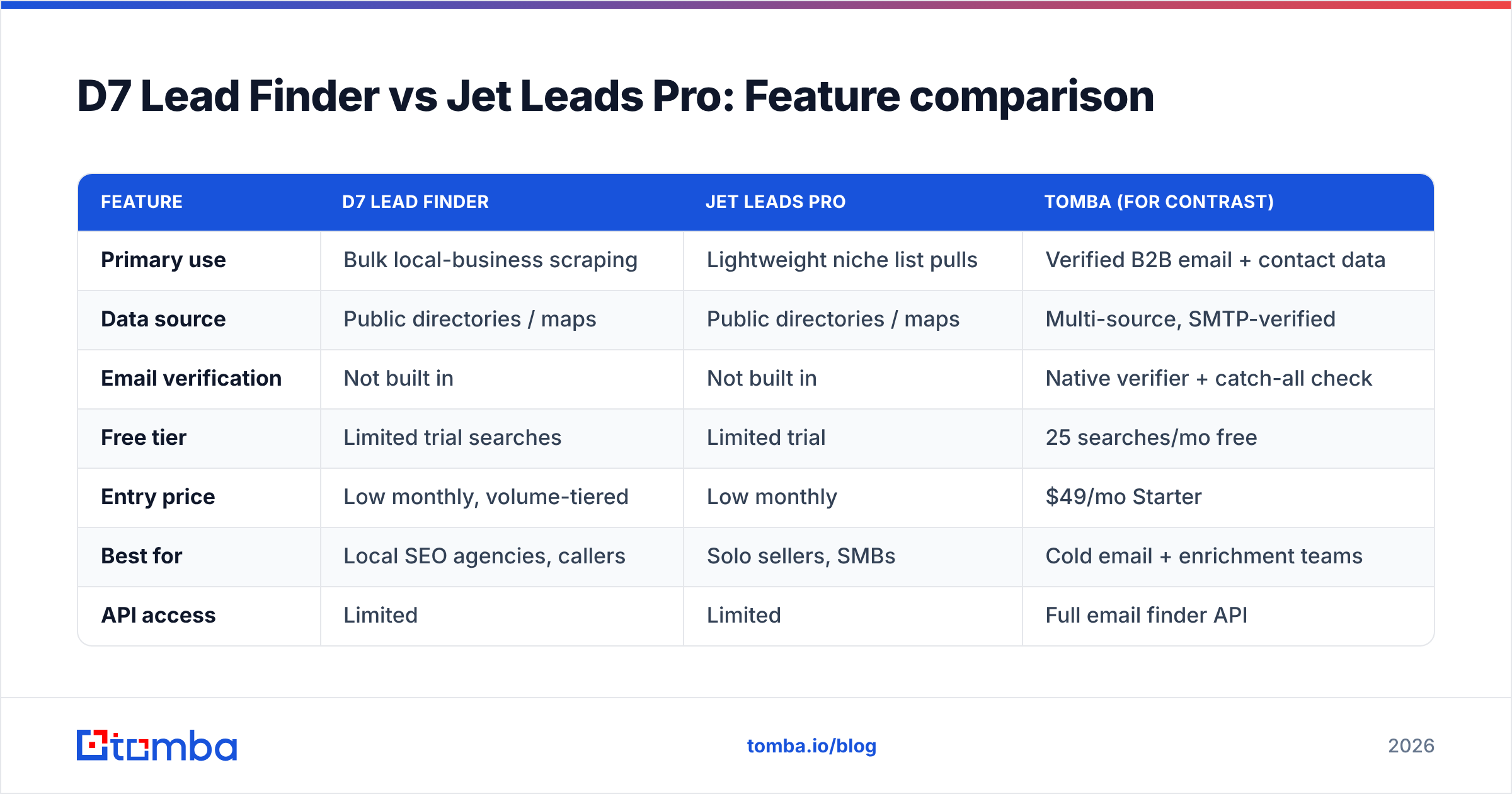
Here is the honest head-to-head. Both are scrapers first, so the differences are about volume, price, and who each one fits.
| Feature | D7 Lead Finder | Jet Leads Pro | Tomba (for contrast) |
|---|---|---|---|
| Primary use | Bulk local-business scraping | Lightweight niche list pulls | Verified B2B email + contact data |
| Data source | Public directories / maps | Public directories / maps | Multi-source, SMTP-verified |
| Email verification | Not built in | Not built in | Native verifier + catch-all check |
| Free tier | Limited trial searches | Limited trial | 25 searches/mo free |
| Entry price | Low monthly, volume-tiered | Low monthly | $49/mo Starter |
| Best for | Local SEO agencies, callers | Solo sellers, SMBs | Cold email + enrichment teams |
| API access | Limited | Limited | Full email finder API |
| Bounce-rate risk | High (raw emails) | High (raw emails) | Low (verified sends) |
The pattern is clear: D7 and Jet Leads Pro compete on how you gather listings; they do not compete on whether those emails are safe to send to. That gap is the whole game in 2026, when mailbox providers punish senders for high bounce and spam rates.
Is data accuracy the real difference?#
Yes — and it is the difference neither tool markets well. A phone number scraped off a Google Business Profile is usually fine. An email scraped off a contact page is a coin flip: the person may have left, the address may be a shared inbox, or the domain may be a catch-all that accepts everything and confirms nothing.
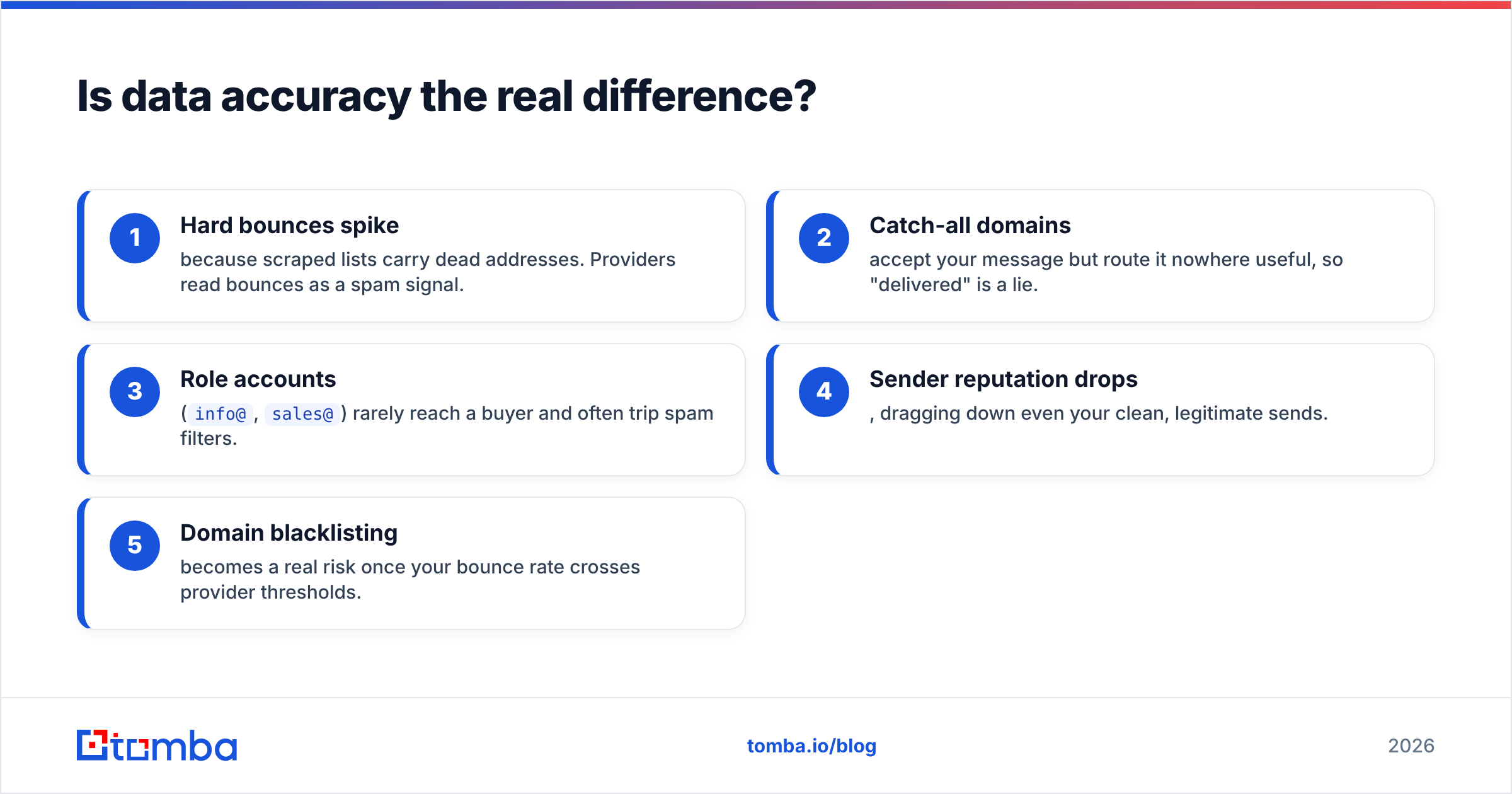
Send to a raw scraped list and you will see it in your metrics fast:
- Hard bounces spike because scraped lists carry dead addresses. Providers read bounces as a spam signal.
- Catch-all domains accept your message but route it nowhere useful, so "delivered" is a lie.
- Role accounts (
info@,sales@) rarely reach a buyer and often trip spam filters. - Sender reputation drops, dragging down even your clean, legitimate sends.
- Domain blacklisting becomes a real risk once your bounce rate crosses provider thresholds.
This is why a catch-all verifier and a real verification step matter more than which scraper you picked. Google's own Postmaster Tools guidance is blunt about it: keep spam and bounce rates low or your deliverability collapses. Neither D7 nor Jet Leads Pro solves that for you.

Which one should you pick?#
Pick based on the job, not the feature list.
Choose D7 Lead Finder if: you run a local SEO or reputation agency, you need large regional lists fast, and you have a caller or a verification workflow downstream to clean the emails. Its volume and maturity are the draw. Just budget time (or a tool) for list hygiene before any email send.
Choose Jet Leads Pro if: you are a solo seller or small team, you want a gentle learning curve, and you are pulling smaller niche lists where a simpler interface saves you more than raw scale would. It is the easier day-one experience.
Choose a verified data source (like Tomba) if: your channel is cold email, your domain reputation is a business asset, and a 15% bounce rate would be a disaster. Here you want accuracy at the point of collection, not cleanup after the damage.
Many teams end up combining approaches: scrape a market map with D7 or Jet Leads Pro, then run every address through a verifier and enrich the survivors. You can automate that pass with bulk email finder and enrichment so the raw list becomes a sendable one.
How does Tomba fit into this comparison?#
Tomba is not a local-business map scraper, so it is not a like-for-like swap for either tool in every use case. What it replaces is the accuracy layer both scrapers skip.
Where D7 and Jet Leads Pro pull "here is a business and a guess at its email," Tomba's approach is verification-first:
- Domain search returns known email patterns and named contacts for a company, not a scraped catch-all.
- Email finder locates a specific person's address by name and domain, then confirms it.
- Email verifier checks each address against the live mail server before you send.
- Data enrichment fills in titles, LinkedIn, and phone so your list is actually workable.
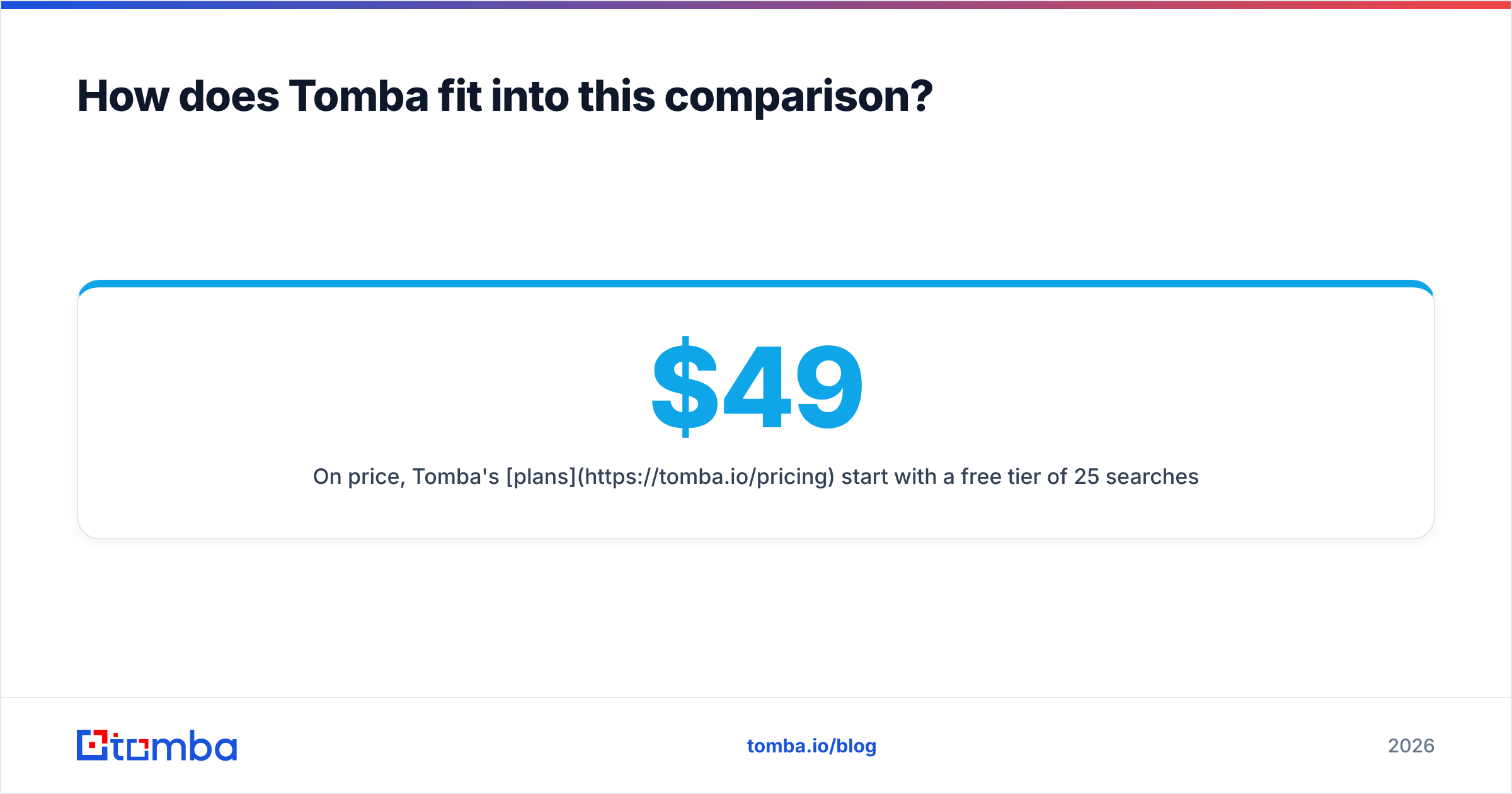
On price, Tomba's plans start with a free tier of 25 searches per month, then Starter at $49/mo, Growth at $99/mo, and Pro at $249/mo — with a full email finder API if you want to wire verification straight into your outbound stack. For teams whose success metric is replies, not rows exported, that trade is usually worth it. If you want independent signal, both tools and Tomba are reviewed on G2, where verification quality is a recurring theme in the reviews.
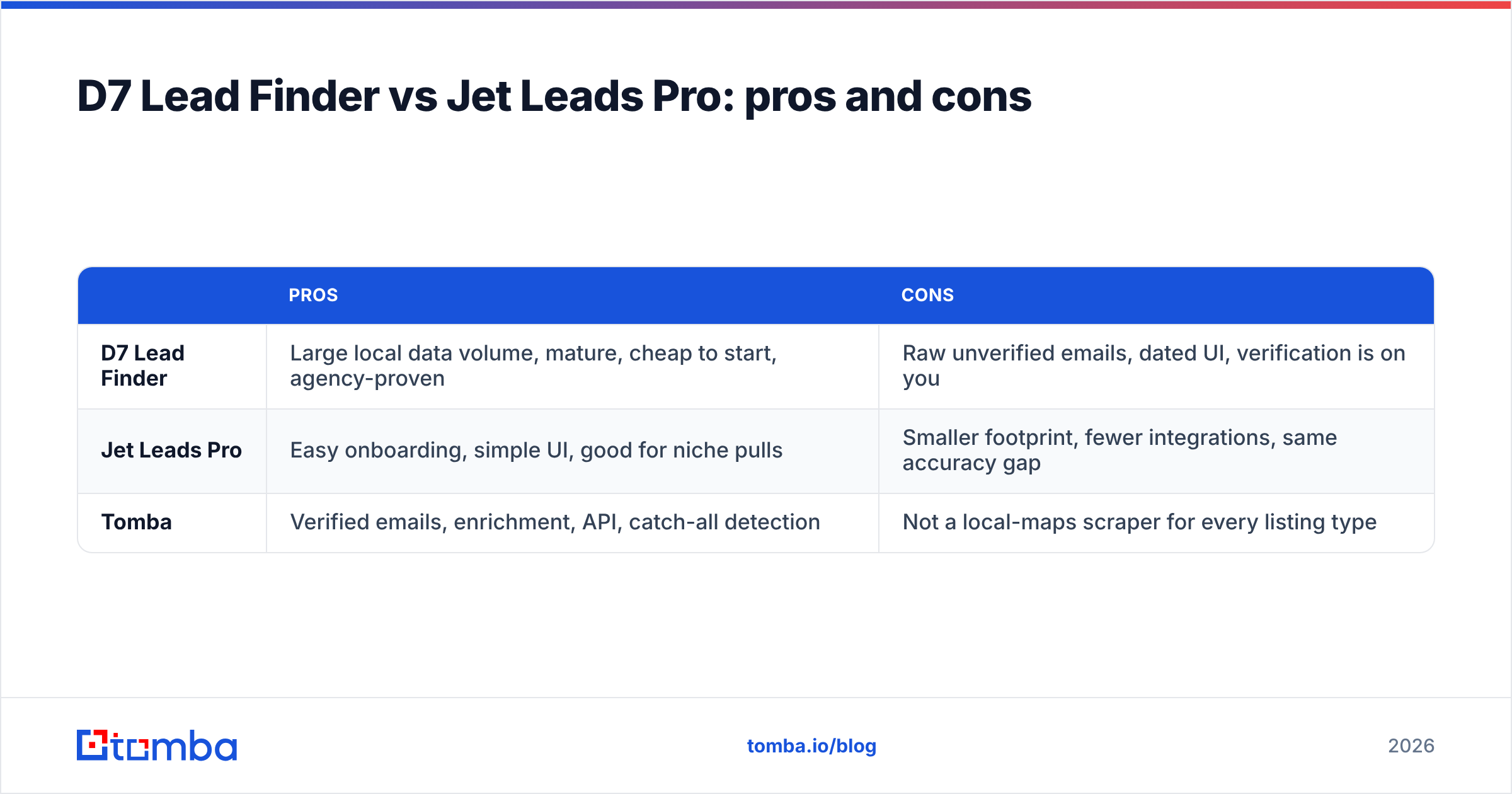
D7 Lead Finder vs Jet Leads Pro: pros and cons#
| Pros | Cons | |
|---|---|---|
| D7 Lead Finder | Large local data volume, mature, cheap to start, agency-proven | Raw unverified emails, dated UI, verification is on you |
| Jet Leads Pro | Easy onboarding, simple UI, good for niche pulls | Smaller footprint, fewer integrations, same accuracy gap |
| Tomba | Verified emails, enrichment, API, catch-all detection | Not a local-maps scraper for every listing type |
The takeaway holds across all three: scrapers win at discovery, verification tools win at deliverability, and your outbound needs both.
The bottom line#
D7 Lead Finder and Jet Leads Pro are solving the find businesses problem, and they solve it competently — D7 with scale and a longer track record, Jet Leads Pro with simplicity for smaller teams. If your workflow ends in phone calls or local outreach, either can carry the front of your funnel.
But if your outbound runs on email, the tool that finds the listing is only half the job. The half that decides whether you land in the inbox or the spam folder is verification, and that is where a purpose-built email finder earns its place. Start free with 25 searches on the Tomba Email Finder, run your scraped lists through the verifier, and send to addresses you know are real — before a bounce spike costs you the domain you have been building. It is the cheapest insurance in cold outreach.
Related guides#
Ready to find emails that actually work?
Join 150,000+ professionals who stopped guessing and started sending. Free credits on signup — no credit card required.
Get the Tomba newsletter
Practical outbound tactics and product updates — once every two weeks.
About the author