D7 Lead Finder vs Kaspr: Which B2B Lead Tool Wins in 2026?
D7 Lead Finder sells bulk scraped lists cheaply; Kaspr pulls verified LinkedIn contacts one profile at a time. We compare data quality, pricing, and deliverability to help you pick—and show where a verification-first stack beats both.
Two tools, two completely different philosophies. D7 Lead Finder hands you thousands of scraped business contacts for a flat monthly fee. Kaspr sits inside LinkedIn and reveals phone numbers and emails one prospect at a time. Picking between them isn't about which is "better" in the abstract — it's about which failure mode you can live with.
This is an honest, third-party breakdown of D7 Lead Finder vs Kaspr across data accuracy, pricing, deliverability, and real workflows. We'll also show where a verification-first approach beats both — because a cheap list of dead addresses is more expensive than it looks.
TL;DR: D7 Lead Finder vs Kaspr at a glance#
- D7 Lead Finder is a bulk, keyword-and-location scraper. You search a niche ("dentists in Austin"), get a CSV of businesses, and pay a low flat rate. Volume is high; verification is on you.
- Kaspr is a LinkedIn-first contact finder. It reveals direct dials and emails from individual profiles and lists, with GDPR/CCPA-aware data. Accuracy per record is higher; cost per contact is higher too.
- Choose D7 if you need cheap local-business leads at scale and will verify before sending. Choose Kaspr if you sell to specific decision-makers you find on LinkedIn.
- The catch neither markets loudly: both feed you raw addresses. Without an email verifier in the loop, bounce rates torch your sender reputation.
- Best value stack: pair whichever tool fits your motion with real-time verification. That's where a tool like Tomba earns its place.
What is D7 Lead Finder and who is it for?#
D7 Lead Finder is a bulk lead-generation tool built around local and niche business search. You type a category and a location, and it scrapes public web sources — directories, listings, business pages — to assemble a spreadsheet of companies with emails, phone numbers, websites, and social profiles.
Its appeal is simple: flat pricing and raw volume. A single search can return hundreds or thousands of businesses, and the monthly plans don't meter you per-credit the way most contact-data tools do. That makes it popular with agencies, local-service SMBs, and cold-email operators who need to fill a pipeline fast without a big data budget.
The trade-off is quality control. Scraped-from-directory data drifts fast — businesses close, generic info@ inboxes dominate, and there's no person attached to most rows. D7 does not position itself as a decision-maker database. It's a top-of-funnel volume play.
What is Kaspr and who is it for?#
Kaspr is a LinkedIn-centric prospecting tool. Its Chrome extension overlays LinkedIn profiles, search results, and Sales Navigator lists, then reveals contact details — especially direct mobile numbers, which is where Kaspr genuinely shines — plus professional emails.
Kaspr targets SDRs, recruiters, and founders who prospect person-by-person. Instead of "give me every plumber in Ohio," the motion is "I found the VP of Marketing at this account; get me her number." Data is sourced through a network and enrichment partners, with a compliance posture aimed at European buyers (GDPR/CCPA).
Because it works per-contact, Kaspr's per-record accuracy tends to beat bulk scrapers, and phone coverage is a real differentiator for teams that cold call. The cost of that precision is credits and a higher effective price per contact.
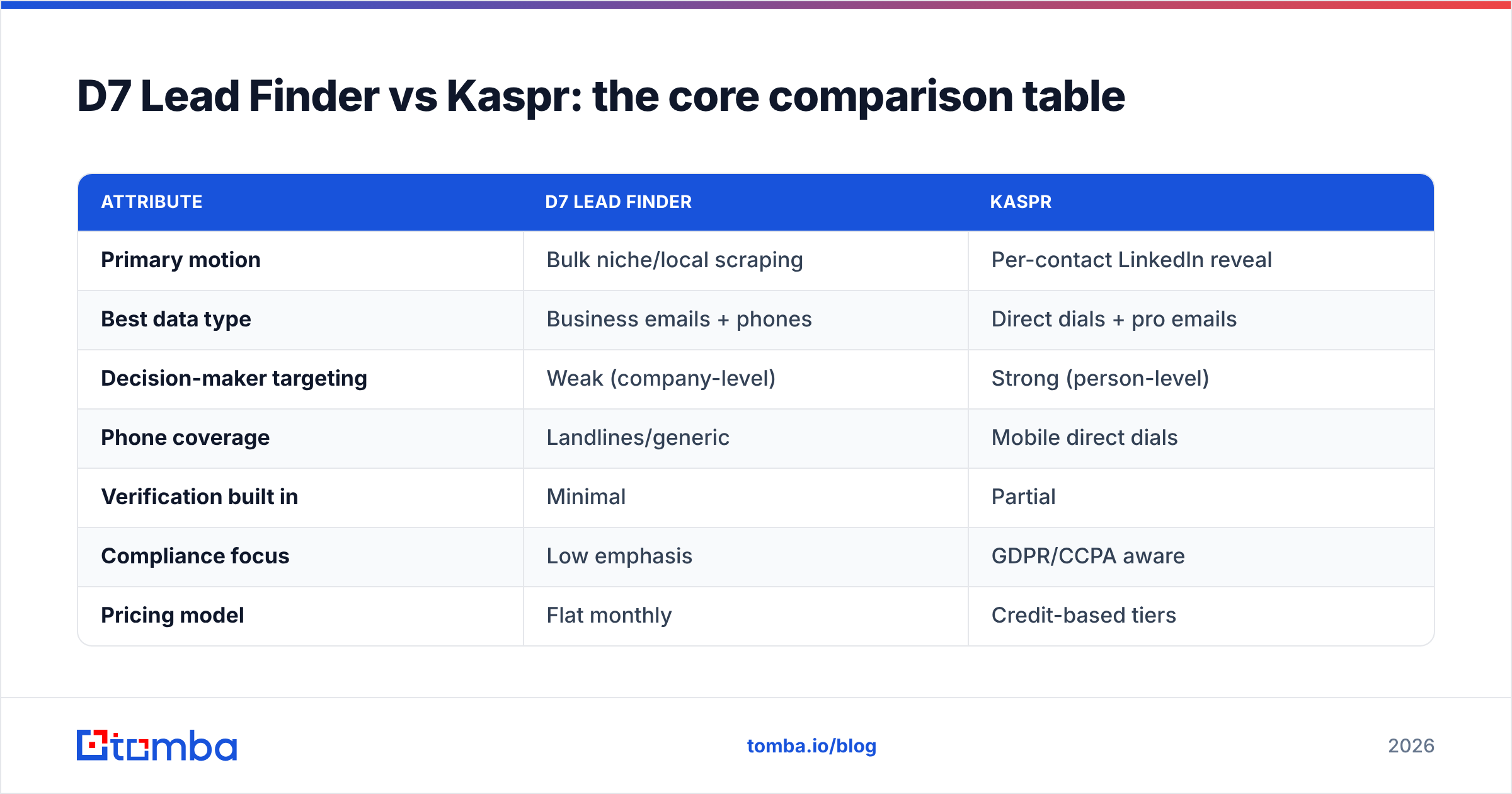
D7 Lead Finder vs Kaspr: the core comparison table#
| Attribute | D7 Lead Finder | Kaspr |
|---|---|---|
| Primary motion | Bulk niche/local scraping | Per-contact LinkedIn reveal |
| Best data type | Business emails + phones | Direct dials + pro emails |
| Decision-maker targeting | Weak (company-level) | Strong (person-level) |
| Phone coverage | Landlines/generic | Mobile direct dials |
| Verification built in | Minimal | Partial |
| Compliance focus | Low emphasis | GDPR/CCPA aware |
| Pricing model | Flat monthly | Credit-based tiers |
| Free option | Limited trial | Free plan (limited credits) |
| Ideal user | Agencies, local SMB outreach | SDRs, recruiters, ABM |
The pattern is clear: D7 optimizes for cost per thousand rows, Kaspr optimizes for quality per single contact. Neither optimizes hard for what determines whether your campaign works — whether the address actually accepts mail.
Which tool has more accurate data?#
Kaspr wins on per-record accuracy; D7 wins on raw quantity. But "accuracy" is doing a lot of work in that sentence, so break it down.
Scraped directory data — D7's model — is accurate the day it's collected and decays quickly. Independent reviews on G2 consistently flag two issues with bulk scrapers: stale records and a heavy skew toward role-based inboxes (info@, contact@, sales@) rather than named humans. Those addresses technically exist, but they convert poorly and are more likely to be spam traps.
Kaspr's LinkedIn-anchored data is fresher because it's tied to profiles people actively maintain, and its phone data is the strongest reason teams pick it. Still, no provider is at 100%. Waterfall enrichment and network sourcing produce guesses that need checking, especially for email.
That's the honest takeaway: whichever tool you choose, you cannot skip verification. Sending to unverified data is how good domains end up on blocklists.
How do D7 Lead Finder and Kaspr price out?#
Pricing is the cleanest philosophical split between the two.
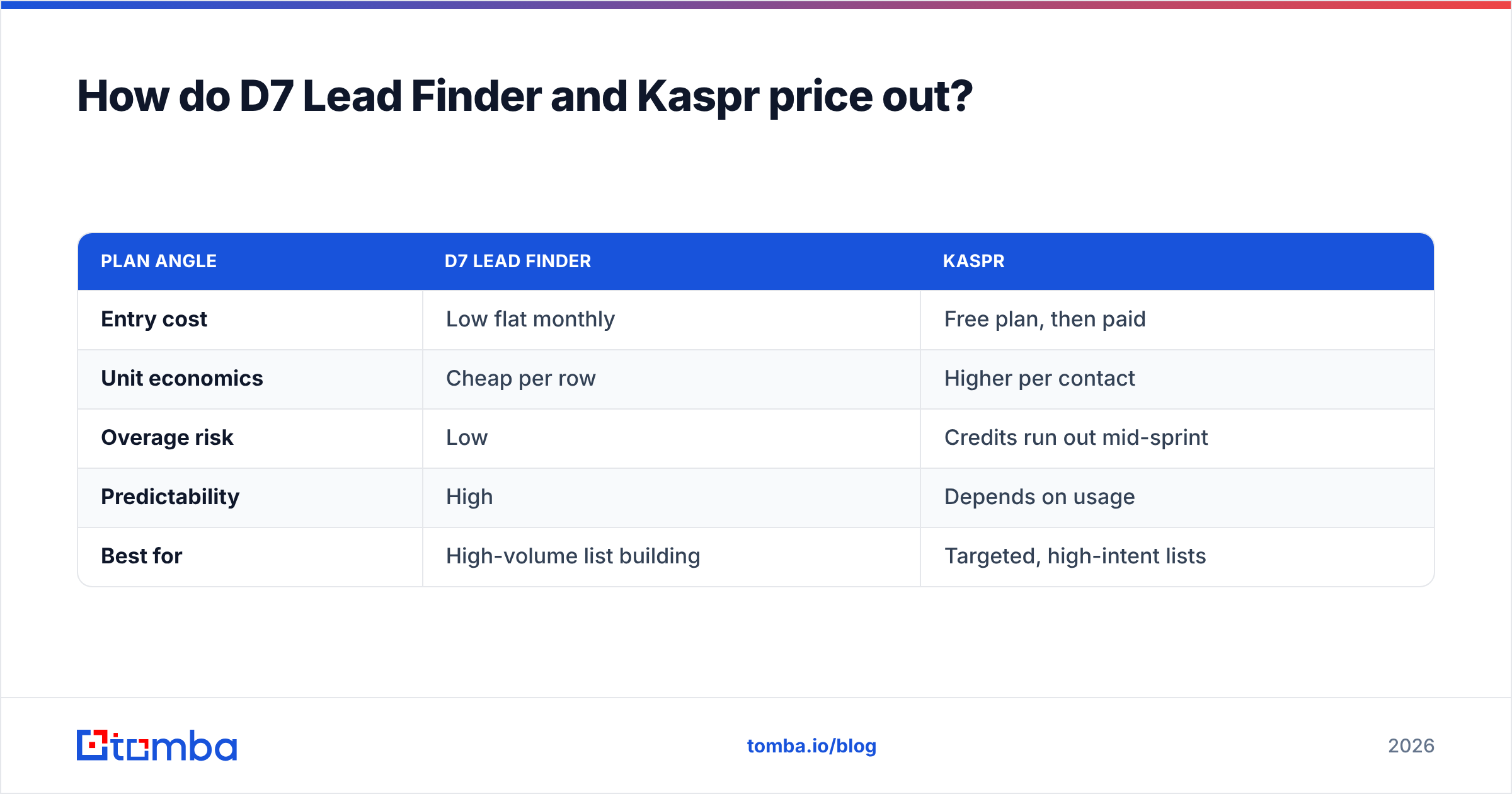
D7 Lead Finder uses flat monthly tiers with generous search allowances — attractive when you want thousands of rows and don't want to think about credits. Kaspr uses a credit model with a free plan and paid tiers that scale with the number of contacts and phone reveals you consume.
| Plan angle | D7 Lead Finder | Kaspr |
|---|---|---|
| Entry cost | Low flat monthly | Free plan, then paid |
| Unit economics | Cheap per row | Higher per contact |
| Overage risk | Low | Credits run out mid-sprint |
| Predictability | High | Depends on usage |
| Best for | High-volume list building | Targeted, high-intent lists |
For pure volume, D7 is cheaper. For targeted quality, Kaspr's price buys you fewer but better contacts. Neither price includes serious verification, so budget for that as a separate line — or pick a stack where it's built in. If you want to see what all-in, verification-included pricing looks like, compare against transparent Tomba pricing before you commit.
When should you pick D7 Lead Finder over Kaspr?#
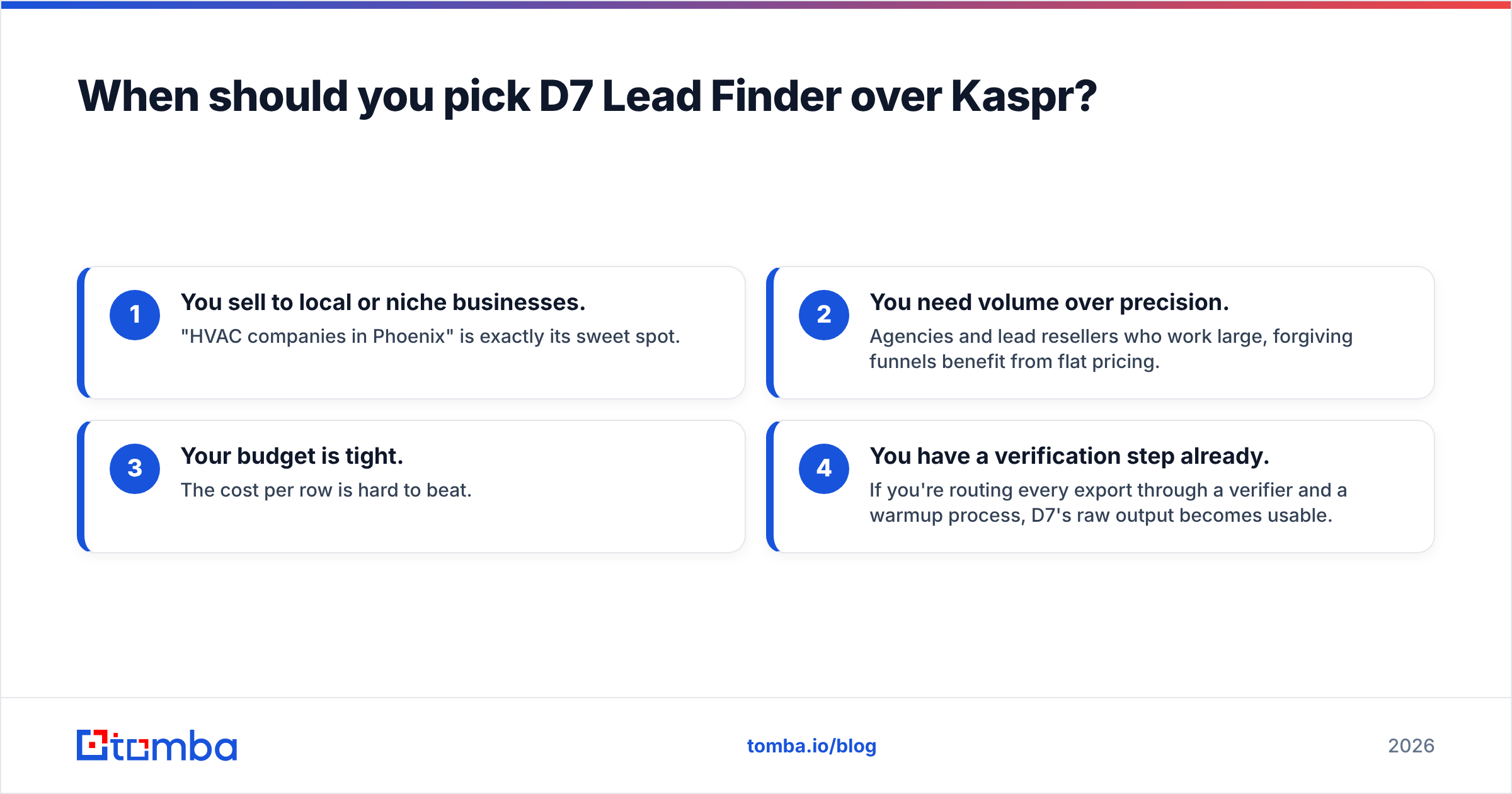
Pick D7 Lead Finder when:
- You sell to local or niche businesses. "HVAC companies in Phoenix" is exactly its sweet spot.
- You need volume over precision. Agencies and lead resellers who work large, forgiving funnels benefit from flat pricing.
- Your budget is tight. The cost per row is hard to beat.
- You have a verification step already. If you're routing every export through a verifier and a warmup process, D7's raw output becomes usable.
Skip D7 if you sell to named enterprise decision-makers, or if your deliverability can't survive a batch of stale, role-based addresses.
When should you pick Kaspr over D7 Lead Finder?#
Pick Kaspr when:
- LinkedIn is your prospecting surface. You find people first, then need their contact info.
- You cold call. Mobile direct dials are Kaspr's standout feature.
- Compliance matters. Selling into the EU or regulated industries, its GDPR/CCPA posture is reassuring.
- Quality beats quantity for you. ABM and SDR teams working a defined account list get more from precise per-contact data.
Skip Kaspr if you need thousands of local-business rows for pennies, or if your motion is broad email blasts rather than targeted outreach.
What both tools miss: deliverability#
Here's the part that decides whether either tool makes you money. A contact list is only as good as the share of it that reaches a real inbox. Both D7 and Kaspr hand you addresses; neither guarantees those addresses are deliverable at send time.
Cold email is brutal about this. A bounce rate above roughly 2–3% signals mailbox providers that you're not managing your list, and your email deliverability craters — for the good addresses too. Catch-all domains make it worse: they accept everything at the SMTP handshake, so a naive check marks them "valid" when they may silently trash your mail.
This is why a verification layer isn't optional overhead — it's the multiplier on everything upstream. Before you send:
- Verify every address in real time, not just at import. Data goes stale between scrape and send.
- Handle catch-all domains explicitly with a catch-all verifier instead of trusting a green checkmark.
- Enrich the gaps. When a tool gives you a name and company but no email, a dedicated email finder can fill it with a verified, pattern-matched address.
- De-dupe and clean before every campaign so you're not paying to hit the same dead inbox twice.
Do that, and a mediocre raw list from D7 or a precise one from Kaspr both perform far better than they would raw.
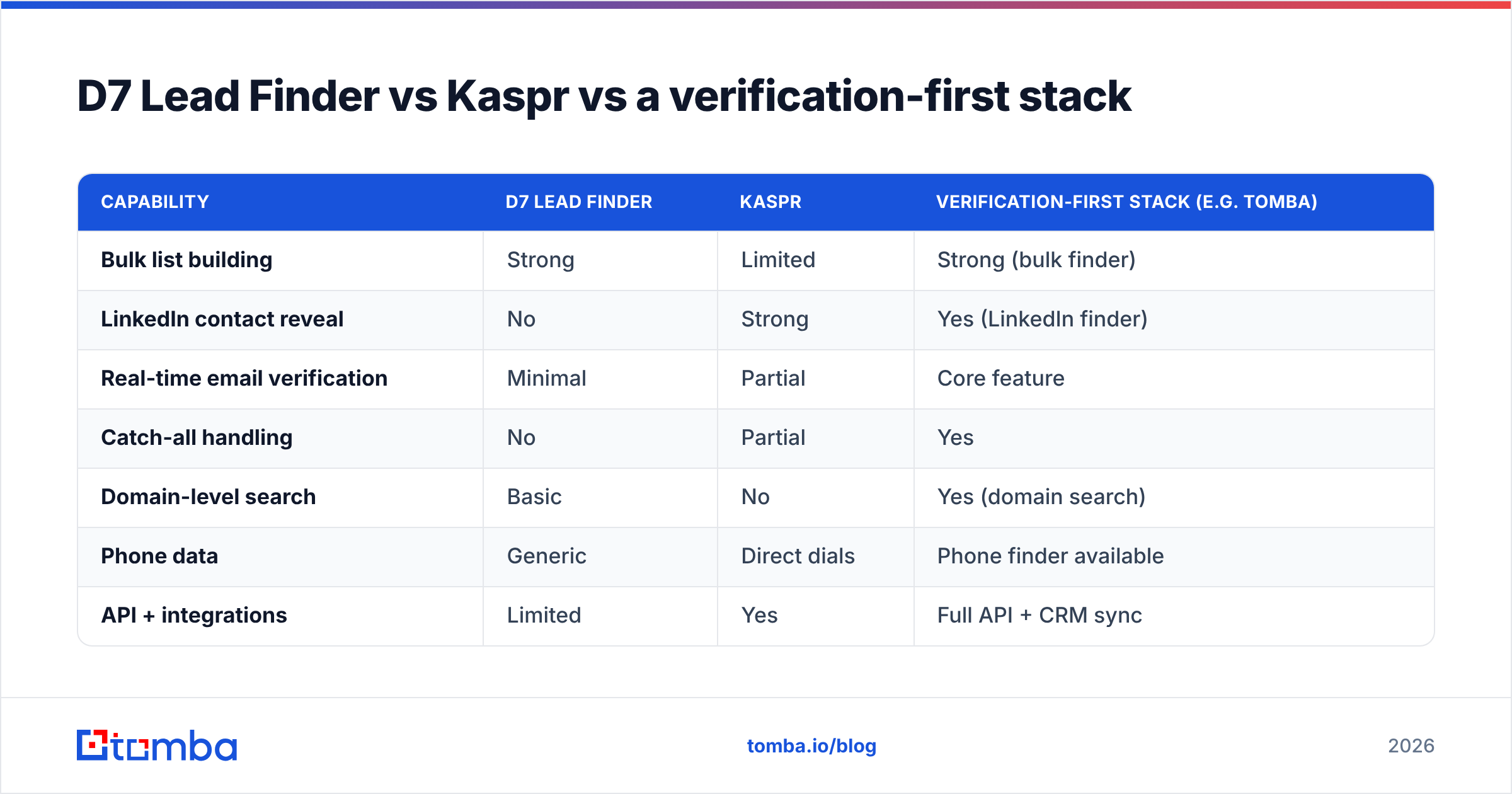
D7 Lead Finder vs Kaspr vs a verification-first stack#
Set the two head-to-head tools against the approach that actually protects your sender reputation.
| Capability | D7 Lead Finder | Kaspr | Verification-first stack (e.g. Tomba) |
|---|---|---|---|
| Bulk list building | Strong | Limited | Strong (bulk finder) |
| LinkedIn contact reveal | No | Strong | Yes (LinkedIn finder) |
| Real-time email verification | Minimal | Partial | Core feature |
| Catch-all handling | No | Partial | Yes |
| Domain-level search | Basic | No | Yes (domain search) |
| Phone data | Generic | Direct dials | Phone finder available |
| API + integrations | Limited | Yes | Full API + CRM sync |
The point isn't that one product replaces both. It's that the accuracy problem both tools leave on your plate is solvable, and solving it is where campaigns are won. Tools like Tomba's bulk email finder and domain search exist specifically to turn raw or partial contact data into verified, send-ready lists.
Pros and cons: honest scorecard#
D7 Lead Finder
- Pros: cheapest per row, flat pricing, excellent for local/niche business volume, fast to fill a funnel.
- Cons: stale and role-based data, weak decision-maker targeting, verification entirely on you.
Kaspr
- Pros: strong per-contact accuracy, standout mobile direct dials, LinkedIn-native workflow, compliance-aware.
- Cons: credit costs add up, narrower for bulk local lists, still needs email verification before large sends.
Neither is a scam and neither is a silver bullet. They're specialized tools that solve the finding problem while quietly leaving you the verifying problem.
Verdict: which should you choose?#
If your motion is high-volume local or SMB outreach, start with D7 Lead Finder and bolt on verification. The flat pricing and raw quantity are hard to argue with, as long as you never send a batch unverified.
If you prospect named decision-makers on LinkedIn and you cold call, Kaspr is the stronger pick — its direct-dial coverage alone can justify the credits for an SDR team.
But for most teams, the smarter question isn't "D7 or Kaspr?" It's "how do I make whichever list I build actually land?" The answer is a verification-first workflow. Find contacts with the tool that fits your motion, then run every address through real-time verification and catch-all detection before it ever touches your sending domain.
That's exactly what Tomba is built for. Use the Tomba Email Finder to source verified professional emails by name, company, or domain — with accuracy checks baked in, transparent plans from a free tier through $49/mo Starter and up, and an API that drops into your existing stack. Pair it with whichever lead source you prefer, and stop letting dead addresses decide your open rate.
Start with 25 free searches, verify your next list, and watch your bounce rate — and your reputation — hold steady.
Related guides#
Ready to find emails that actually work?
Join 150,000+ professionals who stopped guessing and started sending. Free credits on signup — no credit card required.
Get the Tomba newsletter
Practical outbound tactics and product updates — once every two weeks.
About the author