Data Normalization: The 2026 Guide to Clean B2B Data
Messy contact records quietly kill deals, routing rules, and reports. Here's what data normalization actually is, why it matters for B2B teams, and a step-by-step process to standardize your data in 2026.
Your CRM says you have 40,000 contacts. Your sales team says half of them are useless. Both are right — and the gap between them is almost always a data normalization problem.
If "United States", "USA", "U.S.", and "us" all live in the same country field, your territory rules break, your dashboards lie, and your reps waste hours reconciling records by hand. Data normalization is the unglamorous discipline that fixes this, and in 2026 it's the difference between a database you can automate against and one you constantly apologize for.
TL;DR#
- Data normalization is the process of standardizing the format, structure, and values of your records so the same real-world thing is represented the same way every time.
- In B2B, it powers accurate segmentation, deduplication, routing, reporting, and clean handoffs between marketing and sales.
- It works at two levels: database normalization (table structure, reducing redundancy) and operational data normalization (cleaning field values like names, titles, phone numbers, and countries).
- A repeatable process — audit, define standards, transform, dedupe, enrich, and monitor — beats one-off cleanup projects every time.
- Tooling like validation rules, a data enrichment layer, and an email verifier keeps normalized data from decaying back into chaos.
What is data normalization?#
Data normalization is the practice of transforming data into a consistent, predictable format so that equivalent values are stored and read the same way.
Think of it like a shared shipping address format. If everyone on your team wrote addresses however they felt — some with "St.", some "Street", some skipping the ZIP — the post office would grind to a halt. A standard template means any package routes correctly without a human interpreting it. Normalization does the same for your data: it removes the ambiguity that machines can't resolve on their own.
The term carries two related meanings, and B2B teams need both.
- Database normalization — a formal design method (first, second, and third normal form) that organizes tables to reduce redundancy and prevent update anomalies. This is the classic definition from relational database theory. If you store a company's address in one place and reference it everywhere else, you never have to update it in fifty rows. You can read the canonical explanation on Wikipedia's database normalization page.
- Operational (or data-quality) normalization — standardizing the actual values inside fields: trimming whitespace, unifying casing, mapping "VP Sales" and "V.P. of Sales" to one job level, and formatting every phone number to E.164. This is what most sales and RevOps teams mean day to day.
This guide focuses mostly on the second kind, because that's where pipeline gets lost — but the two reinforce each other.
Why does data normalization matter for B2B teams?#
Because every automated system you own assumes your data is consistent, and punishes you silently when it isn't.
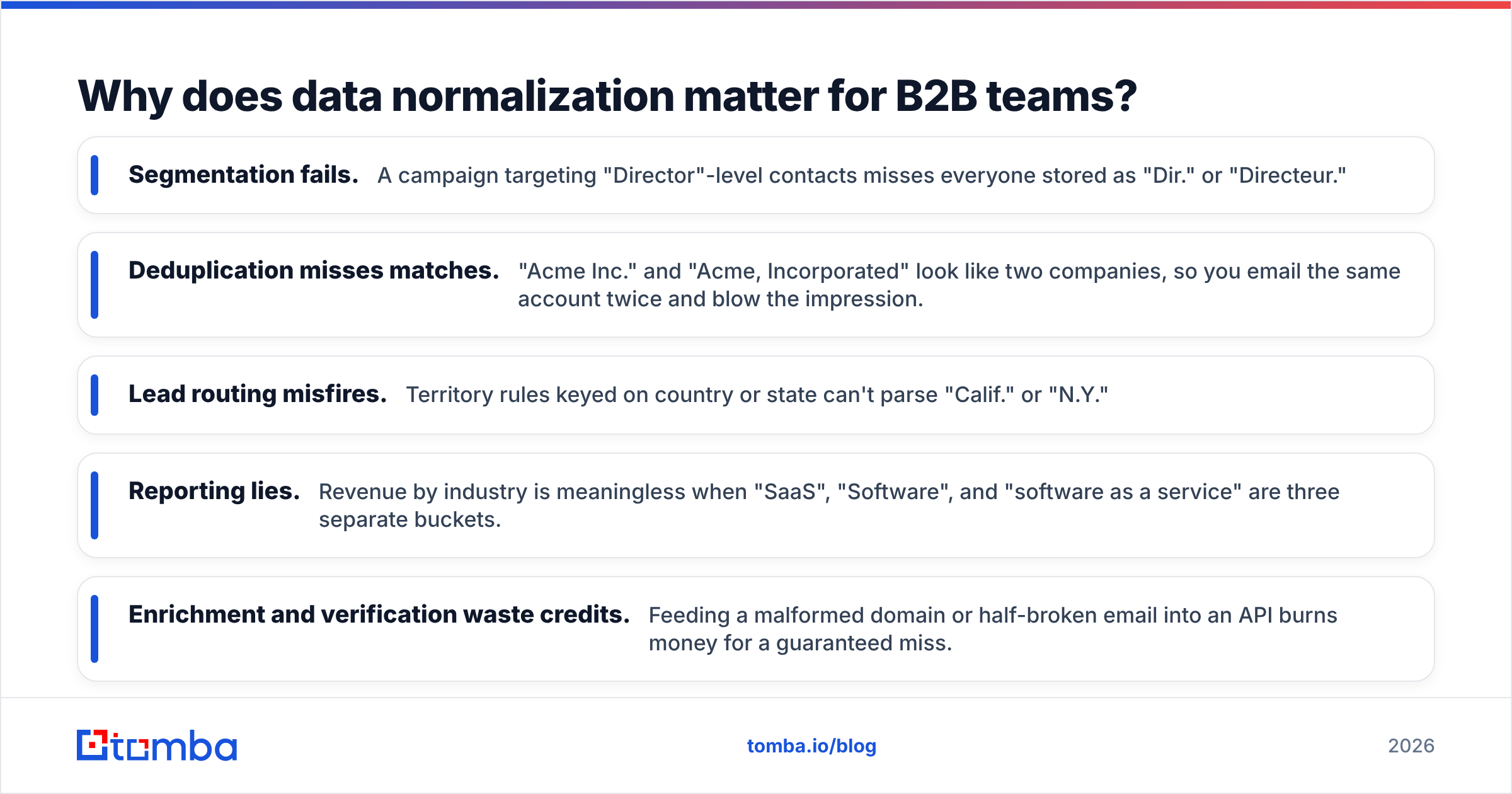
Here's what breaks when records aren't normalized:
- Segmentation fails. A campaign targeting "Director"-level contacts misses everyone stored as "Dir." or "Directeur."
- Deduplication misses matches. "Acme Inc." and "Acme, Incorporated" look like two companies, so you email the same account twice and blow the impression.
- Lead routing misfires. Territory rules keyed on country or state can't parse "Calif." or "N.Y."
- Reporting lies. Revenue by industry is meaningless when "SaaS", "Software", and "software as a service" are three separate buckets.
- Enrichment and verification waste credits. Feeding a malformed domain or half-broken email into an API burns money for a guaranteed miss.
The cost is real. Gartner has long estimated that poor data quality costs organizations millions per year on average, and analyst coverage of CRM data decay consistently shows B2B contact records going stale at roughly 22–30% annually as people change jobs and companies rebrand. Normalization doesn't stop decay, but it makes decay detectable and fixable instead of invisible.
Database normalization vs. data cleaning: what's the difference?#
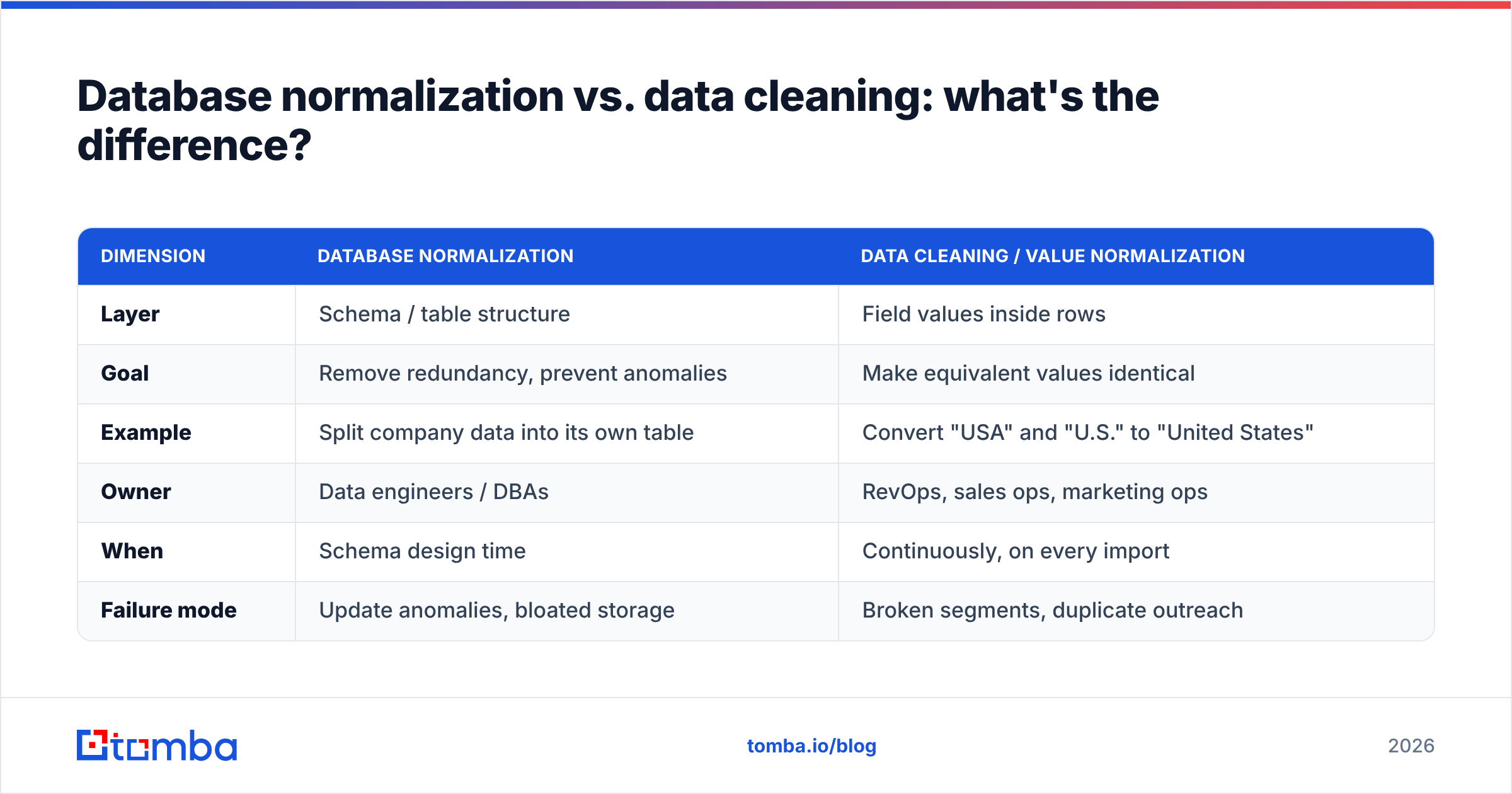
They're often confused, but they solve different problems at different layers. Use this table to keep them straight.
| Dimension | Database Normalization | Data Cleaning / Value Normalization |
|---|---|---|
| Layer | Schema / table structure | Field values inside rows |
| Goal | Remove redundancy, prevent anomalies | Make equivalent values identical |
| Example | Split company data into its own table | Convert "USA" and "U.S." to "United States" |
| Owner | Data engineers / DBAs | RevOps, sales ops, marketing ops |
| When | Schema design time | Continuously, on every import |
| Failure mode | Update anomalies, bloated storage | Broken segments, duplicate outreach |
Most go-to-market teams don't control the schema — that's engineering's job. But you absolutely control the values flowing into your B2B database, your CRM, and your outreach tools. That's where the fastest wins live.
What are the core steps of a data normalization process?#
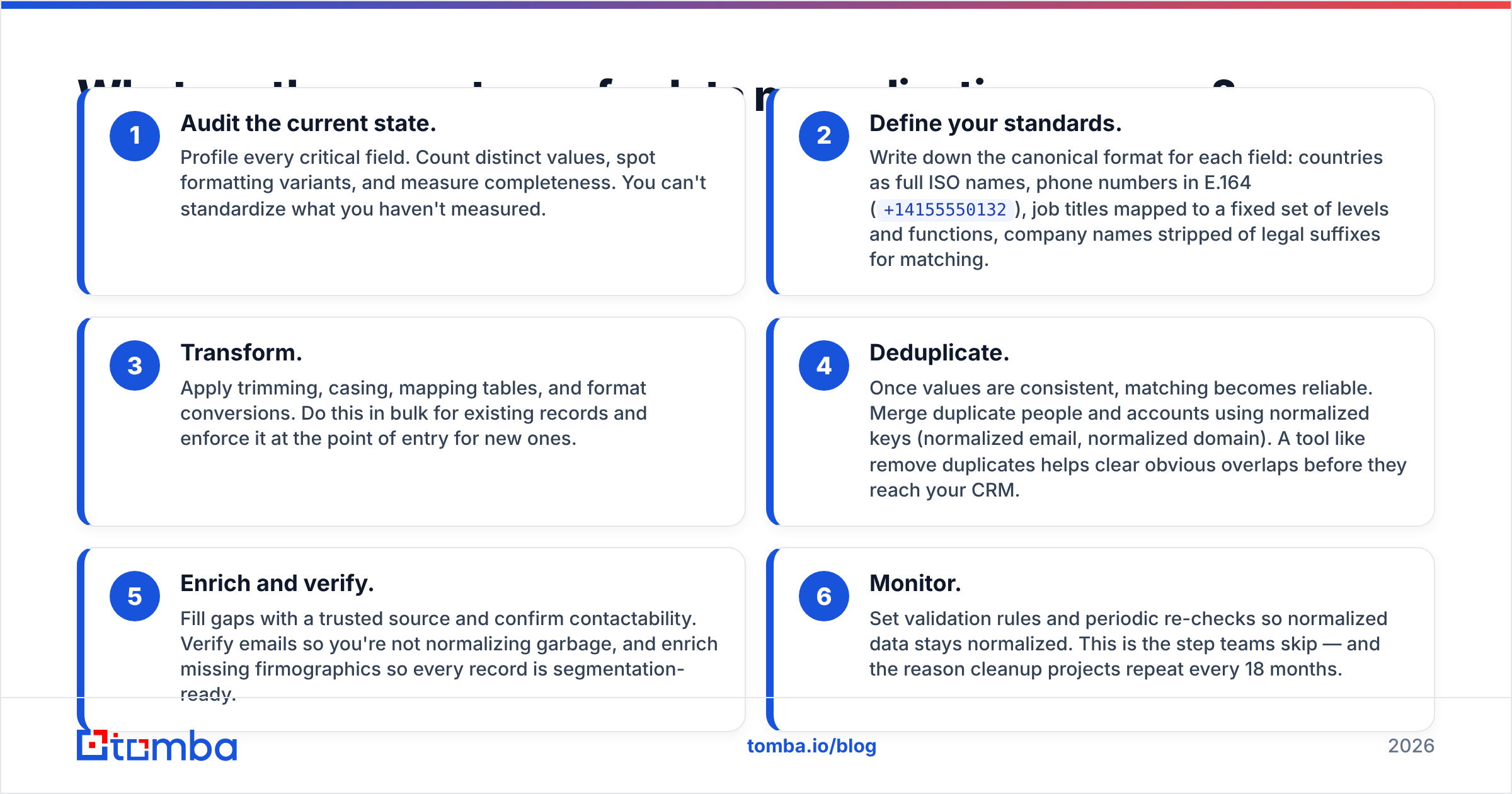
A durable process has six stages. Treat it as a loop, not a one-time cleanup — data goes stale the moment you stop watching it.
- Audit the current state. Profile every critical field. Count distinct values, spot formatting variants, and measure completeness. You can't standardize what you haven't measured.
- Define your standards. Write down the canonical format for each field: countries as full ISO names, phone numbers in E.164 (
+14155550132), job titles mapped to a fixed set of levels and functions, company names stripped of legal suffixes for matching. - Transform. Apply trimming, casing, mapping tables, and format conversions. Do this in bulk for existing records and enforce it at the point of entry for new ones.
- Deduplicate. Once values are consistent, matching becomes reliable. Merge duplicate people and accounts using normalized keys (normalized email, normalized domain). A tool like remove duplicates helps clear obvious overlaps before they reach your CRM.
- Enrich and verify. Fill gaps with a trusted source and confirm contactability. Verify emails so you're not normalizing garbage, and enrich missing firmographics so every record is segmentation-ready.
- Monitor. Set validation rules and periodic re-checks so normalized data stays normalized. This is the step teams skip — and the reason cleanup projects repeat every 18 months.
A quick example: normalizing a job title#
Say your raw data contains: VP, Sales, v.p. of sales, Vice President Sales, and SVP Sales. A normalization pass would:
- Trim and unify casing →
vp, sales,v.p. of sales,vice president sales,svp sales - Map function → all four tagged
Sales - Map seniority → the first three become
VP, the last becomesSVP - Store both the cleaned display title and the structured
function+seniorityfields
Now a campaign targeting "VP+ in Sales" catches every one of them. Before normalization, it caught maybe one.
Which fields should you normalize first?#
Prioritize the fields your automation actually keys on. Everything else can wait.
- Email — lowercase, trim, strip sub-addressing where appropriate, and verify deliverability. This is your strongest dedupe key.
- Company name and domain — strip legal suffixes ("Inc.", "LLC", "GmbH") for matching, and treat the root domain as the canonical account identifier.
- Job title — split into structured function and seniority as shown above.
- Phone — convert to E.164 so dialers and validators can use them.
- Country / state / region — standardize to ISO names or codes to make routing and reporting reliable.
- Industry — collapse to a fixed taxonomy instead of free text.
Notice the pattern: the highest-value fields are the ones that feed matching, routing, and segmentation. Normalize those and 80% of your pain disappears.
What tools help with data normalization?#
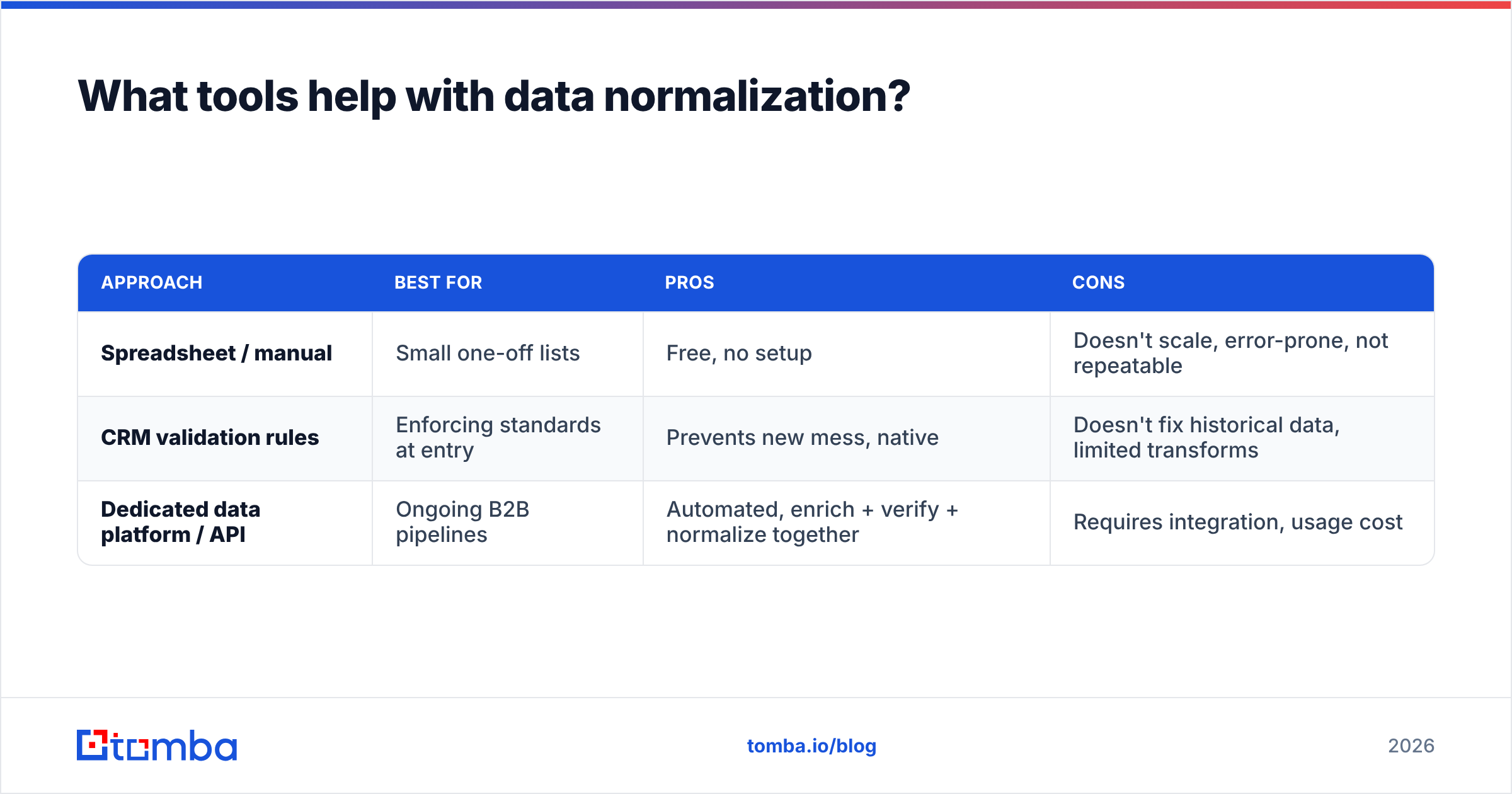
You have three broad options, and most teams end up combining them.
| Approach | Best for | Pros | Cons |
|---|---|---|---|
| Spreadsheet / manual | Small one-off lists | Free, no setup | Doesn't scale, error-prone, not repeatable |
| CRM validation rules | Enforcing standards at entry | Prevents new mess, native | Doesn't fix historical data, limited transforms |
| Dedicated data platform / API | Ongoing B2B pipelines | Automated, enrich + verify + normalize together | Requires integration, usage cost |
For a repeatable pipeline, the third approach wins. A normalization step is only as good as the data behind it, so pairing standardization with verification and enrichment matters. Verify emails before you trust them, enrich missing firmographics so records are segmentation-ready, and standardize on ingest via an API. If you run large lists, a bulk email finder plus verification pass turns a raw, inconsistent export into a clean, deduped, contactable list in one workflow.
Major CRMs also bake in pieces of this. HubSpot's data-quality tools and property formatting help enforce standards at the field level (HubSpot), and Salesforce offers duplicate and matching rules that lean directly on normalized values (Salesforce). Use them for enforcement, and use a data provider for the heavy lifting of cleaning and filling.
How do you keep data normalized over time?#
Standardize at the boundary, and monitor continuously. Normalization decays for two reasons: new data arrives dirty, and existing data goes stale.
Address both:
- On ingest: run every new record through the same transform rules. No exceptions for "quick" manual entries — that's how the mess restarts.
- On a schedule: re-verify emails and re-check key fields quarterly. Roughly a quarter of B2B contacts change annually, so a static "clean" database is a myth.
- With alerts: flag records that fail validation instead of letting them silently pollute reports.
- With ownership: assign a person or team accountable for data quality. Unowned data is untended data.
The teams that win here stop treating normalization as a project with an end date and start treating it as a background process — the way you treat backups or security patching.
Is data normalization worth the effort?#
Yes — and the ROI compounds. Every downstream system you own runs better on clean input: campaigns convert higher because segments are accurate, reps trust the CRM because records match reality, dashboards inform decisions instead of misleading them, and every API credit you spend on verification or enrichment hits a valid target instead of a malformed one.
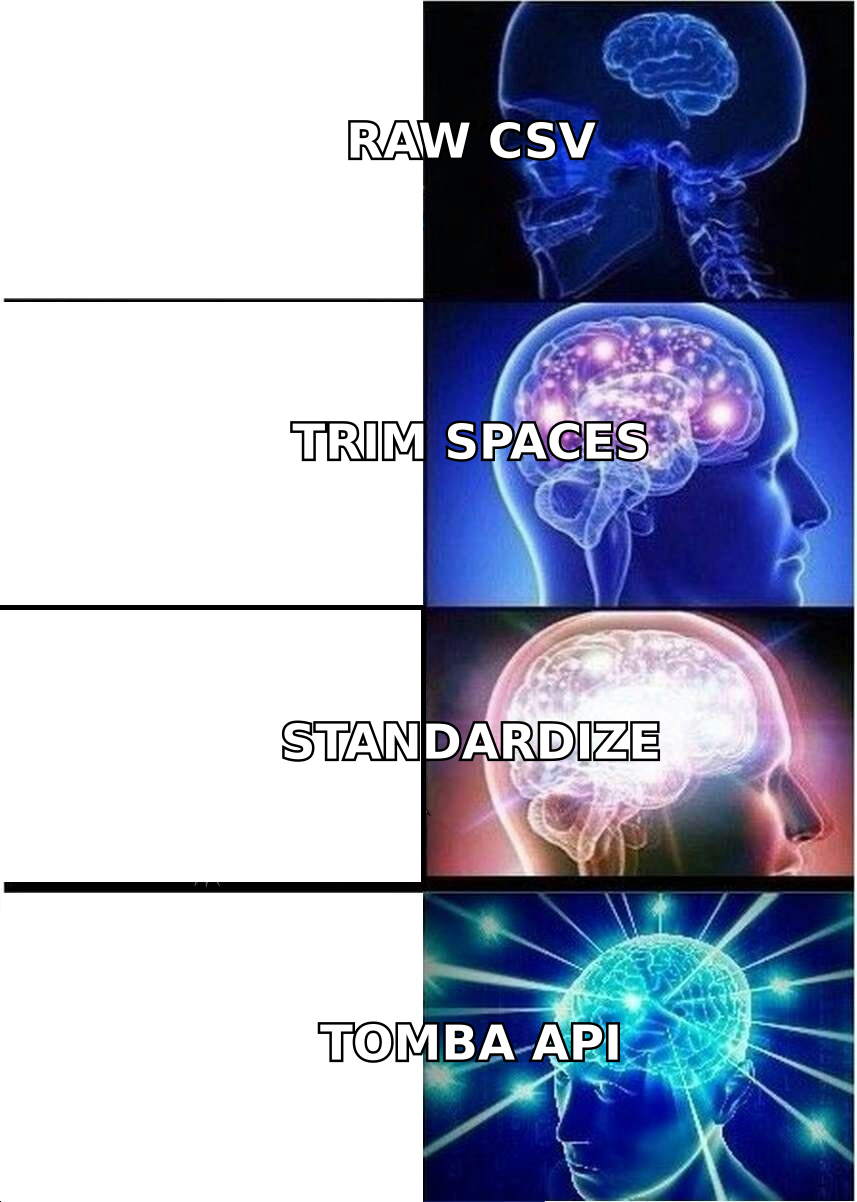
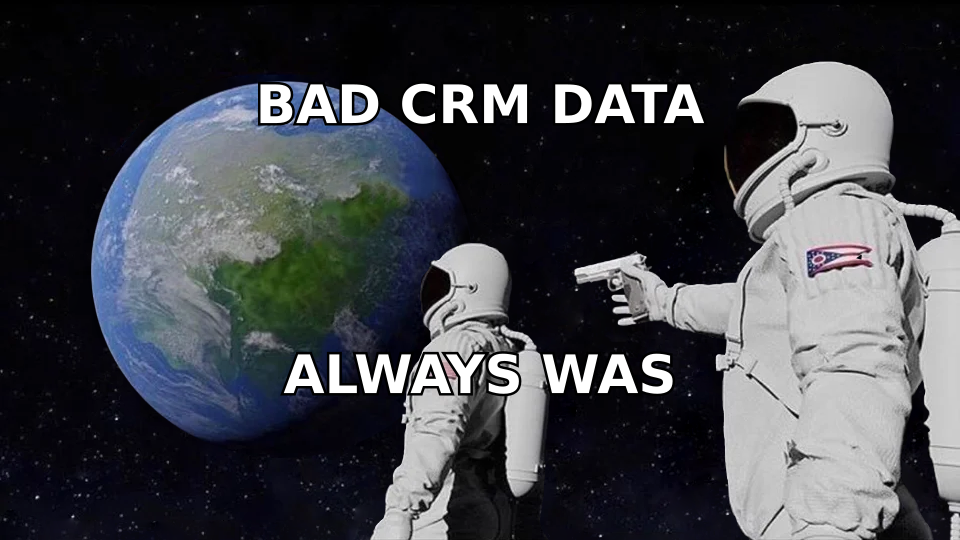
The alternative — skipping normalization — doesn't save work. It just moves the work to your reps, who quietly reconcile records by hand, and to your leadership, who make decisions on numbers that don't add up. As the meme goes: the problem was never the tool. It was always the dirty data underneath.
Start small. Pick your three most-used fields, define standards, run one transform-and-verify pass, and put an ingest rule in place so it stays clean. You'll feel the difference in your next campaign and your next pipeline review.
Get clean, contactable B2B data from the start#
Normalization is easier when the data enters clean. Tomba's Email Finder returns professional email addresses in a consistent, verified format — so you're standardizing structured, deliverable data instead of scrubbing broken exports. Pair it with the email verifier and data enrichment to keep every record segmentation-ready, and check the Tomba pricing plans (free tier included, Starter at $49/mo) to find the fit for your volume. Feed your pipeline clean data at the source, and normalization stops being a recurring fire drill.
Related guides#
Ready to find emails that actually work?
Join 150,000+ professionals who stopped guessing and started sending. Free credits on signup — no credit card required.
Get the Tomba newsletter
Practical outbound tactics and product updates — once every two weeks.
About the author