Data Validation: The Complete 2026 Guide for B2B Teams
Bad records quietly drain your pipeline. This 2026 guide breaks down what data validation is, the checks that matter, and how to keep your CRM clean without slowing the team down.
Bad data does not announce itself. It shows up as a bounced campaign, a rep calling a disconnected number, or a forecast built on duplicate accounts. By the time you notice, the damage is already in your reports. Data validation is how you stop garbage from entering your systems in the first place — and how you catch it when it slips through.
This guide covers what data validation actually means, the specific checks that matter for B2B teams, where validation should live in your stack, and how to pick tools without overbuying.
TL;DR#
- Data validation is the process of checking that data is accurate, complete, consistent, and formatted correctly before it enters or moves through your systems.
- The highest-ROI checks for B2B teams are email verification, phone validation, deduplication, and format/enrichment checks — in that order.
- Validate at three points: on input (forms, imports), on storage (CRM writes), and on a recurring schedule (list decay).
- Skipping validation costs more than doing it. Gartner estimates poor data quality costs organizations an average of $12.9M per year.
- Tools like Tomba's email verifier and bulk validation APIs automate the heavy lifting so your reps stop chasing dead records.
What is data validation?#
Data validation is the practice of confirming that a piece of data meets a defined set of rules before you trust it. Think of it like a bouncer at a club: every record that wants in has to show valid ID, be on the list, and not already be inside. Records that fail get rejected, flagged, or sent back for correction.
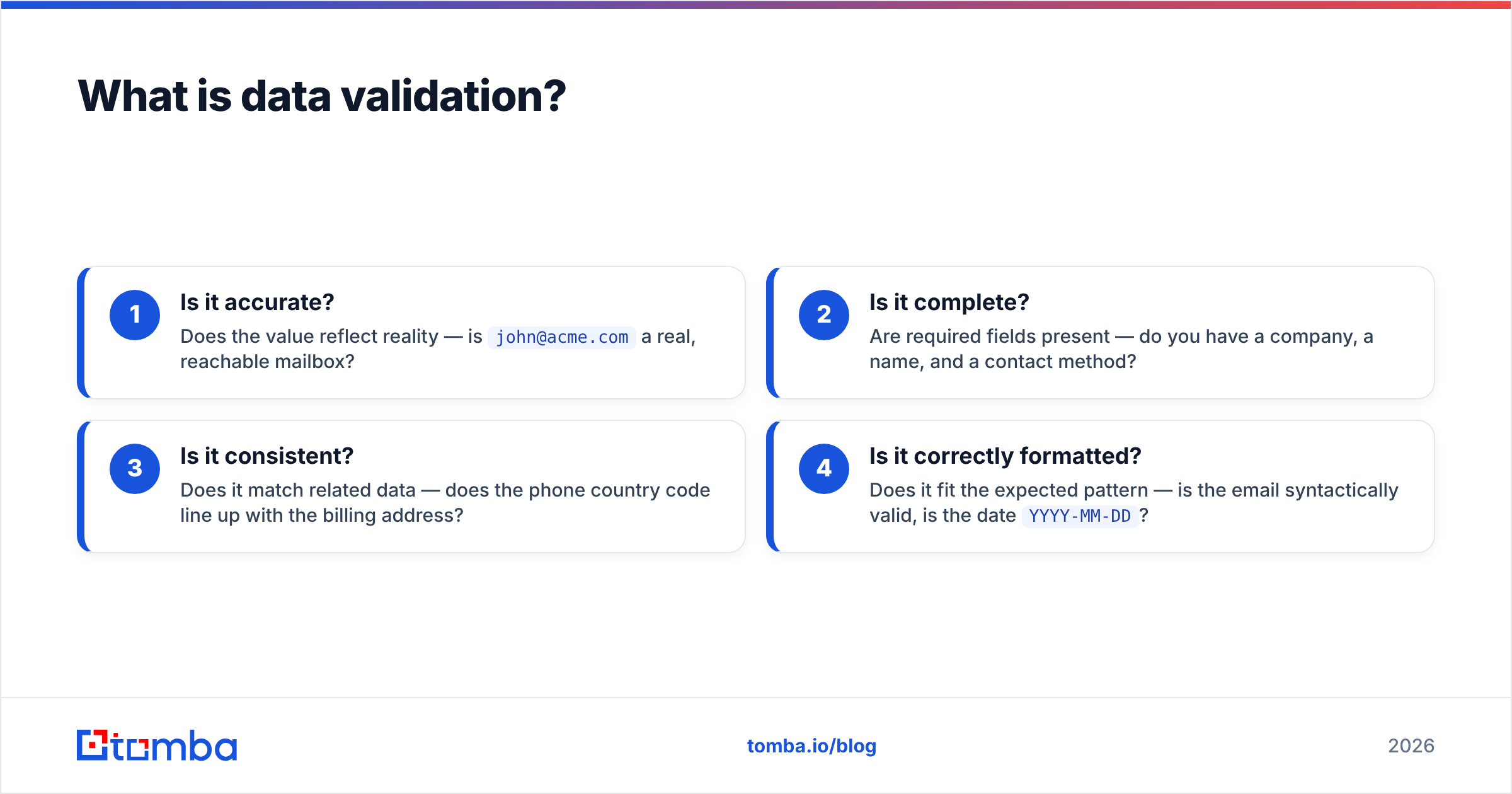
Technically, validation answers four questions about any field or record:
- Is it accurate? Does the value reflect reality — is
john@acme.coma real, reachable mailbox? - Is it complete? Are required fields present — do you have a company, a name, and a contact method?
- Is it consistent? Does it match related data — does the phone country code line up with the billing address?
- Is it correctly formatted? Does it fit the expected pattern — is the email syntactically valid, is the date
YYYY-MM-DD?
Validation is distinct from data cleansing (fixing or removing bad data after the fact) and data enrichment (adding missing attributes). In practice they run together: you validate, then cleanse what failed, then enrich the gaps. But validation is the gate that decides what happens next.
Why does data validation matter for B2B teams?#
The short answer: every downstream metric depends on it. Your email deliverability, your rep productivity, your forecast accuracy, and your compliance posture all rest on whether the underlying records are trustworthy.
Here is what unvalidated data quietly breaks:
- Deliverability. Sending to invalid or trap addresses raises bounce rates and hurts sender reputation. A few bad batches can get your domain throttled or blacklisted.
- Rep time. Sales development reps burn hours dialing disconnected numbers and emailing people who left the company 18 months ago.
- Forecasting. Duplicate accounts inflate pipeline. Missing fields break segmentation. Your CRM becomes a source of arguments instead of answers.
- Compliance. Under GDPR and similar regimes, holding inaccurate personal data is a liability, not just an inconvenience.
According to Gartner, poor data quality costs the average organization $12.9 million every year. Most of that is invisible — it hides in wasted effort and bad decisions rather than a single line item. Validation is the cheapest insurance you can buy against it.
What are the main types of data validation checks?#
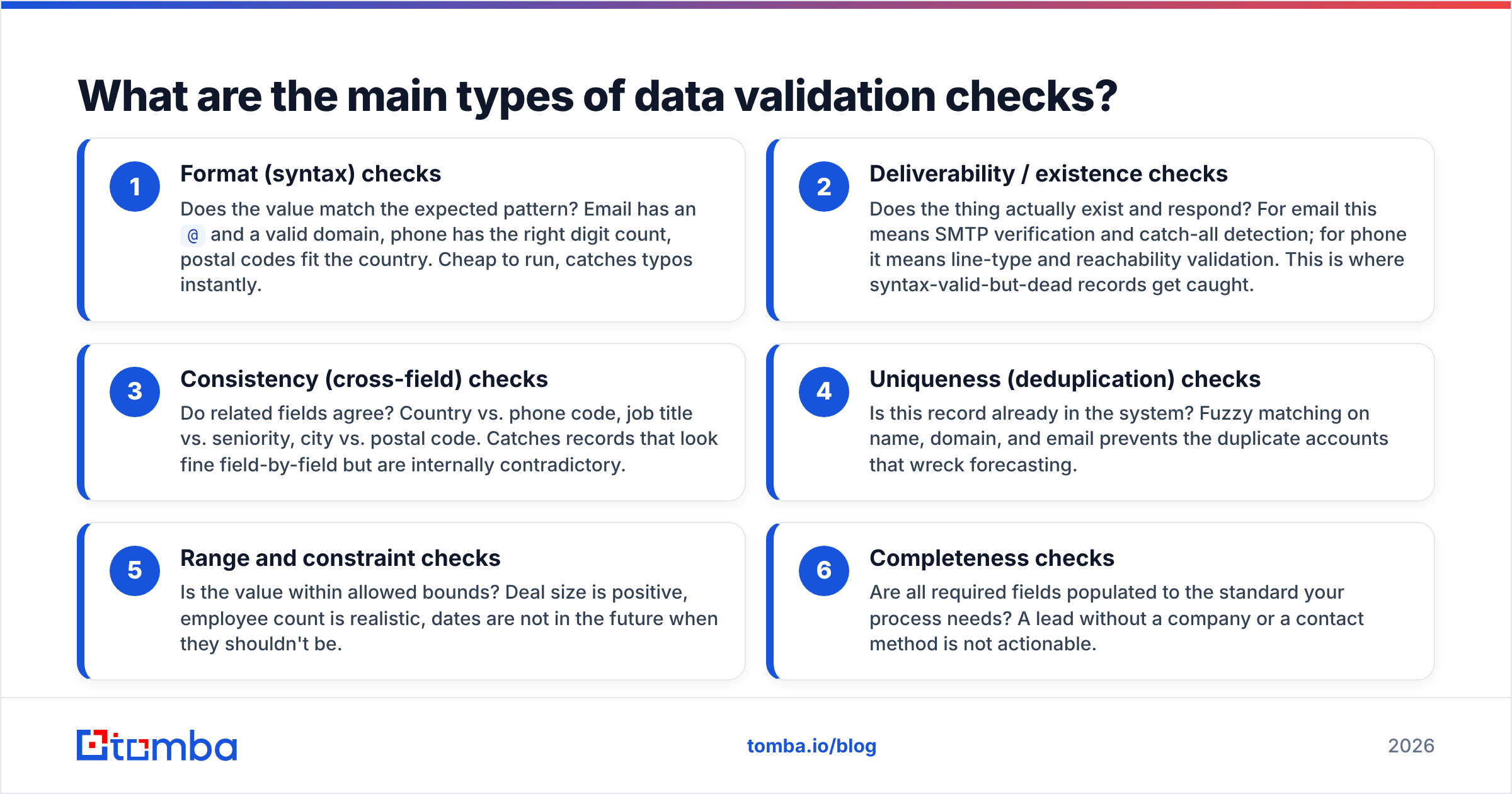
Not all checks are equal. Some catch obvious garbage; others catch the subtle rot that erodes a database over time. Here are the core categories, ordered roughly by how much impact they have on a typical B2B revenue team.
- Format (syntax) checks — Does the value match the expected pattern? Email has an
@and a valid domain, phone has the right digit count, postal codes fit the country. Cheap to run, catches typos instantly. - Deliverability / existence checks — Does the thing actually exist and respond? For email this means SMTP verification and catch-all detection; for phone it means line-type and reachability validation. This is where syntax-valid-but-dead records get caught.
- Consistency (cross-field) checks — Do related fields agree? Country vs. phone code, job title vs. seniority, city vs. postal code. Catches records that look fine field-by-field but are internally contradictory.
- Uniqueness (deduplication) checks — Is this record already in the system? Fuzzy matching on name, domain, and email prevents the duplicate accounts that wreck forecasting.
- Range and constraint checks — Is the value within allowed bounds? Deal size is positive, employee count is realistic, dates are not in the future when they shouldn't be.
- Completeness checks — Are all required fields populated to the standard your process needs? A lead without a company or a contact method is not actionable.
The mistake most teams make is stopping at format checks. A syntactically perfect email address is worthless if the mailbox was deleted. Deliverability validation is where the real money is saved.
Where should validation happen in your stack?#
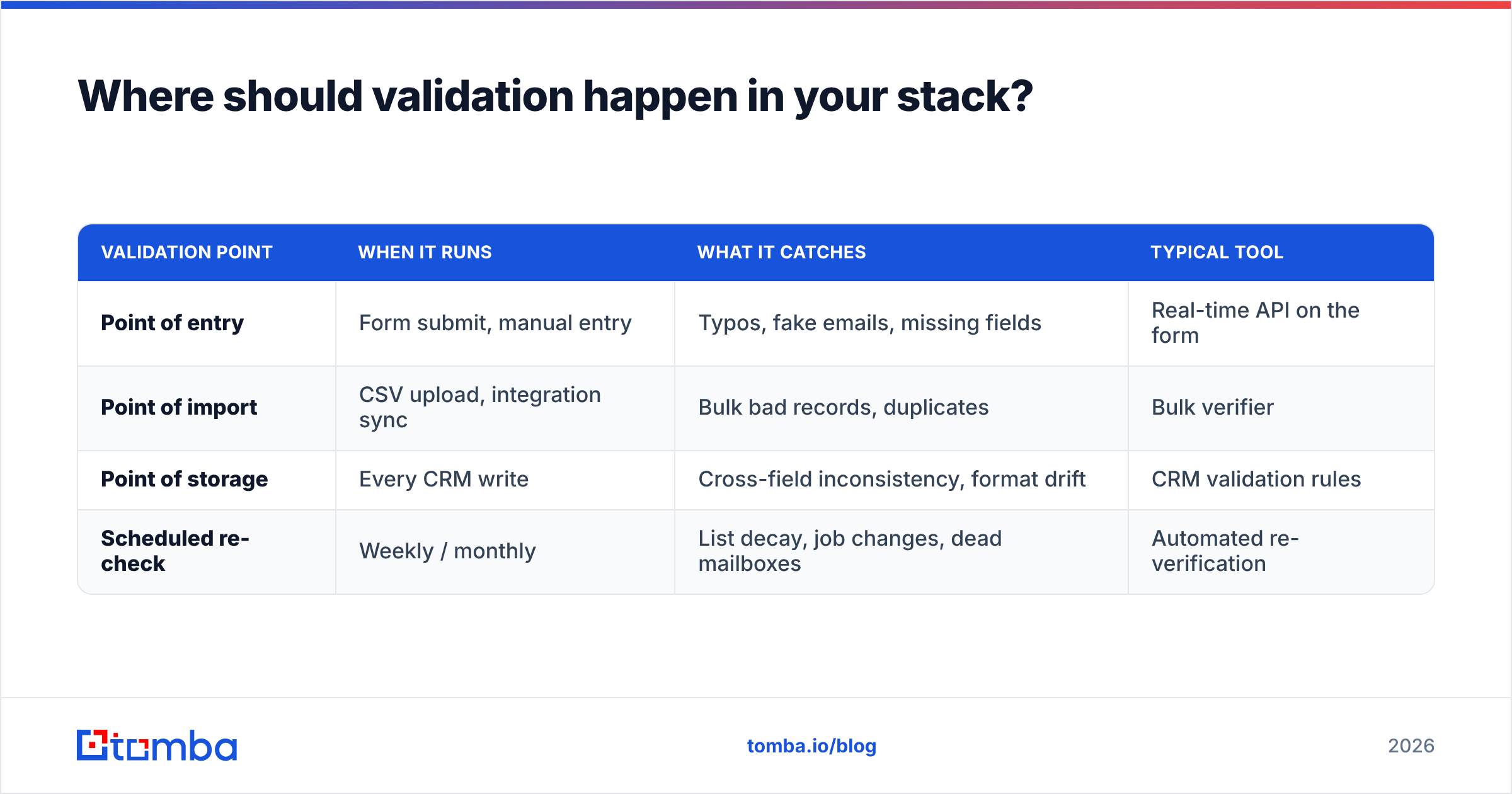
Validation should run at three distinct points. Skipping any one of them leaves a gap that fills up with bad data over time.
| Validation point | When it runs | What it catches | Typical tool |
|---|---|---|---|
| Point of entry | Form submit, manual entry | Typos, fake emails, missing fields | Real-time API on the form |
| Point of import | CSV upload, integration sync | Bulk bad records, duplicates | Bulk verifier |
| Point of storage | Every CRM write | Cross-field inconsistency, format drift | CRM validation rules |
| Scheduled re-check | Weekly / monthly | List decay, job changes, dead mailboxes | Automated re-verification |
The scheduled re-check is the one teams forget. B2B data decays fast — industry estimates put it around 22–30% per year as people change jobs, companies get acquired, and email addresses go dark. A record that validated cleanly in January can be dead by June. Re-verifying your active lists on a recurring cadence is not optional if deliverability matters to you.
How do you validate email addresses specifically?#
Email is the single highest-value field to validate for most B2B teams, so it deserves its own breakdown. A proper email validation flow runs several layers, each catching something the previous one missed:
- Syntax check — valid characters, one
@, a real TLD. Instant, free. - Domain / MX check — does the domain exist and have mail servers configured? Rejects made-up domains.
- SMTP check — connect to the mail server and confirm the specific mailbox accepts mail, without actually sending anything.
- Catch-all detection — some domains accept mail for any address, which hides invalid mailboxes. A good catch-all verifier flags these so you can score them differently instead of trusting them blindly.
- Role and disposable filtering — flag
info@,sales@, and throwaway domains that inflate your list without adding real contacts.
If you are building outreach lists, pair verification with discovery. Finding the address is only half the job — an email finder surfaces the contact, and the verifier confirms it is safe to send. Doing both in one pass keeps your bounce rate low from the start rather than cleaning up after a failed campaign.
Manual validation vs. automated tools: which wins?#
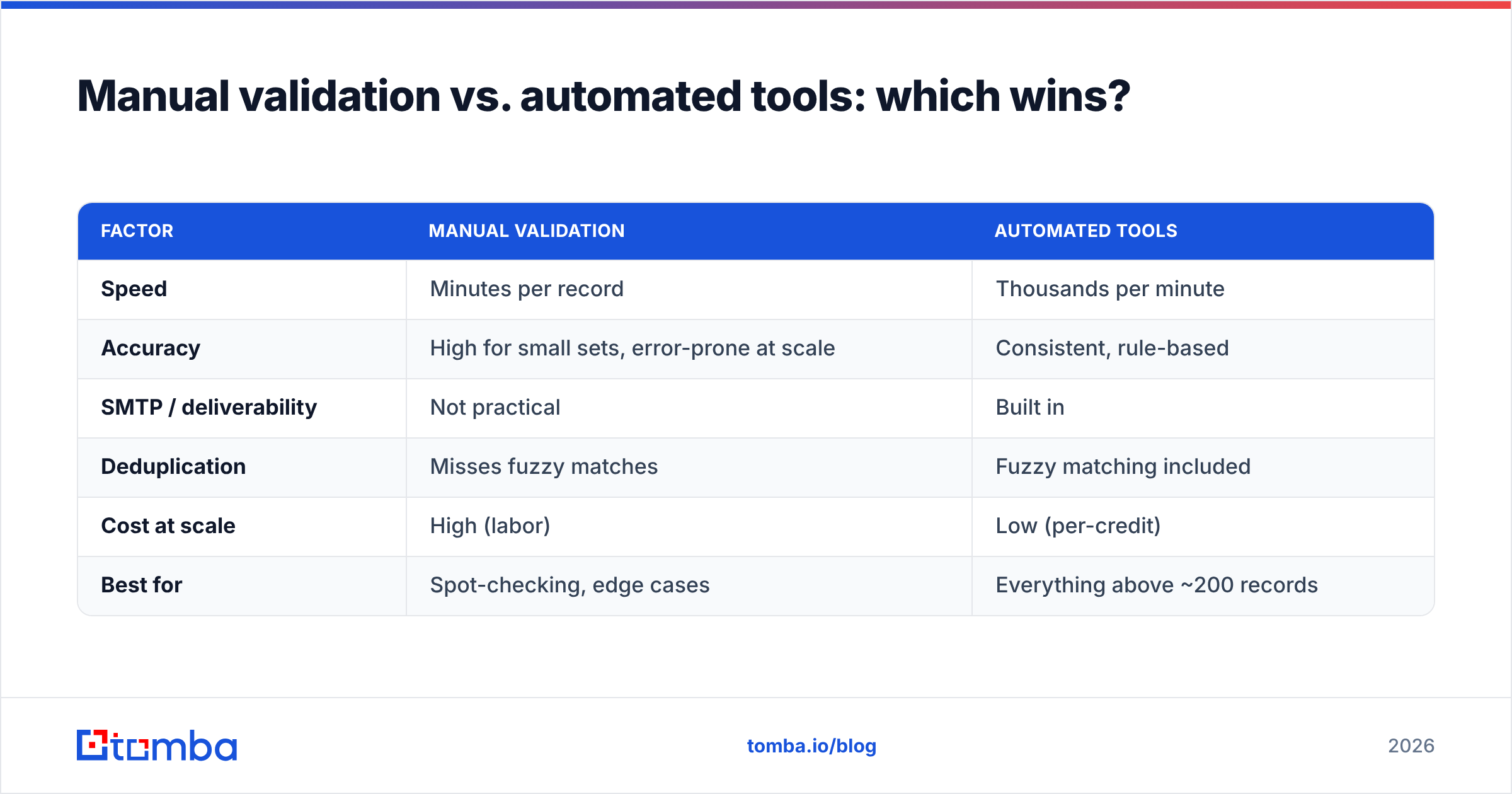
For a handful of records, manual checking is fine. Past a few hundred, it collapses — nobody is SMTP-pinging mailboxes by hand or fuzzy-matching duplicates across 40,000 rows. Here is the honest comparison.
| Factor | Manual validation | Automated tools |
|---|---|---|
| Speed | Minutes per record | Thousands per minute |
| Accuracy | High for small sets, error-prone at scale | Consistent, rule-based |
| SMTP / deliverability | Not practical | Built in |
| Deduplication | Misses fuzzy matches | Fuzzy matching included |
| Cost at scale | High (labor) | Low (per-credit) |
| Best for | Spot-checking, edge cases | Everything above ~200 records |
The verdict: automate the volume, reserve human judgment for edge cases. Tools handle format, deliverability, and dedup at a speed and consistency people can't match. Humans are still better at deciding whether a validated lead is a good fit — that's a targeting question, not a data-quality one.
What should you look for in a data validation tool?#
Not every tool that claims "validation" does the layers that matter. When you evaluate options, check for these:
- Real SMTP verification, not just syntax. Many cheap tools only check format and call it a day.
- Catch-all handling that scores rather than guesses, so you don't lose reachable contacts or trust unreachable ones.
- Bulk and API access so validation fits into imports, forms, and automations — not just a manual upload page.
- Transparent accuracy claims backed by documented data sources. Be skeptical of vendors who won't say where their data comes from.
- Reasonable pricing that scales with your volume rather than punishing growth.
On pricing, Tomba's plans start with a free tier of 25 searches per month, then Starter at $49/mo and Growth at $99/mo, with Pro and Enterprise above that. That structure lets you validate a small list for free before committing, which is the right way to test any validation vendor. If you want to compare options in your category, G2 maintains user-reviewed grids for email verification tools that are worth a look before you buy.
What are the most common data validation mistakes?#
Even teams that run validation make avoidable errors. Watch for these:
- Validating once and never again. Data decays. A one-time cleanup is a snapshot, not a strategy. Schedule re-validation.
- Only checking syntax. A well-formed dead email still bounces. Deliverability checks are the point.
- Ignoring catch-all domains. Treating every catch-all address as valid inflates your list with unreachable contacts and eventually hurts your reputation.
- No validation at the form. If your intake forms accept anything, you're cleaning up problems you could have prevented for free.
- Deleting instead of flagging. Sometimes a record fails validation but is still useful with correction or enrichment. Flag-and-review beats delete-on-sight for high-value accounts.
- Skipping deduplication. Duplicates are the quietest data-quality problem and the most corrosive to forecasting.
Avoiding these six covers most of the gap between a database you trust and one you argue with.
How does validation fit into a broader data quality process?#
Validation is one stage in a loop, not a one-off task. A healthy B2B data operation cycles through: capture → validate → cleanse → enrich → monitor → re-validate. Each stage feeds the next. You validate to find problems, cleanse to fix them, enrich to fill gaps, monitor to catch decay, then re-validate on schedule.
The teams that get this right treat data quality as an ongoing operational discipline — the same way you'd treat security or uptime — rather than a spring-cleaning project. For a broader framework on operationalizing this, HubSpot's guide to data quality is a solid, vendor-neutral starting point.
The tooling should make the loop cheap enough to run continuously. If validating your list is a painful monthly ordeal, you'll skip it, and decay wins. If it's an API call baked into your imports and a scheduled job, it just happens.
Put clean data on autopilot with Tomba#
Data validation is not glamorous, but it's the foundation everything else rests on — deliverability, rep productivity, and forecasts you can defend. The winning move is to validate at every entry point, re-check on a schedule, and let tools handle the volume so your team focuses on selling.
If you want to start with the highest-impact field, run your list through the Tomba Email Finder to discover and verify professional email addresses in one pass, then keep your CRM clean with bulk verification and enrichment on the same platform. Begin on the free tier, test it against your own data, and scale up only when the accuracy proves itself. Clean data compounds — the sooner you gate it, the less mess you inherit later.
Related guides#
Ready to find emails that actually work?
Join 150,000+ professionals who stopped guessing and started sending. Free credits on signup — no credit card required.
Get the Tomba newsletter
Practical outbound tactics and product updates — once every two weeks.
About the author