The Data Verification Process: A 2026 Step-by-Step Guide
Bad records quietly wreck outreach, forecasts, and sender reputation. Here is a practical, 2026-ready data verification process that catches decayed, duplicate, and fake data before it costs you.
Your CRM looks full. That is not the same as it being correct. Half the reason "good" campaigns underperform is that the data underneath them was never verified — it was trusted. A data verification process is the discipline that turns a pile of assumed-good records into a list you can actually act on.
This guide breaks down what data verification is, why B2B data rots faster than most teams expect, the exact stages of a repeatable process, and the tools and checks that belong in each one.
TL;DR#
- Data verification is a repeatable process, not a one-time cleanup. You validate accuracy, format, deliverability, and uniqueness on a schedule — not once a year in a panic.
- B2B data decays ~2-2.5% per month. Left alone, a third of your database is wrong or stale within 12 months.
- A solid process has five stages: collect, standardize, validate, deduplicate, and enrich — with monitoring wrapped around all of them.
- Automate the mechanical checks (syntax, MX, SMTP, catch-all, duplicates) and reserve human review for exceptions and high-value accounts.
- Verify at the point of entry and on a recurring cadence. Catching a bad record before it enters the funnel is far cheaper than scrubbing it later.
What is a data verification process?#
A data verification process is the set of repeatable steps you run to confirm that a record is accurate, correctly formatted, deliverable, and unique before you rely on it. Think of it like quality control on a factory line: every part gets inspected against a spec before it ships, and defective parts get pulled, fixed, or scrapped — not sent to the customer.
In a B2B context, "the record" is usually a contact or company: a name, a work email, a phone number, a job title, a domain. Verification asks a simple question of each field — can I prove this is still true? — and routes the answer into one of three buckets: valid, invalid, or risky/uncertain.
It is worth separating two terms people use interchangeably. Data validation checks that a value fits the expected shape and rules (is this a syntactically valid email? is this phone number the right length for its country?). Data verification goes further and checks that the value is real and current (does this mailbox actually accept mail? is this person still at this company?). A mature process does both. For a deeper primer on the underlying concept, Wikipedia's overview of data verification and validation is a reasonable neutral starting point.
Why does B2B data decay so fast?#
Because the world underneath your data does not sit still. People change jobs, companies rebrand, domains get retired, and mailboxes get deactivated — constantly. Industry estimates from marketing platforms like HubSpot put B2B data decay at roughly 2-2.5% per month, which compounds to around 30% per year. That means a database you cleaned last January is meaningfully wrong by summer, even if you never touched it.
The cost is not abstract. Gartner has repeatedly estimated that poor data quality costs organizations millions per year in wasted effort and bad decisions. In outbound specifically, unverified data shows up as:
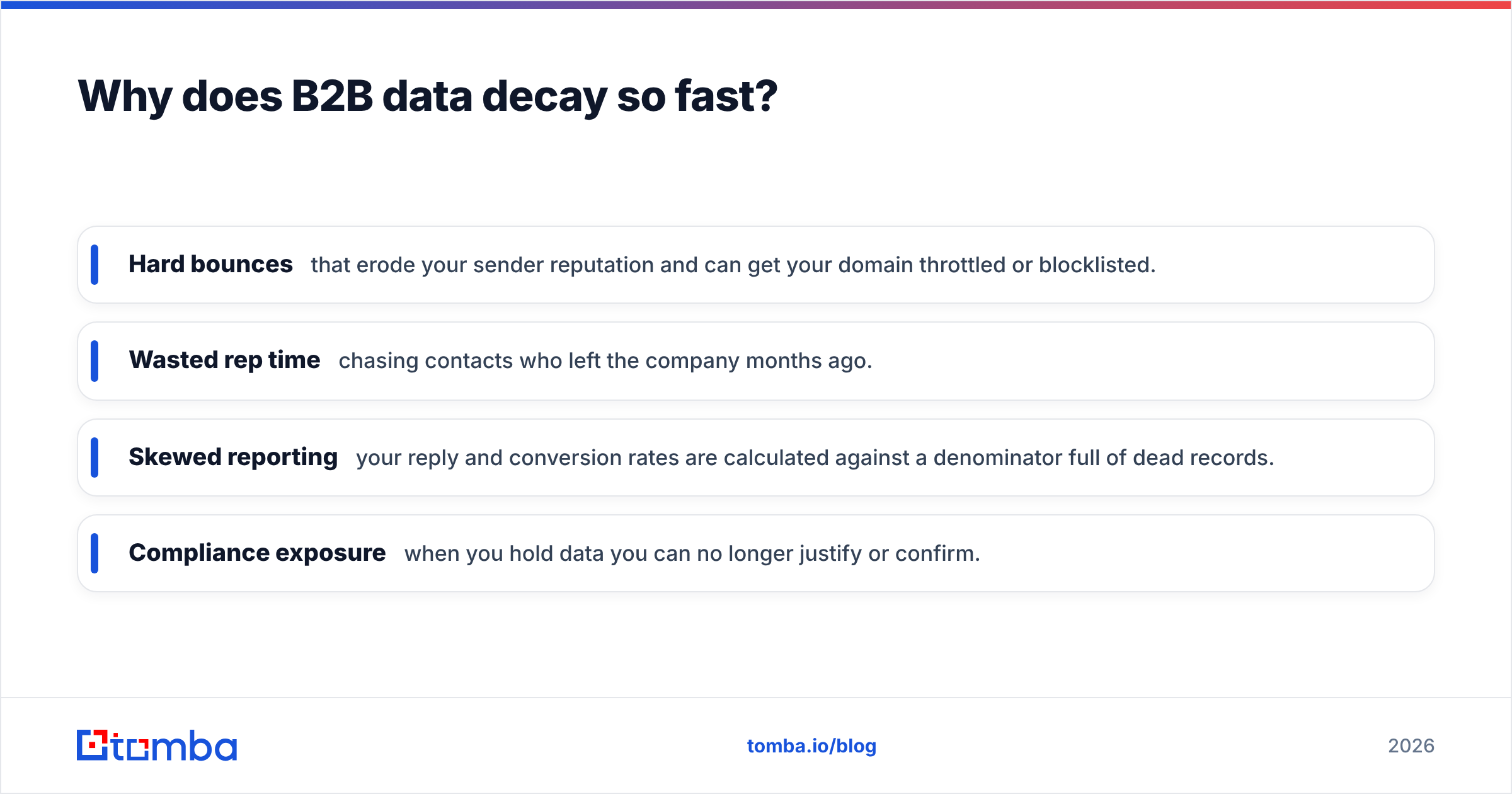
- Hard bounces that erode your sender reputation and can get your domain throttled or blocklisted.
- Wasted rep time chasing contacts who left the company months ago.
- Skewed reporting — your reply and conversion rates are calculated against a denominator full of dead records.
- Compliance exposure when you hold data you can no longer justify or confirm.
The takeaway: verification is not a nice-to-have hygiene task. It protects deliverability, forecasting accuracy, and rep productivity all at once.
What are the stages of a data verification process?#
A dependable process moves each record through the same ordered stages. Skipping one tends to push the cost downstream, where it is more expensive to fix.
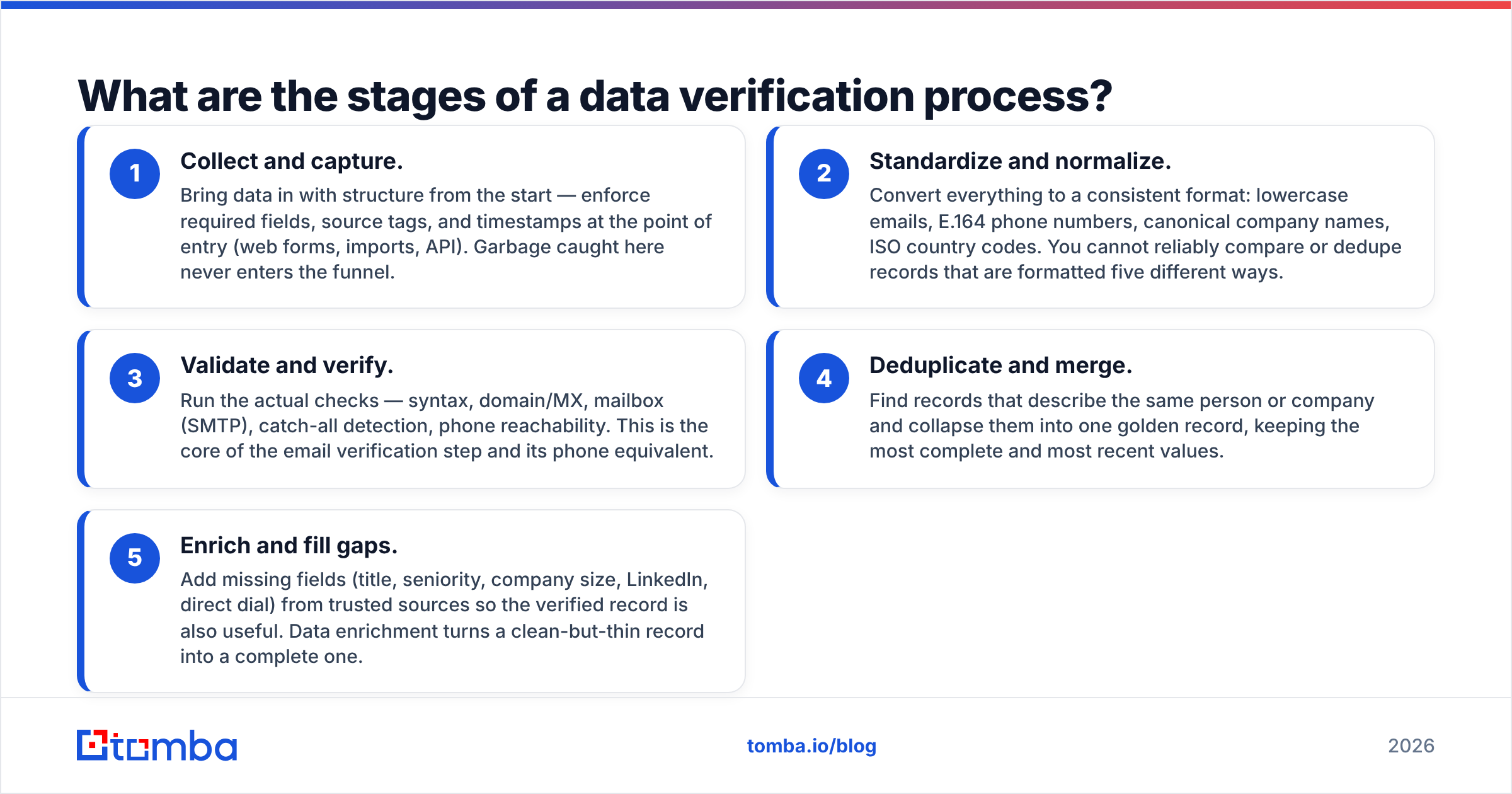
- Collect and capture. Bring data in with structure from the start — enforce required fields, source tags, and timestamps at the point of entry (web forms, imports, API). Garbage caught here never enters the funnel.
- Standardize and normalize. Convert everything to a consistent format: lowercase emails, E.164 phone numbers, canonical company names, ISO country codes. You cannot reliably compare or dedupe records that are formatted five different ways.
- Validate and verify. Run the actual checks — syntax, domain/MX, mailbox (SMTP), catch-all detection, phone reachability. This is the core of the email verification step and its phone equivalent.
- Deduplicate and merge. Find records that describe the same person or company and collapse them into one golden record, keeping the most complete and most recent values.
- Enrich and fill gaps. Add missing fields (title, seniority, company size, LinkedIn, direct dial) from trusted sources so the verified record is also useful. Data enrichment turns a clean-but-thin record into a complete one.
Wrap monitoring around all five. Verification is a loop, not a line — a record that passed in March can fail in July.
What checks belong in the validation stage?#
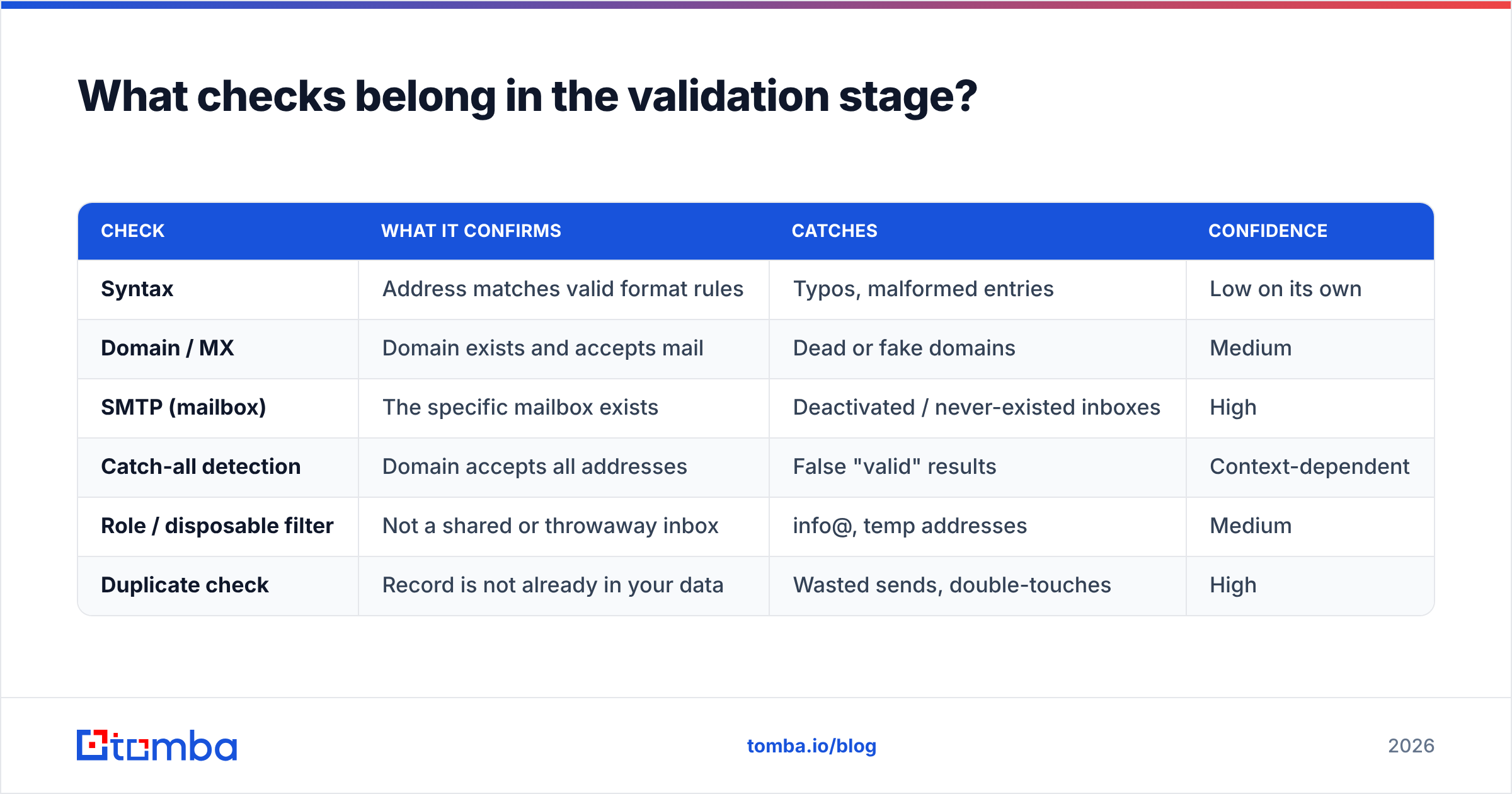
Email verification is where most B2B teams see the fastest ROI, so it is worth unpacking the layered checks that run under the hood. Each layer is cheap to run and eliminates a distinct class of bad address.
| Check | What it confirms | Catches | Confidence |
|---|---|---|---|
| Syntax | Address matches valid format rules | Typos, malformed entries | Low on its own |
| Domain / MX | Domain exists and accepts mail | Dead or fake domains | Medium |
| SMTP (mailbox) | The specific mailbox exists | Deactivated / never-existed inboxes | High |
| Catch-all detection | Domain accepts all addresses | False "valid" results | Context-dependent |
| Role / disposable filter | Not a shared or throwaway inbox | info@, temp addresses | Medium |
| Duplicate check | Record is not already in your data | Wasted sends, double-touches | High |
The tricky one is catch-all. Some domains are configured to accept mail to any address, so an SMTP check returns "valid" even when the mailbox does not exist. A dedicated catch-all verifier applies extra signals to estimate whether the address is genuinely deliverable, so you can decide whether to send, hold, or drop it rather than treating a guess as a green light.
How do you build a data verification process step by step?#
Here is a practical implementation you can stand up without a data-engineering team.
Step 1 — Define your spec. Write down what "valid" means for each field: required fields, accepted formats, freshness thresholds (e.g., re-verify emails older than 90 days). Without a spec, verification becomes opinion.
Step 2 — Verify at the point of entry. Add validation to forms and imports so bad records are flagged or rejected before they land. This is the single highest-leverage change most teams can make.
Step 3 — Batch-verify your existing database. Run everything you already hold through the layered checks above. A bulk verification run against your current list gives you an honest baseline — expect the invalid share to be higher than you hoped.
Step 4 — Route by result. Valid records proceed. Invalid records are suppressed. Risky/catch-all records go to a review queue or a lower-priority sequence. Never silently delete uncertain data — quarantine it.
Step 5 — Deduplicate and merge. Collapse duplicates into golden records, keeping the newest and most complete values and preserving source history.
Step 6 — Enrich the survivors. Fill gaps on the records worth keeping so sales has enough context to personalize.
Step 7 — Schedule re-verification. Automate the whole loop to re-run on a cadence. Verification you do once is a snapshot; verification you schedule is a system.

Manual vs automated vs hybrid: which approach wins?#
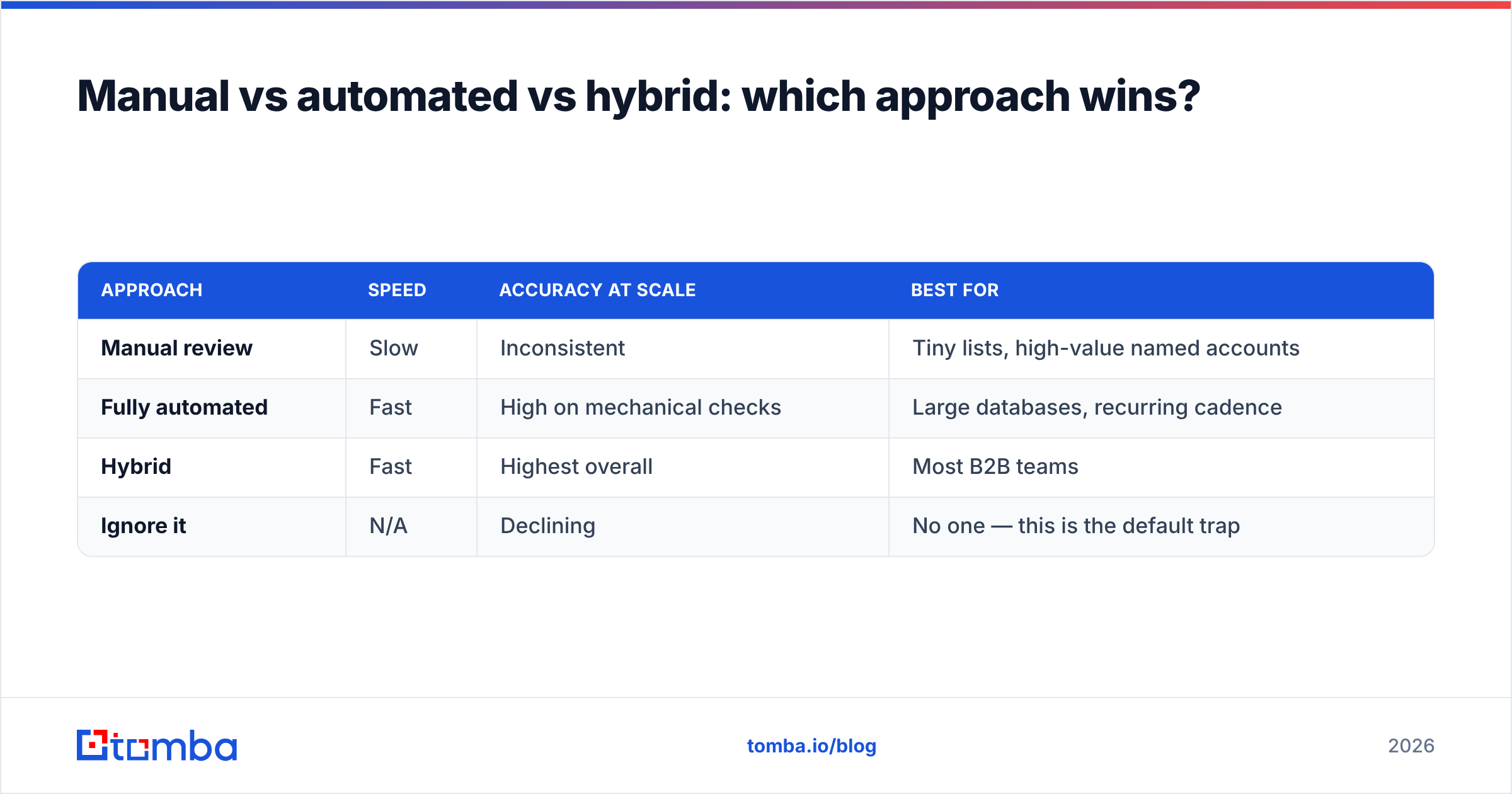
Most teams land on a hybrid model, but it helps to see the trade-offs directly.
| Approach | Speed | Accuracy at scale | Best for |
|---|---|---|---|
| Manual review | Slow | Inconsistent | Tiny lists, high-value named accounts |
| Fully automated | Fast | High on mechanical checks | Large databases, recurring cadence |
| Hybrid | Fast | Highest overall | Most B2B teams |
| Ignore it | N/A | Declining | No one — this is the default trap |
Automation handles the mechanical, high-volume checks — syntax, MX, SMTP, catch-all, duplicates — without fatigue or inconsistency. Humans are better spent on judgment calls: reviewing flagged exceptions, confirming strategic accounts, and deciding policy for ambiguous catch-all domains. The failure mode is the bottom row: treating verification as something you will "get to," which in practice means never.
Data providers such as BookYourData and verification-first platforms both fit into this hybrid picture — sourcing and verification are complementary, not competing, functions. What matters is that the data you act on has actually been checked, wherever it originated. If you want to sanity-check a vendor's claims, third-party reviews on G2 are a useful reality filter.
How often should you re-verify your data?#
Match the cadence to how fast the data moves and how much a mistake costs you.
- On entry — always. Every new record, every time. Non-negotiable.
- Before every major send. Re-verify a campaign list right before launch; even a 30-day-old list has drifted.
- Rolling monthly for active segments. The contacts you actually email should be freshest.
- Quarterly for the full database. A complete sweep catches decay in dormant segments before you reactivate them.
The principle: the closer a record is to being used, the more recently it should have been verified. A great way to keep records fresh without full re-collection is to combine scheduled verification with ongoing enrichment, so fields update as the underlying data changes. Understanding where your data comes from also matters — a process is only as trustworthy as the sources feeding it.
What does "good" data verification actually look like?#
You will know your process is working when a few things become true at once:
- Bounce rates stay consistently low (well under 3% for email), protecting your sender reputation.
- Reps stop reporting "this person left the company" as a recurring surprise.
- Reporting metrics stabilize because the denominator is real, not inflated by dead records.
- New records are clean on arrival, so cleanup becomes maintenance rather than firefighting.
- Uncertain records are handled deliberately — quarantined and reviewed, not silently trusted or silently dropped.
If you are still doing a giant annual scrub and bracing for the results, you do not have a process yet — you have an event. The goal is to make verification boring: continuous, automated, and quietly running in the background.
Turn your verification process into a system#
The fastest way to move from "we should verify our data" to a working process is to plug verified sourcing into the front of the pipeline, so records are clean before they ever hit your CRM. Tomba's Email Finder finds professional email addresses by name, domain, or company and returns a confidence signal with each result, so verification is built into discovery rather than bolted on afterward. Pair it with the email verifier and bulk tools for existing lists, and you have the full loop — collect, verify, dedupe, enrich — running on a schedule instead of a scramble.
Start on the free tier (25 searches per month) to test it against your own data, and check Tomba pricing when you are ready to scale the process across your whole database. Verified data is not the finish line — it is the starting condition for every campaign that actually works.
Related guides#
// get started
Find, verify and enrich your first contacts today
Start on the free plan with 25 searches a month, then scale when your team is ready.
Free plan · No credit card required · GDPR & CCPA
// about the author